Welcome to our community

Be a part of something great, join today!

  • Hey all, just changed over the backend after 15 years I figured time to give it a bit of an update, its probably gonna be a bit weird for most of you and i am sure there is a few bugs to work out but it should kinda work the same as before... hopefully :)

PC for Editing/Compositing - How are these specs?

David McDonald

Active member
Joined
Nov 2, 2011
Messages
37
Reaction score
0
Points
0
I'm close to pulling the trigger on a new PC but I'm kind of a noob when it comes to PCs so I wanted to check if these specs are okay or if there are better alternatives for certain items.

I primarily use Premiere, After Effects and Resolve. I'll be editing a range of stuff, sometimes Alexa, sometimes other 4K formats, and would like the ability to handle some of the newer RED footage up to 8K.

I'm currently working on a 2013 iMac so pretty much anything will be an improvement....I don't need the most powerful computer but would like something good enough to handle higher resolutions and some decent sized After Effects projects.

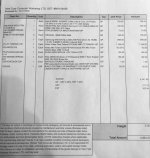
I went to a store in Vancouver that someone on this forum recommended and these are the specs the guy suggested:

Intel i9 9900K Coffee Lake 8-Core, 16-Thread 3.6 GHz (5.0 GHz turbo) LGA 1151 (300 Series)
ASUS ROG Strix Z390-E Gaming S1151 Z390-E DDR4 DP HDMI USB WiFi ATX Retai
COOLERMASTER MASTERAIR MA410P
CRUCIAL 16 GB DDR4-2666
Samsung 970 EVO M.2 2280 2TB PCIe Gen3, X4, NVMe 1.3 64L V-NAND 3-bit MLC Internal Solid
Zotec Video Card GeForce RTX 2080 AMP ZT-T20800D-10P
Antec Mid Tower Case P8 Performance ATX Mid tower 0/0/(2) Bays USB 3.0 Audi
EVGA 850W 80PLUS +12V 150mm ATX
FQC-08930 Windows 10 Professional 64Bit


Someone I know recommended getting an NVIDIA graphics card because RED is going to have better 8K support with those soon but I'm not sure if that's true? If that's the case is there a card someone could recommend instead of the Zotec RTX 2080?

Thanks
 

Attachments

  • PC Specs.jpg
    PC Specs.jpg
    91.8 KB · Views: 0
I'm close to pulling the trigger on a new PC but I'm kind of a noob when it comes to PCs so I wanted to check if these specs are okay or if there are better alternatives for certain items.

I primarily use Premiere, After Effects and Resolve. I'll be editing a range of stuff, sometimes Alexa, sometimes other 4K formats, and would like the ability to handle some of the newer RED footage up to 8K.

I'm currently working on a 2013 iMac so pretty much anything will be an improvement....I don't need the most powerful computer but would like something good enough to handle higher resolutions and some decent sized After Effects projects.

I went to a store in Vancouver that someone on this forum recommended and these are the specs the guy suggested:

Intel i9 9900K Coffee Lake 8-Core, 16-Thread 3.6 GHz (5.0 GHz turbo) LGA 1151 (300 Series)
ASUS ROG Strix Z390-E Gaming S1151 Z390-E DDR4 DP HDMI USB WiFi ATX Retai
COOLERMASTER MASTERAIR MA410P
CRUCIAL 16 GB DDR4-2666
Samsung 970 EVO M.2 2280 2TB PCIe Gen3, X4, NVMe 1.3 64L V-NAND 3-bit MLC Internal Solid
Zotec Video Card GeForce RTX 2080 AMP ZT-T20800D-10P
Antec Mid Tower Case P8 Performance ATX Mid tower 0/0/(2) Bays USB 3.0 Audi
EVGA 850W 80PLUS +12V 150mm ATX
FQC-08930 Windows 10 Professional 64Bit


Someone I know recommended getting an NVIDIA graphics card because RED is going to have better 8K support with those soon but I'm not sure if that's true? If that's the case is there a card someone could recommend instead of the Zotec RTX 2080?

Thanks

Wait as long as you can, new tech is on the horizon.

8K on an 8 GB GPU is asking for the, out of memory error.
Try to get atleast 32 GB or RAM.
 
A few months ago you said to wait until CES in January because new tech was expected to be coming out...New tech is always on the horizon. At a certain point you have to just buy something. I need a new computer for some projects in the next couple weeks ideally because my iMac is barely cutting it. I'd prefer not to keep waiting for this new tech you speak of. Like I said before, I don't need the best computer imaginable, I just need something decently powerful to handle 4K work easily, with the potential to deal with 8K once in a while, and it doesn't have to be flawless full res performance of 8K. I'm used to using a 2013 iMac so I'm pretty sure any decently powerful PC over $4000 is going to be good enough.

I just wanna know if anything on the spec list presents any red flags for anyone that knows about PCs. Or if there's a better graphics card alternative I should be going with.
 
Aim towards 32-64GB of RAM. It will help you, especially if you are a multitasker. I can't recommend less RAM for motion work with current OS demands and utilization. If you are going gonzo, 128GB is a nice net.
 
A few months ago you said to wait until CES in January because new tech was expected to be coming out...New tech is always on the horizon. At a certain point you have to just buy something. I need a new computer for some projects in the next couple weeks ideally because my iMac is barely cutting it. I'd prefer not to keep waiting for this new tech you speak of. Like I said before, I don't need the best computer imaginable, I just need something decently powerful to handle 4K work easily, with the potential to deal with 8K once in a while, and it doesn't have to be flawless full res performance of 8K. I'm used to using a 2013 iMac so I'm pretty sure any decently powerful PC over $4000 is going to be good enough.

I just wanna know if anything on the spec list presents any red flags for anyone that knows about PCs. Or if there's a better graphics card alternative I should be going with.

I would go for 32 GB (and those prices have come down a lot since my last advice to wait) of RAM.
PP and After effects can only use 8 core's so you should be okay with that.
8GB of VRAM is most of the time enough for doing 4k editing, processing, etc..

When you make a living out of 8k buy a RTX TitanX 24 GB ($2500) or a Radeon 7 16 GB ($700).

NVidia Pascal and Turing cards will support R3D decoding that is currently done by the CPU http://www.reduser.net/forum/showthread.php?174600-New-Beta-4-Redcine-X-with-NVIDIA-CUDA-decode

Threadripper 1950x($590) + Radeon 7($700) combination has about the same price as the 9900k($530) + RTX2080($730) combination.

Here you can see what the different CPU's can do in Resolve https://www.pugetsystems.com/pic_disp.php?id=52166 combined with a RTX 2080 ti.

Here you can see what the differenent CPU's can do in Resolve https://www.pugetsystems.com/pic_disp.php?id=50954&

Radeon 7 is about 25% faster in Resolve with playback and around 35..40% faster with NR compared to the VEGA 64.
 
Aim towards 32-64GB of RAM. It will help you, especially if you are a multitasker. I can't recommend less RAM for motion work with current OS demands and utilization. If you are going gonzo, 128GB is a nice net.

You're right....I actually intend to get 64 GB......I forgot that he put 4 x 16GB of RAM on my quote.

So should I be getting an NVIDIA RTX 2080 for R3D decoding instead of the Zotec? Sorry I don't know anything about this stuff.
 
That's the same GPU either way, the slight step up with be the RTX 2080 Ti, which does have a bit more RAM on board,, which is notable. A 2080 will get you decent performance with the upcoming Cuda GPU Decode stuff, so you're on the right path for general work.
 
So it's not necessary to have an NVIDIA branded card to take advantage of the new R3D decoding?
 
So it's not necessary to have an NVIDIA branded card to take advantage of the new R3D decoding?


Unless I am missing something, no you do not need to have an NVIDIA OEM card. You can use a third party NVIDIA card (like Zotac, Asus, EVGA, etc.)
 
Nvidia GPU, is needed for the new RED GPU features.... But they come from lots of manufacturers, as Mark points out. I like EVGA, ASUS, Gigabyte best and probably in that order.

RTX 2080 is a solid place to start. There are "OC" versions and lots of variants that boost clock speed. Then there's the 2080 TI, which offers more memory, but also costs more. That would be my recommended GPU, but if budget becomes an issue, I would scale back to the 2080 [OC] before settling for less RAM or other things.
 
like other's menionedi prefer EVGA, the only drawback to the card is if you ever need two of them they will bake each other as they exhaust the heat stright into the case, and not a great idea to have it throwing hot air onto a Raid card that already runs hot..

but your builder should have sorted this out already, heat and air management is pretty basic

i run HP machines they only have room for single fan blower cards, but you can pack two of them side by side and not cook either one as they exhaust outside the case, long renders can see 100% useage for days on end without even spooling up a fan, but it's not a good gameing machine... awesome production machine tho..

this is really not what the world of gameing takes into consideration, they have short spikes of high useage, then back to idle, we have long sessions of low resources needed while gradeing the machine is ideling mainly, and then long hunks of time useing everything the machine has
 
Out of curiosity would 2x 1080s be better than a single 2080? You can pick up 1080s pretty cheaply and they're pretty good? What are the downsides of that config?

cheers
Paul

At the moment Redcine-X with NVIDIA CUDA decode doesn't support multiple GPU's(work in progress), so with a slower CPU 1x 2080 will be faster, with a fast CPU TR1950x, i9-7960x and up 2x 1080 will be faster.
When you add more effects and NR, 2x 1080 will always be faster(as long as you cpu is fast enough).

The downside is that you need 2x 8(16) PCIe-3 lanes hence a more expensive motherboard(X299 or X399).
8k does around max 18 fps on 8 PCIe-3 lanes in Resolve(max debayer speed in Resolve of the GTX1080 is approx 18 fps).
 
like other's menionedi prefer EVGA, the only drawback to the card is if you ever need two of them they will bake each other as they exhaust the heat stright into the case, and not a great idea to have it throwing hot air onto a Raid card that already runs hot..

but your builder should have sorted this out already, heat and air management is pretty basic

Yep.. These multi-fan cards actually provide superior cooling to the GPU chipset vs. the single-blower type. However, there needs to be adequate airflow through the case to exchange out the hot air. With inadequate airflow, these cards do little more than just stir the air around and heat builds up.

Another option is to go liquid cooled and EVGA and a few others offer GPUs already set up for it. EVGA’s HydroCopper series are pretty good and I’ve had a lot of success with them. Overall though, I prefer a good air-cooled design when done right.
 
Back
Top