Welcome to our community

Be a part of something great, join today!

  • Hey all, just changed over the backend after 15 years I figured time to give it a bit of an update, its probably gonna be a bit weird for most of you and i am sure there is a few bugs to work out but it should kinda work the same as before... hopefully :)

Output transform and precision

Christoffer Glans

Well-known member
Joined
Jun 11, 2007
Messages
4,993
Reaction score
36
Points
48
Age
42
Location
Stockholm, Sweden
I'm usually grading with an output transform from a RWG/LOG3G10, but the precision of tools such as the qualifier is pretty bad since I'm essentially working with small adjustments on the LOG3G10 while the output LUT keeps roll offs and values in check.

Is there any way of increasing precision without having to grade after the transform LUT?
 
Christoffer,

Unfortunately, I think only the "3D" Qualifier works best with the IPP2 workflow. If you are just qualifying Skintones, the "Hue vs Hue " Curves will give you much better results than qualifying. You also have the new "Color Warper" tool and " HDR" palette.


Edit

I also made my own 65cube size Output Transform Luts to replace the 33cube size Luts that I believe come available for download from Red. Some will say that 65cube size Luts are unnecessary. However, you do get the Extra " Precision" that you are looking for.
 
Last edited:
Christoffer,

Unfortunately, I think only the "3D" Qualifier works best with the IPP2 workflow. If you are just qualifying Skintones, the "Hue vs Hue " Curves will give you much better results than qualifying. You also have the new "Color Warper" tool and " HDR" palette.


Edit

I also made my own 65cube size Output Transform Luts to replace the 33cube size Luts that I believe come available for download from Red. Some will say that 65cube size Luts are unnecessary. However, you do get the Extra " Precision" that you are looking for.

The problem is accuracy. Try qualifying and grading with any of the tools before the output LUT node. Then do the same after that node. Color separation and accuracy of changing anything gets way higher.

I'm thinking of creating a two step node system instead. One input node that uses less roll-off and is less 0-100 black to white and then an output node that is positioning everything with a roll-off and proper contrasts. With that, we increase accuracy and qualifiers while still having a good transform at the end holding everything in place.
 
Christoffer,

Qualifying images was absolutely the worst thing I hated about IPP2. Even to check to see if you got your skintones more or less on the skintone line of the Vectoscope, as you stated, you had to put a node after the IPP2 Transform Lut to check. I'm on my tablet right now away from home, but I believe an IPP2 Color Managed workflow was better than an IPP2 Lut based workflow for qualifying images if I remember correctly.


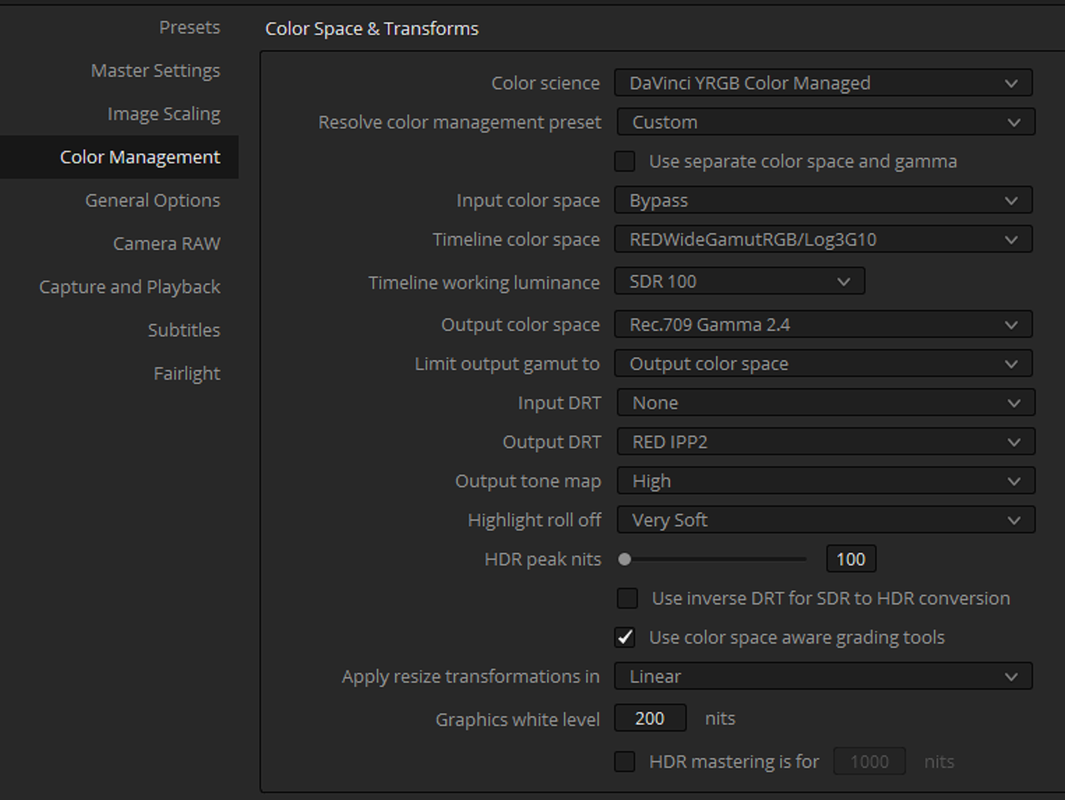
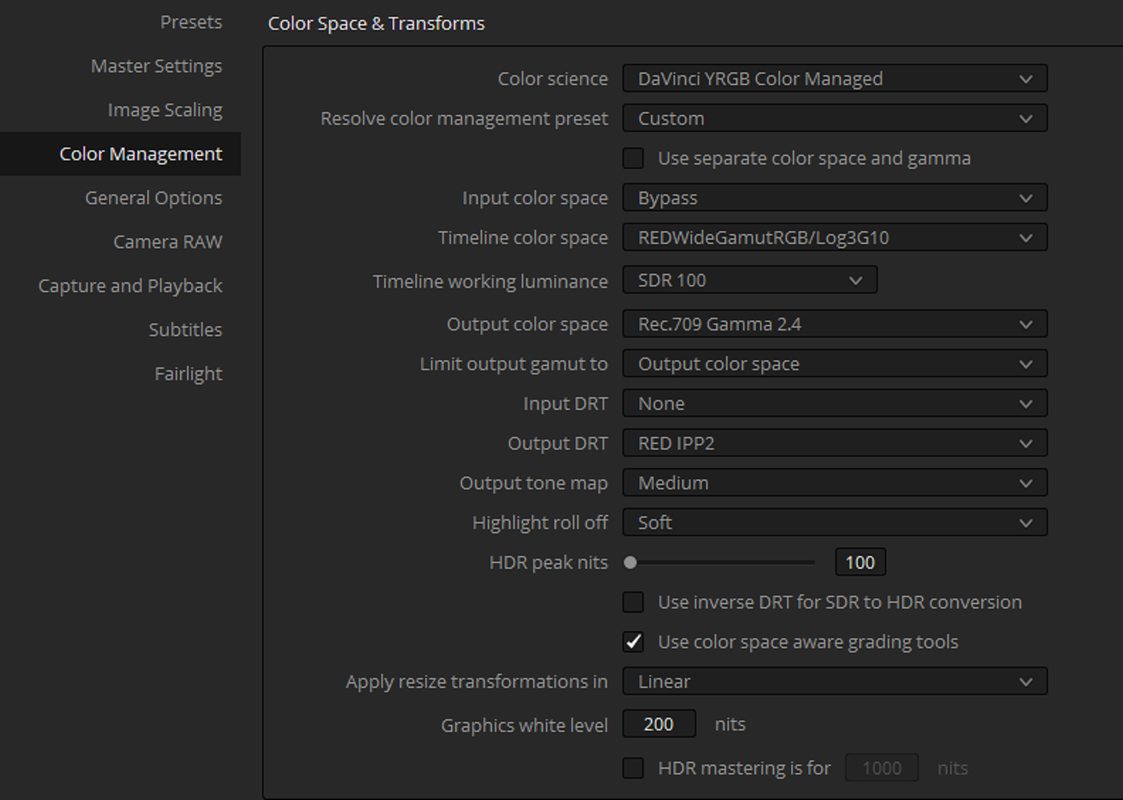
Try these IPP2 Color Managed settings against an IPP2 Lut based workflow and let me know what you think. For more accurate qualifying results in an IPP2 workflow Color Managed or Lut the " 3D" qualifier is the best. You can use a different Roll-off and curve than " High/ Very Soft"


Also,

What exactly are you using qualifying to change mostly in IPP2?


Screenshot-583.png
 
Christoffer,


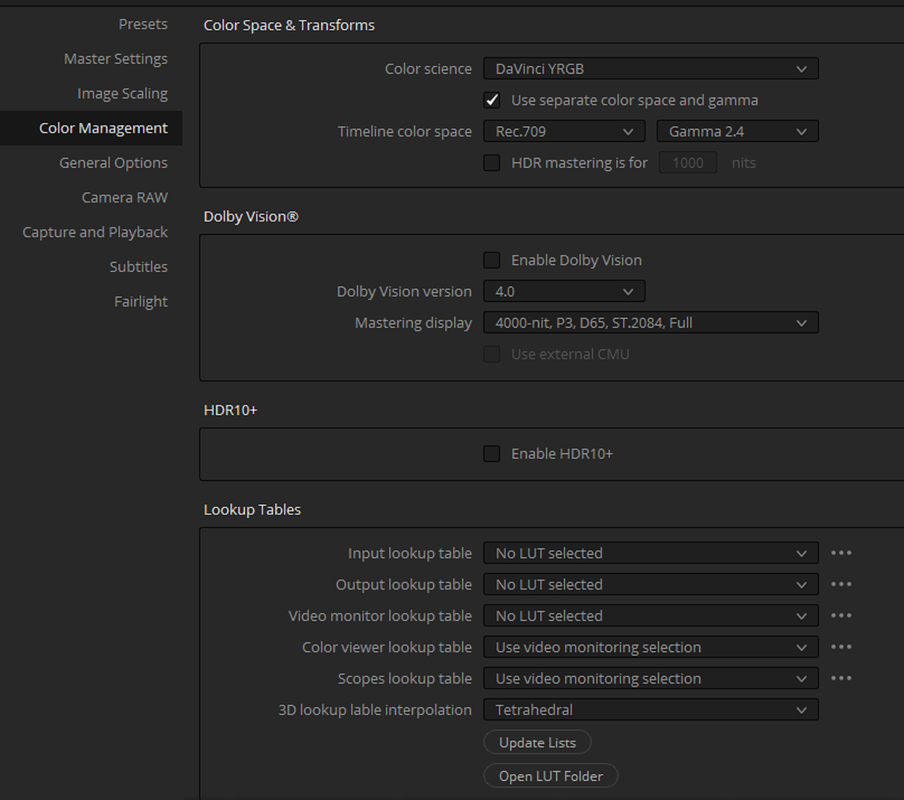
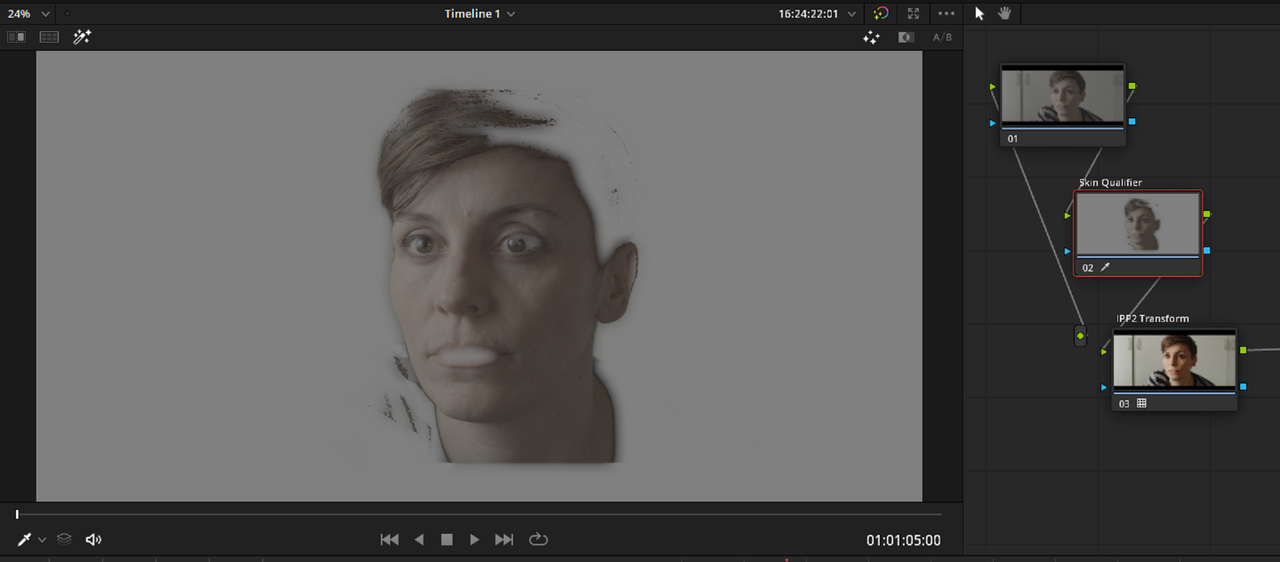
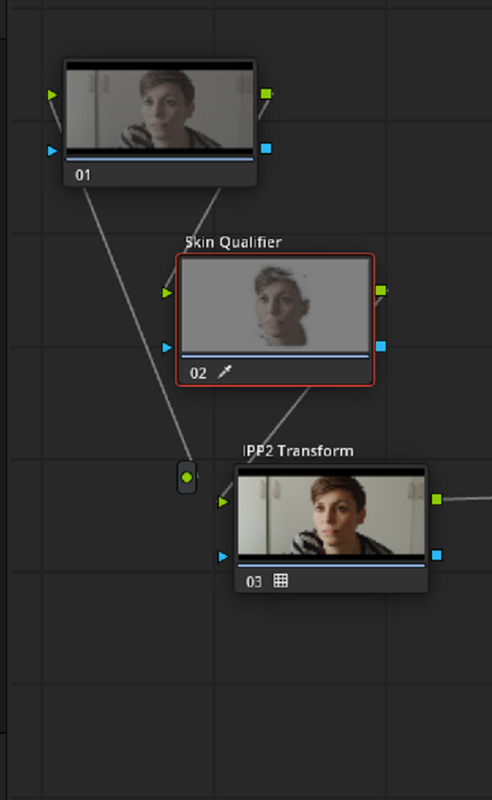
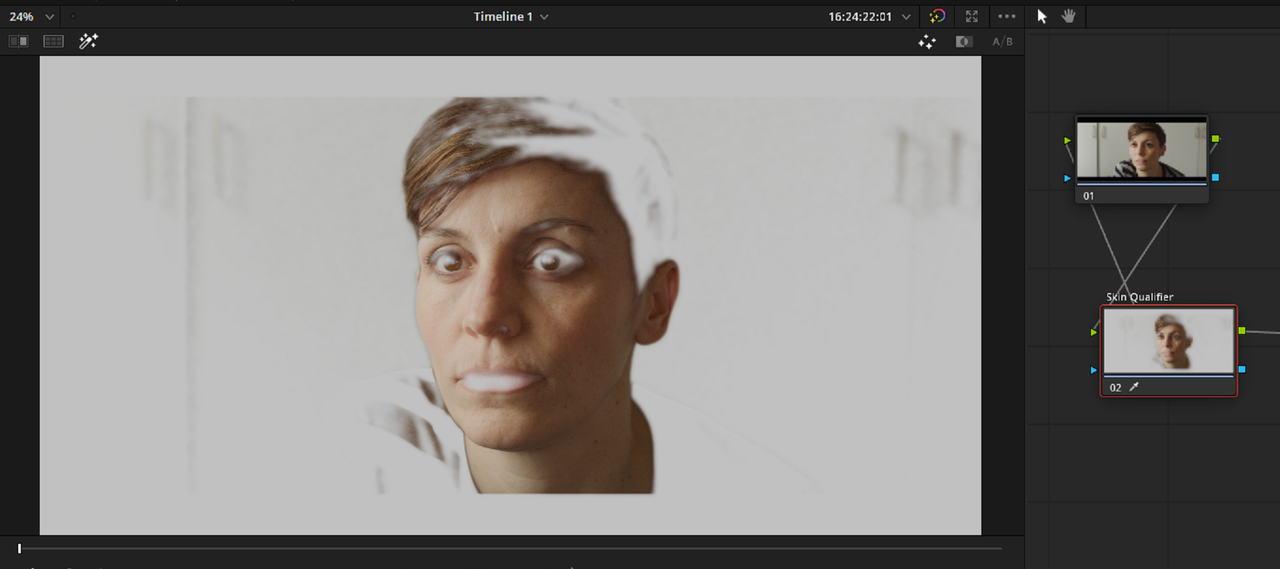
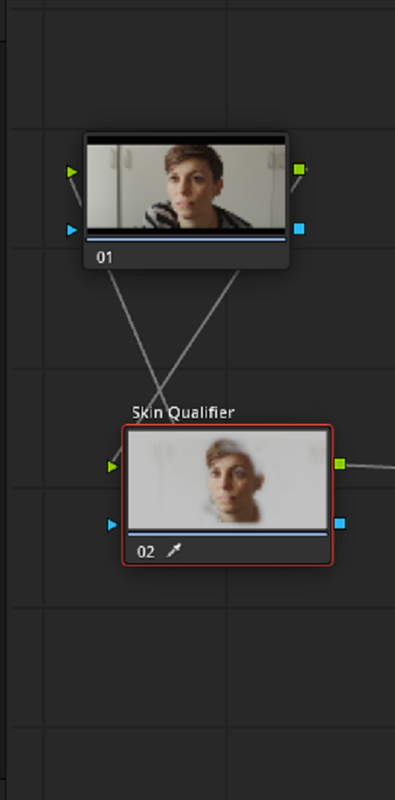
I'm Back at home. Here is the difference between qualifying with an IPP2 Color Managed workflow and IPP2 Lut based workflow. The "3D Qualifier" was used

Image provided by Luigi Valtulini

IPP2 Lut Based

Screenshot-1078.png


Screenshot-1077.png


Screenshot-1077-3.png


IPP2 Color Managed

Screenshot-1079.png


Screenshot-1080.png


Screenshot-1080-2.png
 
Last edited:
Back
Top