Welcome to our community

Be a part of something great, join today!

  • Hey all, just changed over the backend after 15 years I figured time to give it a bit of an update, its probably gonna be a bit weird for most of you and i am sure there is a few bugs to work out but it should kinda work the same as before... hopefully :)

OK... REDCINE-X time.

I loaded it on my 15" Macbook Pro to take a quick look.. I'm such a junkie...

Looks great!

But on my Mac Pro with a 30" ACD... oh yeah! Give me 4k>2k realtime in FCP and it's RED Rocket™/Redcine-X time.
:cheers2:
 
I know it's Alpha...
And I'm still not sure if this is a sneak peek or you guys are soliciting ideas...
And I bet you've already got a long list of features to be implemented...
But...
I'm hoping that there will be multiple levels of Undo, and perhaps even a history so you can toggle between looks.
I'm hoping for the ability to create a LUT file can go to the camera, and FCP L&T, etc.
I'm hoping that TIFFs will become a snapshot option.
I'm hoping that ultimately the player/grading window can fill a second monitor.
Just some quick thoughts.
Still loving it!
Cheers,
Harry
 
Great Feedback Harry... thx.

btw... TIFF option for Snapshot is already there ( along with DPX, JPG, PNG ) you just goto your Snapshot settings menu to change them.
 
Hello,

Fantastic application. I'm absolutely delighted! Can't wait to see how it progresses.

I actually spend a lot of time in Adobe Lightroom bringing in stills and making quick adjustments. The dialog boxes in Redcine-X and menu setup reminds me of the interface and functionality.

Very cool!

ATF
 
I would love to have some of the functionality of capturenx 2 ( www.capturenx.com) with the great interface of redcine-x added on top.
- mainly the fact you can stack adjustments on top of each other kind of like a node based system.

- RGB curves
- Straighten tool ( to set a horizon level )
- Graduated ND / Color filters
 
Thanks Jarred.
I missed that option. I've changed it to TIFF now.
Thanks!
Cheers,
Harry
 
The detail window is hidden under another window. Uncheck then reselect it and it will appear.
 
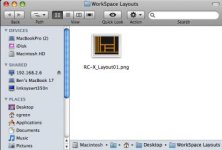
Load/Save-able WorkSpace Layouts would rock! Perhaps An Icon could be created with the Layout files which is a mini graphic version of the screen's window locations.

These would be available from the Finder, Explorer, or RC-X Browser...

Again, great work!
 

Attachments

  • Workspace Layouts.jpg
    Workspace Layouts.jpg
    16.4 KB · Views: 0
Been testing the new Redcine X. Very cool layout. My one comment is the sharpen tool is quite limited. Even at the highest setting (3) did not sharpen my footage adequately. I like the 1-100 range of the current Redcine build.

Great work guys!
 
Hi Jarred...
I changed the preference for TIFF vs. JPEG on the snapshot setting as you suggested. The next time I launched, it reverted back to JPEG.
It would be nice if the prefs stayed where the user set them.
Also ditto for the layout. If we arrange it a certain way, it would be great to have the windows appear in the same place upon the next launch.
Still can't toggle the Detail window on the 15" Macbook Pro; however, I CAN do it on the iMac. Looks like it appears just too far past the bottom of the screen on the MBP. Weird. That may be worth a look too.
Was on a job today and the ONLY tool we used for creating reference TIFFs was Redcine X. The adjustments are so much more sophisticated than RA or Redcine that I couldn't resist. Worked beautifully!
Cheers,
Harry
 
Hey James, it's a seriously sweet experience when used with the Rocket! You will not be disappointed!

Jim

So, Rocket and Redcine-X parties at our places? You'll need something to fill in your time whilst awaiting the audio upgrade, I imagine:wink5:
Rocket scheduled to arrive Monday...
 
Yes Harry.. storing and remembering settings will be introduced when we have the preset/RSX etc. enabled ( maybe a bit sooner )
 
You'll need something to fill in your time whilst awaiting the audio upgrade, I imagine:wink5:

hahaha, I think this has been taken care of with about 965912364 clips of seals to be off-lined with the Rocket :tongue:
 
Back
Top