- Banned
- #281
Robert Ruffo New
Banned
We should make a tune and a very geeky musicvid...
I am in!

YESSS!

Follow along with the video below to see how to install our site as a web app on your home screen.

Note: this_feature_currently_requires_accessing_site_using_safari
We should make a tune and a very geeky musicvid...
I am in!

Jarred do you guys have seats of Nuke at RED? I've been playing with a gizmo for CMOS correction on and off for some time. If so I could send you the code when it's a bit more reliable. Ultimately though I feel like RED would be best equipped to handle this since you could really mathematically characterize the noise as a function of clipping more accurately. To really properly correct this you would also need access to the RAW bayer pattern data which we lowly users no longer can touch. To handle it in post is a bit tricky because of the way bayer channels are laid out. The best place to apply the correction would be prior to debayer since the additional voltage/gain is per-row and obviously on bayer pattern different clipping rows have different colors so in a very worst case scenario you might only get a streak in the RG or BG rows. Then when debayering you'll get a colorful streak. Also in the case where you have very strong primary colored lights you're going to get unpredictable correction if it's performed post-debayer.


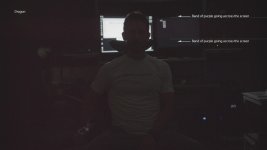
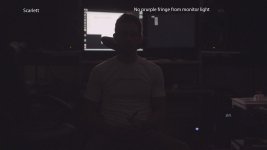
Why do the charts from yesterday show noise that I have never seen in a chart posted on RU in the past? Is it a different testing method?

Thanks mark,
its like that that high speed thing. What you showed was normal, like what my camera would reproduce, but the op never posted the problem, so it's hard to figure out what is the problem and what is the expectation.
I think if anyone wants to post problems they need to post their own r3d and examples otherwise this runs the risk of being giant speculation.
Battistella

I agree, but is Graeme of Scottish ancestry? If so, I think his name should be pronounced with a Scottish Burr in the video... Grrrrrraeme! '-)

Grrrrrr-aeme, *aeme, aeme, aeme, aemeWe should make a tune and a very geeky musicvid...
I am in!

I'm a little freaked out by how amazing the difference is in these charts.
Holy frijoles. I'ma little freaked out too. Thank you Red team!


A little bit of Graeme Masala makes everything better!


We work very closely with the Nuke guys
 Haha
Haha
Tell them to hurry up and release Dragon support then.


Bjorn,
the word at this moment seems to be by the end of this week, but my guess is that it would be a beta build.
Battistella
Gavin and Rob are correct.. this is a relatively normal CMOS thing.. kinda like the black sun dot all cameras used to have ( i think some cameas from other manufacturers still do ) its been there since the R1 since we do use CMOS technology like almost everyone else. If you take a small source highly clipped a bunch of stops against almost black and it crosses the edge of the frame or just off the edge of frame ( most cases ) you will see what looks like a streak. People call this the "phantom blinds" effect because the easiest way to replicate this is to open slit blinds into daylight in a pitch dark room. Of course you will see this at higher ISOs, and most post houses have developed a post fix from dealing with it over the years from many cameras. Its a silicon thing.
The company that makes the dynamic range charts we use actually have added a little flag that goes over the clipping square now, because if your shooting a CMOS camera and you get that flare it can actually trick you into thinking you have more DR... since the streak replicates the shape of the highlight and lifts everything with it.

i did this test few mins ago..Latest olpf 3200 iso on both cameras.
ari. -> https://copy.com/k78uNoPXEgR0FHa9
r3d. -> https://copy.com/jdD4ln8C76m82c8j
i posted samples on this post