Welcome to our community

Be a part of something great, join today!

  • Hey all, just changed over the backend after 15 years I figured time to give it a bit of an update, its probably gonna be a bit weird for most of you and i am sure there is a few bugs to work out but it should kinda work the same as before... hopefully :)

Nikon Z8 Announced

Nikon Z8 : Cinematic Lingerie Dancing At The Beach

by
Neowise ID


The test I'm surprised I haven't seen yet is the "Nikon Z8/Z9 vs. RED V-Raptor" test or even a big 8K "Nikon Z8/Z9 vs. Canon R5C vs. RED V-Raptor vs. Sony A1 vs. Sony Venice 2 vs. Blackmagic URSA 12K/OLPF". More cinematic tests overall would be helpful but not dumbing the camera down to 4K, that's a waste of time when it does 8K RAW.
 
The test I'm surprised I haven't seen yet is the "Nikon Z8/Z9 vs. RED V-Raptor" test or even a big 8K "Nikon Z8/Z9 vs. Canon R5C vs. RED V-Raptor vs. Sony A1 vs. Sony Venice 2 vs. Blackmagic URSA 12K/OLPF". More cinematic tests overall would be helpful but not dumbing the camera down to 4K, that's a waste of time when it does 8K RAW.

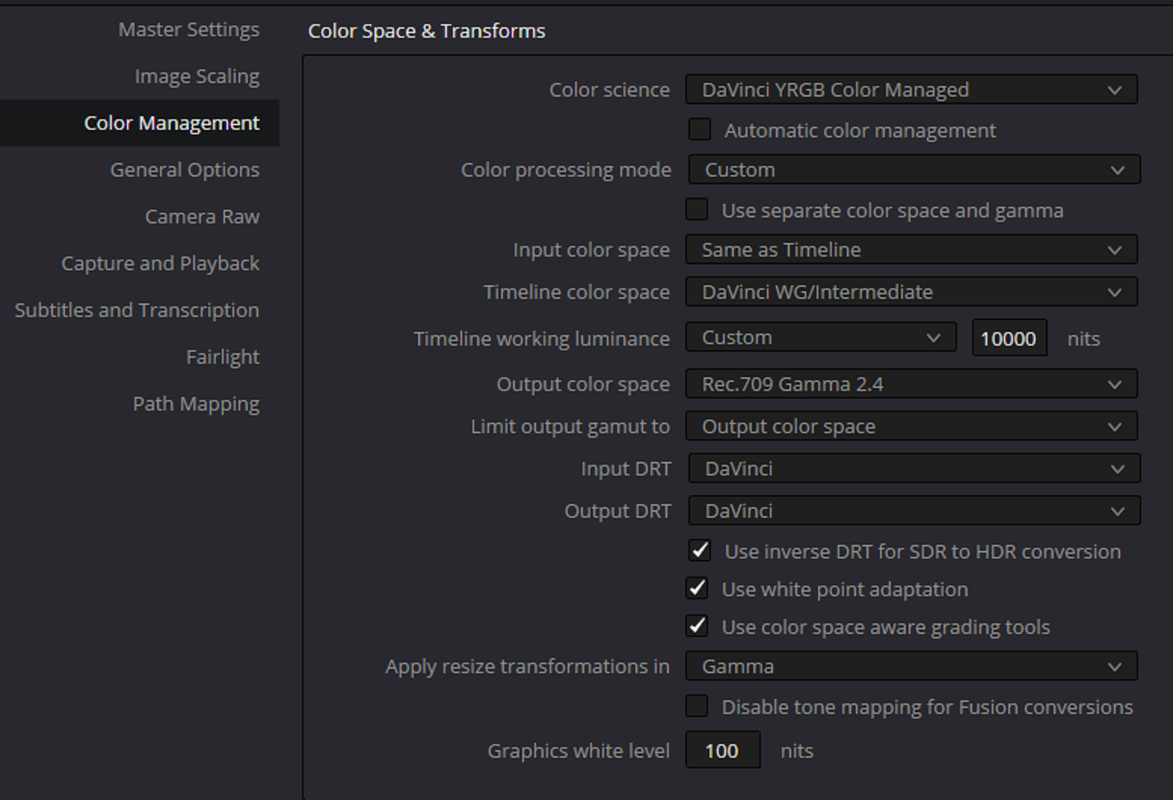
Someone will probably do one or more of those tests in the future. Right now the problem is how to accurately place those clips on the same timeline for a proper comparison they feel best represents those cameras. I proposed a Davinci YRGB Color Managed workflow which would recognize all of the different camera Manufacturers Raw codecs automatically with the appropriate IDTs. However most Nikon Z8 workflows proposed online either use a REC709/Gamma 2.4 IDT in a DAVINCi YRGB Non-Color Managed Workflow or N-LOG for both the Input Color Space and the Timeline Color Space in a Color managed Workflow. Plus currently N-Log is only supported in Davinci Resolve. All of the those factors I listed above will contribute to only a minor few individuals being competent enough to conduct those tests you listed above.
 
Here is how I would do it


I would set up a "DAVINCI YRGB COLOR MANAGED" workflow that would automatically recognize all of the individual Raw files from all of the manufacturers.


1.png


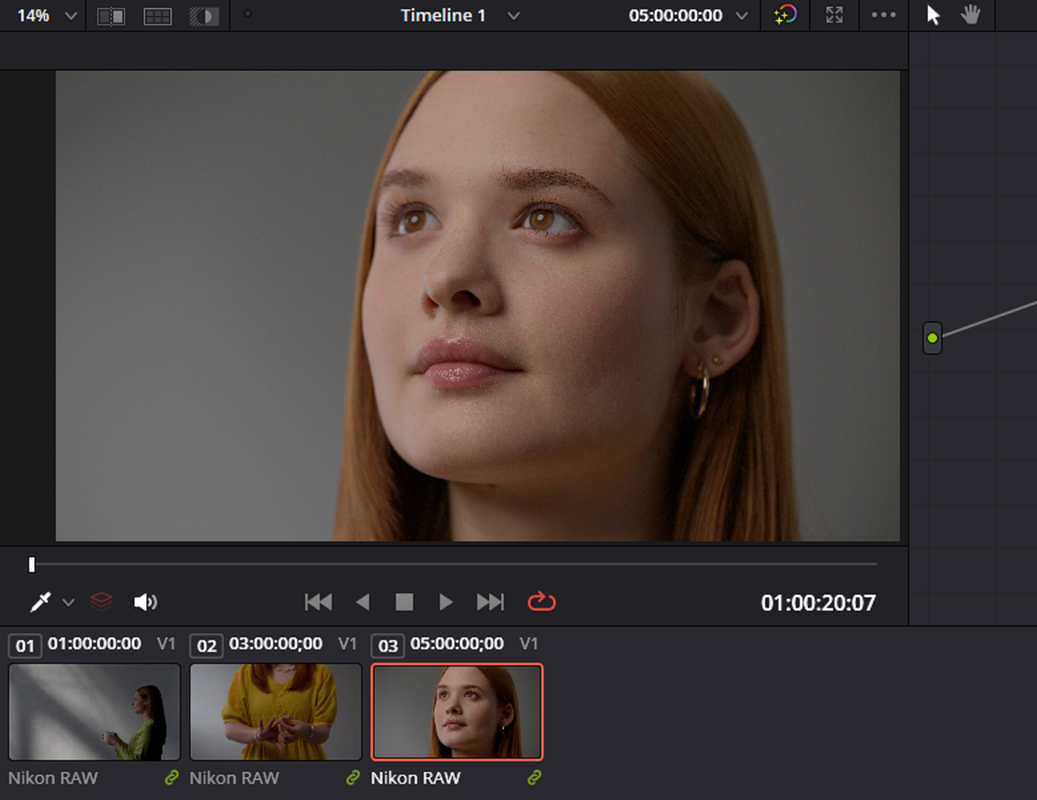
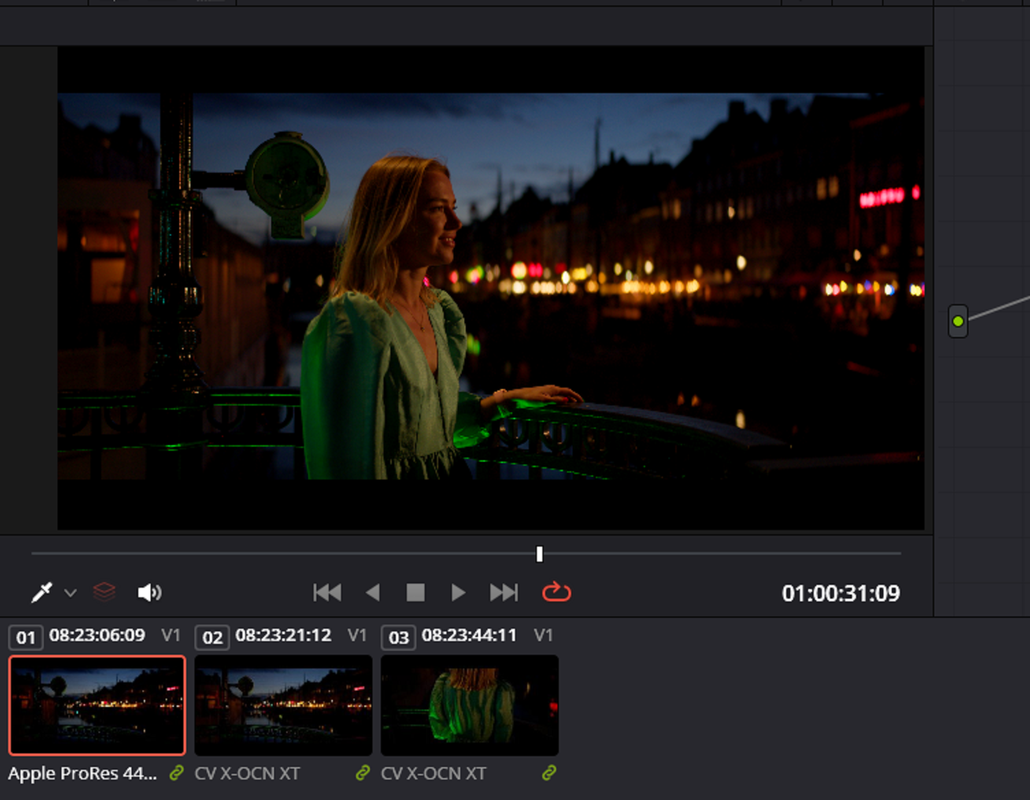
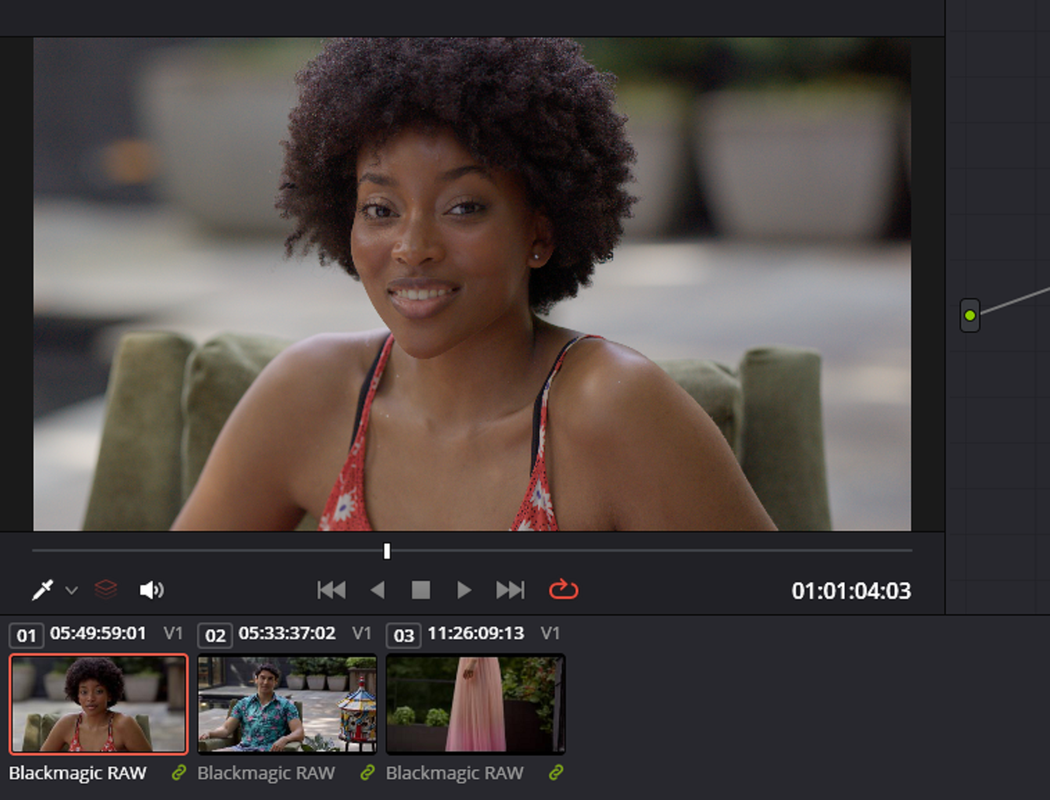
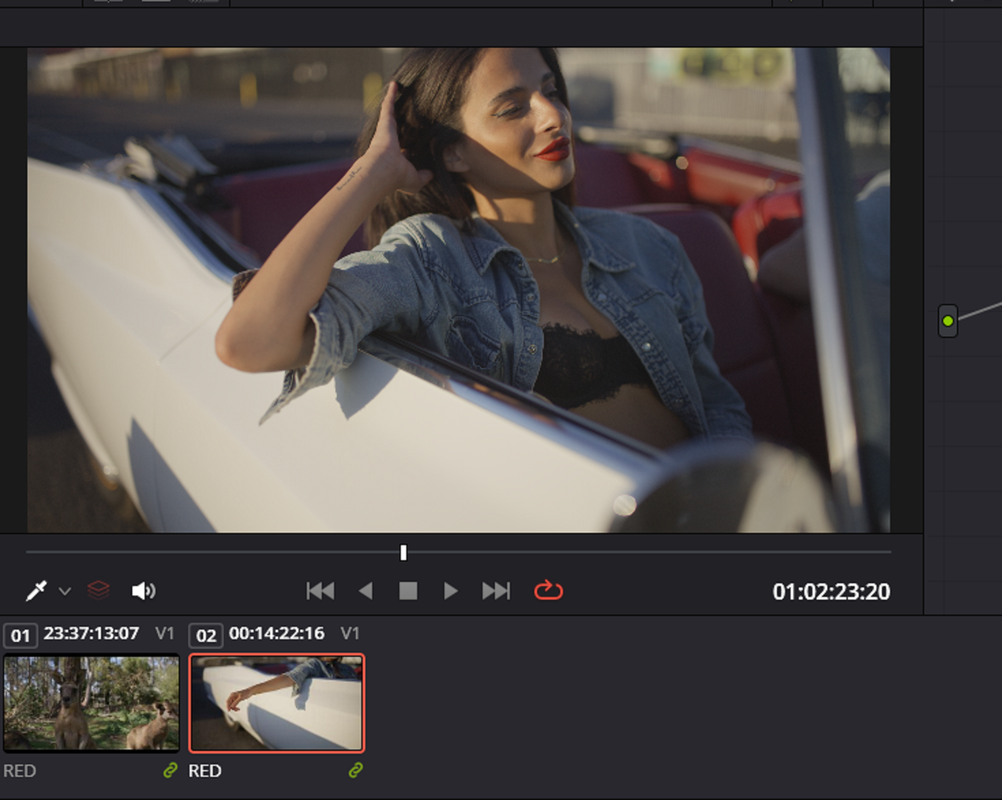
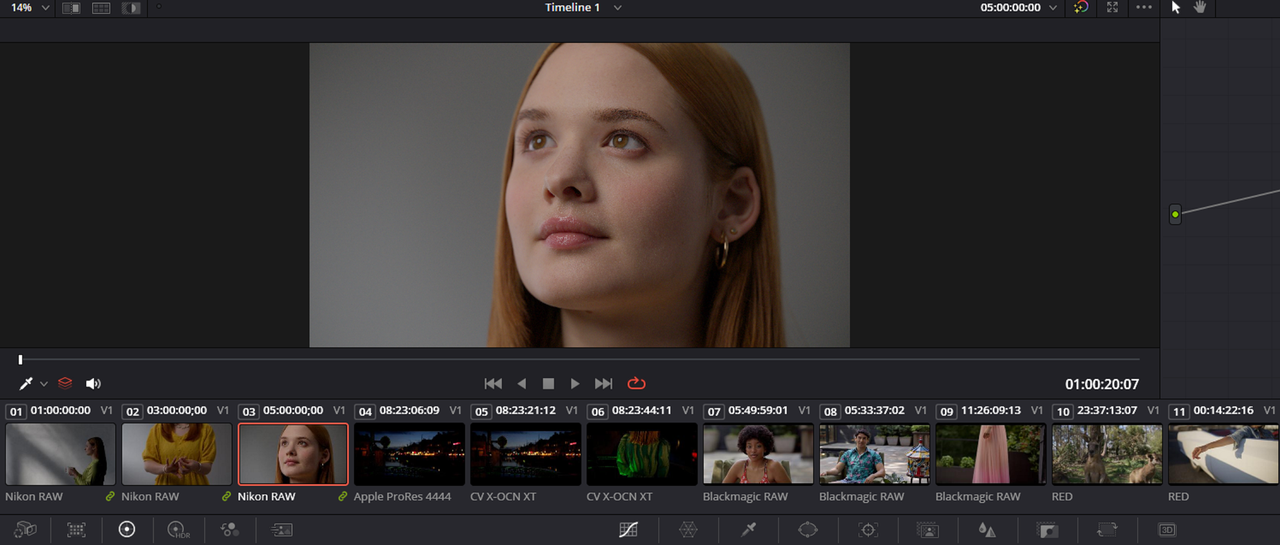
I would then place clips from the Nikon Z8, Sony Venice 2, Blackmagic Design Ursa Mini 12K and Red V-Raptor on the same timeline.


2.png


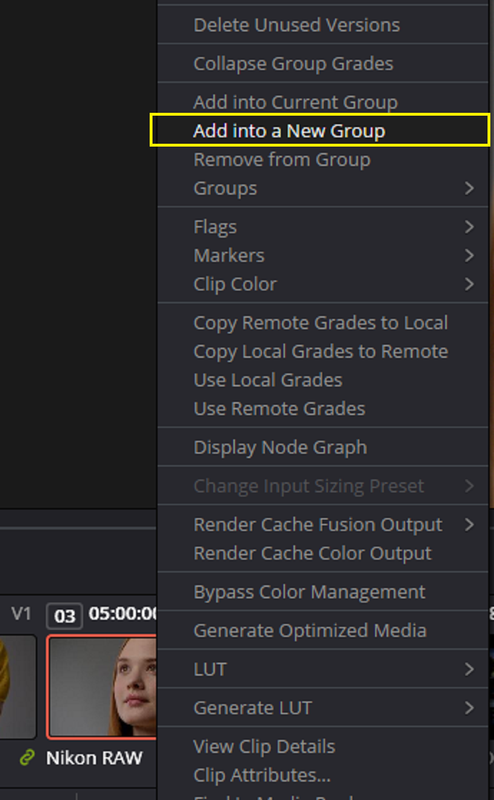
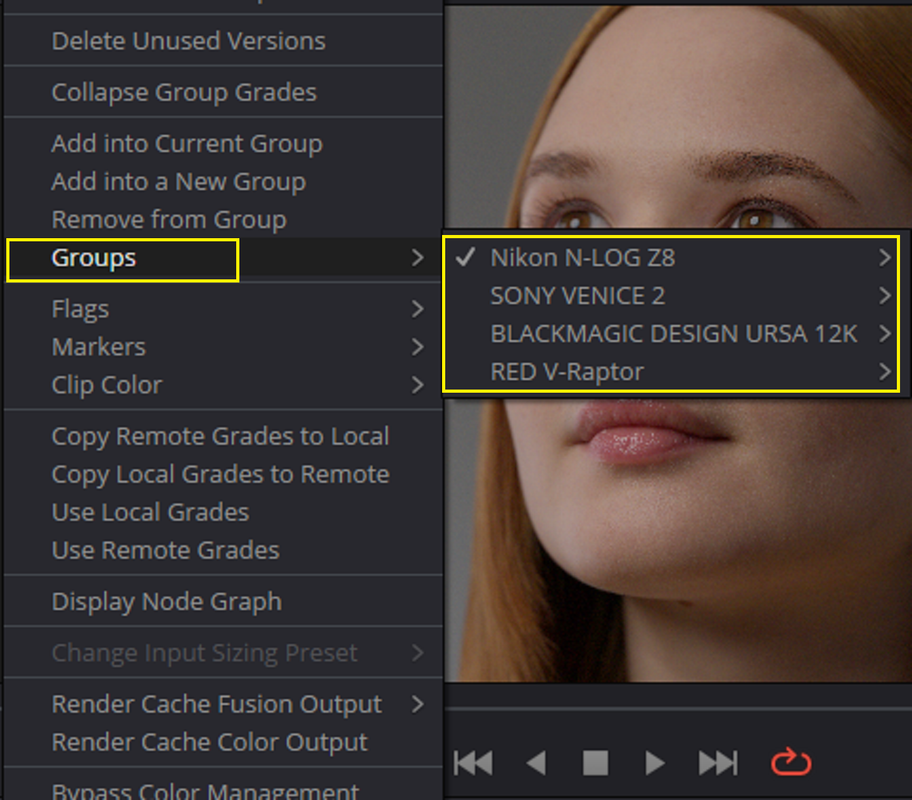
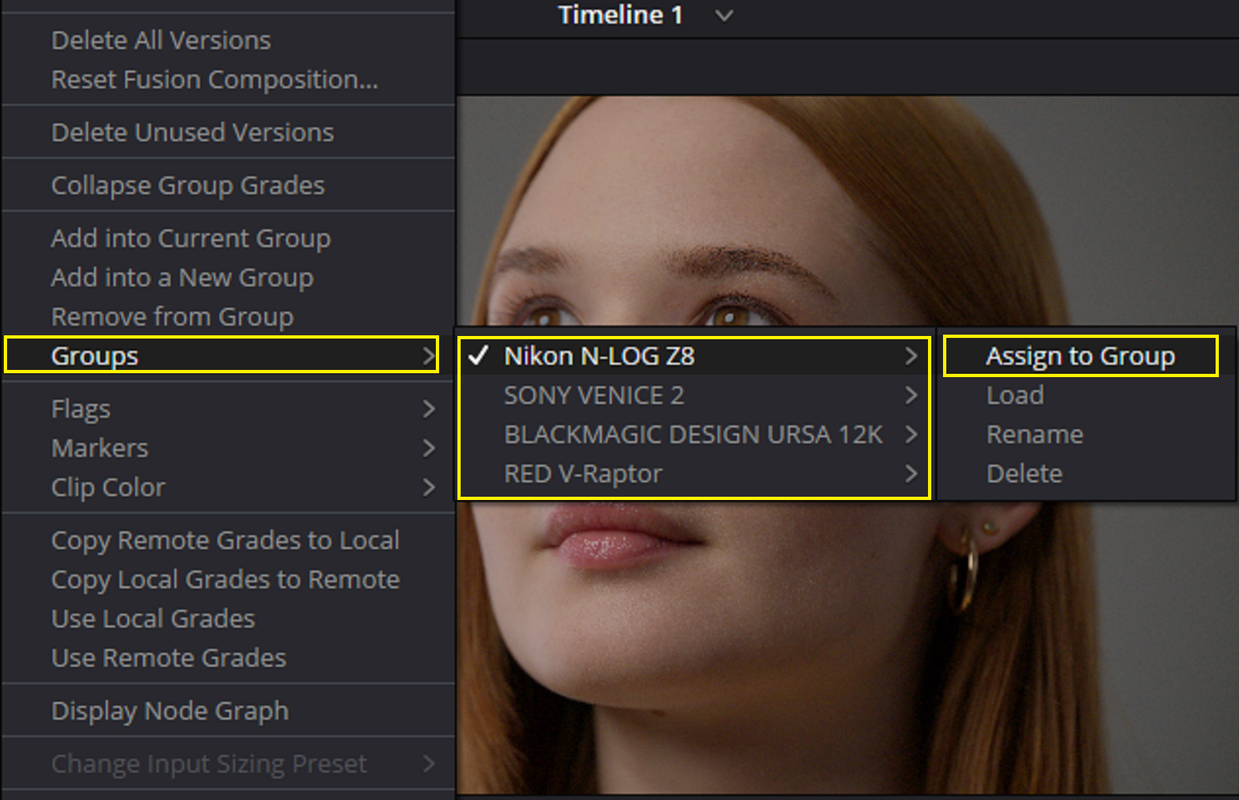
I then would create 4 "GROUPS" by right-clicking on a representative clip from each manufacturer. Then I would use "ASSIGN TO GROUP" the clips from each manufacturer to their respective groups


2a.png


3.png


3a.png


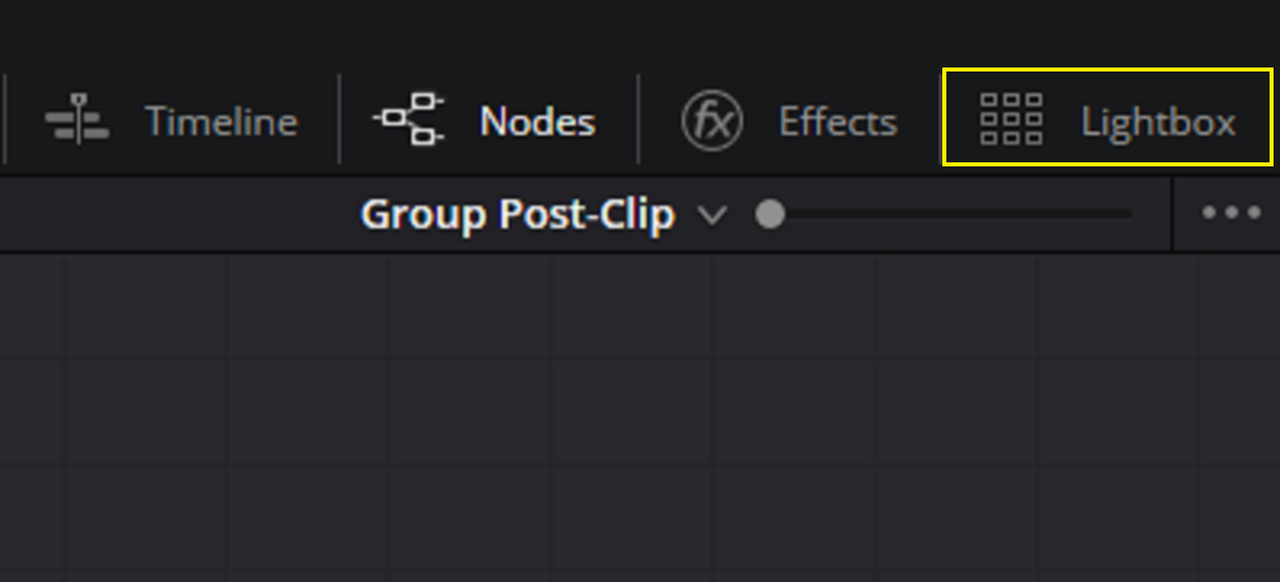
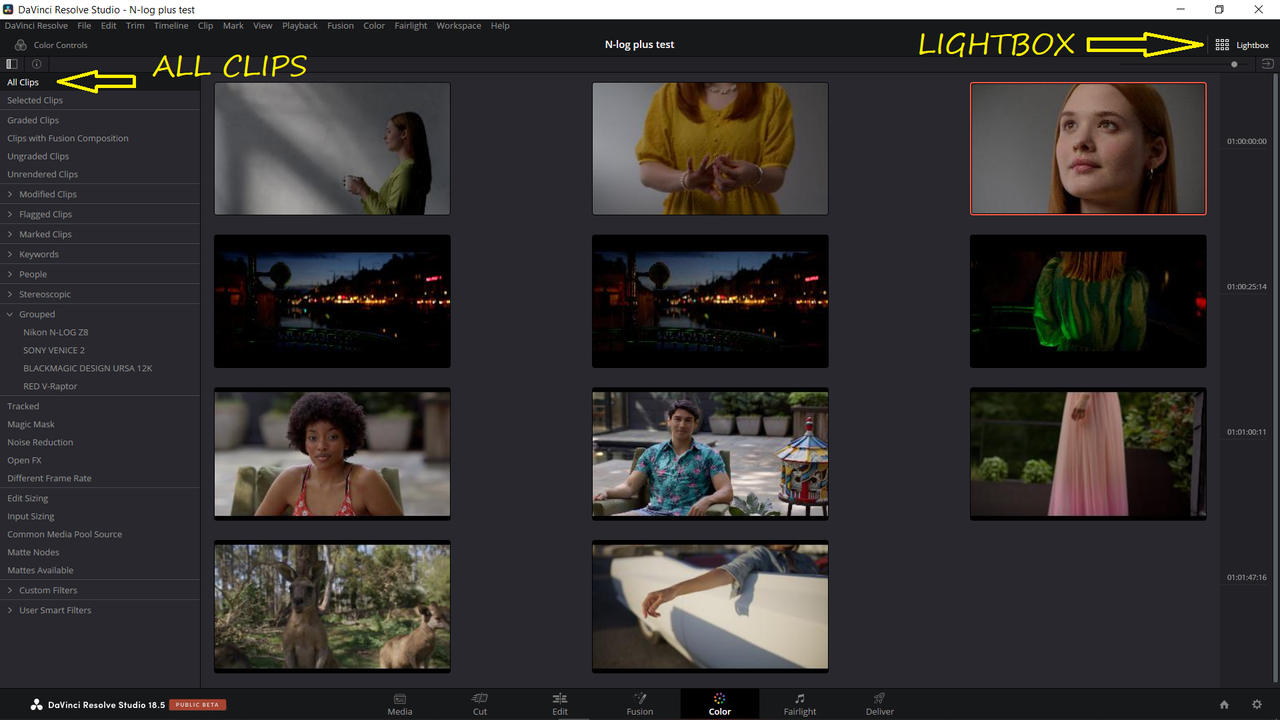
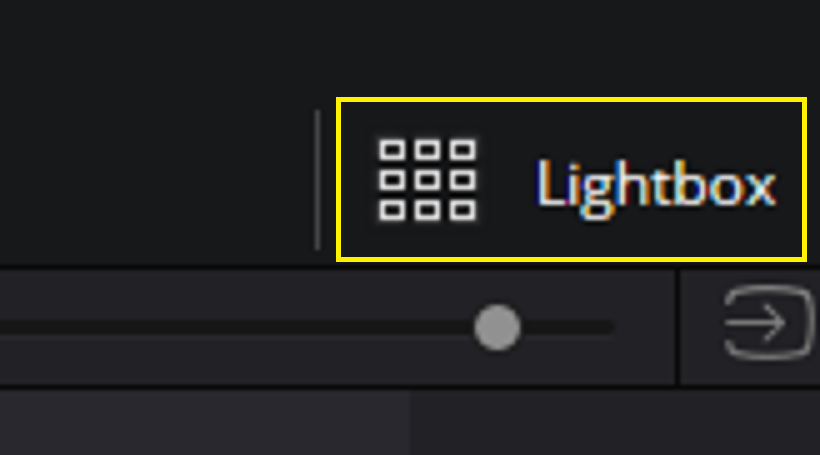
Next I would go to the "LIGHTBOX" tab in the extreme upper right-hand corner of the Resolve interface above the Node Area to view all of the clips on my timeline.

4.png


Screenshot-10314.png


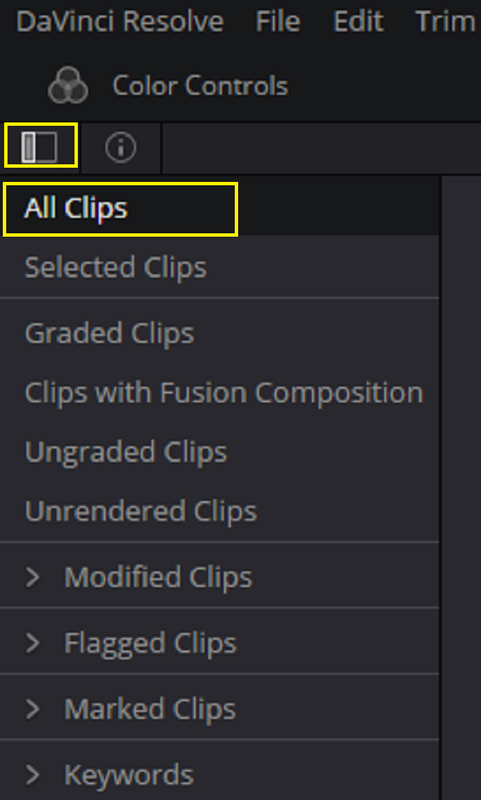
From there I would go to the extreme Upper left-hand corner and click on the box with a highlighted door in it to reveal additional menu selections.


6.png


7.png


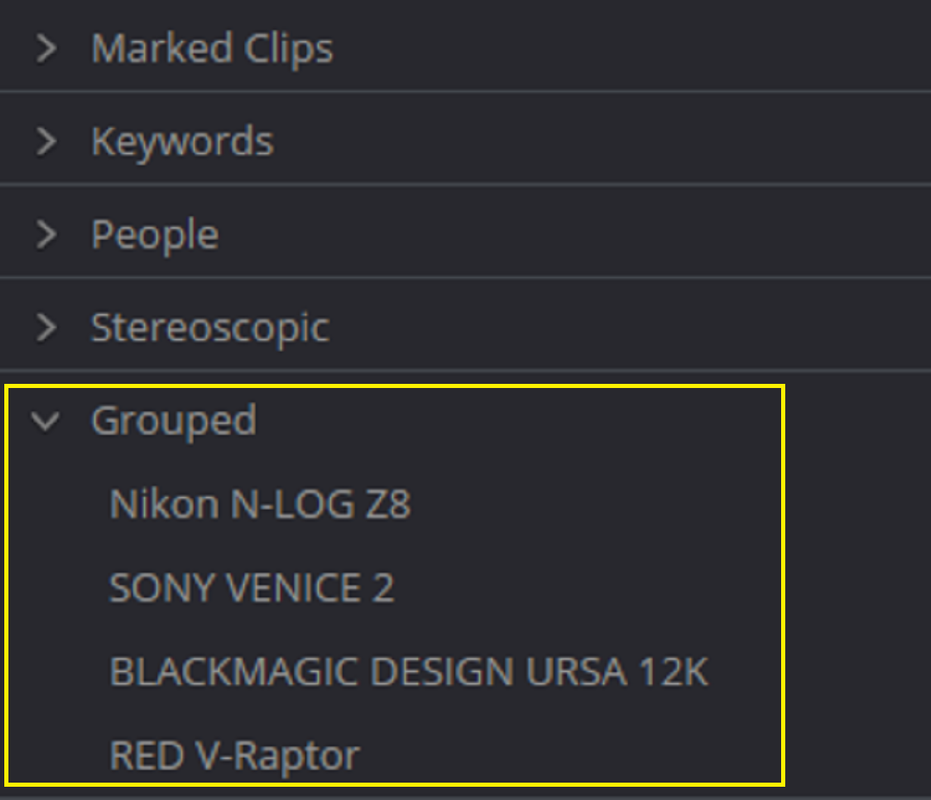
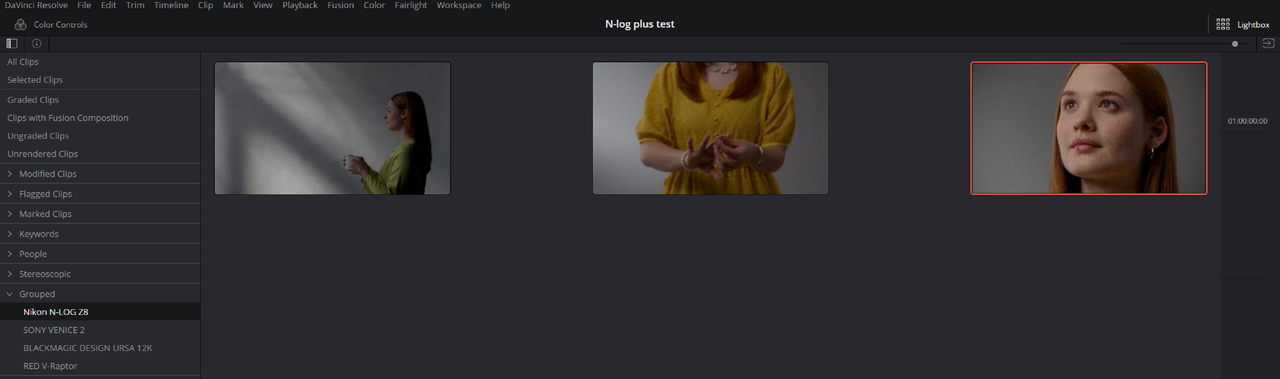
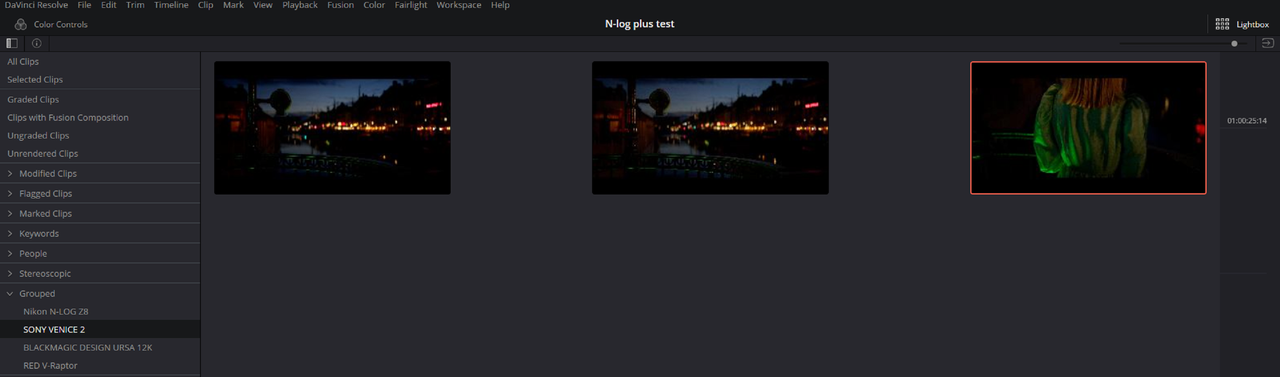
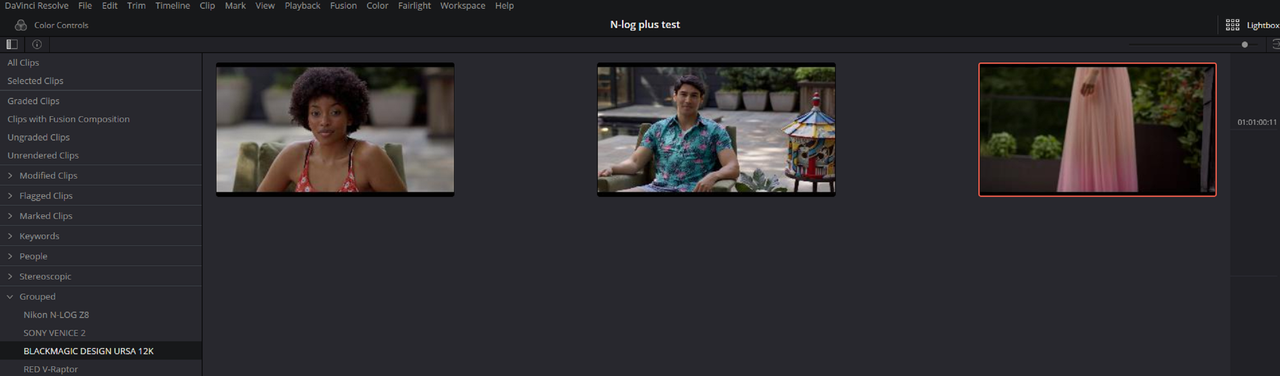
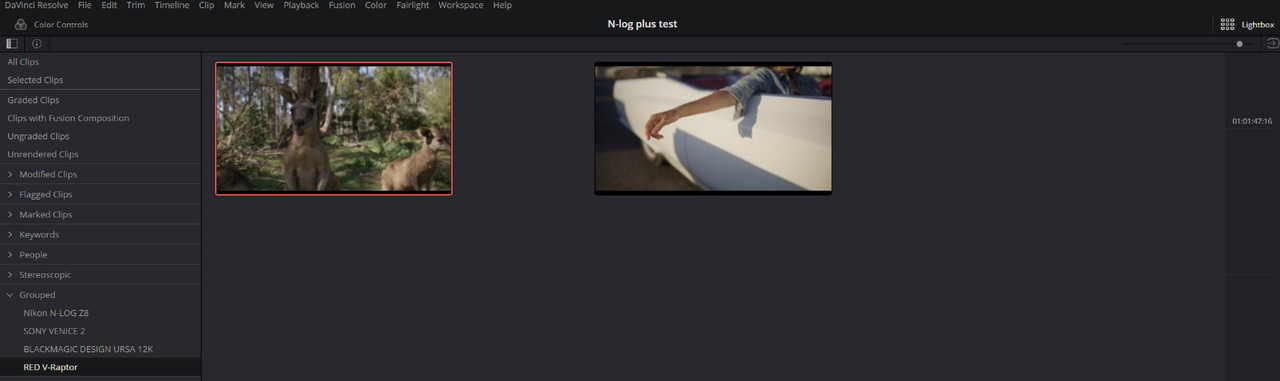
In the left-hand corner I would go down to the "GROUPED" header with all of the different groups that I previously created. I can go to each group which will show me all of the clips on the timeline in that group as well as only those clips in the timeline when I use the "LIGHTBOX" tab after selecting each group. I could just grade the clips in only those groups.

8.png


NIKON N-LOG Z8

9.png

10.png

11.png


SONY VENICE 2

12.png

10.png

14.png


BLACKMAGIC DESIGN URSA MINI 12K

15.png

10.png

15A.png


RED V-RAPTOR

16.png

10.png

17.png


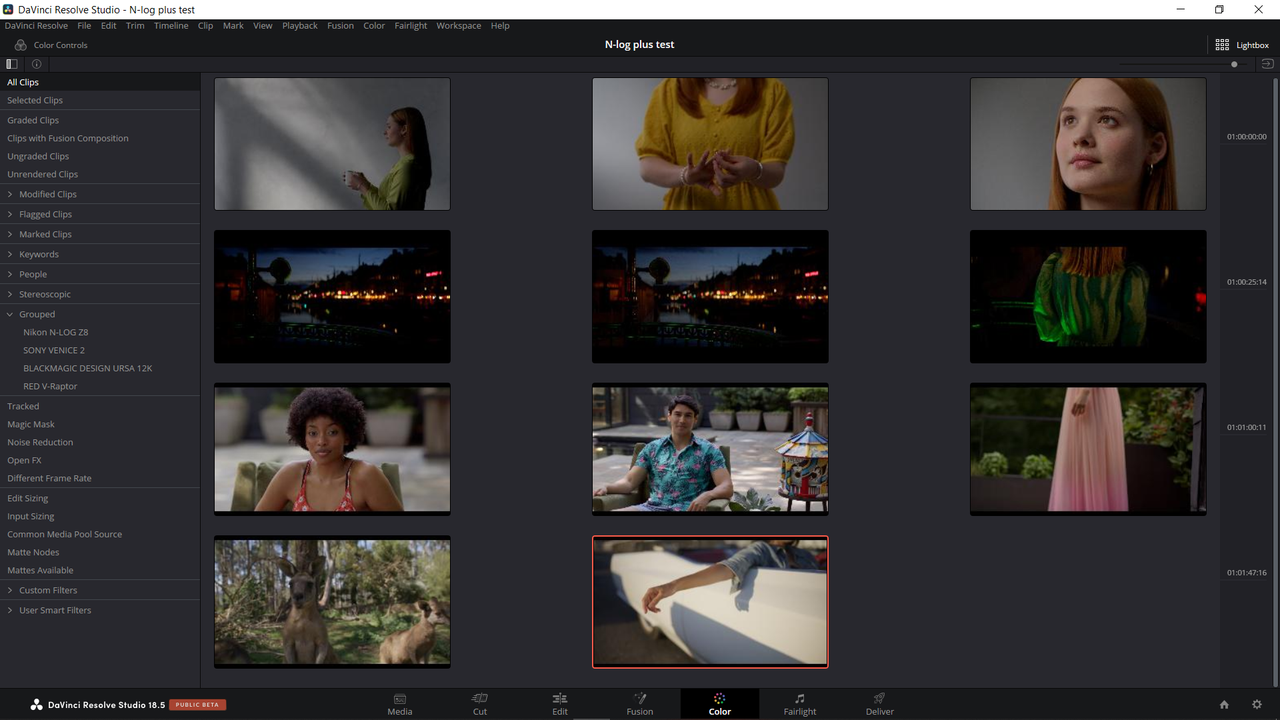
Finally I would click on "ALL CLIPS" to once again show all the clips on the timeline, then I would click on the "LIGHTBOX" tab in the extreme right-hand corner to go back to a timeline with all the clips shown again instead only those in specific groups.


6.png


7.png


10.png


2.png
 
Last edited:
Going by that, the Z8 compresses its N-RAW at something between the DSMC3 LQ-MQ levels, or somewhere between the DSMC2 5:1-4:1 RC data rates (not the DSMC2 visual equivalent).

Looking at the frames, that seems about right, even taking into account the different methods of DSMC2 and DSMC3 RAW compression. Factoring in the different bit-depths, maximum size of the frame and the responsiveness of the sensor itself as well, the visible results make sense.

So the question I have is, will this still place it above lowest compression RED One MX 4K and highest quality Blackmagic Pocket 4K CDNG that I'm working with right now? If it's still an all around major upgrade in quality being 8K then how much better could DSMC3 HQ be in all practical sense? Also compared to maximum quality URSA 12K BRAW?

When it comes to data rates and test numbers, I've seen too many examples of cameras being used despite what test results say, hence the Blackmagic Pocket 4K and 6K being used everywhere and even by industry pros in various instances.
 
Nikon Z8 8K60P! Bye Bye Canon and Sony! Hello Nikon!

By 8KHAULOVER

 
Nikon Z8 8K N-raw test shooting and Color Grading

By
Sungjin Jang


12 second Video


So the question I have is, will this still place it above lowest compression RED One MX 4K and highest quality Blackmagic Pocket 4K CDNG that I'm working with right now? If it's still an all around major upgrade in quality being 8K then how much better could DSMC3 HQ be in all practical sense? Also compared to maximum quality URSA 12K BRAW?

When it comes to data rates and test numbers, I've seen too many examples of cameras being used despite what test results say, hence the Blackmagic Pocket 4K and 6K being used everywhere and even by industry pros in various instances.


In a practical sense, I doubt including a better, less lossy level of RAW compression would make much of a difference to the Z8 N-RAW image quality.

I was just curious to see how much of a factor it might have been in the kind of noise I was seeing in the test samples.

I think the compression is having an effect, but the low-light performance of the sensor itself is more of a factor.

If you're going to be hitting it with noise reduction anyway, even a visually lossless level of RAW compression wouldn't matter.

It looks to me like Nikon made a good choice, matching the highest quality N-RAW setting to the camera's intended use and capabilities.

Comparing the numbers to RED's version was just my way of getting a rough idea of what Nikon was doing with its RAW implementation compared to something I was more familiiar with, even though it's not a straight apples to apples comparison, and even as I totally agree the numbers and test results are meaningless if they don't translate into perceivable advantages or disadvantages.


I don't follow the advancements in video capabilities of the stills-camera market that closely, but whenever I do look at the latest thing, it just makes me glad there are other high-quality motion image capturing solutions to choose from. That's where I'd be looking if I wanted to move on from a RED One MX. With second-hand DSMC1&2 camera's and new DSMC3 ones cheaper than ever, or even 2nd hand Alexa's for that matter, I'd need a really good reason to choose any dual-use still camera for shooting motion (and which is not to say that people don't have valid reasons for doing that).

Edit - I think I missed the point of your question, but kind of answered it anyway in the last paragraph. If you really want or need to shoot with an 8K camera, then yes, the Z8 is better than the RED One MX and Blackmagic Pocket 4K CDNG, so is the URSA 12K. But, there's more to it than wanting or needing to capture at 8K, right?
 
Last edited:
【Portrait Movie】雨の日の昭和記念公園 with NIKON Z8 + MOZA Air 2S Model:すずえりあ

BY Hiroyuki Narisawa Timelapse Film


Edit - I think I missed the point of your question, but kind of answered it anyway in the last paragraph. If you really want or need to shoot with an 8K camera, then yes, the Z8 is better than the RED One MX and Blackmagic Pocket 4K CDNG, so is the URSA 12K. But, there's more to it than wanting or needing to capture at 8K, right?

Quite the contrary, that’s a perfect answer to my question, thank you, Les!
 
Back
Top