Welcome to our community

Be a part of something great, join today!

  • Hey all, just changed over the backend after 15 years I figured time to give it a bit of an update, its probably gonna be a bit weird for most of you and i am sure there is a few bugs to work out but it should kinda work the same as before... hopefully :)

Nikon Z8 Announced

Lol I know right? The Venice 2 and URSA 12K, now the OLPF version, are top contenders for A cam on my next feature but the Z8 and Z9 looked like good compact gimbal B cameras and I’m glad the Z8 doesn’t seem to be hampered in some way and has just as much punch as the Z9 for video.

For now this is a really great development and I can only guess what else could be announced in the summer and fall to possibly change my top picks but we’ll see. In the meantime, I’m looking forward to more tests and example videos of the Z8 and Z9 to show up.
 
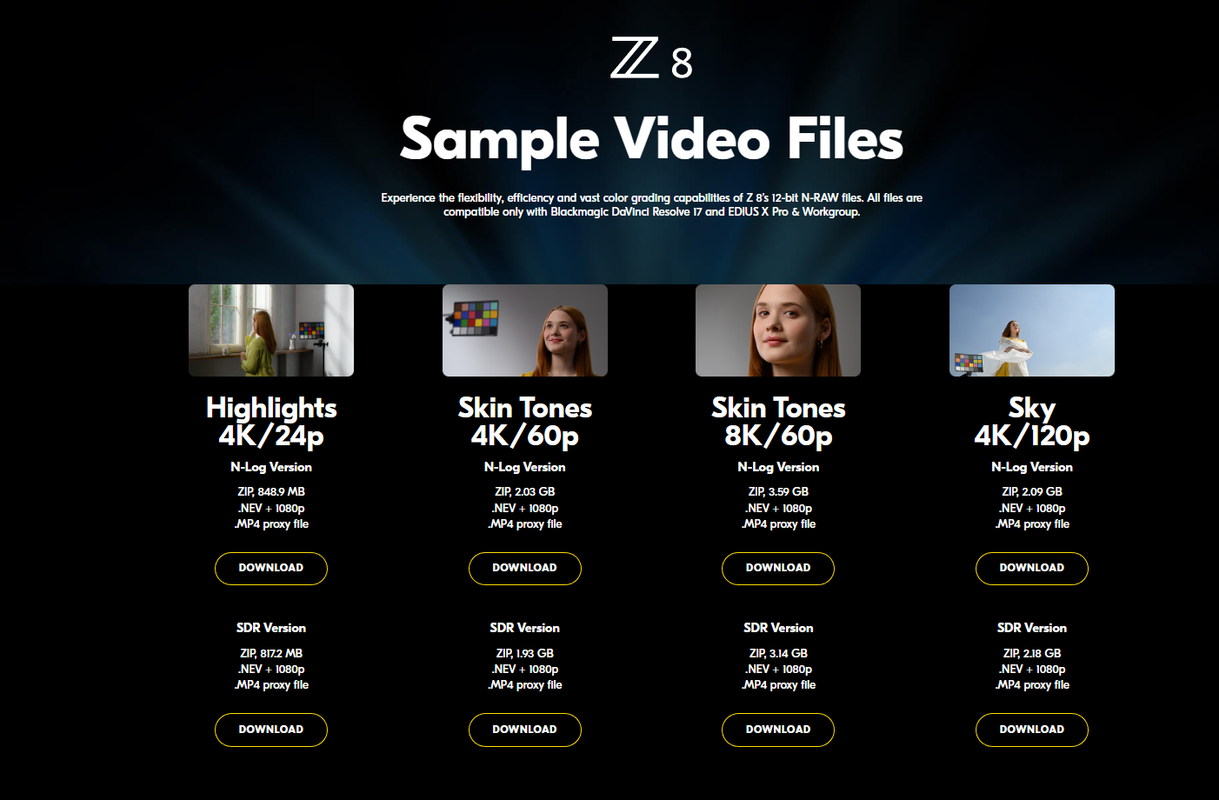
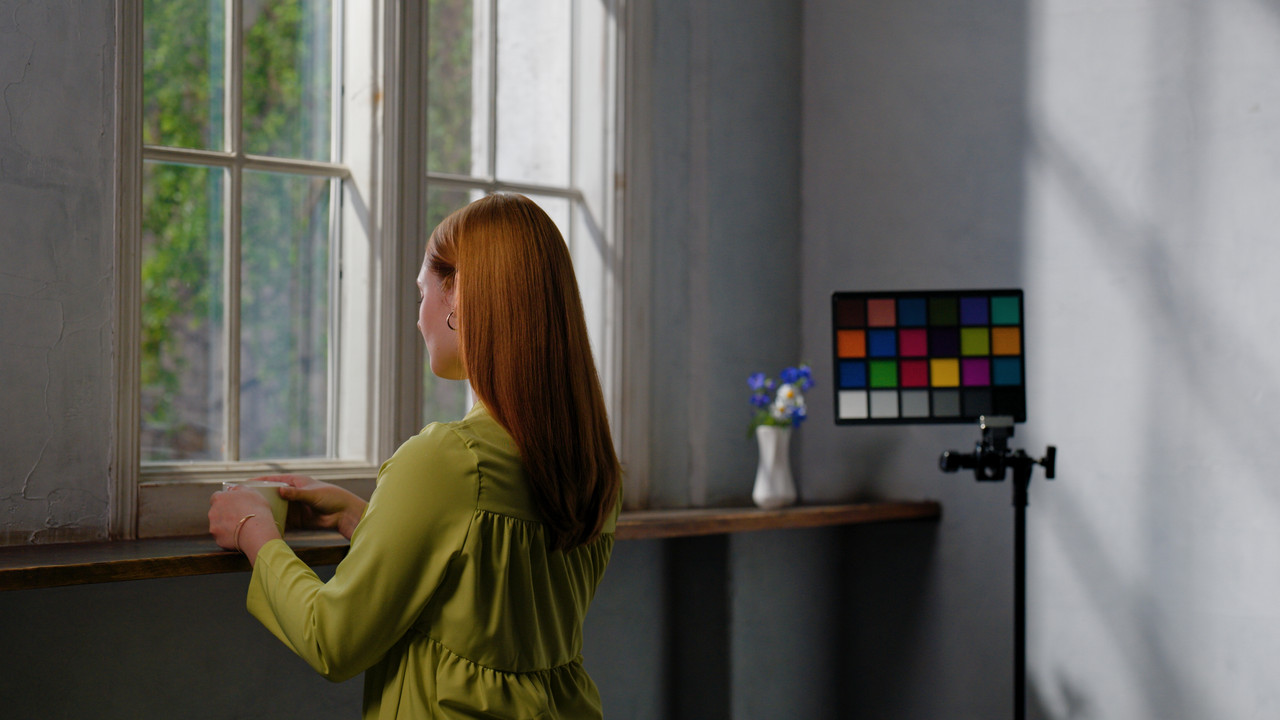
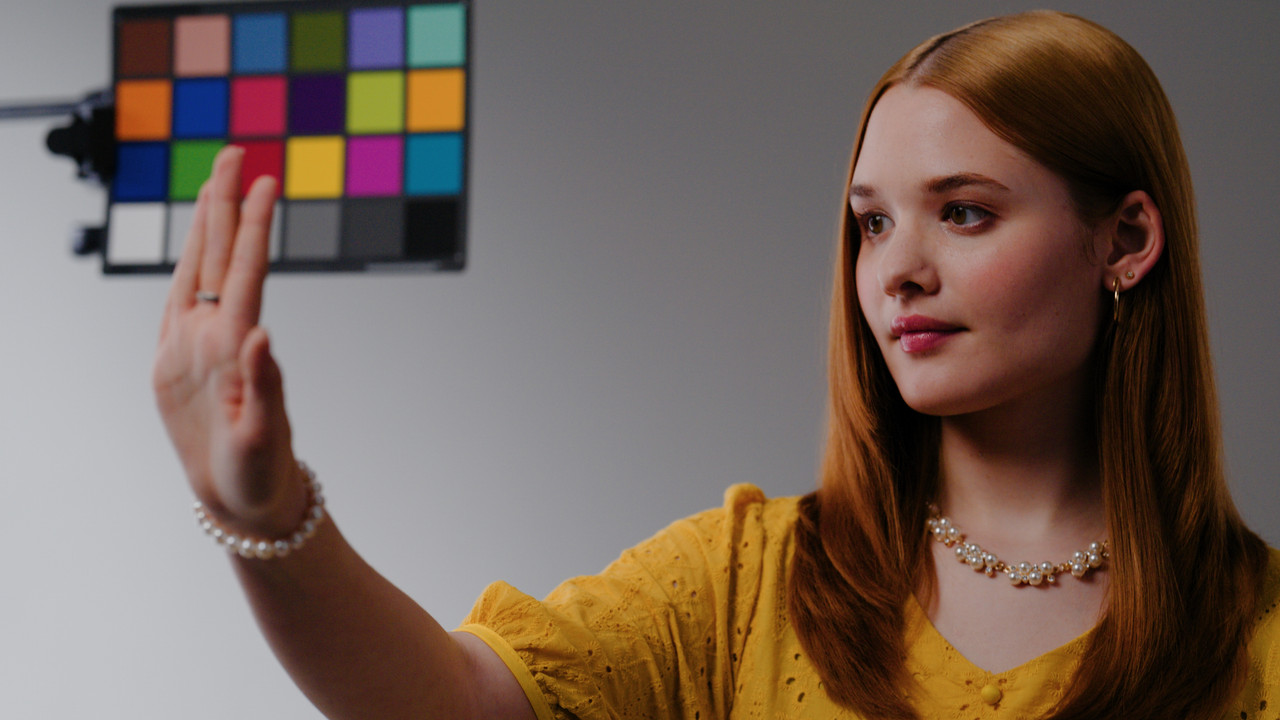
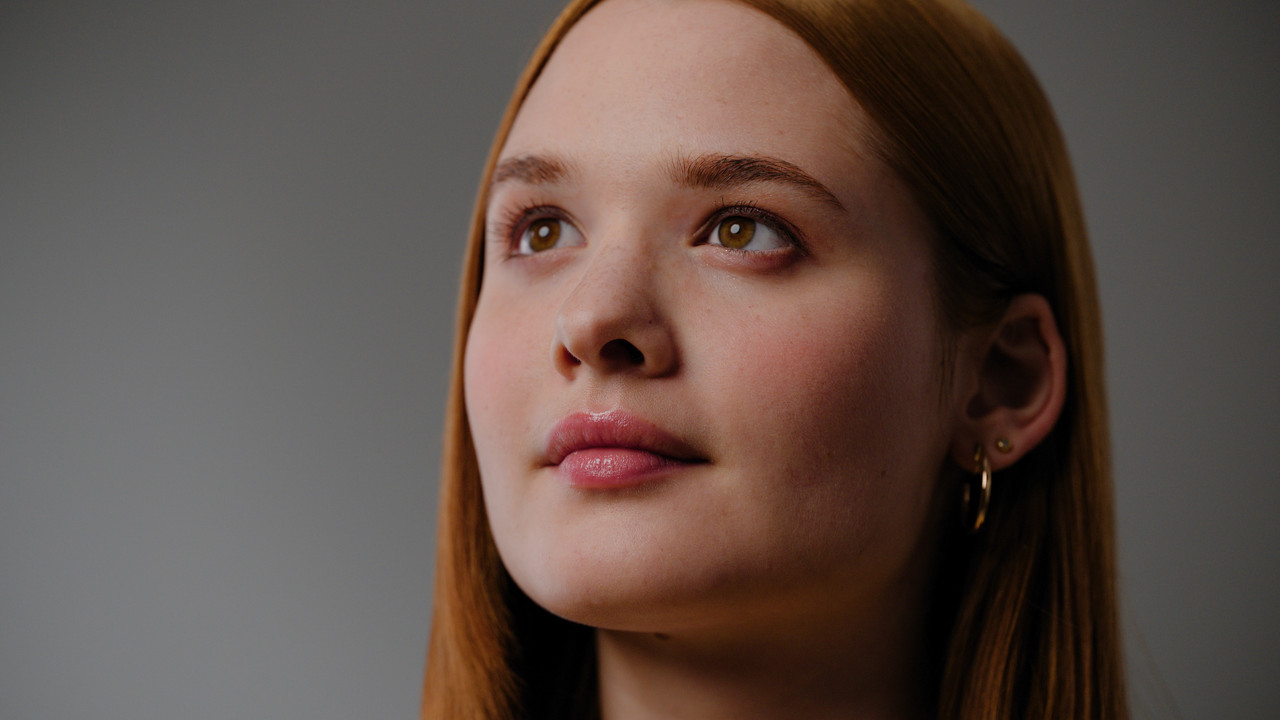
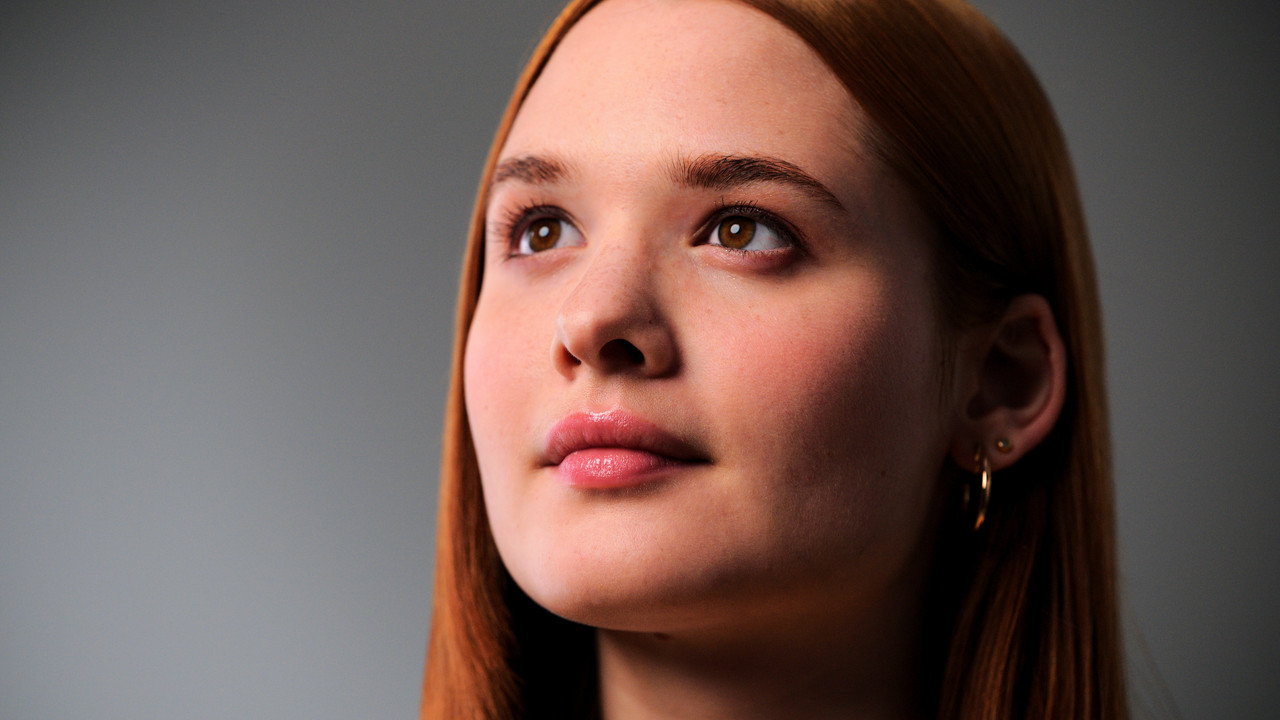
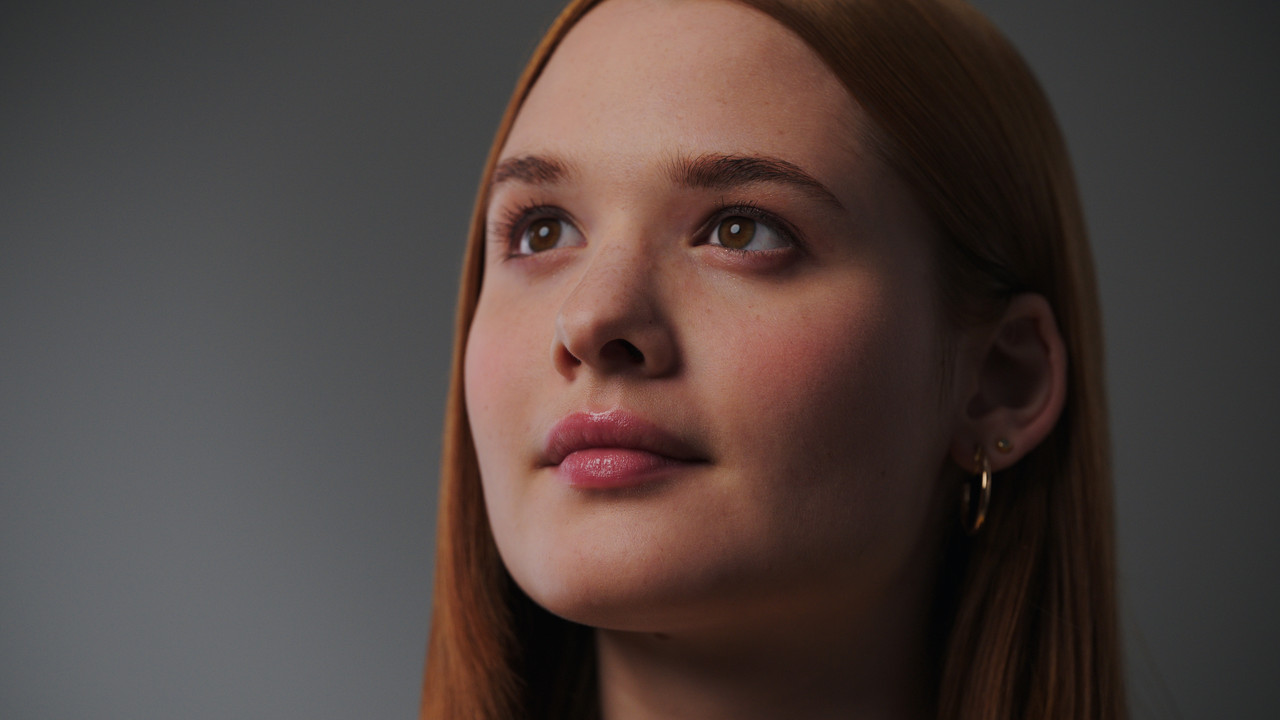
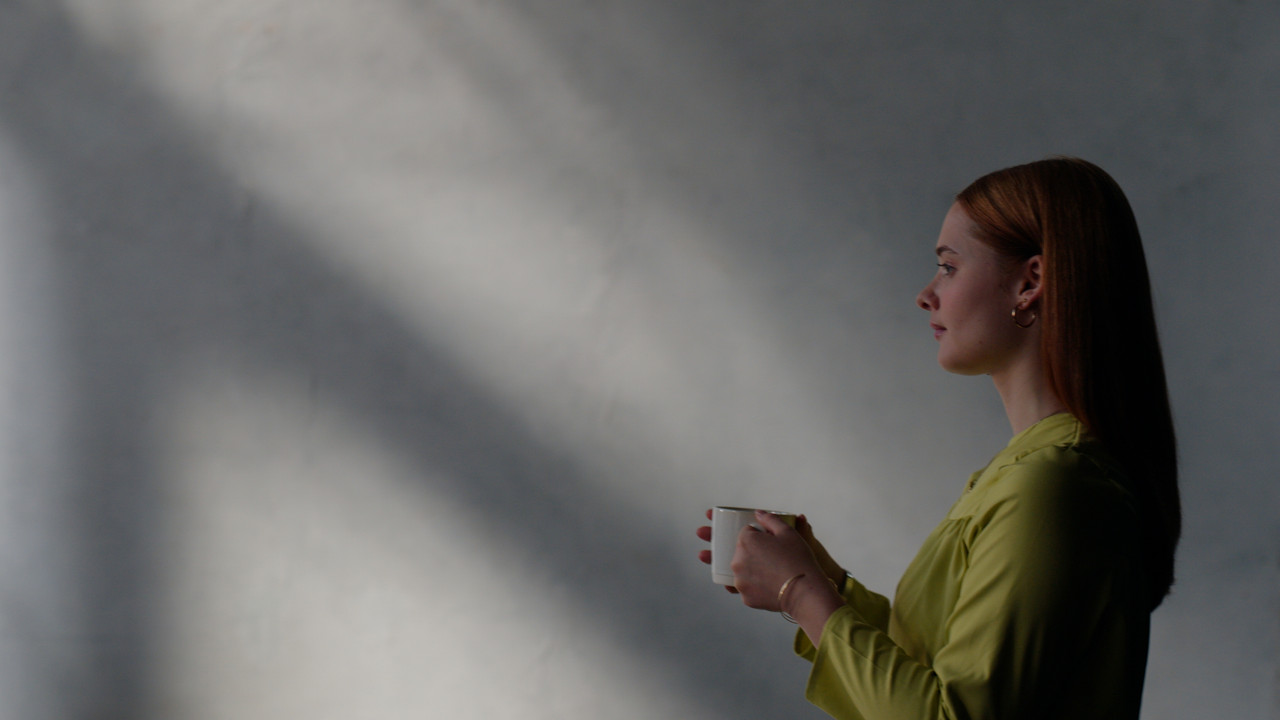
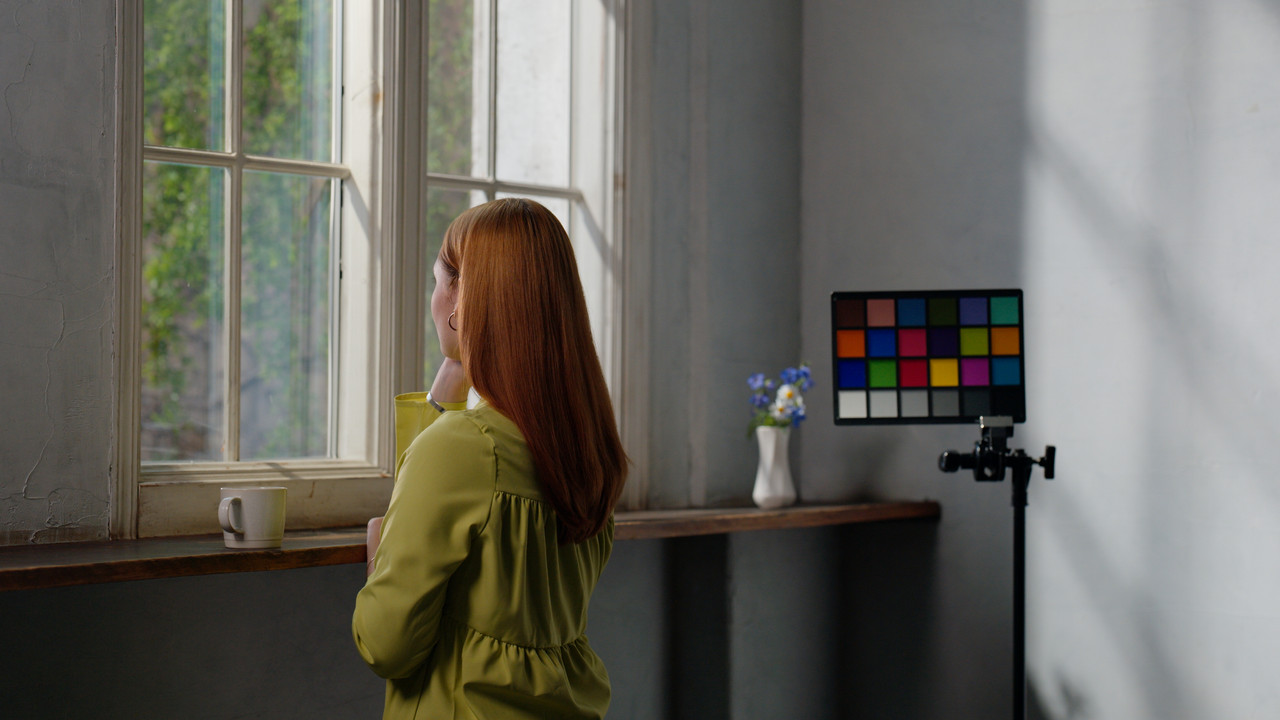
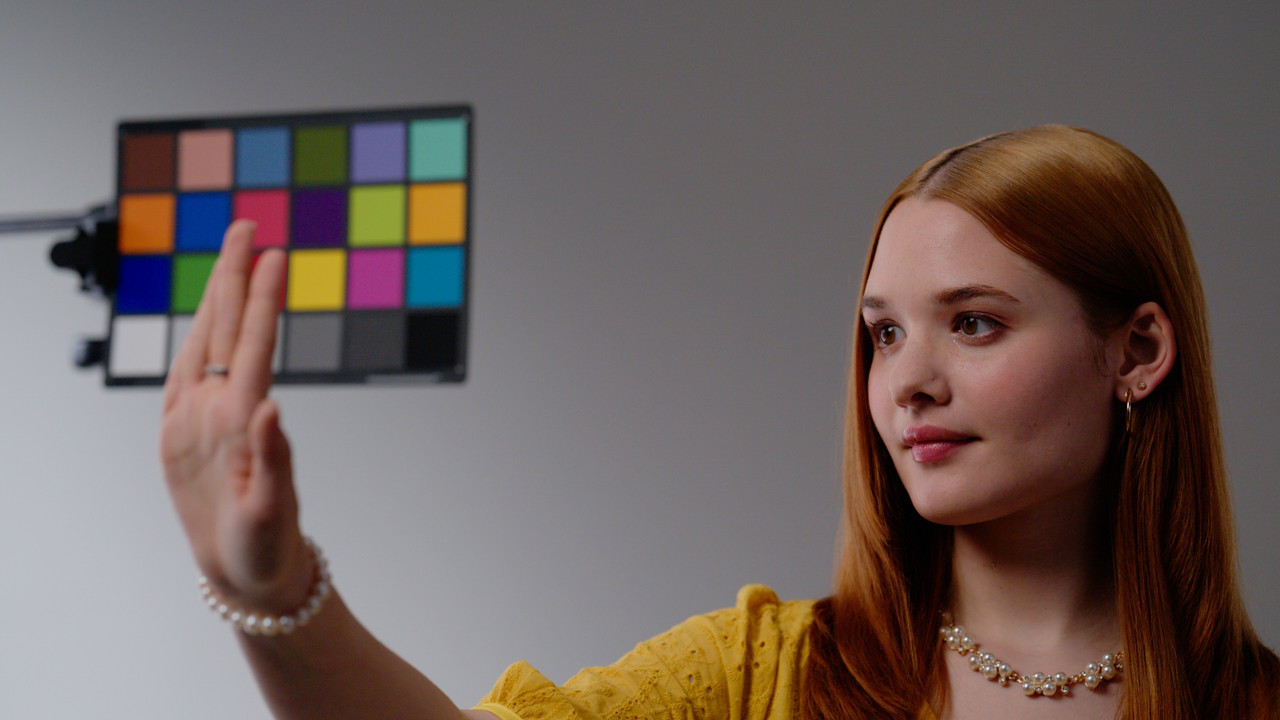
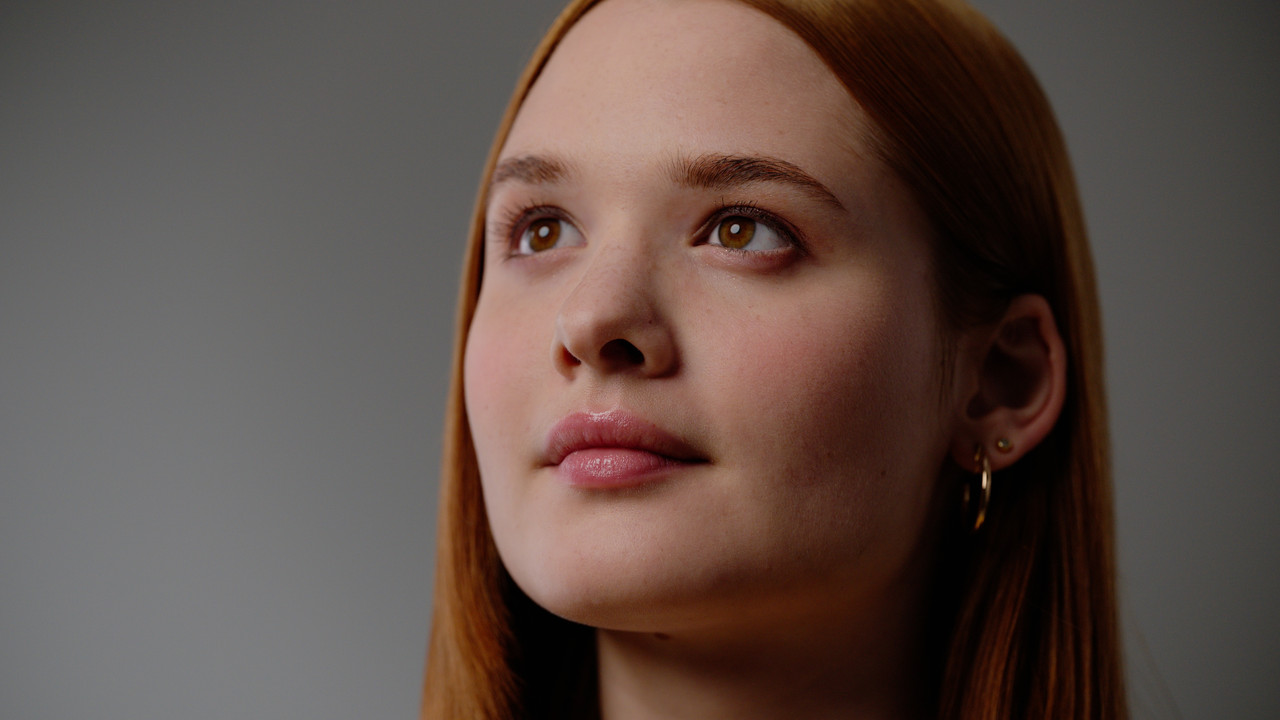
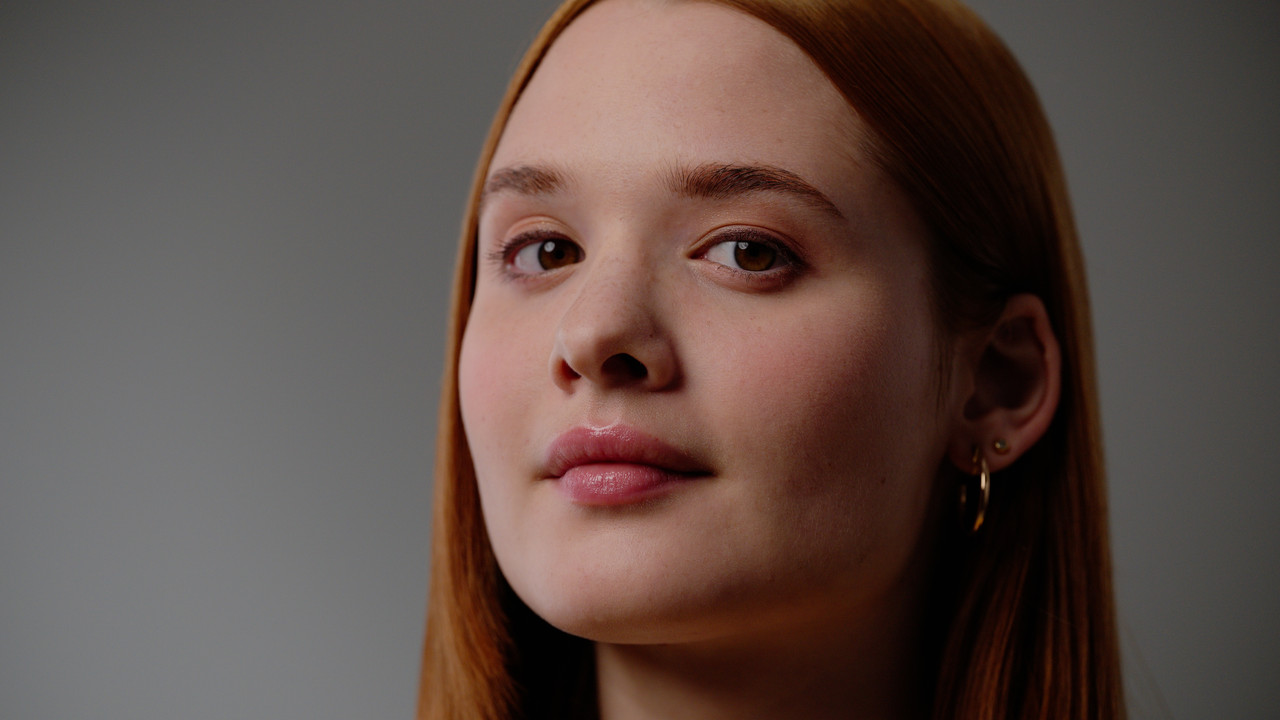
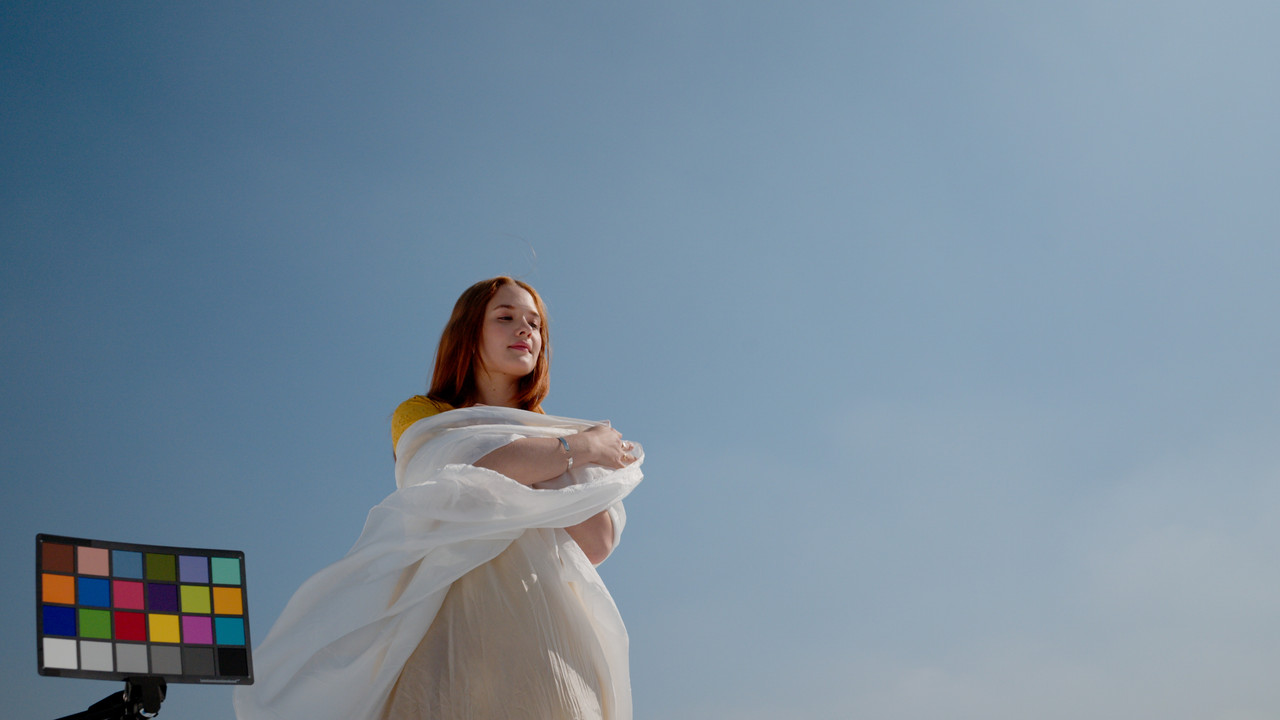
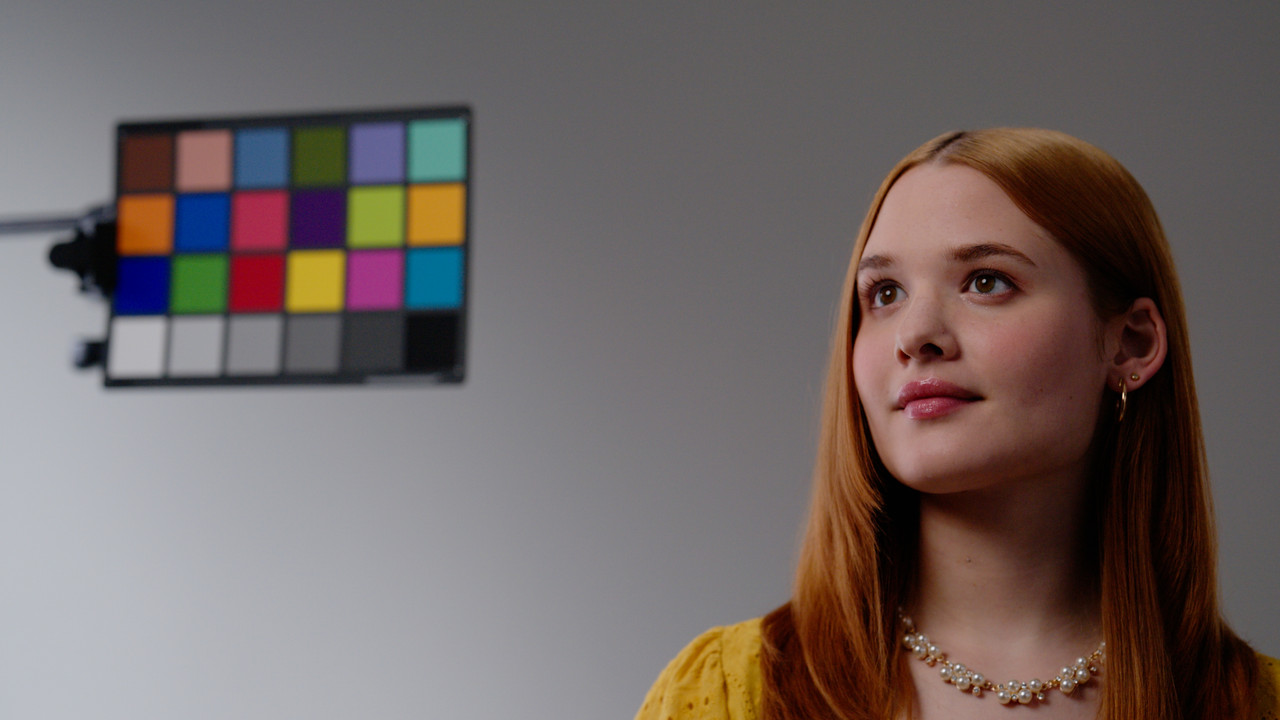
Three of the four Samples from the NIKON Z-8 Graded


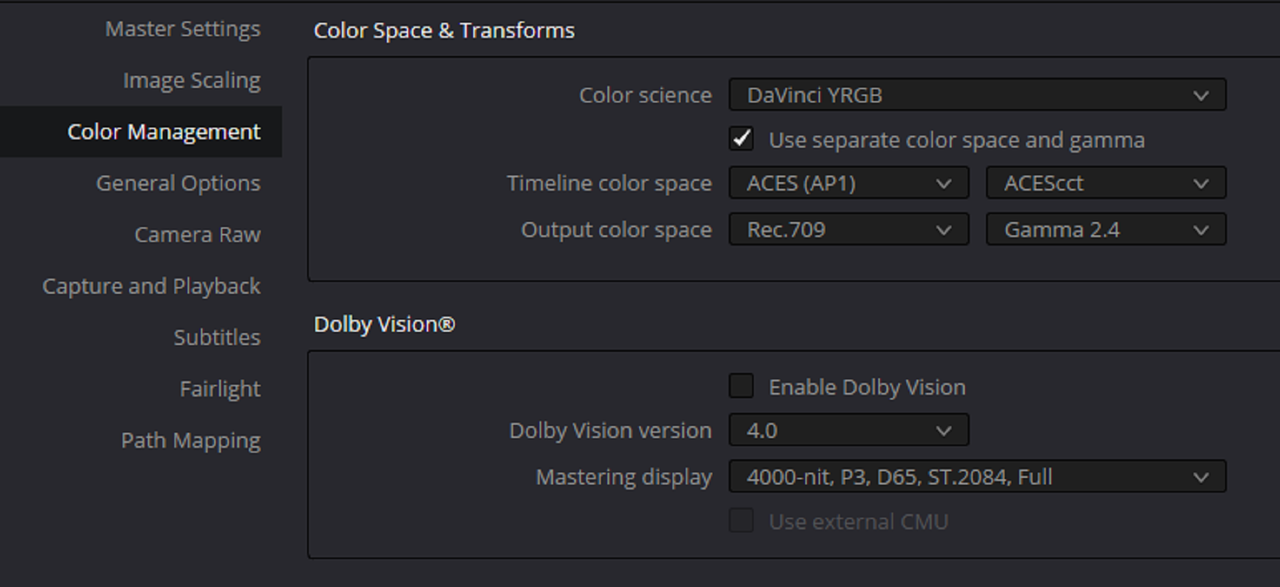
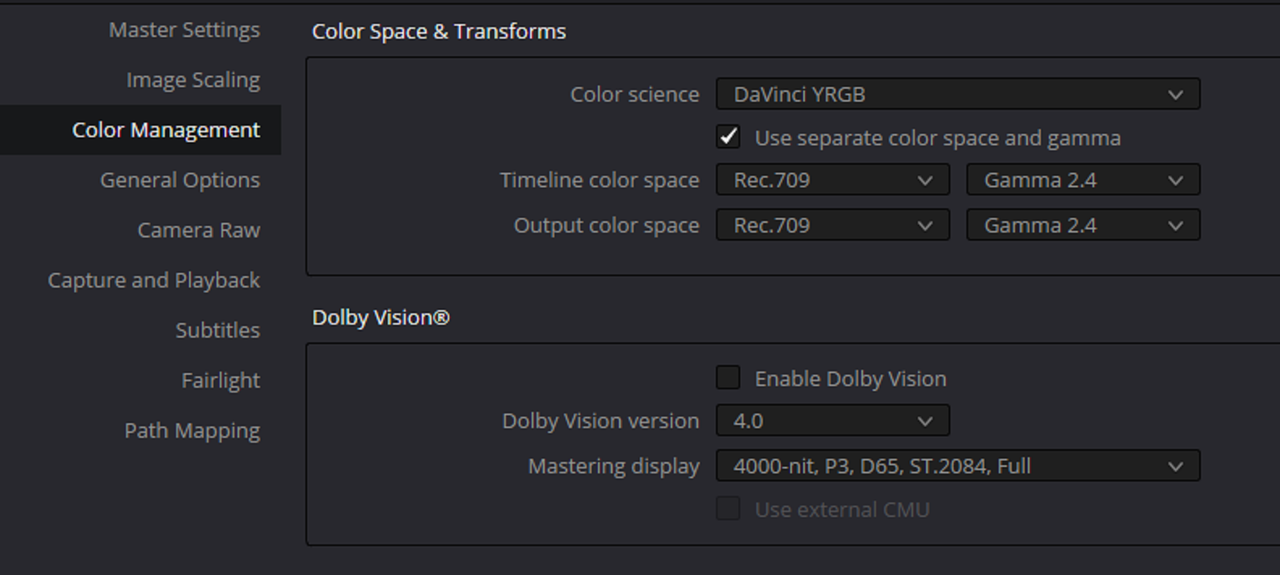
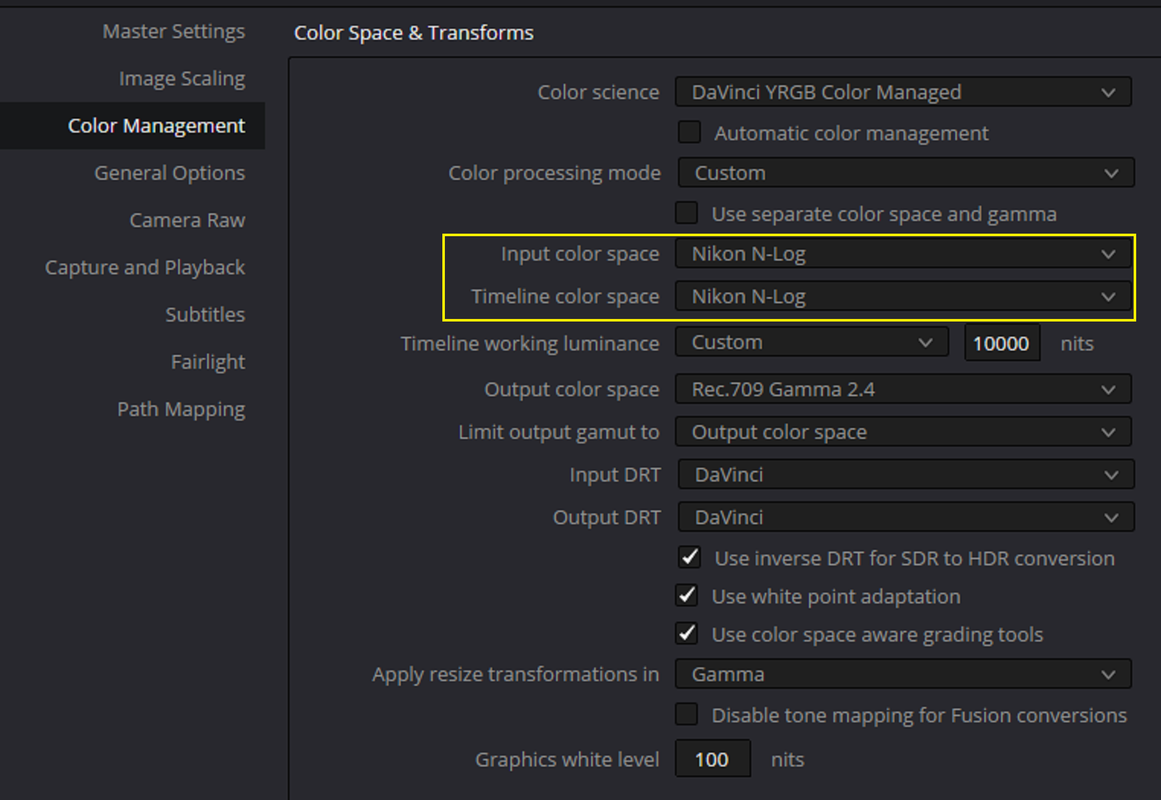
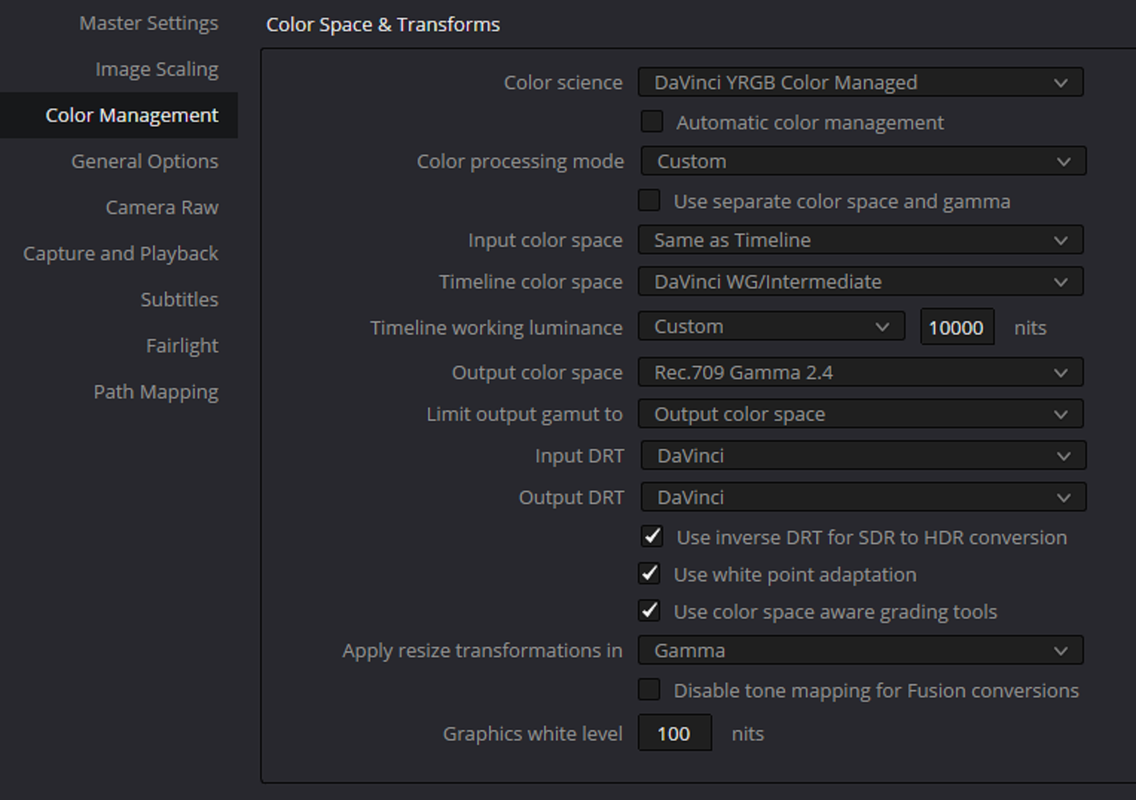
Project Settings

1.png

Screenshot-10254.png

3.png


GRADES

sample-3-1-1-2.jpg


sample-1-1-2-1.jpg


sample-2-1-3-4.jpg
 
Thanks for the links Rand.

Having a quick look at the files in Resolve using 'DaVinci YRGB Color Managed' settings, I'm impressed by the colours and the way they seem to have given preference to the highlight roll-off, but am seeing a lot of noise in the shadows and what seems to be a more blotchy kind of RAW compression.

The noise itself looks kind of grain-like to me and I don't actually mind it, but I'm not sure the RAW bit-rate is cutting it (if that's what's causing the blotchiness). Which is a pity, because otherwise that's, imo, the best overall picture quality I've seen coming from one of those kinds of camera's.
 
Thanks for the links Rand.

Having a quick look at the files in Resolve using 'DaVinci YRGB Color Managed' settings, I'm impressed by the colours and the way they seem to have given preference to the highlight roll-off, but am seeing a lot of noise in the shadows and what seems to be a more blotchy kind of RAW compression.

The noise itself looks kind of grain-like to me and I don't actually mind it, but I'm not sure the RAW bit-rate is cutting it (if that's what's causing the blotchiness). Which is a pity, because otherwise that's, imo, the best overall picture quality I've seen coming from one of those kinds of camera's.

Yeah Les,

I think it's just the N-RAW and N-Log needing a little noise reduction. I didn't add it to the Sample pics above But I will add some to the Video I'll post later on.
 
Here's the Video. I see some banding even though I exported the video file out as DNxHR 422HQ.

 
Just had another look. There's an artifacting type of blotchiness in the noisy areas that noise reduction doesn't fix. You can see it most clearly in her hair in the window shot. I'm guessing it's just the result of a limitation of the amount of data and processing required to deal with that kind of detail, if not a straight up side-effect of the lack of dynamic range in the lows not capturing enough information for the camera to process.

Edit - Looked up Nikon's N-RAW. It's comprressed RAW, so that's probably just what I'm seeing. So, again, another good solution if you can work within its limitations.

Edit 2 - So I tried just cranking up the Temporal NR to the max, and...

https://youtu.be/Be8hrTTWNeA

Looks alright to me.

Some frame grabs with less video banding -


Still not sure about the inherent noise, but really like those colours and the resolution, along with the flexibility of colour-editing at least some kind of RAW image.
 
Last edited:
Okay, even just that clip makes the cinematic quality of the image look amazing but, yeah, what's with the banding, Rand?


Just had another look. There's an artifacting type of blotchiness in the noisy areas that noise reduction doesn't fix. You can see it most clearly in her hair in the window shot. I'm guessing it's just the result of a limitation of the amount of data and processing required to deal with that kind of detail, if not a straight up side-effect of the lack of dynamic range in the lows not capturing enough information for the camera to process.

Edit - Looked up Nikon's N-RAW. It's comprressed RAW, so that's probably just what I'm seeing. So, again, another good solution if you can work within its limitations.

Edit 2 - So I tried just cranking up the Temporal NR to the max, and...

I think it was in my case that I tried to use very little noise reduction and I didn't add back enough grain to break up the almost solid colors in the background. Plus I don't think the N- Raw allows itself to be pushed as much as I did to images above not like Red Raw.

EDIT: plus it could have been that I took the footage into an ACEScct workflow, I'll investigate further.
 
Last edited:
Here's Version 2, version 3 for me, of the previous video I listed above. The banding is improved somewhat because I didn't do any noise reduction like last time. I checked the 'NIKON" raw settings and they were set to the highest quality. I checked to see if I had forgot to change a proxy setting back to "FULL" or 'USE ORIGINAL FILES" settings. And again I used AVID DNxHR 422HQ for the output to upload to Youtube, a 6.70GB file.

I don't know if I pushed the N-Raw codec too much or if it is using ACES. I use the same grading technique I always do. I shouldn't have to "BABY" a codec as to not break it. Maybe this was why RED dropped the Lawsuit against Nikon because the Codec was sub-standard in comparison to RED Raw.

VIDEO HERE
 
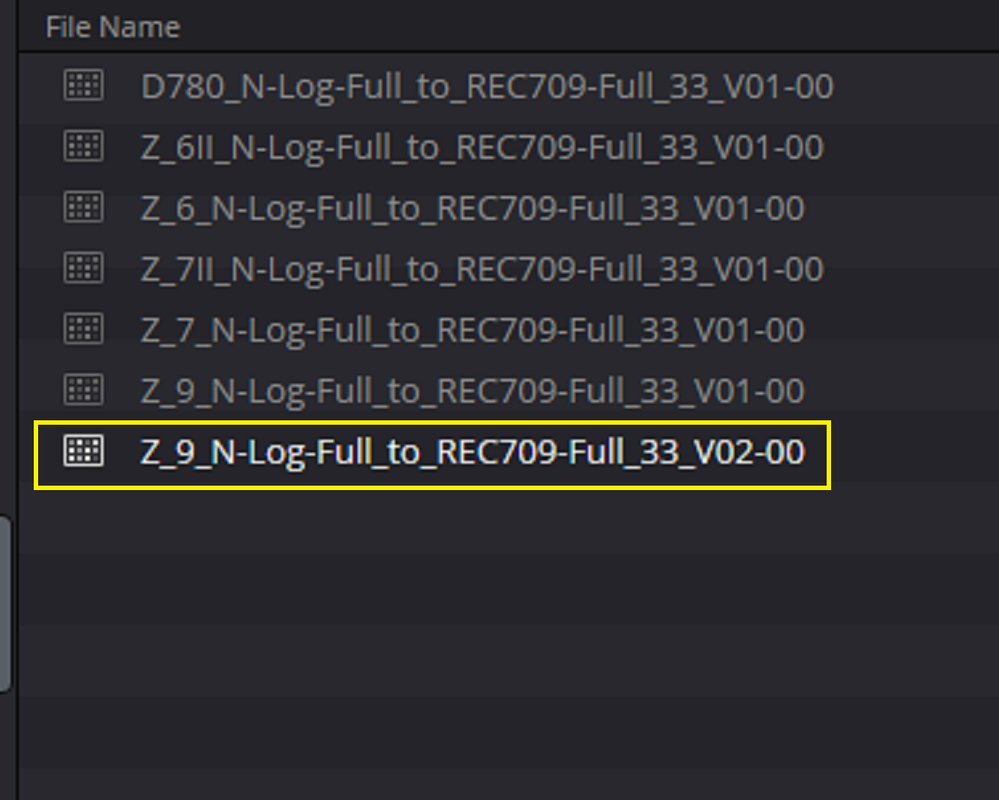
Ran the clips through Resolve using 'DaVinci YRGB' instead of 'DaVinci YRGB Color Managed', along with the Nikon 'Z_9_N-Log-Full_to_REC709-Full_33_V02-00' LUT.

Noticed a big decrease in the noise I was seeing before, so I guess that's just me being new to the N-RAW images and not knowing how to process them.

Adding the Temporal NR again, the noise that was still there got dealt with easily enough.

Barely had to adjust anything to get a decent look, resulting in a slightly different grade than before -

https://youtu.be/GeGooqebvDQ


Apparently there's a 'High Quality' and 'Normal' in-camera setting when recording the N-RAW files. Not sure if these files were captured with the higher or lower compression, so they could look even better than this.

It's still got a noisy and clippy dynamic range, along with all the other drawbacks of not being a dedicated cine-camera, but I think it captures a nice image.

Anyway, back to the other stuff...
 
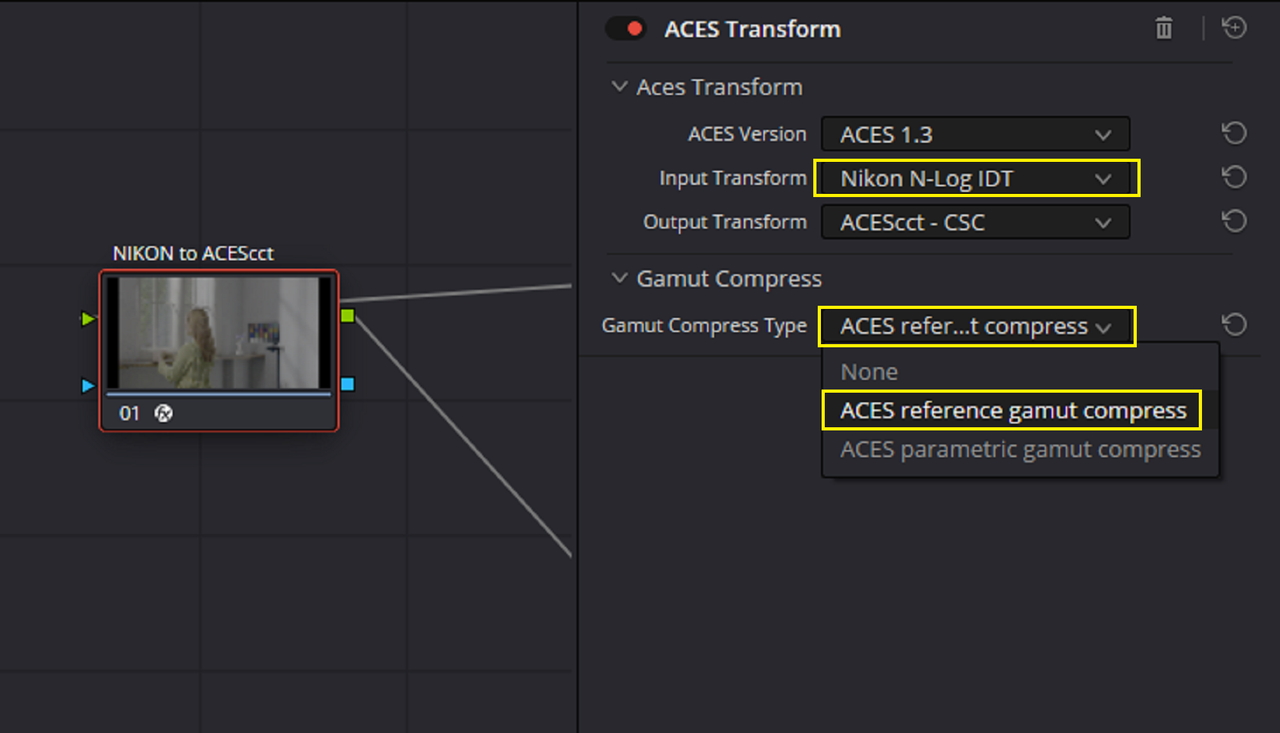
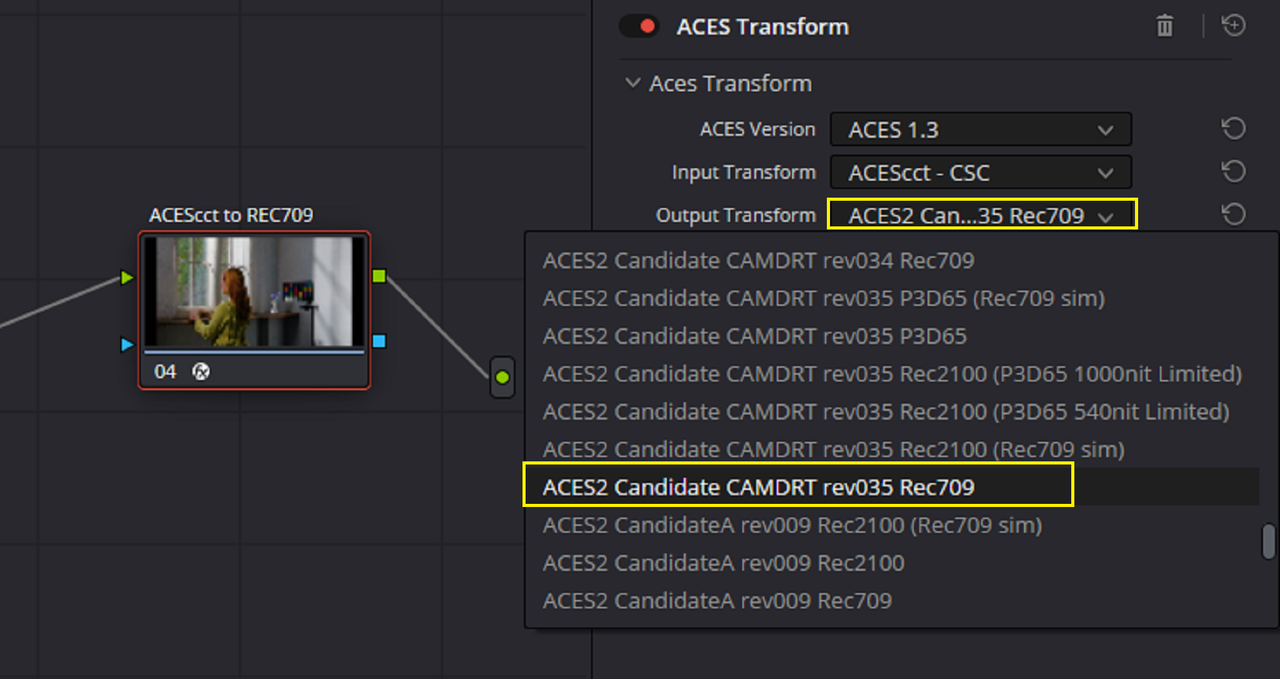
I didn't like the Tone-Mapping of the Official Lut that Nikon provided and I only use ACES. Online everyone is using a INPUT Color Space of "REC 709/GAMMA 2.4" and an OUTPUT Color Space of which is the same "REC 709/GAMMA 2.4". When you add the official Lut to that workflow, the tone-Mapping is really crappy. However I see some are transforming to the Arri Color Space and grading from there.
 
Last edited:
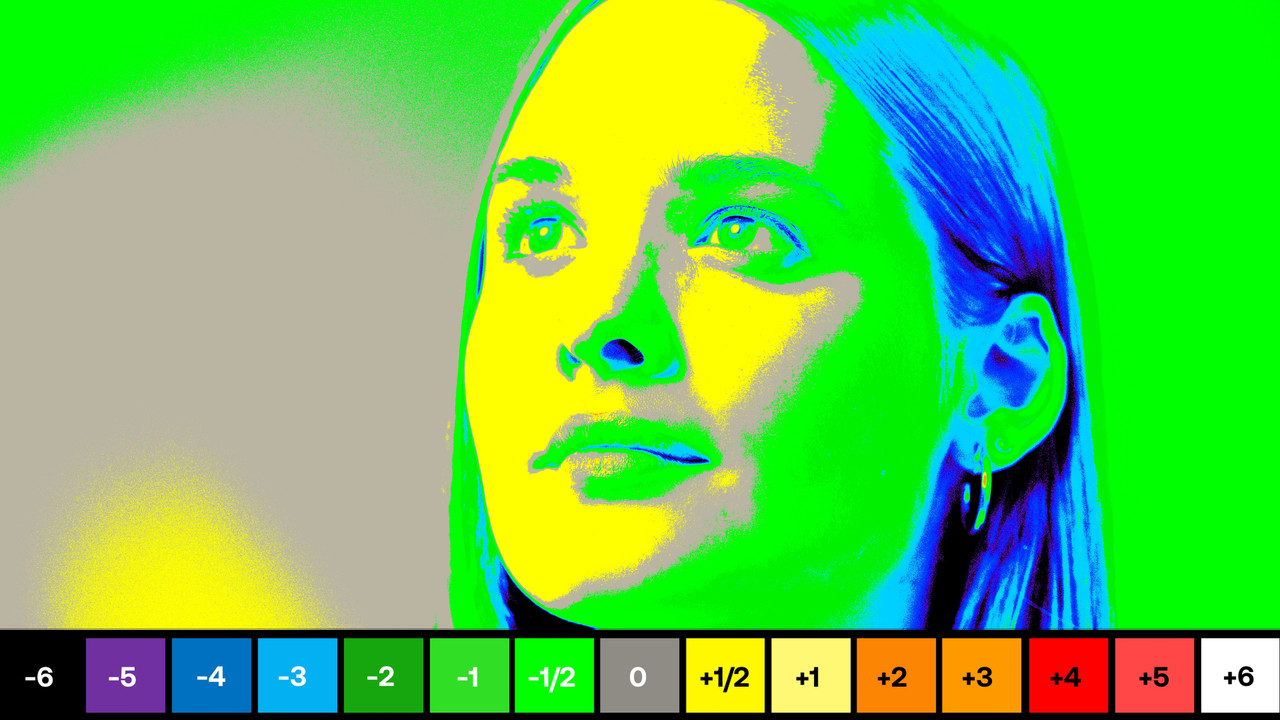
Here's the same grade with the popular REC709/ Gamma 2.4 proposed workflow online.


ACES

sample-2-1-3-4.jpg


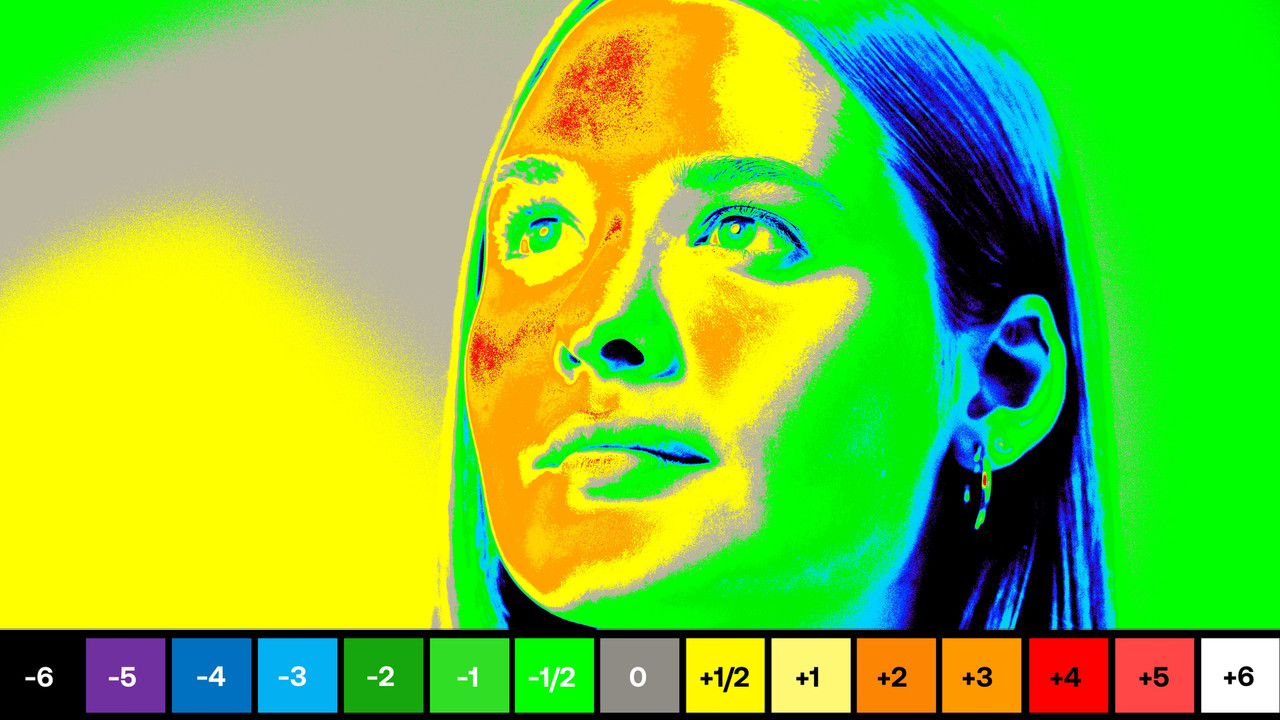
A Half of a Stop over exposed with ACES

Z-8-Skin-Tone-8-K60p-NLog-NEV-1-3-9.jpg


REC709

Screenshot-10259.png

Screenshot-10257.png


Z-8-Skin-Tone-8-K60p-NLog-NEV-1-3-7.jpg


A Half of a Stop to 4 Stops over exposed with REC 709/ Official Lut workflow.

Z-8-Skin-Tone-8-K60p-NLog-NEV-1-3-8.jpg
 
Last edited:
Based on what's being said, it sounds like maybe converting to Arri Log is a potential solution? Also, how are you denoising the footage? Davinci Resolve? Neat Video? Some other plugin?
 
Here's that same clip I posted, but with no noise reduction -

https://youtu.be/Z4TNqpIs_aY

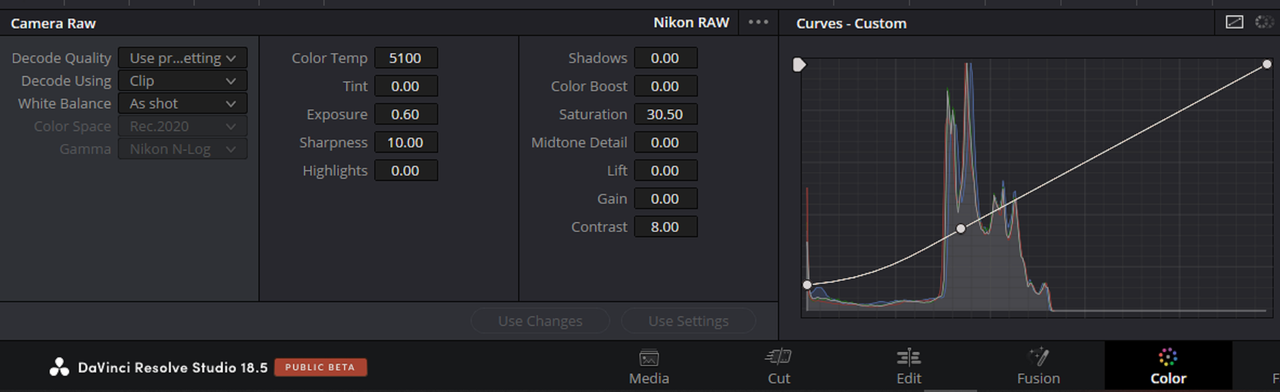
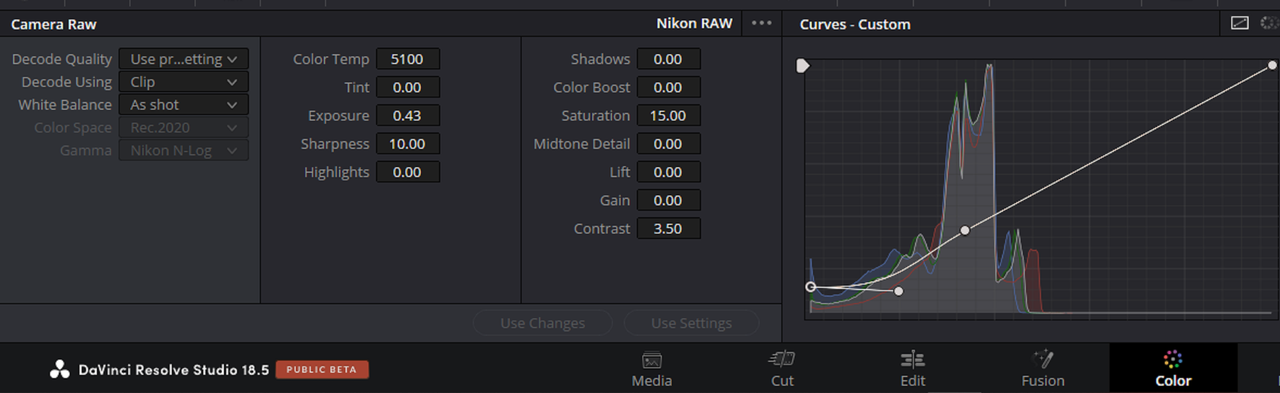
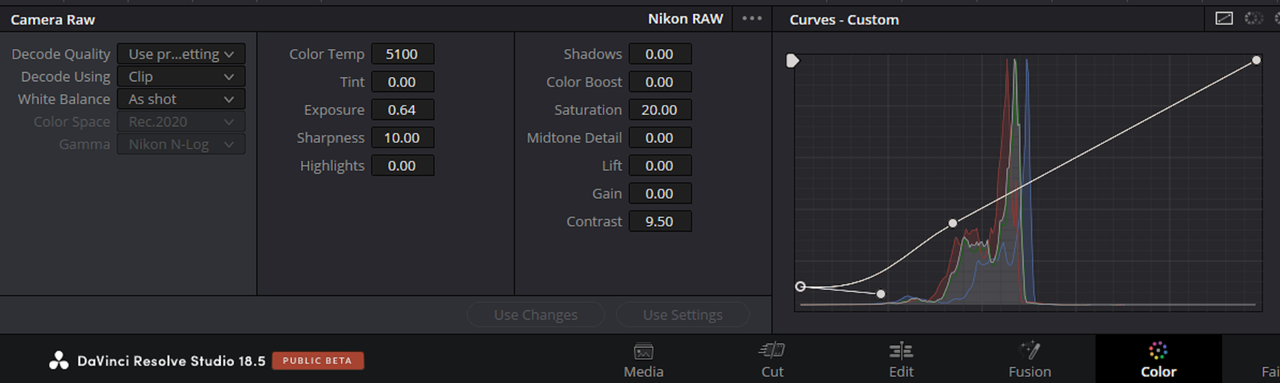
In the Camera RAW settings, I used Decode Using - Clip, White Balance - As shot, Color Space - Rec.2020, Gamma - Nikon N-Log. The only change I made to the actual RAW settings was to pull the Highlight down to -100.00 on some of the shots.

The rest of the adjustments were minimal changes made to Temp/Contrast/Mid-Detail/Gamma/Gain/Offset/Saturation, then some tweaking of colour by lining things up on the Vectorscope using that Tetra-DCTL.

It's still a 'creative' grade, but I think it's pretty close to just a default naturalistic look. Going from there into more deliberately stylistic looks is a bottomless pit that I wouldn't really want to dive into unless I was committed to actually using the camera, except for fun.
 
You can also actually use a "DAVINCI YRGB COLOR MANAGED WORKFLOW" if you didn't want to use ACES as a starting point.

n-log.png


n-log-1-3-16.jpg
 
Based on what's being said, it sounds like maybe converting to Arri Log is a potential solution? Also, how are you denoising the footage? Davinci Resolve? Neat Video? Some other plugin?

Rec.2020 & Nikon N-Log in the Camera RAW settings, with the Z_9_N-Log-Full_to_REC709-Full_33_V02-00 LUT looks fine to me, for a Rec.709-Gamma2.4 export.

The built-in Temporal NR in Resolve seems alright for viewing on a computer monitor or smaller screen.

The more I look at it, the image quality coming from the Z8 is really really good. It's just the relatively narrow dynamic range, RAW compression and the practicalities of shooting with a mirrorless camera that keep it from being useful to me personally.

Edit - Crunched some numbers and those N-RAW sample shots match up to the data rates for the 'High Quality' compression level, so those examples are as good as that RAW compression gets.
 
Last edited:
It’s so strange how the dynamic range could be narrow though, I wonder if there’s a trick to it as 12-bit should give plenty let alone even 10-bit.

Zack,

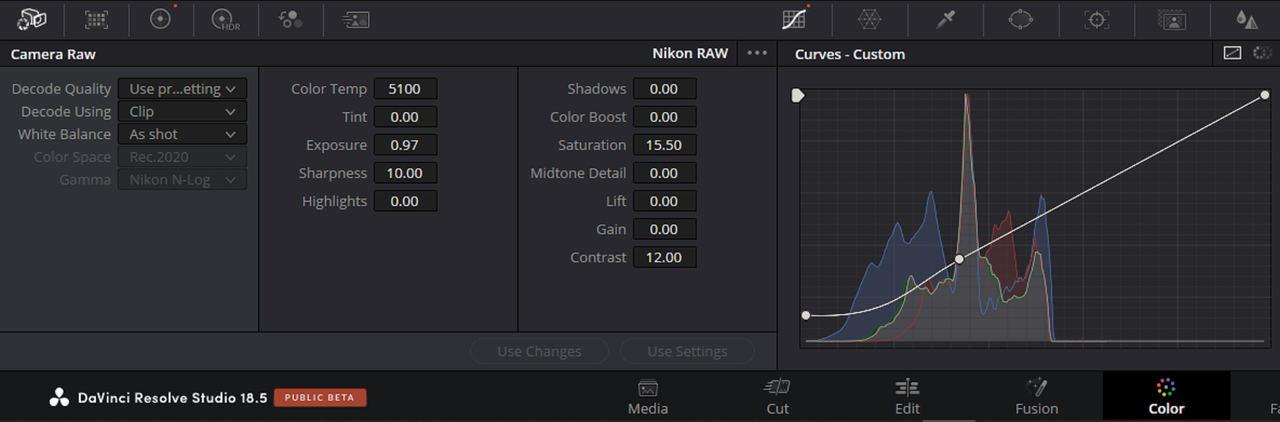
I am going to try a "DAVINCI YRGB COLOR MANAGED" workflow which should identify the N-Raw automatically. Hopefully that will yield a better result than ACES. I also suspect that the "NIKON N-LOG IDT" for ACES that I got from Github also may be the culprit or atleast I'm starting to suspect however I may be wrong.


I am going to try to keep the grades COLOR Managed and use mostly RAW corrections and see if that helps. I'll probably upload a video later and see if making these changes help.
WEWQQE-1.png


1.jpg


2.jpg


2A.png


3.jpg


4.jpg


4A.png


5.jpg


6.jpg


6A.png


7.jpg


7A.png
 
Last edited:
Was curious what N-RAW level was used on those sample shots. It didn't say in the metadata, so I looked at the file size and shot length and the official data rates quoted by Nikon, and the shots match up to their 'High Quality' N-RAW setting, not their 'Normal' N-RAW data rate.
So, having the size per frame of the Nikon Z8 8K 'High Quality' N-RAW, I went to PHFX.COM site and looked at the data rates for the 8K RED camera's using Phil's handy 'framesTo DataRate' tool, just to see what the RED equivalent RAW compression levels are for a file that size.

Nikon Z8
8256x4644 (38.34 Megapixels)
N-RAW
High Quality - 11.7 MB Per Frame

RED V-Raptor 8K VV & RED V-Raptor 8K S35
8192x4320 (35.39 Megapixels)
REDCODE RAW DSMC3
HQ - 17.71 MB Per Frame
MQ - 12.42 MB Per Frame
LQ - 7.74 MB Per Frame
ELQ - 4.17 MB Per Frame

RED Monstro 8K VV & RED Helium 8K S35
8192x4320 (35.39 Megapixels)
REDCODE RAW DSMC2
2:1 - 27.11 MB Per Frame
3:1 - 18.07 MB Per Frame
4:1 - 13.55 MB Per Frame
5:1 - 10.84 MB Per Frame
6:1 - 9.04 MB Per Frame
7:1 - 7.74 MB Per Frame
8:1 - 6.78 MB Per Frame
9:1 - 6.02 MB Per Frame
10:1 - 5.42 MB Per Frame
11:1 - 4.93 MB Per Frame
12:1 - 4.52 MB Per Frame
13:1 - 4.17 MB Per Frame

Going by that, the Z8 compresses its N-RAW at something between the DSMC3 LQ-MQ levels, or somewhere between the DSMC2 5:1-4:1 RC data rates (not the DSMC2 visual equivalent).

Looking at the frames, that seems about right, even taking into account the different methods of DSMC2 and DSMC3 RAW compression. Factoring in the different bit-depths, maximum size of the frame and the responsiveness of the sensor itself as well, the visible results make sense.
 
Back
Top