Welcome to our community

Be a part of something great, join today!

  • Hey all, just changed over the backend after 15 years I figured time to give it a bit of an update, its probably gonna be a bit weird for most of you and i am sure there is a few bugs to work out but it should kinda work the same as before... hopefully :)

new REDCINE-X feedback

Export 'Timeline (all clips)' isn't working still quite like i'd expect it to, but I could be wrong in my expectations.

Instead of maintaining the individual clip names, it proceeds to ask me for a new clip name, and I presume, make one clip with a new name.

Luckily I can at least now select all the clips in the timeline, and export 'timeline (selected clips) and that appears to be working.

What I thought 'all clips' would do is export each clip individually with their original R3D name... Is that how it's supposed to work?

I know I mentioned this before, but, is there any way we can have at least the option to remove the 'textured' look of the UI. A simple grey would be nice.

Also, maybe could we start a build 158 Feed Back topic, so we dont have 43+ pages to sort through?
 
When using export "timeline (selected clips)" it would be good if multiple instances of the same clip rendered with eg _1, _2 etc appended to the names, rather than what currently happens which is that when it starts to render the second instance it overwrites the first instance.
 
Another thing I'm noticing right now, I'm not really getting that much power out of RCX in terms of Cores and Transcoding.

In Red Rushes I can push my 8 Core to the Max and have all 8 Cores working on a clip. Right now I've got very little activity spread across 8 cores, Resulting in very little FPS actually being transcoded.

Now I know everyone will say, get a rocket card, but it's not in the budget right now, and if we upgrade to MX eventually, we'll have to use RCX.

Is there any way we can assign 'cores per clip' like in Red Rushes?

Thanks in advance.


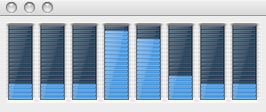
EDIT: It appears as though RCX is using really only about 2 of my 8 cores. 2 of the 8 that only max out around 80% of the core's capacity. So 2 of them hit 80% while the rest sit at around 20%, then on the next activity monitor refresh, 2 different ones are at 80% and the rest around 20% and so on and so on. Compared to Red Rushes having all 8 hitting around 90% or greater, I'd say that's a significant difference.
 
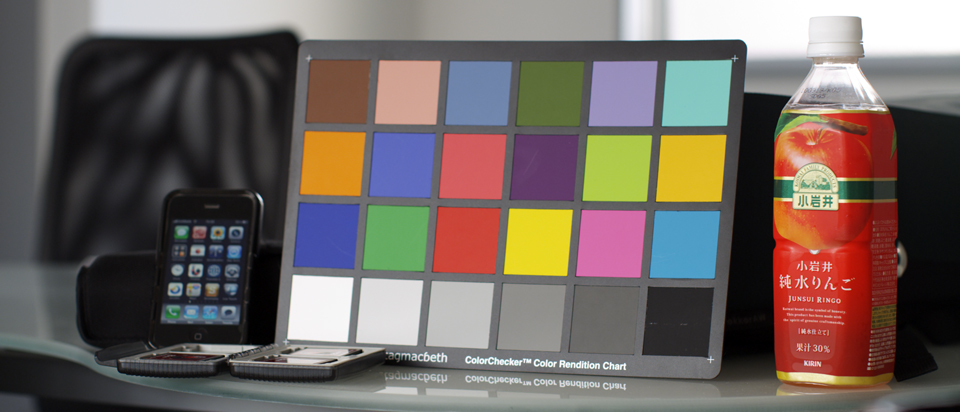
Anyone else getting a color picker bug when clicking on the white balance chart in build 158 on OSX Snow Leopard? Instead of balancing around 5600K it goes straight to 1700K.

A008_C012_0305B5.0000000.jpg


Here's one of the R3D files (97MB) which causes what I'm seeing:

http://downloads.visceralpsyche.com/A008_C010_030592.RDC.zip

Shot at 4.5K with Build 30.3.1, exposed so nothing is blown out in RedColor/RedGamma.

On RedCine-X build 104 for PC it's working as expected (gets around 5722K -2 Tint).

Cheers,

Paul
 
When using export "timeline (selected clips)" it would be good if multiple instances of the same clip rendered with eg _1, _2 etc appended to the names, rather than what currently happens which is that when it starts to render the second instance it overwrites the first instance.

Oh, no.
 
Here is what I am talking about with regards to Lack of performance in the Cores while Exporting. Sorry for the extra post, it wouldn't let me upload in an Edit.
 

Attachments

  • RCX_158_2_CORES.jpg
    RCX_158_2_CORES.jpg
    9 KB · Views: 0
Anyone else getting a color picker bug when clicking on the white balance chart in build 158 on OSX Snow Leopard? Instead of balancing around 5600K it goes straight to 1700K.

A008_C012_0305B5.0000000.jpg


Here's one of the R3D files (97MB) which causes what I'm seeing:

http://downloads.visceralpsyche.com/A008_C010_030592.RDC.zip

Shot at 4.5K with Build 30.3.1, exposed so nothing is blown out in RedColor/RedGamma.

On RedCine-X build 104 for PC it's working as expected (gets around 5722K -2 Tint).

Cheers,

Paul

Paul,

as you can see below no bug on my machine with your file...

Paul_01.jpg
 
Had the same color bug as Sanjin described wih version 158. Plus that I still have this random black frames problem.

Otherwise it's a thrill working with the FLUT-aware curve tool.
 
I'm getting an error in REDCine-X (builds 104 and 158) with the following message:

Error processing image for frame: 0

Anyone know what the problem is?

Thanks

Jean
 
Random Black Frames Issue:
May have found a workaround.

Exporting to QuickTime ProRes 422 (HQ)
Original Footage Resolution: 4096x2304 (4K 16:9)
Random Black Frames when exporting to 2048x1152 (Half of 4k 16:9)
No Random Black Frames when exporting to 1920x1080

Would someone else with the Random Black Frames issue please test at 1920x1080.

Hardware
------------
MacBook Pro
4gb 1067 MHZ DDR3 Ram
2.53 Ghz Intel Core 2 Duo
OSX 10.6.2
 
Love, love using Red Cine X. Grading most of my feature with it. Wish I had a Red Rocket but not in the budget so yeah it takes a while to render out full debayer, anyone want to give me a red rocket? hehe. I love redgamma, redcolor, flut.

I have also experienced a couple black frames. Other than that its on its way to being a golden program. Is there a way to see a list view of all the clips you have in timeline? I also wish when you collapse the timeline you could see every clip at once.
 
Had the same color bug as Sanjin described wih version 158. Plus that I still have this random black frames problem.

Otherwise it's a thrill working with the FLUT™-aware curve tool.
Do you mean the color picker bug I mentioned that Sanjin quoted?

Sanjin, thanks for your check even though you weren't able to reproduce it.

Cheers,

Paul
 
Good job, Eric! Transcoding 4K 16:9 to 1920x1080 instead of 2048x1152 got rid of the random black frames issue. But at the same it increased transcoding times, quite a lot actually.


Random Black Frames Issue:
May have found a workaround.

Exporting to QuickTime ProRes 422 (HQ)
Original Footage Resolution: 4096x2304 (4K 16:9)
Random Black Frames when exporting to 2048x1152 (Half of 4k 16:9)
No Random Black Frames when exporting to 1920x1080

Would someone else with the Random Black Frames issue please test at 1920x1080.

Hardware
------------
MacBook Pro
4gb 1067 MHZ DDR3 Ram
2.53 Ghz Intel Core 2 Duo
OSX 10.6.2
 
New World

New World

Ok...this is great!!! Finally got my RedRocket TMTMTM working on my system
I'm blown away and don't know how I functioned without RCX.
Also, Tangent Wave and Sanjin's HP Dreamcolor AJA Dual HDI setup is
the only way to fly...transcoding while still working on RCX is unbelievable...
I'm so glad I made the investment....and that RED took the initiative to
give us RCX and offer REdRocket.

Had the color picker bug earlier but it did it when I had one clip in the view
while another was showing in the timeline....having been able to reproduce
it.
 
Paul & Sanjin - I have seen the same color picker bug and reported it earlier in this thread, but I cannot reliably reproduce it. I get the same result, randomly, on footage I've shot. Sometimes, a clip just white balances wrong - sometimes just changing the frame I'm choosing makes the problem go away. Sometimes I get a clip that I just cannot white balance correctly with the color picker, no matter what frame I sample from. Other clips I don't see it at all. Don't know how to nail this one down.

One theory I have is that it only happens when the client is watching! ;-)

Bryan
 
When using export "timeline (selected clips)" it would be good if multiple instances of the same clip rendered with eg _1, _2 etc appended to the names, rather than what currently happens which is that when it starts to render the second instance it overwrites the first instance.

Yes, seeing that here too, as well as clips exported from the bin, viewer, etc.

Bryan
 
possible bug RCX 158

possible bug RCX 158

just been playing with build 158 and one immediate thing happening is that when I toggle to Full Frame all the other windows disappear. In the previous version they remained which was good for subtle adjustments. Is this a bug or perhaps the software is working in single monitor mode. I'm working dual monitor Mac Pro Snow Leopard.

I've noticed that save look to camera has been enabled which is great. Is there a way to bring a look back into RCX? As I mentioned in a previous post I want to be able to send a R3D file with its Look File to people in different locations. This would be a great feature if it is possible...
thanks
 
Back
Top