Welcome to our community

Be a part of something great, join today!

  • Hey all, just changed over the backend after 15 years I figured time to give it a bit of an update, its probably gonna be a bit weird for most of you and i am sure there is a few bugs to work out but it should kinda work the same as before... hopefully :)

New Mac Pro

The Dell 4K displays only support MST on their full size DisplayPort input...I think Anand was trying to use the Mini DisplayPort input and had issues when trying to enable MST and 60Hz. You'll need a Mini DisplayPort to DisplayPort adapter/cable that supports DP 1.2 and MST.
 
Let us know what you think of those new Promise raids. Not sure if I wanna trade up or not.
 
That's great and all but some softs only work on Mac or PC, and color management is far easier and more reliable on a Mac.

Windows 7 and up natively supports ICC Profiles in the control panel. Colorimeter software has just as many options on Windows as OSX. There is no difference in the color capability between OSX and Windows other than Windows 7 or higher natively supports 10bit color with both Direct X and Open GL
 
The Dell 4K displays only support MST on their full size DisplayPort input...I think Anand was trying to use the Mini DisplayPort input and had issues when trying to enable MST and 60Hz. You'll need a Mini DisplayPort to DisplayPort adapter/cable that supports DP 1.2 and MST.

Anand wasn't using the mDP port on the Dell. Go on various Apple-oriented forums and read the threads about people using Windows on the current and recent Mac hardware, including the Mac Pro. MST just doesn't work right with OSX right now because it's not fully integrated into the drivers and software but SST works fine. Take current Apple hardware and run Windows on it, MST seems to work perfectly with new and old monitors. Linux has the exact same problem as MST isn't implemented at all in the GPU drivers.
 
Last edited:
Windows 7 and up natively supports ICC Profiles in the control panel. Colorimeter software has just as many options on Windows as OSX. There is no difference in the color capability between OSX and Windows other than Windows 7 or higher natively supports 10bit color with both Direct X and Open GL

agreed...there is still so much misconceptions about windows in the creative world...today a windows platform is just as capable (if not more) and stable as an OSX platform...it's time to embrace both world. ;)
 
The next batch of 4K monitors should be shipping in the Spring and Apple should have another Mavericks update prepped for 4K systems to use MST - both old and new - by then, so just hang tight.
 
looks interesting!
 
My Dell 24" is here. Funny since the shipping notification just came yesterday and I never got proper tracking info for it. 4K 60Hz works just fine from the GTX Titan under Windows 7 Pro 64. As it should. Also works fine at 30Hz via Macbook Pro. I guess I'll know tomorrow how it works with the nMP.

That said, I'm not sure if I like the monitor. I do, but I don't. The picture is great, really. The problem is that 4K at this screen size sucks. To use at native resolution, everything is just small. If I kick into HiDPI mode where everything is sized to 1920x1080 and it looks great, but then the screen is just too cramped for my taste when it comes to being. I run my Macbook Pro retina screen at 1920x1080 equivalent and it's a bit fuzzy compared to the evenly scaled default resolution. This Dell monitor being evenly scaled at 1080p HiDPI mode looks sharp and wonderful.

FCPX looks nice as it makes use of 1:1 pixels within the HiDPI or retina mode. Same with AutoCAD.

What we really need and what I hope Apple will bring us is a 5120 x 2880 HiDPI screen at 26 to 28 inches. For running native 3840x2160 resolution, the 32" screen size of the larger Dell, Sharp and Asus displays is definitely the way to go. Or we need to see a more pro-active approach from Microsoft and Apple to appropriately size their OS elements for a variety of screen sizes. If I could get all the OSX menu bars, standard text sizes, and other interface elements to be between the 1080p HiDPI size and the standard size that looks too small in 4K, we would really be onto something here.

I will probably keep this display as I know I can find a multitude of uses for it. However, as a primary workstation display this ain't it unless we can get some attention to the sizing of various things.

The Mac Pro should be here tomorrow and I'll know then the answer to my MST and 60Hz question. I don't expect it to work. I've been trying to get a concise answer on all that since these systems first started rolling out and no one wants to give answers. There is tons and tons of conflicting info out there, some people claim it works, some people claim it does not. The couple people I've encountered with a 4K display and a Mac Pro that I have been able to talk to, usually end up asking me how to enable MST mode or they don't know anything about it.

As for Anandtech's report of it not working, the results they describe point to an improper or faulty cable and/ or improperly matched timings. All of those can be solved, so I'll see how it goes. I also know that Anandtech did not have the latest EFI update installed on the Mac Pro that addresses some GPU issues, nor did they have access to the 10.9.2 developer seeds with updated FireGL / Mac Pro video drivers.

I will also have the 32" ASUS 4K here to test with. My friend and colleague who owns the display has not received shipping info for his Mac Pro yet and he's going to bring it over thursday morning so we can play. I'd expect it to work just fine, or within the same limits as the Sharp PN-K321 that Apple is offering as they're the same display other than the logo badge on the front bezel.

My Pegasus2 RAID has been in shipping limbo with the bad weather it seems. Hoping to have it thursday or friday.
 
I'm interested to hear your impressions of the new mac pro. I'm holding off on a TB2 raid till more options are out there. Ideally I'd like a MAXX or Areca, once those get TB2.

The wait for this machine is painful. I'm back to just my laptop and 15" of screen space is well...cramped.
 
I need to look up Anandtech's write up on the monitor with the Mac and see what they say, but the couple reviews I've found where it didn't work left me with questions… Starting with me questioning their competence to choose the right cable or adapter. Depends who's doing the review for Anandtech. They often have some real morons, especially if it involves a Mac. I often get blasted for saying it, but there's plenty of times where Anandtech posts bogus info.

Just for posterity, the Anandtech review is written by Anand Shimpi himself, one of the most respected technologists and journalists in the industry.

The article (http://anandtech.com/show/7603/mac-pro-review-late-2013) is very detailed and very readable. I can't speak to the accuracy or completeness of the section on alternate 4K displays, but you might not want to just assume his conclusions are bogus.

-n
 
Has anyone looked into using the MAGMA ROBEN-3?

I need to config an Avid HBA (Nitris DX), MAGMA HBA (PCI Enclosure PE6R4) and ATTO R680 (G-Tech eS Pro 12TB)set-up.

Trying to meld an Avid suite and Pro Tools into one.

We are def moving a different direction for the ROCKET/BMD cards.
 
AFAIK the Magma Roben-3 will sort you. Planning to get one myself, but not until I actually have a nMP in hand ;-)

Cheers - #19


Tempting to order one now and test on rMBP.

I guess by summer the offerings for TB2 will be plenty specially after NAB :)
 
Anyone catch the $699 Dell 28" 4K UHD screen announced today? Sounds like a good size for scaling properly. I think we need a full-on monitor roundup now for testing and sharing.
 
What up Kilgroe? You got the trashcan wired up? Report, Mister! LoL

Yep, it's here!

Getting everything installed now. Seems like a really nice computer, more details in a bit. Have not set up Windows, nor will I boot into Windows on this system so can't test the DisplayPort MST mode that way. Have not tried the Dell 24" yet and there's a reason for that, hopefully I'll be able to share some more info soon on that front. Will test with the Dell 24" and ASUS 32" when my friend brings the ASUS one over and we start juggling screens. I had one spare miniDP to DP cable, but I wasn't sure if it supported 1.2 w/ MST. I ordered a couple others just to cover the bases, they should be here tomorrow.

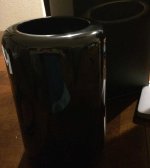
It's so shiny. :)
 

Attachments

  • nMP.jpg
    nMP.jpg
    21.5 KB · Views: 0
Back
Top