Welcome to our community

Be a part of something great, join today!

  • Hey all, just changed over the backend after 15 years I figured time to give it a bit of an update, its probably gonna be a bit weird for most of you and i am sure there is a few bugs to work out but it should kinda work the same as before... hopefully :)

New Beta 4 Redcine-X with NVIDIA CUDA decode

Were you in full screen or windowed?

Ya I've got the same thing. I've got about 20-22 fps for 8K FF 5:1 in full res with a 1x 1080ti. With 2x 1080ti's my fps drops by about half even when it's windowed and not full screen.
 
Ya I've got the same thing. I've got about 20-22 fps for 8K FF 5:1 in full res with a 1x 1080ti. With 2x 1080ti's my fps drops by about half even when it's windowed and not full screen.

Hi John,

Thanks for your input on dual GPU performance. We have a couple of inquiries and requests we’d like to make in order to better understand the issue you’re experiencing.

Have you ever had two GPUs installed (at the same time) that were not the same model and manufacturer? If so, which GPUs did you utilize?

In order to better understand the performance issues you’re experiencing with dual GPUs, we’d like for you to run DxDiag, and send us your a log summary.

HOW: In Windows, select START, type dxdiag and hit enter. Once the tool loads, click on “Save All Information…”, and save the text file locally.

Please email text file to: REDbetaSW@red.com

Reference: https://support.microsoft.com/en-us/help/4028644/windows-open-and-run-dxdiagexe
 
Hey folks,

Just looking at some 8k on a dual 2080 ti 4.7ghz system with 64gb ram and 3tb m.2 storage and we are seeing realtime playback when using a single gpu which is phenomenal, but about 10fps with both gpus enabled. Will there eventually be gains to be had by having two gpus, or will this always be a single gpu deal?

Can't wait to see the sdk get out there so the rest of the software can crush 8k, too!!

Hey Naim,

Thanks for your input on dual GPU performance. We have a couple of inquiries and requests we’d like to make in order to better understand the issue you’re experiencing.

Have you ever had two GPUs installed (at the same time) that were not the same model and manufacturer? If so, which GPUs did you utilize?

In order to better understand the performance issues you’re experiencing with dual GPUs, we’d like for you to run DxDiag, and send us your a log summary.

HOW: In Windows, select START, type dxdiag and hit enter. Once the tool loads, click on “Save All Information…”, and save the text file locally.

Please email text file to: REDbetaSW@red.com

Reference: https://support.microsoft.com/en-us/help/4028644/windows-open-and-run-dxdiagexe
 
Hi John,

Thanks for your input on dual GPU performance. We have a couple of inquiries and requests we’d like to make in order to better understand the issue you’re experiencing.

Have you ever had two GPUs installed (at the same time) that were not the same model and manufacturer? If so, which GPUs did you utilize?

In order to better understand the performance issues you’re experiencing with dual GPUs, we’d like for you to run DxDiag, and send us your a log summary.

HOW: In Windows, select START, type dxdiag and hit enter. Once the tool loads, click on “Save All Information…”, and save the text file locally.

Please email text file to: REDbetaSW@red.com

Reference: https://support.microsoft.com/en-us/help/4028644/windows-open-and-run-dxdiagexe

Perfect! Will do Brad! Thanks for the reply. I've always had 2x1080 Ti hybrids installed and those were the ones I had checked to be running. I'll run the DxDiag and send it over to you. Thanks again for your help!
 
I may only have the old Maxwell Titan X, but I get half of the performance in Redcine-X with GPU "on" than just using my Intel i9 16 core processor. Is that normal?
Is there a way to run it with both the processor and the GPU at the same time?
 
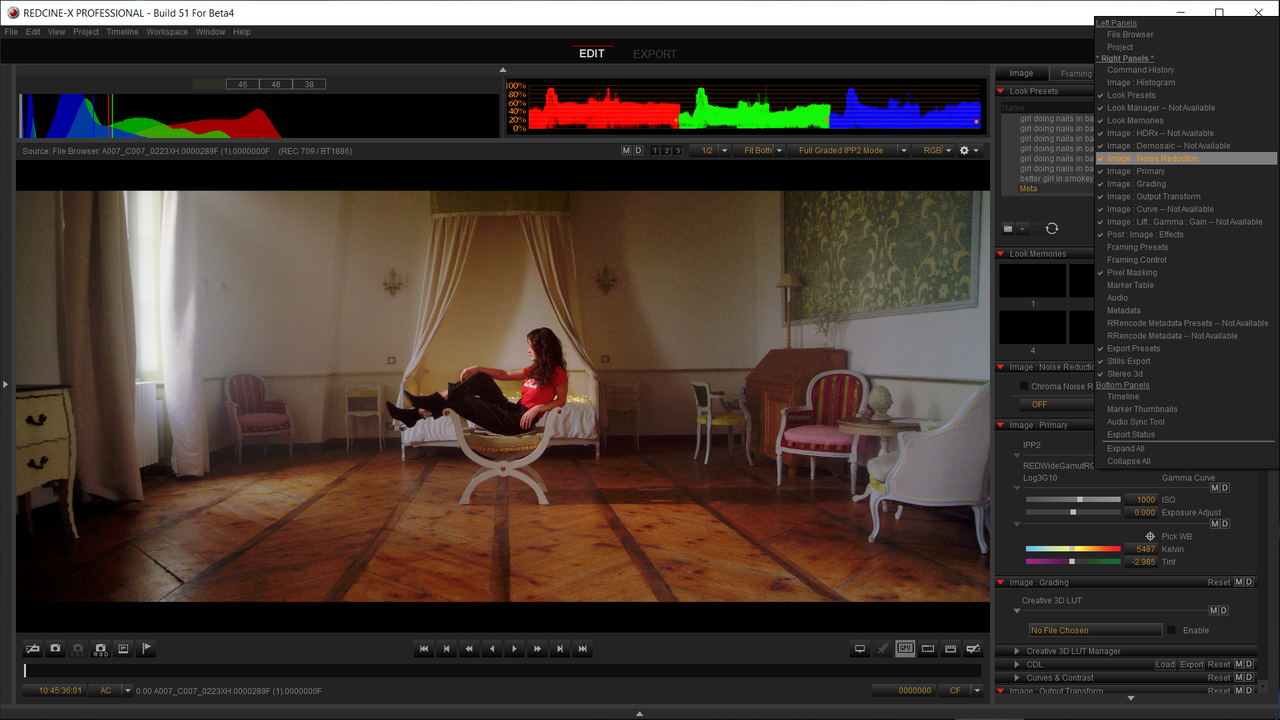
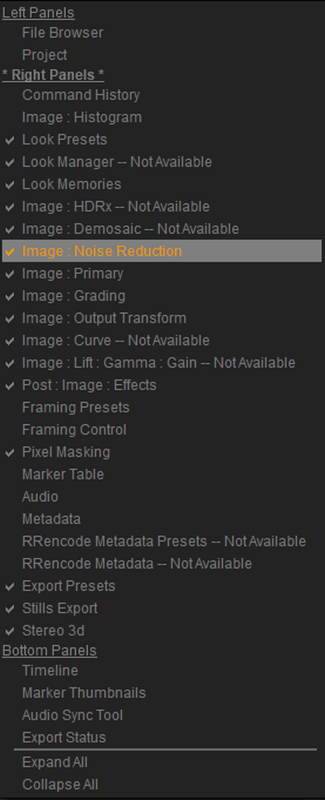
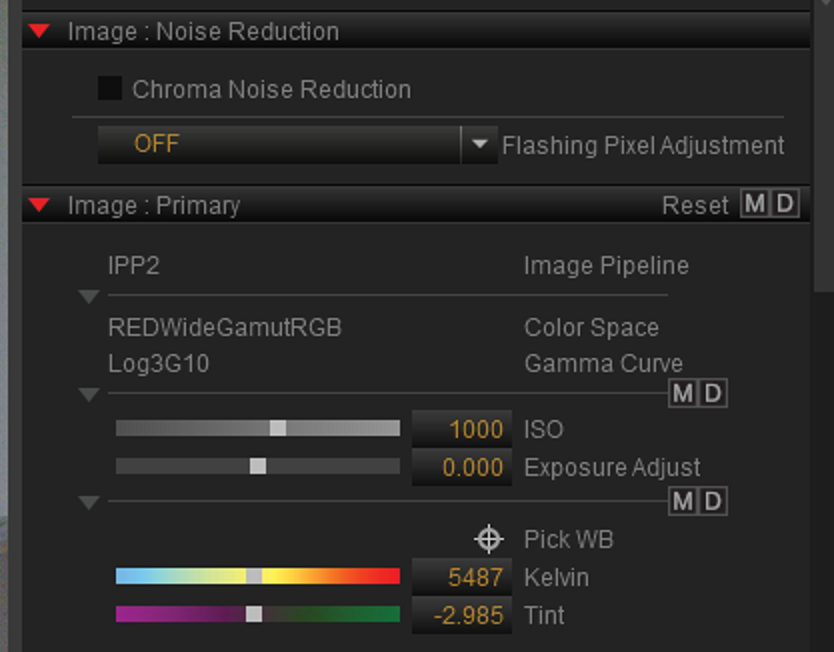
Where do you find the chroma denoiser?
 
Joel,


"Right Click" in the Right-Hand side of the Redcine-X Pro Beta 4 and select "Image Noise Reduction" to enable it if it's not already there.


Screenshot-42.png


Screenshot-47.png


Screenshot-45.png
 
Anyone do a comparison between the traditional DEB+Denoise vs the new Chroma Noise Reduction?

Would love to see comparisons (particularly with Dragon).
 
Just wanted to offer kudos to the new Chroma Denoiser. Far less color shifting than the previous DEB! Awesome work team!
 
Just tried Beta4. I was getting 17-19ps on a single 1070 with 8K 12:1 compression. Would love to see some work on multi-gpu. When I enabled the second 1070 I was getting 8-11fps.
 
Just tried Beta4. I was getting 17-19ps on a single 1070 with 8K 12:1 compression. Would love to see some work on multi-gpu. When I enabled the second 1070 I was getting 8-11fps.

You should probably follow those steps Brad provided to John and Naim to give the team that feedback.
 
Anyone tested exporting Prores with it? So far all my results are blazing fast and have not found any bugs so far.
Tempted to use it for a project I'm working on since it is almost 10x faster than the old Redcine.

Cheers,
Andreas
 
Really curious about that new chroma denoiser. Hope it will be coming to the Mac version and Resolve soon, can't wait to try it out on some Gemini footage !
If anyone has done any tests I'm interested.
 
Wow! This version is waaaaaaaaaay more stable than the previous one. 8K playback is butter smooth on a single 2080Ti. Even switching between full screen (Ctrl+F) and back again, playback stays smooth. Switching to full screen used to to begin causing lag in playback. There are still some issues with playback over time. Not sure if it's caused by changing settings, specific ones or otherwise, or from just having the app open over time.
 
Wow! This version is waaaaaaaaaay more stable than the previous one. 8K playback is butter smooth on a single 2080Ti. Even switching between full screen (Ctrl+F) and back again, playback stays smooth. Switching to full screen used to to begin causing lag in playback. There are still some issues with playback over time. Not sure if it's caused by changing settings, specific ones or otherwise, or from just having the app open over time.

just getting started :)
 
Don't know all the details, but Nvidia is showing an early build with some of my footage at GDC using some of the newest optimized code on a Razer 15" with an Nvidia 2080 MaxQ playing back:

8K FF 12:1 at 24fps

We were doing about 6K and 8K WS on the current build. This is a notable improvement in a small form factor gaming laptop.

Getting better it seems. By the time they get dual GPU laptops up and running this is going to be real fun.
 
Don't know all the details, but Nvidia is showing an early build with some of my footage at GDC using some of the newest optimized code on a Razer 15" with an Nvidia 2080 MaxQ playing back:

8K FF 12:1 at 24fps

We were doing about 6K and 8K WS on the current build. This is a notable improvement in a small form factor gaming laptop.

Getting better it seems. By the time they get dual GPU laptops up and running this is going to be real fun.

it's so good.... this Nvidia work really is monumental. if you stop and think about it.. 8K REDCODE plays back faster than (pick any flavor) 8K RGB now.
 
Back
Top