Welcome to our community

Be a part of something great, join today!

  • Hey all, just changed over the backend after 15 years I figured time to give it a bit of an update, its probably gonna be a bit weird for most of you and i am sure there is a few bugs to work out but it should kinda work the same as before... hopefully :)

My experience with 12-core 2.66GHz Mac pro & Quadro 4000

What I found out is that Mercury Playback Engine is not just GPU based...
Absolutely correct. In fact, there's very little that GPU acceleration affects. Image scaling/sizing and certain optimized effects are offloaded to the CUDA technology. That's about it.

- Oliver
 
With 24GB ram for 4799$? Wow that is a steal.
Luigi managed to put 3x 470gtx and a Blackmagic card and a raid card.
I didn't try it, but hey there is always a water cooling solution which can make 285s occupy single slot.
Currently I am on 150$ Gigabyte x58 USB3 mobo with the two gtx card and one Blackmagic, rendering on softraid 0 with 4 drives. Doing realtime only in 1/4 debayer.
Waiting for Jose Lomena to report on his i7 980x 6 core prosessor if it is capable to do 1/2res debayer.

The recommended memory config is 6, 12 or 24 GB for Davinci Resolve. The Mac Pro 12 core comes with 6x1GB sticks for $4799 from B&H. Of course for that price you also get a copy of Mac OSX Snow Leopard, a keyboard, wireless magic mouse, optical drive, wireless Airport N & bluetooth.

I'm interested in seeing that report from Jose Lomena.

Oh, man... PP does make nice use of cores! And half debayer is beautiful on my 24" Eizo. Now we just need the new color science. Hear me Adobe?!!!

I was pretty shocked too... lol.. Final Cut Studio is such complete crap.
 
Hello Andrea,
congratulations on your Mac a beautiful machine.(i like :hurray:)
Well I'm happy that more and more people are realizing the Davinci, I must say that as software is done very very well and definitely has a future as for now CS5 premiere.
We hope that Apple comes out with an update to final cut soon.
Davinci use all processors, then you will have many;) (24) lucky;)
Well you've made the right choice, I would say as a professional, quality and guaranteed support for several years.
I do Hackintosh is a long time, so for me there is the problem of updates or other I always find a solution as I think Ale and Jose etc.etc.
For now my Hack has a 4 gtx 470 1 areca 1880i 1 blackmagic 3d and I think to buy Matrox uncompressed HD to speed up the encoding h264 for make a BLuRay..
My Hack in this moment make 14/15 fps at half resolution in this case GPU not work, but is i7 950 , I think Jose with 6 core does RealTime for sure.
Aspect of many tests on your part with this beautiful machine is important that people can see.
Ciao Andrea
thanks

Luigi
 

Attachments

  • 77.jpg
    77.jpg
    86 KB · Views: 0
Luigi,

Thank you! A certified system is important to me... then again having an hackintosh that can use multiple GPUs is also pretty neat and have a little rebel aspect to it. Like seeing the reports on here of testing with cards like the GTX 480. Personally scared of investing so much in a non certified system. If I was going to give it a try, would like a 12 core PC and the latest GPU's... needless to say can't afford it... especially the resale hit.

Found it important to highlight weaknesses in going the hackintosh route for others looking at similar hack configs. The main weakness is that without a 12 core or RED Rocket you are looking at 1/4 Res playback or less and slow renders out to compressed file formats. Since most think of an hackintosh with an eye on price... the config is most likely to be one without RED Rocket or 12 cores. It defeats the purpose of super fast GPUs if your realtime playback is at 1/4 Res. At "1/2 Res. Good" there is no perceptible loss in quality on playback. I think this is the ideal sweet spot.... 1/2 Res Good playback with an affordable CPU package, mobo, etc. I hope that config is found soon... I'm interested in it. In that regard keep up the good work and all the knowledge you've posted here on the forum.
 
Hello Andrea,
My Hack in this moment make 14/15 fps at half resolution in this case GPU not work, but is i7 950 , I think Jose with 6 core does RealTime for sure.
Aspect of many tests on your part with this beautiful machine is important that people can see.
Luigi

Luigi the best that i can get is stable 22fps at half good, but I prefer limit to 20fps for ui responsiveness.
I think that for 25fps you need to overclock to 5ghz. My best 24/7 setting is 4.2ghz.

saludos,

Jose.
 
Luigi the best that i can get is stable 22fps at half good, but I prefer limit to 20fps for ui responsiveness.
I think that for 25fps you need to overclock to 5ghz. My best 24/7 setting is 4.2ghz.

saludos,

Jose.

Thanks Jose for your report... was wondering what type of performance the six core 3.33 GHz Mac Pro would have. With your report I now know that the 6 core Mac Pro wouldn't be able to handle 1/2 Res. Good. I think you are right that it would take an overclocked 5GHz hackintosh to get 1/2 good res playback.

Mac Pro 12 core 2.66 equals a rough 31.92 GHz (with 68% CPU load on playback)
A hack at 6 * 5GHz equals a rough 30GHz

Of course there maybe other issues limiting performance.
 
It is if you have a 2008 Mac Pro (3,1).
I have one but its being used for Avid and Protools.
Any advantages as to how the RAM is configured at say 24GB?
I was thinking 3 x 8GB sticks but I do have 6 x 4GB currently.
 
If only three are being used it will give you more speed than a dual channel config... but it won't give you more speed than a multiple three channel config... due to data being spread amongst the modules in an alternating pattern.
 
I...but it won't give you more speed than a multiple three channel config... due to data being spread amongst the modules in an alternating pattern...
So its safe to say that 6 x 4GB is the way to go?
 
Most definitely... BM has put a lot of work into their config guide. The configs that they recommend are the ones that are capable of getting the job done properly... with an emphasis on realtime speeds. It does take a little careful reading to understand the performance capabilities of the systems they've tested:


Realtime r3d decoding can be performed without the RED Rocket card but at reduced resolution and de-bayer quality. If 4K r3d files need to be processed in real time at maximum quality, a Resolve for Linux system with multiple GPUs must be used. As newer generations of faster computers become available, the realtime r3d decoding performance will increase.

Resolve works with any certified 2008 series Mac Pro for uncompressed SD and HD in real time and full quality. When working in HD, set the "Video bit depth" to "8 bit" in the Video Monitoring preferences of the Configuration screen. This has no impact on render or tape quality and all SDI I/O is at full bit depth quality.
 
FPS...

FPS...

Here's a question I cant seem to find.
How do you get the FPS read-out on your current playback?
I just watched a clip at 1/2 Debayer@Fit Both on a 2560x1600 screen.
I cant tell if Im watching it in real-time.
I also checked CPU usage and with the ROCKET it barely moves.
 
Most definitely... BM has put a lot of work into their config guide. The configs that they recommend are the ones that are capable of getting the job done properly...
Now is this all moot with the RED ROCKET intact? I take the speed their trying to achieve is more towards CC right?
 
Here's a question I cant seem to find.
How do you get the FPS read-out on your current playback?
I just watched a clip at 1/2 Debayer@Fit Both on a 2560x1600 screen.
I cant tell if Im watching it in real-time.
I also checked CPU usage and with the ROCKET it barely moves.

It should be displayed in the top left corner of the viewer window in the Color room or in the Viewer room.

Now is this all moot with the RED ROCKET intact? I take the speed their trying to achieve is more towards CC right?

Seems to me that the testing is also geared towards achieving realtime render outs and proper preview monitoring capability. For example: a 2008 eight core Mac Pro with a RED Rocket Card can achieve proper preview of realtime CC with compressed file formats. Yet still they recommend it for uncompressed file formats due to the slow render outs to compressed file formats. Judging by this they really put a great emphasis on realtime debayer, realtime CC and realtime renders.

I think it makes sense. My logic is this... realtime CC is a capability in many color grading apps... you would have to work in an uncompressed file format without a RED Rocket or Fast CPU (a definite plus cost wise). You would have to take the time to render out the clips to DPX first. This workflow is no different than what many on here are doing... except the slow render out is at the end of the job instead of the beginning.

Now the main selling point of the Davinci is realtime but if you are back to square one in the workflow... it doesn't make much sense... unless you like the User Interface, motion tracker or master to tape (you definitely can afford a 12 core if you do).
 
Do you render at 1/2 or Full?.

In my opinion 1/2 Standard get more "sharpnest" than full debayer. Can you make the test with the same image?.

I've observed the same. Kind of surprising. Also that Half. Res. Premium in general is horrible. This is a pretty good observation especially in regard to needing a RED Rocket card for 2K or HD deliverable or high quality realtime playback.

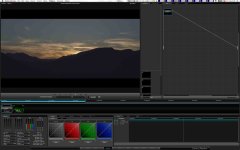
5430309711_85b02eff23_o.jpg
 
Just using the ACD to play around currently while studyung the manual and researching the software online. Today ordering the BM Decklink 3D+ and will then try to find a proper grading monitor. I'll have to do even more research in that quest... price being the main issue. Would love to get a 10 bit monitor as soon as possible..

so than when you have the SDI out you will realize how resolve at 1/4 res is really Quite OK ...i guess it does a good upscaling to HD ...

So if the system have no extra slot for rocket 1/4 res is good looking out of resolve sdi and handle more nodes ...

g
 
so than when you have the SDI out you will realize how resolve at 1/4 res is really Quite OK ...i guess it does a good upscaling to HD ...

So if the system have no extra slot for rocket 1/4 res is good looking out of resolve sdi and handle more nodes ...

g

Resolve at 1/4 res is not OK at all.

5422610889_4c915e9837_o.jpg
 
Back
Top