Welcome to our community

Be a part of something great, join today!

  • Hey all, just changed over the backend after 15 years I figured time to give it a bit of an update, its probably gonna be a bit weird for most of you and i am sure there is a few bugs to work out but it should kinda work the same as before... hopefully :)

Monstro Luts

Luka Sanader

Well-known member
Joined
Jan 11, 2013
Messages
387
Reaction score
54
Points
28
Location
Montreal
are there any Luts out there that are Monstro specific? I find this sensor really different form all the other Reds and i was wondering if anyone tryed to make nay Monstro specific luts?
 
Can't speak for anybody else, but philmColor has gone through extreme rigorous testing industry-wide. Post houses, colorists, filmmakers, production companies, etc. Last round Monstro was the keystone reference as well as Komodo, first couple of months of Raptor being released that was fully tested over the course of about 90 days. Since everything is IPP2, all LUTs work with anything RED in the RWG/Log3G10 color space and gamma. And in this case now any camera you transform into RWG/Log3G10.

Spent years making the last release. I'd love for everybody to check it out. Very wide range of looks that don't muck up you're footage.
 
Luka,

Was there a specific characteristic of Monstro that you needed a specific lut to fix? Something that a generally available IPP2 lut couldn't do? If you don't mind uploading a .R3D Frame, I can show you how to make one very easily in Resolve. But as I've mentioned before, Phil's philmColor v3 IPP2 LUTs are the best on the planet for an IPP2 Workflow.
 
How To Make An IPP2 Compatible Creative Lut For A Node Based IPP2 Output Transform Workflow And For An IPP2 Color Managed Workflow.

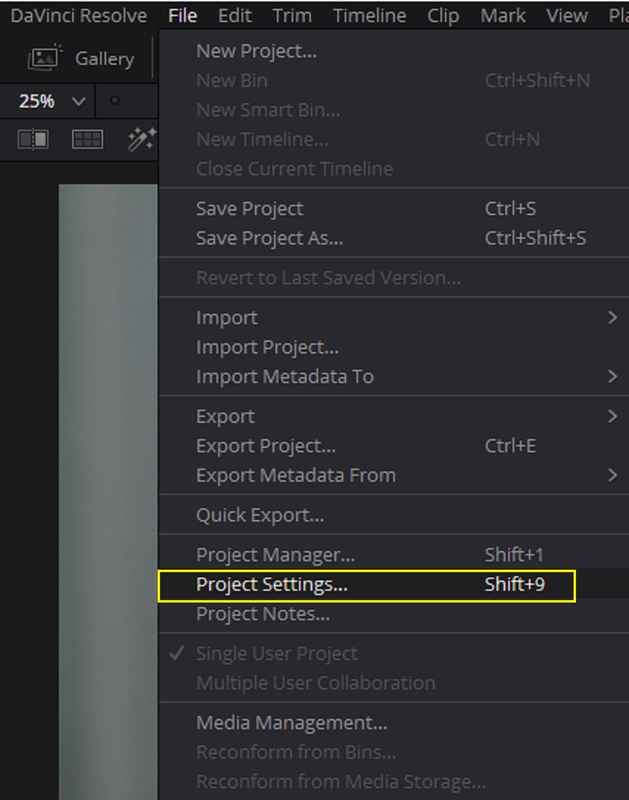
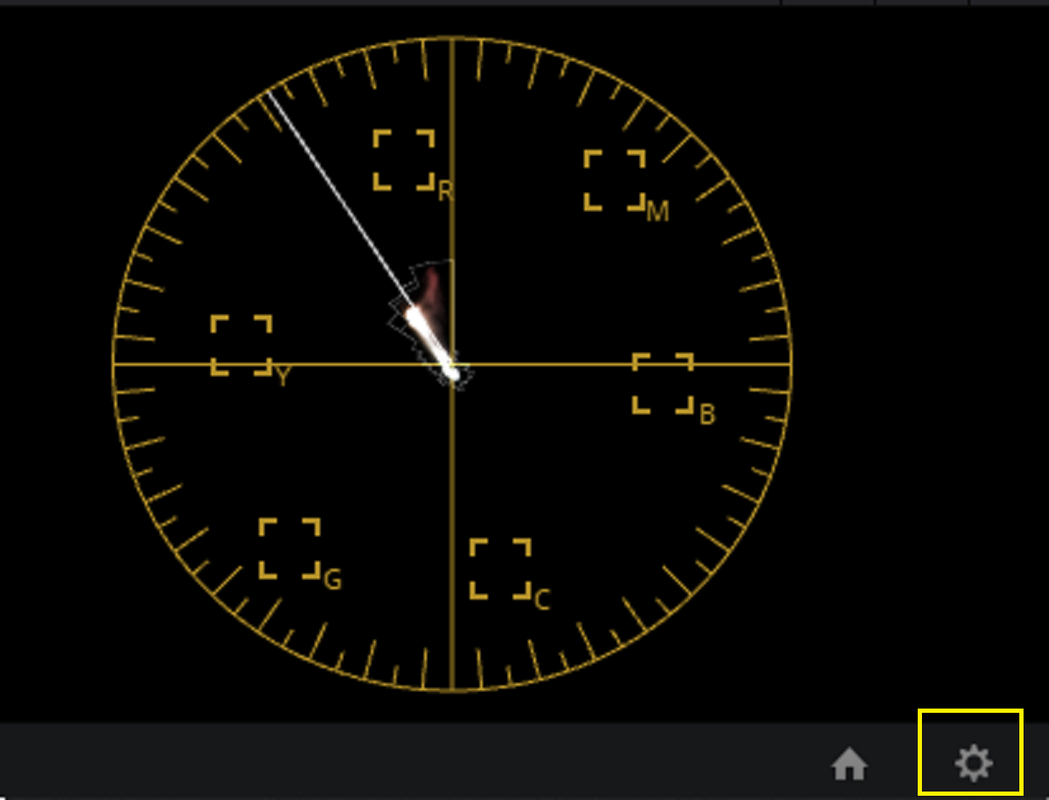
1) Go To The Project Settings by Either Clicking On The Menu Item under the "FILE" header, By Pressing "Shift+9" or by Clicking on the "COG Wheel" in the bottom "Right-Hand" Corner.

Screenshot-5058.png


Screenshot-5059.png


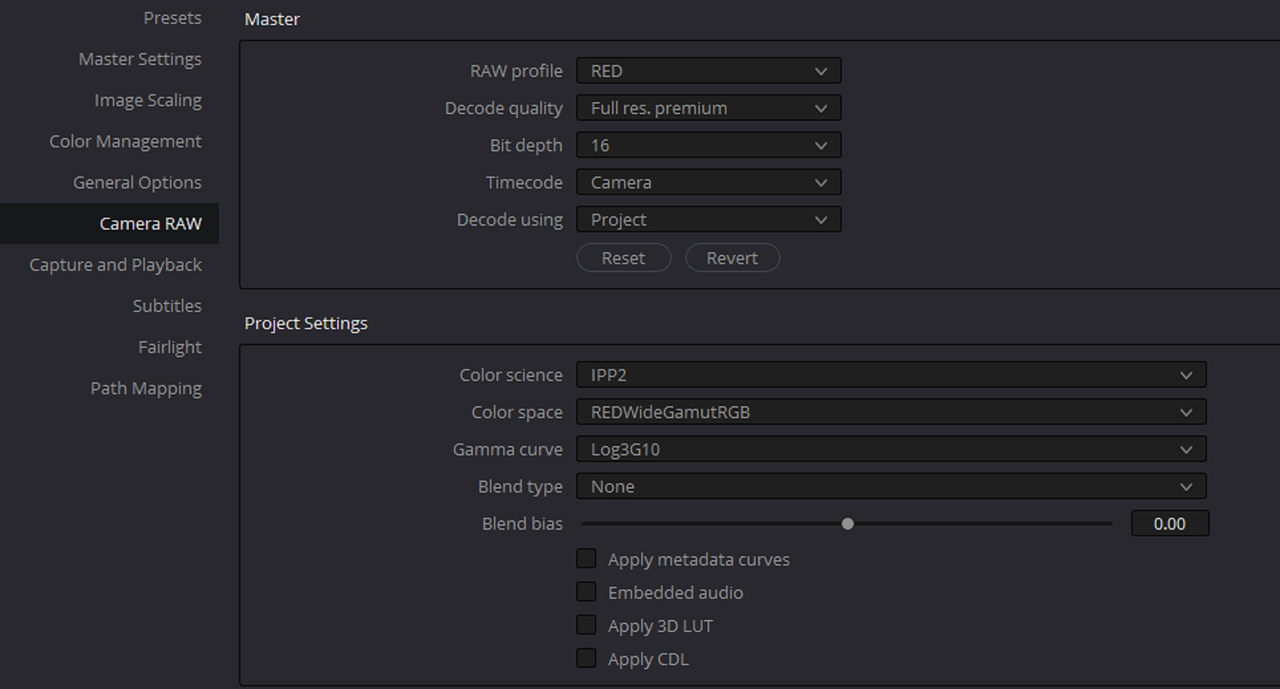
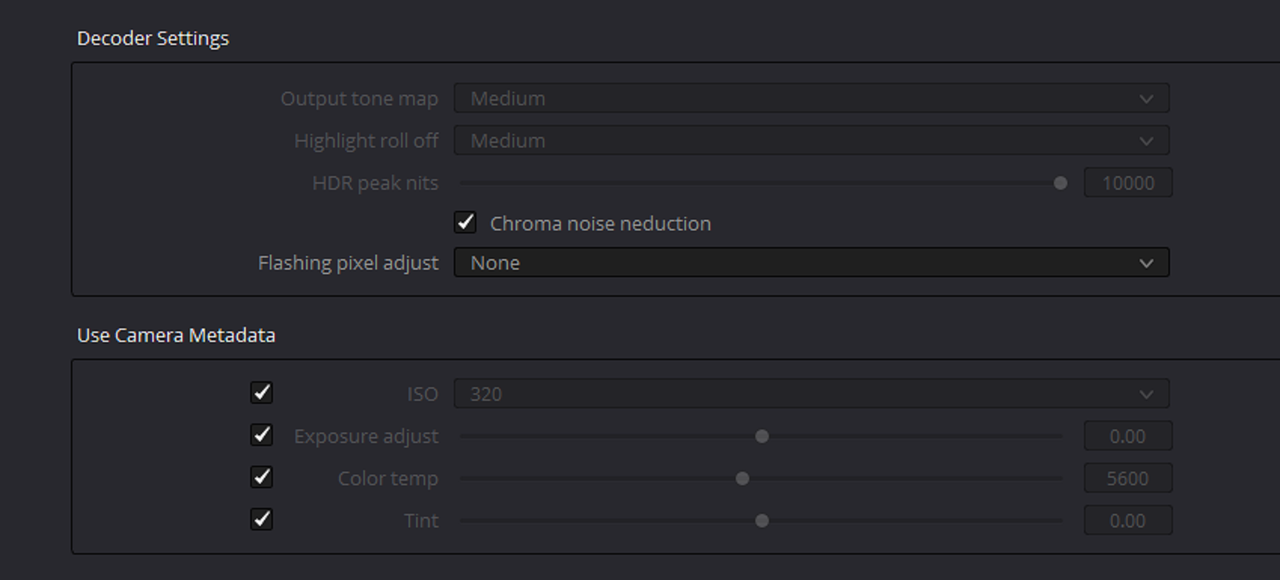
2) Now Go To The "CAMERA RAW" Settings And Make These Changes Below.

1.png

2.png


IPP2 NODE BASED CREATIVE LUT WORKFLOW WITH A RESULTING LUT THAT CAN BE USED IN AN IPP2 COLOR MANAGED WORKFLOW AS WELL


NODE BASED IPP2 WORKFLOW

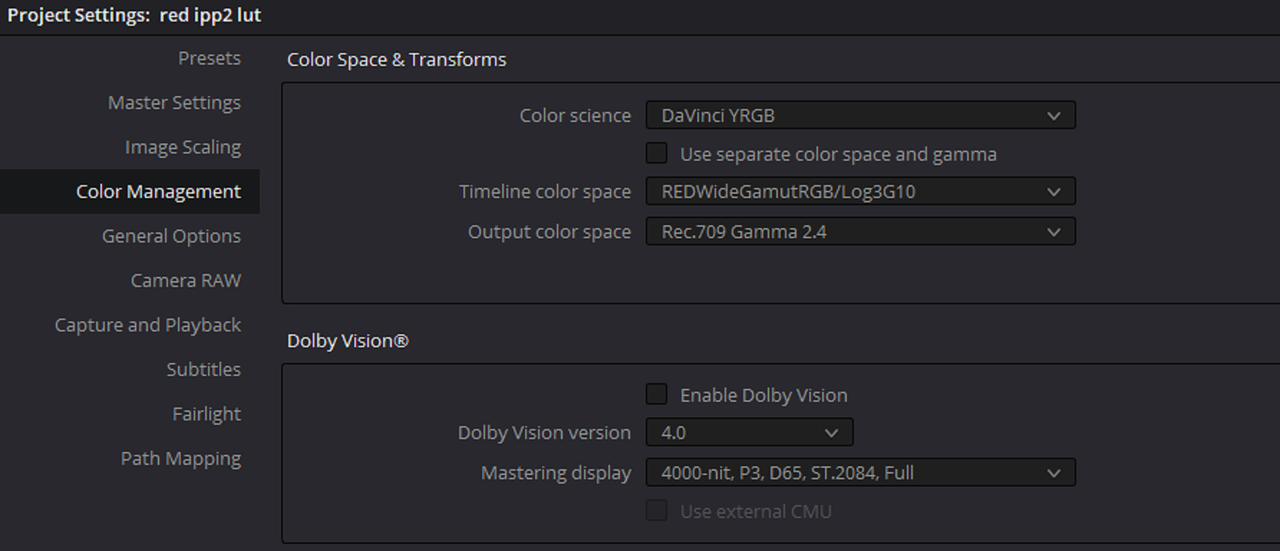
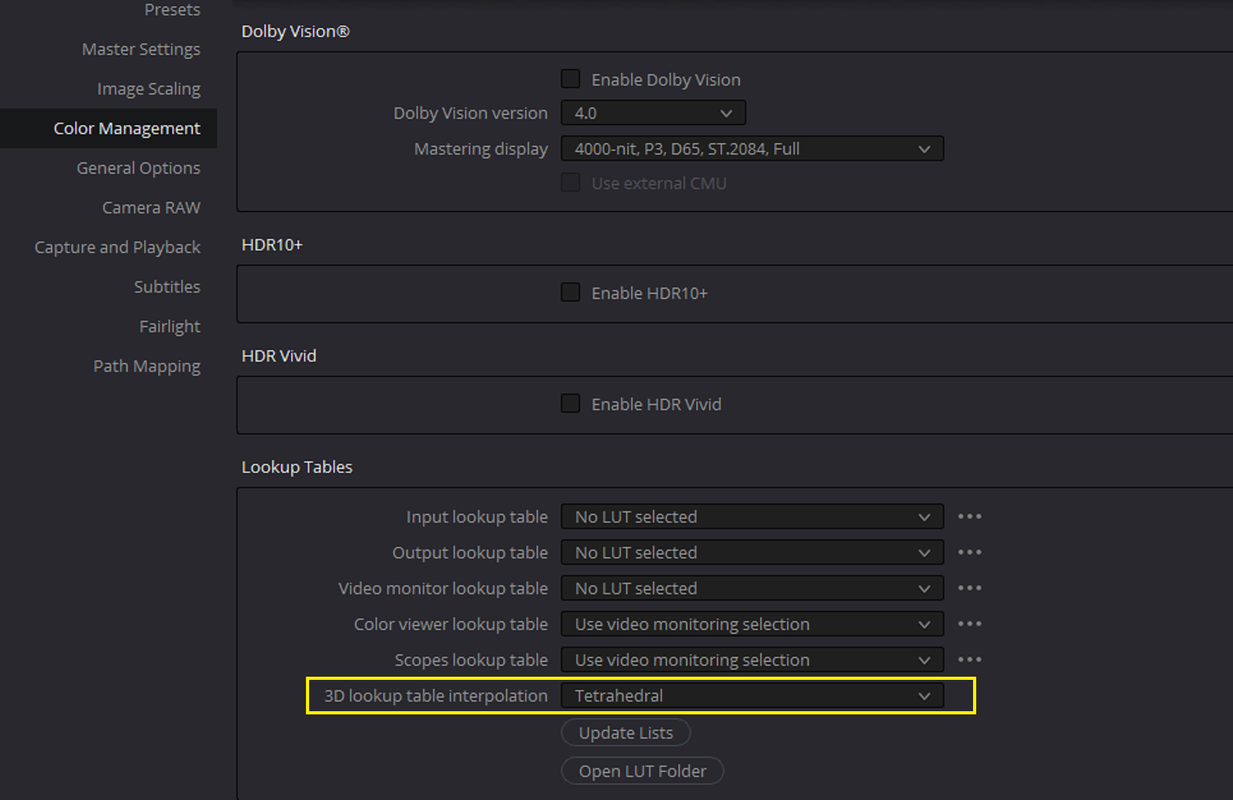
3) Go To "COLOR MANAGEMENT" And Select These Settings

3.png

4.png


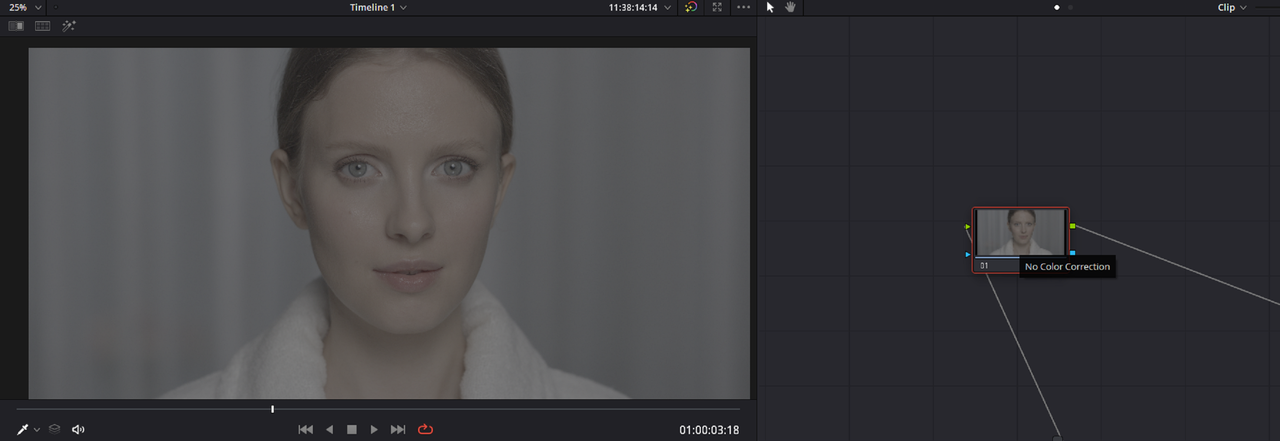
4) Next Import One Or More RED .R3D Files Into Resolve. The Screengrab Below Shows How The .R3D File Will Look When It is Brought Into Resolve.

13.png


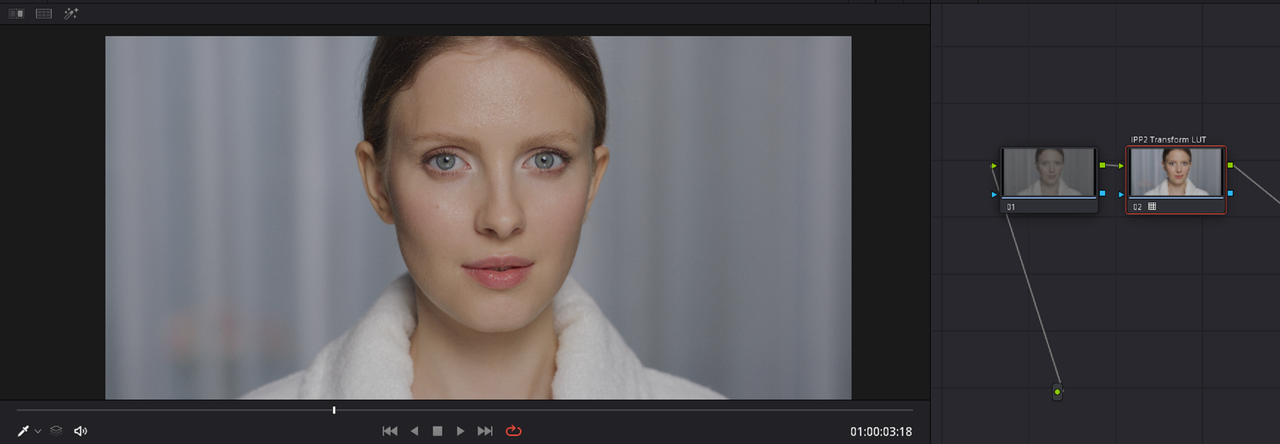
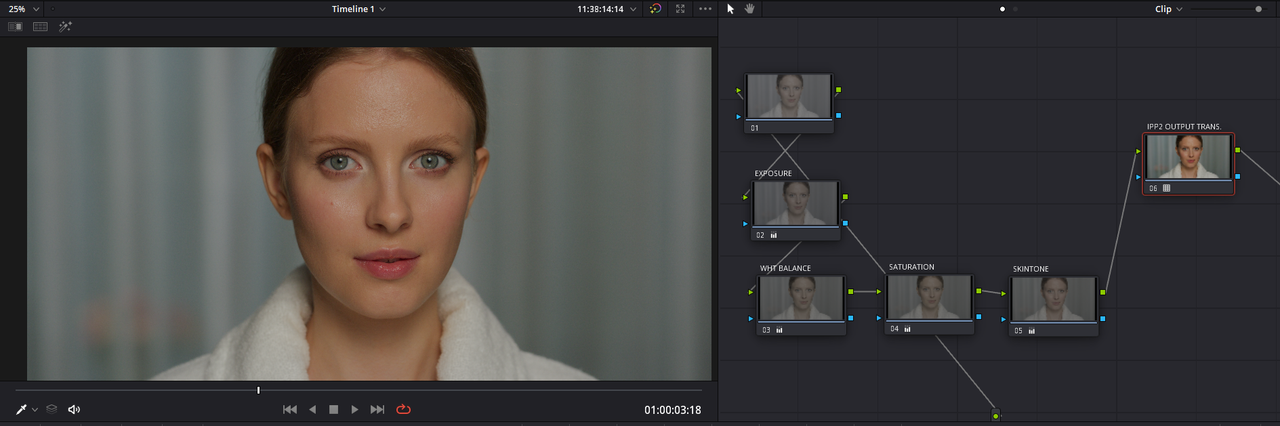
5) Add A Second NODE After The First NODE And Apply An IPP2 Output Transform Lut To It( In This Case I Chose a Medium/ Soft Ipp2 Transform Lut). Next Add As Many Nodes As Needed "BEFORE" The Node With The IPP2 Transform Lut Applied To It To Complete Your Desired Grade For A "LOOK"

14.png

6.png


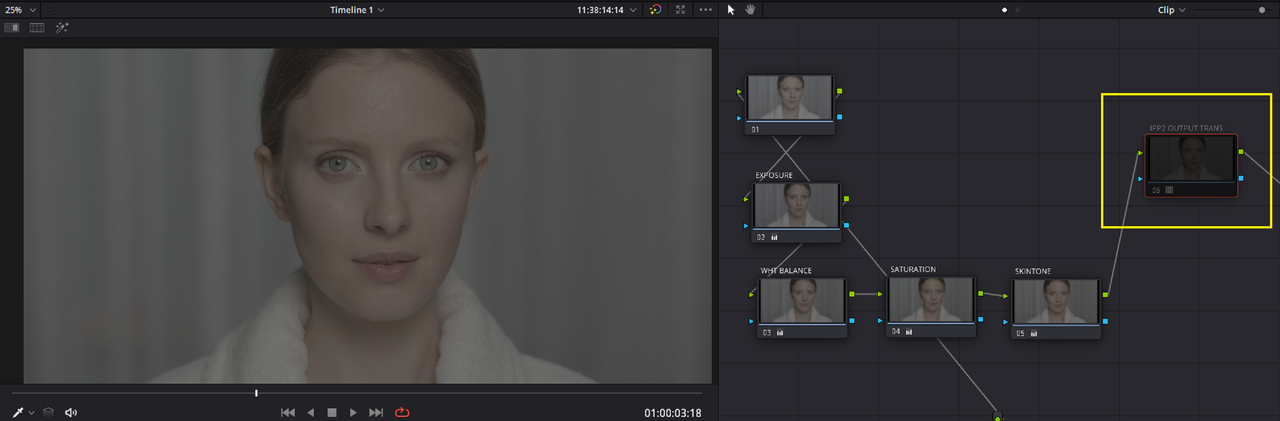
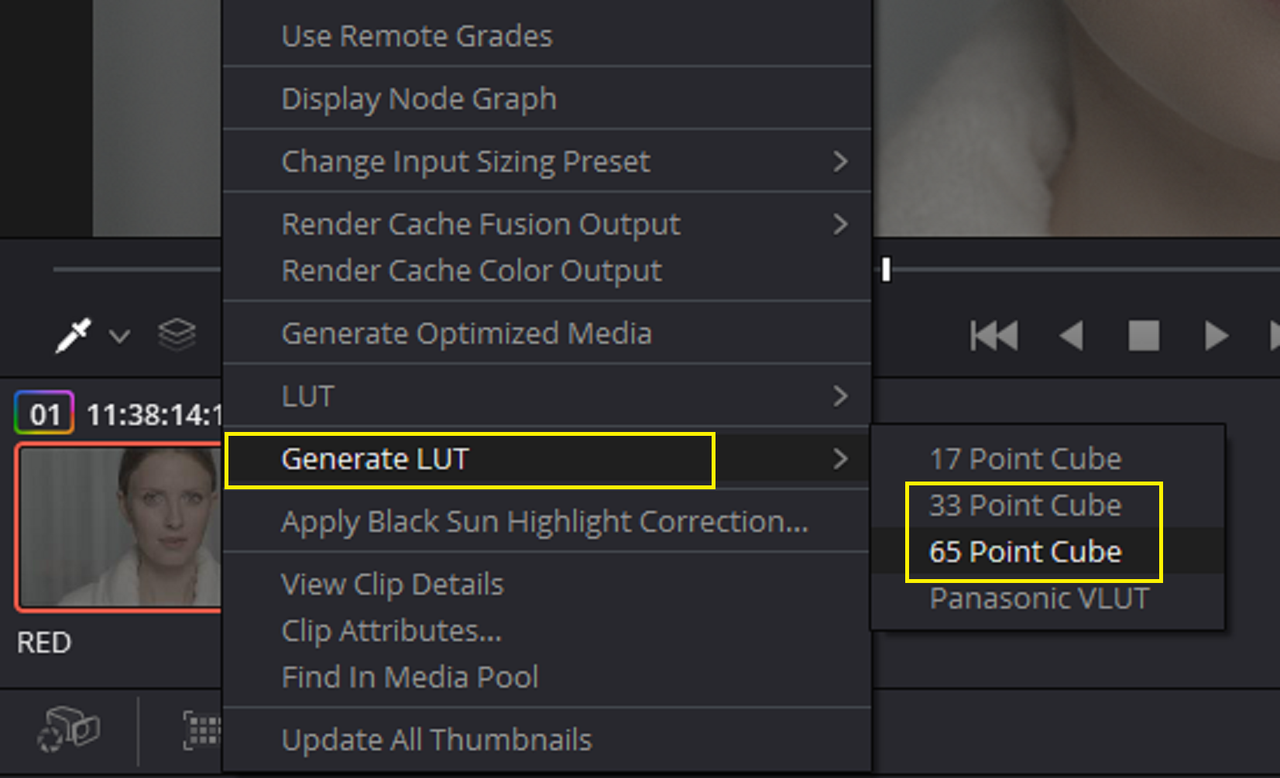
6) Now 'DISABLE" The NODE That Has The "IPP2 OUTPUT TRANSFORM LUT" Applied To It. Now " RIGHT-CLICK" On The Clip You Graded in the "Clip View" And Select "GENERATE LUT" And You Can Chose Either A 17, 33 or 65 Point Cube Size. Your Lut Is Done.

7.png

8.png


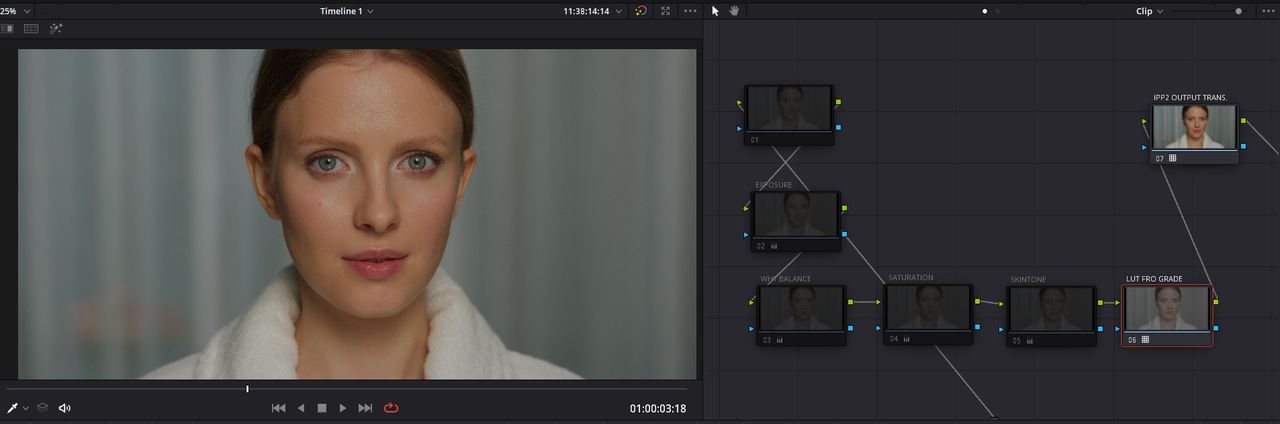
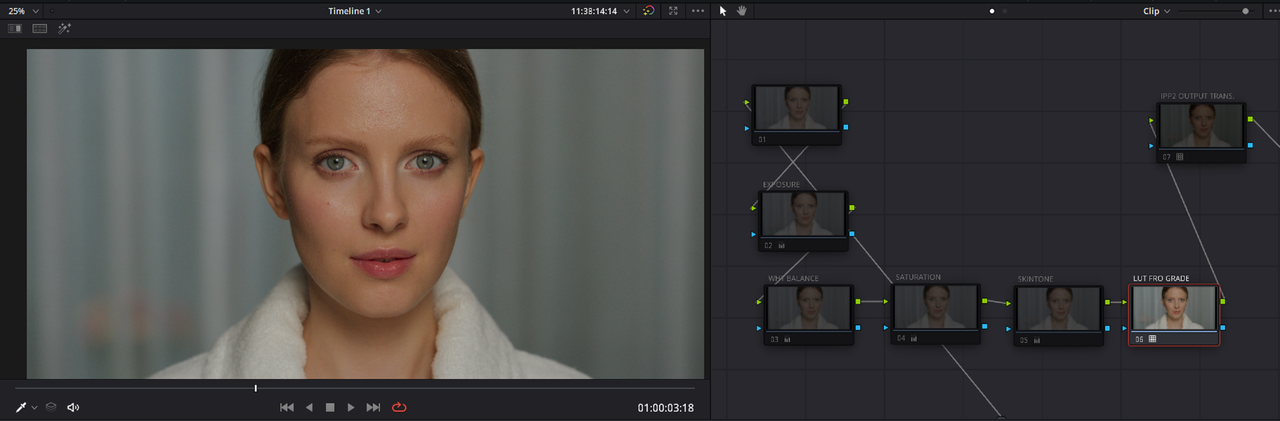
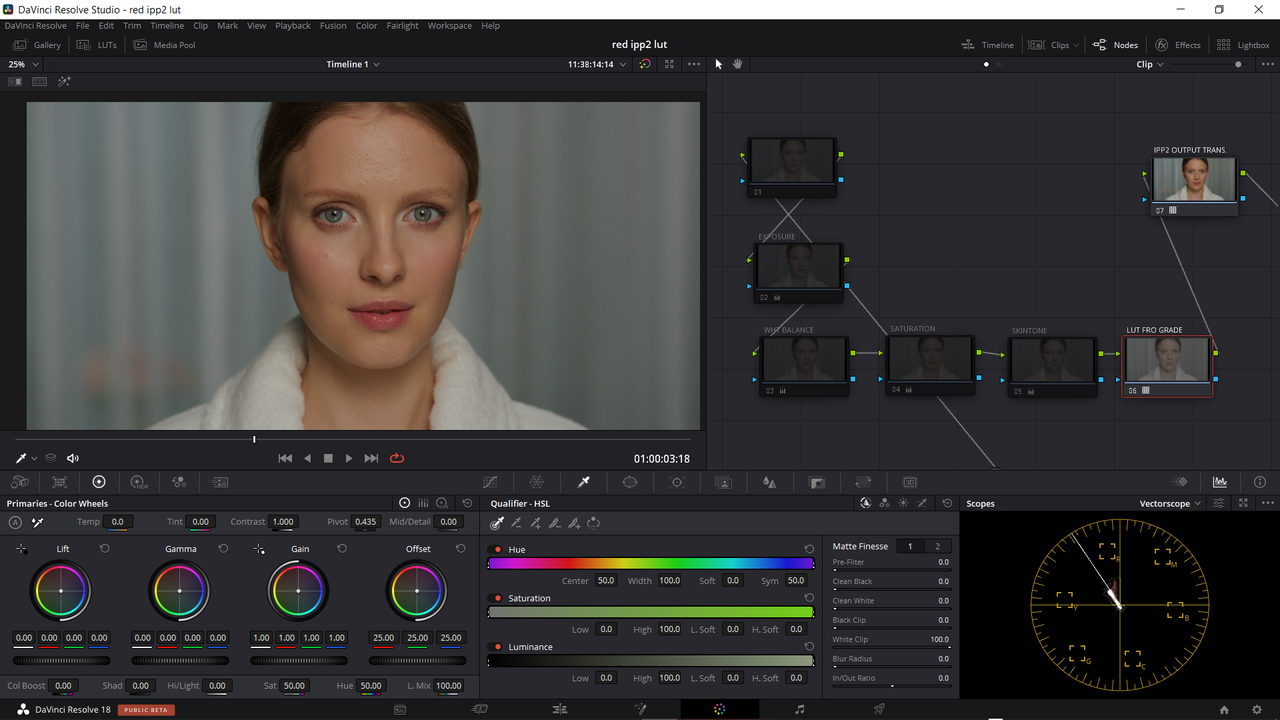
Here It Is Back Inside Of Your IPP2 Node Based Workflow With A IPP2 Medium/Soft At The End Of The Node Tree

3.png


9.png
 
Last edited:
Same Lut Inside Of An IPP2 Color Managed Workflow

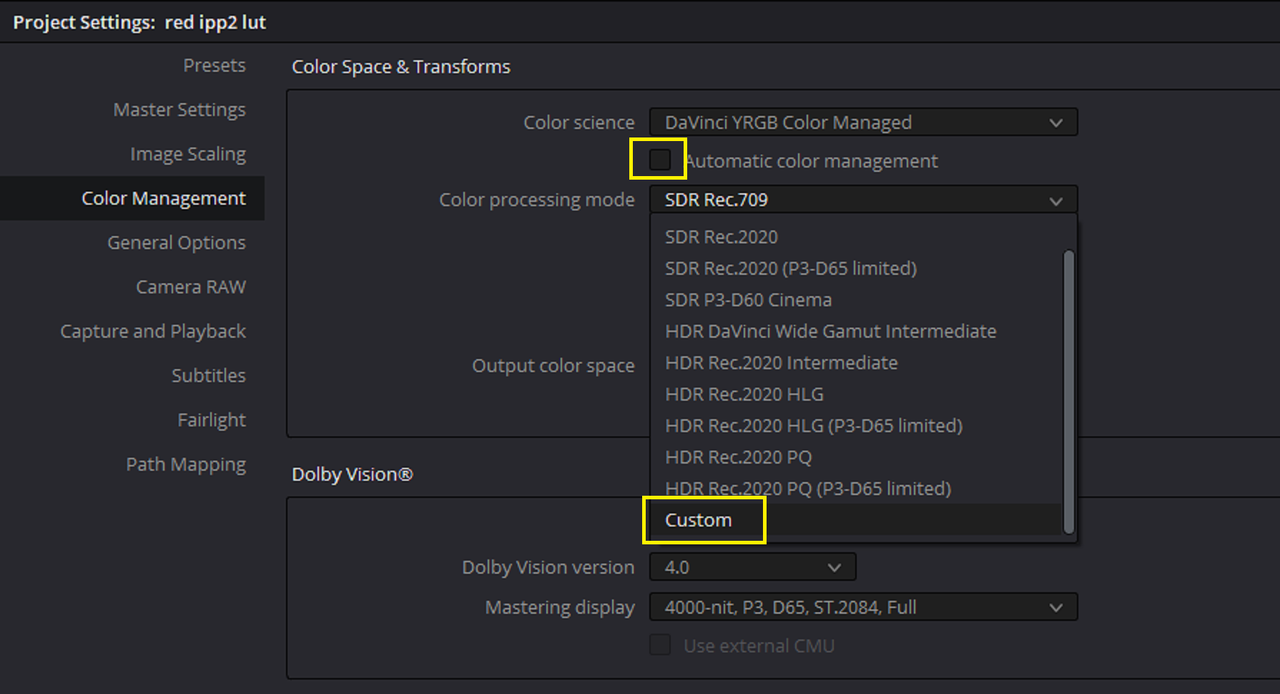
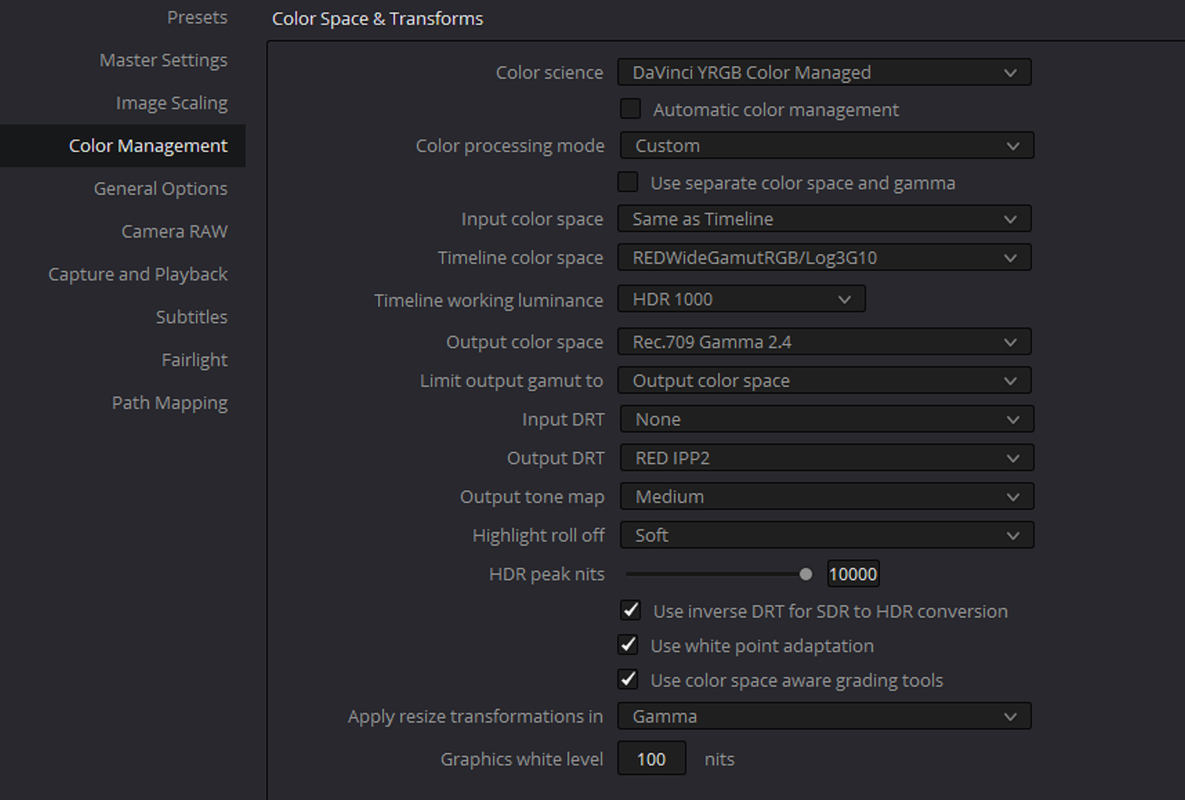
1) Go To "COLOR MANAGEMENT" Again. Uncheck the " AUTOMATIC COLOR MANAGEMENT" Box To Disable It So That You Will Have More Options To Choose From. Then Select "CUSTOM" And Choose These Settings( You Can Choose What IPP2 Output Tone Map and Highlight Roll-Off You Want, I Chose Medium/Soft)


10.png

11.png


2) Here Is The IPP2 Creative Lut We Made Earlier

12.png


Lut In Node Based IPP2 WorkFlow

3.png


9.png


RED-NODE-BASE-1-1-1.jpg


Lut In IPP2 Color Managed WorkFlow

11.png


12.png


RED-IPP2-CM-1-1-2.jpg
 
Last edited:
Can't speak for anybody else, but philmColor has gone through extreme rigorous testing industry-wide. Post houses, colorists, filmmakers, production companies, etc. Last round Monstro was the keystone reference as well as Komodo, first couple of months of Raptor being released that was fully tested over the course of about 90 days. Since everything is IPP2, all LUTs work with anything RED in the RWG/Log3G10 color space and gamma. And in this case now any camera you transform into RWG/Log3G10.

Spent years making the last release. I'd love for everybody to check it out. Very wide range of looks that don't muck up you're footage.

Can't go wrong with Phil Color. Highly recommended!
 
Thanks Phil and Rand. Philcolor would be nice. i have sent an email to Phil.

Rand thanks for the tip.
 
There was also I remember a hack of a DXL Panavision LUT that someone came up with... I personally like and while not just using only that LUT I did used it quite a bit as a starting point for some projects I used it on...Had a very natural look to it... Ill try to find it or where it was posted in RU...
EDIT

https://www.reduser.net/forum/dsmc1-cameras/weapon/170105-light-iron-colour-matrix-ipp2
did a little searching and found the original post...
 
Back
Top