Welcome to our community

Be a part of something great, join today!

  • Hey all, just changed over the backend after 15 years I figured time to give it a bit of an update, its probably gonna be a bit weird for most of you and i am sure there is a few bugs to work out but it should kinda work the same as before... hopefully :)

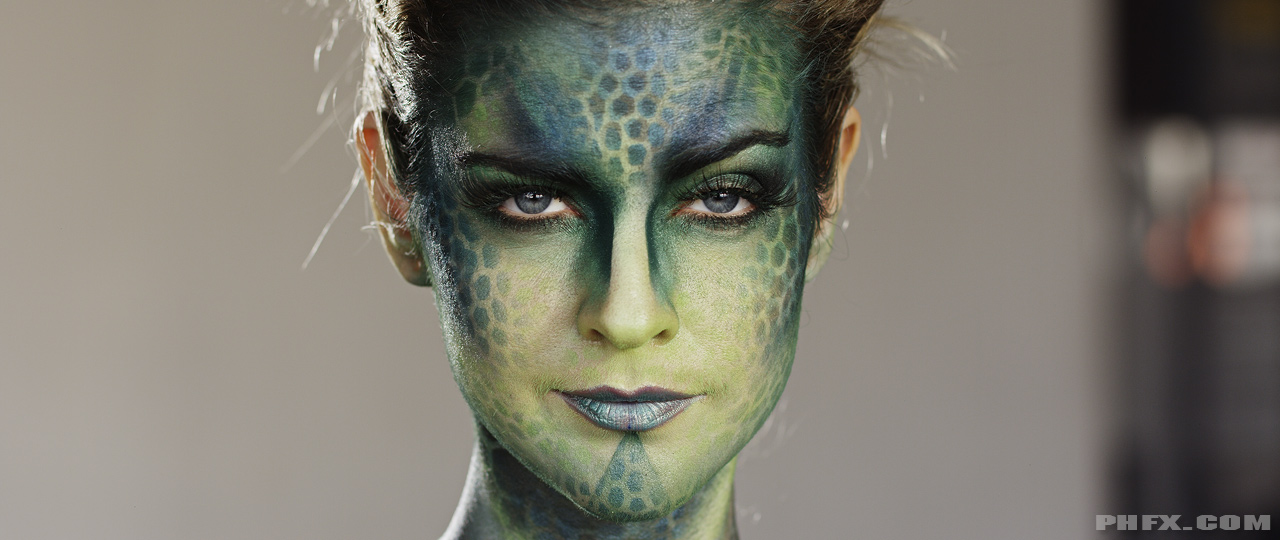
makeup test looking green on Dragon?

Steve Smith

Well-known member
Joined
Apr 16, 2009
Messages
137
Reaction score
0
Points
16
Location
Los Angeles, CA
Posting this to see if anybody has experienced this or thoughts on this?

I had a makeup artist call me today saying she worked on some tests with Dragon. She had two types of makeup looking green on camera, yet arms looking neutral(non made up skin).

I suggested this could be LED lighting? (I don't know how it was lit).

Anyone else have thoughts? Or experienced this?

I have yet to see the R3D files.

I would like to pass on any thoughts or experiences.

Cheers,
Steve Smith
Los Angeles
 
Known issue. Have never had anyone step-up and provide a list of make-up known to be a no go with RED cameras. Would love that info as a sticky
 
Good call, Zeb!

This sounds like a test Phil would be perfect for, if he were willing to do it.
 
He also already knows which make-up turns out green:

A002_C020_10030T.0000591.jpg


Sorry, couldn't help myself
But jokes aside, he'd truly be perfect for it, if we don't get a list together without a special test.
 
Actually I really might be perfect for makeup tests. I have a good relationship with a company that deals them powdery weird things. I haven't come across green too much. I've actually found weird orange/yellow stuff.

Hmmm. I got some ideas. Might be "fun" to test.
 
I'm definitely down to help set up/participate/donate gear for some makeup tests.

Would be great to duplicate (use same makeup) to get green results. Interested to see if different lighting can neutralize results (or make worse).

Zeb, I agree, that would be a good sticky -- a list of good and bad makeup/lighting combos.


Steve Smith
Los Angeles
 
I shot a while back on a redone original sensor and came across the same problem. It was a shoot for Mac cosmetics and I was using Kino flows with tungsten bulbs.

Face was green where the make was applied. They did some test and finally found another combinations that was working. But I can't recall the name of it.

This really sucks as there are infinite combinations. I think it is a combination between, light source, type or materials on the make up and sensor. It would be great to know a detailed information regarding these issues.
 
Actually I really might be perfect for makeup tests. I have a good relationship with a company that deals them powdery weird things. I haven't come across green too much. I've actually found weird orange/yellow stuff.

Hmmm. I got some ideas. Might be "fun" to test.

Go, Phil, Go! This would be awesome! You as a trusted source, with your love to detail and your skilled eye for Image quality and color would be perfect :)
 
I've seen that yellow or orange skin tone around the eyes even on some actors without makeup.
Use daylight balanced lighting, and most skin tone issues go away.
This can happen on other cameras too BTW, not just RED.
 
I've seen that yellow or orange skin tone around the eyes even on some actors without makeup.
Use daylight balanced lighting, and most skin tone issues go away.
This can happen on other cameras too BTW, not just RED.

In my experience too, camera performs best around this issue with daylight temp. Had issues with Area 48 lights with the 4300 balanced filter on it. Also tends to be most noticeable on pale white skin I guess for obvious reasons. A yellowish patch appears on the face. Also becomes extremely noticeable where the make up begins and ends like on the neck so need to watch out for that too. It is a difficult thing to test as a true test would require three or four types of skin color, and at least the basic 3200/4300/5000 and a range of foundations, shaders and highlights. So if you are shooting cosmetics or any beauty stuff in particular best to test your specific talent if possible in prep for light balance and make up. For more natural doc/editorial LESS is definitely better when it comes to the skin.
 
In my experience too, camera performs best around this issue with daylight temp. Had issues with Area 48 lights with the 4300 balanced filter on it. Also tends to be most noticeable on pale white skin I guess for obvious reasons. A yellowish patch appears on the face. Also becomes extremely noticeable where the make up begins and ends like on the neck so need to watch out for that too. It is a difficult thing to test as a true test would require three or four types of skin color, and at least the basic 3200/4300/5000 and a range of foundations, shaders and highlights. So if you are shooting cosmetics or any beauty stuff in particular best to test your specific talent if possible in prep for light balance and make up. For more natural doc/editorial LESS is definitely better when it comes to the skin.

I would add that it would be necessary to examine the lighting conditions under which the makeup is applied. I think incandedscent, halogen and fluorescent would be the most common fixtures, although some mix of those might happen on occasion.

Makeup artists apply makeup by eye. As we know, what looks good to the eye doesn't necessarily translate well to the camera (the AMPAS tests using film is a great example).

Testing the same makeup applied under those three lighting conditions would help inform where issues may lie. It would also prevent falsely identifying a certain type or brand of makeup as problematic.

For example, makeup applied under CFLs and shot under fluorescents may not cause the same issues as it would when shot under tungsten. Makeup applied under 2700K CFLs and shot under 5600K fluorescents might look atrocious.

Or, it may be found that makeup applied under one type of light always causes issues when shot, no matter what type of light you shoot under.

All this would require that each makeup type/brand be applied under each of the three lighting conditions and then shot under various common lighting types.

So, Brand X gets applied three (or more, depending on color temp.) different times and each time it's shot under incandescent, tungsten, actual daylight and various tungsten and daylight balanced solid state lighting instruments.

It makes this a HUGE undertaking but if you want the results to be comprehensive and as accurate as possible, it's the only way to be sure.

It's even more of an undertaking but revisiting tests where it was found the application lighting caused issues and having the artist apply the makeup while referring to the output of the camera on a calibrated monitor might also prove beneficial, as a potential workaround.

It might also be used as a double check even when makeup is applied and shot under the same lighting conditions.
 
Last edited:
From another thread but this applies more so to MX, not sure if it's relevant to Dragon but it might be a decent starting point...

Bjorn, I get what you;re saying- there is not enough color info (specifically blue channel info) so there is a problem rendering the color accurately. I get it- we all know that the MX sensor (and Dragon I presume) is noisiest and lacking the most in the blue channel under tungsten light since the sensor is natively daylight balanced. Yellowish makeup exacerbates the problem by robbing the sensor of more blue color info. HOWEVER, to say that this is a problem with underexposure is what doesn't sit right with me. Like I've written earlier in this thread, I have seen terrible green faced actors that I have lit with a 3200K source at 1.5 stops over key (incident reading) while rating the camera at ISO 400. This should not be considered underexposure. So while I am sure you are right that the sensor doesn't have enough info in the blue channel because of yellowish makeup under a 3200K source, it is not only because the sensor has been underexposed. I would hope to be able to shoot without issue on the MX or Dragon, a scene under 3200K light with a face at key exposure with a warm tone makeup that on every other camera regularly makes that particular actor look great.

I spoke to a makeup artist with whom I have been collaborating the past 3 years specifically on this issue. She confirmed that she has seen this issue time and again with the RED camera and that she has to cut most yellow based products with pinker tones, even though it is very often totally counterintuitive to do so with some actors' skin tones. We have worked together on dozens of shoots over the years and she has been instrumental in helping find the workaround to the problem. It's taken many times of having an actor look green faced and experimenting with how to cut the yellow/orange base with pinker tones before getting the hang of it. She also confirmed that she has not seen this issue with the Alexa, for what it's worth. I think it's important to note this, because although purely anecdotal evidence, hopefully the comparison can lead to a discovery of why one sensor might exhibit this particular issue and the other might not. Or maybe they both will- a side by side test will tell.

In the meantime, I have found my notes regarding makeup brands and added some based on my discussion with this makeup artist who is familiar with the issue.

HAVE EXHIBITED THE PROBLEM: - -These are brands that typically lean towards yellow or golden.
Visiora (PL 006)
"HD makeup"
Bobby Brown
Makeup forever hd foundation


TESTED AND DO NOT EXHIBIT PROBLEM
Gerda Spillman (CH-8134)
La Mer Tan
Armani
Loreal Tru Match Cool

I'm hoping to be able to pick up some of the problem and non problem makeup and do some comparative tests in the coming weeks. I'll be sure to bracket exposure.

http://www.reduser.net/forum/showthread.php?114305-Dragon-Non-Linear-Color-Response/page3

Was fun looking through that NSFW thread for this post... at work. Hope nobody saw that, heh heh.
 
+1 on this test. Have had several issues with "golden" make-up turning green in camera. A lot of times the MU person won't even believe me until I drag her over to the monitor, at which point she freezes and gets that look of dread on her face.
 
Back
Top