Welcome to our community

Be a part of something great, join today!

  • Hey all, just changed over the backend after 15 years I figured time to give it a bit of an update, its probably gonna be a bit weird for most of you and i am sure there is a few bugs to work out but it should kinda work the same as before... hopefully :)

Log3G10 and RedWideGamut RGB On Monstro Off? RAW looks too crunchy.

Anthony DeRose

Well-known member
Joined
Oct 12, 2009
Messages
54
Reaction score
0
Points
0
Location
New York
Hey all,

I appreciate all the help so far with my monstro questions. I was able to get into checkout and all looked good but my prores proxies seem off and the raw image feels pretty contrasty then what I am used to. I've attached a proxy screen from a previous shoot with a weapon, a proxy screen from monstro today, a raw screen from monstro today and a side by side of the R3D's from both cams in resolve.

For both of these shots I was in IPP2 - RedWideGammutRGB / Log3G10 and Medium for contrast and highlight roll off. Is this a difference between the bodies or have I done something wrong?
 

Attachments

  • Weapon.jpg
    Weapon.jpg
    79.5 KB · Views: 1
  • Monstro.jpg
    Monstro.jpg
    86.1 KB · Views: 1
  • RAW Monstro.jpg
    RAW Monstro.jpg
    88.9 KB · Views: 1
  • RAW R3Ds Side By Side.jpg
    RAW R3Ds Side By Side.jpg
    95 KB · Views: 1
Yeah, looks like a setting is off somewhere.

Graeme
 
Thank you. Unfortunately I won’t be at the camera again until tomorrow. Do you have some input of what I should check?

I don’t know what would be making the raw image look lutted.
 
Check there's no LUT associated with it, or CDL would be my first guess.

Graeme
 
Thank you very much will do.

Forgive my ignorance but the CDL or LUT could effect the raw image.
 
Nothing effects the raw, but depending on how you set the decode they could be honoured. If you want to send me an R3D frame I can take a look here.

Graeme
 
Yeah, just DM me a link to the R3Ds.

G
 
Anthony,


As Graeme explained, sometimes a Lut or CDL correction may be still associate with a Red .R3d file.


this is what Graeme meant by "honored"


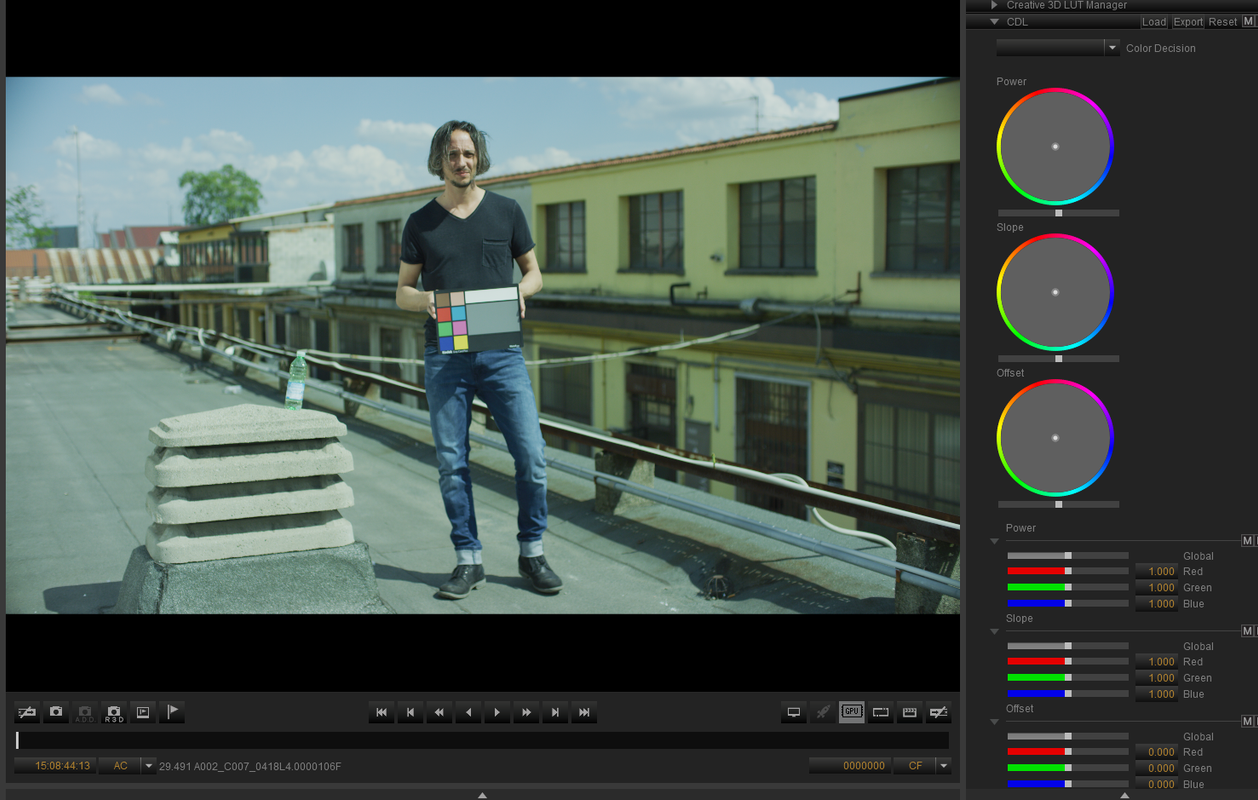
Here is a Pre-CDL corrected image in Redcine-X.

Screenshot-288.png


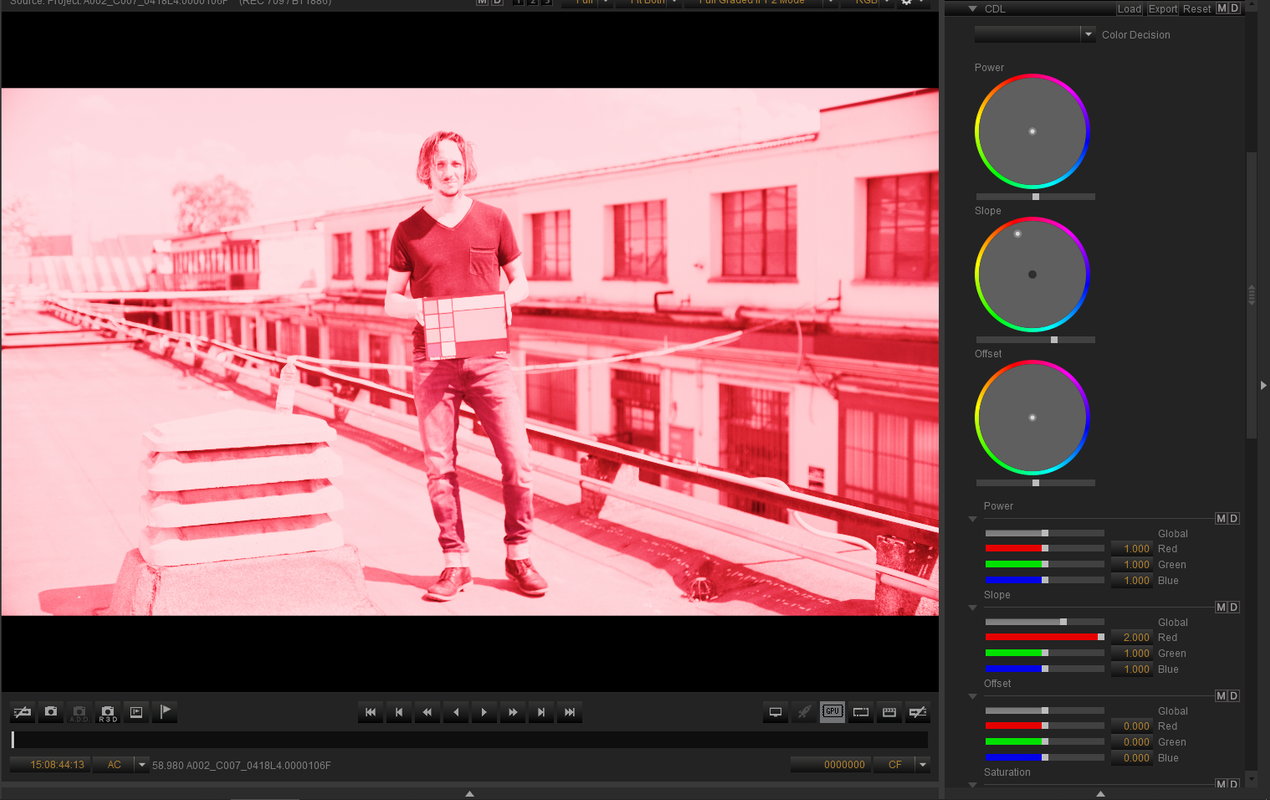
Here is a CDL correction of the image in Redcine-X or an "In-Camera"correction.

Screenshot-300.png


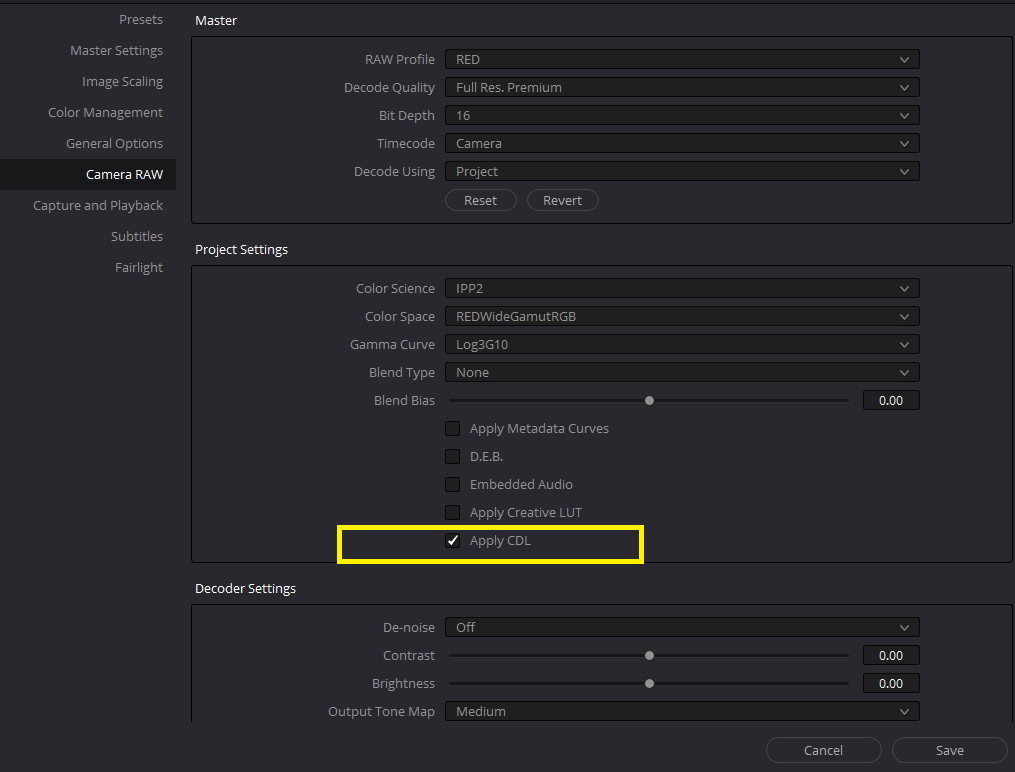
Here is me telling Davinci Resolve to "Honor it"

Screenshot-291.png


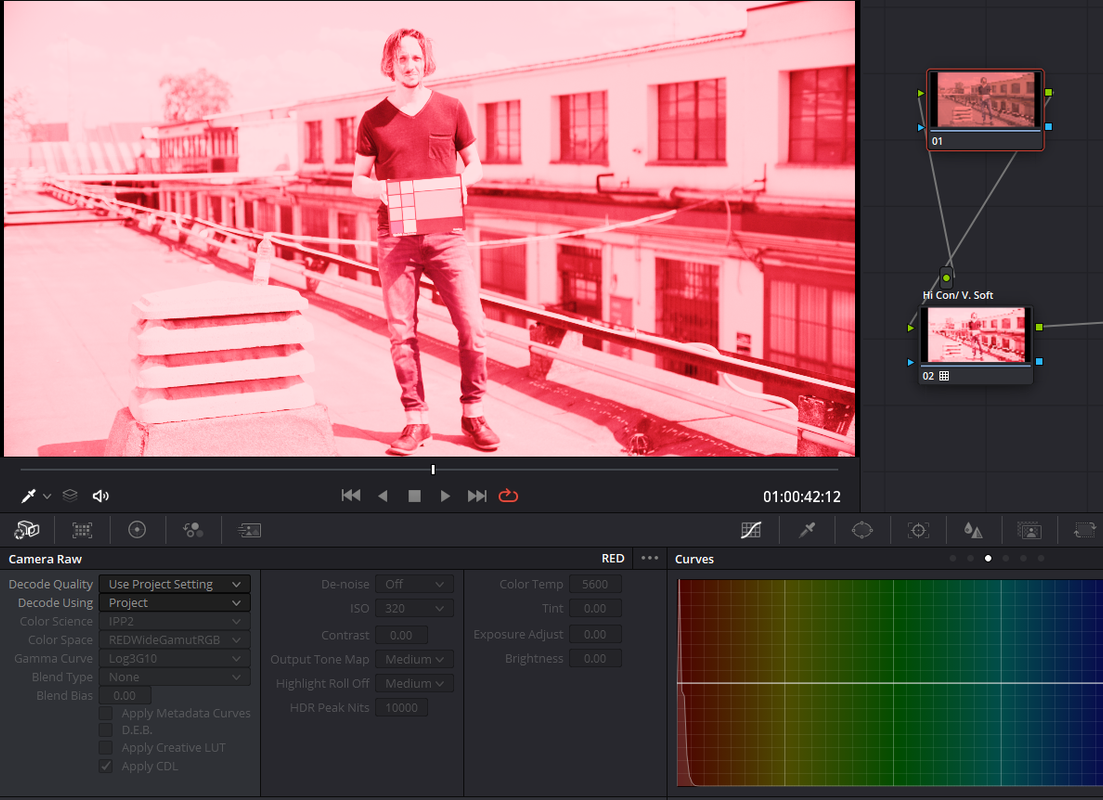
Here is the Image with the CDL "Honored" in Resolve along with the same "High Con/ Very Soft" IPP2 Output Transform I used in Redcine-X

Screenshot-302.png


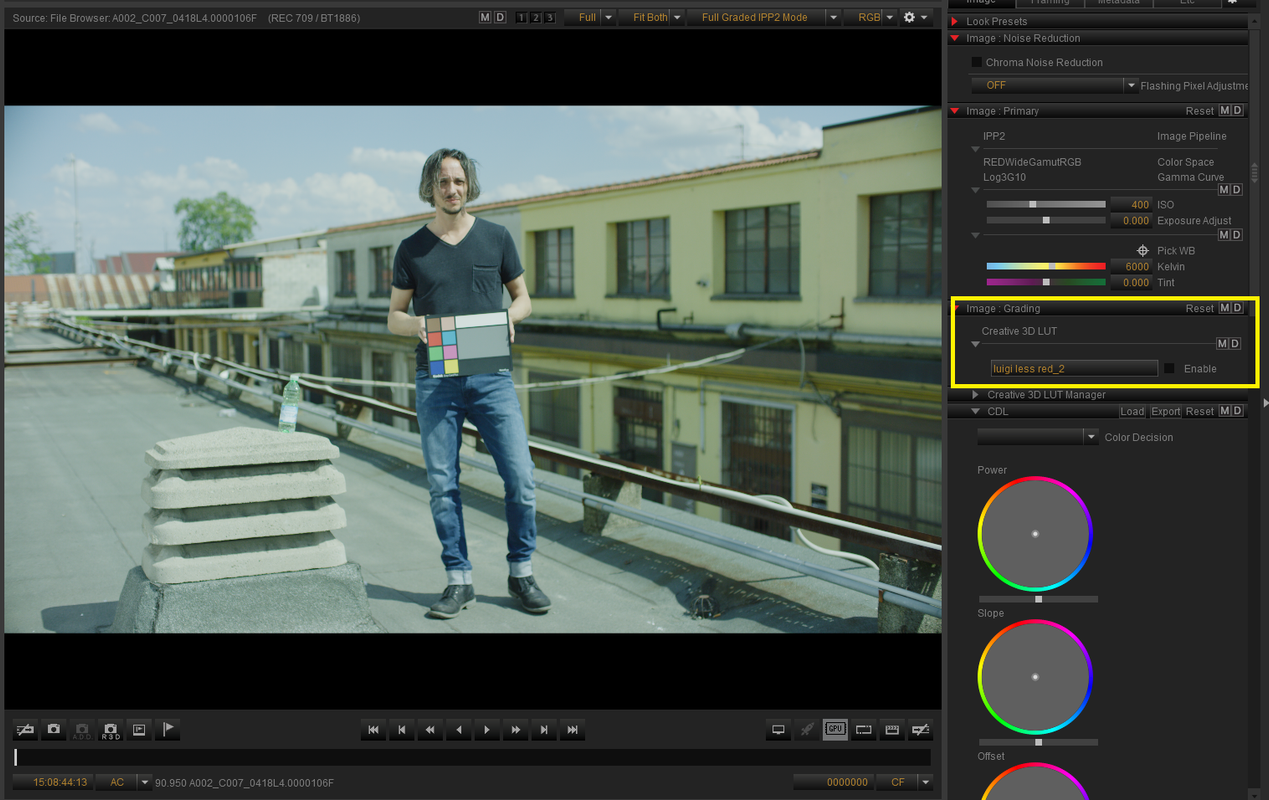
Here is a Pre-Lut Enabled corrected image in Redcine-X.

Screenshot-294.png


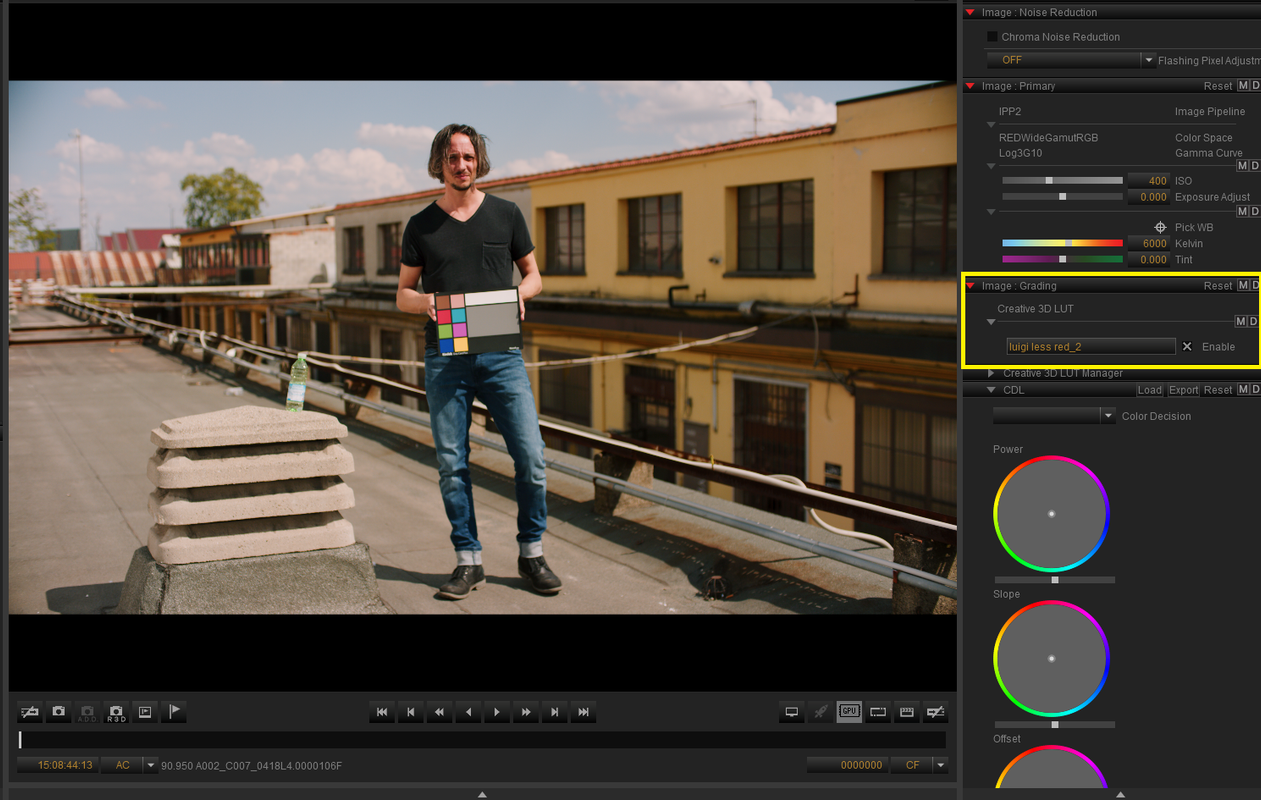
Here is a LUT Enable correction of the image in Redcine-X or an "In-Camera"correction.

Screenshot-295.png


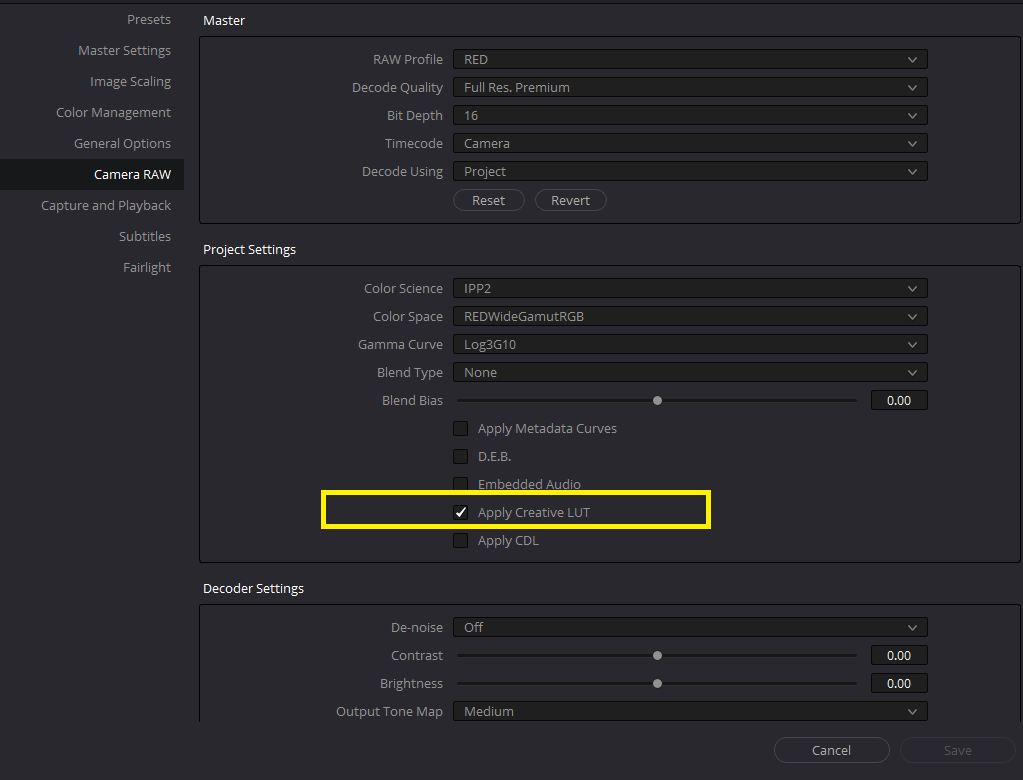
Here is me telling Davinci Resolve to "Honor it"

Screenshot-297.png


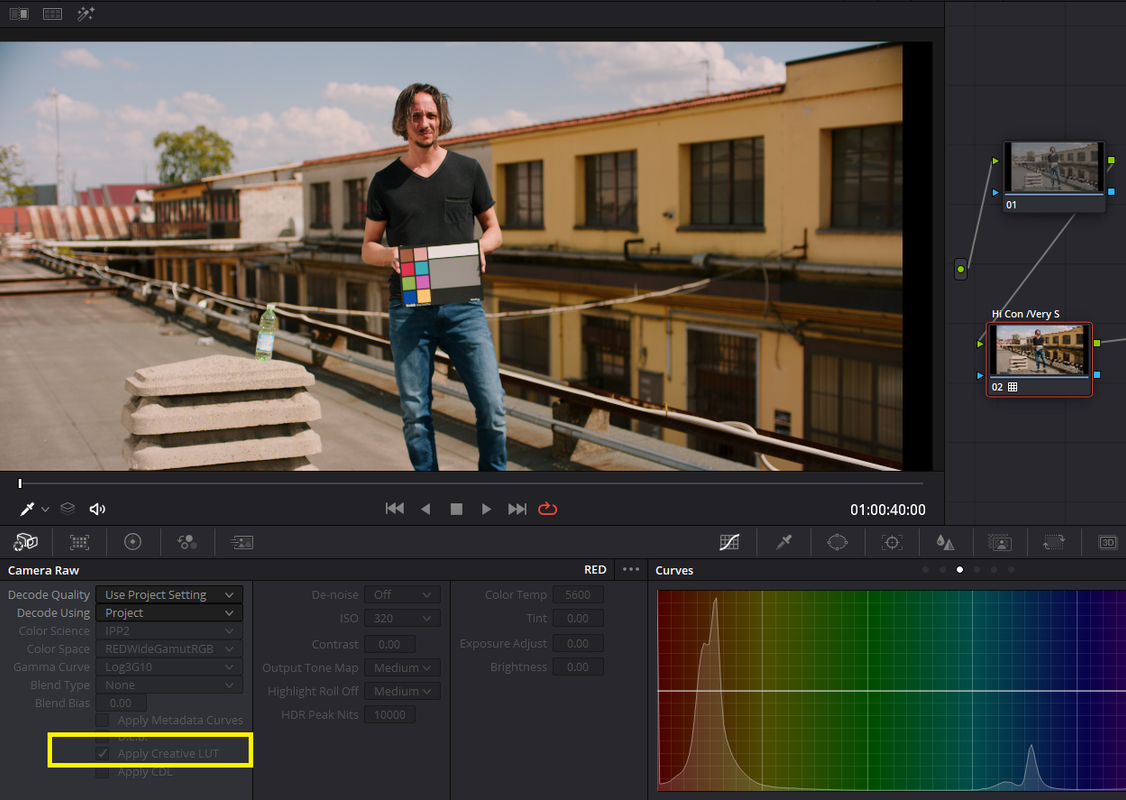
Here is the Image with the Lut "Honored" in Resolve with the same "High Con/ Very Soft" IPP2 Output Transform I used in Redcine-X


Screenshot-299.png
 
Last edited:
From looking at the R3D it looked like Premiere wanted to decode as RWG/BT1886 rather than RWG/Log3G10. If a Premiere expert can tell us how to fix that, that'd be appreciated.

Graeme
 
From looking at the R3D it looked like Premiere wanted to decode as RWG/BT1886 rather than RWG/Log3G10. If a Premiere expert can tell us how to fix that, that'd be appreciated.

It is best to check the R3D Metadata settings under the "Master Effects Panel" in Premiere Pro CC and check all the output settings. It's very possible to have some funky stuff setup, sort of like everything out there. Always scroll to the very bottom.

If you double click or have a RED clip in the source monitor, click over to Effects Controls, then select the Master Effects tab to access your RED Source Settings.

For a normal looking image Rec.709 it should ideally be like this:

- Primary
-> Color Space = REDWideGamutRGB
-> Gamma Curve = Log3G10

- Output Transform Settings
-> Color Space = Rec.709
-> Gamma Curve = BT.1886
 
Back
Top