Welcome to our community

Be a part of something great, join today!

  • Hey all, just changed over the backend after 15 years I figured time to give it a bit of an update, its probably gonna be a bit weird for most of you and i am sure there is a few bugs to work out but it should kinda work the same as before... hopefully :)

KOMODO....

Status
Not open for further replies.
I'm wondering if there's a way to trigger an external sound recorder (like say, a Zoom F6) with the Komodo.
I usually work alone with several microphones, so I need more than two tracks!

Also, does anybody sees a way to plug and power a viewfinder on this beauty?
 
can we have 8 of them and then do the first ever 4k multicam with reds ? pritty please ? (already doing the HD livestreams + 6-8K internal multicams with them but this is gonna up our game)
 
My suggestion that FPS and Shutter are related and should be grouped together is because they need to be set in lock step.

They do not need to be set in locked step.

This (vertical menu) requires HALF the amount of finger movement to alter data values, and also displays TWICE as many options to the user in one time.

Which seems like a desirable option when one thinks like an engineer. Not when one thinks like a designer aiming to avoid smartphone time/alarm associations and fiddly crammed menus.
 
As mentioned before, giving credit where credit's due, BlackMagic pocket 6K has a very good menu interface that people praise all over the place. Menu interfaces should be on point, clear, without distracting info.

6k-Raw-Settings.jpg
 
There's no indication of compression on that UI shot. Any guesses on that? Is it fixed compression? Some sort of new approach?
 
As mentioned before, giving credit where credit's due, BlackMagic pocket 6K has a very good menu interface that people praise all over the place.

Yup, ridiculously named company has a skilled graphic/UI design team. Intuitive, practical, clear. Ursa was the first which went there after Alexa and offered practical camera setup, unlike typical fiddly Sony/Panasonic/Canon engineer menu designs. It just lets you shoot and not have to think much where what is.

But it depends on having a larger touchscreen and it's not an epic achievement in aesthetics, simple grey rectangles and generic feel remains. Departure from that while keeping clarity and avoiding circus or consumer toy feel is tricky because design parameters to juggle rise exponentially and having all subjective tastes satisified is impossible. Also, graphics engine is another limitation.

If shutter is set as angle instead of time, it should automatically follow frame rate. My Bolex does. But one of the control cranks is set to adjust shutter angle independently.

Settings > ... > lock Fps to shutter
Solved.
There are many cases where it's better to leave them independent. And where angle equivalent is needlessly confusing. What ever helps to redirect shooter's focus from a camera to what is in front of it, while keeping direct access to main controls, helps. Especially in today's left-brain techy fixated mindset.

With the technological advancements we are often getting caught up cultivating overthinking about working tools while weakening the fundamental - the connection to the work itself. In that context, UI approach with a compact run 'n gun Komodo is a step in a right direction. Especially considering the target market segment. More capacity left to consider the context and sense the feel of what you are capturing.
 
Settings > ... > lock Fps to shutter
Solved.
There are many cases where it's better to leave them independent. And where angle equivalent is needlessly confusing. What ever helps to redirect shooter's focus from a camera to what is in front of it, while keeping direct access to main controls, helps. Especially in today's left-brain techy fixated mindset.

With the technological advancements we are often getting caught up cultivating overthinking about working tools while weakening the fundamental - the connection to the work itself. In that context, UI approach with a compact run 'n gun Komodo is a step in a right direction. Especially considering the target market segment. More capacity left to consider the context and sense the feel of what you are capturing.

Shutter angle and speed are both valid tools for exposure time. I am long used to thinking in terms of shutter speed for stills and shutter angle for motion exposure due to shooting film for both many years ago.
Locking fps to shutter is not conceptually the same as locking shutter to fps. Angle sets a fixed relationship between fps and exposure that has intuitive connotations for both exposure and motion blur.
I prefer to just change the fps setting and know from that what the exposure will be. That is the simplest method.
Of course independent adjustment is essential too.
I think both methods should be available in settings, though it is not essential to show both in the GUI at the same time.
 
Last Idea


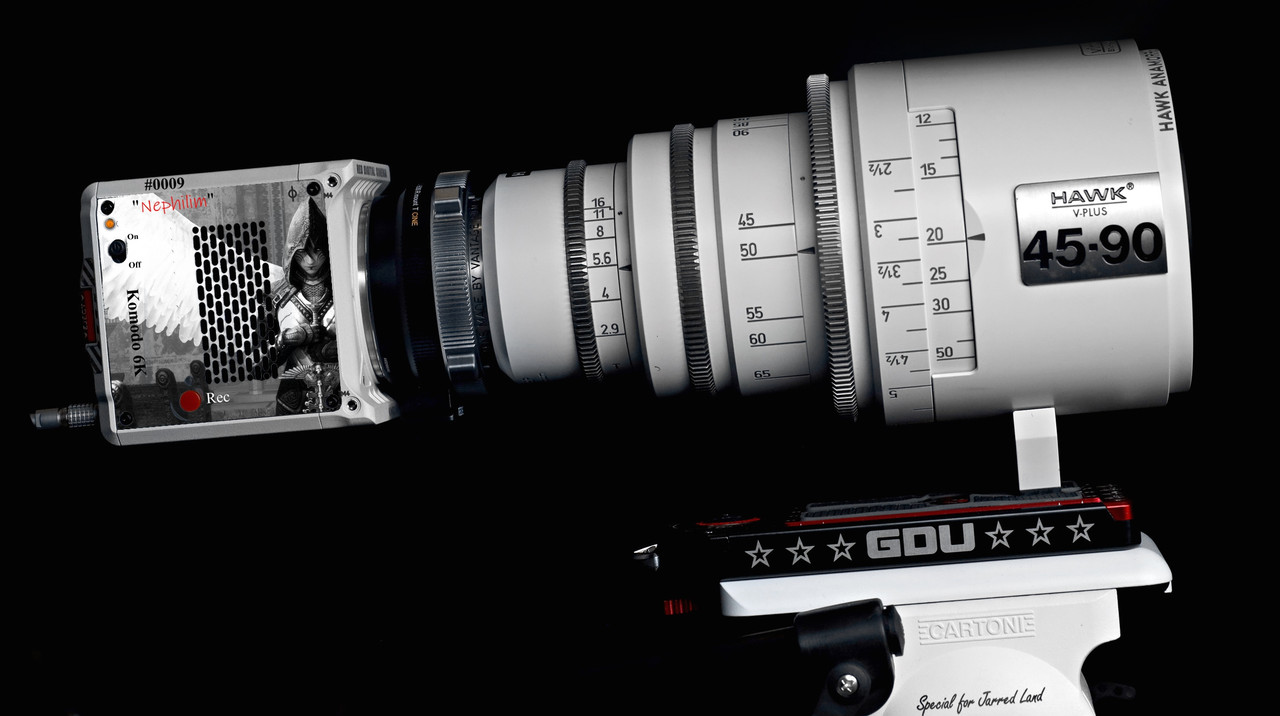
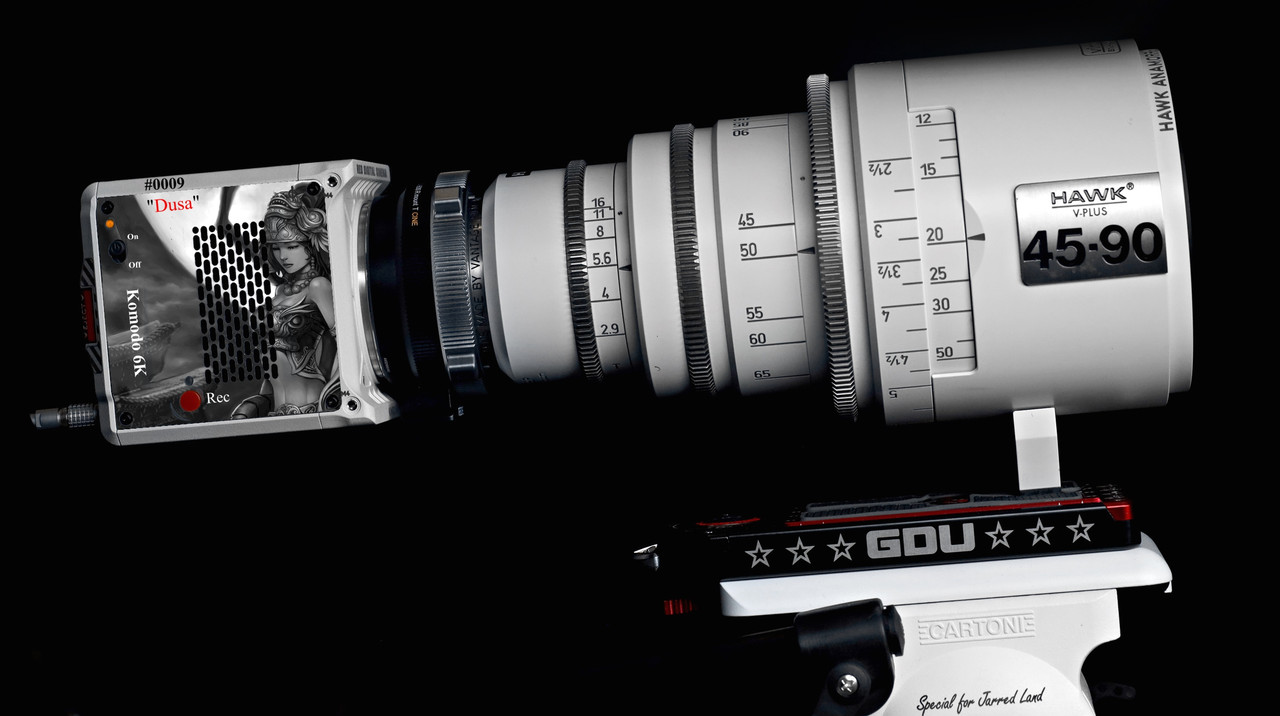
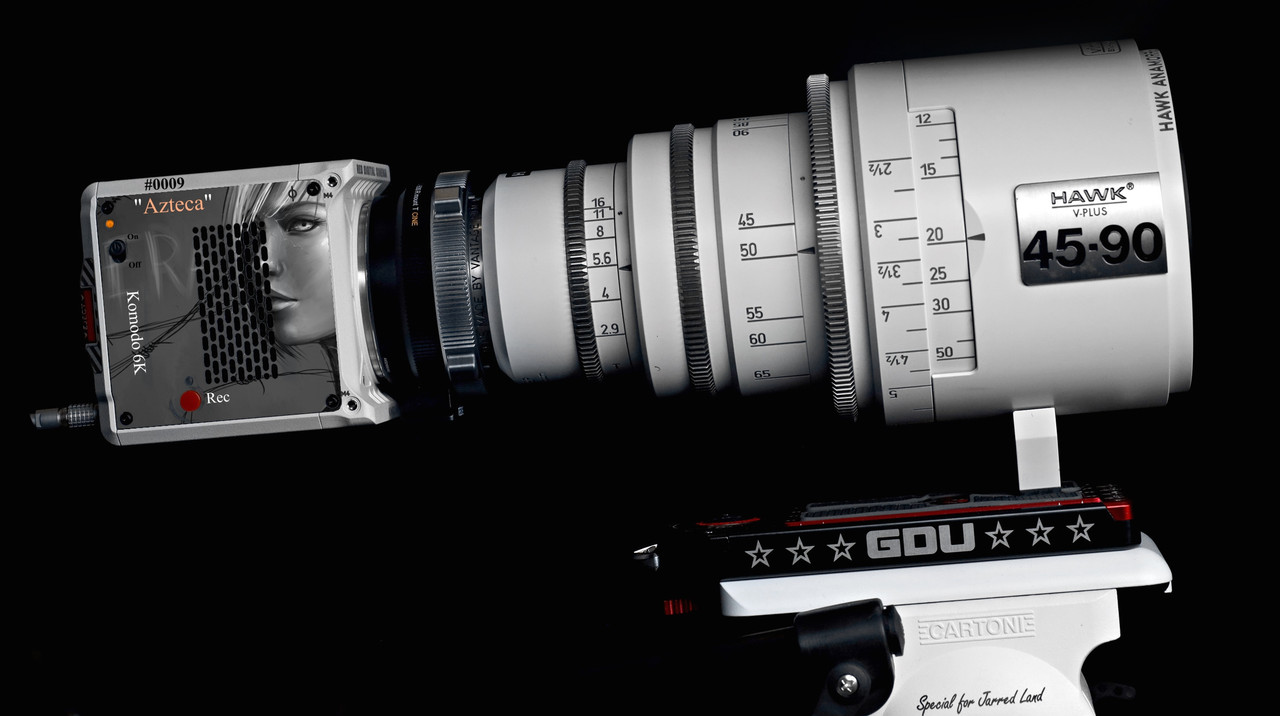
"Laser Etching/Engraving" of images on the Komodo side panel. Since its basically a little box, have a way to personalize your Komodo with something other than by color.

That Side panel seems to be attached to the body with 4 screws. I don't know if any electrical connections are attached to it or not, if not, it should be as easy to replace as replacing an OLPF with a modified Laser Etched panel. The images below are simulations being that Laser Etched/Engraved images will be Monochromatic.


For an Additional cost of between $800-$1500


Azteca-small-wnd-2-1-2.jpg


nephilim-2-1-4.jpg


Dusa-2-1-5.jpg
 
Last edited:
Jarred,

Are we to a point where we can talk about or solidify the function of the H1 with Komodo? Is it a monitor, wireless or hardwired, will the H1 offer another function in combination with Komodo other than placing and pricing? I feel like its back in that place, it will monitor DSMC2, no it won’t, it will with a wire, I’m testing out this wired setup guys, I’ll report back soon. And total denial.....

I don’t know what the deal is when it come to that damn phone, yeah that way.... but we can never seem to get clear concise information. Please drop the science on H1 and Komodo.

Thank you
 
Jarred,

Are we to a point where we can talk about or solidify the function of the H1 with Komodo? Is it a monitor, wireless or hardwired, will the H1 offer another function in combination with Komodo other than placing and pricing? I feel like its back in that place, it will monitor DSMC2, no it won’t, it will with a wire, I’m testing out this wired setup guys, I’ll report back soon. And total denial.....

I don’t know what the deal is when it come to that damn phone, yeah that way.... but we can never seem to get clear concise information. Please drop the science on H1 and Komodo.

Thank you


You will have nostalgia with H1.
 
I respectfully second Mestizo's point. Would also be intrigued if the H1 pins/data bus connection was made public in a way that allows 3rd parties to make their own cable for monitor integration. The USB-c converter may work, but there's gotta be a way to incorporate the tech already developed...right?
 
Totally agree. As a documentarist working alone, I would love to be able to control remotely some of the features of the Komodo via a wired handle: ISO, Focus zoom and most importantly Record! (as the only Rec button seems to be on the right side of the camera, not easy when my grey Komodo will be on my shoulder...).
 
We don’t know what functions the AUX port has yet, but some degree of cabled control might be part of it.
 
After reading through Jarred's posts it seems like they have a USB cradle for the phone that will deliver the camera feed into a camera app on any smartphone via USB C cable. It sounds like they will also have a H1 version that goes through the pins on the phone instead of the USB port, and on top of that he hinted that in doing that they might have worked out a way to control the camera through that same connection, something that would be exclusive to the H1.
 
I believe Jarred said the H1 pogo pin cradle was cancelled along with the Hydrogen project. USB-C interface will support camera control and video functions for Android phones, including H1, via an app. IOS app to come later.
Since people are shooting with prototypes and now preproduction run versions already, other means of control and monitoring are obviously available.
 
Status
Not open for further replies.
Back
Top