Welcome to our community

Be a part of something great, join today!

  • Hey all, just changed over the backend after 15 years I figured time to give it a bit of an update, its probably gonna be a bit weird for most of you and i am sure there is a few bugs to work out but it should kinda work the same as before... hopefully :)

Kinefinity MAVO Edge

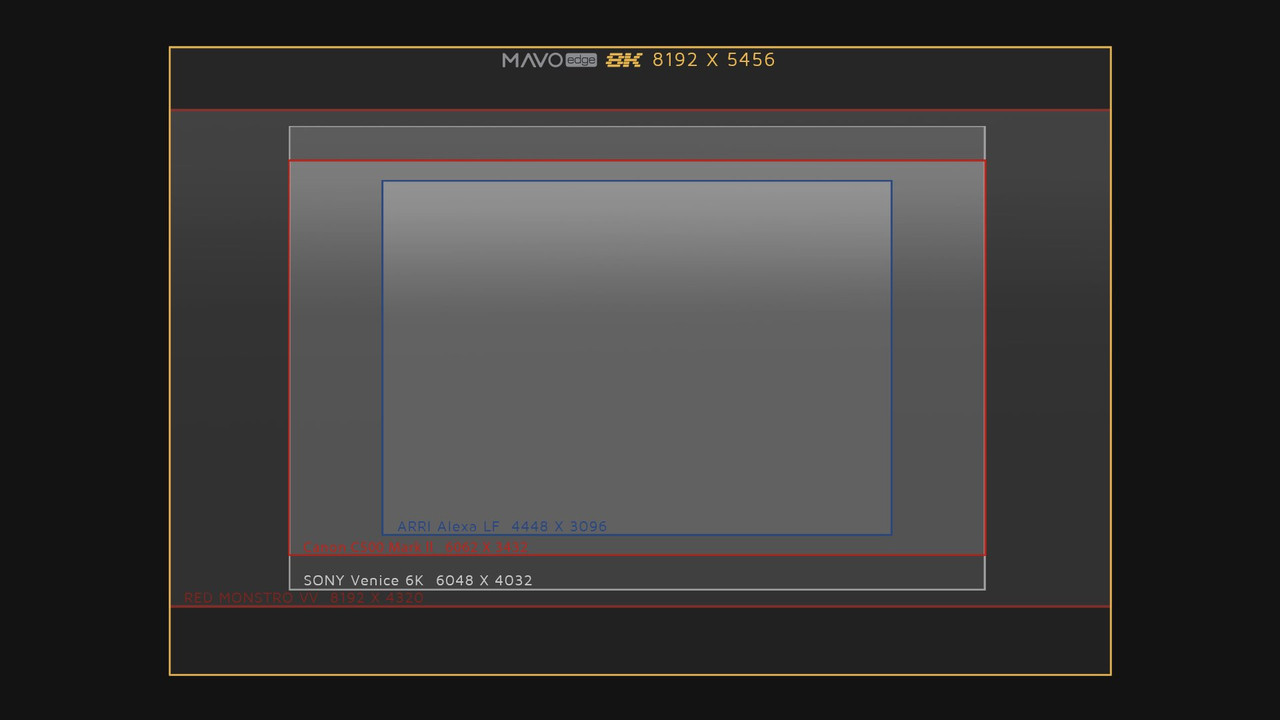
Comparison of Mavo Edge's Pixel size with all of the other Full-FRAME Cinema Cameras

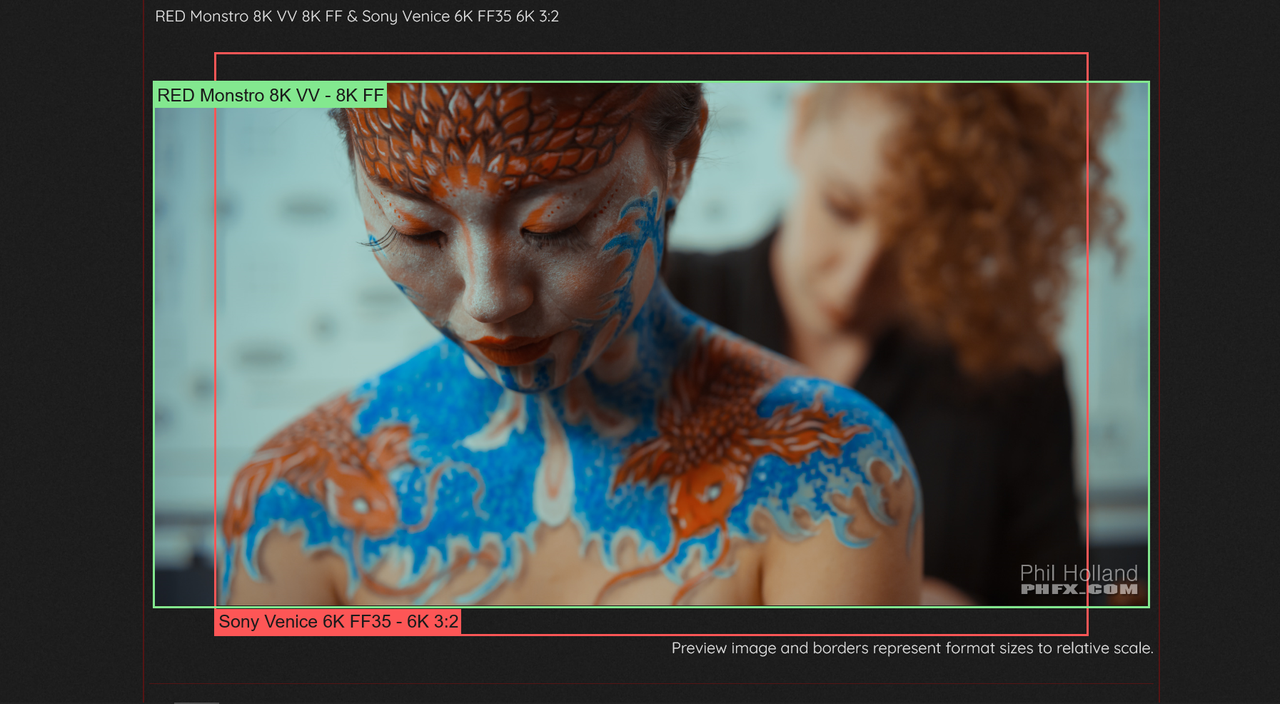
However, I think the monstro is 40.96x21.60mm (46.31mm image circle) at DCI
and Mavo Edge is 36x19 (40.7 mm image circle) in DCI and just 36x24 (43.3 image circle) in Open Gate


so it would probably look closer like the relationship between the 3:2 sensor of the Venice against the Full frame DCI sensor of Monstro.


http://phfx.com/tools/formatCompare...B=Venice+6K+FF35&formatB=6K+3:2&focalLengths=

Screenshot-1744.png


mavo-edge-v1-2-web1-006.jpg
 
Last edited:
Comparison of Mavo Edge's sensor size with all of the other Full-FRAME Cinema Cameras


mavo-edge-v1-2-web1-006.jpg

no, thats pixel area, not sensor size. The Mavo will have the exact with as the c500mkii or Venice, but it does have a little more top and bottom which would be great for anamorphic of times when you need to crop a tall video out of a horizontal (getting asked for more and more).

Paul
 
Paul,

Yeah I check that out and had corrected it above. Yeah full-frame 2X anamorphic lenses will do great on a 8k 3:2 sensor but you will still have to crop for Anamorphic lenses meant for S35 sensors.
 
Also worth noting that you'd get a full 8k 16:9 (8192x4608), not 7680x4320 UHD that r3d ends up at.

Personally I prefer physical sensor size to resolution, but the extra res does allow for some guilt-free ~6%+ "8k UHD" reframing or an extra ~6%+ downscale to "8k" UHD. And, yeah, 1.33x, 1.5x, 1.8x, 2x Anamorphics will have a field day with the extra vertical resolution of Mavo Edge.
 
Mike,

Yeah I just starting thinking about what 2x full-frame Anamorphic lenses would look like on an 8k 3:2, 36x24 sensor. Unfortunately, there are not to many available

like the Cooke Anamorphic /i full frame plus 1.8X

https://cookeoptics.com/l/anamorphic-full-frame-plus.html

Here the Cooke Anamorphic /i full frame plus 1.8X lens is shown with the full 3:2 sensor of the Sony Venice


50mm Cooke /i Spherical & Anamorphic/i field of view test all cropped at 2.40 shot on Sony Venice showing studio interior direct light flare, exterior day extended focus pull and exterior night street light bokeh and focus pull all shot at T2.8.

S7/i Full Frame (6k)
S7/i punched in to s/35 (4k)
Mini S4/i s/35 (4k)
Panchro/i Classic s/35 (4k)
Anamorphic/i 2x 4.3 Standard Anamorphic (4k)
Anamorphic/i 1.8x Full Frame Anamorphic (6k)
Anamorphic/i 1.8x punched into 4.4 Standard Anamorphic (4k).


Scorpio 2X

https://www.fdtimes.com/2018/10/19/scorpio-ffa-full-frame-2x-anamorphic-primes/

https://www.servicevision.es/en/product-selling/scorpiolens-anamorphic-2x


here are 2 more example with the sony venice using its 6k 3:2 aspect again with Cooke Anamorphic /i full frame plus 1.8x anamorphic lens and the Scorpio 2x full frame anamorphic lens

Cooke 1.8x


Scorpio 2x


FDtimes article about Sony Venice in 6k 3:2 mode with Scorpio 2x full frame anamorphic lens

https://www.fdtimes.com/2018/10/19/scorpio-ffa-full-frame-2x-anamorphic-primes/


and a few more I probably missed.
 
Last edited:
Last edited:
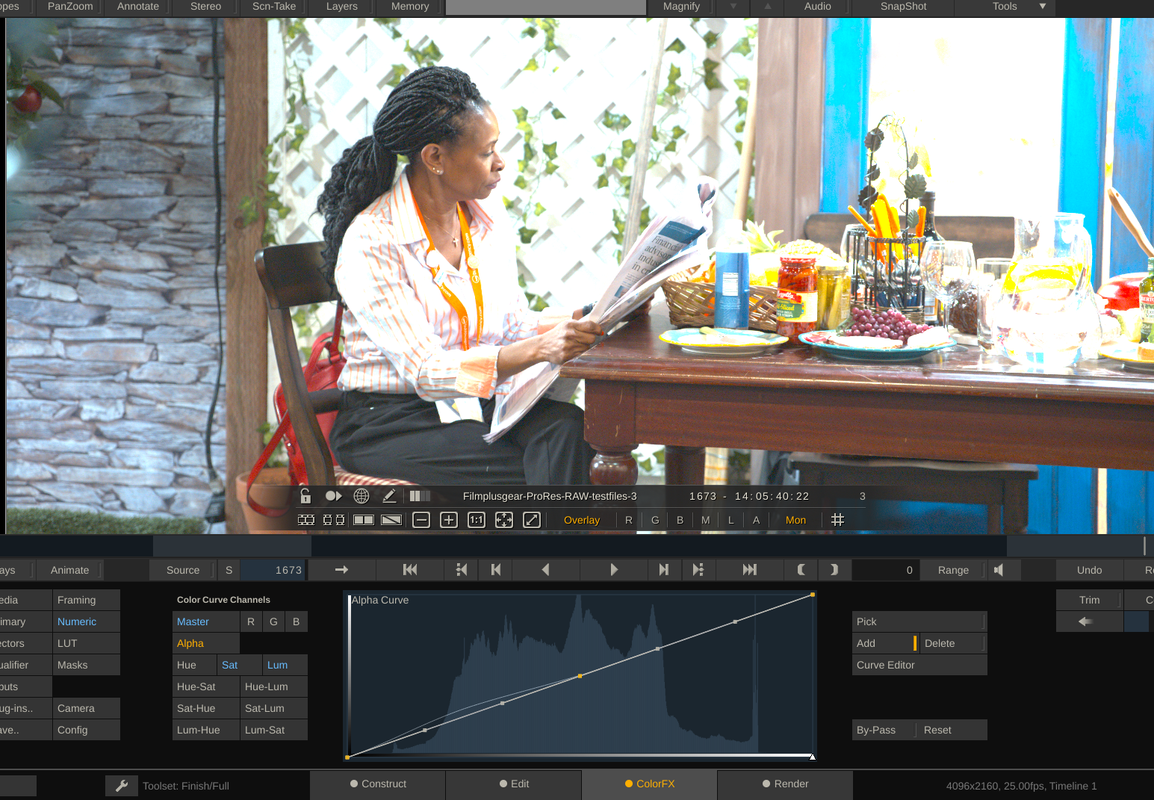
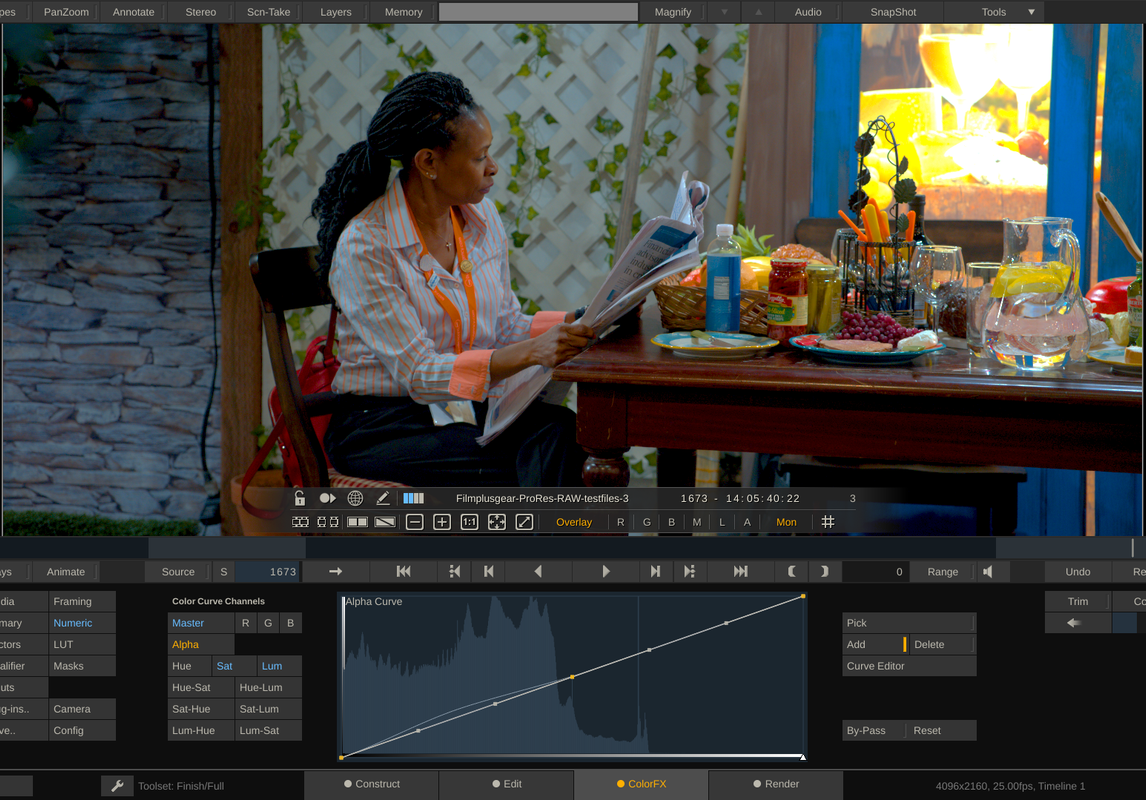
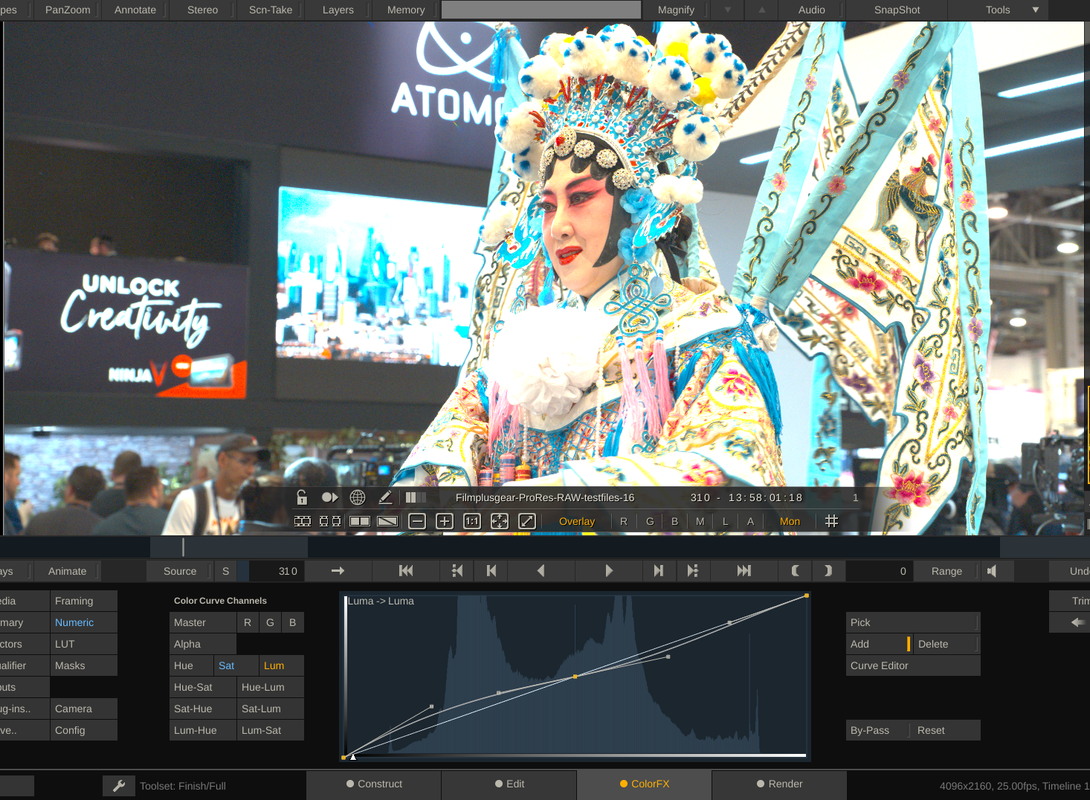
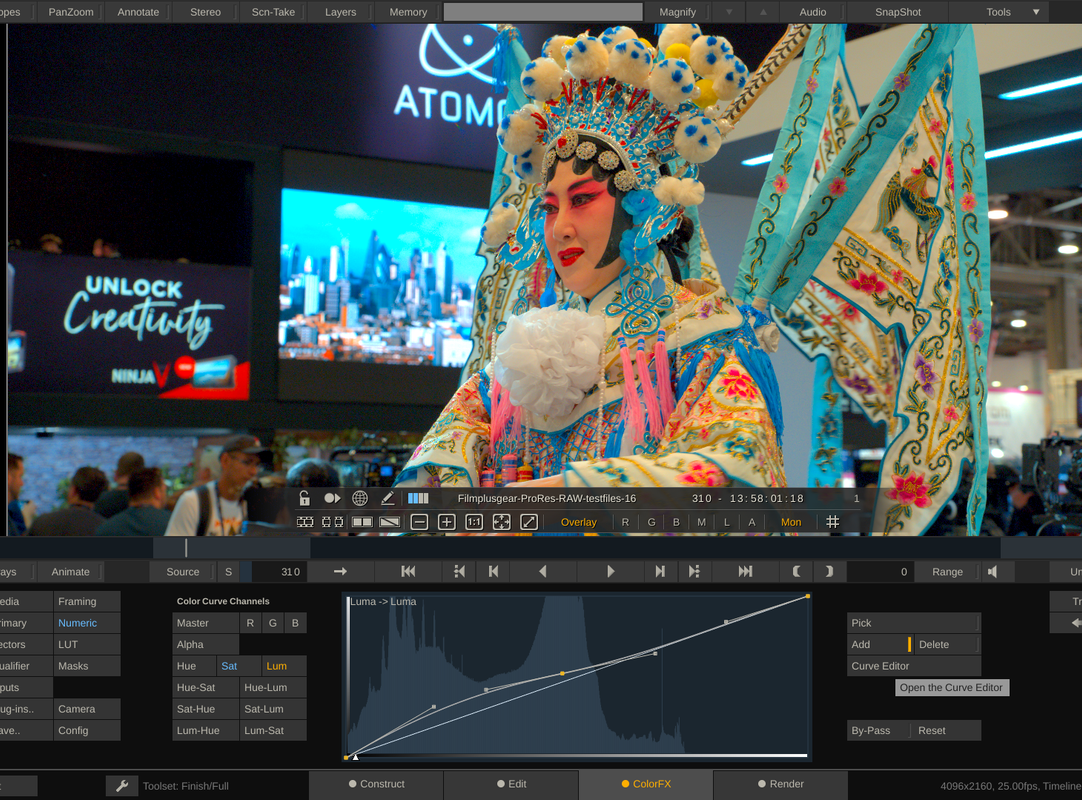
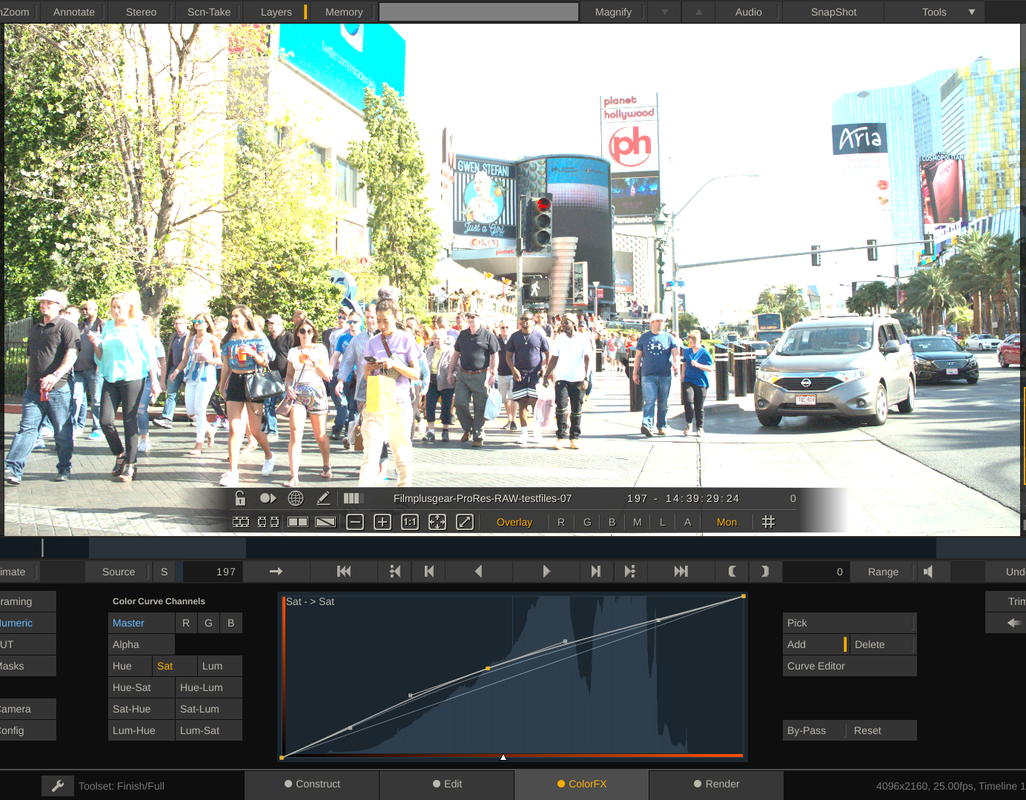
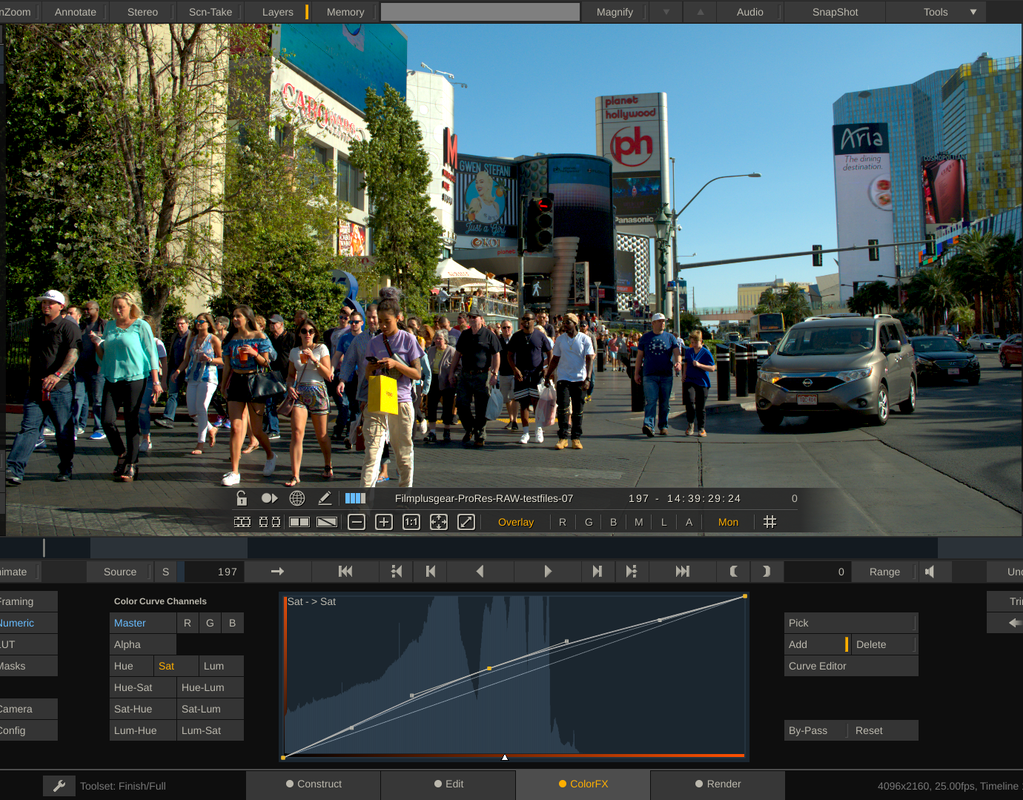
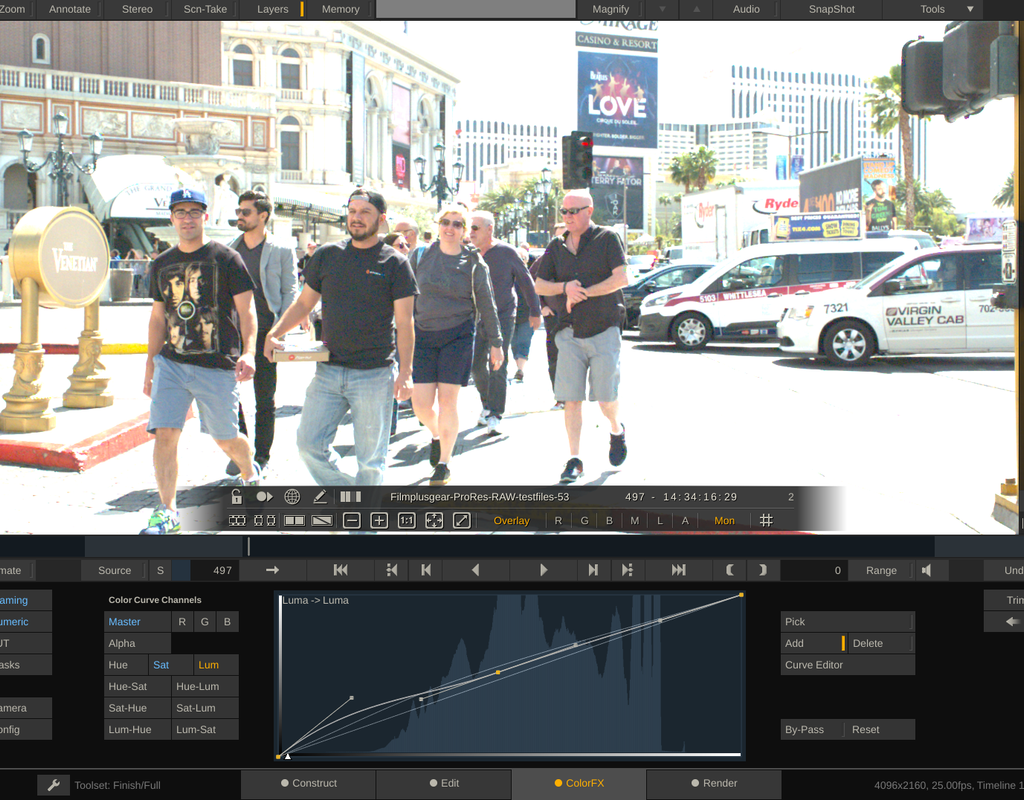
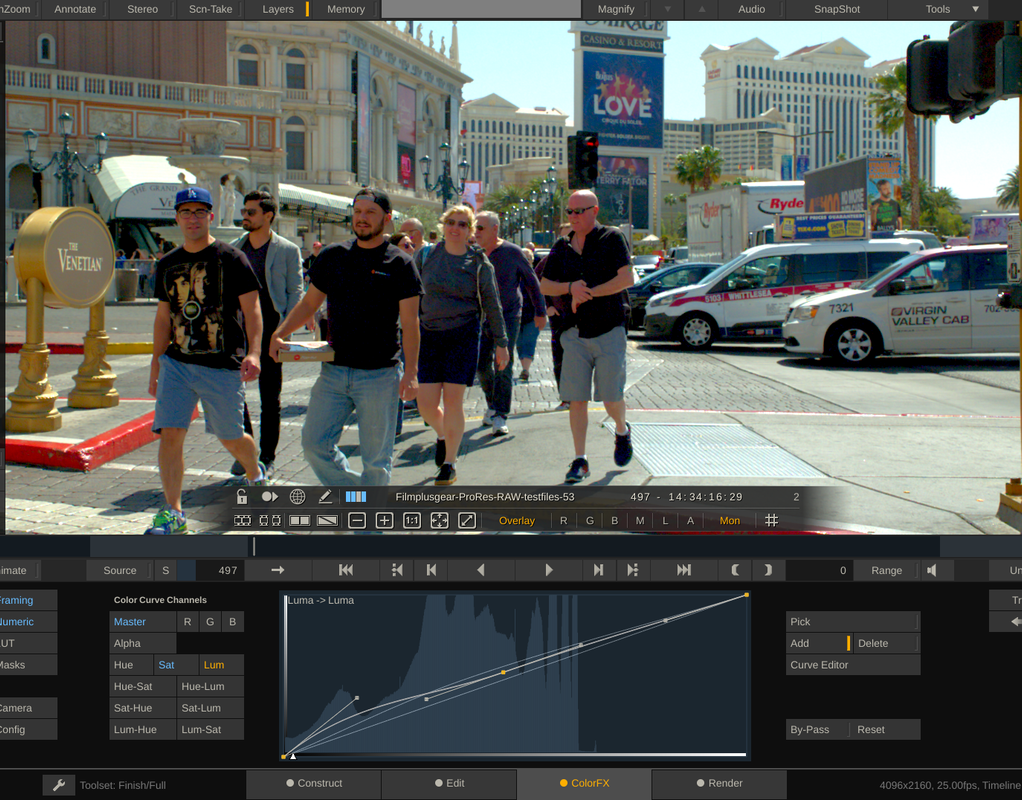
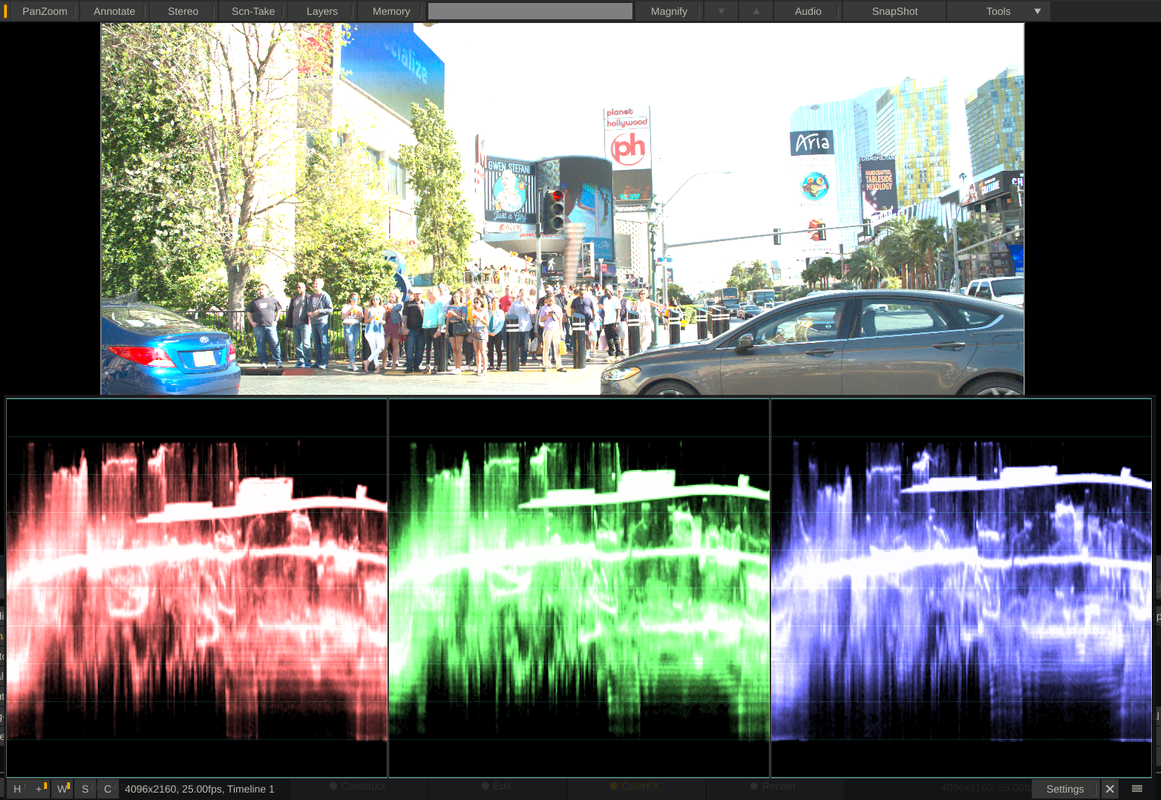
Trying out Assimilate Scratch 9.2 to play around with ProRes Raw files


Here is the before and after

Screenshot-1763.png


Screenshot-1764.png


Screenshot-1769.png


Screenshot-1771.png


Screenshot-1765.png


Screenshot-1766.png


Screenshot-1767.png


Screenshot-1768.png
 
Last edited:
Rand: what's your opinion on ProRes Raw & highlight recovery? Seems pretty good from the images you posted.
 
Carlos,

I see it this way, I was able to bring back an image that "looked" overexposed. But in terms of ProRes I don't really know if the highlights were actually clipped. Let me turn on my laptop and in about 30 minutes I give you a Demo of what I mean.
 
Rand: what's your opinion on ProRes Raw & highlight recovery? Seems pretty good from the images you posted.

ProRes RAW won't have the latitude that RED RAW, ArriRaw or even CDNG have in terms of highlight recovery. It's a "fake" version of RAW, not even allowing you to change basic metadata settings like ISO and WB. So while you have a little bit more flexibility, most people will find it isn't worth the effort of adding a recorder, media, bulk, etc., as the cons far outweigh the pros. There are several you tubers who did comparison with even Sony SLOG 2 and PRR...and you'd be surprised, PRR didn't look all that great.
 
ProRes RAW won't have the latitude that RED RAW, ArriRaw or even CDNG have in terms of highlight recovery. It's a "fake" version of RAW, not even allowing you to change basic metadata settings like ISO and WB. So while you have a little bit more flexibility, most people will find it isn't worth the effort of adding a recorder, media, bulk, etc., as the cons far outweigh the pros. There are several you tubers who did comparison with even Sony SLOG 2 and PRR...and you'd be surprised, PRR didn't look all that great.

Chris,

That's why I want to see some tests done with the two codecs capturing the same image and processed in post.
 
Carlos,


Here's the test I mentioned earlier.


First, Here again is a R3D frame grab by Luigi. I intentionally pushed the highlights up to give the impression to the casual viewer of an image with unrecoverable highlights.

overly-bright-1-1-13.jpg


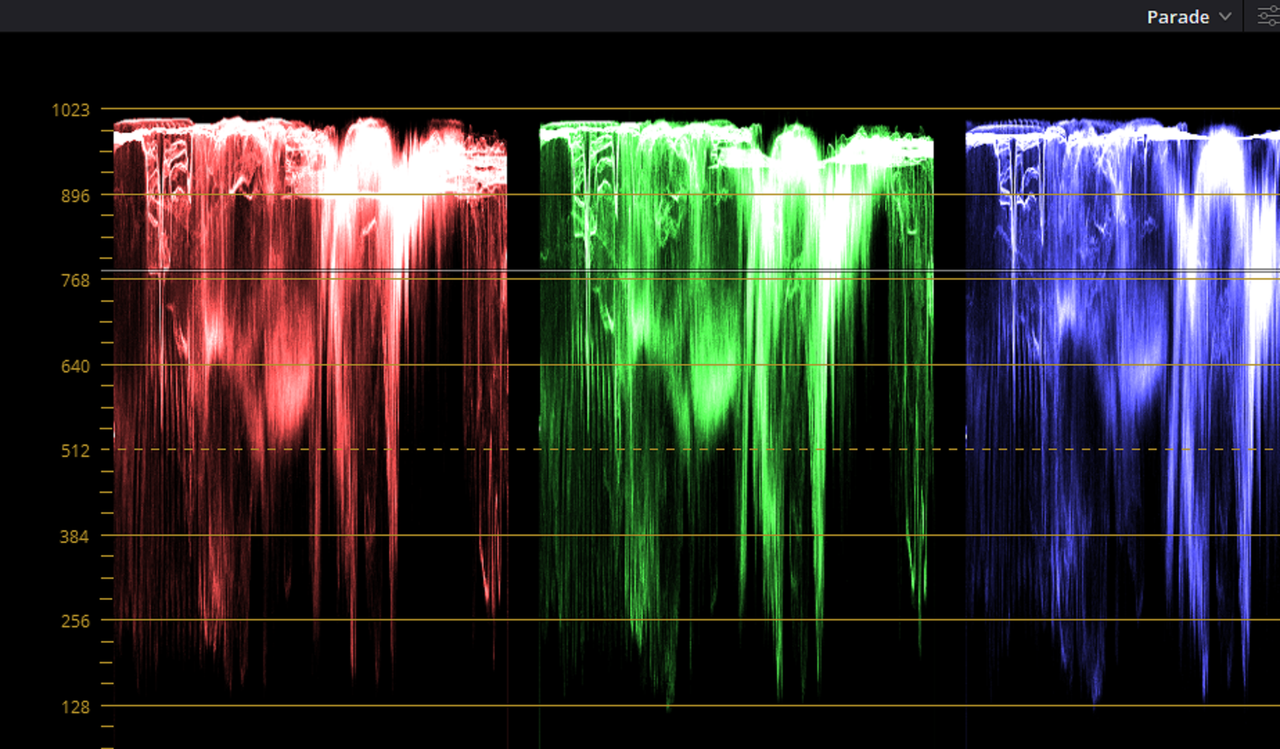
However, if you look at the Parade Scope, the highlights are not clipped at all and easily recoverable.

Screenshot-1789.png


Screenshot-1789-2.png


normalized-2-1-1-11.jpg


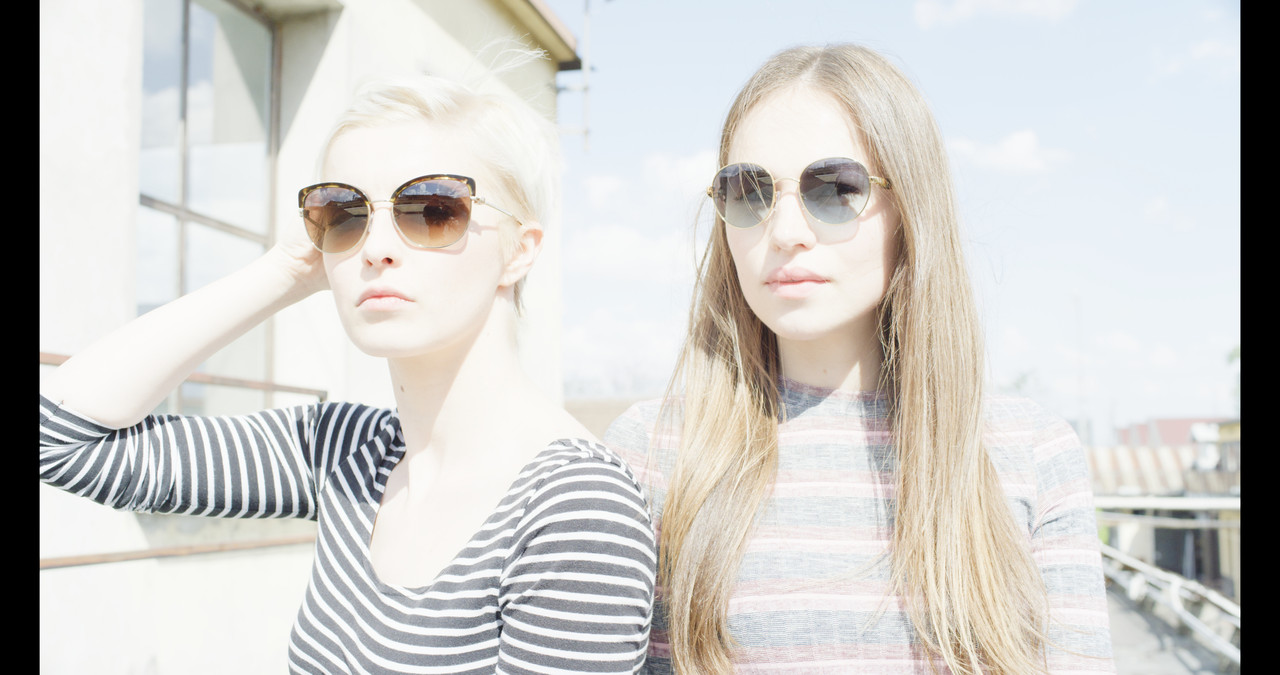
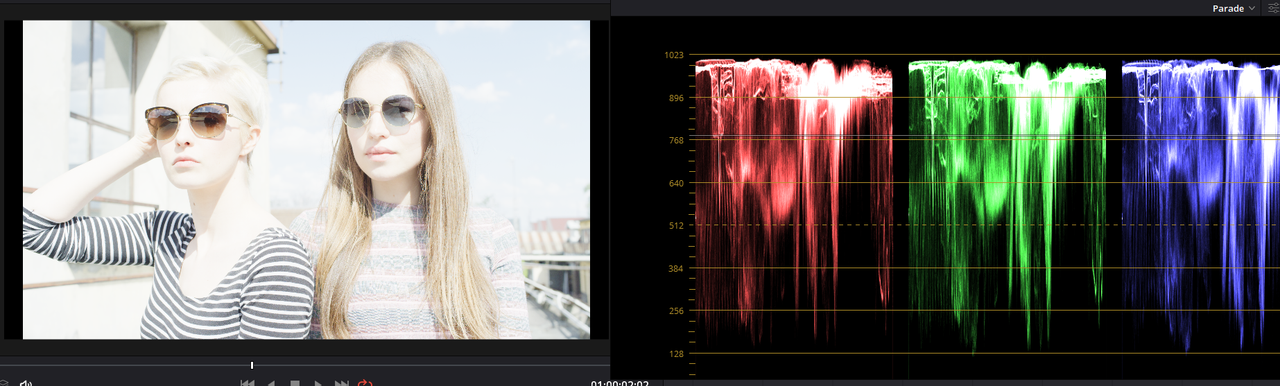
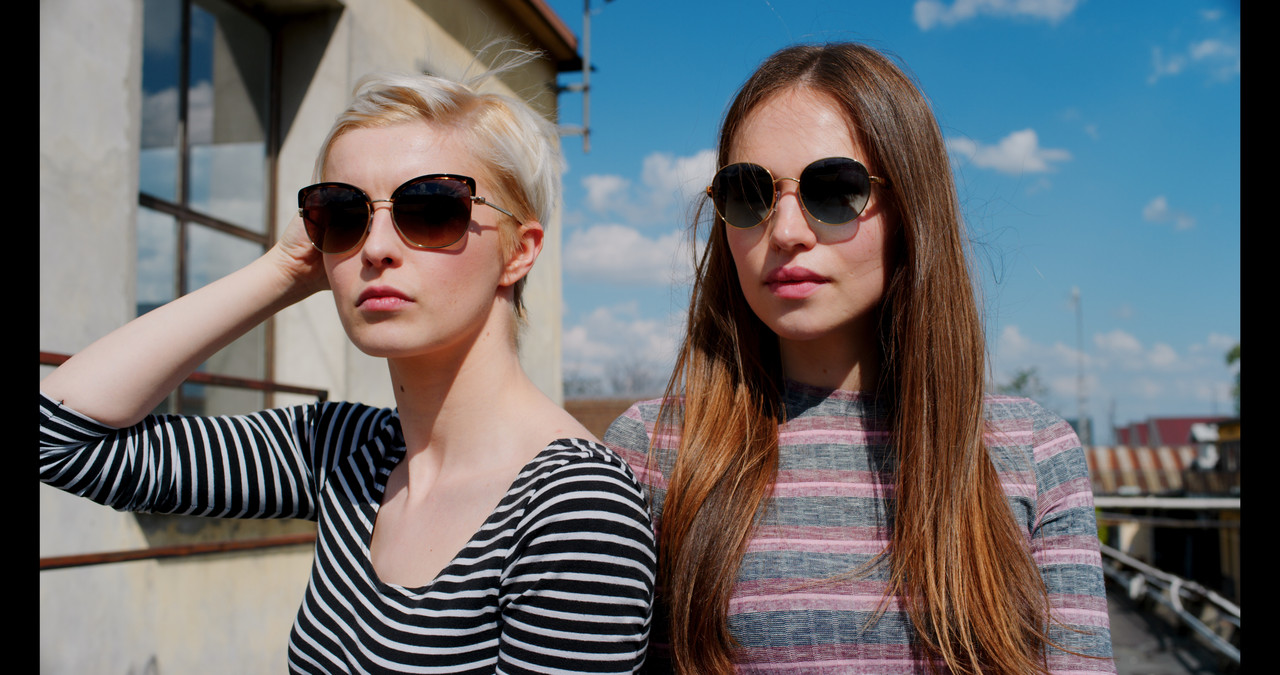
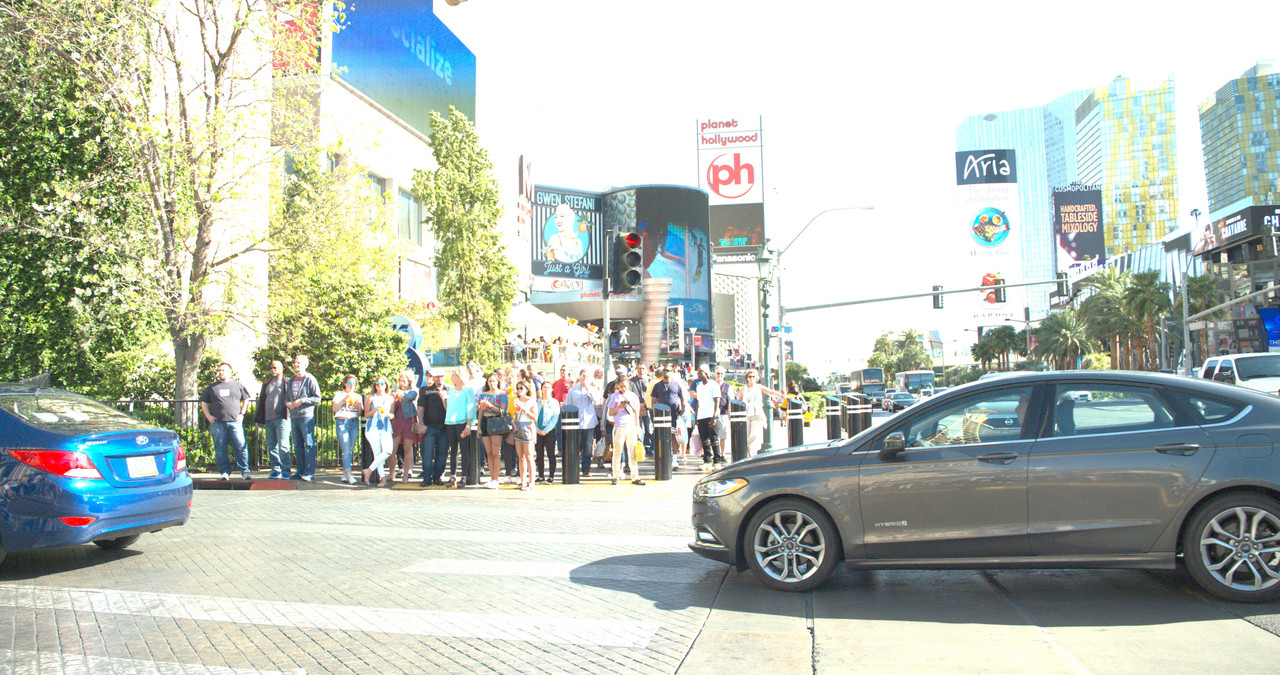
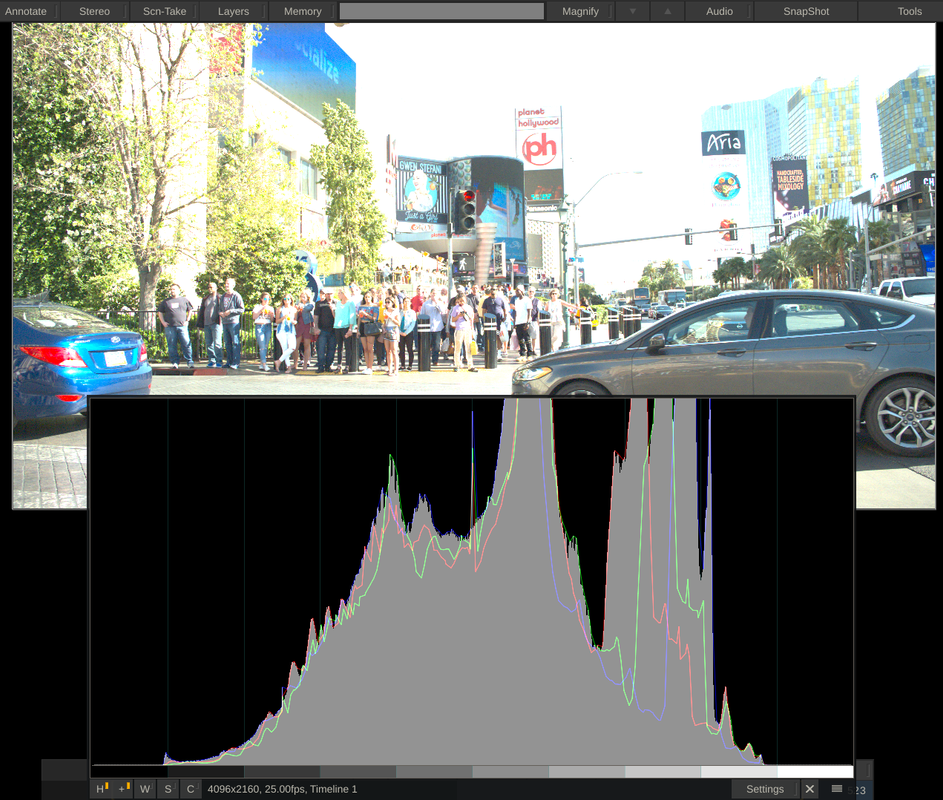
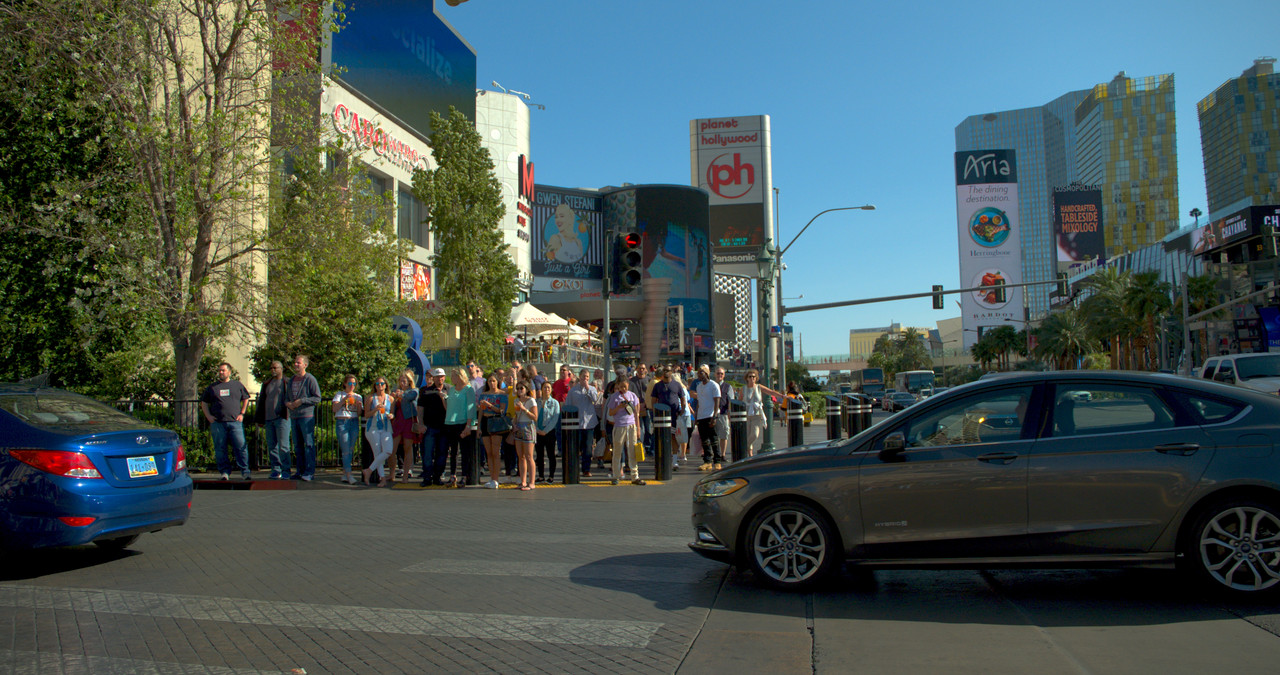
Next, here is one of the ProRes Raw files that looks like the highlights should be completely unrecoverable.


Timeline-1-Filmplusgear-Pro-Res-RAW-testfiles-07-0000.jpg


However, if you look at the Parade Scope and Histogram, the highlights are not clipped at all and easily recoverable.


Screenshot-1787-Copy.png


Screenshot-1788-Copy.png


Timeline-1-Filmplusgear-Pro-Res-RAW-testfiles-07-0000-1.jpg
 
Last edited:
I'm far from protectionist but I would not like to see Kinefinity become the DJI of cinema cameras. The drone market is more or less a monopoly at this point. DJI makes great products but it is not in anyone's best interest to have China be the gatekeeper for another type of tech product.
 
Med D,


I hear what you are saying, and with the Social/Economical/Political climate between the US and China the way it is now an possibly will be for the immediate future and beyond, who knows if this camera will be available at the price stated by September it's expected release date, or even available at all.

However, the undeniable truth about it is that people will do what's in their own best interest. If the camera does everything it says it will and deliver a high quality image, not a lot of potential customers are going to let their patriotism defer them from purchasing this product.


We also have to push our US companies and our more favorable US trading partners to step it up as well and not let them just sit around resting on their laurels either.
 
Here's a webinar on Advanced Exposure techniques for the Kinefinity Mavo Lf which should also apply to the Mavo Edge.


Advanced Exposure Techniques Masterclass - Webinar - Kinefinity MAVO LF


By Kinefinity Europe


Here's a webinar on Advanced Exposure techniques for the Kinefinity Mavo Lf which should also apply to the Mavo Edge.


Advanced Exposure Techniques Masterclass - Webinar - Kinefinity MAVO LF


By Kinefinity Europe


Strange test. Testing a sensor DR by changing the shutter speed ?

I don't understand why Kinefinity evalutated wrongly their base iso to 800iso? It looks like all settings are better when set to 1600iso!

800iso gives them +4.3 -9.7 stops
1600 would be more acceptable with +5.3 and -8.7

Why the hell do all manufacturer want to have 800 iso as base? They all love to have clipping images? To loose against the Arri hoax?
Arri does it because their sensor is awfull in lowlight so I understand! But all other manufacturers have modern tech and their sensor are much more sensitive than 800iso.

I'm also impressed how they managed to make things soooo complicated with ETTL EI Highlight settings... People thought RED was complicated with the iso metadata settings and different color science but here Kinefinity will crash their audience with annoying questions. Why not just use ISO to change how your camera interpretes light? Why did they need to bring sooo many different things that basically are an Iso tweak?

It all comes down to how you want to map your DR. More highlight protection or cleanest image possible?


Pat
 
Patrick,


HaHaHaHa,

Yeah, the sensor has a limited dynamic range like all other cameras but I guess they do try to give you the choice of how you want to distribute it in any given situation .

Maybe the 800 Iso has been found by most camera manufacturers to be the "sweet spot" for the dynamic range of their camera, I'm just guessing. Or maybe the 800 Iso is some sort of recognized Standard from which most Cinematographers base their exposure, who knows.

I think , along with their method of redistributing the dynamic range of the camera, a better log conversion Lut would also help with a better/softer Highlight Roll-off.
 
The problem is that the 800iso became a convention wich has nothing to do with the physics of each particular sensor. You could probably tailor a sensor to get 800 base iso but it's not what I see beeing the best setting of many cameras (including RED) if you want to chase for the bigger DR when your clipping point is the reference (wich became a strange de facto benchmark).
 
Patrick,

In my own personally experience I only use 800 ISO for grading red footage, and if I actually owned a Red camera, I would base getting a good exposure from that. Now in a camera like the Mavo LF and potentially the Mavo Edge, a 1600 ISO that comes from negative gain from a higher Native ISO would probably look better than a 1600 ISO from positive gain from a lower Native ISO . In that case, I would want to use a 1600 ISO and not the 800 ISO which would be the native and last ISO setting of the camera's sensor before digital gain was being added.
 
Back
Top