Welcome to our community

Be a part of something great, join today!

  • Hey all, just changed over the backend after 15 years I figured time to give it a bit of an update, its probably gonna be a bit weird for most of you and i am sure there is a few bugs to work out but it should kinda work the same as before... hopefully :)

How to deal with color correction with FCP when it's needed during the edit?

I have Clipfinder, what's the specific menu item to use so can I do that using and FCP XML export and converting to the proxies?
Or if someone could just point me to the right section of the help manual, I'd be happy to read it?
 
In the Clipfinder menus, just go to "Run Conform on FCP XML File" under tools. Point it at the directory(s) that hold your original R3D files and let it rip. Then import the new XML back into FCP, and you should be good to go.
 
Okay so this is really odd. I was able to conform using both methods. I now have access to the "RED" tab on Color. But the weird thing is once I've brought my FCP project into Color I can only see the images when the footage is playing. If it's paused, I just get a black screen on my scope. Any ideas on that?
 
Okay so this is really odd. I was able to conform using both methods. I now have access to the "RED" tab on Color. But the weird thing is once I've brought my FCP project into Color I can only see the images when the footage is playing. If it's paused, I just get a black screen on my scope. Any ideas on that?

Ok, now that one's a little weird. I'd say check your grading/playback proxies in the Color settings. Maybe also check your video-out settings.

Do you have info on the built-in scopes? Or are they blank too? If there's info (AKA Color's analyzing the image but not displaying it) than it's probably some weirdness with video-out.
 
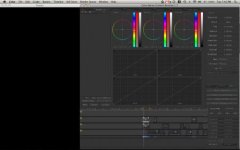
Here's what I see (on both the Native ingest version AND the conformed Red quicktime proxy projects) in Color when the footage is not playing:
attachment.php


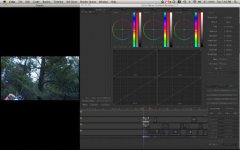
Now here's what I see when pressing play:
attachment.php


Working blind makes it a bit difficult to color correct I must say. :eek:
 

Attachments

  • Picture 5.jpg
    Picture 5.jpg
    13.4 KB · Views: 0
  • Picture 6.jpg
    Picture 6.jpg
    16.6 KB · Views: 0
Ah solution for those who may run into this issue... enable proxy support.
 
Just use the color correction tool in FCP. Once you establish that the clip is workable you can always get rid of the cc, and move forward with the editing.
 
Back
Top