Dexter Gregoire
Well-known member
Avid Media Composer to REDcineX with EDL
Avid Media Composer to REDcineX with EDL
Avid Media Composer to REDCINE-X with an EDL.
In Media Composer open your sequence and Output - EDL.
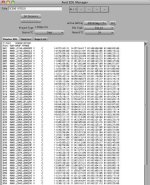
Just be sure to use TC1 instead of 24 inside the Record TC. (24 is my project setting, YOU use TC1).
Beside Active Settings there is an Edit Button. Click it.
The EDL Options box opens up.
Record TC should be set to your project setting. See first Picture. Review the others, then...
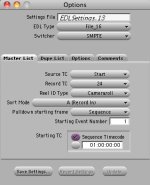
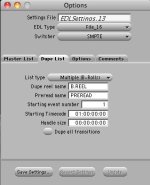
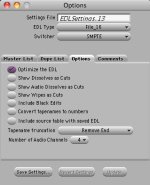
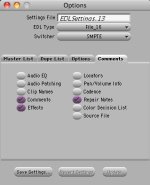
Click Save settings.
Click Get Sequence then Click File - Save as.
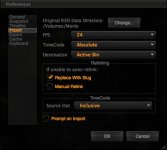
Close Avid Media Composer and Open REDCINE X 351.
Avid Media Composer to REDcineX with EDL
Avid Media Composer to REDCINE-X with an EDL.
In Media Composer open your sequence and Output - EDL.
Just be sure to use TC1 instead of 24 inside the Record TC. (24 is my project setting, YOU use TC1).
Beside Active Settings there is an Edit Button. Click it.
The EDL Options box opens up.
Record TC should be set to your project setting. See first Picture. Review the others, then...
Click Save settings.
Click Get Sequence then Click File - Save as.
Close Avid Media Composer and Open REDCINE X 351.