Welcome to our community

Be a part of something great, join today!

  • Hey all, just changed over the backend after 15 years I figured time to give it a bit of an update, its probably gonna be a bit weird for most of you and i am sure there is a few bugs to work out but it should kinda work the same as before... hopefully :)

Highlight roll-off

Adam Hribar

New member
Joined
Dec 1, 2021
Messages
2
Reaction score
0
Points
0
Hey!

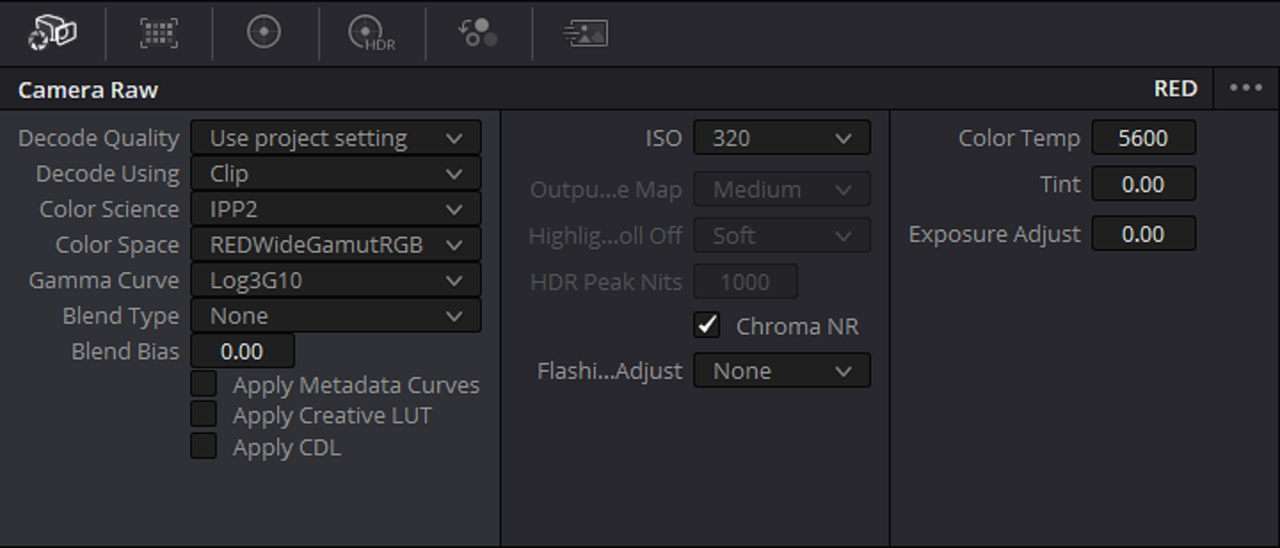
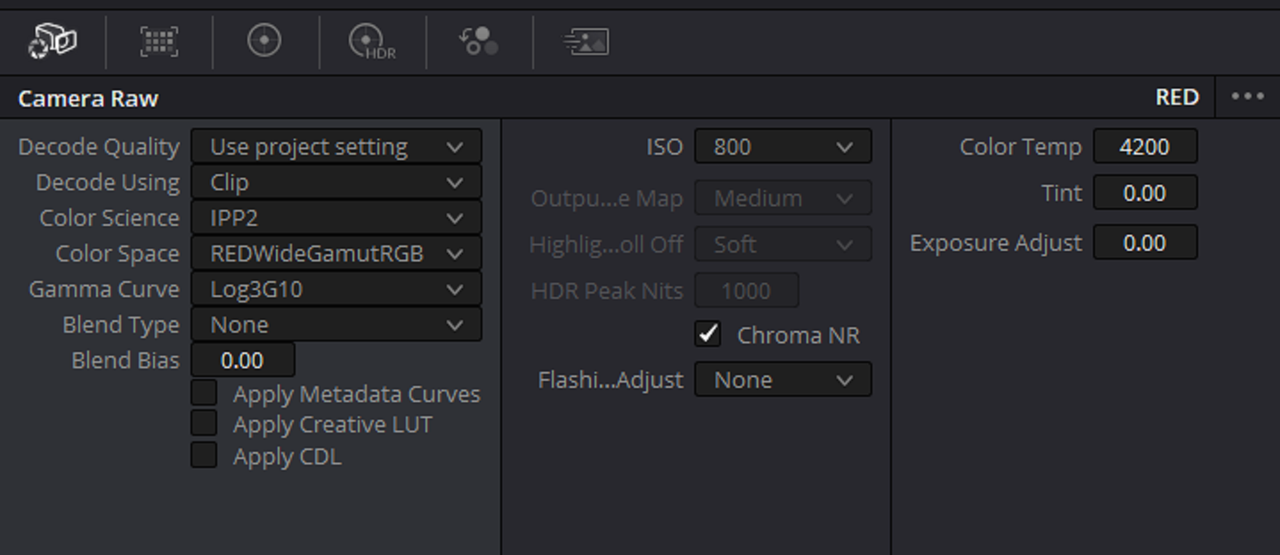
Just wondering why the Highlight roll-off is grayed out in Davinchi resolve. any suggestions?


Thank you!
 

Attachments

  • photo114306.png
    photo114306.png
    39.5 KB · Views: 2
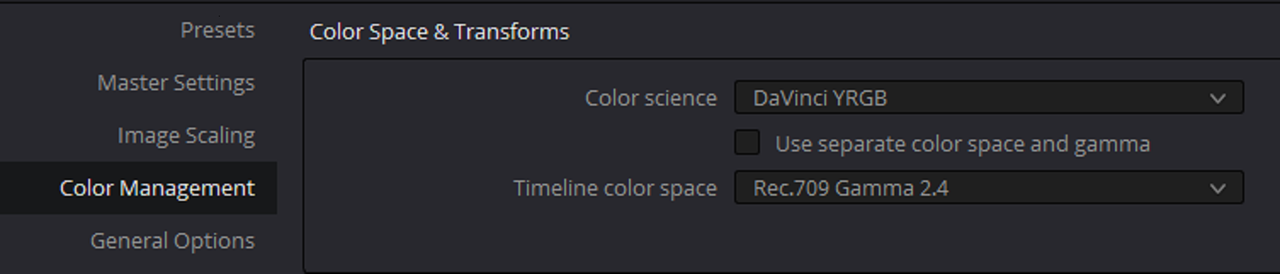
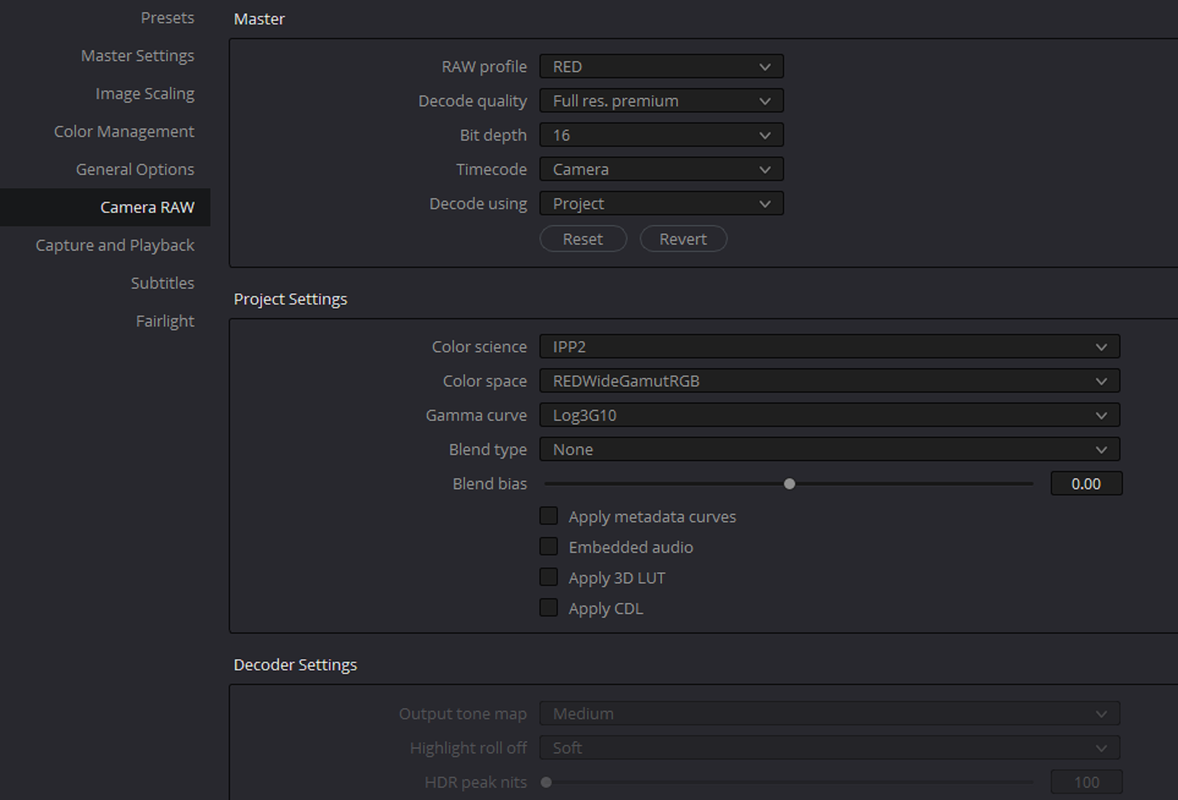
This setting can be grayed out based on your Project Settings>Color Management and/or your Camera RAW settings.
 
Hey!

Just wondering why the Highlight roll-off is grayed out in Davinchi resolve. any suggestions?


Thank you!
Adam,

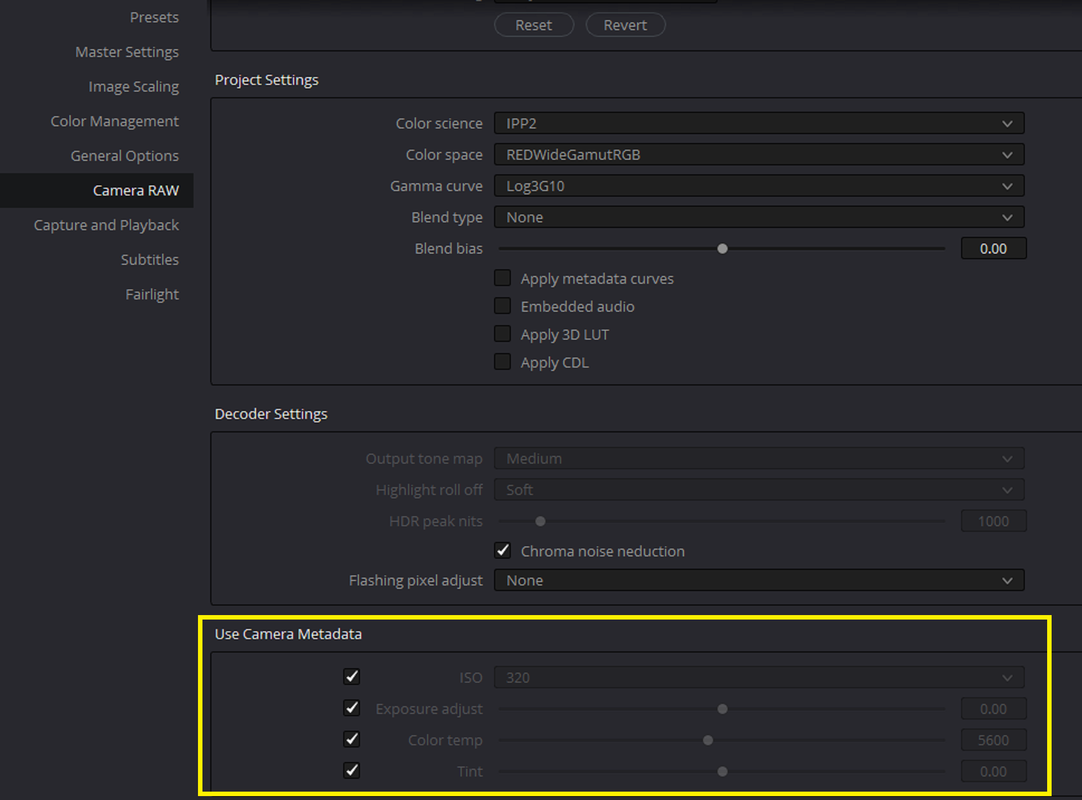
These settings are most likely causing that. I believe the latest RED SDK enables the IPP2 workflow automatically , but not for sure.


Screenshot-3645.png


Screenshot-3643.png


Screenshot-3644.png
 
I've experienced the problem that the RAW settings in the Timeline View, as Rand shows above, are, not only, greyed out, but, not reflecting the RAW Camera settings in the settings panel, nor the in-camera settings when captured. Likewise, the ISO is wrong. I need to go to the 3 dot elipses and select Revert to get the camera RAW panel to reflect the right (greyed out) values.
 
Bill,

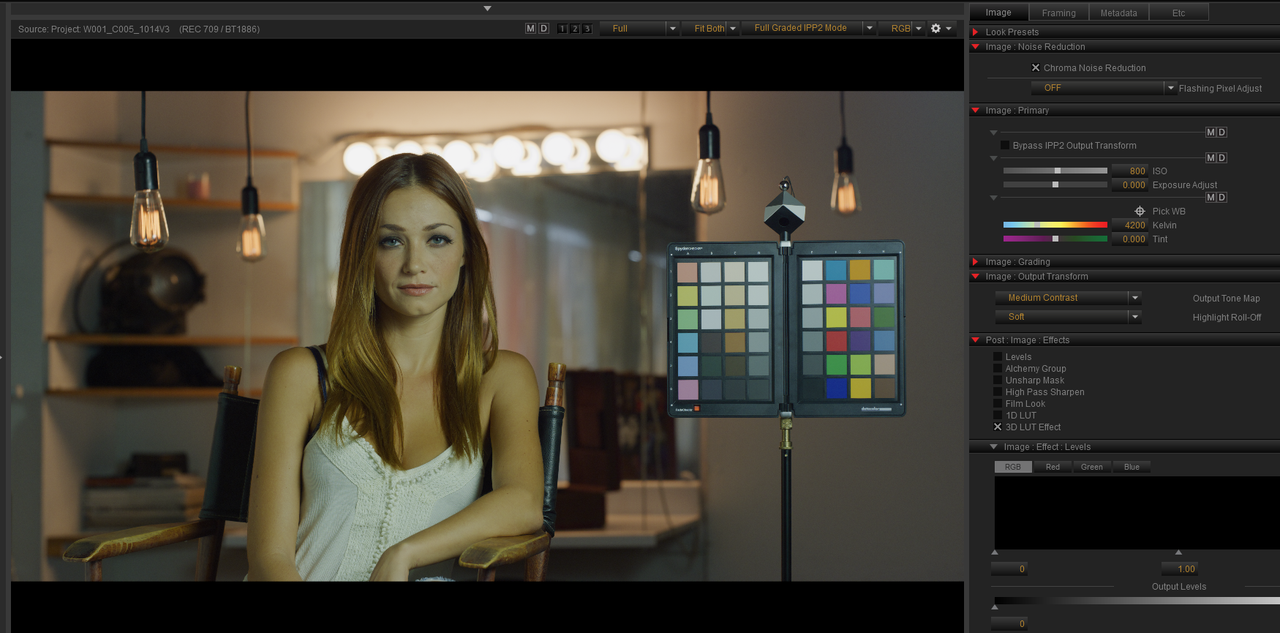
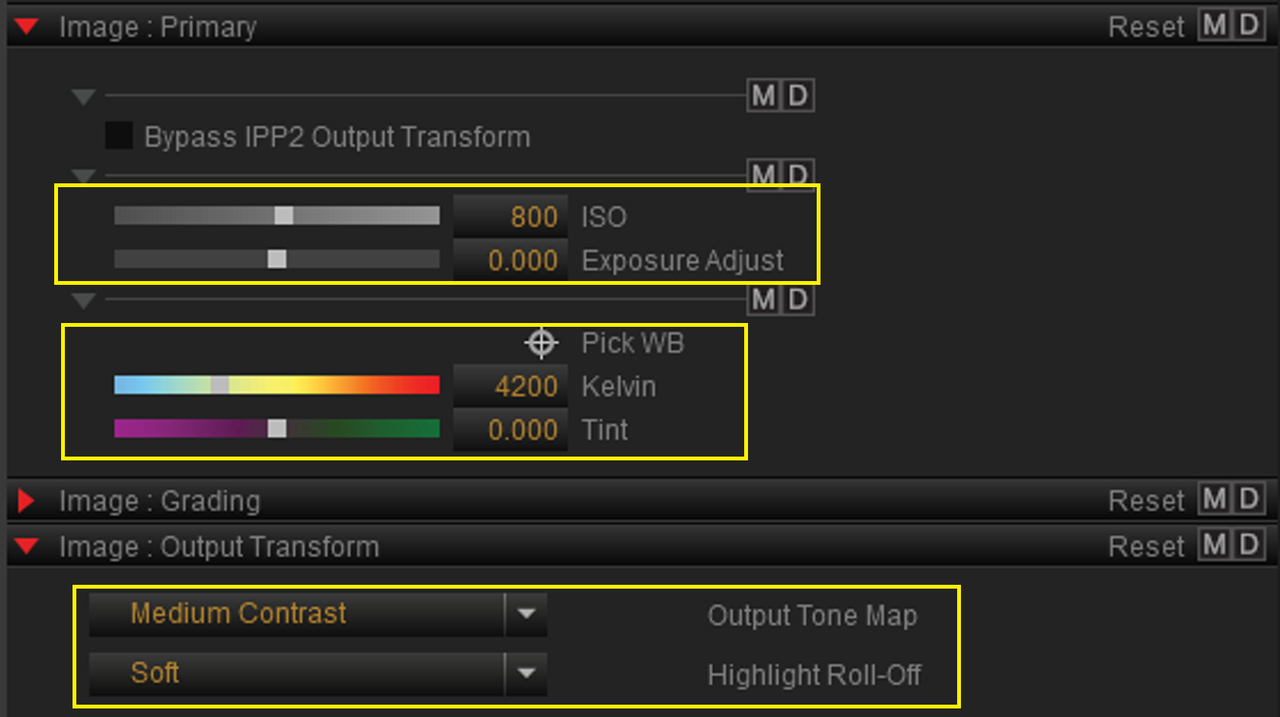
I don't know if this is exactly what you are talking about but let me know if this is correct.

1) lets say these are the " in-camera " settings from your camera or settings you changed them to in REDCINE-X PRO

Screenshot-3657.png


Screenshot-3658.png


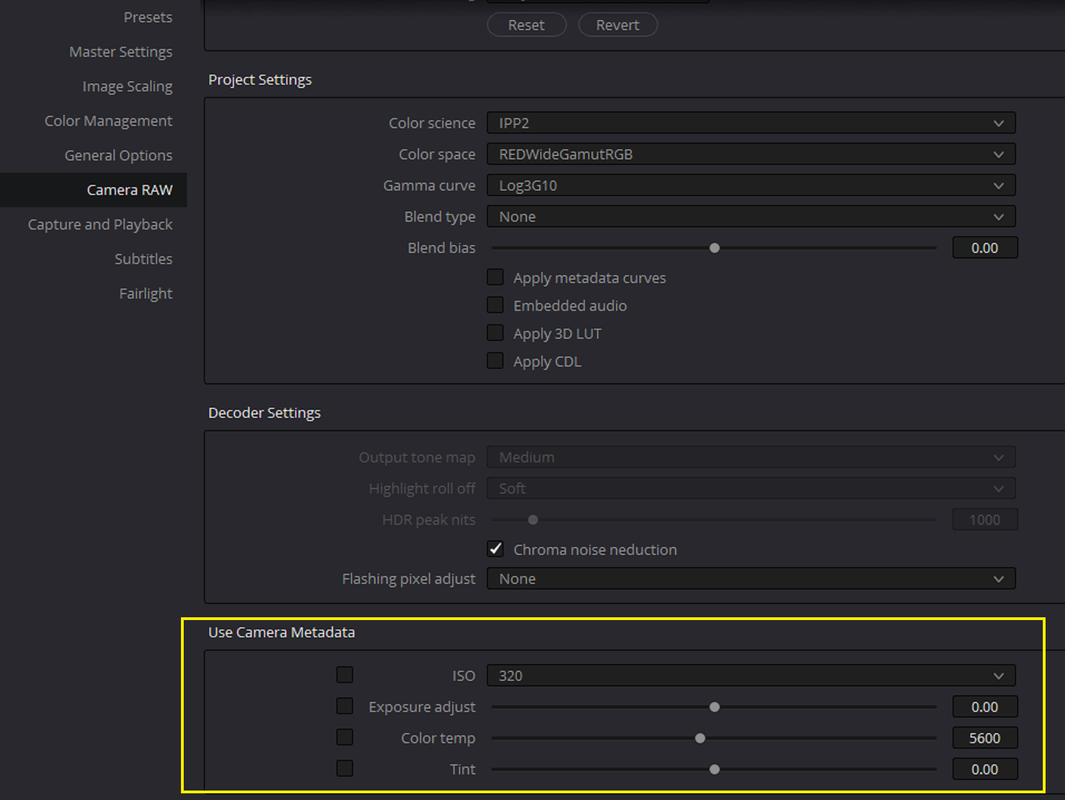
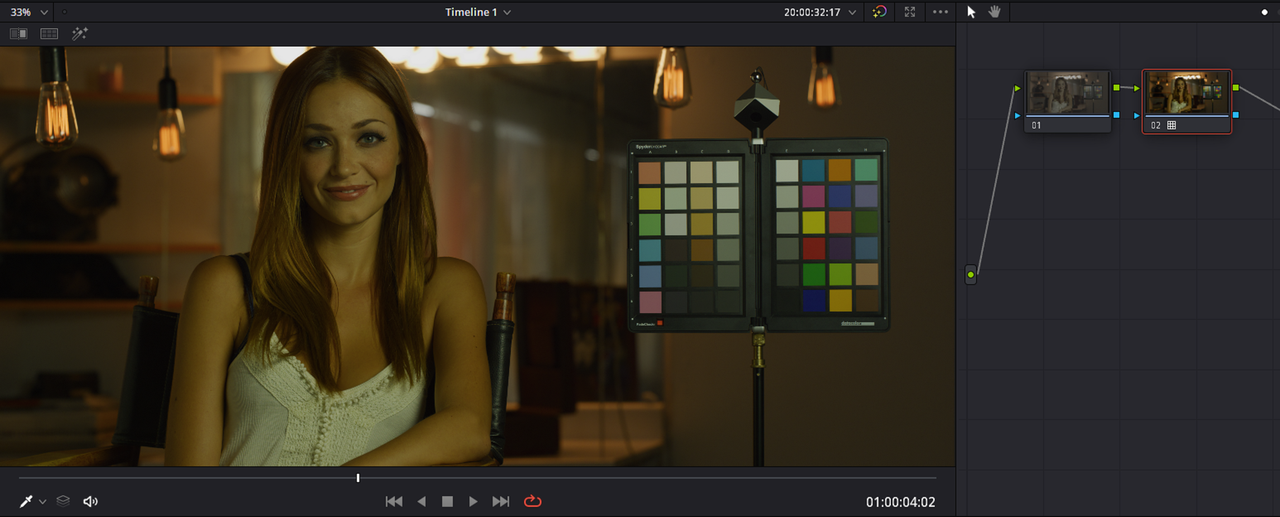
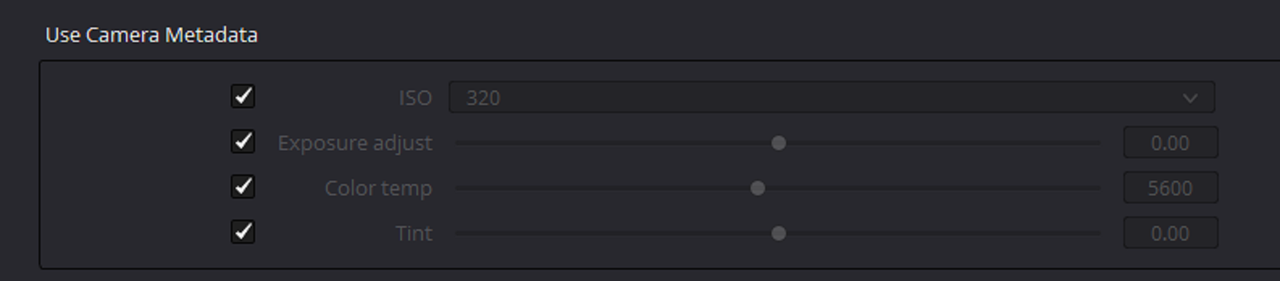
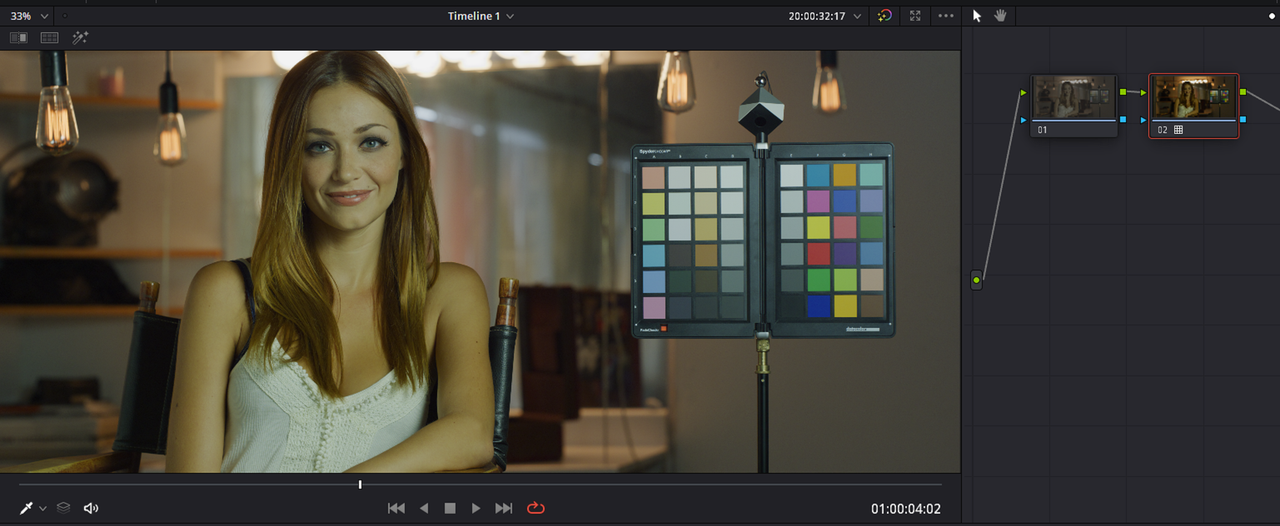
2) Now after closing REDCINE-X, you want to import that Red.R3D file into Resolve but you forget to place these check marks under the USE CAMERA METADATA SECTION by these settings on the CAMERA RAW Project settings page, you would get an image that looked like this in Resolve.

Screenshot-3655.png

Screenshot-3661.png


Screenshot-3666.png

3) However, if you remembered to place these check marks under the USE CAMERA METADATA SECTION by these settings on the CAMERA RAW Project settings page, you would get an image that looked like this in Resolve, the way it looked "IN-CAMERA" or adjusted in REDCINE-X.

Screenshot-3663.png

Screenshot-3667.png

Screenshot-3664.png

Screenshot-3665.png
 
Last edited:
Hey!

Just wondering why the Highlight roll-off is grayed out in Davinchi resolve. any suggestions?


Thank you!
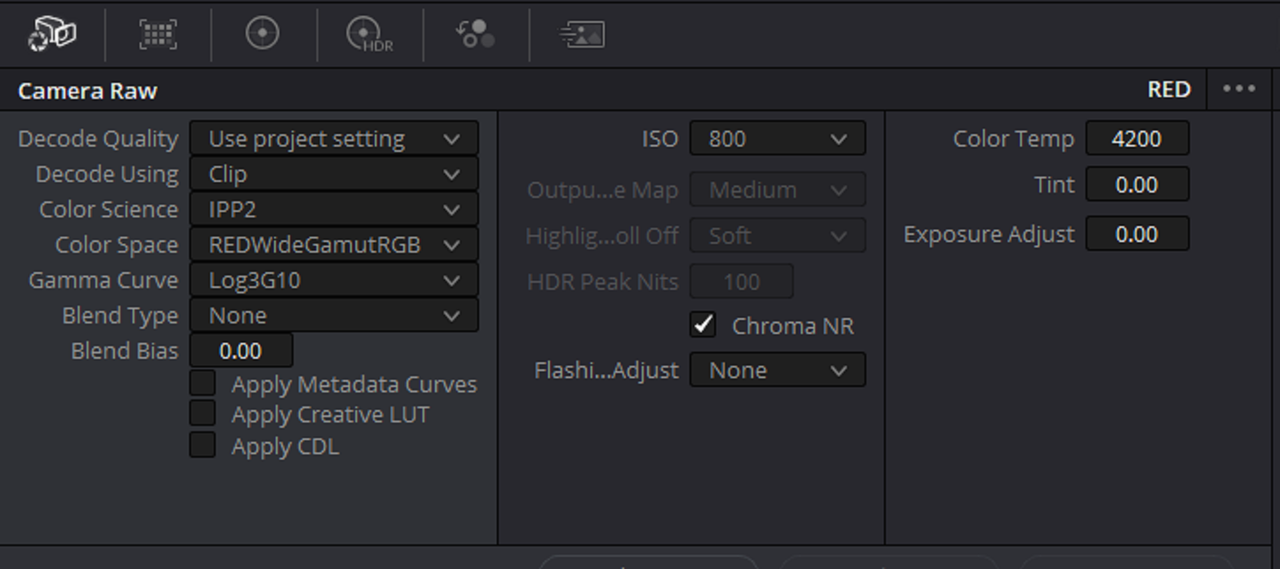
You have no output tone mapping or highlight rolloff settings because you're processing the clip's gamma as Log3G10. Which is basically telling Resolve you want to do your own output transformations further down the chain.

To get rolloff settings, you'd have to set the gamma to BT.1886.
 
Bill,

I don't know if this is exactly what you are talking about but let me know if this is correct.


]3) However, if you remembered to place these check marks under the USE CAMERA METADATA SECTION by these settings on the CAMERA RAW Project settings page, you would get an image that looked like this in Resolve, the way it looked "IN-CAMERA" or adjusted in REDCINE-X.
Exactly right, Rand. Following recommended Resolve RAW settings I turned off "Use Camera Settings" Thanx for clarifying it.
 
Last edited:
You're welcome Bill ! By adding check mark's to the ISO, EXPOSURE ADJUST, COLOR TEMP And TINT boxes, you tell Resolve to not use the DEFAULT settings for the imported Red .R3D files in Resolve, which you can see when the boxes aren't checked, but to use the associated values from the Red R3D files from the camera or values that they were changed to in REDCINE-X.
 
Last edited:
Back
Top