Welcome to our community

Be a part of something great, join today!

  • Hey all, just changed over the backend after 15 years I figured time to give it a bit of an update, its probably gonna be a bit weird for most of you and i am sure there is a few bugs to work out but it should kinda work the same as before... hopefully :)

Group Buy - SmallHD 702 Series Monitor

Mine arrived covered in the plastic wrap, had the issue that someone else described, had to get tweezers to remove the wrap as it was stuck in all the corners.

Arrived with a dead pixel, emailed them and they are sending me a replacement.

Also what is with the 1/4 20 removeable mount? First day it got loose, when I tightened the screws one of them stripped immediately. Emailed them and they say that they created just this little piece out of aluminium to provide a stronger mounting point

I do like the image though, and SmallHD support has been stellar.

Also the hood I got is fairly terrible, and the LP-E6 dummy battery adapter has a veryyy weak looking cable, I've already taped it up with electrical tape towards the battery bit of it in expectance of it breaking
 

Attachments
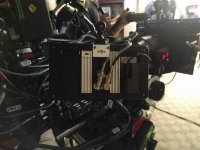
  • IMG_20151202_200652.jpg
    IMG_20151202_200652.jpg
    86 KB · Views: 0
Last edited:
oh damn, just reading all this and mine is still in the box, i guess i have to break it out and test it, ugh!
why dont they test each one before it goes out, should just take plugging it in to a source, this is weird.
 
Just used mine on Monday for the first time. No complaints here. Used it as a director's monitor. Great picture, no dead pixels. Very happy with it.
 
Has anyone tried using it with hdmi? The picture with SDI is great but when connected to hdmi the blacks are way too crushed and shadows lose their details...only happens in hdmi. Same with the 502 monitor....
 
Has anyone tried using it with hdmi? The picture with SDI is great but when connected to hdmi the blacks are way too crushed and shadows lose their details...only happens in hdmi. Same with the 502 monitor....

Haven't tried it yet but I find that if you lower brightness bellow 50, your blacks get crushed. Long long ago, someone mentioned here to bring down the brightness and contrast to 30 so it will match the onboard monitor a little more but that's how I found out that the image changes. I will post a photo soon.
 
Haven't tried it yet but I find that if you lower brightness bellow 50, your blacks get crushed. Long long ago, someone mentioned here to bring down the brightness and contrast to 30 so it will match the onboard monitor a little more but that's how I found out that the image changes. I will post a photo soon.

Thanks fir the reply. I've tried playing with brightness/contrast but not much improvements. Only happens with HDMI. Try it if you get the chance please.
 
Haven't tried it yet but I find that if you lower brightness bellow 50, your blacks get crushed. Long long ago, someone mentioned here to bring down the brightness and contrast to 30 so it will match the onboard monitor a little more but that's how I found out that the image changes. I will post a photo soon.

That was me. I said backlight all the way down to 1, brightness at default(because if you change it it breaks the signal) and contrast down to 30. This is as calibrated as I can get it.
 
Received mine about a month ago and it has what looks like a water spot on the inside of the panel. Their customer service has been good in responding but apparently they are waiting for new panels from China. Hopefully these new panels will take care of all of our problems.
 
I received mine earlier this week. It arrived with two dead pixels. One smack dab in the middle of the screen. Unfortunately their support rep revealed that 3 or more dead pixels is the threshold for warranty screen replacement. Their support response was the equivalent of "let me google that for you" in which I was given the following link https://www.youtube.com/results?search_query=fix+a+stuck+pixel

Nice looking monitor though, haven't put it on a shoot yet.
 
I received mine earlier this week. It arrived with two dead pixels. One smack dab in the middle of the screen. Unfortunately their support rep revealed that 3 or more dead pixels is the threshold for warranty screen replacement. Their support response was the equivalent of "let me google that for you" in which I was given the following link https://www.youtube.com/results?search_query=fix+a+stuck+pixel

Nice looking monitor though, haven't put it on a shoot yet.

Hmm. They still haven't responded to my email. Hopefully its just because its the weekend. Unfortunately, their site says I have to pay for the shipping back. I shouldn't, its a brand new monitor.
 
Mine arrived covered in the plastic wrap, had the issue that someone else described, had to get tweezers to remove the wrap as it was stuck in all the corners.

Arrived with a dead pixel, emailed them and they are sending me a replacement.


How did you get them to replace it with only one pixel, they told me three or more?
 
sucks, maybe i should go another model anyway, i was looking for a monitor to give me accurate color and exposure levels, does anyone recommend one of their other products? in the 7 inch range?
thanks!
 
Not regarding hot or dead pixel, but rather the jittering:

Hi Zexun, We have tried numerous settings and the units work with that camera. I'm convinced it has to be a setting on the FS7 that is causing the jitter. Have you performed a factory reset on the camera? Since Sony does not always send standard signal formats, it could be that the monitor it having trouble picking up the feed. It is possible that future firmware updates will help improve the compatibility on both our end and Sony's but I don't think the monitor is faulty at this time. Have you had any more success in troubleshooting on your end?

Best Regards,
Joey
SmallHD
 
Back
Top