Welcome to our community

Be a part of something great, join today!

  • Hey all, just changed over the backend after 15 years I figured time to give it a bit of an update, its probably gonna be a bit weird for most of you and i am sure there is a few bugs to work out but it should kinda work the same as before... hopefully :)

ESATA to USB 3.0 for RED Mag Reader

Jack Daniel Mills

New member
Joined
Jun 7, 2013
Messages
2
Reaction score
0
Points
0
Location
London, UK
Hey guys,

So I'm a 2nd AC (eventually an Operator!) and tend to end up also ingesting data on set and in an attempt to speed things up (even if by a minute or so) I've looked into getting an ESATA to USB 3.0 cable (fairly inexpensive, but money's money) as I believe it may be faster than Firewire 800. I'm mostly transferring to USB 3.0 drives and I'm using a top spec 2013 Retina MBP.

Don't suppose anyone else has tried this method? If so, is there much difference compared to Firewire 800? 99.9% of the time I'm given the original RED Mag reader to work with and not the USB 3.0 one which is why I'm considering purchasing this cable.

On the other hand if no one has tried this it's likely I'll end up purchasing the cable anyway and testing it out in a few days. In that case I'll happily report back with my findings.
 
Dominick, Kwan, how long have you used this adapter? frequently, to transfer entire SSDs to drives, with no problems, after months of use? I am very skeptical of this little guy, I must say...

the eSata hub that Joe linked to gives me 140 mb/s on a standard 2tb g-drive... faster than even the drive should be capable of really! ...

I regularly use it to download to two drives from uncompressed HD Ikonoskop (30 min = 160 Gb!) + 5K epic cameras at the same time.... or Alexa / Epic ingest, playback, output in DaVinci, if that's not a stress test I don't know what is... very fast, reliable.

people gripe that it requires it's own power. the only time I've seen corrupt footage involved bus powered card reader. never bus power anything if you can avoid it, plug the damn thing in and be happy.

(one note: just don't store it with the prongs unattached. the edison wall plung prongs come off for easy international compatability, it also comes with a plastic cover, don't **** up the connections beneath the prongs when not in use i.e. packed into a pelican, keep that plastic cover on. I had to RMA one and buy a new one because I stupidly allowed that connection to sit exposed packed tight in a case.)
 
I haven't used one on a mac, but I've used two of these in windows and they work well for the price:

http://www.newegg.com/Product/Product.aspx?Item=N82E16812270301

I'm not sure what the bottleneck was, but I think it topped out between over 100-150MBps, so maybe it's sata1. What is the maximum speed REDMAGs can do? Either way, it's quite a bit faster than FW800.

I'm still amazed when people can get by on FW800 and USB2. My 2+ year old laptop has two USB3 and one esata port, meaning I can easily and cheaply have 3 esata ports if I want using those adapters. Plus I took out the optical drive and put in a removable 2.5" drive tray so it can take an extra 2.5" bare drive that doesn't take an external port and has a more stable connection if I want.

I've recently operated on a few jobs where we shot >1TB of footage in a day and were doing double backups and using FW800 for redmags and external drives (for one job, client's drives didn't have usb3, other job, older macbook didnt have usb3). If you do the math, that's about 8 hours of straight copying if you have all devices on independent 80MBps buses, which of course they never are because most people are using macbook pro's which at worst have one FW800 bus and at best two FW800 buses if you happen to have a TB to FW800 adapter, so 8hrs on independent buses, 16hrs if any two devices are on a shared bus. Bad idea...

Anyway, when I have any say in it, USB3/eSata/TB are mandatory... And what's with everyone using bus powered portable 2.5" hard drives? (particularly lacie rugged...) 2.5" HDDs barely average 70MBps, anyway so they become the bottleneck even on old FW800 when writing closer to the center of the platters.

This is my long winded way of saying go for the USB3-esata adapter! You'll get a faster connection to your redmag, or anything else you connect that would've otherwise been connected through FW800. Though do go with the adapter that is reported to work with your mac.
 
Hey Ryan. I've been using it pretty frequently. Especially when some people hand me the older FW800/Esata G-Drives. Also use it with my G-Safe frequently.

Joe, I have this LaCie hub. It's a great hub but I didn't think Jack was looking for something like this. It's convenient as it doesn't take up a USB 3 slot.
 
Hey everyone,

Thanks so much for all of your replies, great to see other people trying this out and to know that it does work!

I've had a look at the Newer eSATA to USB 3.0 adapter and it looks great but very often I don't even get an eSATA cable to use with the RED Mag Reader which I find interesting since they come directly from rental houses.

So instead I've found this http://www.amazon.co.uk/gp/product/...m=A3P5ROKL5A1OLE&pf_rd_r=07NBZP0CJYBSRTDDE2Q9
 
What real world speeds are people seeing with these USB 3 adaptors? Both products suggest on their specs that they are capable of "transfer rates up to 5Gb/s" because that is the theoretical maximum of USB 3. But since SATA II is only 3Gb/s, that should be the bottleneck, and prevent the USB 3 bus maxing out.
 
I'm using the lacie thunderbolt to esata daisychained to two little big disks (also thunderbolt) and getting around 180-190MB/s

usualy client disk for third copy is the limiting factor.

when using disk test from blackmagic it shows around 200 MB/s max transfer speed from the SSD/esata RED SSD-reader

biggest problem is the quadriple adapters needed [ssd reader, thunderbolt-->esata and 2x LBD] you can feed the SSD-reader from an extra
USB of of your MBP. just need a box with extra outputs. looking into powering from battery.
 
Speed Tests:

NEWER TECH eSata to USB3:

REDSTATION Mini eSata / FW800 : ~170 MB/s (read/write) (powered via USB cord)

G-DRIVE 2TB eSata / FW800 : ~ 92 MB/S (read/write) (powered via outlet)


LaCie Thunderbolt eSata Hub: (thunderbolt straight to iMac, no daisy chaining)

REDSTATION Mini eSata / FW800 : ~ Write: ~ 175 MB/s Read: ~ 220 MB/s

G-DRIVE 2TB eSata / FW800 : ~ 92 MB/s (read/write)


So the LaCie hub offers a good advantage when downloading REDMAGs to fast drives/raids.
 
Speed Tests:

NEWER TECH eSata to USB3:

REDSTATION Mini eSata / FW800 : ~170 MB/s (read/write) (powered via USB cord)

G-DRIVE 2TB eSata / FW800 : ~ 92 MB/S (read/write) (powered via outlet)


LaCie Thunderbolt eSata Hub: (thunderbolt straight to iMac, no daisy chaining)

REDSTATION Mini eSata / FW800 : ~ Write: ~ 175 MB/s Read: ~ 220 MB/s

G-DRIVE 2TB eSata / FW800 : ~ 92 MB/s (read/write)


So the LaCie hub offers a good advantage when downloading REDMAGs to fast drives/raids.

Thanks. That's what I expected. So the advantage of the USB 3 adaptor is connection convenience, and mains free operation, at the expense of speed.

Probably a useful thing to have in the kit as a backup, but I won't be throwing my LaCie eSATA hub away just yet!
 
I take back what I said about the $16 Bytecc adapter. I just did a real test and in a copy test it settled around 187MBps copying from a 64GB Redmag to my desktop (Samsung 830 SSD) and HDTune's file benchmark showed a read speed of 193MBps and write speed of 134MBps. I'd be curious how this esata-usb3 adapter performance compares to reading straight from RED's USB3 Mini Redmag Reader.
 
Lacie Thunderbolt to Esata Adpaters for the win.

Lacie Thunderbolt to Esata Adpaters for the win.

Hi,

I also ended up getting the 1.8" Esata REDStations 95% of the time and now have 3 x LaCie Esata hubs. I first used these coupled to an early 2013 Retina on a 4 camera Epic job. My drives were as follows -
1 x Pegasus R6 12TB (R5)
1 X Drobo 5D 20TB (R5)
2 X 2TB USB3.0 G-RAID (R0) as transport drives.

With 5x REDstations I could send 3 cards to the Pegasus at a constant 220MB/s per card, 1 card to the DROBO at 160-215MB/s and 1 to the G-RAID at 180-200MB/s all at the same time. It needs some fiddling to get the right daisy chain sequence and channel split.

The Drobo, 'cause its better at transactional actions, was also set as the Render drive for any proxys or quick ref files, though thankfully this station didn't need to generate dailies (the RAM suck slows down all the copy actions).
I did have a shelf /production copy which was a standard 2TB Seagate at about 120MB/s which was definitely ther weekest link in the chain.

A similar setup with an ATTO 680 and SAS raids in a sonnet box is pretty sweet as well. Can get 300MB/s per Codex station with that. Haven't managed to make the 4way Esata/SAS cable work yet with the REDstations.


Edit: MD5's at the wrong time in the sequence can lock up the Pegasus as it really doesn't like bi-directional transactions.

Richard Muller
 
Last edited:
Richard, would you happen to have a picture of the set-up? How are you connecting all the REDstations and drives simultaneously?

Also what, in your opinion, is causing transfer speeds from not maxing out the REDmag (e.g. 250-300mb/s)? Thunderbolt should have more than enough bandwidth, and SATA2 = 3Gbps/375mb/s theoretical max. Is it just bandwidth tolerances and hitting the practical maximum?

At this point, I'm thinking simple would be more effective --- USB3 MiniStation to USB3-SSD or PortableRAID. Should max out the REDmag at ~200mb/s and drive-to-drive should be the same (although I doubt I could do two transfer simultaneously and maintain speed.)

Speaking of USB3-to-eSATA; has anyone used the cheap $5 adapters from eBay? Are they useless?
 
Just a quick little update; I thought I'd try to save a few bucks and bought a $5 eSATA to "USB3.0" adapter on eBay. Waste of money; drives are all recognized as USB2.0 480mbps, or worse, 12mbps...

Some JMicron Product ID: 0x0539. I tried it on two different retinas (early and late 2013s) and it was a no go, regardless of what drive was connected (REDmag reader, G-Raid, etc.). Looks like the newer tech linked to on the last page is the way to go… or the REDstation Mini USB3.0 (which will likely plummet in price when everyone switches over to mini-mags).
 
Last edited:
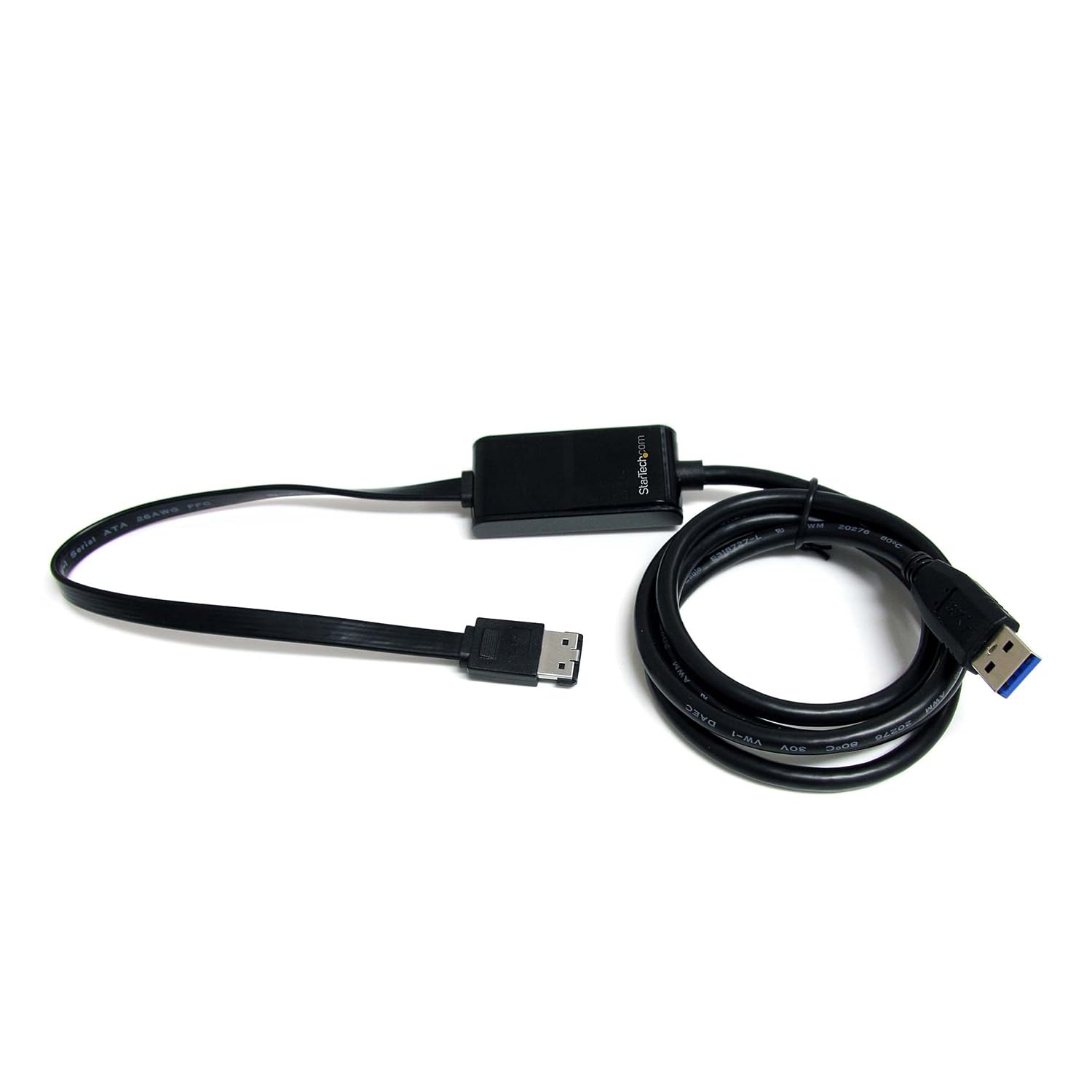
I have this cable and works well.

http://www.amazon.com/StarTech-com-USB3S2ESATA-SuperSpeed-eSATA-Adapter/dp/B004NNYIVM

71Of9MbwldL._SL1500_.jpg
 
Are you getting ~200mb/s (that's basically what I'm hoping for)? And does it work well with a Retina?
 
Back
Top