Welcome to our community

Be a part of something great, join today!

  • Hey all, just changed over the backend after 15 years I figured time to give it a bit of an update, its probably gonna be a bit weird for most of you and i am sure there is a few bugs to work out but it should kinda work the same as before... hopefully :)

EasyHDR on hold...

Is the use of HDRx dependent on frame rate in any way?

EPIC-X/M max HDRx frame rate is 5K at 48fps (or 60fps at 2.35:1). Since it uses twice the frames as normal, cut max rates in half.

Jim
 
I remember eHDR™™ was the version where the HDR showed up on the monitor outputs. For most of us dialing in a few stops of highlight protection will be easy but there will always be those who will insist on seeing it on the monitors. I figured we could just show a director eHDR™™ on the outputs to calm his fears then switch to HDRx™™ for actual shooting.

Any possibility of just giving us a switch to quickly view what HDRx™™ is going to look like and then switching back for recording?

It also occurs to me that video playback for 3D usually takes the HDSDI out from the cameras and sends a multiplexed signal to a 3D monitor. It will be tough at first convincing directors that the blown highlights they are seeing on playback are actually protected in the RAW files.

Motion HDR doesn't exist in any other camera so directors can't really complain, just thinking ahead.

EDIT: sorry, I started typing before I saw your "no" response above.

We are looking at monitor path options... no promises.

Jim
 
are seeing on playback are actually protected in the RAW files.


That's what one do tests with the Director and DP for.

And as it is (with redgamma/redcolor on R1 MX) that's exactly what's happening when you are shooting 800. There 1.4 stops there which will blow on the monitor, but can easily be reclaimed in post.
 
EPIC-X/M max HDRx™™ frame rate is 5K at 48fps (or 60fps at 2.35:1). Since it uses twice the frames as normal, cut max rates in half.

Jim

That makes sense.

I love the way that every time I type HDRx™, it trademarks itself.

Nice touch. :smile5:
 
My vote is for HDRx.

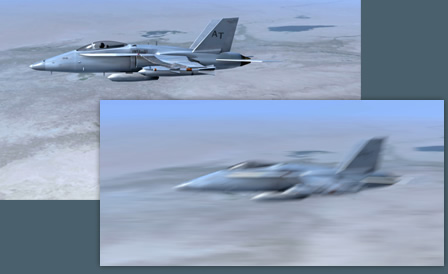
Also for those who don't know or still didn't have any experience with Furnace_MotionBlur from
The Foundry (available for NUKEX, Avid DS and Final Cut Pro also with Trail option):

"F_MotionBlur uses the Foundry's advanced motion estimation technology to add realistic motion blur to a sequence.
F_MotionBlur uses the same techniques and technology as the motion blur found in F_Kronos but presents the controls in a less complex,
more user friendly way."


furnacecore_motionblur.jpg


LINK>>>
 
Well, I'll be the Devil's advocate...

The most professional option is a choice of tools.

To argue by analogy, Canon still includes the "Green Box" on its very professional (for stills) DSLR cameras for the same reason. Even something that "bad" is sometimes a professional tool.

I'm a pretty good photographer. Sometimes, if I am shooting a bit run and gun in changing light, being in a manual mode can be overwhelming, especially if I keep having to switch between flash and no flash. With automatic modes I can focus on what the camera can't do- shot selection and composition.

Of course, like everyone else I shoot in a manual mode as much as possible.

Easy HDR is a good tool. I've never considered Easy HDR a technology feature, much more a usability feature.

Because its easy.

Pros will know how to use it or not use it as a situation demands.

There a are a lot of workflows where post speed and simplicity are important, as is the ability to use HDR.

There are circumstances where the operator doesn't understand RED's HDR but needs to use it.

So, in those circumstances, Easy HDR is the right tool.

Now... there may be a better middle road for RED. How about making HDRx operate in camera like Easy HDR was supposed to, and preserve the options to fiddle with the images in post as HDRx does.

In fact, why not take it a step further. If you re-enable Easy HDR, why not have the camera determine the dynamic range of the frame and automatically tune the DR settings using Easy HDR. That way I can be in a day interior and walk into day exterior without an iris pull. Its sort of "Auto HDRx"

Why not take the whole concept one step even further, and let the camera choose to either under or overexpose the Easy HDR exposure to preserve the optimum DR? (Adding that to HDRx wouldn't hurt either.)

On the flip side... can a user control the exact exposure of the HDRx exposure?

If as a user I must choose between Easy HDR or HDRx and can only choose one of those features as they already exist, obviously I choose HDRx.
 
For now, we are going to put eHDR™™™ on hold. As a reminder, eHDR is the one that does all the processing for you in camera. You select a number (that represents stops of highlight protection) and the camera does the rest.

The more we have used eHDR, the more we can see why having full control over the combining process makes more sense... which is what you have with HDRx.

HDRx uses two tracks, one "normal" exposure and one "under" for the highlight protection. This gives you several options.

1. Combine the two frames with the ability to use a slider to control how much of each you choose to use. This results in "Magic Motion".

2. Combine the two frames with help from The Foundry. Same flexibility but the results are "MNMB" (more normal motion blur). There are a few instances when this is the better solution... like dancing flames of a fire.

3. Reference the "under" for motion tracking... then combine (or ignore).

The overall flexibility of HDRx is just too seductive to ignore. It is like shooting RAW was a JPEG. One is infinitely flexible and one is "baked in". One is "pro" and one is not.

For now, we are going with infinitely flexible. That may change down the road... as with all things RED.

Parting shot... EPIC doesn't need an HDR for most situations. The DR and new color science makes this camera an incredible tool just as it is. But it is nice to know that HDRx is there when you reach for it.

Jim

Jim, perhaps for now, eHDR and RGB recording options could be made available only on the fixed lens Scarlet?
 
i think you would get too many shots that you don't like from eHDR™... you both want and need the control of HDRx™ if you're going to use HDR
 
We are looking at monitor path options... no promises.

Jim

Just to throw it out there... how about the idea of using two monitor paths whereas each one shows one of the HDRx exposures? (Is this what you meant?)
 
Putting eHDR on hold makes perfect sense. I had always thought of HDR-X™ as a safety net over the traditional exposure methods we already use. Of course there's always unique situations.
I'm not sure I'd ever use eHDR™ unless perhaps in the monitor-out scenario to appease a client who doesn't usually know what they're looking at anyway.

Sounds like you guys are continuing to streamline development paths to the most relevant and powerful processes for the cam and workflow.

Happy New Year,
Jason
 
i think you would get too many shots that you don't like from eHDR™™... you both want and need the control of HDRx™™ if you're going to use HDR

Basically agreed....

There are settings where eHDR would go bananas, and ther wouldn't be a thing you could do to "fix that in post".

Still, my gut reaction was that I hope we would get the option to break stuff in this fashion "down the road".

It's a tool. If one learns how it works, it could be a nice tool...
 
Personally and FWIW, I prefer having more control over the output anyway. I think I would use eHDR very little as compared to HDRx. I am especially happy with this news if it means the Scarlet gets released even one day earlier because of it!!
 
EPIC-X/M max HDRx™ frame rate is 5K at 48fps (or 60fps at 2.35:1). Since it uses twice the frames as normal, cut max rates in half.

Jim

And we still get all of this written to a single SSD card (64,128 or 256 Gb)on the brain, right?
 
Just to throw it out there... how about the idea of using two monitor paths whereas each one shows one of the HDRx™ exposures? (Is this what you meant?)

It would seem that that could possibly overtax the camera, for what may be a specialty feature. Perhaps a simple toggle to A/B the over/under?
 
Back
Top