Welcome to our community

Be a part of something great, join today!

  • Hey all, just changed over the backend after 15 years I figured time to give it a bit of an update, its probably gonna be a bit weird for most of you and i am sure there is a few bugs to work out but it should kinda work the same as before... hopefully :)

Dragon Capture Resolution for 4K DCI standards (Flat 1.85:1, Scope 2.39:1) and BluRay

prakash d

Well-known member
Joined
Dec 10, 2014
Messages
46
Reaction score
0
Points
0
There are so many resolutions RED Dragon offers (FF, WS, HD, 2:1. etc..) . But the projection DCI stadards are only 3996x2160 (Flat, 1.85:1) and 4096x1716 (Scope, 2.39:1) and BluRay (For TV is 1.78:1).
  • What are best resolutions to capture, for a final output, in DCI standards?

  • What offline resolutions help in a Offline-Online workflow? If we capture source at 6K FF or 6K WS, and if using Avid MC or Premiere Pro, what are the best offline resolutions. For Example:
    • If source is at 6K FF (6144x3160) and final output is DCI 4K flat (3996x2160), then what should be Offline intermediate resolution in Avid or PPro--?
    • If source is at 6K WS (6144x3160) and final output is DCI 4K Scoep (4096x1716), then what should be Offline intermediate resolution in Avid or PPro--?
    • If source is at 6K HD (5568x3132) and final output is DCI Complaint HD (3840x2160), then what should be Offline intermediate resolution in Avid or PPro--?
I read we need to use a 1080p in Avid or PrePro to avoid high storage and data rate requirements. But then the original source is cropped. So what is the best way?


​
  • Do we need two separate workflows for DCI (Flat or Scope) and Blu-Ray (since TV is HD) if captured at FF or WS?
Is there any table we can refer to? Please help. Anyone?
 
Last edited:
DCI 4K "full" is 4096x2160 at a 1.9:1 aspect ratio.

All RED's FF formats are 1.9:1 DCI format, thought 6K FF is a hair wider at 1.94:1.

Some RED theatrical productions shoot FF or 2:1 to extract both their wide screen and 16x9 images, just did the same on an 16x9 project by shooting 6K FF with a 16x9 frame guide.

It does sound like you are over thinking workflow just a bit. There is no "one best way", just the best way for your post workflow and project.

Traditionally most editors like working in 1920 (1080p) or 3840 (2160p) wide "containers" for your proxies, which may or may not be the correct height of your aspect ratio if not created that way. There are advanced concepts where you can have a frame guide and all that or oversized proxies for stabilization or framing as well.
 
I read we need to use a 1080p in Avid or PrePro to avoid high storage and data rate requirements. But then the original source is cropped. So what is the best way?
I would base your offline workflow decisions based on what you have to actually deliver. For example, if you're ultimately going to deliver 1.85 for 4K and 2K, then make sure they've framed for that aspect ratio on the set. Be prepared to do some repositioning in post. I generally agree that you're better off working with low-res proxies for the initial decision-making process in editing, and then going to full-res files for the final conform. Given lots of hardware and very fast computers, you can absolutely work with the R3D files on a large system. But in terms of backups, speed, and overhead, it's much faster using proxies.

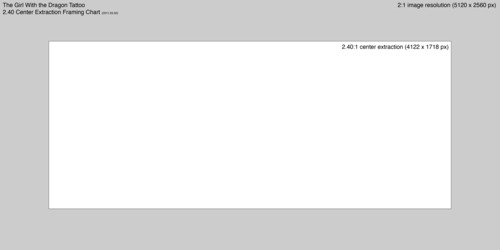
Your editor can always use a 1.90 original and then just superimpose a matted letterbox as one effects layer in the timeline. I personally like the way David Fincher and his crew handled the 6K files on Gone Girl:

tumblr_lwmo64Hu6a1qchowc.jpg


Again, the choice of captured format was dictated by the delivered format, so the aspect ratios allow repositioning the final frame anywhere they want.
 
Offline editing should use dailies that are in the decided theatrical aspect ratio unless there is a process set-up where the editor wants to look at oversized images meant to be cropped in, with frame lines marked on the monitor or in the footage itself, if stabilization and headroom repositioning is a standard thing like in the Fincher movies, otherwise, just deliver dailies in the correct aspect ratio but with everyone in post aware of what extra picture information may exist to work with -- for example, if I am shooting spherical for a 2.40 release, I usually shoot in the 2:1 Red formats to give me a little extra picture above and below to work with, particularly the make the 16x9 (1.78 : 1) pan & scan broadcast versions. But dailies would be letterboxed to 2.40 in whatever format the editor wants (often HD.)

If I am shooting a 1.85 movie, I usually like to record a 1.78 : 1 area off of the sensor.
 
Offline editing should use dailies that are in the decided theatrical aspect ratio unless there is a process set-up where the editor wants to look at oversized images meant to be cropped in, with frame lines marked on the monitor or in the footage itself, if stabilization and headroom repositioning is a standard thing like in the Fincher movies, otherwise, just deliver dailies in the correct aspect ratio but with everyone in post aware of what extra picture information may exist to work with...
On the Fincher shows (like House of Cards), they're definitely letting the editor reframe the shots in post. I agree it may go outside what the DP intended, but that kind of goes with the Fincher territory.

To me, this is no different than shooting in Super 35mm and composing for 2.39, but the outside image area is still there for the editor. I can recall in the old days seeing Avid editors in the 1990s literally paste a cardboard frame around the image showing the masked area. But I've also worked on different projects where some editorial crews specifically wanted a superimposed masked burned into dailies used for the offline. I think there's several different potential philosophies people can go with, and not necessarily one best way.
 
Back
Top