Welcome to our community

Be a part of something great, join today!

  • Hey all, just changed over the backend after 15 years I figured time to give it a bit of an update, its probably gonna be a bit weird for most of you and i am sure there is a few bugs to work out but it should kinda work the same as before... hopefully :)

Do I need to add Sharpening to my footage in post?

Joined
Apr 5, 2022
Messages
12
Reaction score
3
Points
0
Hi,

Greetings to you. Do we need to add sharpness in post? If yes, what would be the best approach. I am using Davinci resolve and using Philim Luts to color grade my footage. Thank you in advance.
 
Tarak,

I personally don't like sharpening any footage especially Red footage unless I really, really have to. Some of the best ways to limit any sharpening in post is to first make sure that you are using lenses that can Resolve(no pun intended) as close to the maximum resolution of the Komodo sensor as possible and that you can afford. Next make sure you are using a monitor as close to the resolution that you intend to deliver your final video in and also so that you can make critical focusing decisions within that resolution.


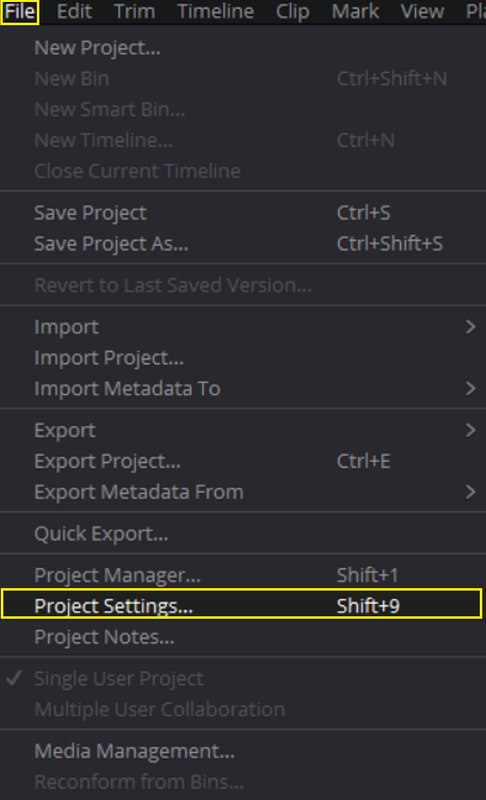
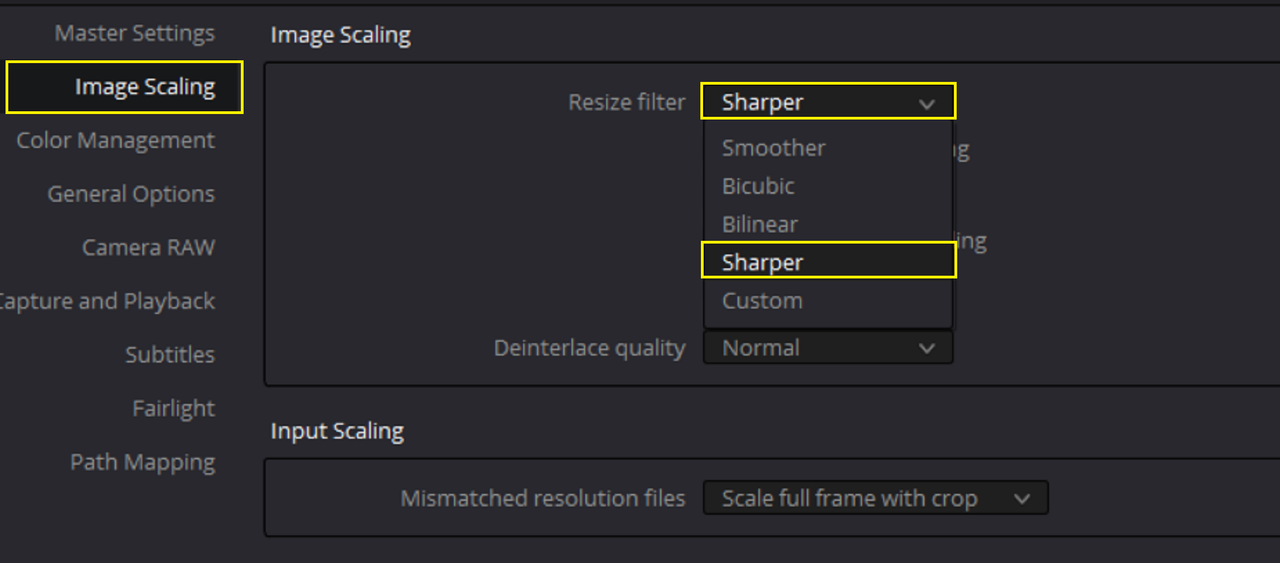
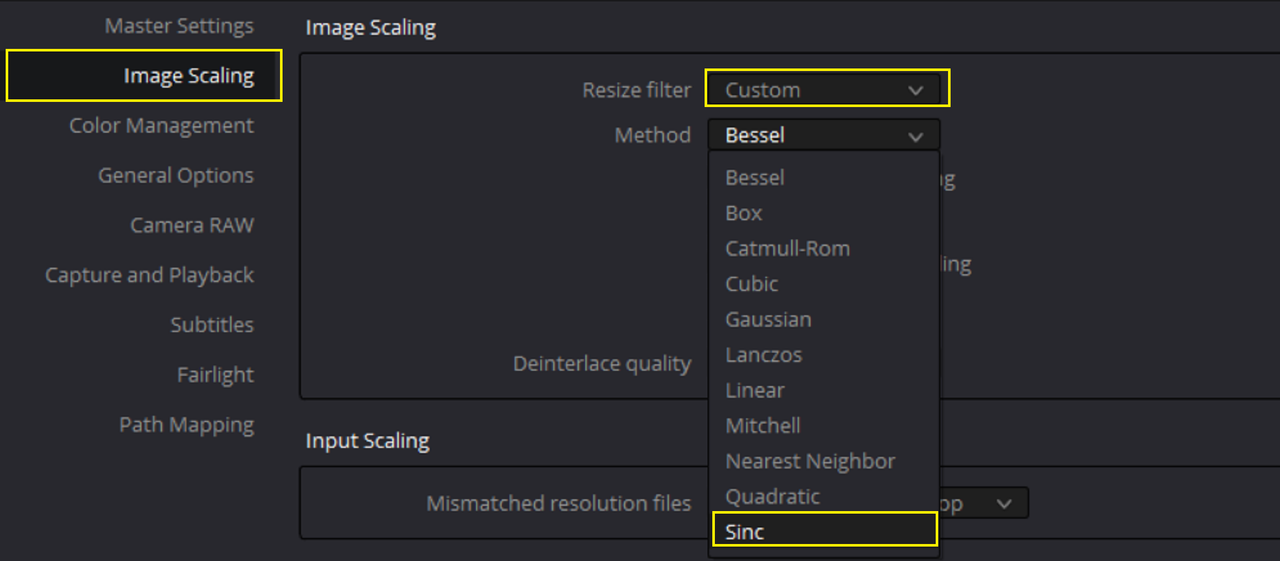
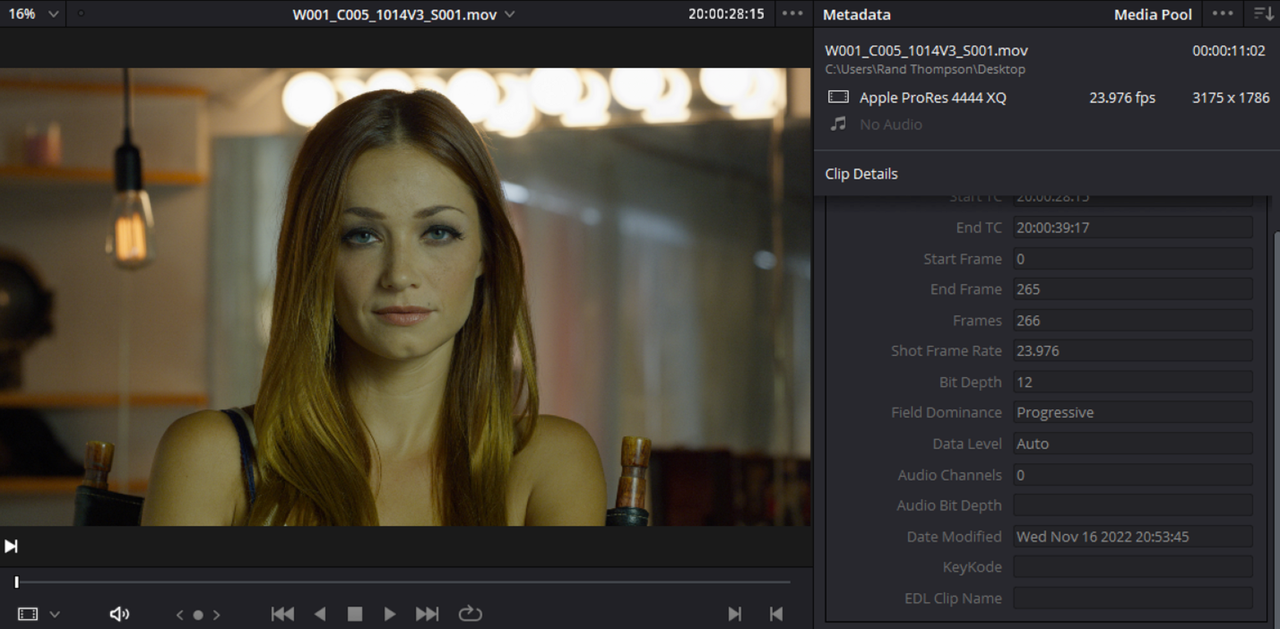
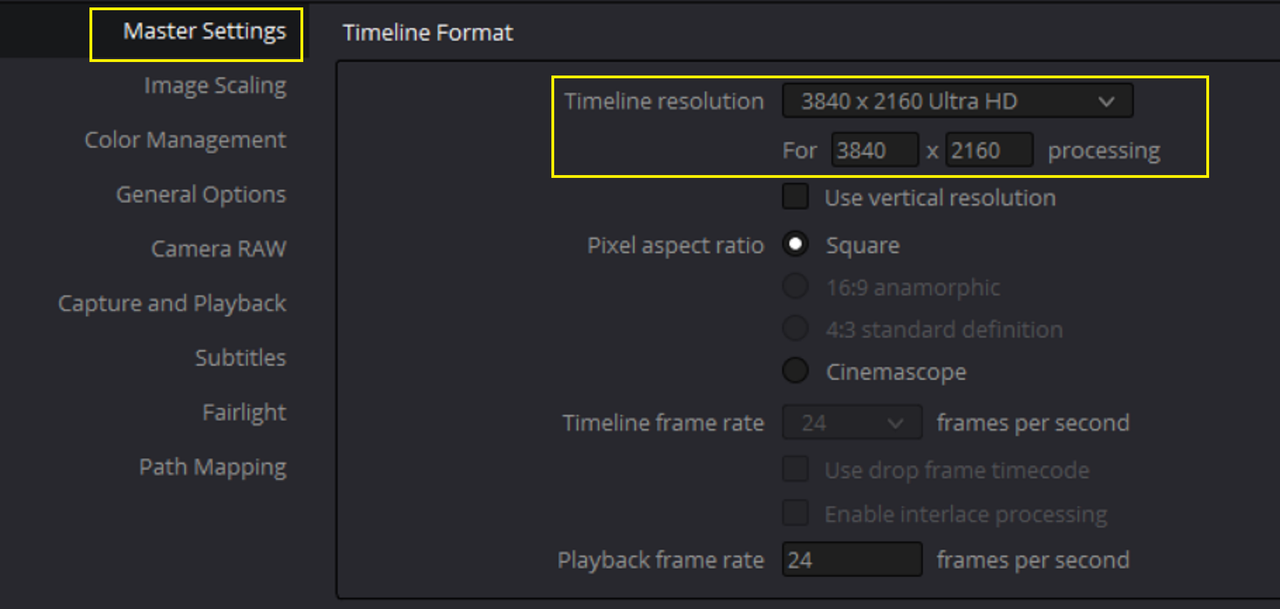
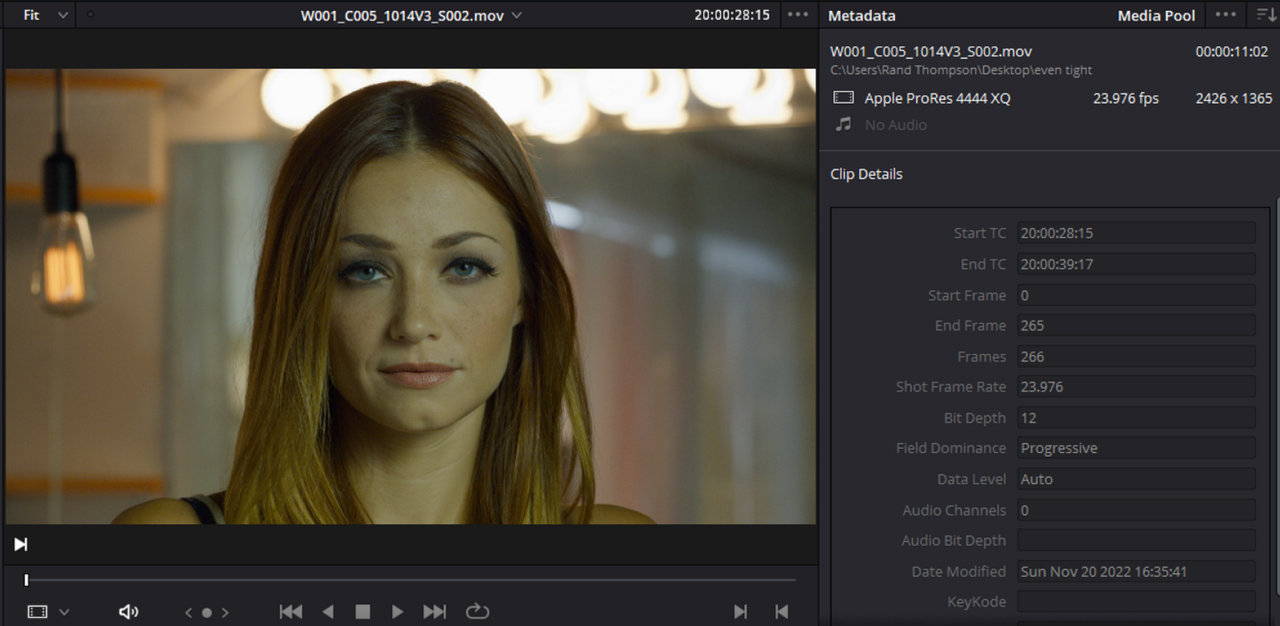
The latest SDKs from Red all contain the latest Debayering Algorithm that improved the sharpness of Red .R3D files in NLEs over previous iterations. In Resolve, you can change the "IMAGE SCALING" used for like how a 6K image is "Down-scaled" to something like 4K with either the default settings or "Custom" settings. Just either click on the "Cog Wheel" in the bottom Right-hand corner of the Resolve UI or under the "File" menu choose " Project Settings". Next go to the " Image Scaling" then "Resize Filter" then either choose one of Resolve's default settings like "Sharper" or choose one of the "Custom" Scaling Algorithms to try to get sharper results without having to do any sharpening.


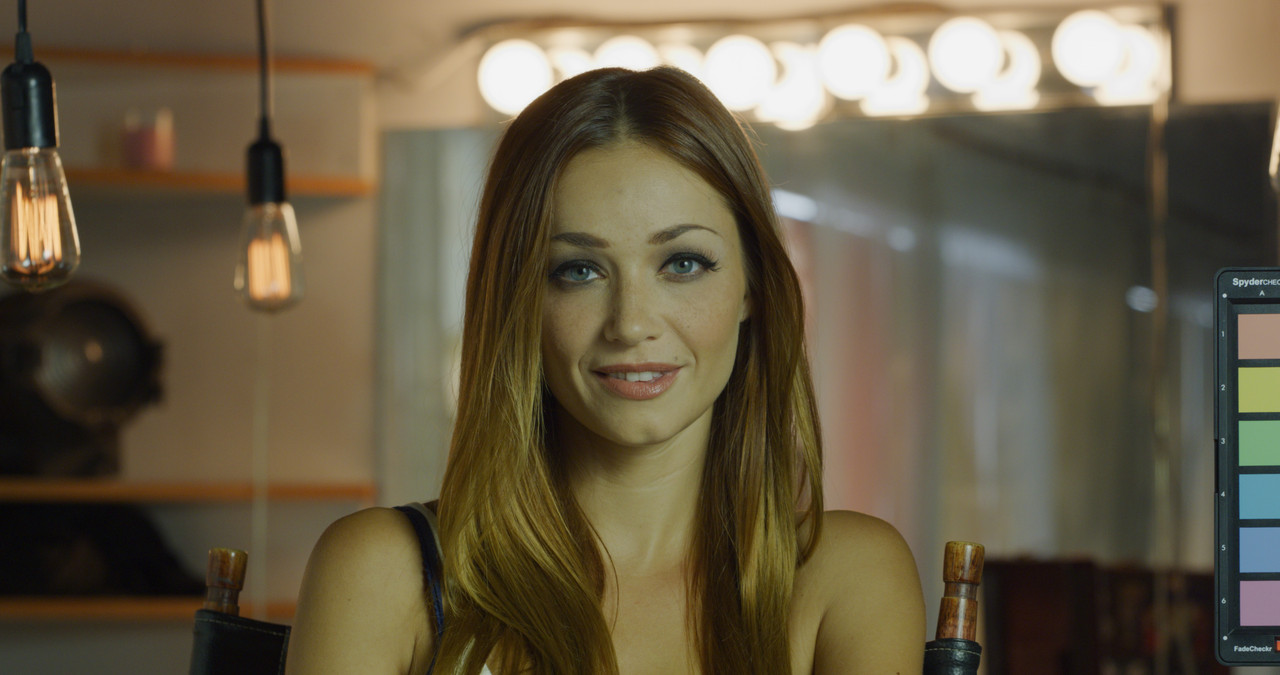
Screenshot-7498.png


Screenshot-7499.png


Screenshot-7496.png


Screenshot-7497.png
 
Last edited:
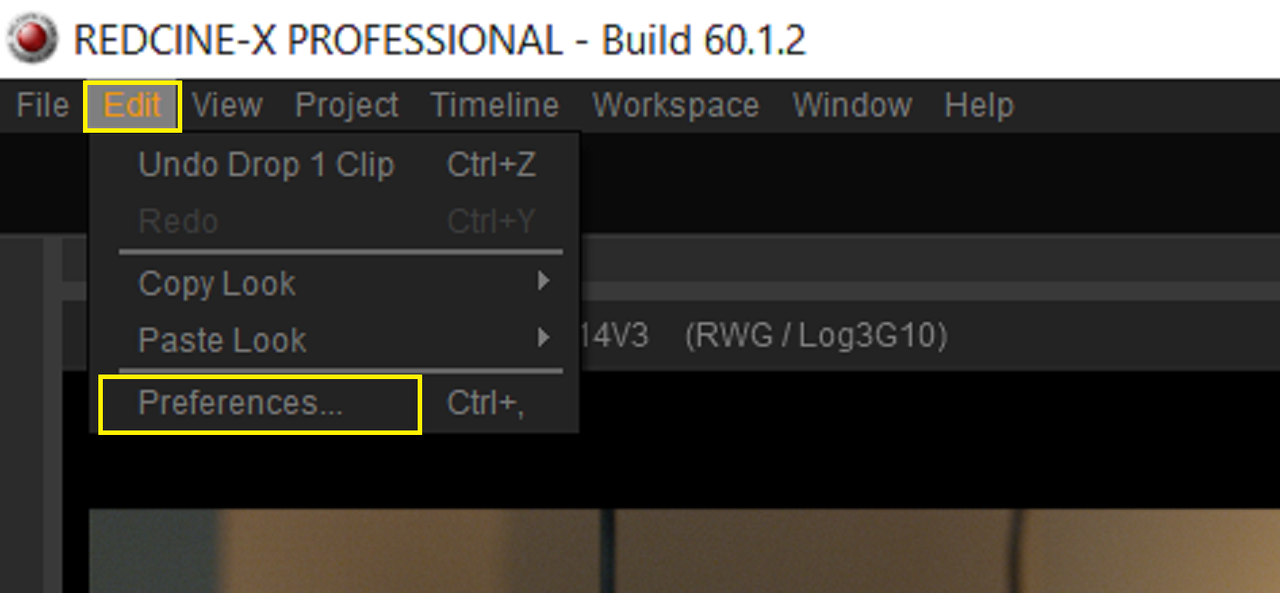
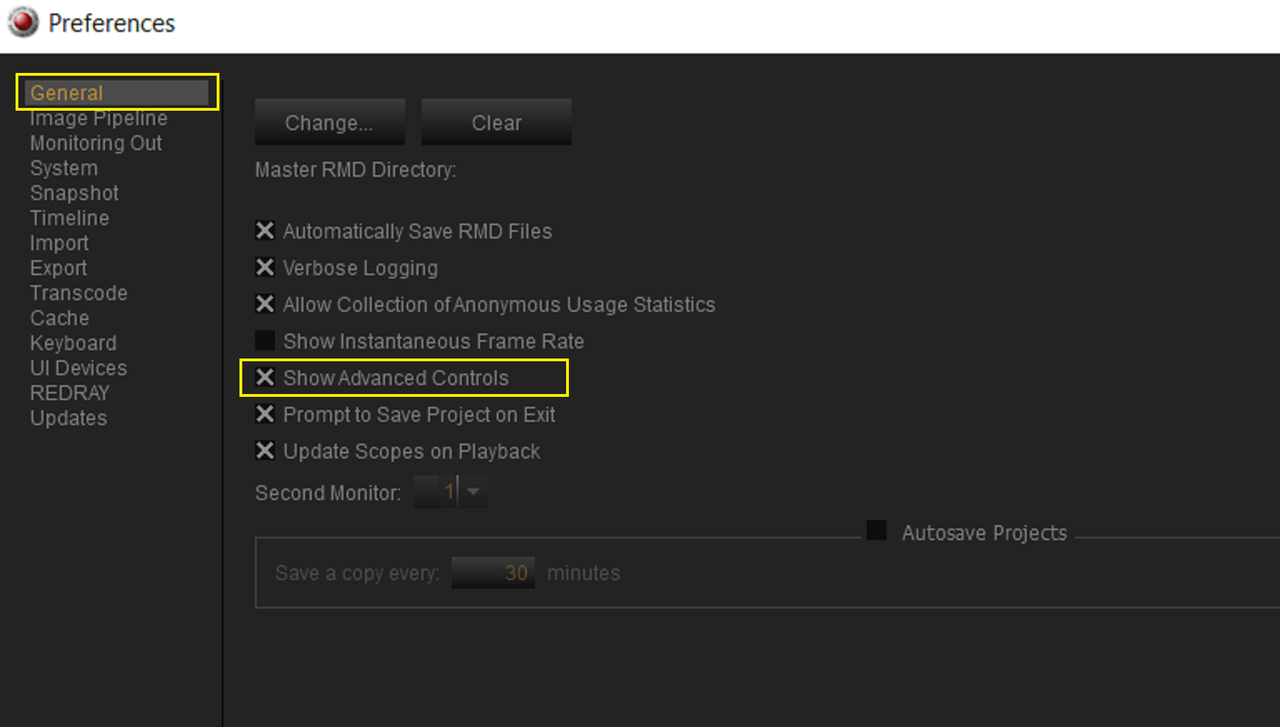
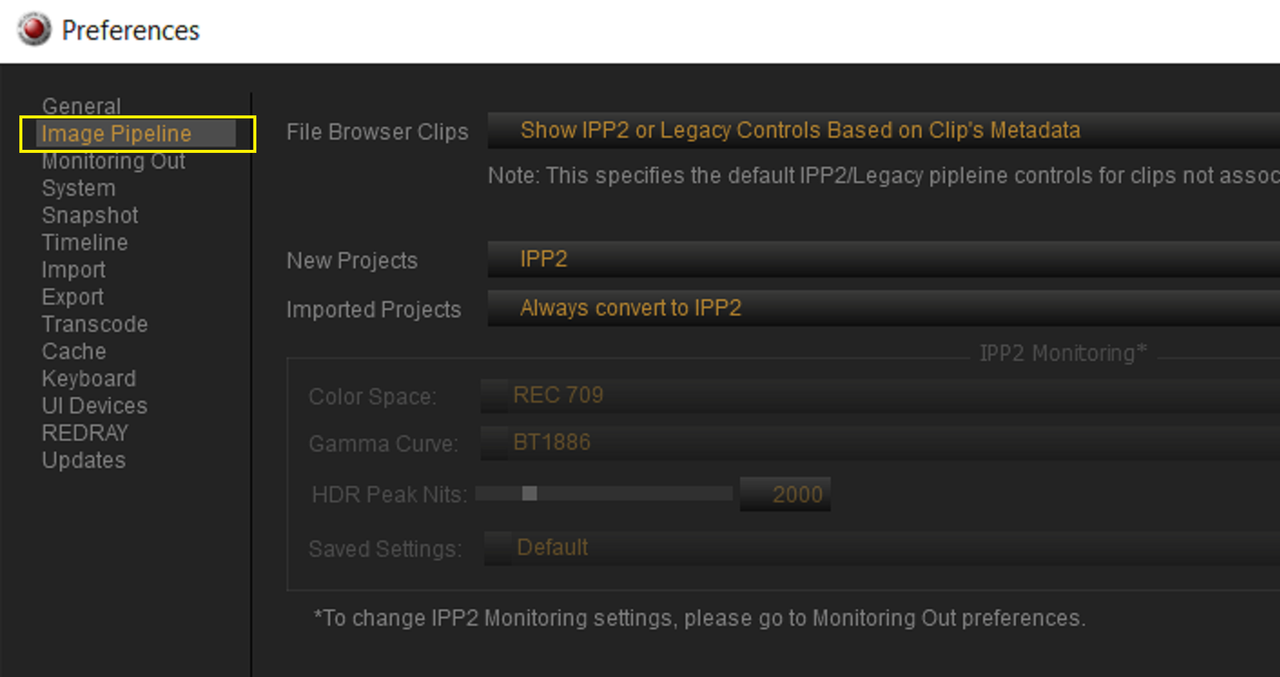
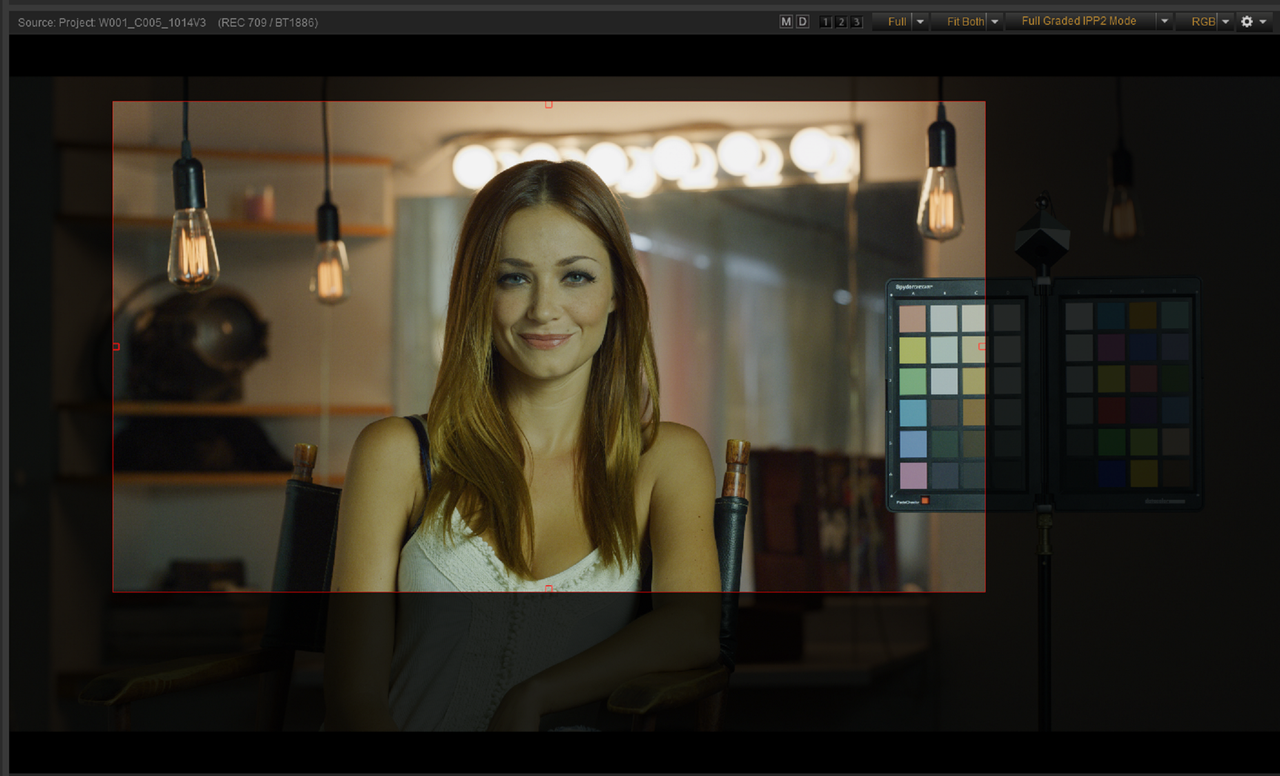
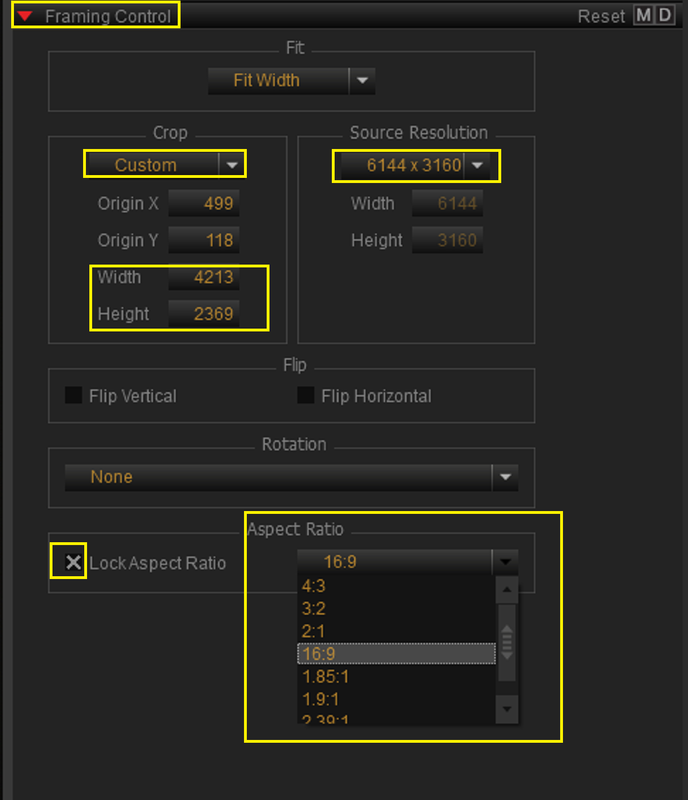
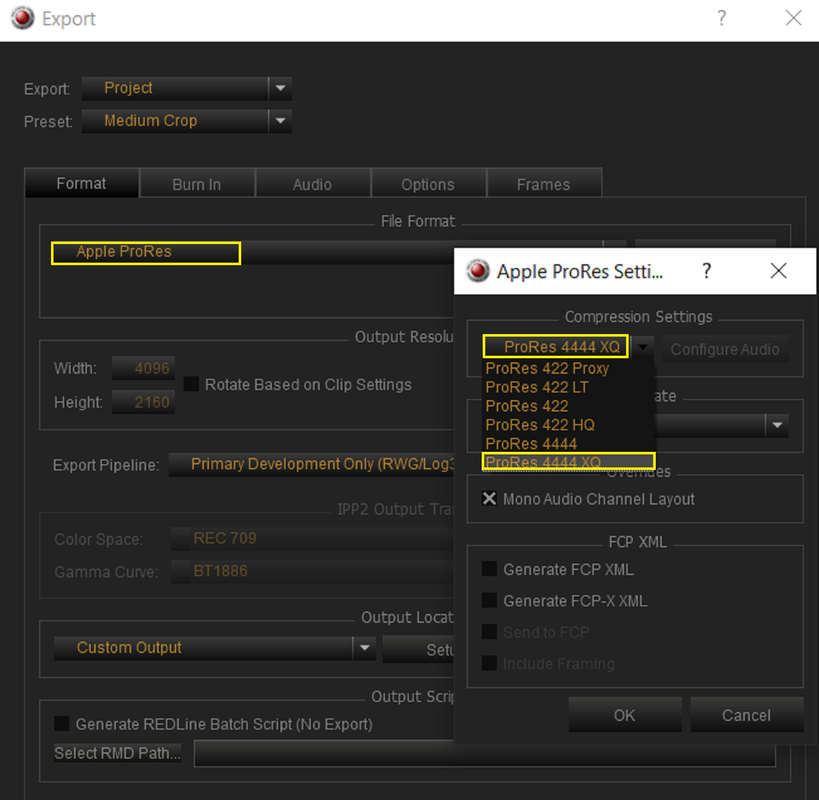
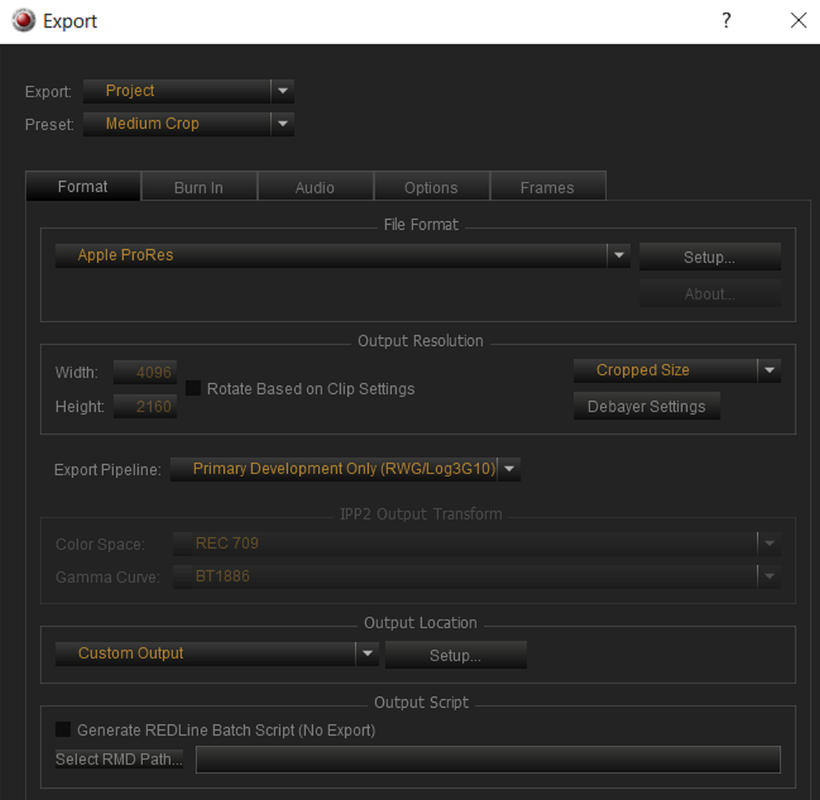
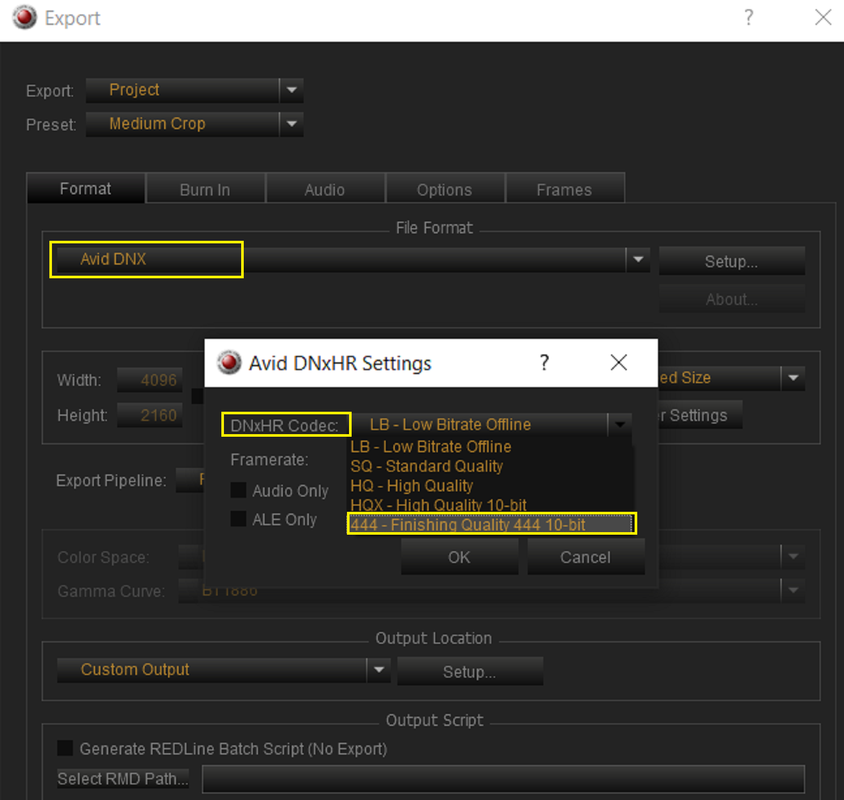
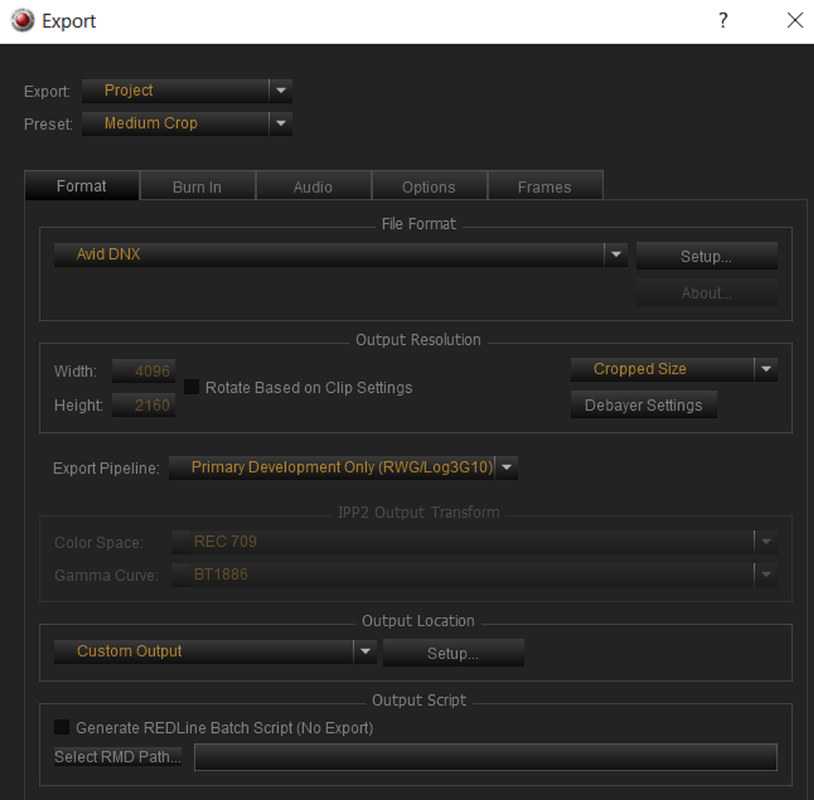
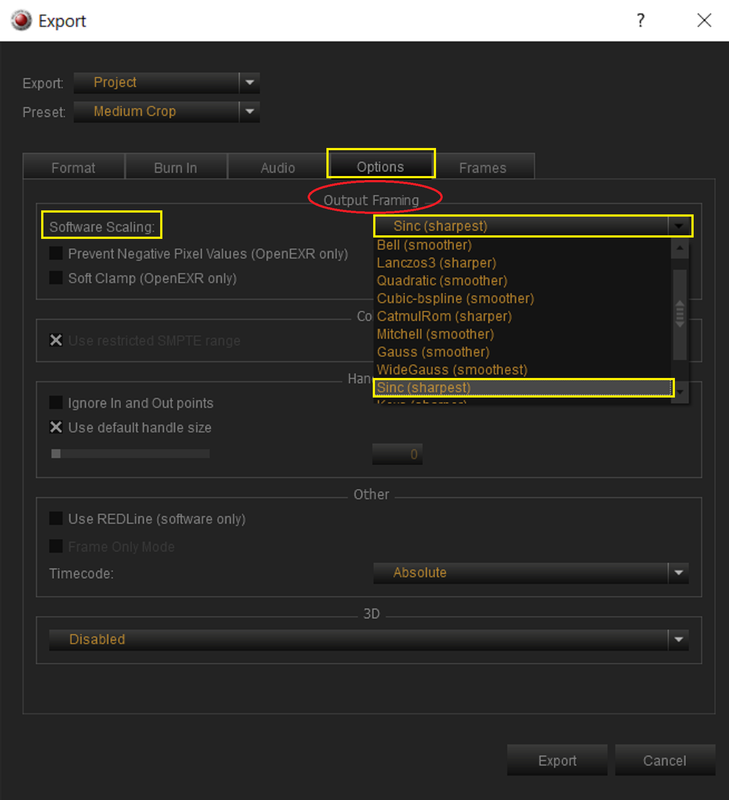
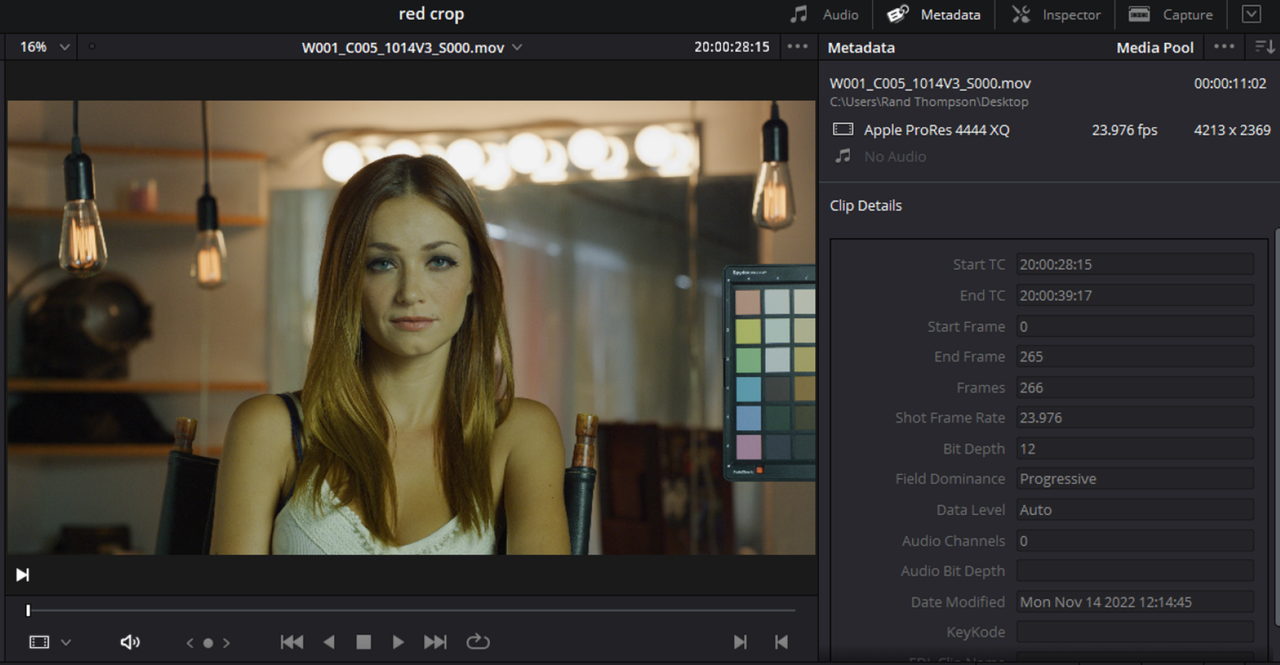
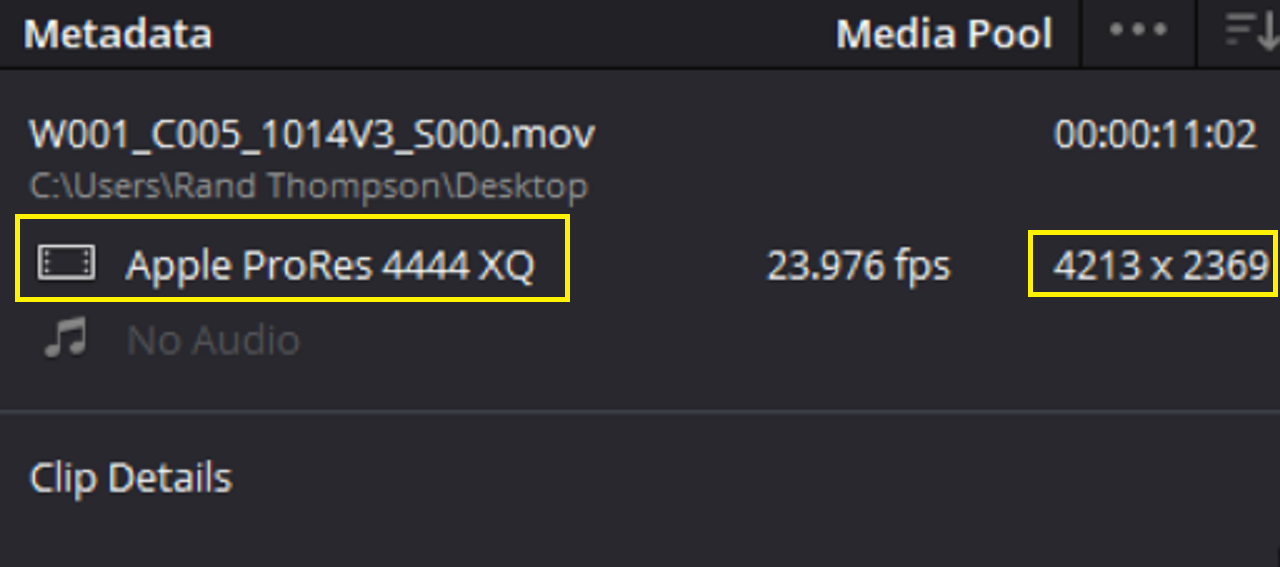
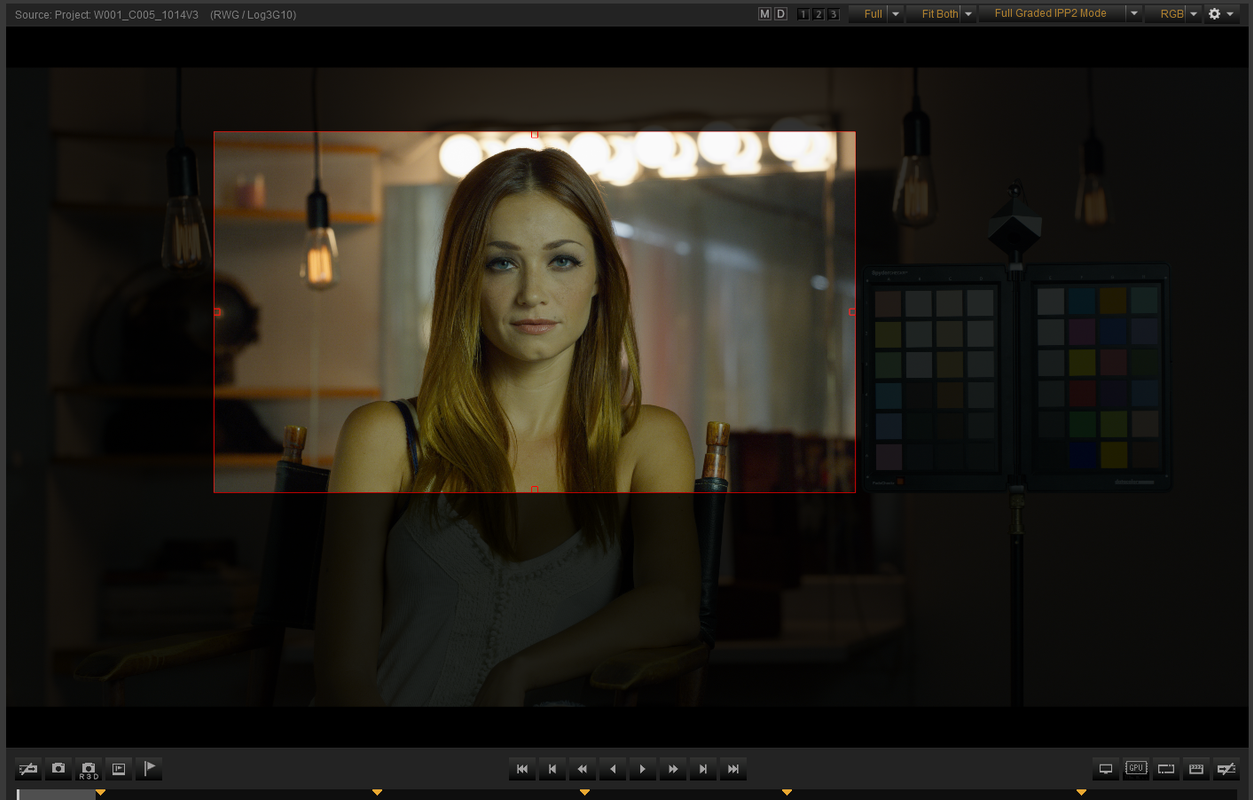
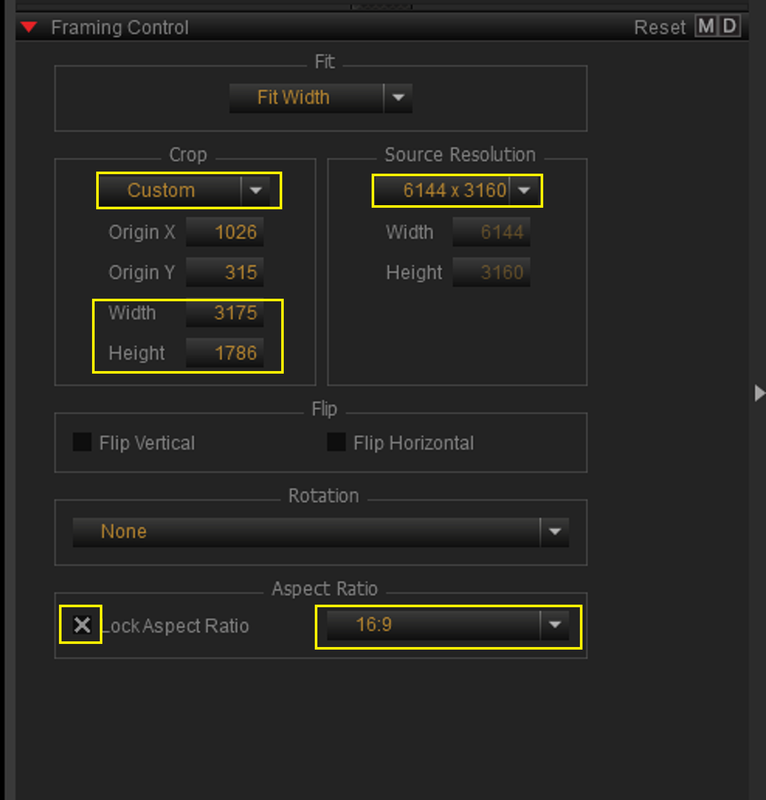
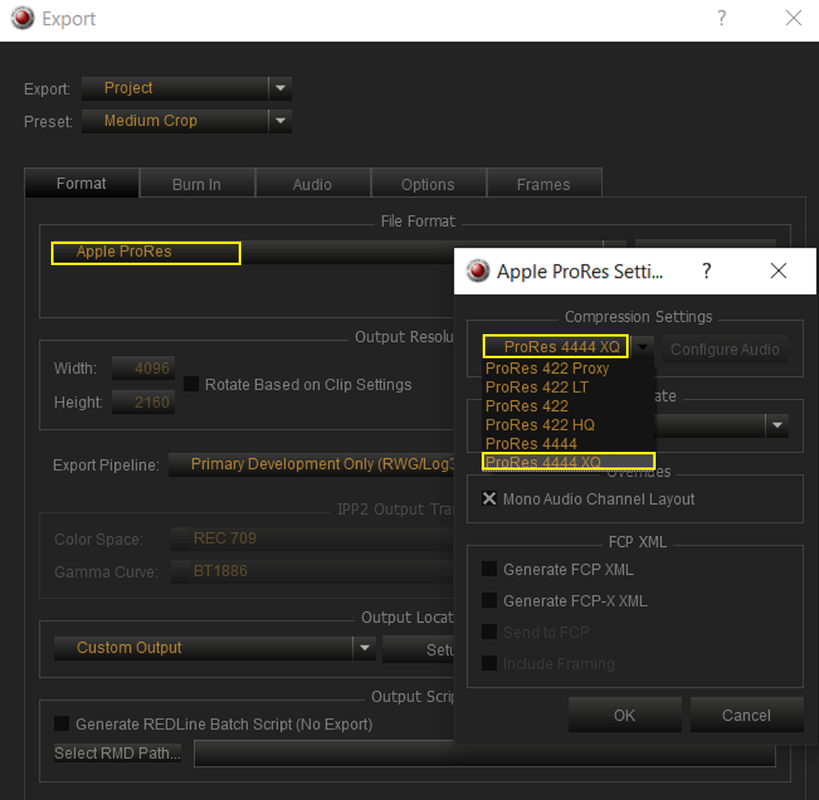
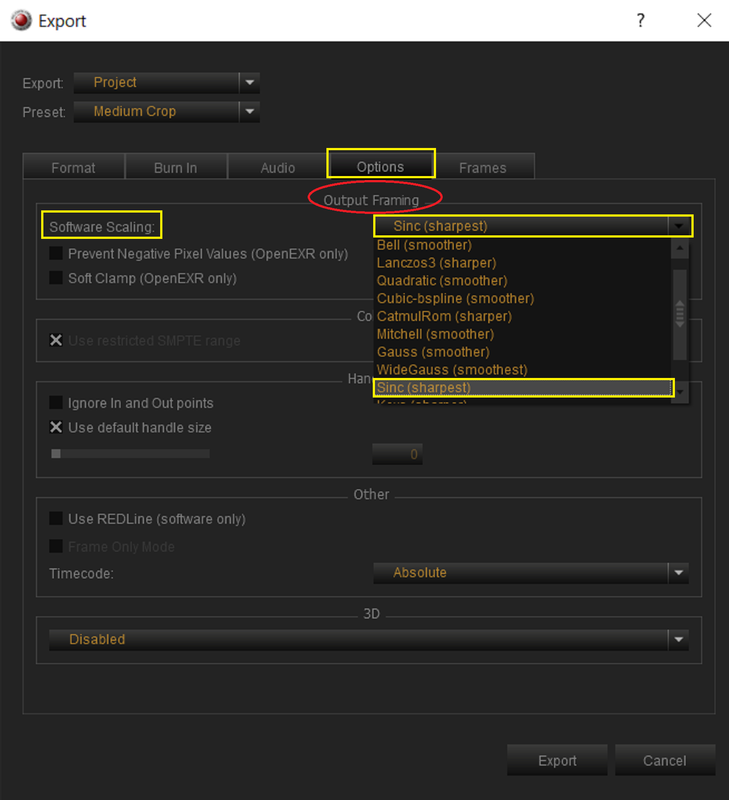
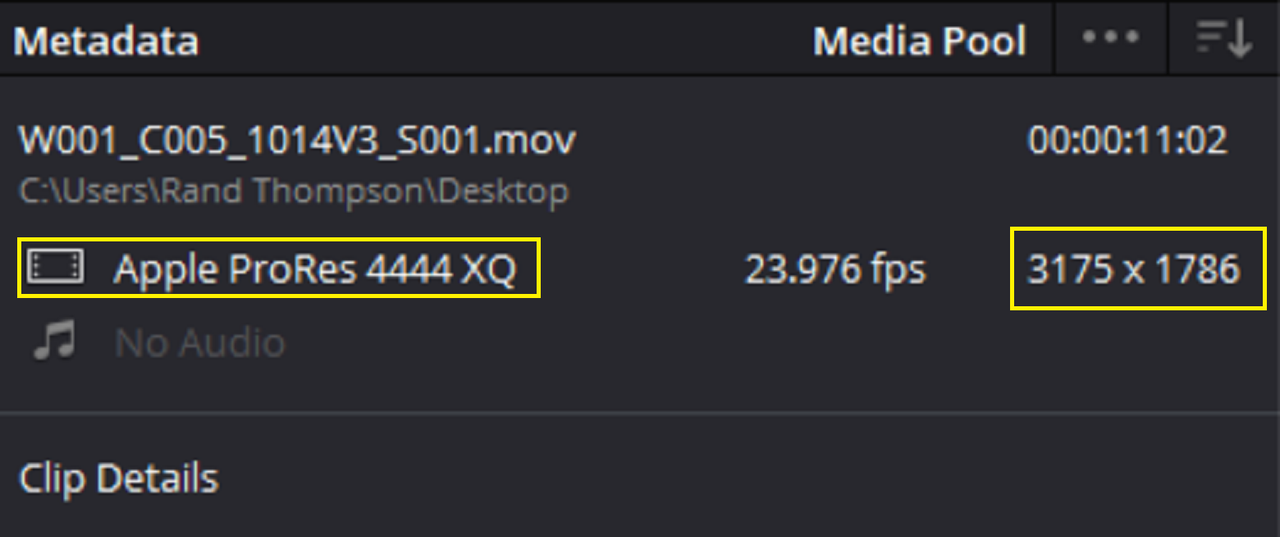
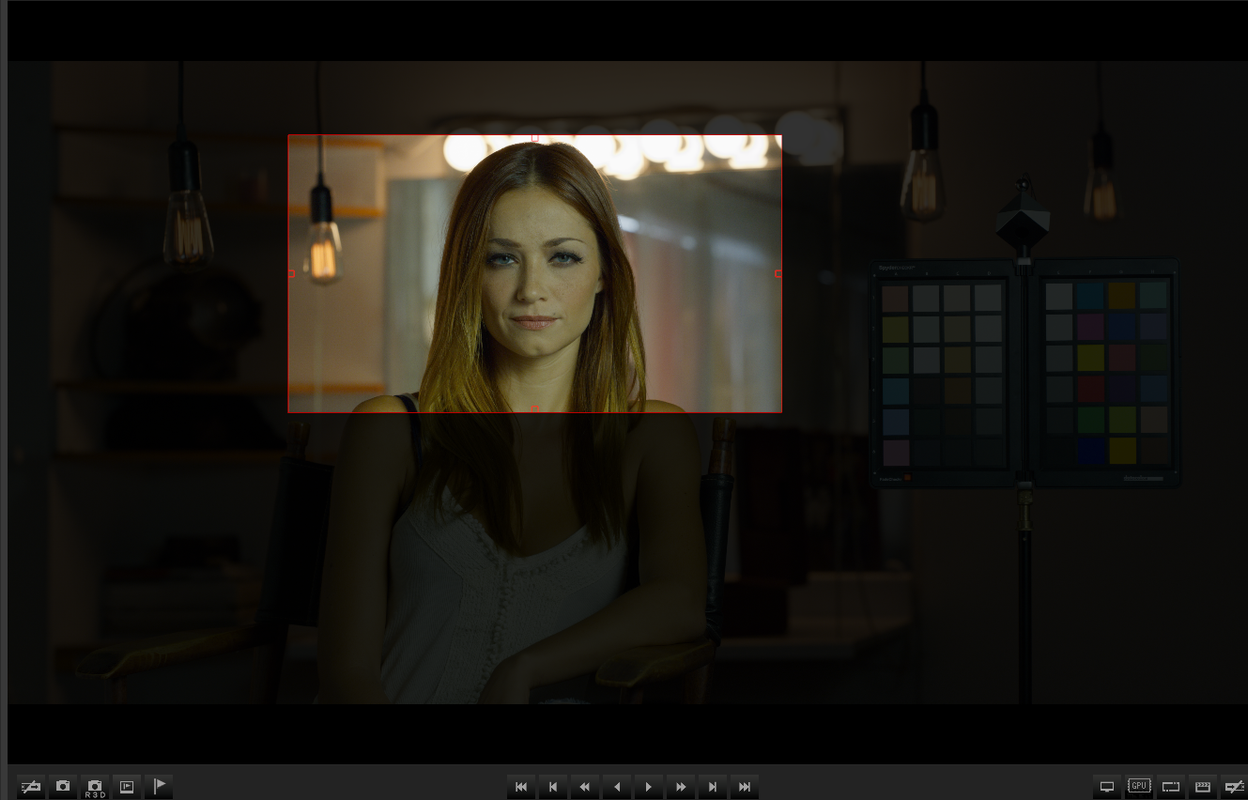
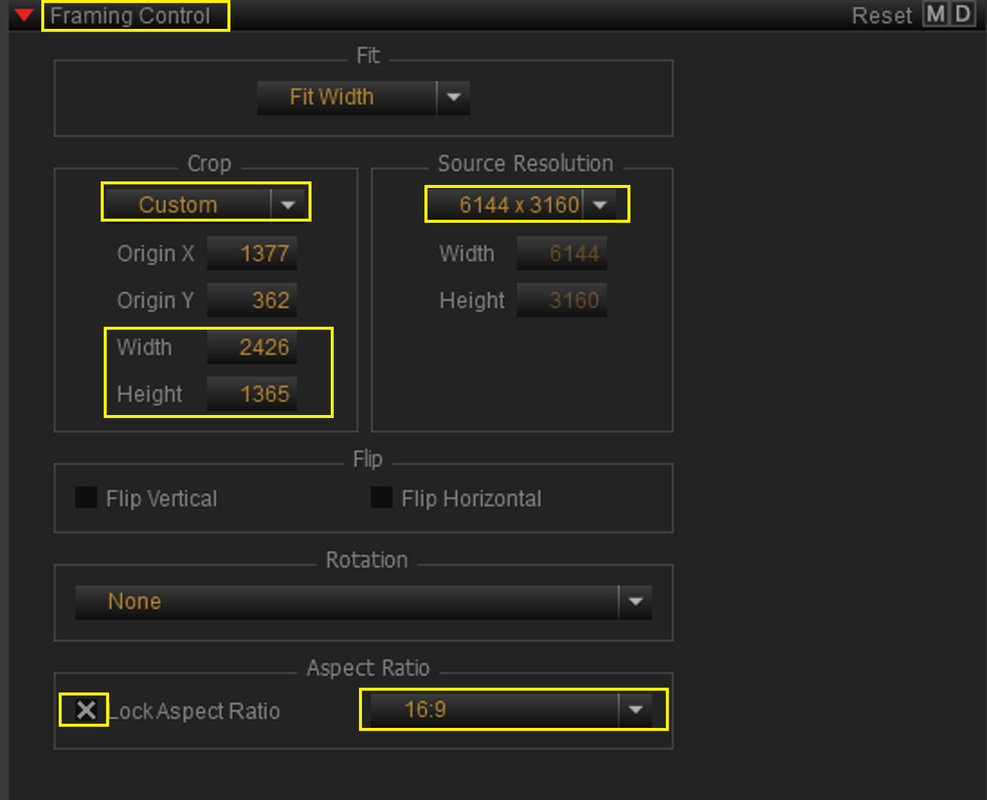
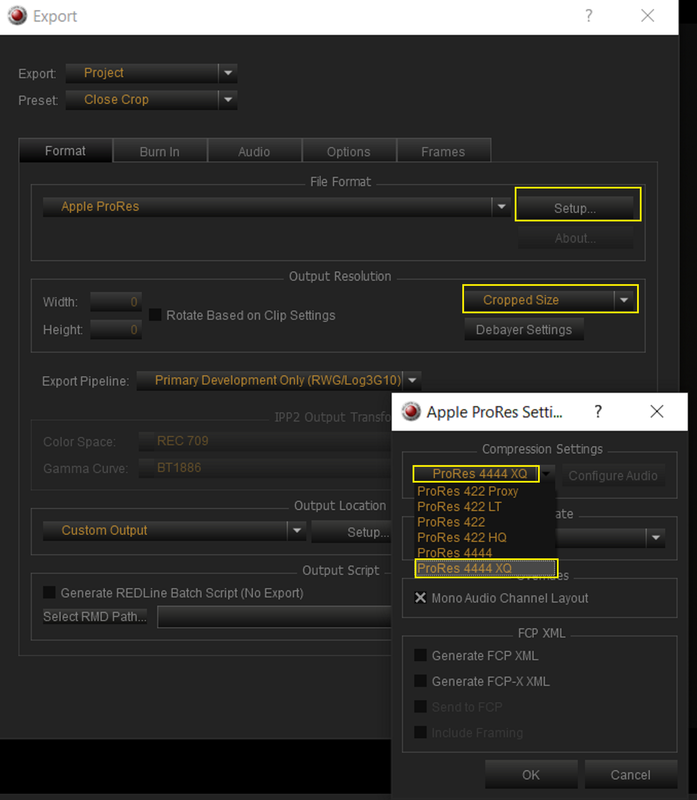
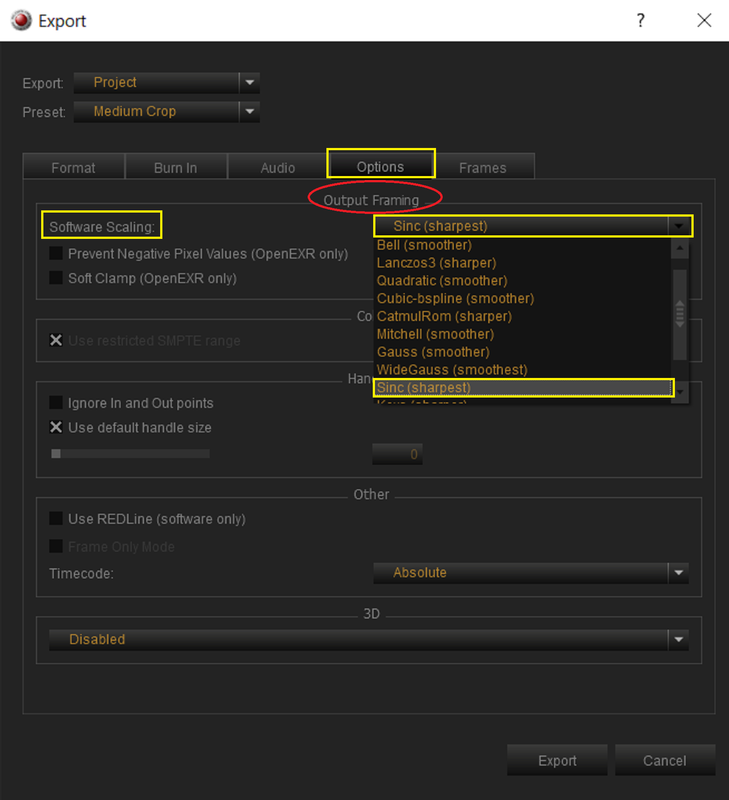
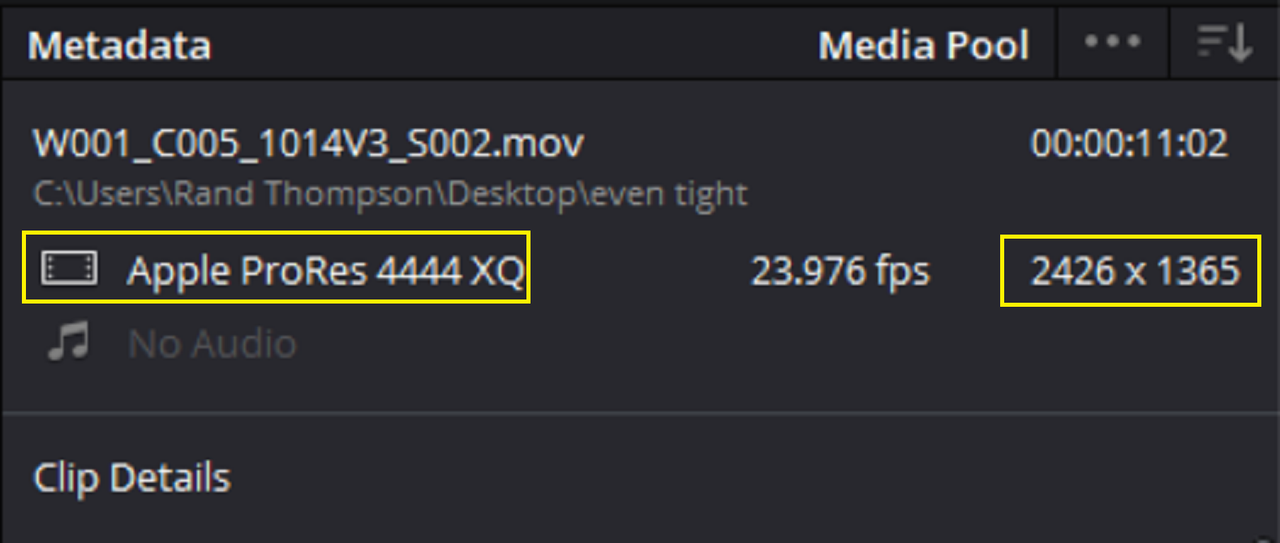
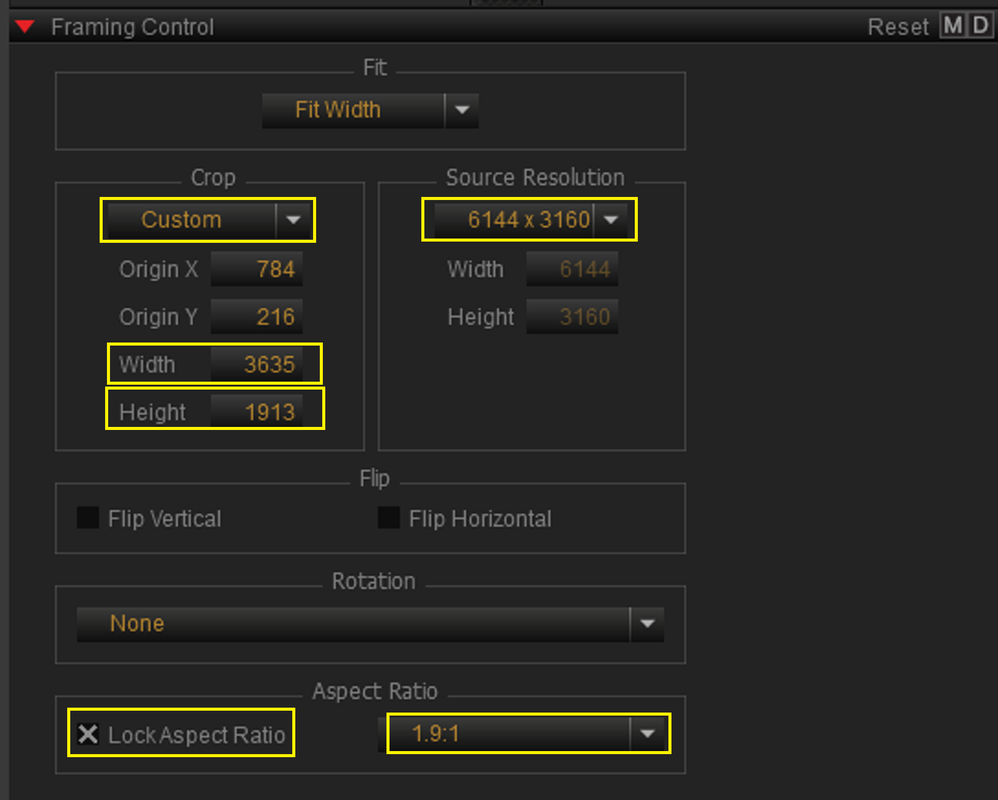
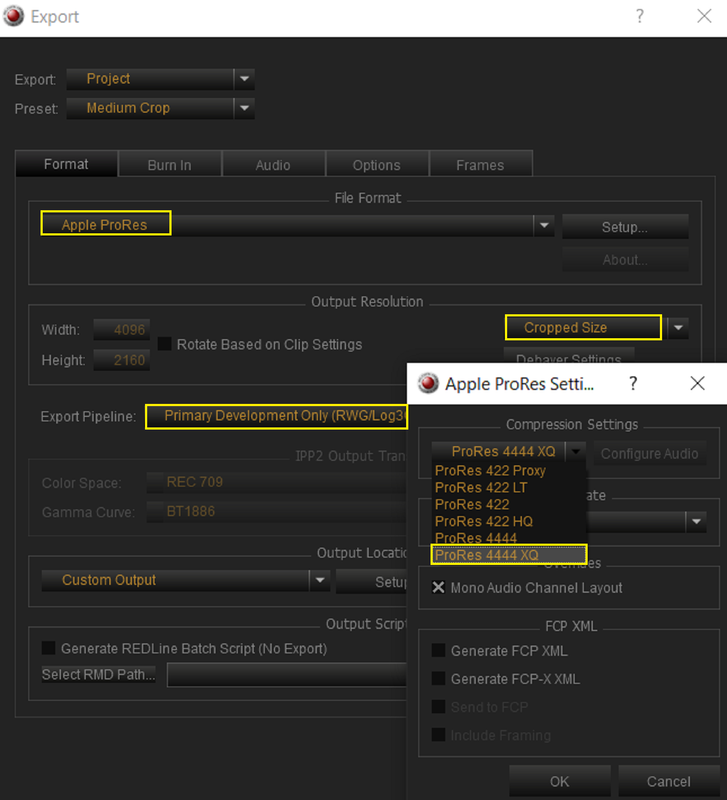
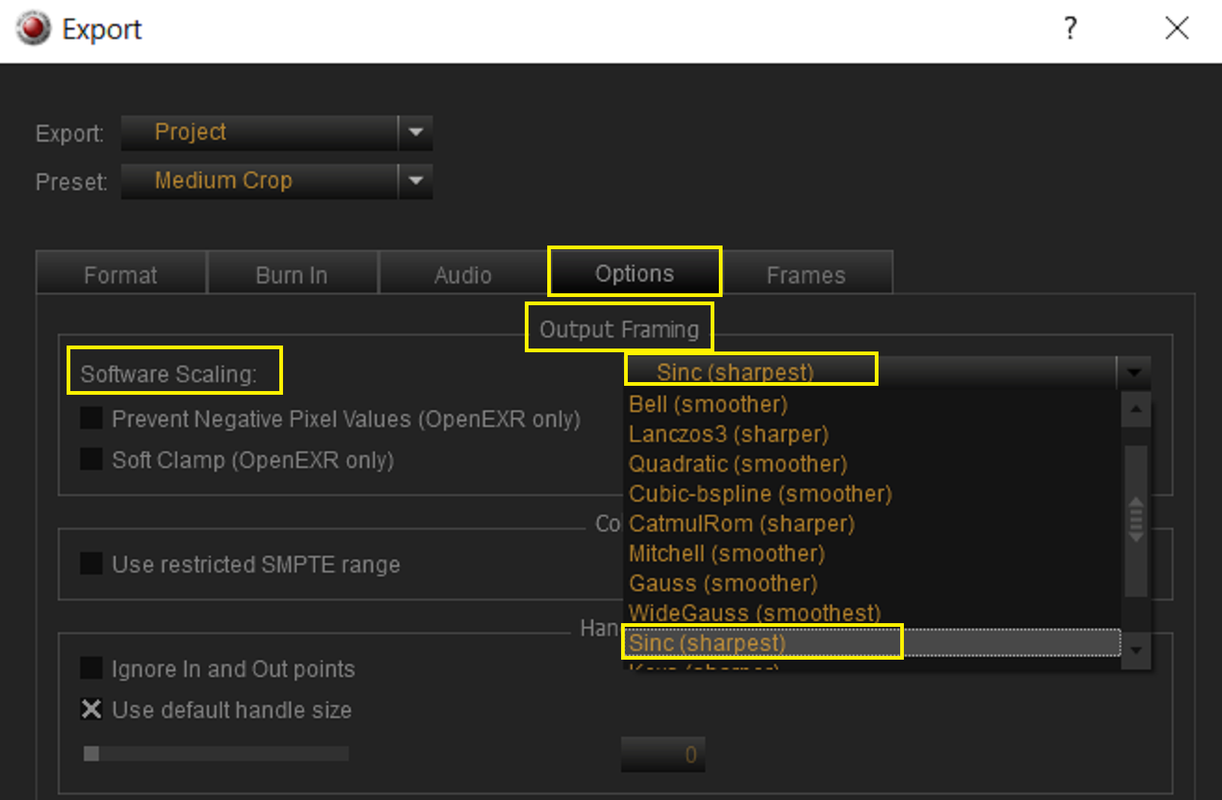
Also, if you are cropping RED .R3D files down to smaller resolutions files from how they were originally shot, you can also choose what Scaling Algorithm you want REDCINE-X to Use for the exported image file. With Cropping in REDCINE-X you Can't save the resulting image as a RED .R3D file. However you can save it as something like ProRes or Avid DNxHR. When you select to crop an .R3D file in REDCINE-X it will "Enable" the option to select a Specific Scaling Algorithm to help maintain the sharpest image possible if that is what you want to do.
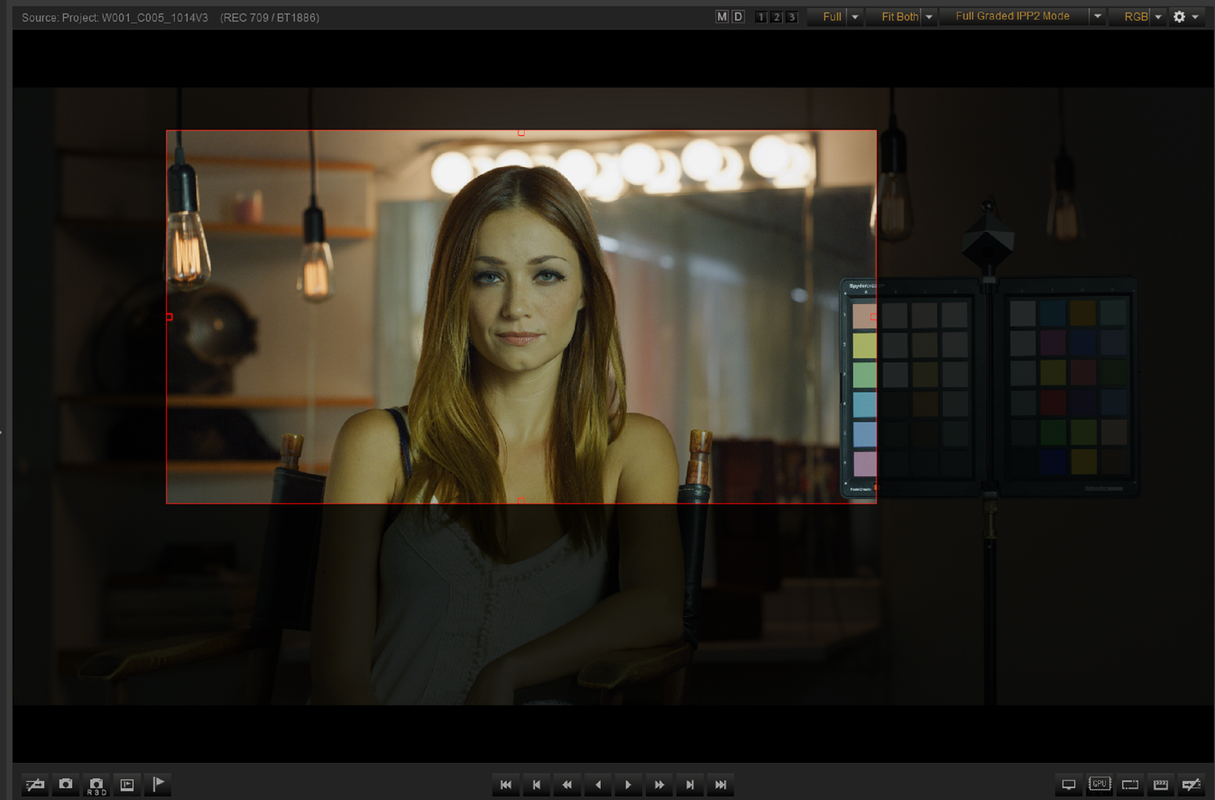

1.png


2.png


3.png


Screenshot-7509.png


Screenshot-7506.png


Then "CTRL + E" to go to Export Settings


2.png


2a.png


4.png


5.png


6.png


In Resolve

Screenshot-7508.png

Screenshot-7507.png

W001-C005-1014-V3-S000-1-1-1.jpg


Tighter Crop

Screenshot-7547.png


Screenshot-7545.png


2.png


6.png


Screenshot-7549.png


Screenshot-7548.png


W001-C005-1014-V3-S001-1-2-1.jpg


Even Tighter


1.png


2.png


3.png


4.png


In Resolve

5.png

6.png


7.png


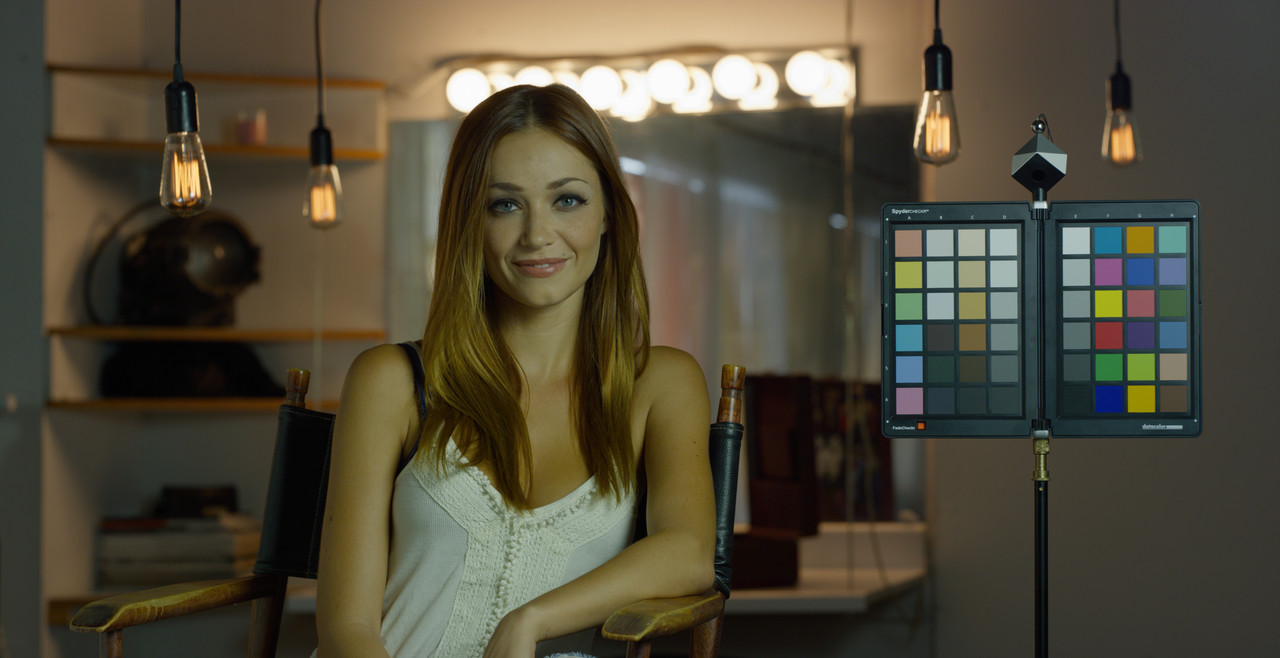
ORIGINAL IMAGE

W001-C005-1014-V3-0000106.jpg


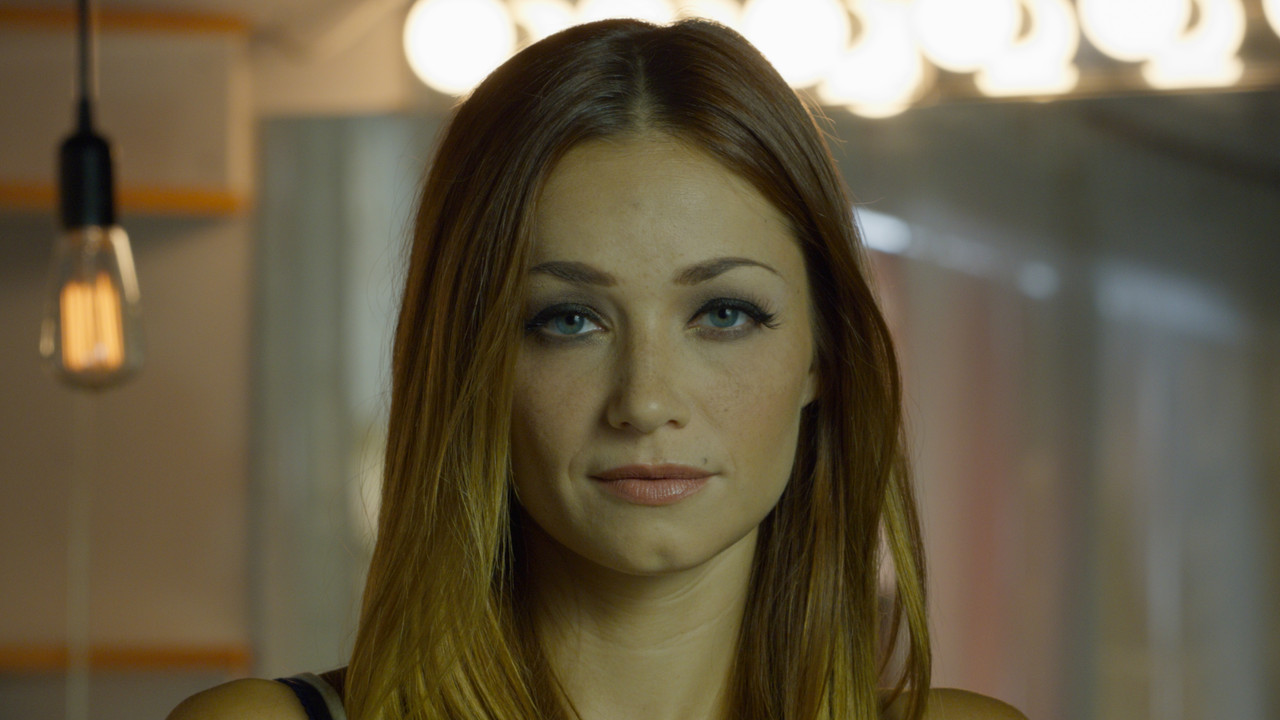
CROPPED

W001-C005-1014-V3-S002-1-3-1.jpg
 
Last edited:
I am a photographer and I never, ever sharpen images. I don't know why you would. Lots of people do but there is no need, and in fact a lot of people overdo it. I guess people need to feel like they are doing something. Lots of NPCs in photography.

Back in the 1960s, home appliances had extra buttons that either did nothing or duplicated existing functions. It was to make the user feel more in control.
 
It's a flavour thing imo, do whatever you think looks good.

High resolution RED images aren't inherently soft though, so sharpening isn't essential.

In fact, you might find you prefer to soften and blur your images more than you sharpen them.
 
Karim,

I think it's probably better to find the right lens and camera sensor combination that gives you the preferred sharpness you are looking for than trying to develop different sharpening techniques. You can soften the image from a sharp lens but you can't sharpen the image from a soft lens, at least not in a way that would yield the desired result. As I said above acquiring critical focus on a monitoring solution close to the final deliverable resolution of your project image also helps a lot.
 
It's a flavour thing imo, do whatever you think looks good.

High resolution RED images aren't inherently soft though, so sharpening isn't essential.

In fact, you might find you prefer to soften and blur your images more than you sharpen them.


Les,

Yeah we all have I own personal taste so I think Tarak will know what suits him best. You could also choose a Scaling Algorithm that delivered less sharp/smoother looking images as an alternative to blurring a Sharp image.
 
Thanks for the reminder Rand, the Scaling Algorithms for deliverables are definitely something I need to look further into.
 
Last edited:
Thanks for the reminder Rand, that Scaling Algorithms for deliverables are definitely something I need to look further into.

Les ,

They are a great way to get a specific look you may want without degrading the entire image with some of the lower quality softening filters. However sometimes you may see a noticeable difference and sometimes you won't.
 
Rand, as someone who mostly quietly drops in from time to time to catch up on things, I really appreciate your commitment to share your knowledge on all things RED post production. I've been in the community since the pre-reduser days... and for years there was so much to learn on this board everyday. Over the years I drifted away (busy shooting) and when I'd come back things weren't really the same. But between you and Phil and a few others, this is a fun place to deep dive info / conversations again. Cheers.
 
Rand, as someone who mostly quietly drops in from time to time to catch up on things, I really appreciate your commitment to share your knowledge on all things RED post production. I've been in the community since the pre-reduser days... and for years there was so much to learn on this board everyday. Over the years I drifted away (busy shooting) and when I'd come back things weren't really the same. But between you and Phil and a few others, this is a fun place to deep dive info / conversations again. Cheers.

Thanks a lot Omar I really appreciate your commentt!
 
To my experience extra sharpening is not mandatory for R3D files. It's more a matter of taste. But you should be aware that consumer oriented cameras tend to sharpen heavily, add saturation and contrast in order to achieve a more "punchy" look. This mimics quality issues of the sensor the lens and color science along the way. But the "look" of the consumer cameras changed our perception over time. Digital cinema cameras follow almost the opposite strategy to achieve a more "filmic" look.
 
I'm a big advocate for choosing the right scaling filter to achieve desired perceived sharpness. There will be times when a sharpening pass is warranted, but properly shot footage should rarely need it. Rand laid it out well.

Cheers - #19

Thanks Blair! Yeah, with the the right lens and the appropriate Resolution monitor to obtain critical focus with the Komodo and an appropriate Scaling Algorithm, you should have all the sharpness you could want. Most are using vintage or modern soft lenses to even reduce the sharpness of images that come from the Red cameras.
 
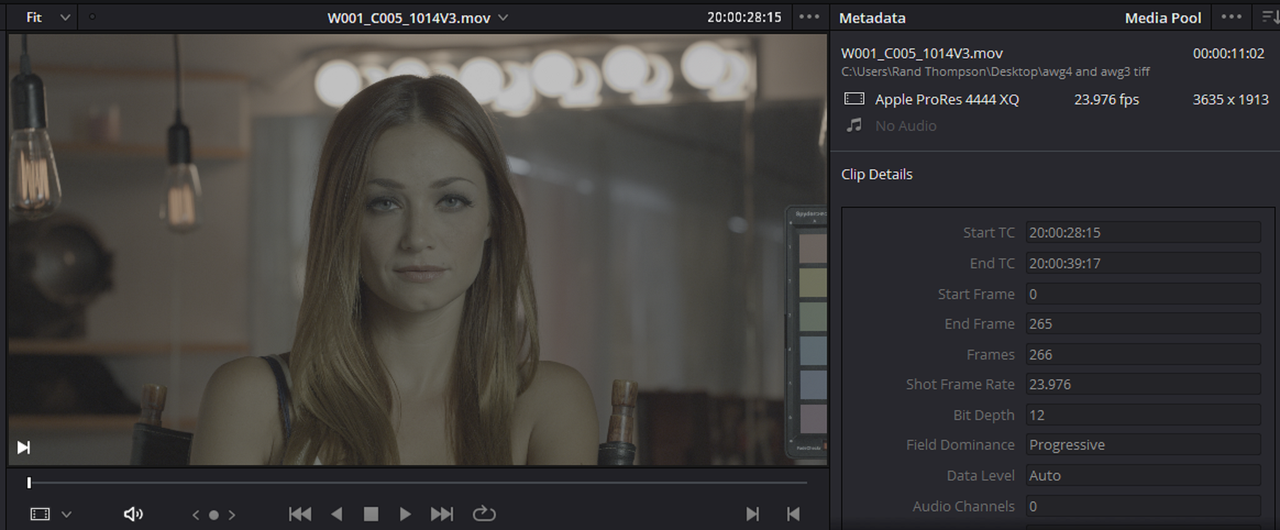
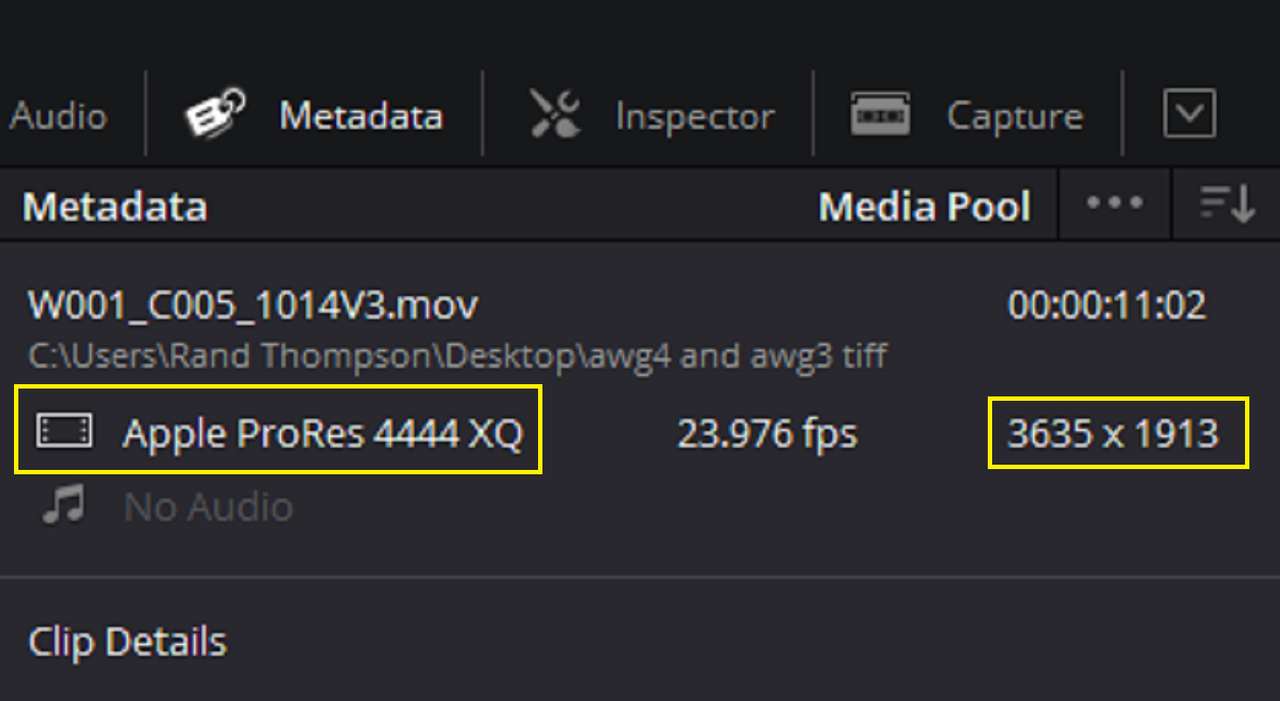
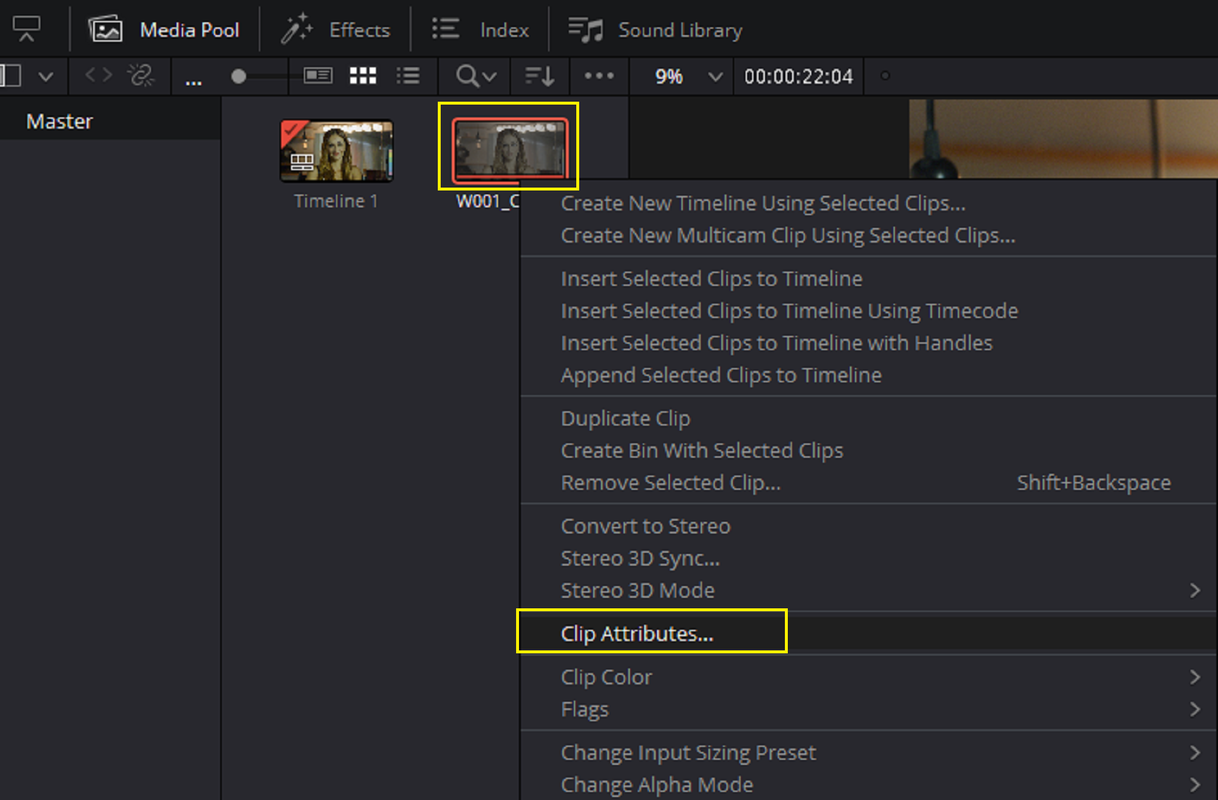
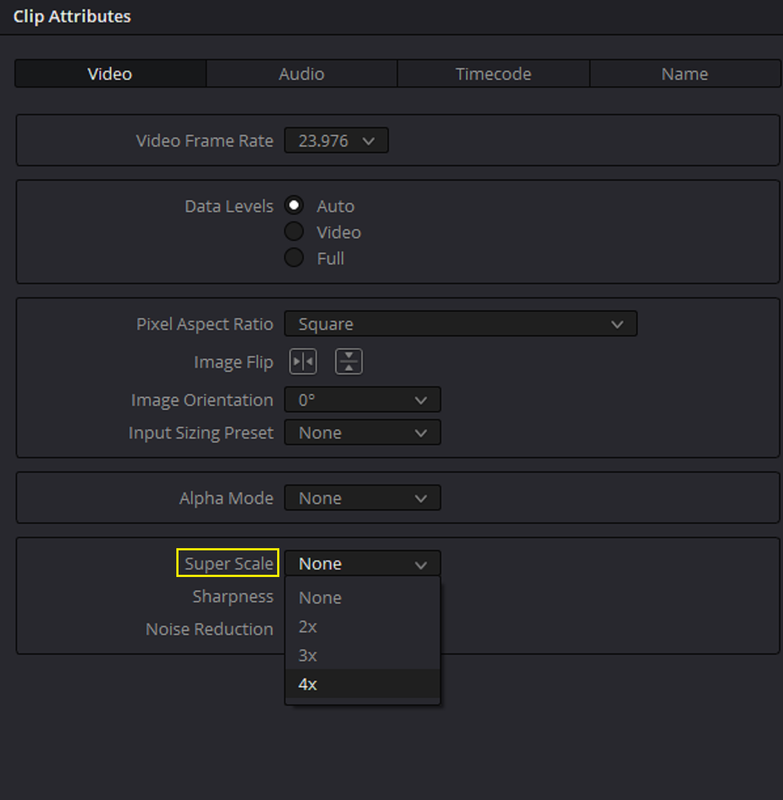
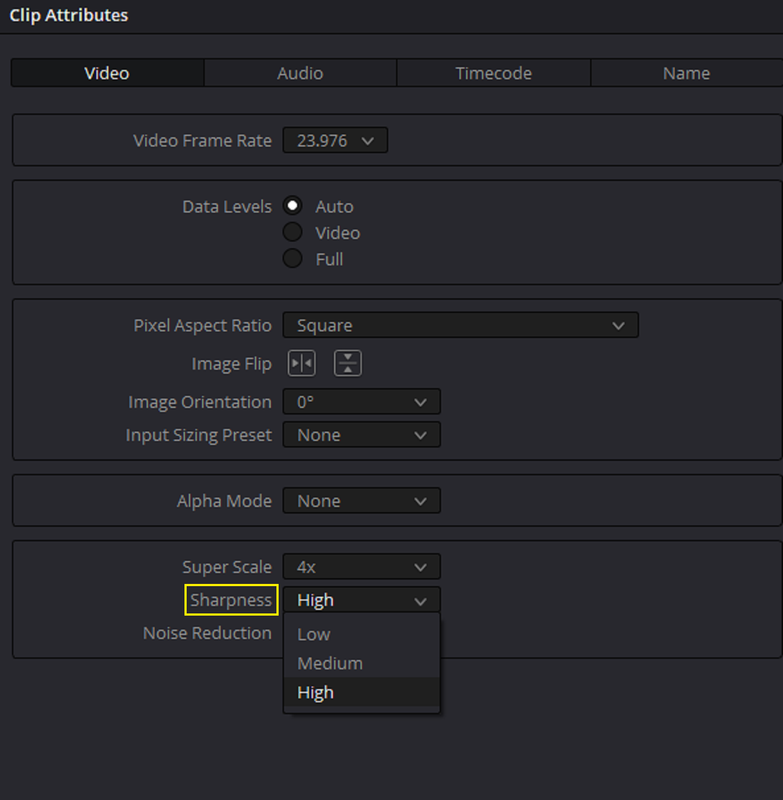
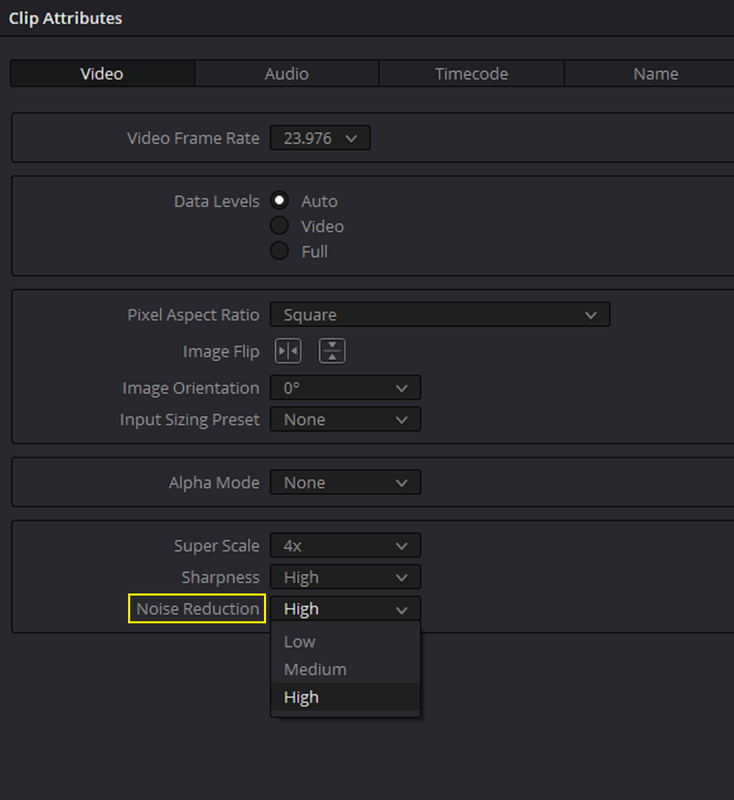
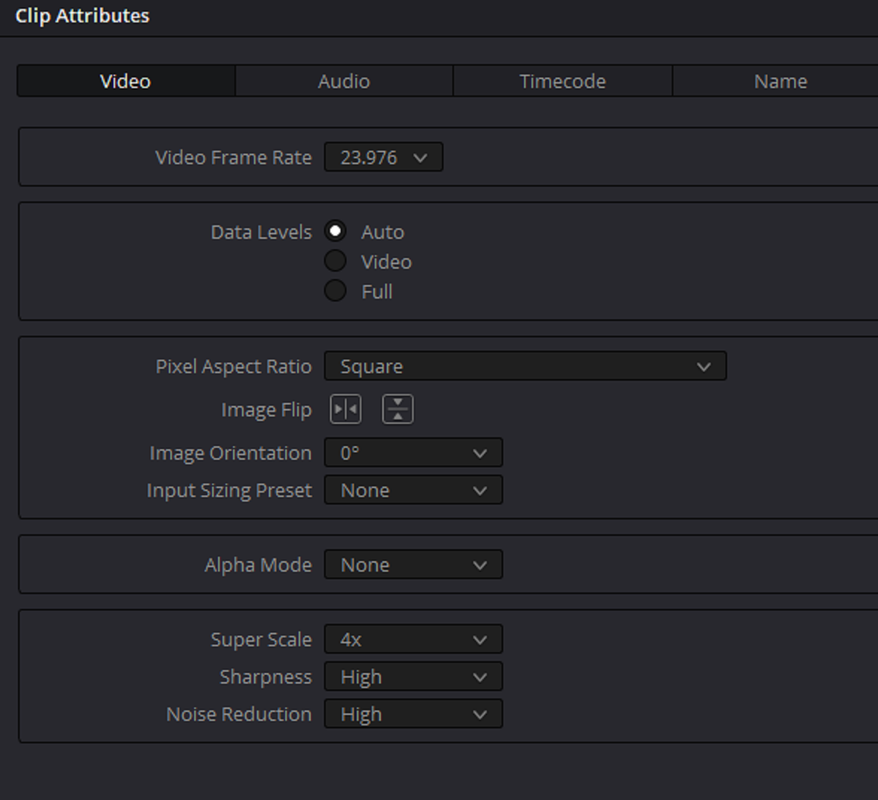
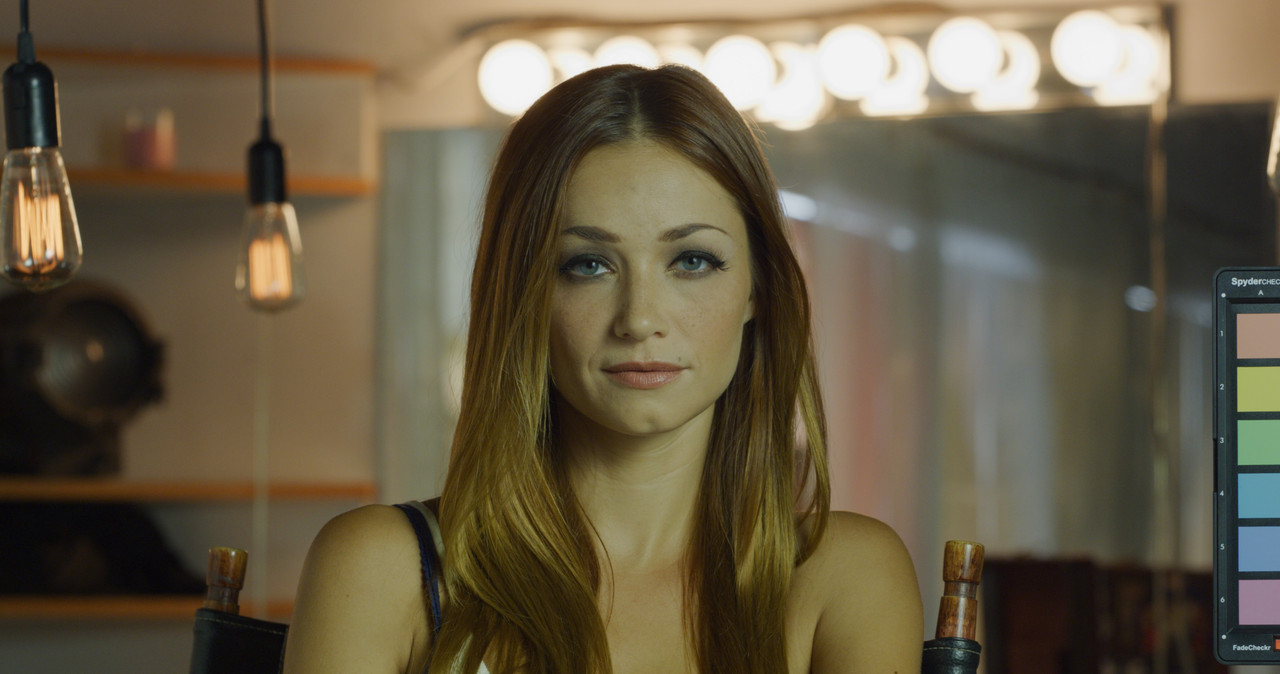
Here is an Example of the "SuperScale" Algorithm

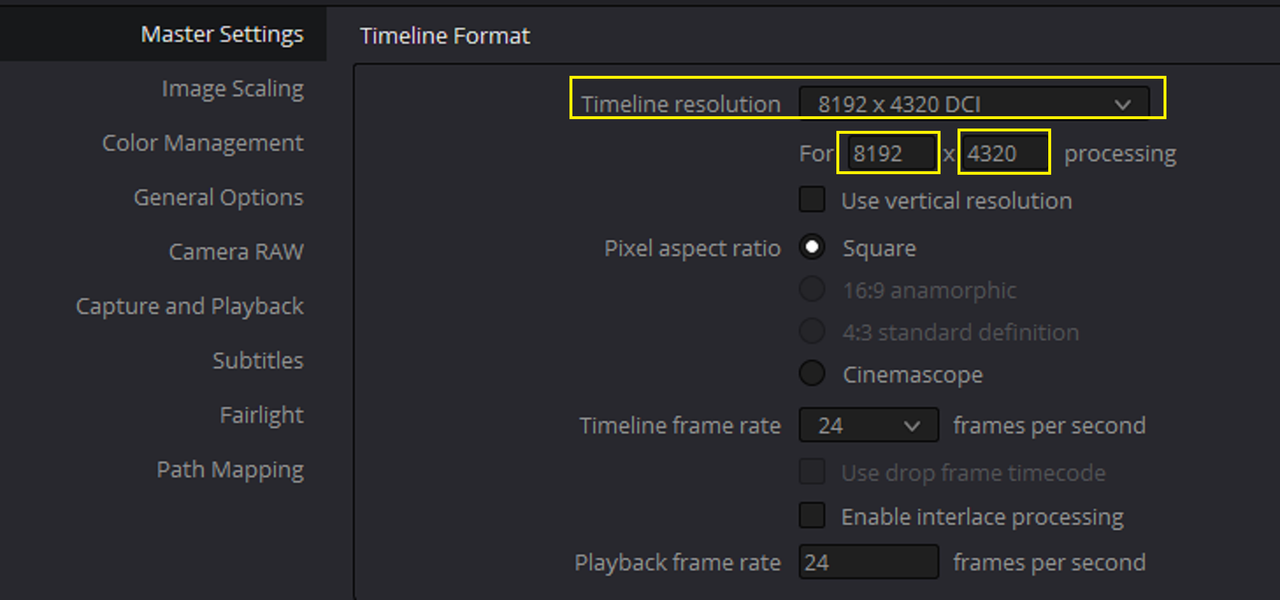
SendGB-242.24MB (Of .TIFF ORIGINAL Cropped image and Super Scaled ProRes 4444XQ 8K DCI image)(I'll post the 7.7.GB 8K DCI 8192 x 4329 ProRes 4444XQ file sometime tomorrow)

SendGB | Send Large Files | Free file transfer


2.png

3.png

4.png


IN RESOLVE

5.png

6.png

7.png

8.png


9.png


10.png


11.png


12.png


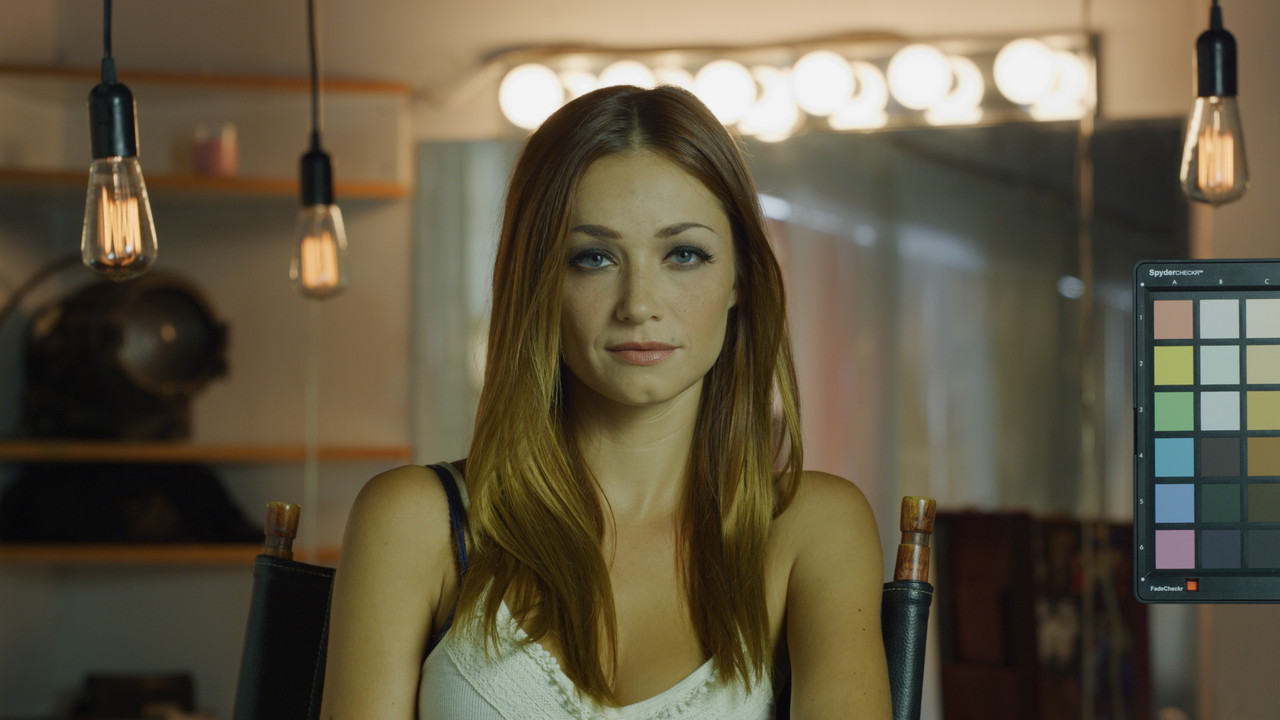
3635 x 1913 Cropped Original


3635-x-1913-Cropped-Original.jpg


8192 x 4329 Super Scale From ProRes 4444XQ FILE


8192-x4329-Super-Scale-From-Pro-Res-4444-XQ-FILE.jpg
 
All depends on how things are shot and what resolution you master for. If shooting 8k and mastering for HD then likely your image will for the most part look clean as a whistle and tack sharp in the focus plane if shot correctly. If you are pulling 8k stills then likely the image would likely improve from sharpening as the OLPF and debayer of these cameras are made for downscaling so they render a slightly soft 8k image which is beneficial when downsampling but not so good for native resolution.

But in general I would say that sharpening is not needed, just do it fro the problem shots, where you zoomed into the image or missed focus or such.
 
Bjorn,

The way I look at it, it's more about how to maintain sharpness than about trying to make something that's not sharp more sharp. As I mentioned above, some people try to " take the edge off" of what they believe sometimes to be the bitingly sharp images that come from some of the modern High Resolution Digital Cinema Cameras. They do this with vintage or modern day soft lenses to tame this sharpness. However, sometimes workflows that were not well thought out for how the images would be processed and or delivered can contribute to these now softer images being even more soft.

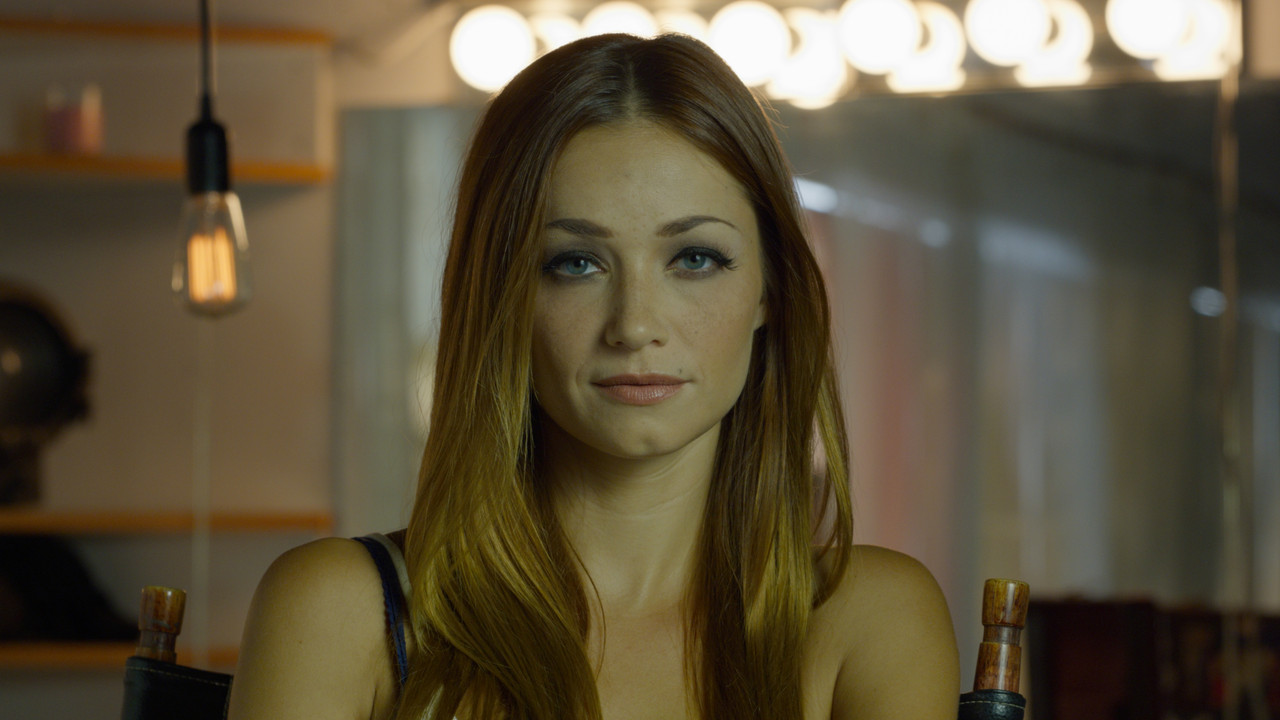
Some cropping may have to be done in the examples I showed above which may now have to be upscale to match the delivery format resolution. I personally believe in shooting with the sharpest lenses then use a less sharp/ softer rendering Scaling Algorithm or a higher quality softening filter in post to get the look you want. It's easier to soften a Sharp image than it is to sharpen a soft image. But if you didn't shoot the footage in question and whoever did didn't acquire critical focus in the resolution for which it would be delivered, you will just have to do the best job you can with sharpening without the images looking too Digital or artificial.
 
Back
Top