Welcome to our community

Be a part of something great, join today!

  • Hey all, just changed over the backend after 15 years I figured time to give it a bit of an update, its probably gonna be a bit weird for most of you and i am sure there is a few bugs to work out but it should kinda work the same as before... hopefully :)

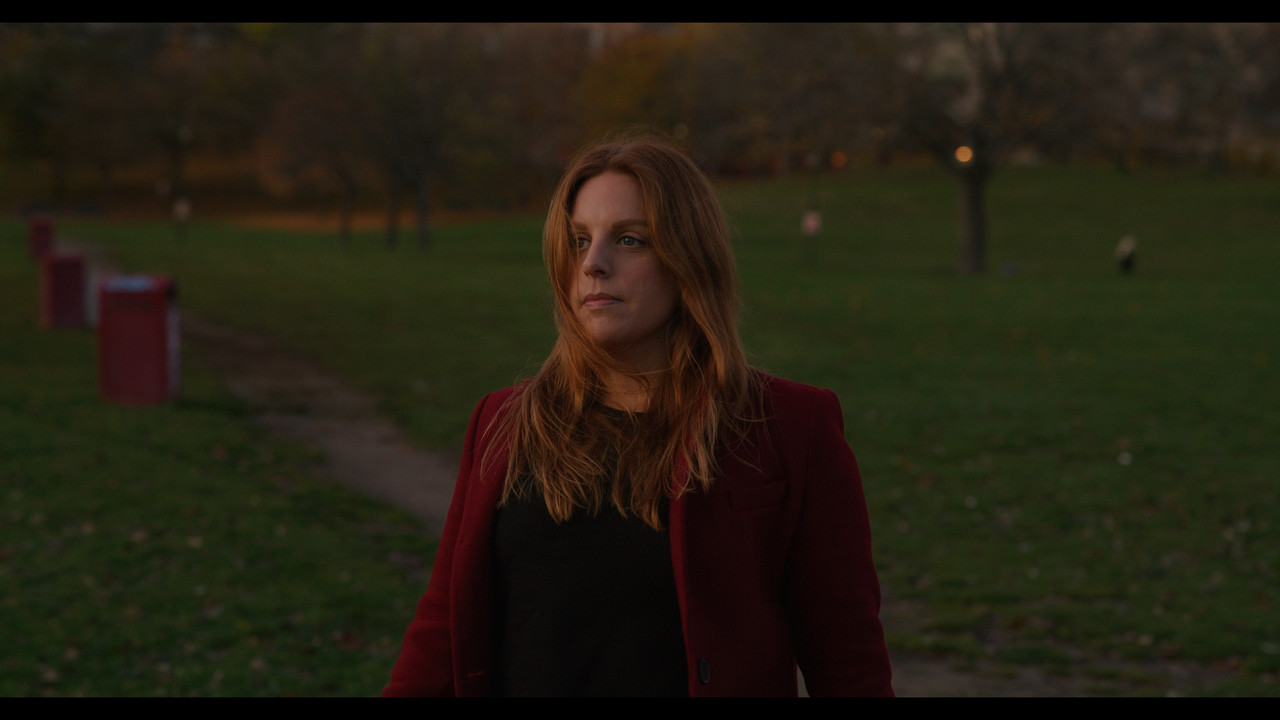
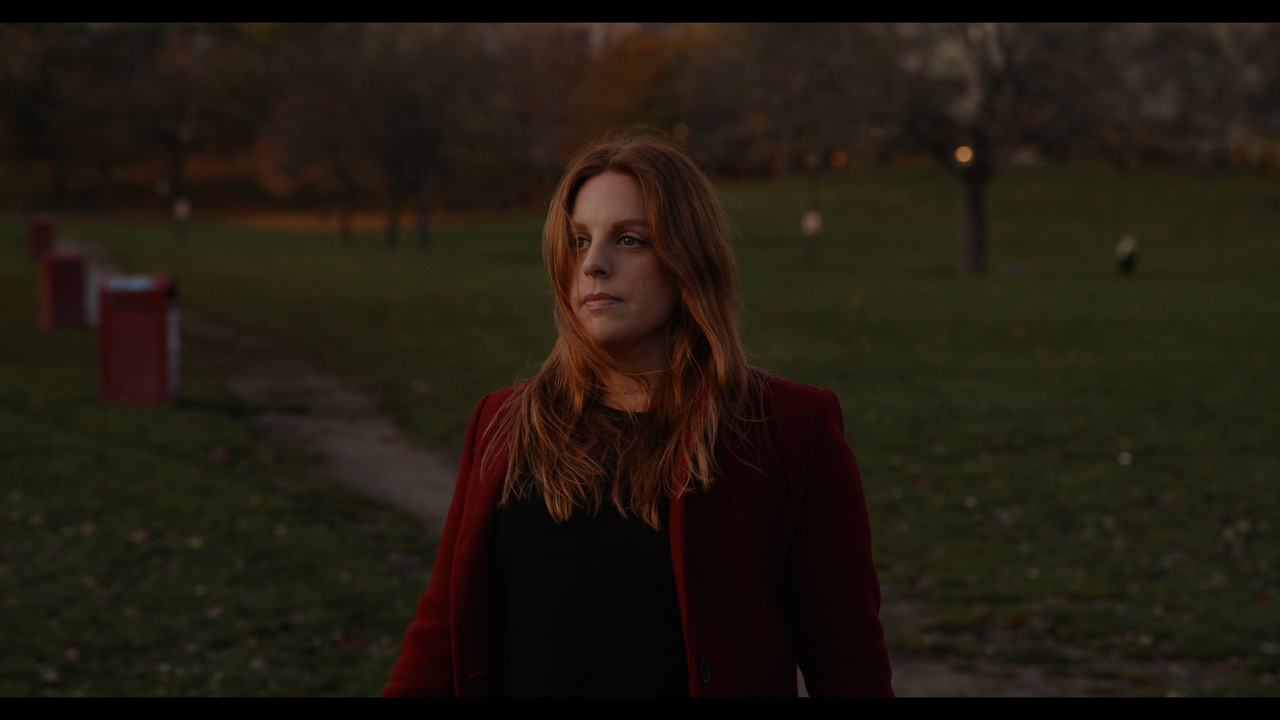
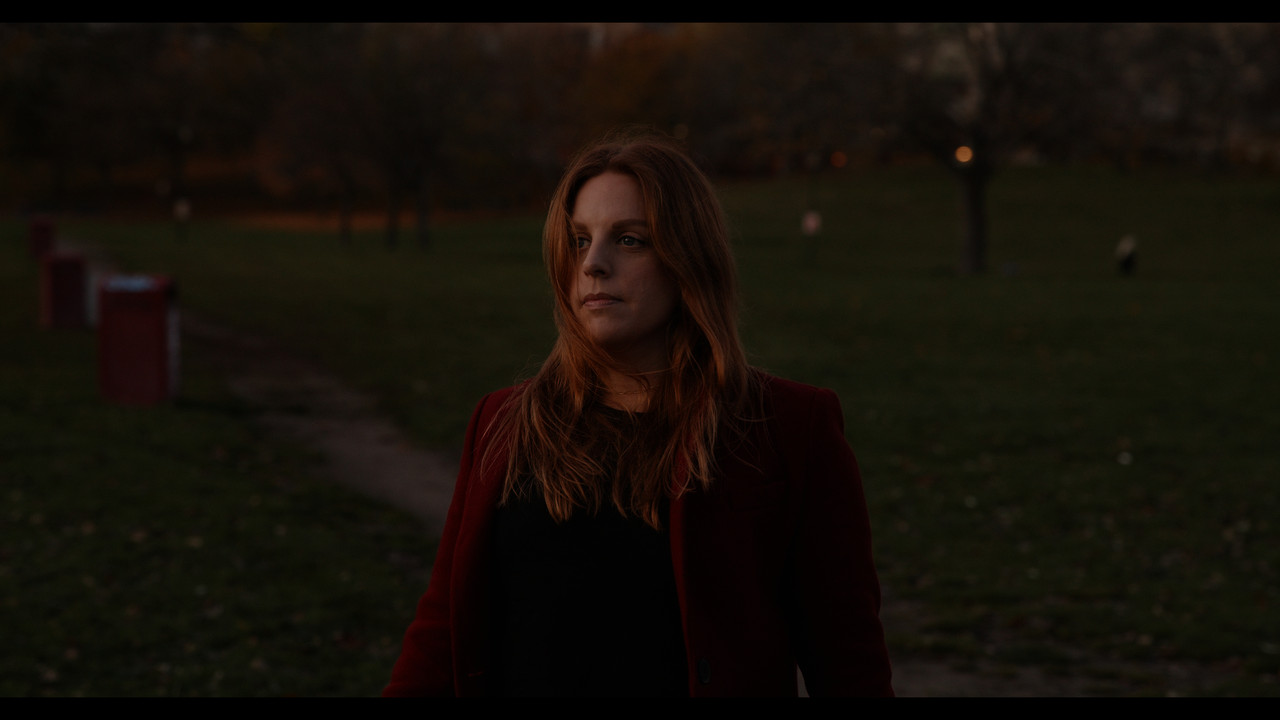
Desaturated shadows?

Seems to be a processing/grade thing rather than a Komodo thing.

Mushy
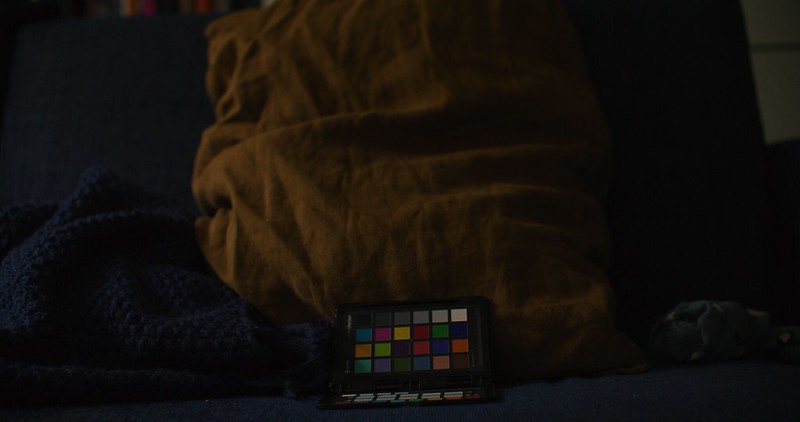
51009908073_98ea918f0a_c.jpg


Not mushy
51010615151_fc084dd50f_c.jpg

The clip needs to play or you don't see the error / saturation shift when moving along the ipp2 curve.
 
If it doesn't happen in the r3d/when bypassing IPP2, then it's a somewhat non-issue (IMO). It should also be recoverable after transform by using REDs IPP2 conversion LUTs (instead of native IPP2) as you could add a node pre-tonemap/rolloff and boost the shadows/shadow saturation to taste.

This also strengthens Panavision's/Light Iron's/DXL's decision of bypassing IPP2 altogether and having their own LUT applied on an all encompassing RWG/L3G10 image.

But it is a problem since it occurs in-camera as well. And the LUTs convert in the same way as internally doing it, doing a side by side between the two is identical.

But yes, the way to do it is to create your own conversion from LOG3G10. But I also think that Red should look into updating IPP2 into IPP3 or something, same methodology, but improving these conversions and especially look into how each camera handles it. One conversion that fits all seems a bit odd in my opinion, encompassing all different sensors into one conversion. If the starting point in LOG has a variation that doesn't work well through the transform, that camera doesn't get its full potential. What Light Iron did was to focus on only one sensor to its full potential.

I would love for Komodo to get this kind of love, because even if grading from scratch might be a solution, we need a good standard method, not to mention that any shots in ProRes hardcodes the transform.


Im not sure that's how Panavision does it. As I understand they only use a primer lut under IPP2.

Aren't they essentially having their own starting point, not even IPP2 based? Like a sort of "IPP3"?
 
Seems to be a processing/grade thing rather than a Komodo thing.

what is your process?
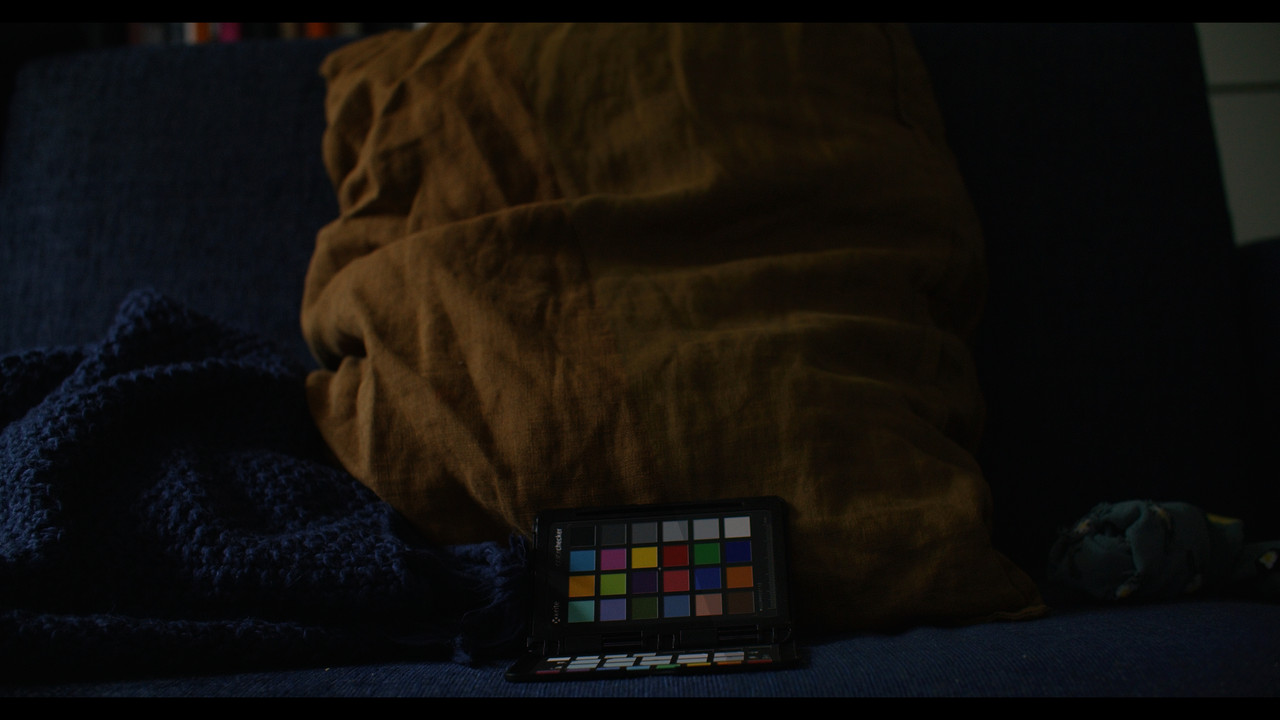
So far it looks like the problems occur on the standard IPP2 workflow. So it's the standard basic conversion process of the IPP2 pipeline, which is why it's visible both in post and in-camera. However, we don't know if it's the case that Komodo, as it acts a bit differently than the other DSMC2s, is out of sync with the transform process. That would mean that we either update the IPP2 pipeline (which I think is the preferable way since it seems some people see this on their DSMC2 as well), or a firmware update to change how Komodo's starting point behaves before a transform.

Komodo already has a serious green tint all over the low range, which I don't really get. It almost looks like some bad teal/orange grade in some cases, with the consequent bad "rims" occurring between mid-lit areas and shadows. This green tint needs to be addressed in someway and might even be the reason this is so visible on Komodo material.
 
Here's two images, one where I split between IPP2 output node and my own conversion from LOG3G10. The other is a reference from my Canon R which handles the saturation curve much better when underexposed.

IPP2 and a grade conversion from LOG3G10.
IPP2-OWN-1-8-1.jpg


Canon R
Canon-R-1-3-1.jpg


Here's a DNxHR of the split
https://we.tl/t-SzpwCH5Gjp


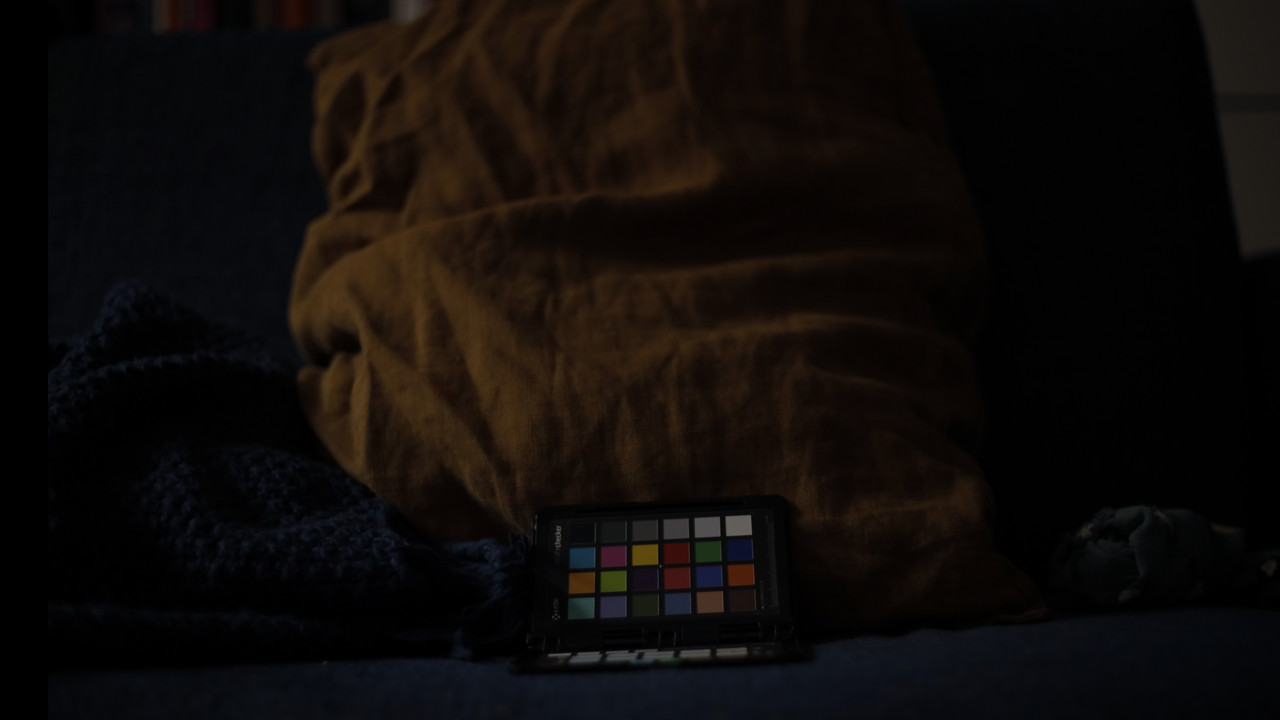
The most noticeable thing in comparison to both Canon and DSMC2s is how extremely green-tinted the IPP2 conversion is from Komodo. It might even be why it tends to become greyish, not so much just becoming less saturated, it also has a tint to it that counters all warmer colors and hard-cuts blue colors with this tint. So the yellow pillow gets this awful green tint in the lower range which essentially nullifies saturation. Considering that the pillow isn't truly yellow and more muted brown/orange, it's not skin color, but near it and this is alarming as when we film faces, we might get this low range green tint to counteract and mess up the roll-off in low-key shots of people.

It's also impossible to get to pure black with the IPP2 transforms, it's always just above black and using a node after it pusing it down to black cuts every shade crammed within that area to black.
 
Working on a new transform LUT that gets rid of some of the problems and improves upon some of the color science, at least in my opinion.

First, the shadows go down into black, not elevated to desaturated grey with compressed details. Second, some more saturation in shadows to counter it cutting off. Third, suppression of odd colors.

Original IPP2 Medium / Soft

IPP2-MIDSOFT-1-11-3.jpg


LUT 1 (with gamma correlating to IPP2)

CGLUT-HG-1-11-1.jpg


LUT 2 (Darker gamma)

CGLUT-1-11-2.jpg
 
But it is a problem since it occurs in-camera as well. And the LUTs convert in the same way as internally doing it, doing a side by side between the two is identical.

But yes, the way to do it is to create your own conversion from LOG3G10. But I also think that Red should look into updating IPP2 into IPP3 or something, same methodology, but improving these conversions and especially look into how each camera handles it. One conversion that fits all seems a bit odd in my opinion, encompassing all different sensors into one conversion. If the starting point in LOG has a variation that doesn't work well through the transform, that camera doesn't get its full potential. What Light Iron did was to focus on only one sensor to its full potential.

I would love for Komodo to get this kind of love, because even if grading from scratch might be a solution, we need a good standard method, not to mention that any shots in ProRes hardcodes the transform.


Aren't they essentially having their own starting point, not even IPP2 based? Like a sort of "IPP3"?

That would not make sense. How would people work with Panavision material if it was not r3d´s like any onther r3d´s. And people have reverse engineered out the DXL look out of DIT software that had the DXL2 look built in and made separate lut out of it.
 
The hard part is feeling confident about handing off footage if this is an issue with IPP2 defaults.

I am seeing this issue on the Gemini as well.

Thinking back, I had seen this issue on a SmallHD monitor I was testing out, and thought it was a smallHD issue. And the issue in the OLED EVF is worse, because the black point is milked out, and then these odd anomalies happen in lower exposure areas, and the EVF just gets hit coming and going.
 
I'll try doing a few specific tests at some point this week on the Gemini, and send you some R3D Chris.

Up to this point, I figured it was just my lack of post workflow knowledge, but also beginning to realize maybe this is all interconnected to some of the issues I see on the production side. Will be good to figure this out.
 
That would not make sense. How would people work with Panavision material if it was not r3d´s like any onther r3d´s. And people have reverse engineered out the DXL look out of DIT software that had the DXL2 look built in and made separate lut out of it.

As far as I know, the DXL2 camera metadata-unlocks the transforms. As I've not worked with the DXL2, I don't know how it works in post, but maybe someone could chime in on that. From what I remember, when it came out, people were always asking for that color science transform, but the answer back then was that it's metadata locked, so it needs R3Ds from the DXL2 to enable that color science.
 
That would not make sense. How would people work with Panavision material if it was not r3d´s like any onther r3d´s. And people have reverse engineered out the DXL look out of DIT software that had the DXL2 look built in and made separate lut out of it.

The official direct-from-panavision LUTs only work properly when bypassing IPP2 transforms (tone map/highlight roll-off), and I was told they did it precisely to remove potential confusion surrounding IPP2's implementation. Further, their LUTs also boost the image by about a stop out of the gate (which I thought was to match meters in loo of ISOCal2, but apparently was to compensate for Log3G10s lower/33ire mid-grey compared to RLF). They even include a RWG/REDlogFilm>709 LUT too. In other words, they wanted it to act more like an Arri, without a secondary (and somewhat ambiguous) transform causing potential problems for everyone who was used to a typical log workflow.

The DXL2 quick set-up guide says: "Some RED cameras allow for user-defined tone mapping which will trace in metadata. DXL does not integrate these features but your DI system may default to medium and impact how the highlights react." And that quote is next to a screenshot of the raw settings in Resolve, with an arrow pointing to the Tonemap/Highlight roll-off selections.
 
Last edited:
I'll try doing a few specific tests at some point this week on the Gemini, and send you some R3D Chris.

Up to this point, I figured it was just my lack of post workflow knowledge, but also beginning to realize maybe this is all interconnected to some of the issues I see on the production side. Will be good to figure this out.

That would be great to have. I also have a few shots here and there from other productions that I'm testing out. Still would be nice to hear from Red and Graeme regarding all of this, as he sits on the actual code of everything.
 
In other words, they wanted it to act more like an Arri, without a secondary (and somewhat ambiguous) transform causing potential problems for everyone who was used to a typical log workflow.

Gahh... I would just love for them to open up this color science, like paying a license to have it with regular Red's.
 
Gahh... I would just love for them to open up this color science, like paying a license to have it with regular Red's.

It's all on their DXL page.

Of the samples they include in the pack (all Monstro, no Dragon VV) three are LLO OLPF and only one is PX Pro.
 
Last edited:
It's all on their DXL page.

Of the samples they include in the pack (all Monstro, no Dragon VV) three are LLO OLPF and only one is PX Pro.

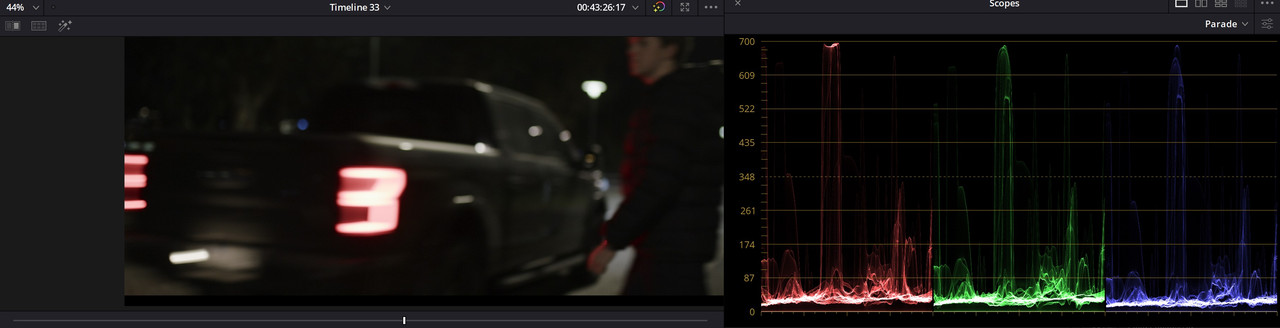
Those LUTs act a bit weird. Elevated blacks etc. Are these intended as a starting point or as a pure transform?
 
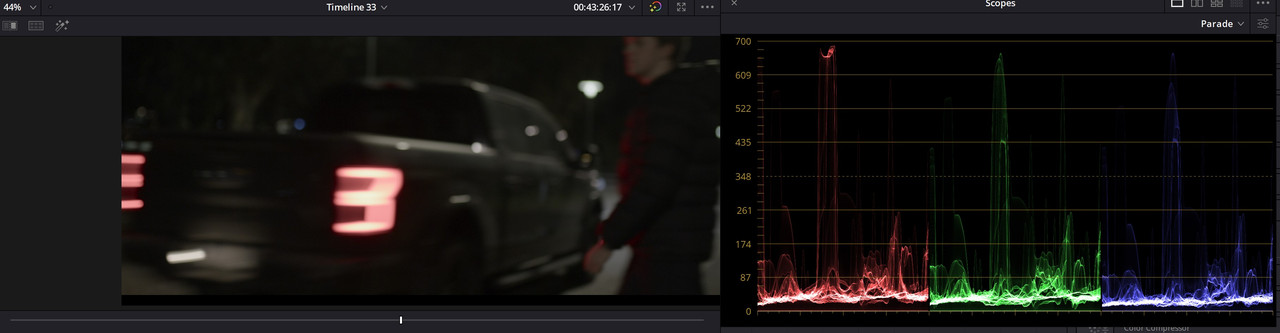
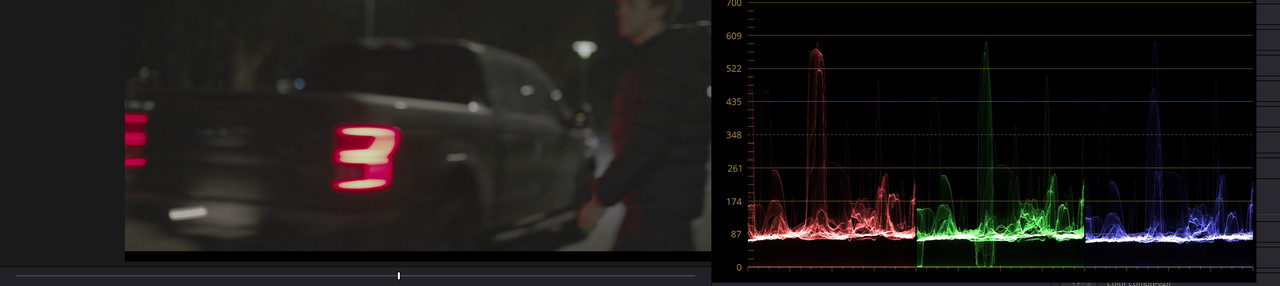
Tinkering further on my own LUT I encountered this...

LOG3G10.jpg


When using RWG / LOG3G10, there seem to be some weird behavior of certain highlights. In this case, check the green falling through the bottom of the LOG in the greens. The behavior of the tail-light is extreme and is even worse trying to grade from.
In the IPP2 transform with soft or very soft highlights, those mitigate this thing, but I can't seem to roll off this part of the image directly from the LOG3G10.

Keeping RWG but changing LOG to BT1886 or 2048 shows that it is possible to mitigate this extreme, but it's not a solution.

BT1886

BT1886.jpg


HDR2048

HDR2048.jpg


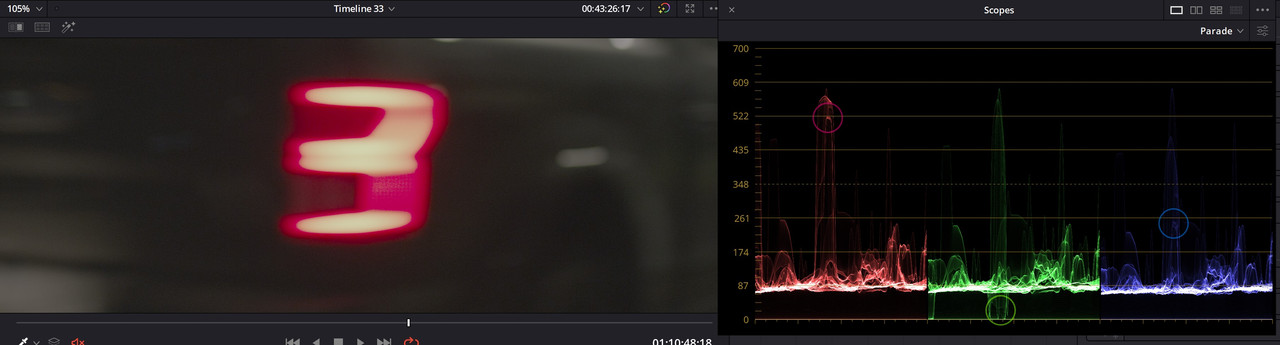
Why is LOG3G10 doing this to the RWG material? It seriously messes up any LUT built from it. The IPP2 transform LUTs works just like the internal raw settings, so there should be a way to counter this, not sure how though.
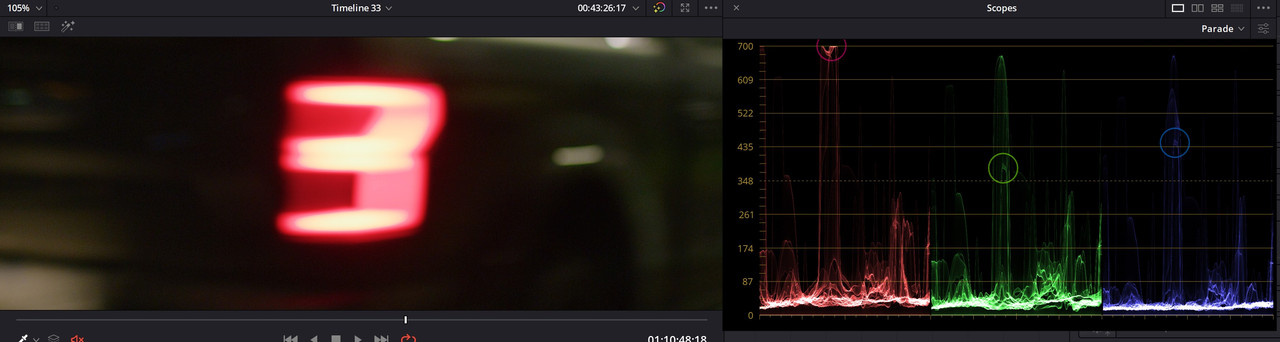
Even weirder, when I pick at the point on the tail-light that goes under the greens in LOG3G10, this then appears above in the IPP2 transform.

LOG3g10

LOG3-G10marker.jpg


IPP2 Medium Very Soft

IPP2marker.jpg
 
Those LUTs act a bit weird. Elevated blacks etc. Are these intended as a starting point or as a pure transform?

LOL! Not the magic bullet you were hoping for, huh? (wouldn't elevated blacks very much help this alleged Komodo low-end saturation issue?)

It's their default normalization LUTs that come loaded in the camera; pretty sure they're intended to help get optimal exposure and be used for a decent out of the gate look.

Conversely, because it's Panavision, I'd also presume they expect a fully-fledged colour session to eventually happen (besides, it's easy enough to drop the black point). It wrangles greens really well in the skin tones though, which should also really help Komodo (and helium).
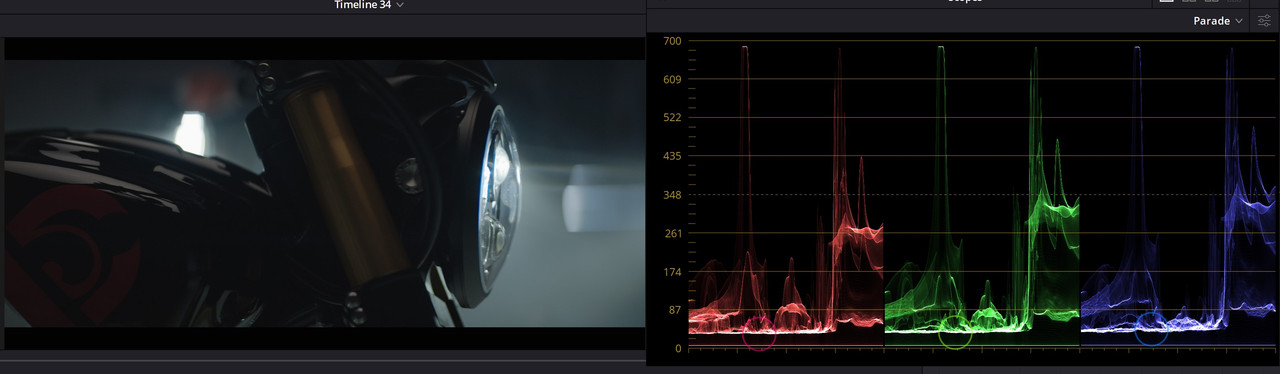
 
Last edited:
LOL! Not the magic bullet you were hoping for, huh? (wouldn't elevated blacks very much help this alleged Komodo low-end saturation issue?)

It's their default normalization LUTs that come loaded in the camera; pretty sure they're intended to help get optimal exposure and be used for a decent out of the gate look.

Conversely, because it's Panavision, I'd also presume they expect a fully-fledged colour session to eventually happen (besides, it's easy enough to drop the black point). It wrangles greens really well in the skin tones though, which should also really help Komodo (and helium).

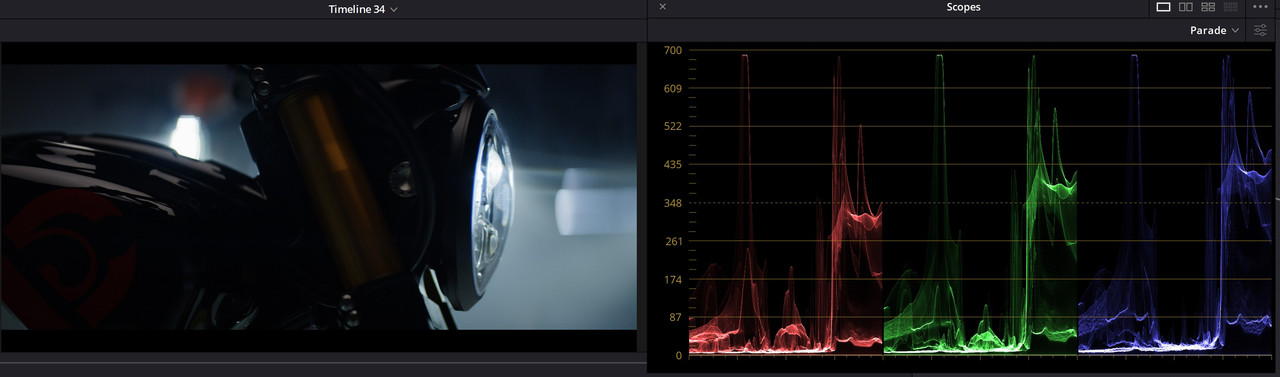
Didn't expect a magic bullet, but that the transform works more in line with how the IPP2s do it, meaning expanding everything and not just a semi-LOG. It's alright though, as long as it's intended as a pre-LUT in this purpose, then it's possible to construct your own look out of it and it acting as a good basis. However, it's not a decent look out of the gate, it looks too "LOG" and I wouldn't use these in any camera really. So I'm wondering how they are used on set?

DXL LI LUT

LI-Transform.jpg


DXL My LUT

CGLUTDXL.jpg


It also doesn't work when encountering the problem with LOG3G10 grading.

LOG3G10 problem with the DXL LUT

Out-Gammut-DXL.jpg
 
It looks like all the HDR2048/BT1886 is doing is desaturating the whole highlight to put in those colour space gamuts... that's not exactly solving the problem.

Conversely, even after the IPP2 transform (or LiColour LUT), you still have to output to a given colour/gammaspace (e.g. 709 or 2020 or P3), so it'd do the same thing at that step anyway. (Or am I missing the point?)
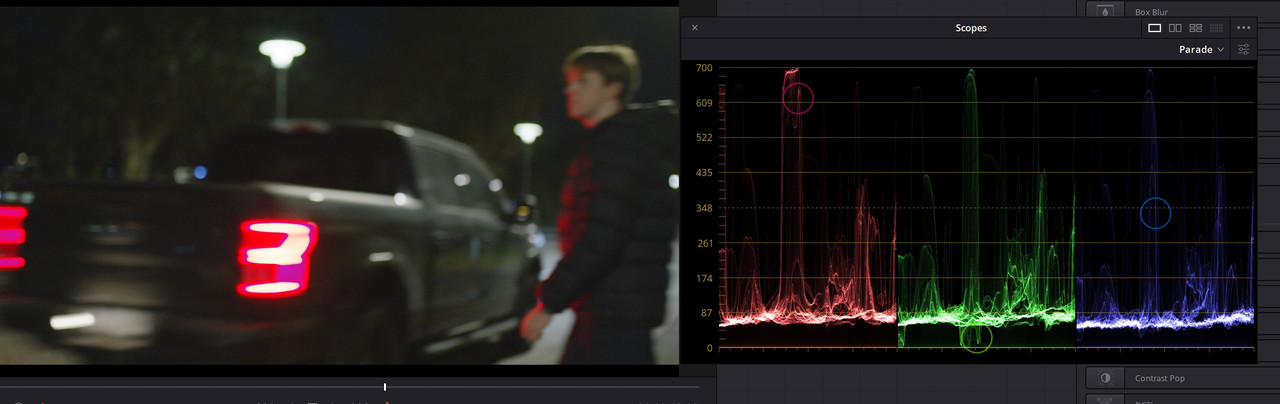
 
It looks like all the HDR2048/BT1886 is doing is desaturating the whole highlight to put in those colour space gamuts... that's not exactly solving the problem.

Conversely, even after the IPP2 transform (or LiColour LUT), you still have to output to a given colour/gammaspace (e.g. 709 or 2020 or P3), so it'd do the same thing at that step anyway. (Or am I missing the point?)

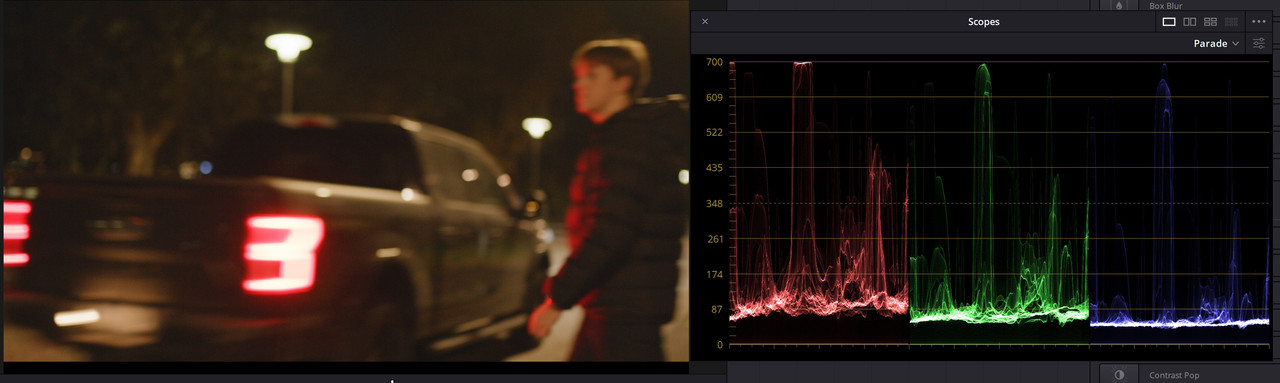
No, it's something else going on here. When I choose RWG/LOG3G10, it creates this problem. If I instead choose RWG/BT1886 or any other except RWG/Linear it fixes the weird color glitch. If I then choose to keep LOG3G10 and choose something like REC709/LOG3G10 or any of the other color spaces instead of RWG it fixes the glitch. The output is 709 for all of these.

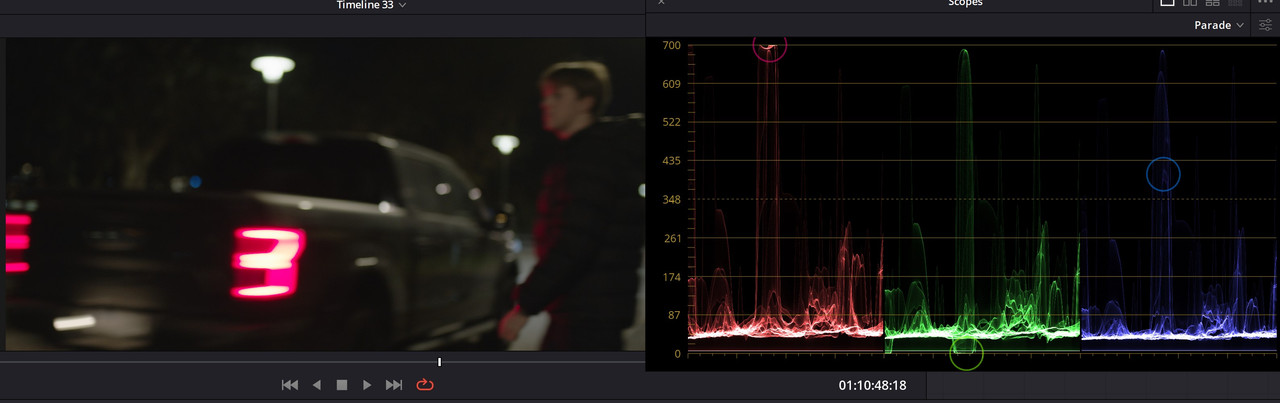
Check out the scopes where the green is under the baseline.

Here's a R3D trim from that shot. Try and grade from a RWG/LOG3G10 and get that tail-light fixed, not sure how to do it.

https://we.tl/t-PH3y1BG2dS

EDIT:

Update to this, if I change white balance, this only occurs around 3200K, but as soon as I'm going further or under that the scopes shows it fixed and it looks more "normal".

3200K

Outof-Gammut.jpg


4100K

Outof-Gammut-Kelvin-Fix.jpg
 
Back
Top