Welcome to our community

Be a part of something great, join today!

  • Hey all, just changed over the backend after 15 years I figured time to give it a bit of an update, its probably gonna be a bit weird for most of you and i am sure there is a few bugs to work out but it should kinda work the same as before... hopefully :)

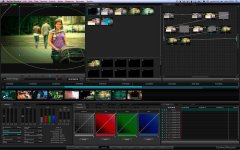
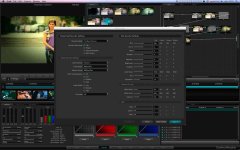
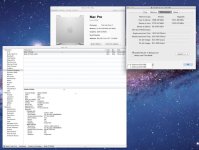
DAVINCI RESOLVE and ***HACKINTOSH***

Ciao Mansur,
but let me understand, the system works even with errors?
or resolve not to be more?
Resolve or works, but there 'no signal SDI output?

Have you tried to swap PCIe slots with Deklink 3d?

aspect of your news, I'm curious.
But it happens only with hack, or even with a MacPro?


thanks
Luigi


So sorry Luigi if I wasn't clear, but I rebooted and the errors disappeared by just clearing the system caches so Resolve works fine again. No need for swapping cards or any hardware fix.

The problem my colorist reported was Resolve working without hdmi output (the error windows I cited earlier came up). We connect to a plasma via hmdi, not sdi. I wouldn't know if it happens with a MacPro. I can ask around if any post houses have encountered this similar error.

Another curious problem that we've observed is failure of the Render window to sometimes appear using both keyboard shortcuts or the drop down menus. A quick reboot of the system also fixes this.

So I am now wondering whether this is a bug or a conflict with FCP because I suspect both errors happen when both Resolve and FCP are running.

Thanks,
Mansur
 
Hi
I almost finished my Machette hackintosh
Thanks to Luigi it was easy ride ;)

My system setup
Collermaster Haf X computer case
Intel i7 970 6 core 3,2Ghz@4.0Ghz
24Gb PC2000 DDR3
8x2TB drives in raid 5
MC Color panel

slot:
1. Rocket
2. Decklink 3D
3. Quadro 4000 GUI
4: Arreca ARC-1880 ixl12
5: GTX-470
6: blocked -for now:)
7: GTX-470

System is very stable now. Everything works and performance is great

I think that water cooling is necessary for GTX cards. I need my 6th slot back for expander box where I want put second RR and 2 GTX for best performance with epic 5K and HDRx

I can't map all 3 gpu in davinci because performance is lower than with only two GTX without Quadro. I did some testing and with 3 GTX mapped I had 9fps with NR node radius 1 now it is 6,5fps. It is big difference I think 5-8 nodes with blur without third card.

It is great for now but I want more:)

Cheers
 

Attachments

  • mac.jpg
    mac.jpg
    16.9 KB · Views: 0
  • d1.jpg
    d1.jpg
    94.6 KB · Views: 0
  • setup.jpg
    setup.jpg
    67 KB · Views: 0
So sorry Luigi if I wasn't clear, but I rebooted and the errors disappeared by just clearing the system caches so Resolve works fine again. No need for swapping cards or any hardware fix.

The problem my colorist reported was Resolve working without hdmi output (the error windows I cited earlier came up). We connect to a plasma via hmdi, not sdi. I wouldn't know if it happens with a MacPro. I can ask around if any post houses have encountered this similar error.

Another curious problem that we've observed is failure of the Render window to sometimes appear using both keyboard shortcuts or the drop down menus. A quick reboot of the system also fixes this.

So I am now wondering whether this is a bug or a conflict with FCP because I suspect both errors happen when both Resolve and FCP are running.

Thanks,
Mansur

Mansur,
interesting let me know, Wednesday I get the new Panasonic plasma will do the test even me, so I can let me know.


Hi
I almost finished my Machette hackintosh
Thanks to Luigi it was easy ride ;)

My system setup
Collermaster Haf X computer case
Intel i7 970 6 core 3,2Ghz@4.0Ghz
24Gb PC2000 DDR3
8x2TB drives in raid 5
MC Color panel

slot:
1. Rocket
2. Decklink 3D
3. Quadro 4000 GUI
4: Arreca ARC-1880 ixl12
5: GTX-470
6: blocked -for now:)
7: GTX-470

System is very stable now. Everything works and performance is great

I think that water cooling is necessary for GTX cards. I need my 6th slot back for expander box where I want put second RR and 2 GTX for best performance with epic 5K and HDRx

I can't map all 3 gpu in davinci because performance is lower than with only two GTX without Quadro. I did some testing and with 3 GTX mapped I had 9fps with NR node radius 1 now it is 6,5fps. It is big difference I think 5-8 nodes with blur without third card.

It is great for now but I want more:)

Cheers

HEy Artur,
I have the address if you want to NASA, you might be interested in the computer center eheheh
Anyway, thank you for your patience and supporting me, I do in his spare time and lately I have very little.


thanks
Luigi
 
Common feedback about GTX4xx cards is that they run hot, so watercooling is the logical solution. Cheers!


@Luigi

I find that leaving the Resolve idle for a long time results in the decklink card locking up especially if FCP is on too. Since we don't know if this is normal or not, and it's not a good idea anyway to leave an image stuck on the plasma for a long time due to image burn, I suggest that we turn off the Resolve if taking a long break from grading.

Thanks
Mansur
 
2 gtx 580 working progress...........

P6t7 supercomputer + 2 gtx 580 + areca+ blackmagic 3d+ redrocket..
For DAvinci REsolve 8
 

Attachments

  • 8.jpg
    8.jpg
    88.2 KB · Views: 0
I would like to Thank Lugi for his support, Successfully running -

1. Empty
2. Decklink 3D
3. Empty
4: LSI Logic - SAS
5: GTX-470
6: blocked -for now:)
7: GTX-470

12GB DDR3 / 300GB SAS - for 10.7.1 OS / 2 x 2TB - 6gbps SATA for storage / Dell U2410 - Panasonic AE 4000 -

@ Thanks Lugi.... will post pics soon :-)
 
I would like to Thank Lugi for his support, Successfully running -

1. Empty
2. Decklink 3D
3. Empty
4: LSI Logic - SAS
5: GTX-470
6: blocked -for now:)
7: GTX-470

12GB DDR3 / 300GB SAS - for 10.7.1 OS / 2 x 2TB - 6gbps SATA for storage / Dell U2410 - Panasonic AE 4000 -

@ Thanks Lugi.... will post pics soon :-)

thanks Kumar ;)

Artur eheh gtx 590 and all gtx serie in hard to make work in osx, the problem is stability.. but not impossible ;)


thanks
Luigi
 
Hi Delon
Asus P6T7 like everyone in this thread;)
Thanks it will be perfect with water-cooling and two RR
 
@ lugi

I have Nvidia Quadro 4000 for Mac - ( Original MAC Version) .. can i use it as GUI along with 2 x GTX 470 ..??

current config :
1. Empty
2. Decklink 3D +
3. Empty
4: Empty
5: GTX-470
6: blocked -for now:)
7: GTX-470

............ Quadro 4000 in 1 ..?? will it work ..?
 
I am working with Luigi to get 2 GTX580's to work well. Luigi is AMAZING! The GTX580's are SOOOO close! Once the GTX580 is stable I bet the GTX590 would be the same, however under OSX only one GPU will work so if you are only going to use it for a Hackintosh it's a waste of money. If you are going to use it for Windows and Hack then it's ok. EVGA is the brand of my cards and would go with the same.
 
Arun,
I have quadro 4000 mac in slot 3 it works as GUI but with third GTX I had better performance
Luigi said that using 3 the same gtx cards is the way to go. I confirm that. Quadro can work only as GUI in this setup and I can't use it as GPU in davinci

when you have 3 GTX you can write this to debuger and davinci will use all 3 gpu

LsManager.3.NumGPUs = 3
LsManager.3.GPUMapping = 0 1 2
LsManager.3.GPUMappingEnable = 1

I'll try with water-cooling and 4 gtx next week

1. RR
2. Decklink 3D +
3. GTX 470
4: Arreca
5: GTX-470
6: GTX 470
7: GTX-470
 
Arun,
I have quadro 4000 mac in slot 3 it works as GUI but with third GTX I had better performance
Luigi said that using 3 the same gtx cards is the way to go. I confirm that. Quadro can work only as GUI in this setup and I can't use it as GPU in davinci

when you have 3 GTX you can write this to debuger and davinci will use all 3 gpu

LsManager.3.NumGPUs = 3
LsManager.3.GPUMapping = 0 1 2
LsManager.3.GPUMappingEnable = 1

I'll try with water-cooling and 4 gtx next week

1. RR
2. Decklink 3D +
3. GTX 470
4: Arreca
5: GTX-470
6: GTX 470
7: GTX-470


this is the right configuration for 4 gpu


thanks
Luigi
 
Just for info... update 10.7.2 work fine ;)

and waiting my patch for machete..


EDIT aBOut 10.7.2: in my hack CUDA not work... i hope is only my problem....
NOT UPDATE......
 

Attachments

  • Schermata 10-2455847 alle 23.56.52.jpg
    Schermata 10-2455847 alle 23.56.52.jpg
    20.6 KB · Views: 0
Last edited:
Back
Top