Welcome to our community

Be a part of something great, join today!

  • Hey all, just changed over the backend after 15 years I figured time to give it a bit of an update, its probably gonna be a bit weird for most of you and i am sure there is a few bugs to work out but it should kinda work the same as before... hopefully :)

Davinci Resolve 16 Beta

Davinci Resolve vs. Davinci Resolve Studio - Should I upgrade?


By VDV Productions


The free version of Davinci Resolve 15 and 16 has many features for most requirements, and for most users it is sufficient. So the question is, is it worth buying the studio version, which costs about $300? Crimson Engine gives you the answer whether it's worth it or not.

Original Source of this video: https://youtu.be/XOuTbVPSpgI
 
Learning "Curves" | Color Grading Tutorial | Premiere Pro, Resolve, & Final Cut Pro


By We Are Film


In this video, I go over the basics of using Curves in your color correction & grading workflow!
 
Using the Sound Library for easy access to your Audio - 5 Minute Friday #21


By MrAlexTech


Published on Jun 13, 2019
https://icons8.com/music
https://www.youtube.com/audiolibrary
http://hellothematic.com/
http://freemusicarchive.org
http://bbcsfx.acropolis.org.uk/

All require Attribution to the artist etc. Make sure you read the T&C's on the websites to be sure you don't get a copywrite strike etc.

There are loads more out there so get searching and make to comment with them below!

Thank you for watching!

If you'd like to know more about the equipment I use, my recommendations or great offers on Amazon. Check out my Amazon Store Links below:

UK - https://www.amazon.co.uk/shop/mralextech
US - https://www.amazon.com/shop/mralextech

Or, maybe you found this video useful and want to say a quick thank you? Why not buy me a coffee instead:

https://www.buymeacoffee.com/mralextech

You can find me here as well:
https://twitter.com/mralextech
https://instagram.com/mralextech

I am using DaVinci Resolve 16 and you should be too. It's amazing, powerful and free. I only use the free version so everything I show is available without paying a penny.

You can get it from here: https://www.blackmagicdesign.com/prod...
 
Davinci Resolve 16 - Using the Adjustment Clip


By Learn Davinci Resolve


Today we take a look at one of the best new features of Davinci Resolve 16, the Adjustment Clip. This feature is going to really change how many people add effects and coloring to their footage.
 
Rand - thanks for the awesome links to new/updated information for Resolve 16! This thread has been a useful resource as we seriously start to consider Resolve for more than just a color tool for projects.
 
You're Welcome Will! I try to update this thread with some of the best quality tutorials I can Find. I try to stay away from the "Cheesy" transitions and the "best way" to do something tutorials.
 
I'm on the hunt for any information I can find on multicam / large production workflows with resolve, and doing some heavy lifting with proxies and mixed media formats. We typically have set of episodes that weigh in at around 40TB in r3d files + whatever other cameras they use (ISO, Broadcast, slow-mo). If anybody is using it for bigger productions, I can't find any writing / rundowns, white papers, list of bugs, etc.

Resolve 16 ticked off a few boxes that make it look viable now.
 
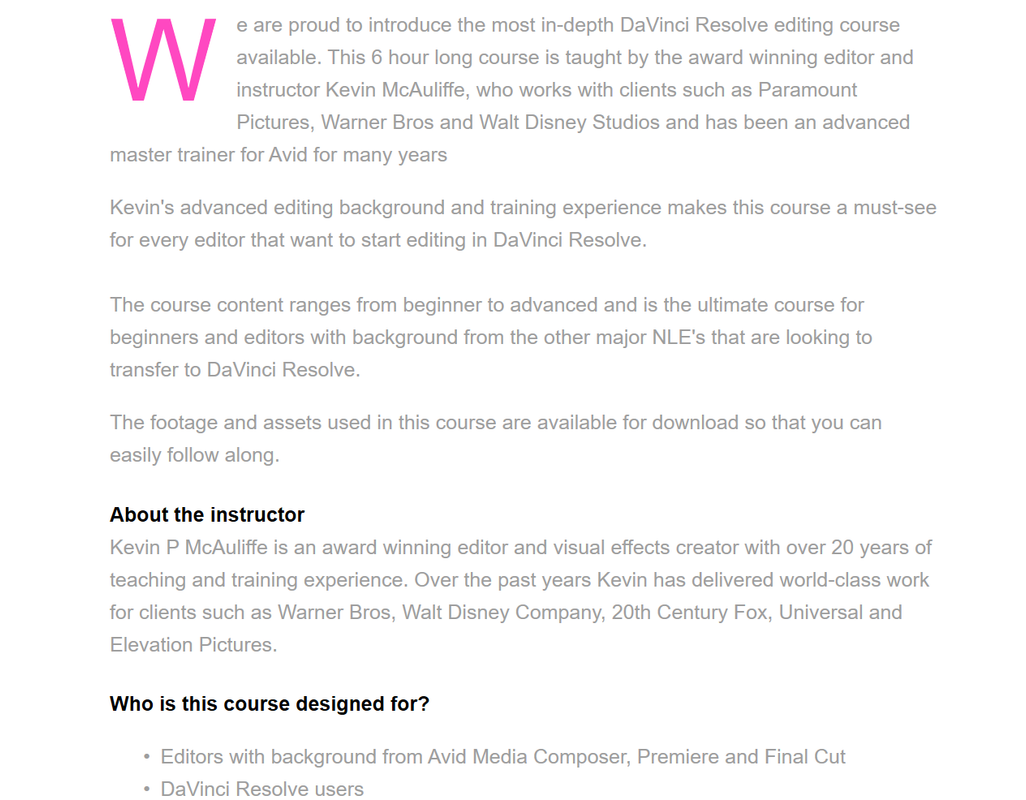
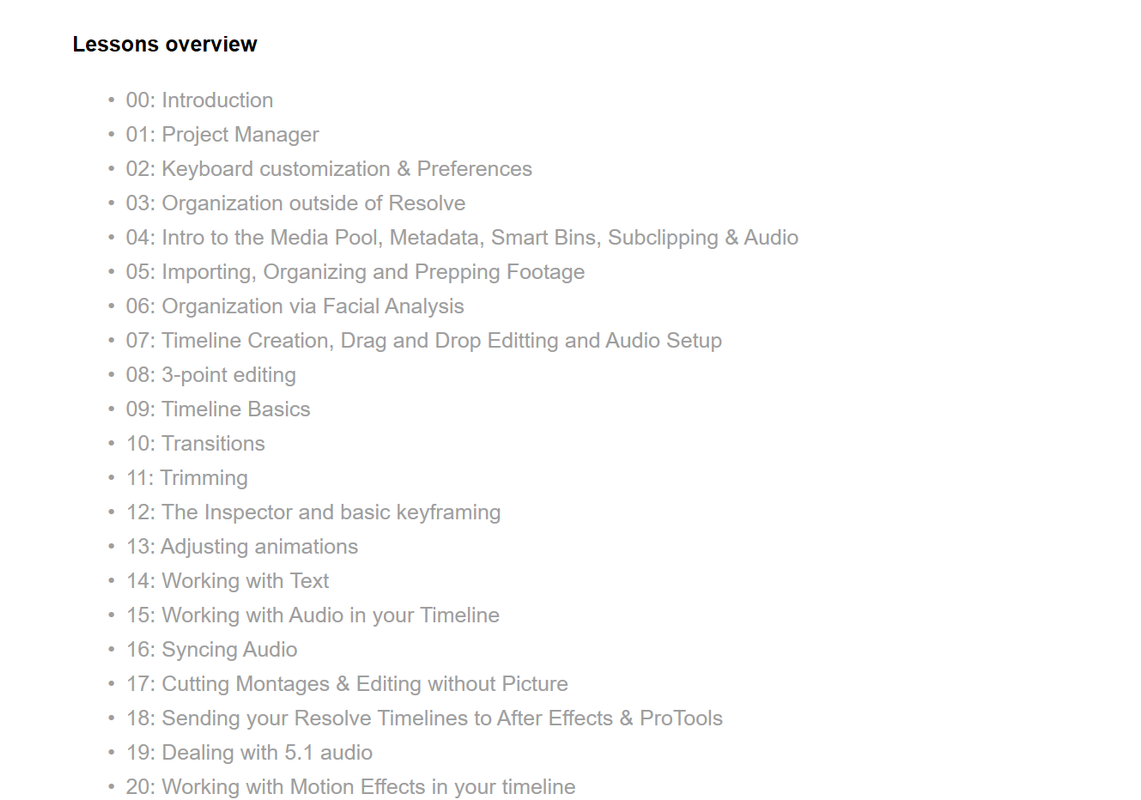
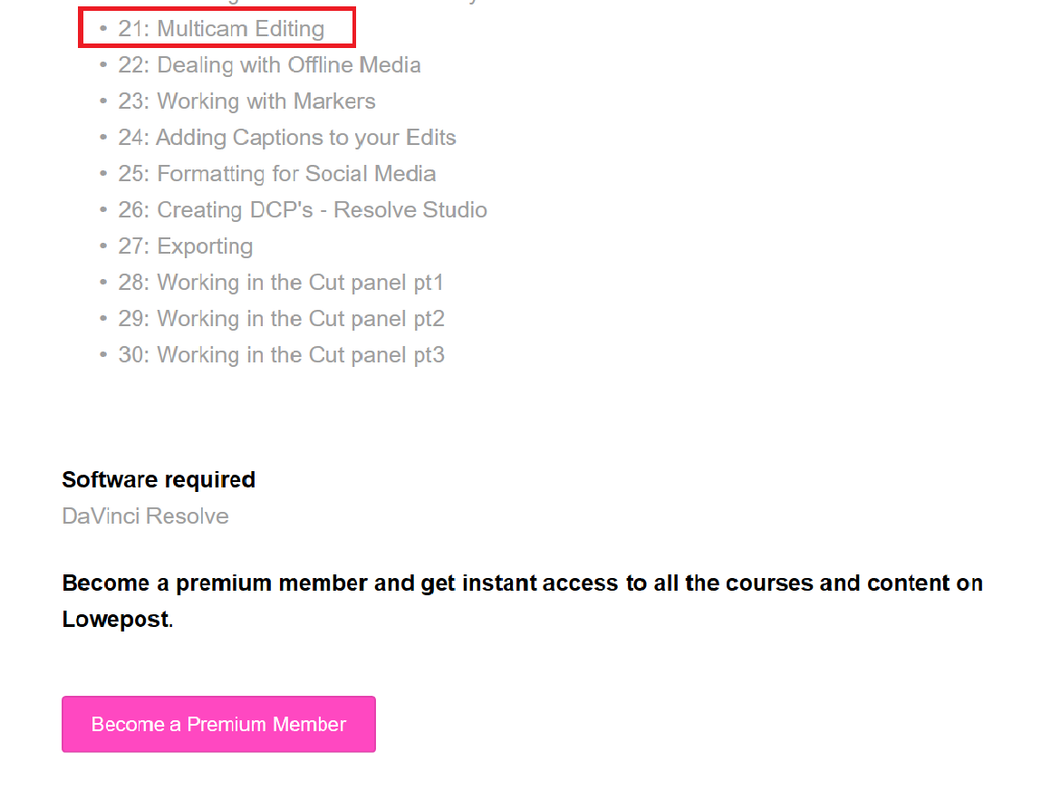
Will, try this professional level course from Lowepost for Davinci Resolve 16 taught by Kevin P McAuliffe , whom I learned alot from back in my Avid Media Composer Days


Its 6 Hours Long!


https://lowepost.com/finishing/courses/editing-in-davinci-resolve-16-r21/


Screenshot-23.png


Screenshot-22.png


Screenshot-20.png


Screenshot-21.png
 
Last edited:
Will,


Here's some basic Multi-Cams tutorials by guys not as experienced as Kelvin if you are interested.


Editing with the Davinci Resolve Multicam Tool


By Learn Davinci Resolve


Learn how to edit a multicamera shoot in Davinci Resolve using the powerful Multicam tool. In this video, I show you how to setup the Multicam clip and how to do the live editing. If you work with multiple cameras at the same time, you really need to learn how to use the Multicam tool!


Resolve In A Rush Ep26: Multicam Editing


By Ripple Training


n this episode Alexis shows you how to edit Multicam Projects in DaVinci Resolve.


Multicam Editing with Audio Sync - DaVinci Resolve 15 - 5 Minute Friday #3


By MrAlexTech


Multicam Editing and Sync WITHOUT Audio in DaVinci Resolve


By MrAlexTech


EPIC SKY REPLACEMENT - Davinci Resolve Fusion


By Jamie Fenn


Today you'll learn how to do a sky replacement composite effect using a luma keyer and motion tracking. Its the best way I have found to create this epic effect. Choose a still photo, video, or time-lapse to replace the sky with - its up to you! I also show you how to add as many layers as you'd want to create more depth and a more technical composite! Have fun! :D

Come say hi on instagram!
https://www.instagram.com/jamie_fenn
 
DaVinci Resolve Running Scripts


By Igor Riđanović


Once you write a Python or Lua script for DaVinci Resolve Studio you need to be able to execute it. This tutorial explains the multiple ways you can run a Resolve script. Make sure to watch the DaVinci Resolve Scripting Intro first.
 
Lowepost is a great resource! thanks for sharing.

Yeah, I've seen a majority of the multicam tutorials you posted, but thanks for the ones I hadn't seen! We have a few complex productions that had more cameras than most editors can even handle. I'd like to find out the limits and bugs prior to diving in super deep. Everything is awesome with 2-6 cameras and files in the same codec at the same framerate. Heh.
 
Will,


I understand better now what you are looking for. Marc Wielage and M.Most both color corrected a shit load of films/TV Series Respectively and Marc Wielage is a certified Davinci Resolve Trainer. So If anyone would know of what you're asking it would be one of those guys. Maybe one or both will chime in to help answer your question.
 
Davinci Resolve 16 - Audio GATE to Reduce Background Noise | Tutorial


By Jason Yadlovski


Audio Gates in Davinci Resolve can help you remove unwanted background noise from your videos. Have you ever had a fan or other noise that can be heard in the quite parts of your video? A GATE can take care of that. Gates might seem confusing, but they are easy to use and can make a big difference in your audio. I’ll show you how to use a Gate in Davinci Resolve Fairlight and how it can help improve the audio quality in your videos.

Please SUBSCRIBE if you enjoy the videos and are learning something!

FOLLOW ME:
Instagram: https://www.instagram.com/jayyadlovski/
Website: www.jasonyadlovski.com
 
How to Turn Video Clip into Color Palette with DaVinci Resolve 16


By Chris' Tutorials


Quick trick for turning any frame of a video clip into a color palette that you can use with programs like GIMP, Photoshop, or Krita to paint with. Of course, you could also use the colors as a reference in DaVinci Resolve 16 for designing your titles and such things as well.
 
Davinci Resolve 16 A Return Visit to the Face Refinement Tool


By Duke Denver Film


n this video you will do a return visit to the face refacemnet tool now in Davinci Resolve 16. The tool are studio version only, and are also available in Davinci Resolve 15.

Get Davinci Resolve 16 beta here: https://www.blackmagicdesign.com/prod...
 
Accusonus 4 Audio Plugins for Davinci Resolve,Premiere, Final Cut, Audtion, Pro Tools


By Filmmaker Central


Accusonus has just released ERA Bundle Pro 4. Multi-patented next-generation audio repair tools that offer both fast and high-quality processing. The Accusonus smart tools will help you save tons of studio time by doing most of the work for you Get access to the fastest repair technology for complex audio issues.

Purchase now or get a free trial at Accusonus
http://bit.ly/2Pha2dH
 
Fusion: Where are my LAYERS? (for After Effects users)


By Learn Color Grading

 
Back
Top