Welcome to our community

Be a part of something great, join today!

  • Hey all, just changed over the backend after 15 years I figured time to give it a bit of an update, its probably gonna be a bit weird for most of you and i am sure there is a few bugs to work out but it should kinda work the same as before... hopefully :)

DaVinci Resolve 11 Help - Your settings assistance please!

BRANDON JAMESON

Well-known member
Joined
Dec 2, 2008
Messages
1,724
Reaction score
0
Points
36
Location
San Diego, CA
Hello fellow REDusers!

I've just updated from da Vinci resolve 11 to 12 and now we have no outboard monitor image.

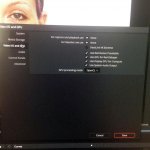
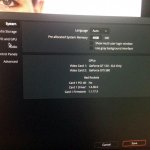
I've attached screen grabs of the site settings as they currently reside and would really appreciate your expertise in figuring out why I can't see anything on the monitor out.

We are using a single link SDI out to a TV logic monitor.

Thank you so much for your assistance in advance!
 

Attachments

  • image-1.jpg
    image-1.jpg
    94.1 KB · Views: 0
  • image.jpg
    image.jpg
    92.8 KB · Views: 0
Sorry, Doug...our system is on an old Mac Pro running the latest version of OS Yosemite.
It all worked fine this morning before the update to 12 and we uninstalled that new version and went back to 11...still no monitor.
The monitor sees a signal from the card, just no output from Resolve.
AAAARGH! :)
 
All I can offer is that your GTX cards you show in those stills have nothing to do with your SDI output. I recommend updating Desktop Video to the current version and try setting the video output settings (gear icon on bottom right) to something different if that doesn't work.

Before attempting these things, make sure your cable is good and patched correctly. If you are getting monitor out from the current Redcine X and it is recognizes the card, then you know it's probably a Resolve video setting issue.
 
I've just updated from da Vinci resolve 11 to 12 and now we have no outboard monitor image. I've attached screen grabs of the site settings as they currently reside and would really appreciate your expertise in figuring out why I can't see anything on the monitor out.
Your Decklink 4K Extreme was working prior to that? What if you choose it in the Prefs and then reboot?

Also, try the Blackmagic Media Express program (outside Resolve) and see if it can at least talk to the Decklink box. If you can at least get to the output card that way, then it's just a question of getting Resolve to recognize the card. It's possible the latest Desktop Video driver (10.5) would help, but backup your system first just in case.
 
Back
Top