Welcome to our community

Be a part of something great, join today!

  • Hey all, just changed over the backend after 15 years I figured time to give it a bit of an update, its probably gonna be a bit weird for most of you and i am sure there is a few bugs to work out but it should kinda work the same as before... hopefully :)

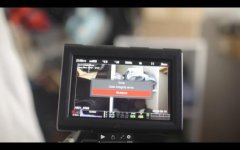
Data integrity ERROR!

James Falco

Well-known member
Joined
Sep 22, 2012
Messages
356
Reaction score
1
Points
18
Has anybody encountered this problem before?

0000.JPG


I already submitted the problem to RED and got a support ticket.
Was just wondering if anyone had gone through this before and got a fix for it.

Thanx. ///
 
At this pint camera wont even boot up.
It does not go beyond yellow boot light.

Tried putting a force upgrade on a ssd mag with the latest firmware.
Did't solve the issue.

: (
 
Contact Red Support asap!
 
The issue was resolved by sending the camera in. Props to RED for e quick turnaround.

Thanx everybody for your advise and mental support.

///
 
I have the same problem!
What's the solution for this? Can't I solve this my self?
 
I had to send my camera into RED. My cost was $800 or so for the repair.
 
Getting this with a brand new camera…that was just repaired after bricking. Reboot solved issue but…
 
This was happening to me pretty much every other take today. I'm transferring the footage off the cards to a drive and it's saying 10 hours! I have never experienced a card taking that long to dump.

red_Epic_Issue1.png
 
This was happening to me pretty much every other take today. I'm transferring the footage off the cards to a drive and it's saying 10 hours! I have never experienced a card taking that long to dump.

red_Epic_Issue1.png
Yikes! That's barely USB 1.0 speed.
 
yea, and I have one more.... so 20 hours total for 2 cards at dial up speed? SHEESH

Yikes! That's barely USB 1.0 speed.
 
Data integrity error! Getting this error regardless of which card is being used. Not happy.
 

Attachments

  • Screen Shot 2016-04-04 at 8.36.04 AM.jpg
    Screen Shot 2016-04-04 at 8.36.04 AM.jpg
    14.1 KB · Views: 0
Data integrity error! Getting this error regardless of which card is being used. Not happy.

It's not fun at all... I had to send the camera in for a repair...

For my camera there was damage to the LIO Board and connector flex due to using a screw that was too long by an AC I'll never hire again. The screw punctured the connector flex and damaged components on the LIO Board.
 
changing Side SSD Module as a solution?

changing Side SSD Module as a solution?

I've just had this problem crop up out of nowhere, after almost 2 years of flawless runtime. Hit record and the error turned up 10 seconds later, with clients over my shoulder, first shot of the day and we were already behind. Tried deleting SSDs on computer before reformatting, factory resetting the camera, etc, couldn't solve it. Scary stuff.

Is there any chance a change of SSD Side Module would be enough to resolve this? Or is the problem more likely in the brain itself?
 
Is there any chance a change of SSD Side Module would be enough to resolve this? Or is the problem more likely in the brain itself?

Quite scary... had the same experience... client over shoulder watching data integrity errors pop up and power cycling the camera which to answer your question, my issue was damage to the LIO Board and connector flex ... not sure about potential SSD Side Module issue
 
inspect

inspect

we had same issue. had to replace board in camera. remove your module adapter have a good look at the OMAP conector on the back of the brain.
each little connection has 2 contacts so if you can look at with a loupe, look for a bent pin. we had to pay 1200$ to repair OMAP board beore we could upgrade to MG. i would look there first.
 
Back
Top