Welcome to our community

Be a part of something great, join today!

  • Hey all, just changed over the backend after 15 years I figured time to give it a bit of an update, its probably gonna be a bit weird for most of you and i am sure there is a few bugs to work out but it should kinda work the same as before... hopefully :)

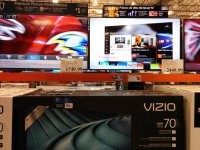
Costco's Latest UHD addition.

Kalulu Ngilo

Well-known member
Joined
Jan 9, 2013
Messages
232
Reaction score
0
Points
0
Location
Menifee
Since last time, it was hard to figure out what most manufactures would do as far as USB UHD playback. Vizio has stepped up to the plate and are doing something quite different. The following is what's inside Vizio's flash drive for UHD demo playback. I have seen the Nature RED feature at RED events(Pacific Rim).

Files appear to be: MPEG-H Part2/HEVC (H.265) (hevc), MPEG AAC Audio(mp4a)

CostaRica_HEVC_FINAL.mp4
LA_Nights_FINAL.mkv
Nature_RED_FINAL.mkv
Stevie_Johnson_Clean_FINAL.mkv
UHD_Showcase_Florian_FINAL.mkv
VIZIO_PSeries_Product_FINAL.mkv
VIZIO_UHD_SplashScreen_FINAL.mkv

...and the magic file that's driving the usb drive files.
vizio_demo.txt
Code:
VIZIO_UHD_SplashScreen_FINAL.mkv, 1, 0, 0
VIZIO_PSeries_Product_FINAL.mkv, 1, 0, 0
VIZIO_UHD_SplashScreen_FINAL.mkv, 1, 0, 0
Stevie_Johnson_Clean_FINAL.mkv, 1, 0, 0
VIZIO_UHD_SplashScreen_FINAL.mkv, 1, 0, 0
LA_Nights_FINAL.mkv, 1, 0, 0
VIZIO_UHD_SplashScreen_FINAL.mkv, 1, 0, 0
UHD_Showcase_Florian_FINAL.mkv, 1, 0, 0
VIZIO_UHD_SplashScreen_FINAL.mkv, 1, 0, 0
Nature_RED_FINAL.mkv, 1, 0, 0
VIZIO_UHD_SplashScreen_FINAL.mkv, 1, 0, 0
CostaRica_HEVC_FINAL.mp4, 1, 0, 0

IMG_20141019_112202.jpg

Hope this helps spread your content to manufactures.
 
The 50" is $999. Love these tv's. Great looking picture and really good contrast and viewing angles. Picture is excellent, won tons of awards at CES 2013.
 
The 50" is $999. Love these tv's. Great looking picture and really good contrast and viewing angles. Picture is excellent, won tons of awards at CES 2013.


Matt have you tested with anything RED related e.g. REDRAY, R3Ds, Mac Pro system etc...
 
Just picked one up, first major problem, these TVs do not support H264 at above 1080P resolution, only h265. Also, still messing with picture calibration, but out of the box they are AWFUL.
 
Just picked one up, first major problem, these TVs do not support H264 at above 1080P resolution, only h265. Also, still messing with picture calibration, but out of the box they are AWFUL.

All of them are terrible out of the box. My brother in law bought the LG 49" UHDTV and it was horrible out of the box. Every demo mode is terrible on every tv, oversaturated, sharpness on high, colors skewed, smooth motion, incredibly high contrast levels, etc.

What model do you have? There's some basic settings that should get the tv almost spot on right away.

There's a reason it won awards at CES...

50" settings to get you started:
P502ui-B1, FW 1.0.1, HCFR 3.0.6, X-Rite i1D3 Retail.

BT.1886, Gamma 2.22, Night Viewing at 35fTL.

Calibration was done with FALD off. Started in Standard Picture Mode.

All Picture Mode settings are turned off except for Game Low Latency.

Backlight 19
Brightness 50
Contrast 48
Color 50
Tint 0
Sharpness 0

11 Point White Balance
5% -4 -5 3
10% -4 -4 10
20% -21 -17 -9
30% -14 -17 -15
40% -4 -11 -16
50% -3 -8 -9
60% -3 -7 -8
70% -8 -6 -5
80% -11 -11 -6
90% -16 -13 -10
100% -7 0 -9

Since it was calibrated at 2.2 gamma setting, you can just adjust the backlight for daytime viewing without interfering with the overall calibration. I'd pump the backlight up to 28-35 for daytime.
 
Matt have you tested with anything RED related e.g. REDRAY, R3Ds, Mac Pro system etc...

I don't have any of those setups so not able to test that. I have my Macbook Pro so I'll maybe try that out later.
 
Thanks Matt, I ended up going with another posted calibration as the initial one you found left my display a little cold and flat. However, the one listed below is great on my set. The h265 engine is really great, did some more tests last night, just wish they had managed to add 4k h264 as well.

P702ui-B2, FW 1.0.0, HCFR 3.0.6, X-Rite i1D3 Retail.

BT.1886, Gamma 2.22, Day Viewing at 45fTL.

Calibration was done with FALD off. Started in Calibrated Picture Mode.

All Picture Mode settings are turned off except for Game Low Latency.

Backlight 30
Brightness 50
Contrast 51
Color 50
Tint 0
Sharpness 50 ( can really be anything I don't see a change by adjusting sharpness)

In advanced Picture set the Gamma value to 2.2.
Note that this is for those of you that watch in a lit environment. These settings are not ideal for those who watch with no ambient light.

11 Point White Balance
5% 0 0 0
10% -6 -4 -7
20% -18 -14 -12
30% -23 -16 -18
40% -30 -23 -23
50% -30 -25 -24
60% -29 -28 -24
70% -34 -24 -25
80% -28 -21 -24
90% -26 -16 -15
100% -10 0 2
Updated to eliminate sunburn....
Color Tuner
Hue (4,8,1,1,1,-1)
Saturation (5,21,11,34,21,9)
Brightness (11,4,7,6,4,2)
Offset(3,-1,-4)
Gain(-16,0,-15)
 
Post the specs on the 4K h.264 file that you're trying to test it with and the model that you're testing it on and I'll check to see if I can dig up the chipset specs to see what you actually can put through it. A lot of times, audio codec usage is what trips up the media player built into these TVs.
 
Andrew, what model do you have?

The Vizio's have two different panels throughout the lineup so if you have the 70" it's a different manufacturer for the panel so the settings I posted won't work.
 
Matt, I've got the 50"

L., Vizio support confirmed that there is currently no support for h264 above 1080p on the P Series TVs
 
Anyone have any great shorts with a 4k master? I am working with h265 conversions and am getting tired of watching my own work. LOL
 
Matt, I've got the 50"

L., Vizio support confirmed that there is currently no support for h264 above 1080p on the P Series TVs

They have some sort of custom chipset (CPU/GPU) in there, according to their own PR. I can't find any information on it beyond what they call it and how many cores the CPU and GPU have. There really is no reason why it shouldn't support 4K h.264 if it has the horsepower to decode 4K h.265. Contact Vizio and ask them to push out 4K h.264 support in a future update. Since most 4K downloads are using that, there's no reason why they shouldn't have it already.
 
So, pardon the silly question if I am missing the obvious. Can this monitor play 4K off of a USB thumb drive?
 
So, the main complaint I am hearing from CNET is the imbedded sharpness. From those of you who have seen the TV is this a big issue for you?
 
So, the main complaint I am hearing from CNET is the imbedded sharpness. From those of you who have seen the TV is this a big issue for you?

Nope, not even sure why they are seeing that cause I for sure don't. Haven't seen any complaints of it outside of that CNET review. I'm wondering if the sharpness complaint was actually because of upressing HD material that was being played. Not sure.
 
For the folks using this display, can you post your setup and how its being used please :)
 
So, the main complaint I am hearing from CNET is the imbedded sharpness. From those of you who have seen the TV is this a big issue for you?

'It should be noted that many participants in this thread who are professional calibrators and/or serious videophile have been favorably impressed by these television despite their various shortcomings. Most of us cannot see any of the over processed edge enhancement problem that they're talking about though one of us could see something that might be it when he used magnifying glass.'

http://www.avsforum.com/forum/166-lcd-flat-panel-displays/1689258-official-2014-vizio-p-series-owner-s-thread-205.html
 
So, pardon the silly question if I am missing the obvious. Can this monitor play 4K off of a USB thumb drive?

Yes and no. It can definitely play h.265 MKV files but apparently no other 4K video files using any other codec, based on what I've read from those who own the sets. One of the things I've noticed is that there is no mention of 4K h.264 decoding in almost any of the information you'll find about the UHDTV chipsets, except for one or two models.
 
Last edited:
Just an update, awesome image quality. I have only noticed edge artifacts on uprezed content.
 
The demo mode of the Vizio 4K TV’s (mentioned earlier in this thread, thanks Kalulu!) is really close to what we want to use for displaying a video reel at a trade show. We’re able to play, and loop, multiple h.265 3840x2160 video files with no problem using this text file.

In the “store demo” mode, the TV default to using a picture setting of “Vivid” and sharpness set too high etc. We are able to change that, however, after about 10 minutes, the TV seems to automatically jump back to the default picture mode, i.e. “Vivid”. Has anyone found a way around this?

As an alternative, we’ve tried setting up a DLNA server and streaming video to the Vizio TV. This works for a single video, but it doesn’t seem like there is an option to use a playlist or to loop video. I’ve tried using an m3u file as a test playlist but it doesn’t seem to find it. Likewise, the TV seems to ignore playlists on the USB stick as well. Has anyone been able to get a playlist to work?
 
Back
Top