Welcome to our community

Be a part of something great, join today!

  • Hey all, just changed over the backend after 15 years I figured time to give it a bit of an update, its probably gonna be a bit weird for most of you and i am sure there is a few bugs to work out but it should kinda work the same as before... hopefully :)

Color Correction/Color Grading Workflow from Premiere to Davinci Resolve

Randy Kessler

Active member
Joined
Apr 4, 2016
Messages
37
Reaction score
0
Points
0
Location
Farmington, CT
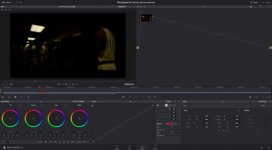
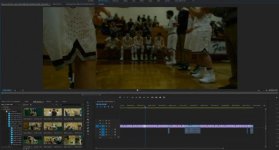
Hi guys! I want to do basic color correction on my .r3d (RED Epic-W) files that I have put into a timeline in Adobe Premiere before going into color grading. The clips that I am working on in Premiere I do basic color correction like exposure, brightness, changing the ISO settings to get rid of the noise, etc. The problem I am running into is producing the most efficient roundtrip workflow from start to end (Final Video Product). What are your suggestions as far as workflow goes? Please let me know if you have any detailed questions. Any help would be appreciated. Thanks all! (Picture 1 attached is some of the footage that I color correct in Premiere, 2nd picture is the darkness of footage I deal with in Davinci Resolve 12.5.)
 

Attachments

  • Screen Shot 2017-01-24 at 4.05.16 PM.jpg
    Screen Shot 2017-01-24 at 4.05.16 PM.jpg
    18.3 KB · Views: 0
  • Screen Shot 2017-01-24 at 4.05.40 PM.jpg
    Screen Shot 2017-01-24 at 4.05.40 PM.jpg
    13.3 KB · Views: 0
My advice would be to not spend a lot of time doing color-correction within Premiere but just try to get some kind of basic look that tells the story. Once you do that, export an XML and reconform the project in a decent color-correction program like Baselight, Lustre, Mistika, Nucoda, Pablo, or Resolve. Export a compressed copy of the final edited version you did in Premiere and use that as a reference in the color-correction program. I guarantee you, they'll be able to match it there and most likely take it further.

Don't forget the need to monitor through a color-managed output, on a calibrated monitor. Do not judge the picture in the operating system, especially on a cheap, uncalibrated computer display.

If you use something like Resolve, chances are that an actual roundtrip isn't necessary. You can just conform the files and create the final theatrical version within Resolve itself.

Scott Arundale's book Modern Post: Workflows & Techniques for Filmmakers goes into this in great detail. There's also good advice out there on the net, and MixingLight.com recently did an interesting series on how to solve conform issues between Premiere and Resolve (all because of the limitations of XML).
 
Back
Top