Windows 7 64bit & Manual update of Birger Impero
Windows 7 64bit & Manual update of Birger Impero
Birger BEI won't update Impero through Windows as of Jan. 9, 2010. To update follow the .pdf that is available on the Birger site.
*****Please note the following important additions***********
7.
After reading the above your ready to go. Wait though, Windows 7 doesn't have HyperTerminal so what do you do?
Do what I did, Google.
This is what I found:
http://digitizor.com/2009/08/29/how-to-install-the-winxp-hyperterminal-client-on-windows-vista-or-windows-7-free/
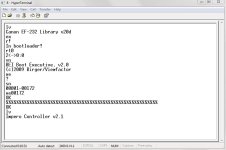
After you have HyperTerminal on Windows 7, open it up and name your connection whatever you want and select the "COM #" that corresponds to the one listed under your Bluetooth "Open Setting".
It will connect. Now disconnect-->File-->Properties-->Settings-->ASCII Setup-->check off, "Send line ends with line feeds", "Echo typed characters locally" and "Append line feeds to incoming line ends".-->OK-->OK
Now taking into account what I said at the top you are ready to follow the .pdf instructions from the Birger site on manually updating the Impero.
Windows 7 64bit & Manual update of Birger Impero
Birger BEI won't update Impero through Windows as of Jan. 9, 2010. To update follow the .pdf that is available on the Birger site.
*****Please note the following important additions***********
7.
b) type sn<CR> to get your Impero serial number. Take the last 5 digits of the serial number and put it after the xe command in step #8.
After reading the above your ready to go. Wait though, Windows 7 doesn't have HyperTerminal so what do you do?
Do what I did, Google.
This is what I found:
http://digitizor.com/2009/08/29/how-to-install-the-winxp-hyperterminal-client-on-windows-vista-or-windows-7-free/
After you have HyperTerminal on Windows 7, open it up and name your connection whatever you want and select the "COM #" that corresponds to the one listed under your Bluetooth "Open Setting".
It will connect. Now disconnect-->File-->Properties-->Settings-->ASCII Setup-->check off, "Send line ends with line feeds", "Echo typed characters locally" and "Append line feeds to incoming line ends".-->OK-->OK
Now taking into account what I said at the top you are ready to follow the .pdf instructions from the Birger site on manually updating the Impero.