Welcome to our community

Be a part of something great, join today!

  • Hey all, just changed over the backend after 15 years I figured time to give it a bit of an update, its probably gonna be a bit weird for most of you and i am sure there is a few bugs to work out but it should kinda work the same as before... hopefully :)

Banding Issues

I've noticed some banding too, especially in scenes with opened skies and large portion where the light smoothly falls from the source in the image (i.e walls, halls)

Adrian,

I notice the same thing too. I'm seeing the most banding on flat surfaces like walls. They don't necessarily need to be underexposed. I see banding on well lit surfaces such as a wall lit by a house lamp two feet away.

Graeme, How would I go about setting up my monitor or rendering through RedAlert so that I won't see any banding?
 
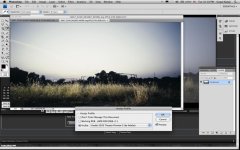
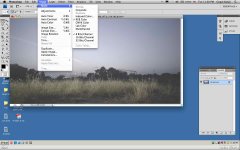
RED Alert is doesn't have any dither in it, I'm afraid. The logic being that you'd export a tiff or dpx sequence and either preserve the full bitdepth, or whatever app that processes the image to do the final output would, if going to 8bit, dither. For testing, I'd export a tiff to Photoshop and then convert down to 8bit.

Graeme
 
RED Alert is doesn't have any dither in it, I'm afraid. The logic being that you'd export a tiff or dpx sequence and either preserve the full bitdepth, or whatever app that processes the image to do the final output would, if going to 8bit, dither. For testing, I'd export a tiff to Photoshop and then convert down to 8bit.

Graeme

Graeme,

A lot of the time I shoot stuff that needs to be edited down quickly, so I am rendering out in RedAlert to ProResHQ 2k, and then using that as the master format. How is it that I can get rid of the banding from there? Is there something in FCP that can dither down my final movie? I am sure that most of the people watching the final product will be watching it with 8-bit monitors.
 
ProRes is 10bit, so it should be ok, but whatever app takes that to 8bit for display or encode should dither it properly. If you feel that that will not be the case, addition of a very small amount of random noise will be necessary.

Graeme
 
I think that it may also have to do something with the vignetting of the Zeiss Standard speed lenses. The edges of the frame become noisy because of the vignetting. Therefore, the vignetting part of the frame is really noisy resulting in noise that is much worse than the non vignetting part of the frame, creating a harsh edge.

Apart from that, I'm seeing banding in areas of the frame that are not in the vignetting, so I'm not really sure.
 
Noise is one thing that helps eliminate banding. Vignetting will make edges a touch darker, a touch noisier, but shouldn't contribute to any harsh edge.

Graeme
 
Thanks Graeme, I've got to get home from work and do some detective work.

Question: Are you seeing a harsh edge in the picture that I posted up? Am I seeing things?
 
I did look at the image, but an 8-bit JPEG doesn't tell me at all what the underlying data is doing.

Graeme
 
Bit depth reduction is an important process and often its not done satisfactorily. Does any one know of any tools/plugins for Quicktime App's that apply Dithering, Dynamic rounding or other process that sorts the problem on file conversion.

Id also be very interested for a plug in for FCP and Color, not necessarily for Red but other media that has quantising issues and a tool is needed to sort out the banding artefacts.
 
David, you might want to get in touch with Stacey Spears. He's a video ninja when it comes to video pre-processing (like dithering).

Check out the thread he started a while back on the topic:

http://reduser.net/forum/showthread.php?t=29588

Thanks Chuck,

I will give him a private message after I mess around with the camera for a little longer. I hope that he will give this beginner (me) the time of day.

Id also be very interested for a plug in for FCP and Color, not necessarily for Red but other media that has quantising issues and a tool is needed to sort out the banding artefacts.

I second that.
 
Well, I've never seen banding in the RAW data, even under extreme levels. I have seen it in how that data is displayed, but never in the image itself unless you reduce too many bit levels - like save out an 8bit tiff, without first dithering down to that bit depth.

Will it appear on prints - don't know, but it shouldn't. You could take the dpx into photoshop, convert down to 8bit which will dither, and then examine.

Graeme

Graeme,

I'm seeing big progress. I see a lot of banding (I'm sure it's banding this time) in the ProRes when viewing with Quicktime application. However, when I bring this prores into final cut pro, then view digital cinema desktop preview- main, i do not see any banding at all, but see a smooth clean gradient. Perhaps the Quicktime application is the culprit?

Also, my "About This Mac" says that I have a 32-bit color depth display. But I'm not sure if I'm looking at the right thing.
4168664178_a7dd0814e8_o.png


So I feel like I've made big progress with the banding issue. However, I'm having a bit of a hard time in final cut pro working with prores 2k half high files and even prores 1k quarter res files. The problem shows itself on my canvas when the RED prores clips are playing from my timeline. When the clip is paused, the image looks fine. However, when I hit play, the image gets all washed out. When I watch the cinema desktop preview, the image looks fine when paused, but when I hit play, the image gets all narrow and distorted, the banding appears again but with greater intensity. When I do a quicktime export, the movie looks normal. This leads me to the feeling that this is a display error.
 
Sounds like to start with you FCP is totally setup wrong.

canvas changes gamma on pause/play if your working with RGB data that prores is not... so thats weird. Whats the Seq Settings set to ?

As for the narrowing and distortion sounds like a fcp setup issue also. is your aspect ratio etc set correctly?
 
Thanks for replying.

Here are my sequence settings for 2k resolution.

4169200310_c54d3f6f59_o.png


4168426683_f4ec883cbe_o.png


4169190466_6893d47c15_o.png
 
Graeme,

I'm seeing big progress. I see a lot of banding (I'm sure it's banding this time) in the ProRes when viewing with Quicktime application. However, when I bring this prores into final cut pro, then view digital cinema desktop preview- main, i do not see any banding at all, but see a smooth clean gradient. Perhaps the Quicktime application is the culprit?

Also, my "About This Mac" says that I have a 32-bit color depth display. But I'm not sure if I'm looking at the right thing.
4168664178_a7dd0814e8_o.png


So I feel like I've made big progress with the banding issue. However, I'm having a bit of a hard time in final cut pro working with prores 2k half high files and even prores 1k quarter res files. The problem shows itself on my canvas when the RED prores clips are playing from my timeline. When the clip is paused, the image looks fine. However, when I hit play, the image gets all washed out. When I watch the cinema desktop preview, the image looks fine when paused, but when I hit play, the image gets all narrow and distorted, the banding appears again but with greater intensity. When I do a quicktime export, the movie looks normal. This leads me to the feeling that this is a display error.

You have a 32-bit depth color being generated by the graphics card.

Turn to 16-bit if you can and alpha is disabled on the OS GUI.

This has nothing to do with your display. Usually manufacturers are very tight lipped about what type of LCD panel they use.

Read more about LCD panel types: http://en.wikipedia.org/wiki/TFT_LCD#Types

Most panels are TN (6-bit, cheap and fast response times) and apply dithering to show colors. In some of them, when you quickly open a picture, you see the banding very briefly and it disappers, it's the time for the dithering to kick in.
 
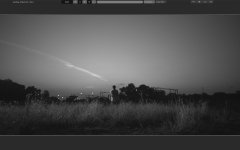
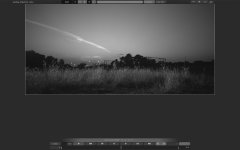
Banding visible in Green Channel and Red Channel

Banding visible in Green Channel and Red Channel

Grame,

Attached the screenshots of banding.

Its more visible when seen in 2K christie projector after applying Kodak LUT from BaseLight.

Any solution to get rid of it or workaround. We are seeing in more wider shots in Sky.
 

Attachments

  • Banding.jpg
    Banding.jpg
    95.4 KB · Views: 0
  • greenchaneel.jpg
    greenchaneel.jpg
    61.8 KB · Views: 0
  • Redchannel.jpg
    Redchannel.jpg
    55.3 KB · Views: 0
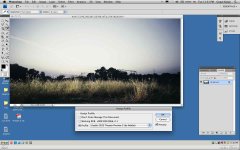
When you're in photoshop, tell it to make an 8bit from the 16bit. That will dither it down and the banding should vanish.

Graeme
 
When you're in photoshop, tell it to make an 8bit from the 16bit. That will dither it down and the banding should vanish.

Graeme


How about the 2K Christie Projector showing banding when applied Kodak Lut?

Even when converted to 8bit file in photoshop you can see the banding. Check the attachments.
 

Attachments

  • 8bit.jpg
    8bit.jpg
    91.9 KB · Views: 0
  • KodakLut.jpg
    KodakLut.jpg
    91.8 KB · Views: 0
I need to see the R3D, and I can't look at it until the weekend at the earliest, so if that's ok, email me graeme @ red . com and arrange to send me the file and I'll investigate for you.

Graeme
 
Back
Top