Welcome to our community

Be a part of something great, join today!

  • Hey all, just changed over the backend after 15 years I figured time to give it a bit of an update, its probably gonna be a bit weird for most of you and i am sure there is a few bugs to work out but it should kinda work the same as before... hopefully :)

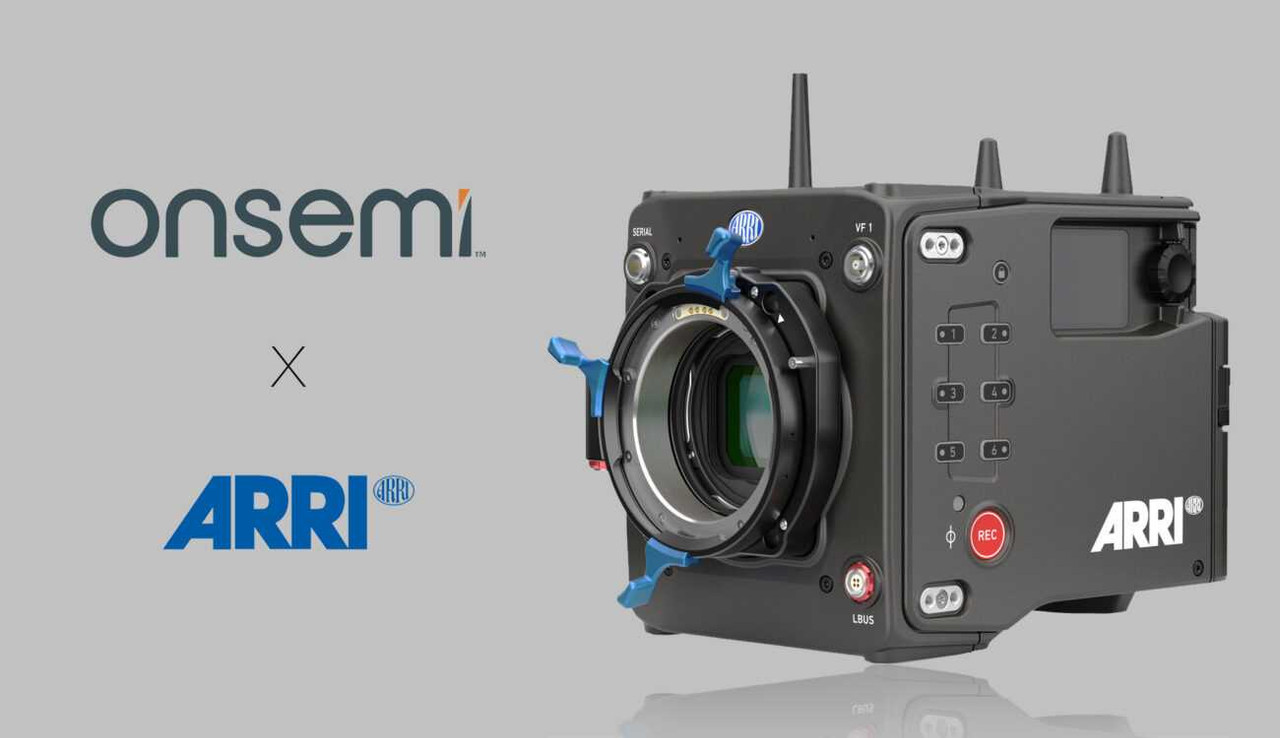
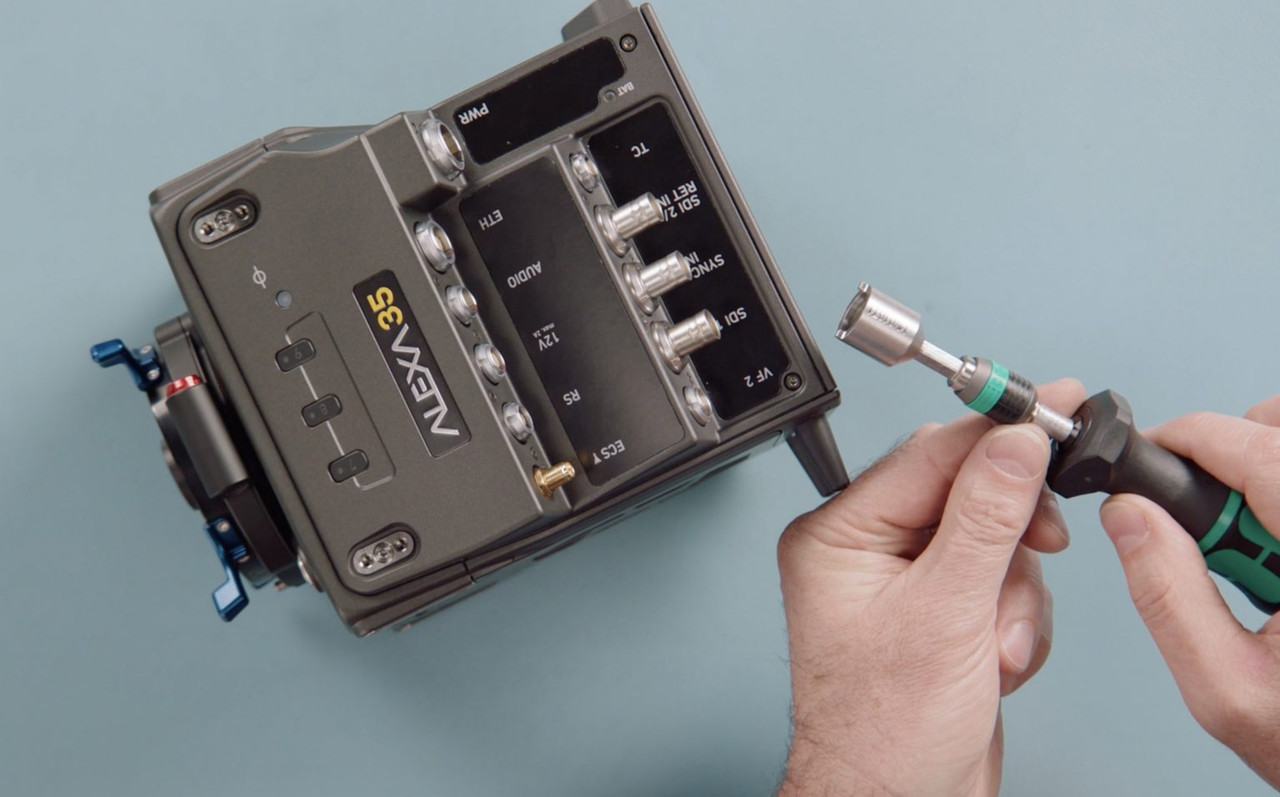
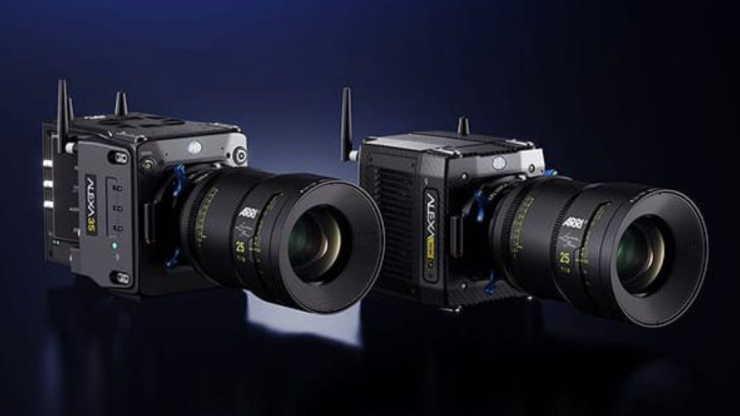
ARRI 4K Super 35 Camera Will be Launched Next Month

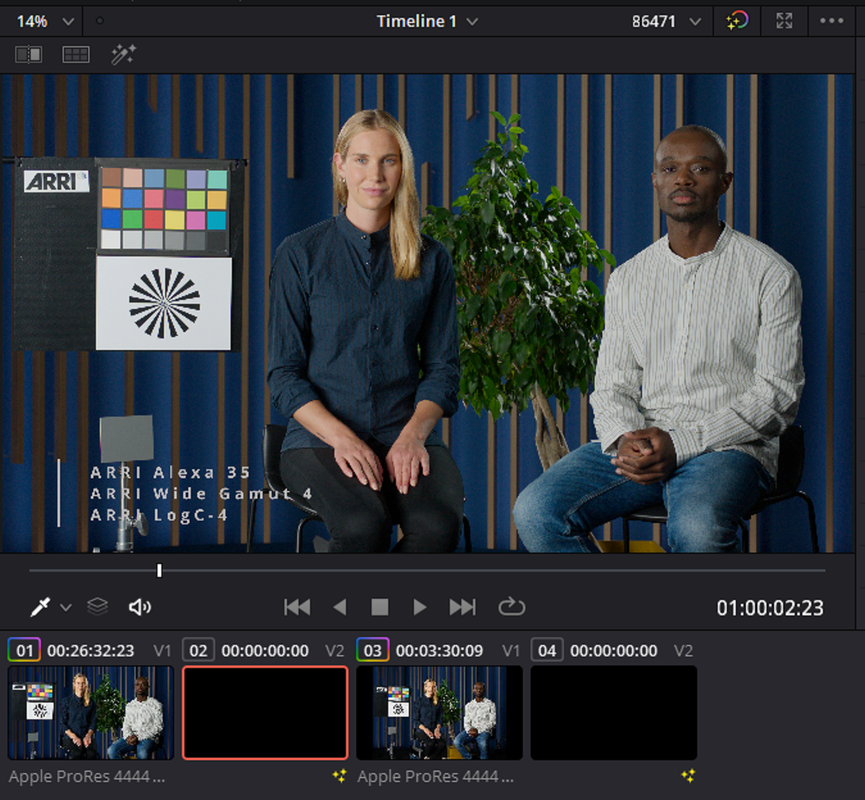
Grading ALEXA 35 Footage (AWG4) in DaVinci Resolve 18 - Look Development 1 (without LUTs)

by

Pourang Kay

 
Pomfort Silverstack
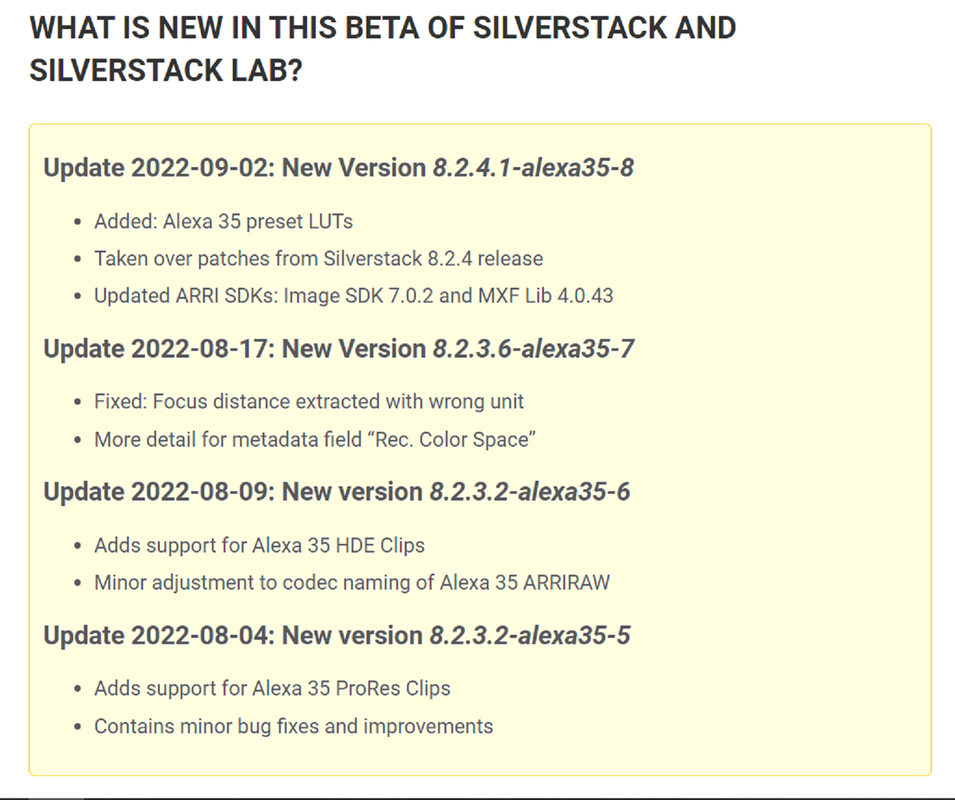
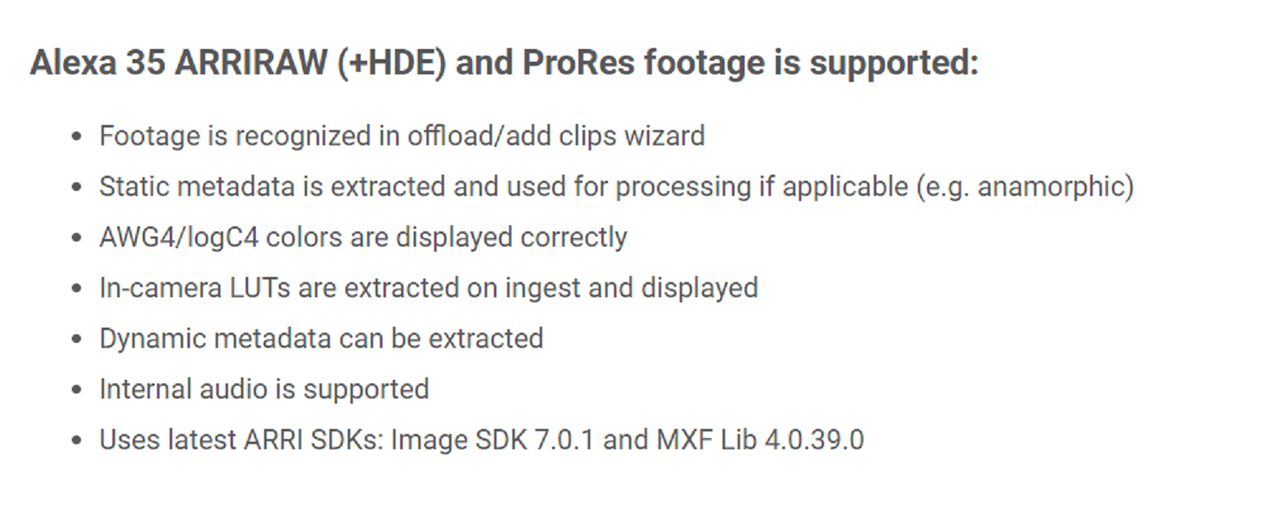
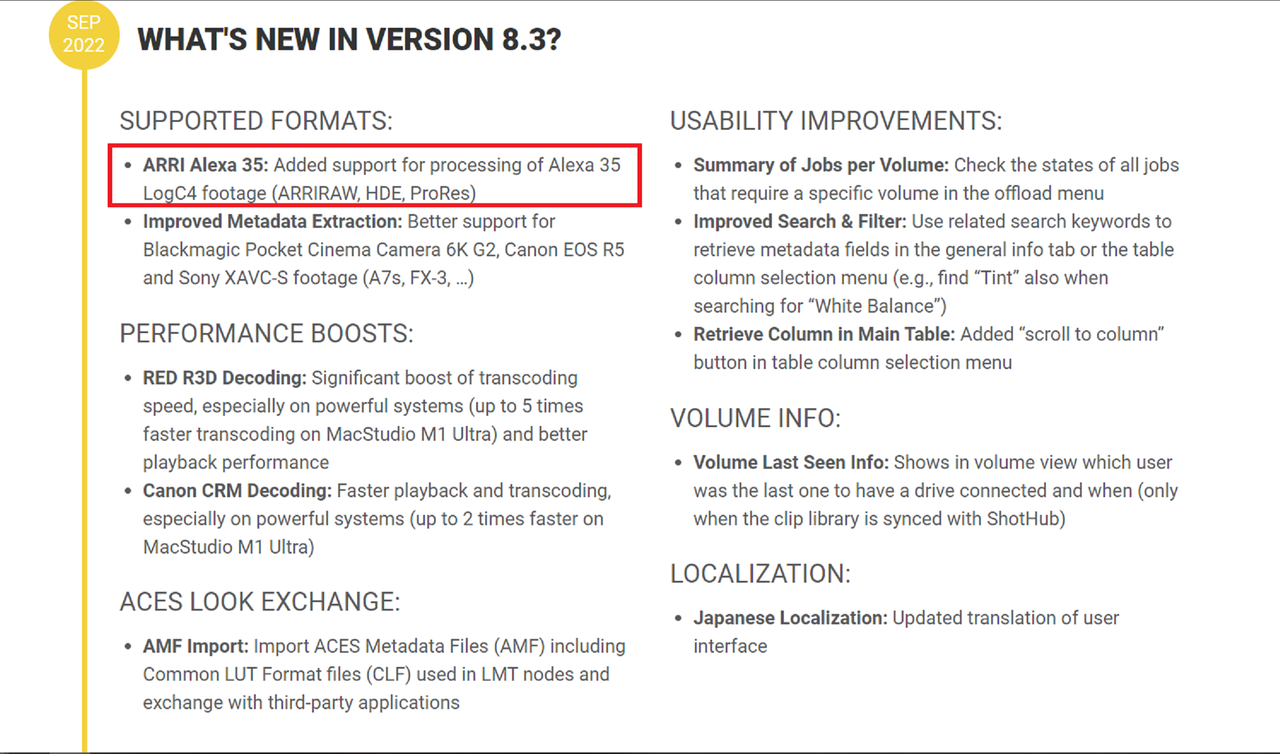
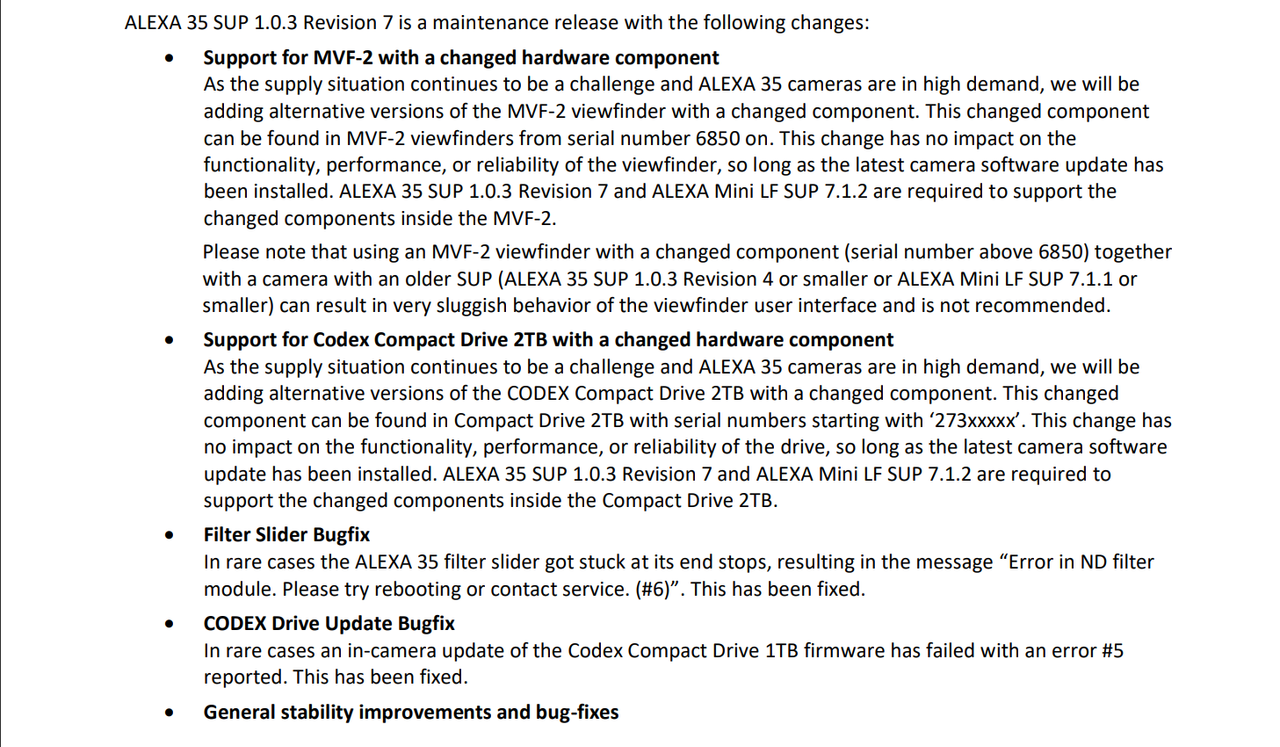
ARRI Alexa 35 Beta - Pomfort Knowledge Base Pomfort Knowledge Base


Screenshot-6852.png
 
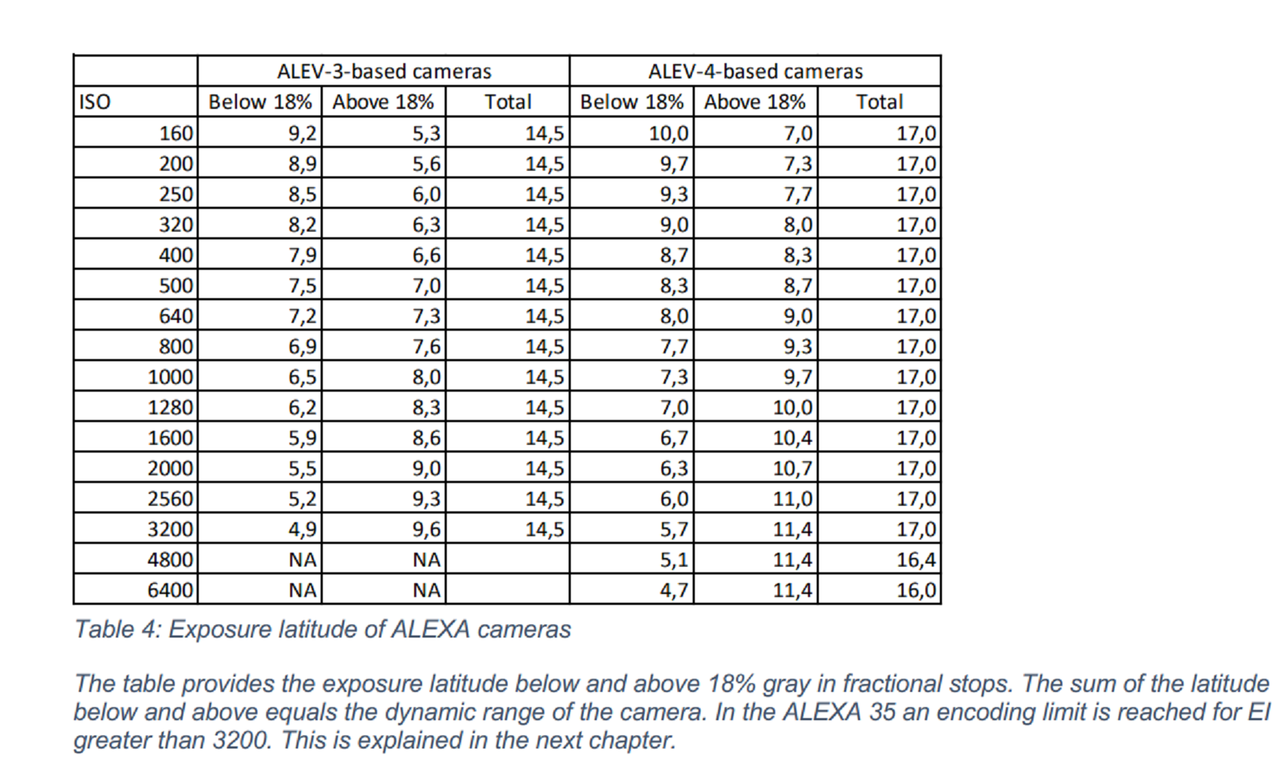
I see sensor smearing and a lot of noise at 6400 iso. I wonder how the processed the footage as the clipped colors from the neon seems really off.

It states that they used a DAVINCI YRGB workflow but I don't know if they developed the images from scratch on their own or if the Official ARRI Awg4/Alc4 Luts were used, I don't believe I saw it mentioned. If the Official Arri Luts were used, what Camera Raw settings did they use. This could just simply be showing the limitations of the Alexa 35 under the conditions of these scenes. I would have personally used ACES because IMHO I think there are so many more ways to control those " Out Of Gamut" colors in ACES than in a Davinci YRGB workflow.
 
Skid Row 'Time Bomb' - Official Video - New Album 'The Gang's All Here' Out October 14th

by
earMUSIC


"The video for “Time Bomb” was co-directed by Rachel Bolan and acclaimed director Dale ‘Rage’ Resteghini (Five Finger Death Punch, Guns N Roses) who was sought out by Rachel to bring his artistic vision and story to the screen, for the song about humanities continuing struggle with self-indulgence and monotony. Rage, known for his ability to get extremely visceral performances and coming up with eye catching visuals collaborated with Rachel while using the film world’s latest breakthrough in cinematography, the brand new Arri Alexa 35 and handcrafted MasterBuilt Classic Lenses helping create the stellar look for “Time Bomb”.
 
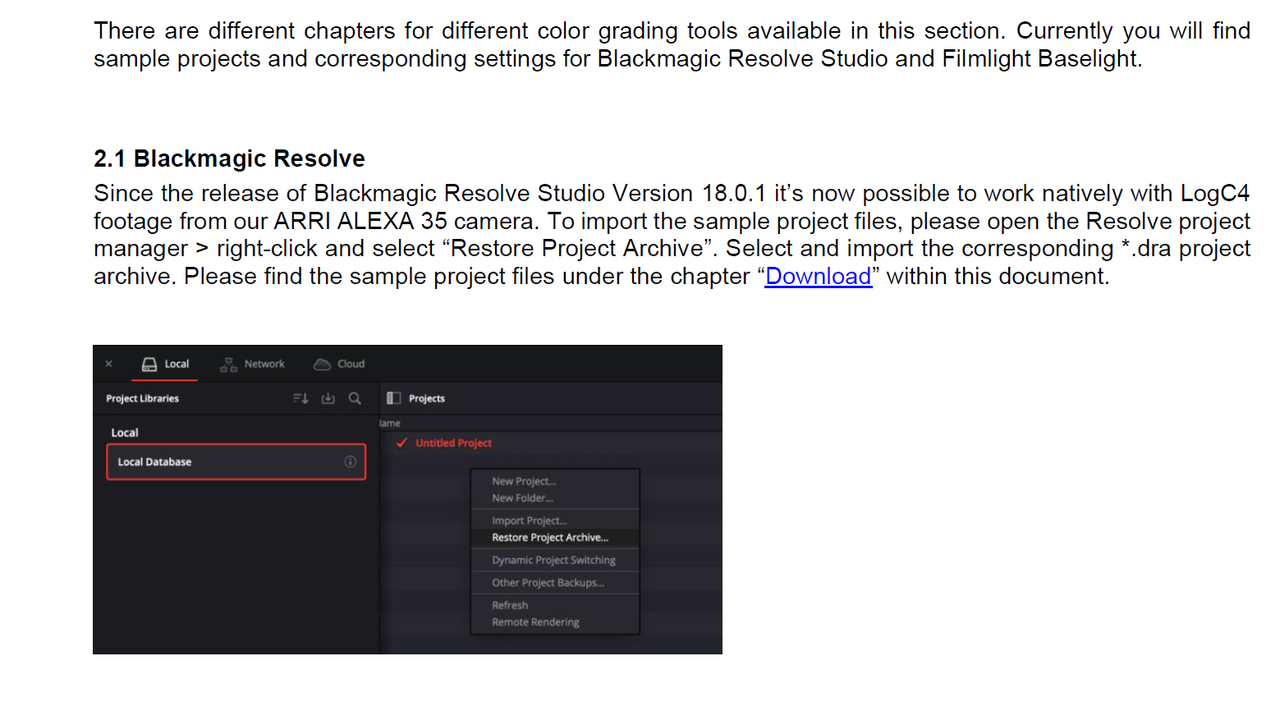
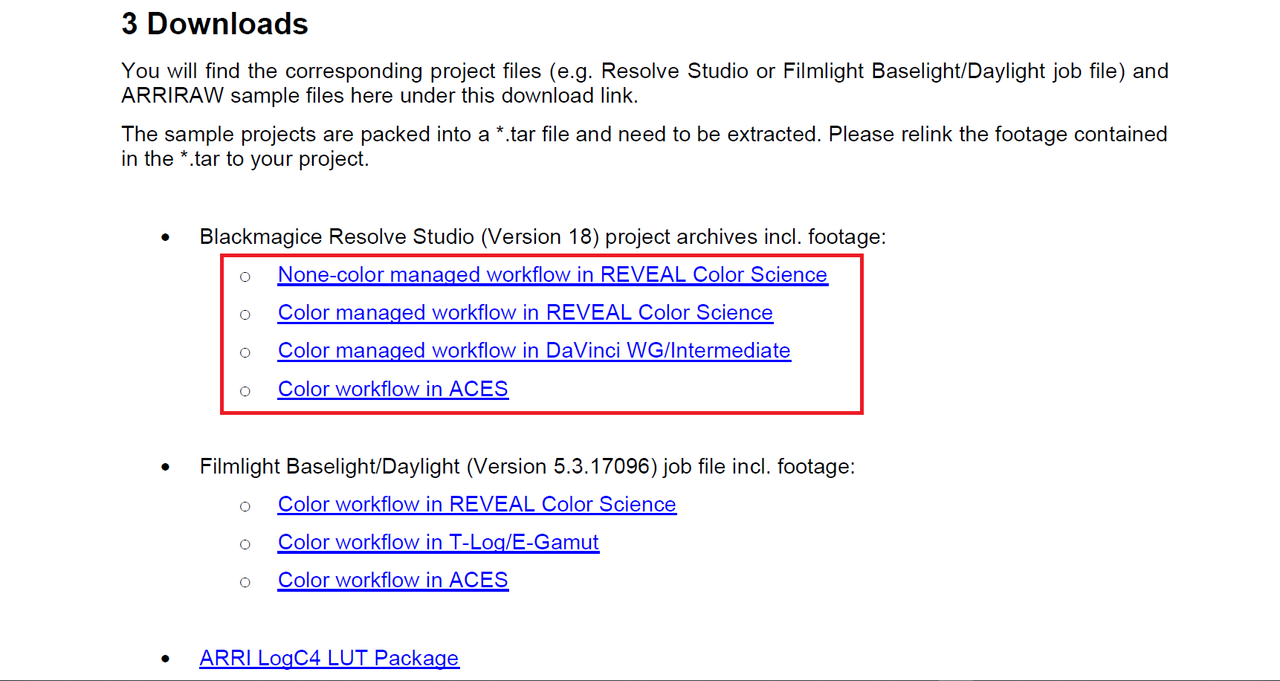
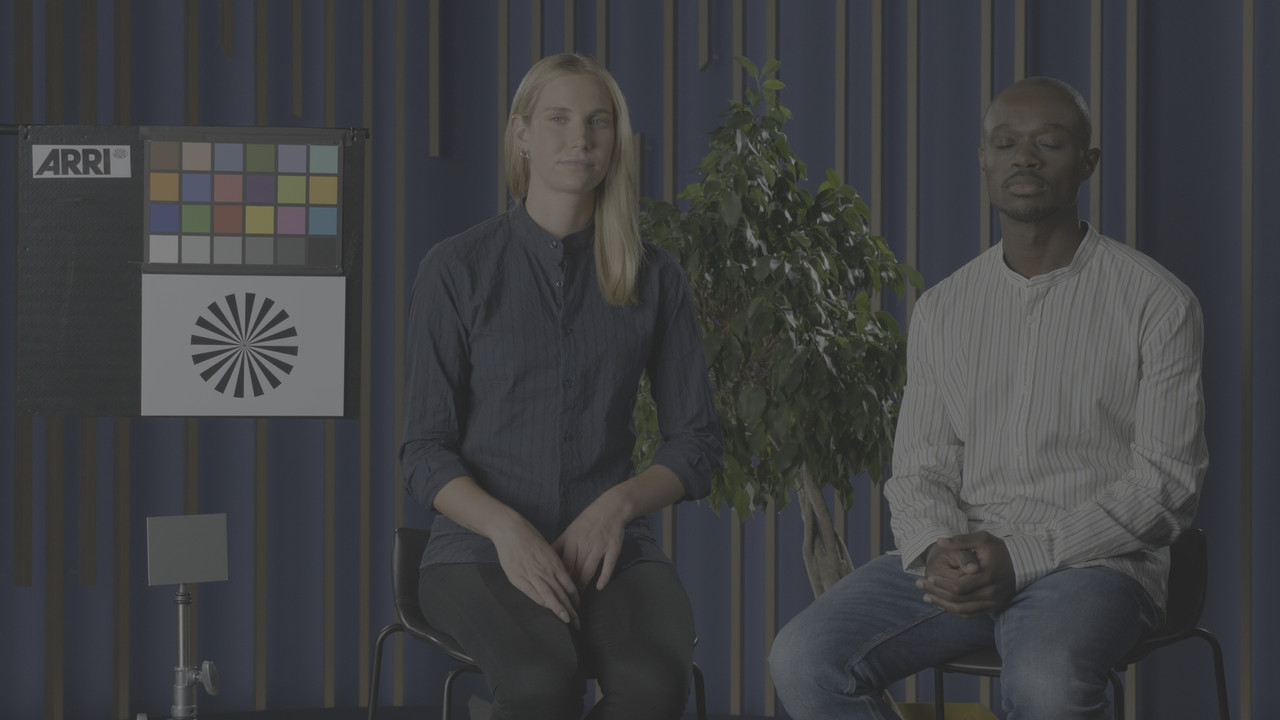
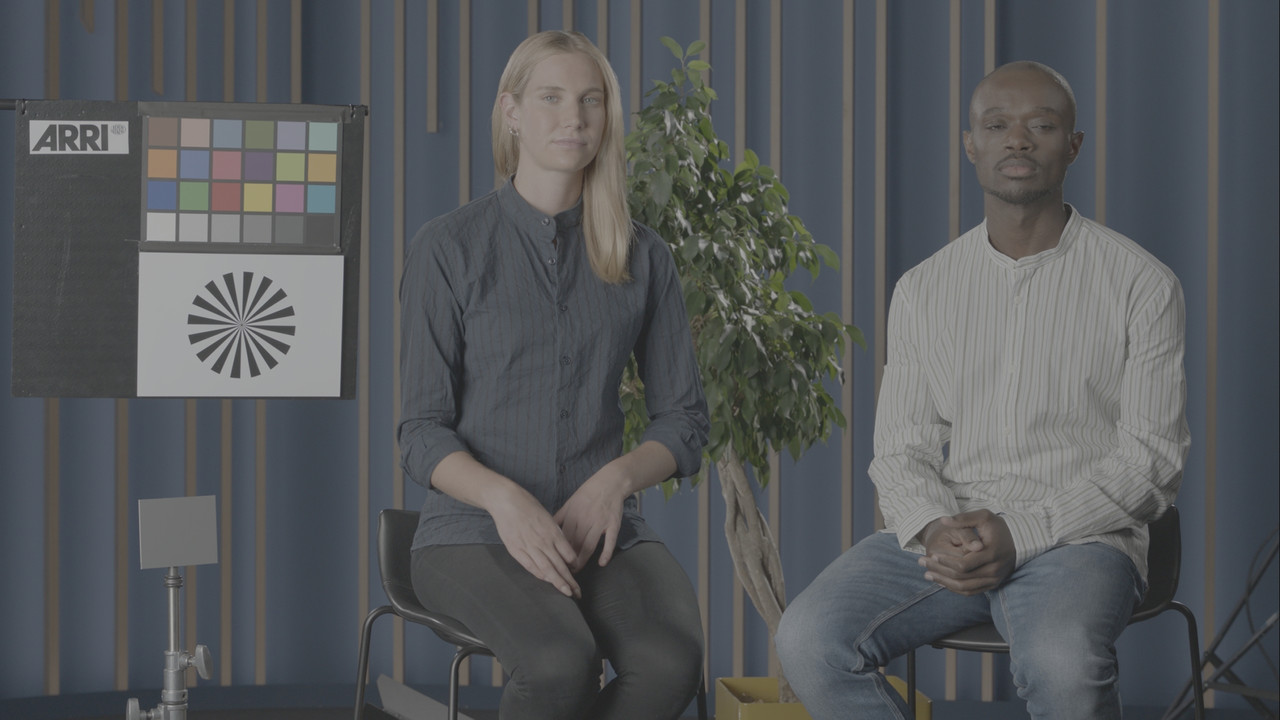
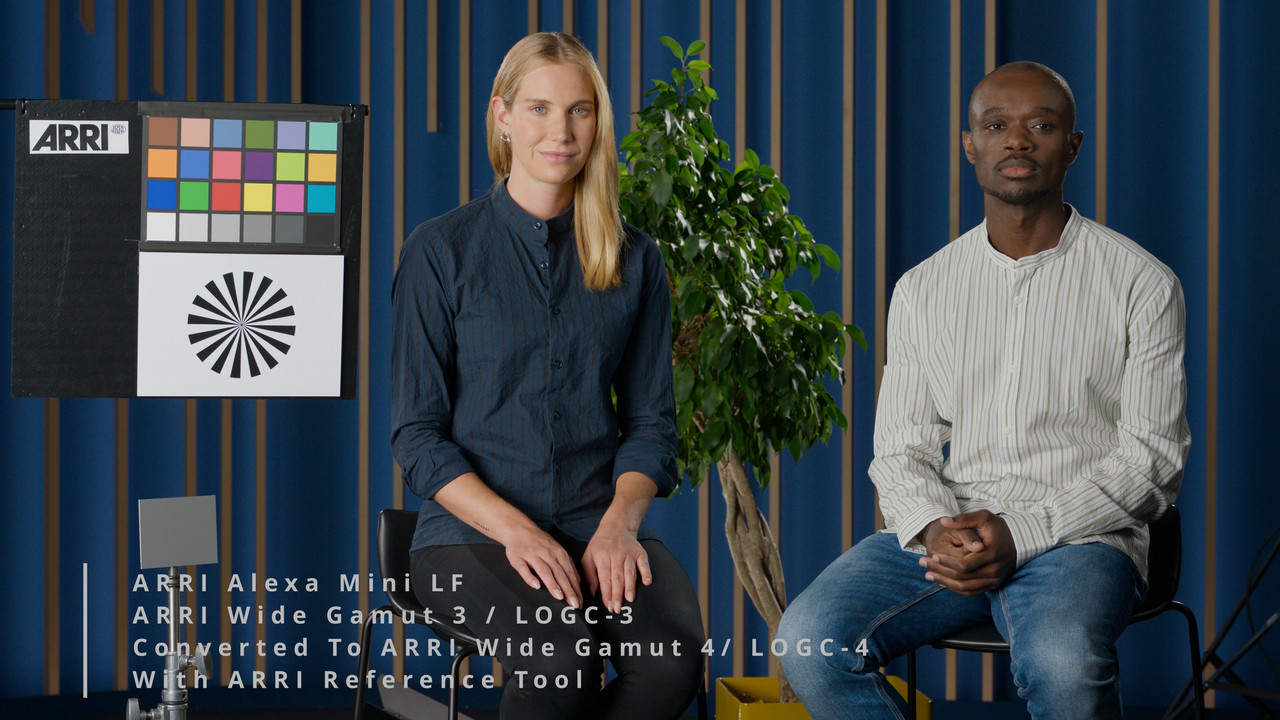
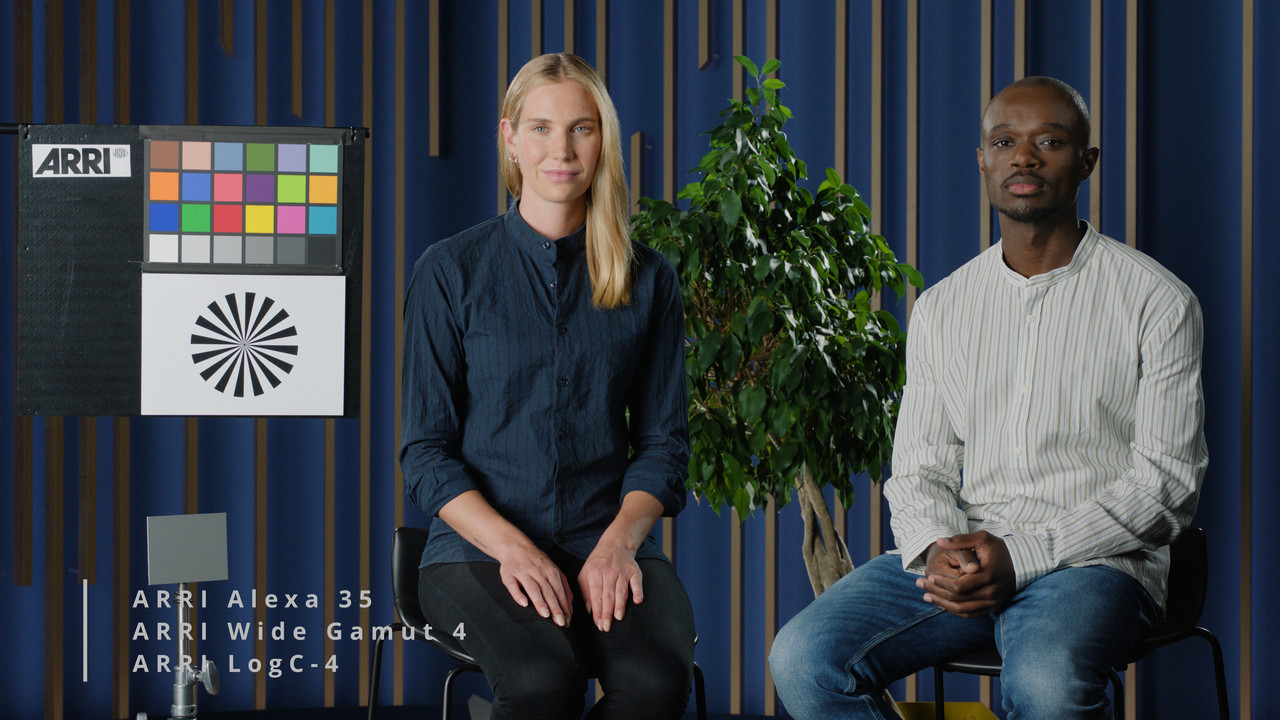
I made a video using an ARRI ALEXA 35 clip and the same video image was filmed with an ARRI ALEXA Mini LF. The two video clips were downloaded from page 25 of the "Color workflows for mixing LogC3 and LogC4 Sample Projects" PDF linked to below. You only really have to download from one of the saved Project workflows since they all have the same two files. The downloads are in the form of .dra project files that need to be un-zipped from the zipped .tar files then import the .dra project file into your Davinci Resolve database, instructions on how to do that below.

Screenshot-6880.png


Color workflows for mixing LogC3 and LogC4 Sample Projects


PDF
https://www.arri.com/resource/blob/2...jects-data.pdf


Screenshot-6830.png
wAAACH5BAEKAAAALAAAAAABAAEAAAICRAEAOw==


Choose one of the Sample Project files. I believe all accept one are 22GB in size with one being 16GB( I forgot which one). Once you unzip the .TAR file and you look deeper into the Unzipped folder, you will see a folder with the ALEXA 35 file and one with the ALEXA Mini LF file.


Screenshot-6879.png


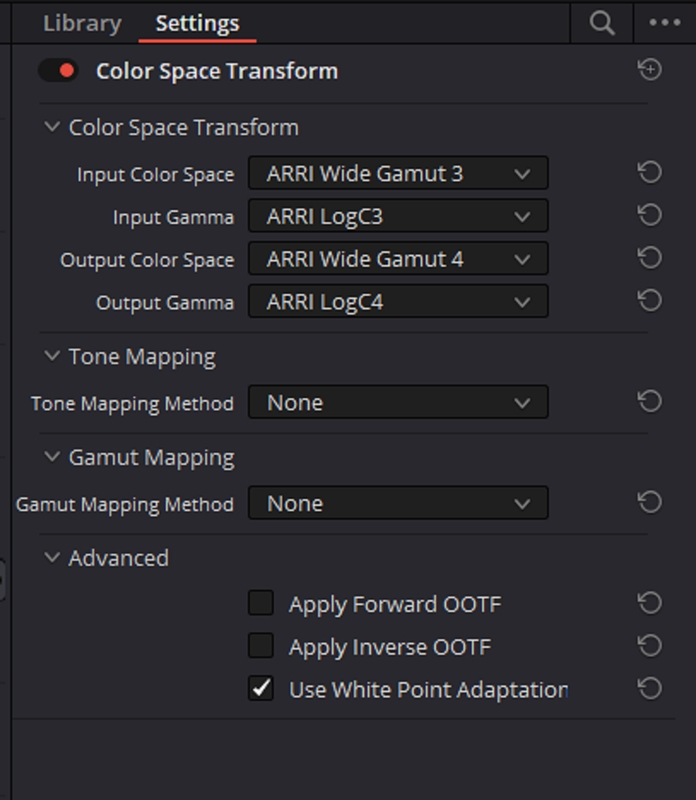
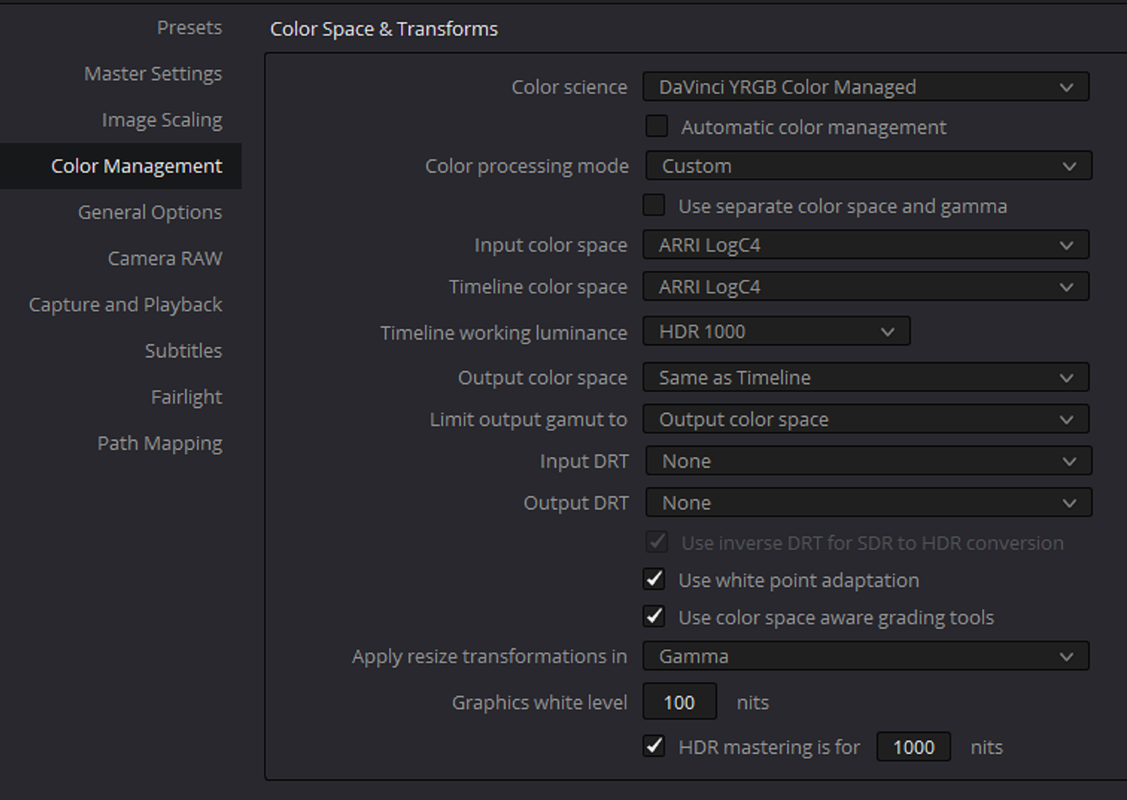
I used the Color Space Transform settings below with the ARRI Alexa Mini LF file and with the same ARRI official AWG4/ALC4 to REC709 gamma 2.4 Lut as with the Alexa 35 footage.


​
Screenshot-6878.png


Video

 
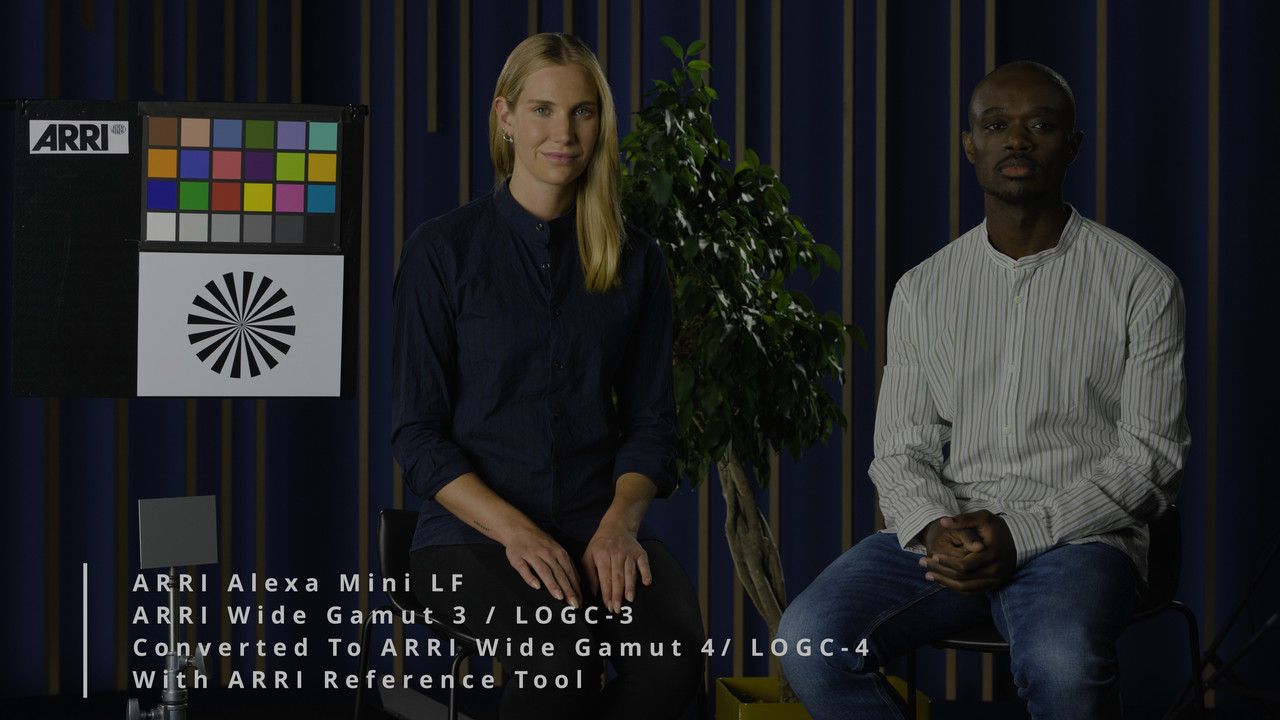
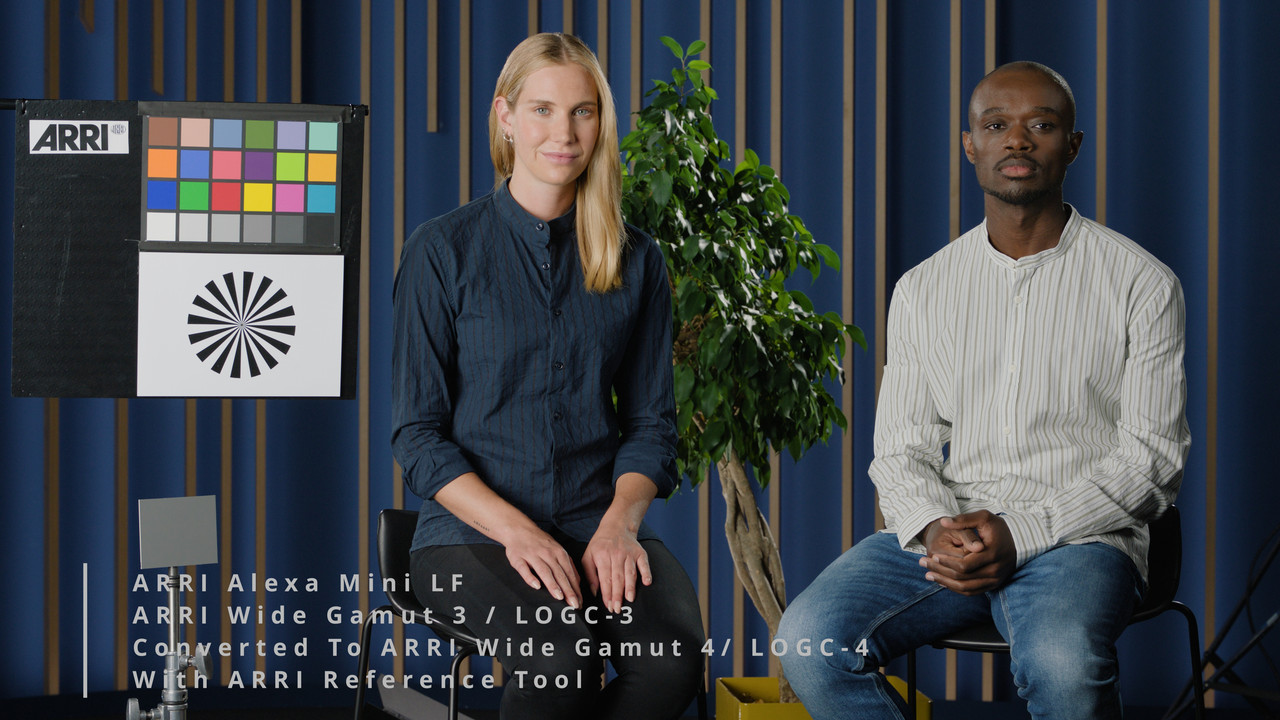
Here's a SENDgb download of the two files above in an ALEXA 35 ProRes 4444XQ AWG4/ALC4 1080P LOG file and an ALEXA Mini LF ProRes 4444XQ AWG3/ALC3 1080P LOG file transcoded from their original ARRIRAW files in the ARRI Reference Tool.


SendGB Link-1.75GB for both files
https://sendgb.com/WhvsYjp6XwR

Good till October 6, 2022

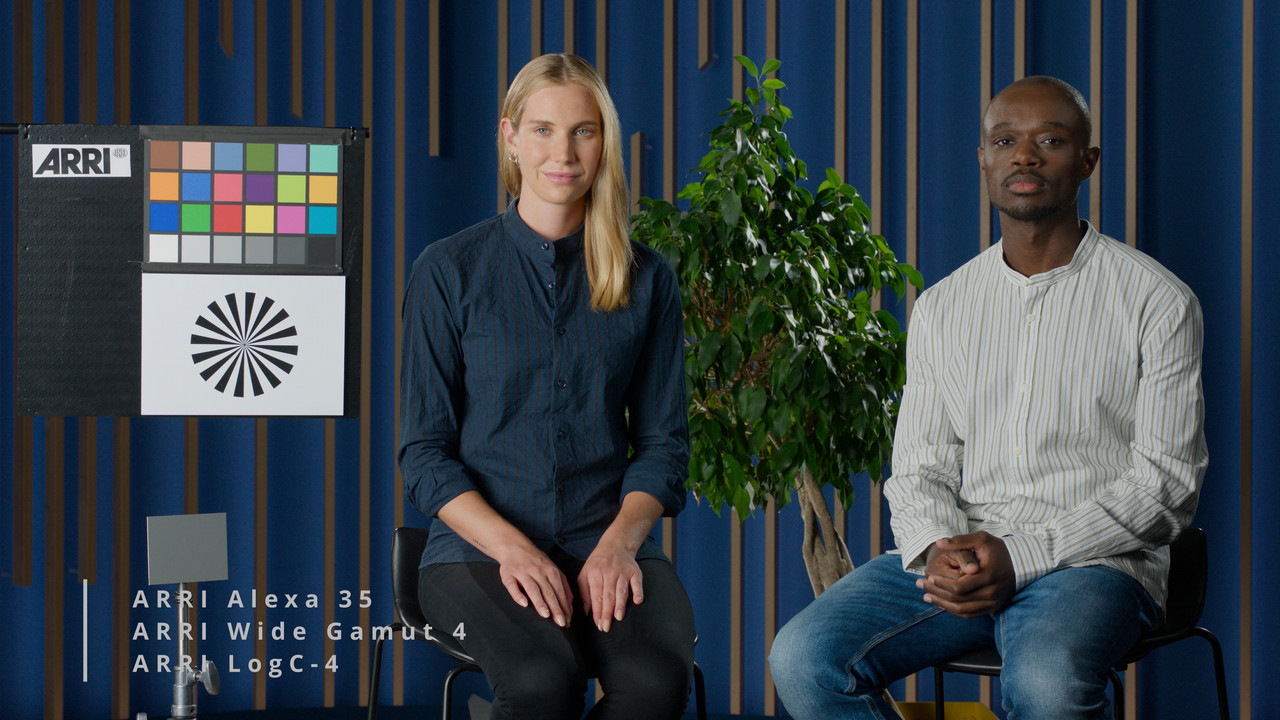
ALEXA 35 ProRes 4444XQ AWG4/ALC4 1080P LOG file

LC4-REFERENCE-IMAGE-mxf-1-1-1.jpg


ALEXA Mini LF ProRes 4444XQ AWG3/ALC3 1080P LOG file

LC4-REFERENCE-IMAGE-mxf-1-2-1.jpg
 
Last edited:
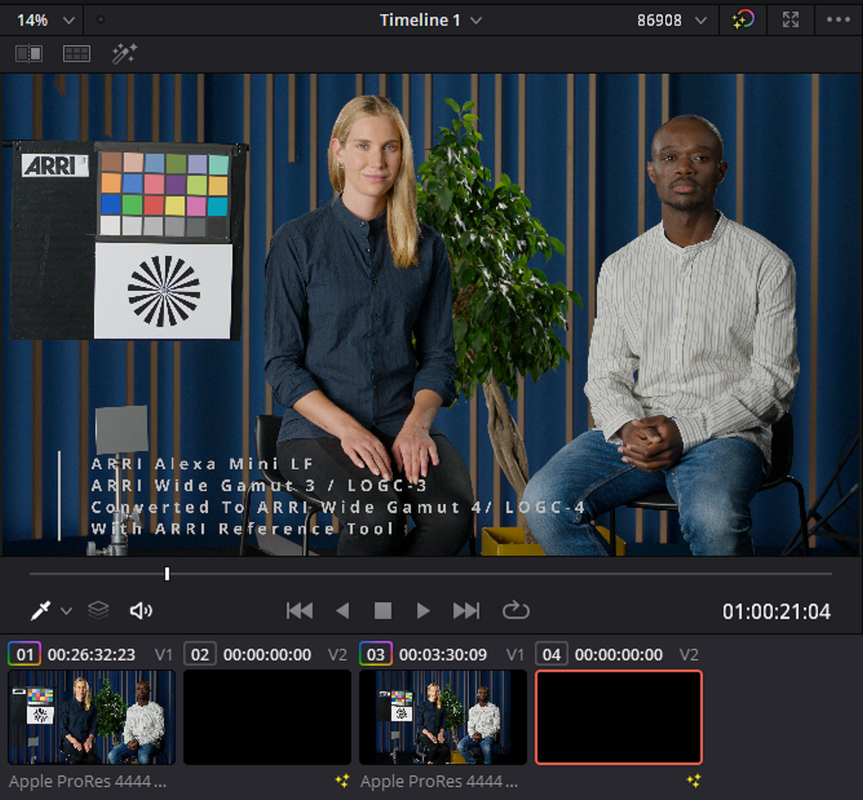
Converting an ARRI Alexa Mini LF Arri Wide Gamut 3/ LogC-3 ARRIRAW file to an ARRi Wide Gamut 4 /LogC-4 Prores 4444XQ File so that it will be recognized as an AWG4/ALC4 file in ACES along with a transcoded ARRI Alexa 35 ARRIRAW file that has also been converted to Prores 4444XQ File.

In the ARRI Reference Tool.

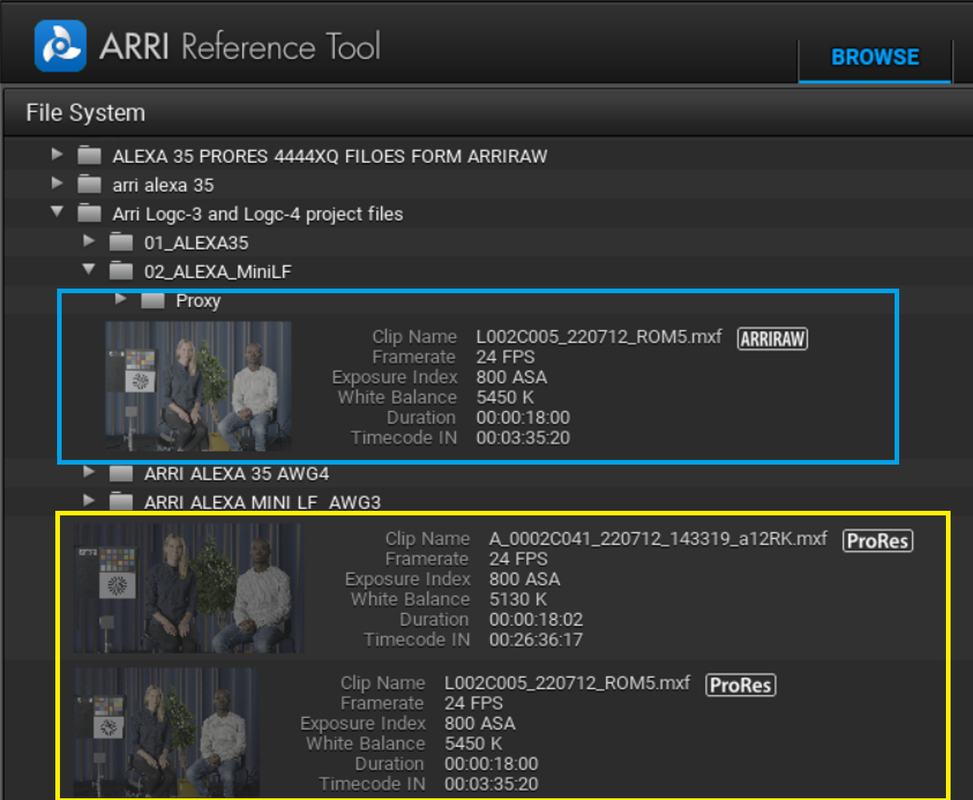
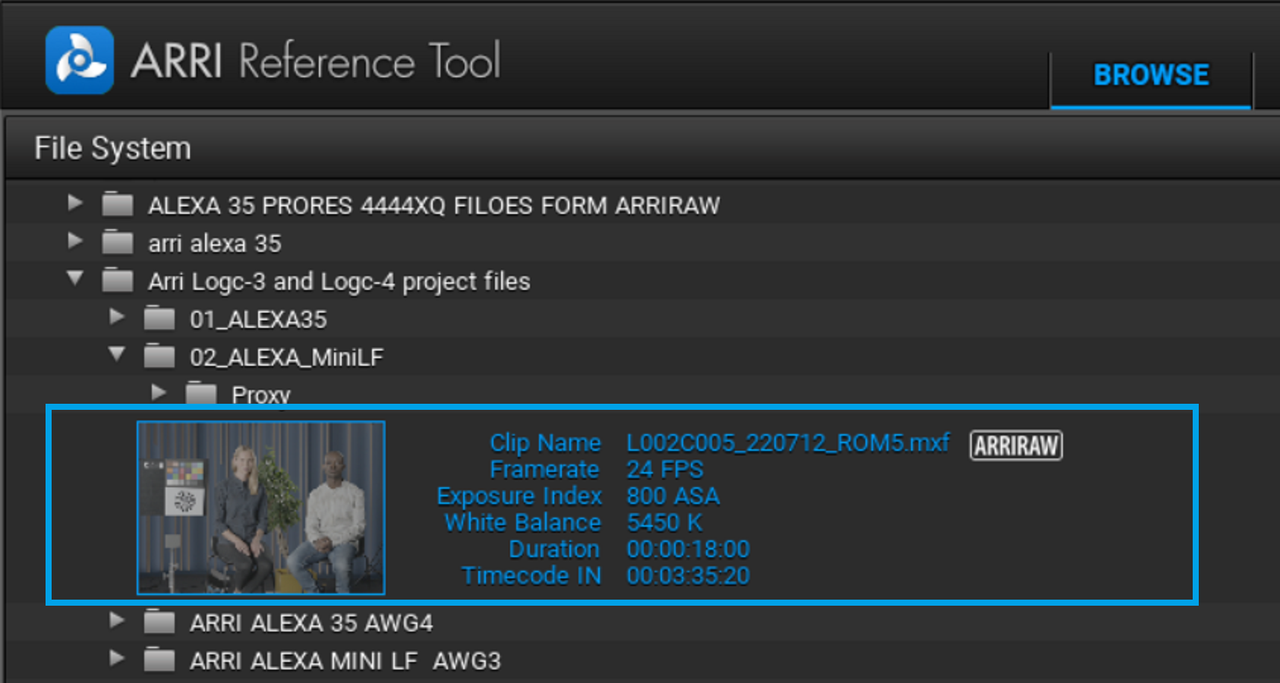
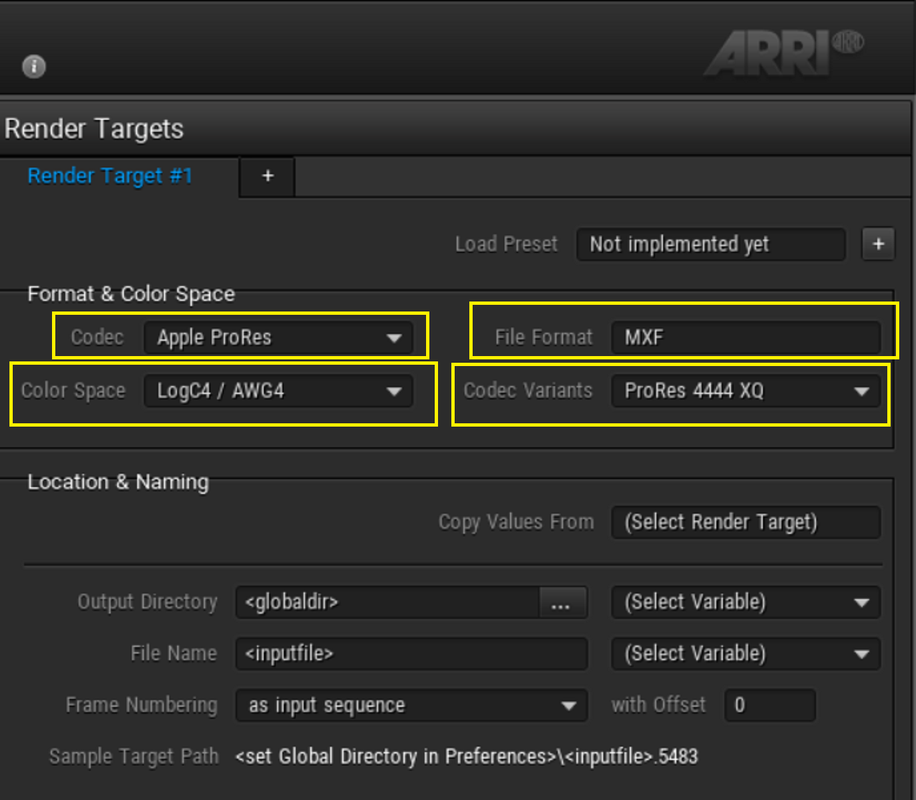
Below, in BABY BLUE, is the ARRI Alexa Mini LF AWG3/ALC-3 ARRIRAW clip that I want to convert to an AWG4/ALC-4 PRORES 4444XQ Log clip. In the Yellow are the ALEXA 35 and ALEXA MINI LF ARRIRAW files that have been converted to a PRORES 4444XQ AWG4/ALC-4 LOG format. Since they were created in the ARRI Reference Tool, they are both recognized as PRORES files in the ARRI Reference Tool.

1.png

2.png


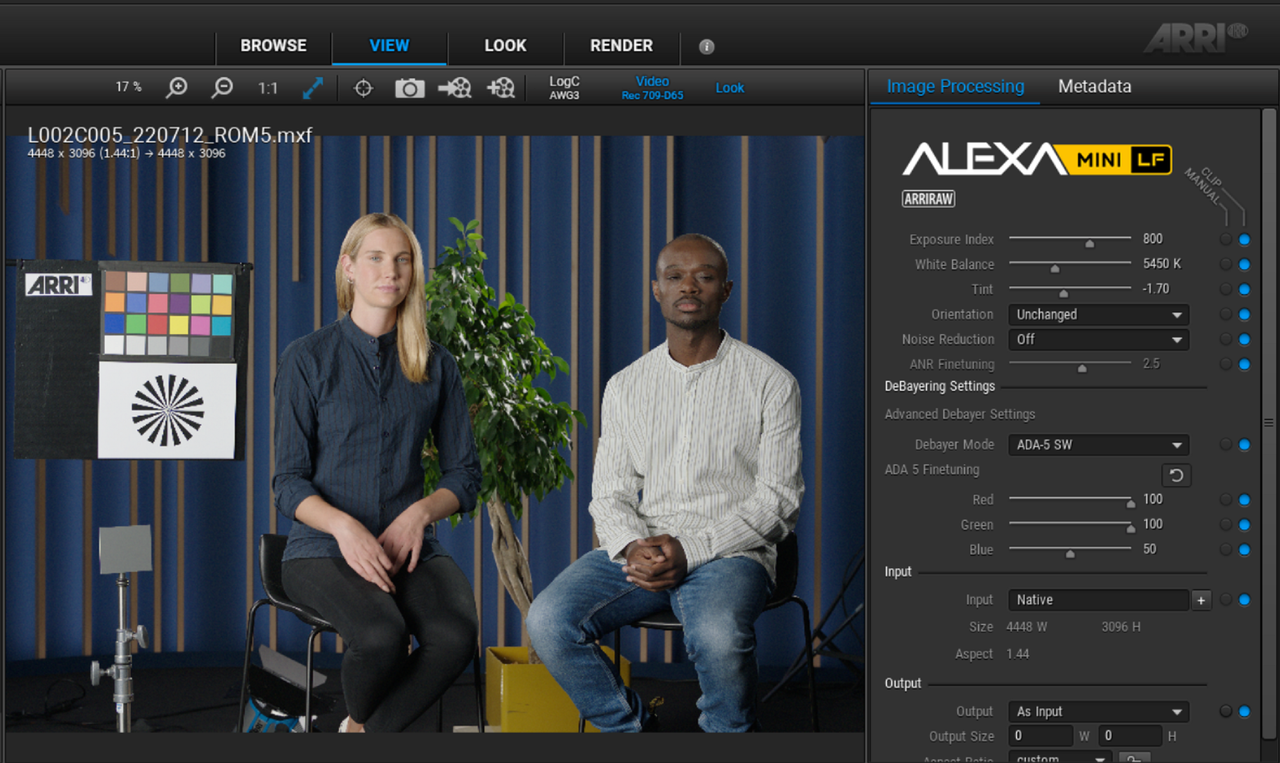
Inside the ARRI Reference Tool the File is Recognized as an ALEXA MINI LF Arriraw file.


3.png


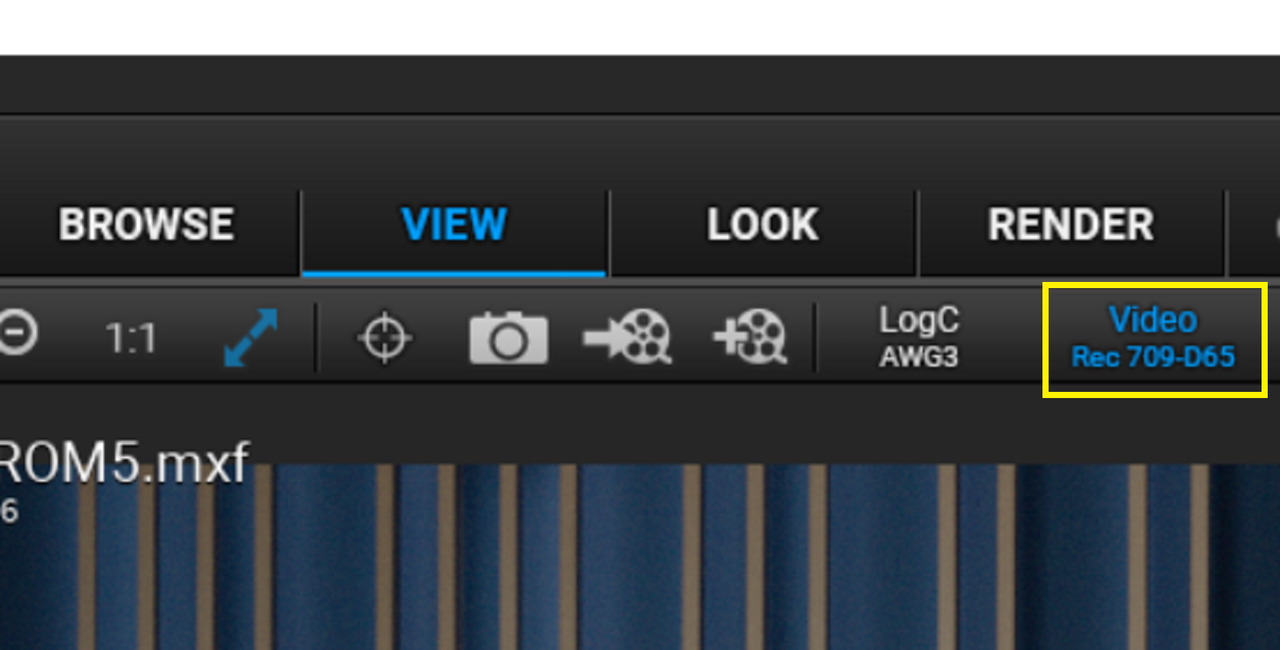
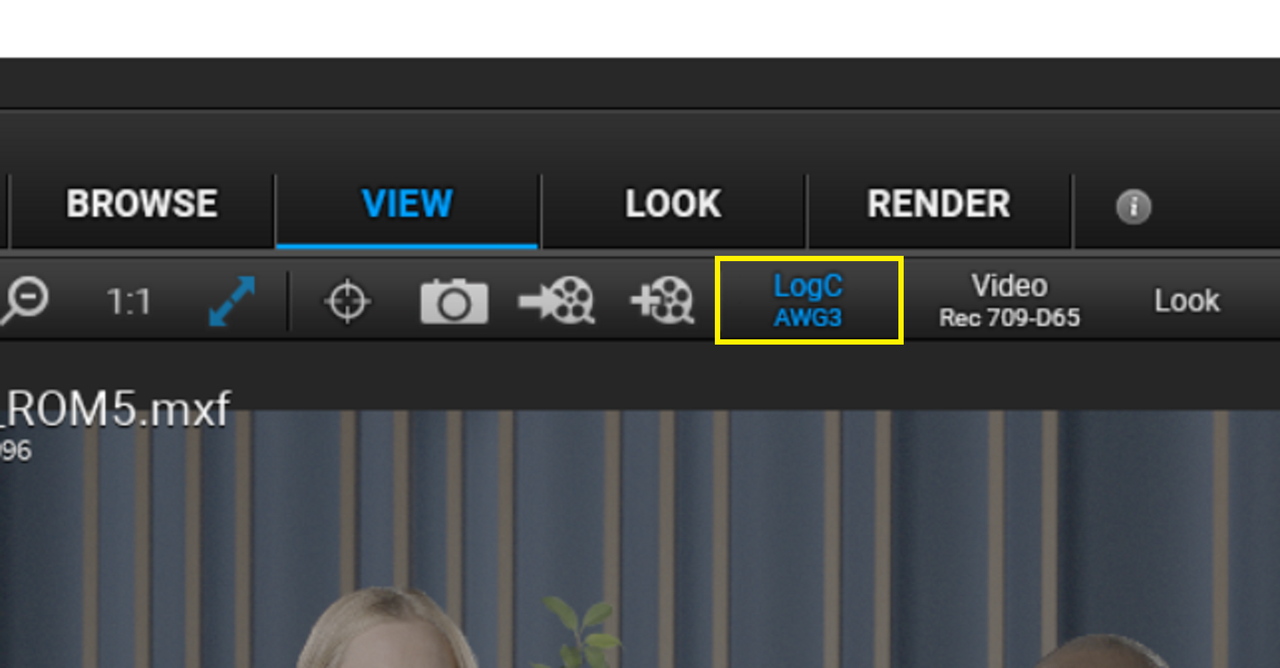
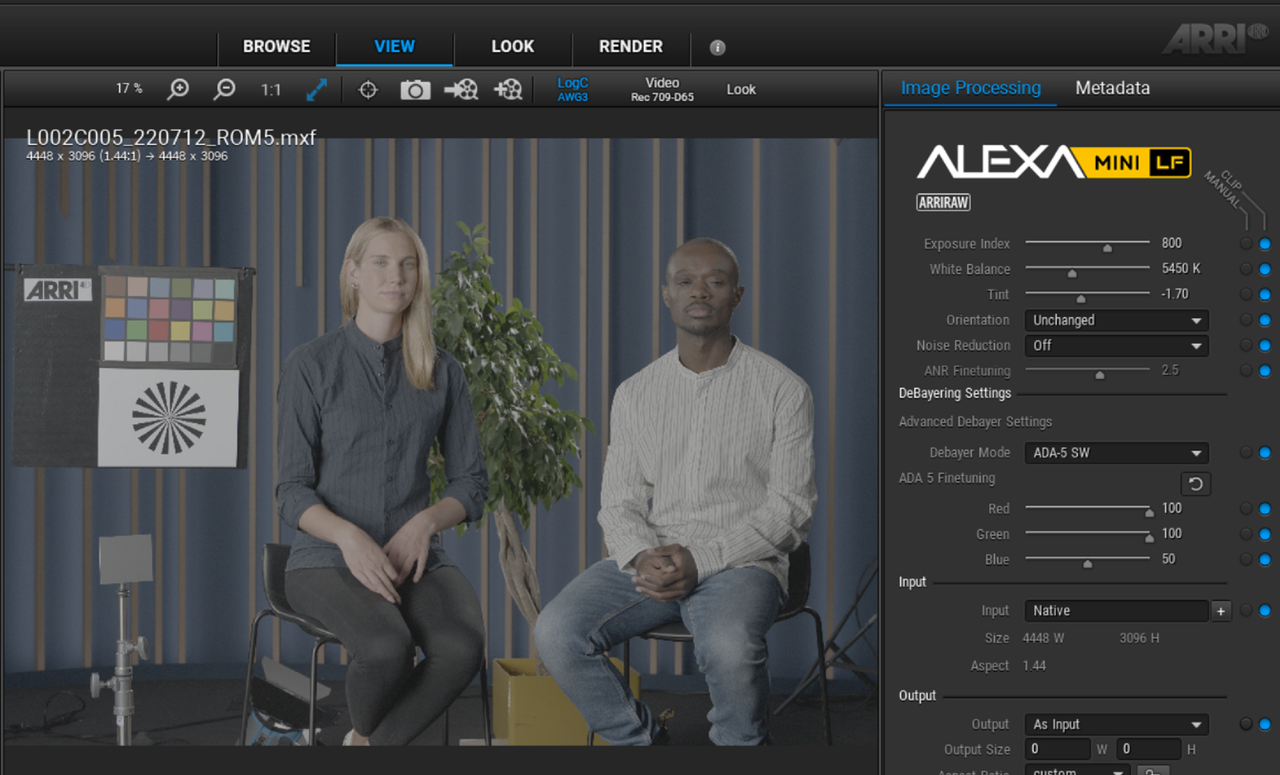
To transcode the ALEXA MINI LF from AWG3/ALC-3 to AWG4/ ALC-4, You have to disable " VIDEO REC 709 D65" and enable "LOGC AWG3".

4.png

5.png


6.png


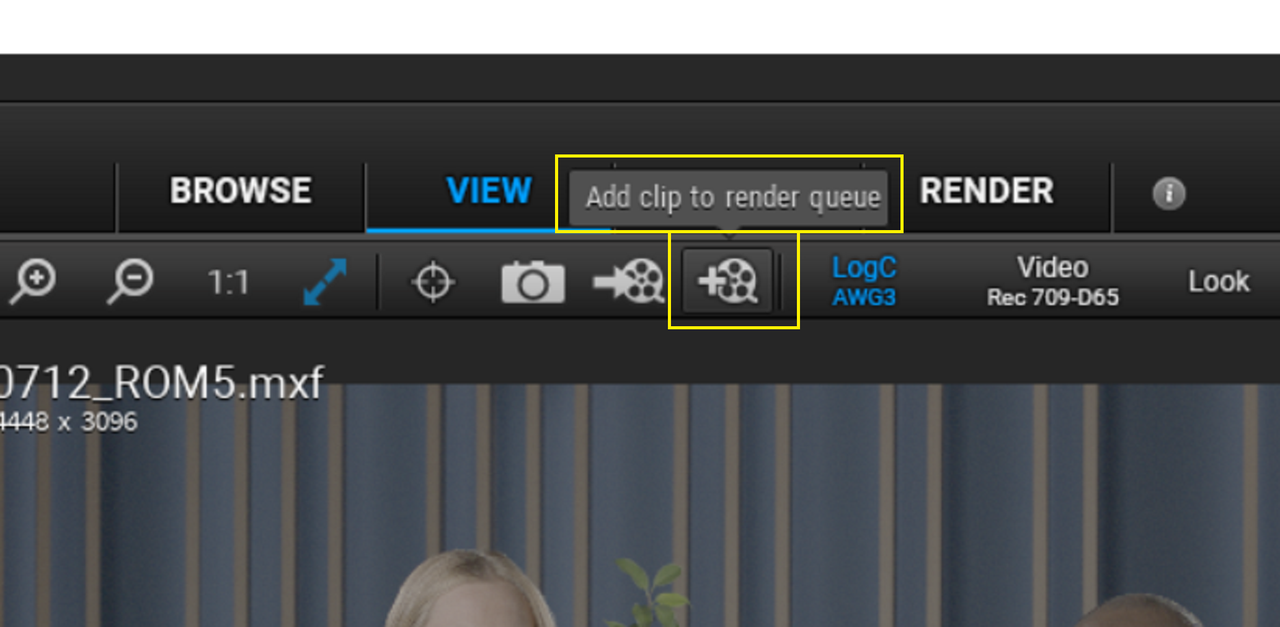
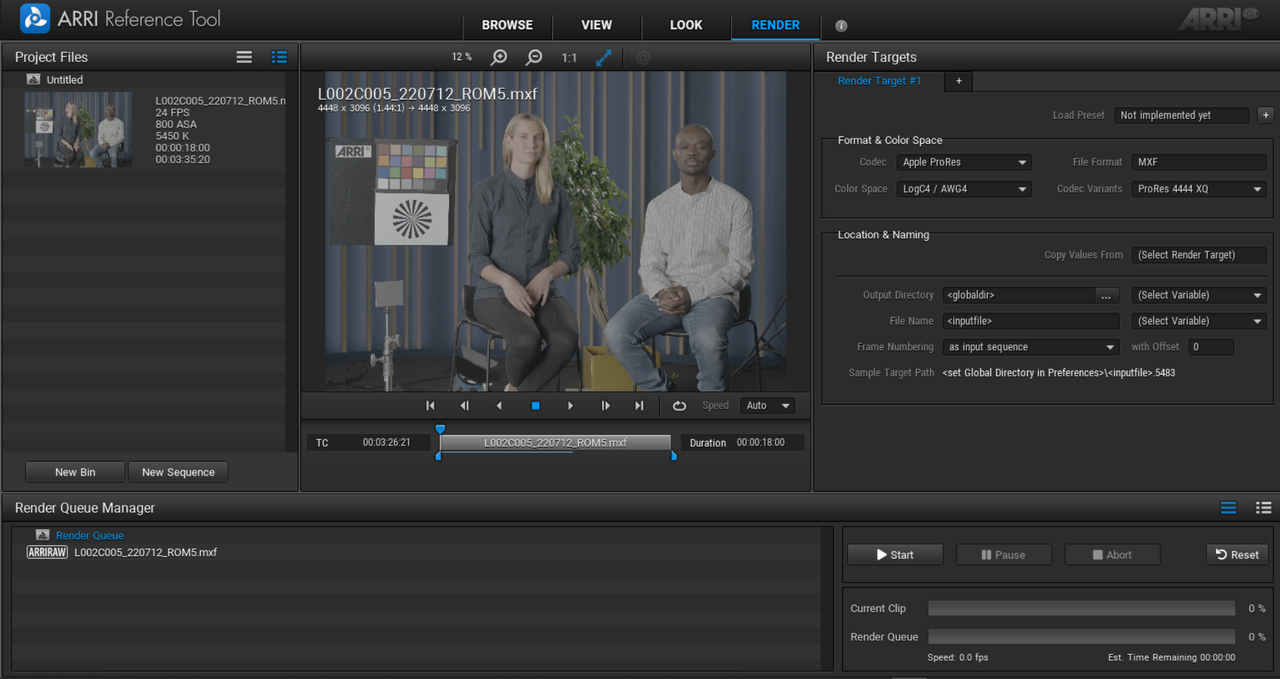
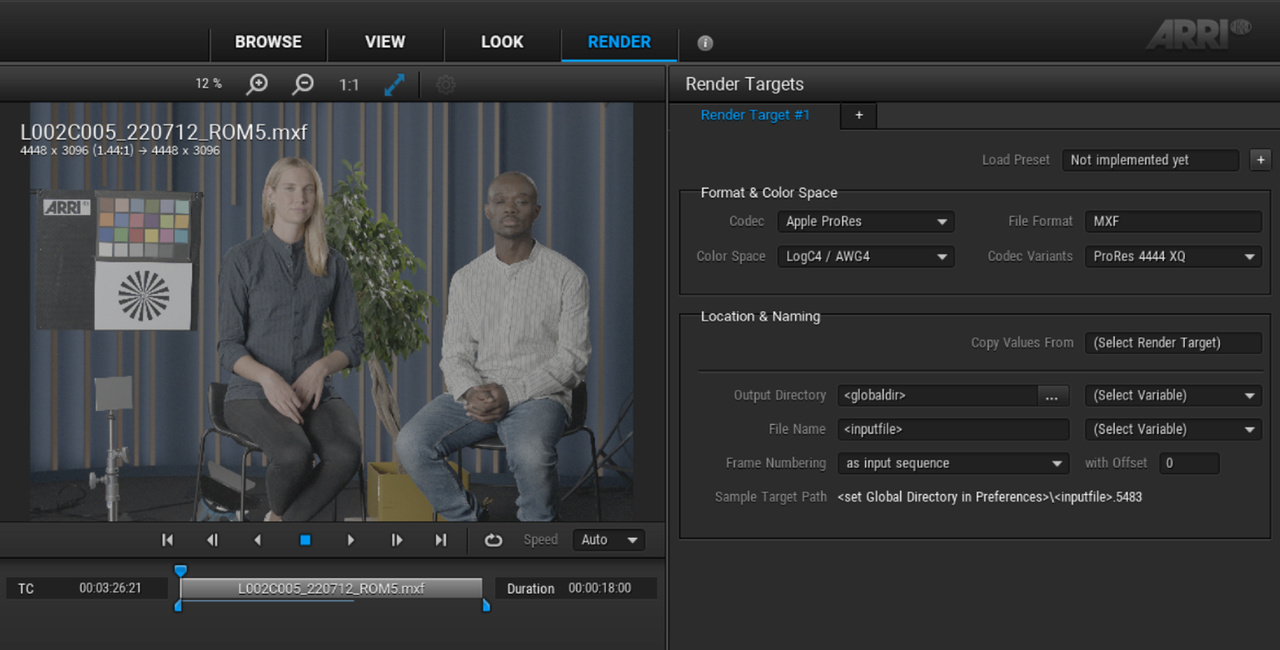
Click on the "MOVIE Film Magazine" with the "PLUS" sign to send the clip to be rendered to a PRORES 4444XQ AWG4/ALC-4 Log file.


7.png


8.png


9.png


10.png


Inside Of Davinci Resolve

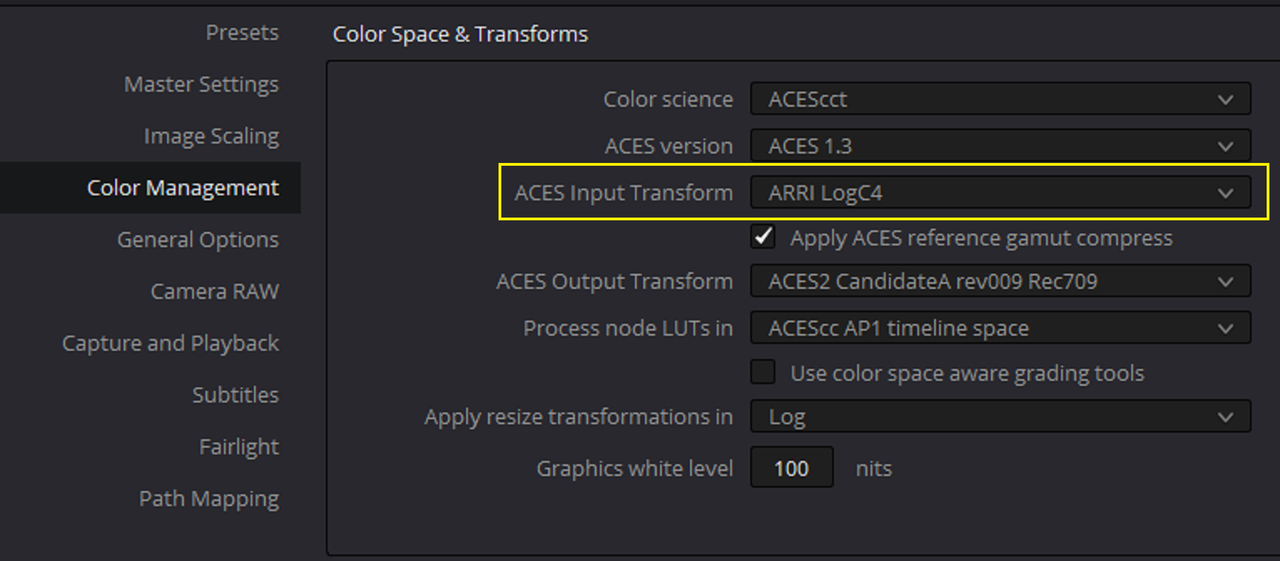
Inside of Davinci Resolve in an ACES workflow, both the Trancoded ALEXA 35 PRORES 4444XQ AWG4/ALC-4 Log File and the ALEXA Mini LF ALC3/ALC-3 file Transcoded to an AWG4/ALC-4 PRORES 4444XQ LOG File will both be Recognized as AWG4/ALC-4 files.


11.png


Screenshot-6898.png


Screenshot-6899.png


A-0002-C041-220712-143319-a12-RK-mxf-1-1-2.jpg


L002-C005-220712-ROM5-mxf-1-2-1.jpg
 
Last edited:
ARRI AWG4/ALC-4 COLOR MANAGED

PROJECT SETTINGS

1.png

2.png


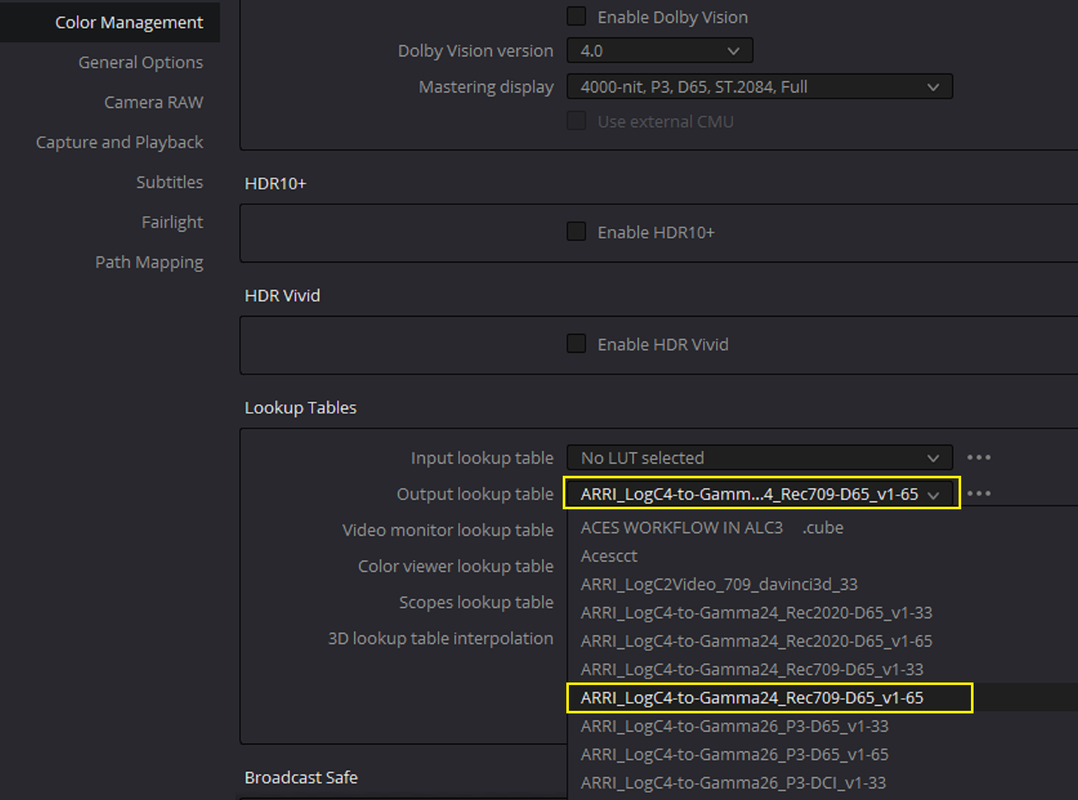
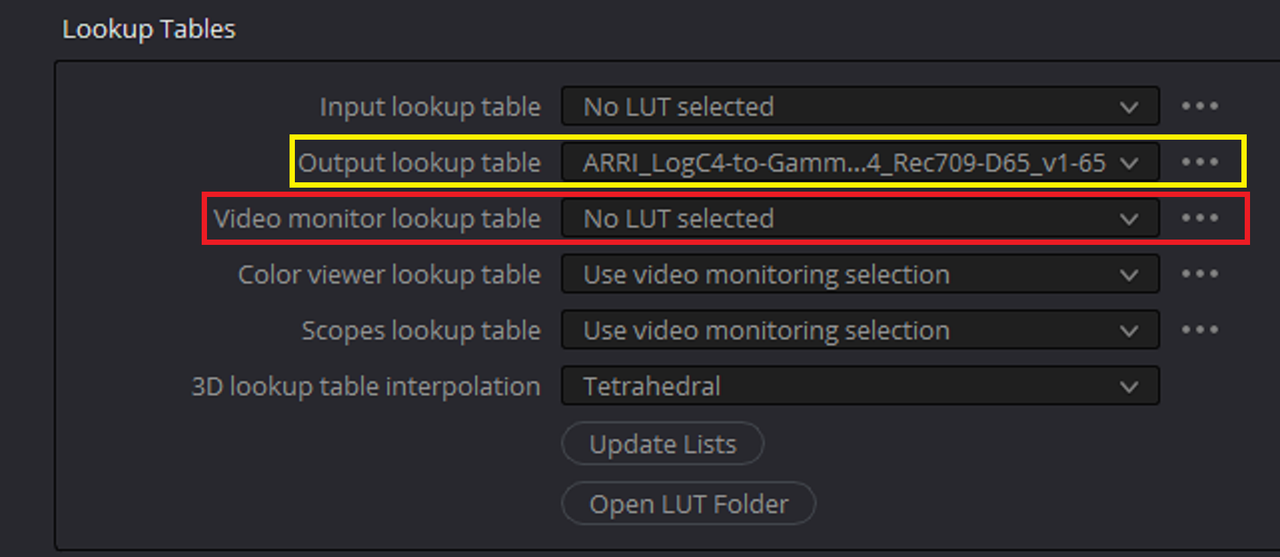
In the "Color workflows for mixing LogC3 and LogC4 Sample Projects PDF" ARRI says to use the "VIDEO MONITOR LOOKUP TABLE". This is so that the project never has a "baked-in" "Output Dispaly Transform" and so that it can be viewed through different Monitors of different Color Space settings. I want to export the project out as REC709 Gamma 2.4 so I put the ODT in the "OUTPUT LOOKUP TABLE" instead.


3.png


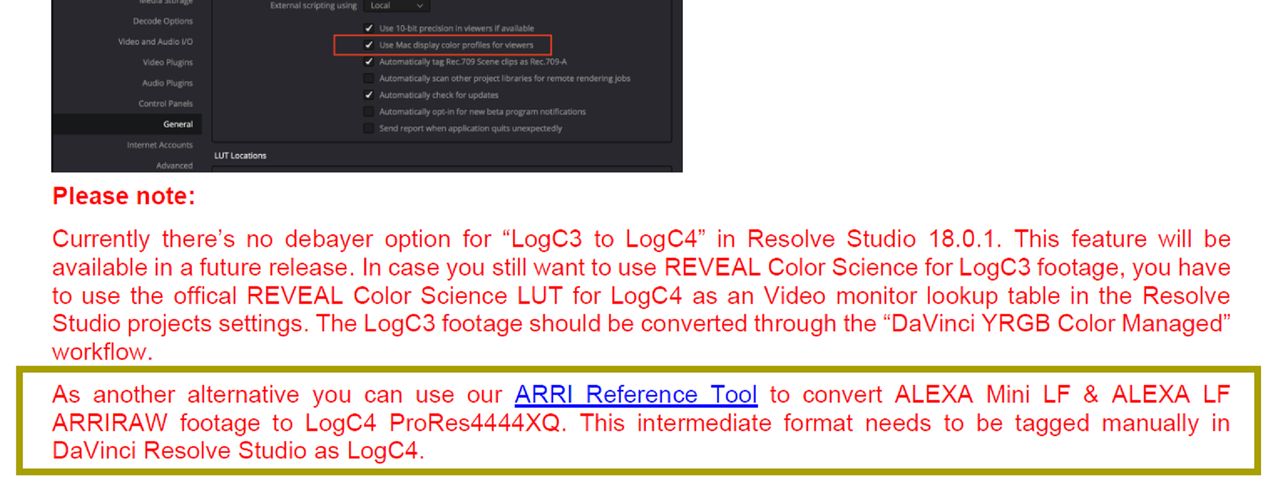
When I Imported both the ALEXA 35 ProRes 4444XQ AWG4/ALC-4 file and the Transformed ALEXA MINI LF AWG4/ALC-3 to AWG4/ALC-4 ProRes 4444XQ file into Resolve, the ALEXA MINI LF AWG4/ALC-3 to AWG4/ALC-4 ProRes 4444XQ file didn't look correct. But according to the "Color workflows for mixing LogC3 and LogC4 Sample Projects" PDF from ARRI, if you convert an ALEXA Mini LF/ ALEXA LF AWG3/ ALC-3 file to AWG4/ALC-4 with the "ARRI REFERENCE TOOL" which I did, this file will have to be manually tagged as LOGC-4 in Davinci Resolve.


Color workflows for mixing LogC3 and LogC4 Sample Projects
https://www.arri.com/resource/blob/294602/fcafc7e2315c77bcc7cf6ff1c5a002ce/2022-09-arri-lut-naming-convention-logc4-and-logc3-data.pdf

Screenshot-6906.png


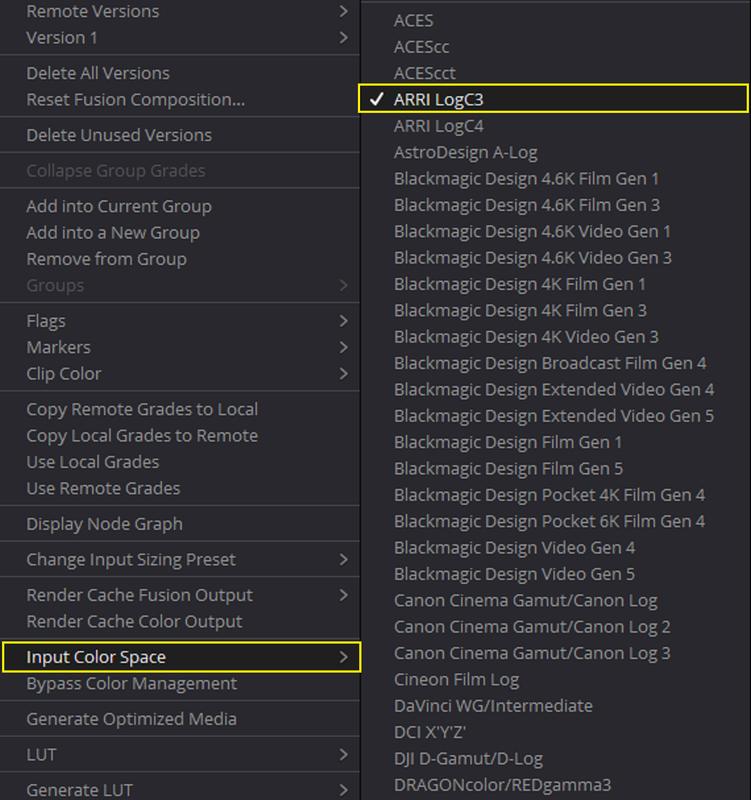
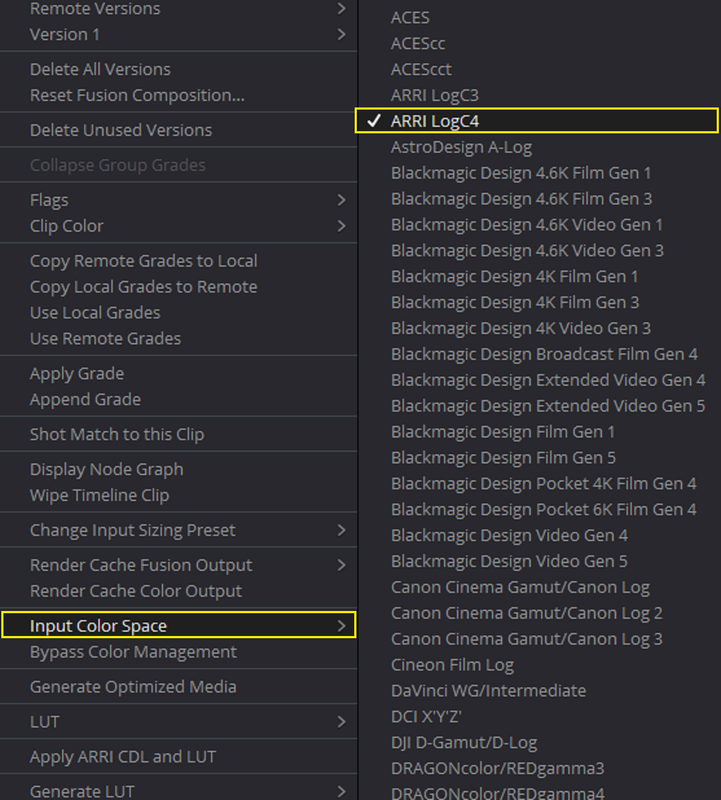
So when the Transformed ALEXA MINI LF AWG4/ALC-3 to AWG4/ALC-4 ProRes 4444XQ file comes into Resolve it is tagged as "ARRI LOGC3" you'll have to change it to "ARRI LOGC4".

4.png


5.png


ARRI ALEXA 35 PRORES 4444XQ file

A-0002-C041-220712-143319-a12-RK-mxf-1-1-1.jpg


ARRI ALEXA MINI LF AWG3/ALC-3 TO AWG4/ALC-4 TRANSCODED PRORES 4444XQ FILE as it comes in initially tagged as "ARRI LOGC3"


L002-C005-220712-ROM5-mxf-1-2-1.jpg


ARRI ALEXA MINI LF AWG3/ALC-3 TO AWG4/ALC-4 TRANSCODED PRORES 4444XQ FILE tagged as "ARRI LOGC4"


L002-C005-220712-ROM5-mxf-1-2-2.jpg
 
Last edited:
ALEXA 35 Stress Test: Nagano Senjyojiki (Snow Mountain) and Shizuoka (Beach) in Japan


by ARRIChannel


This is not exclusive to the Alexa 35 but it can be used with it.


ARRI Tech Talk: RIA-1 Radio Interface Adapter and New Radio Modules

by ARRIChannel


00:00 Intro
01:13 Rugged housing and mounting interfaces
02:22 Control and connector layout
03:37 LBUS Connectivity
04:03 When to use CAM instead of LBUS
05:31 Radio Modules – Intro & RF-EMIP
08:39 Radio Modules – RF-2400
10:56 Host & Client Mode

12:14 CAM to ALEXA 35
12:27 CAM to ALEXA Mini & Mini LF
12:55 CAM to ALEXA Plus & ALEXA LF
13:13 CAM to ALEXA EV
13:31 CAM to Third Party
15:07 SERIAL cables for RIA-1
15:40 Setting the Serial Protocol
16:54 Rules of Thumb for RIA-1
18:12 Sample Setup: RIA-1 and ALEXA Mini LF
19:26 Sample Setup: RIA-1 and Mini LF with no LDS

20:56 Sample Setup: RIA-1 and ALEXA 35 with client device
 
Last edited:
This more of a Technical difference between the two Video and not really a video showing the differences in Image quality.

ALEXA Mini LF vs ALEXA 35

By Pixel Planet Studios


Back
Top