Welcome to our community

Be a part of something great, join today!

  • Hey all, just changed over the backend after 15 years I figured time to give it a bit of an update, its probably gonna be a bit weird for most of you and i am sure there is a few bugs to work out but it should kinda work the same as before... hopefully :)

Adobe Premiere Pro CC - Native REDCODE RAW Sequence Presets

Phil Holland

Administrator
Staff member
Joined
Apr 19, 2007
Messages
13,390
Reaction score
793
Points
113
Location
Los Angeles
Website
www.phfx.com
Time to update this sticky from 2014 with some new Sequence Presets!

06.20.2016 - Adobe just released the newest version of Adobe Premiere Pro CC 2015.3. What's important here is that this version supports native REDCODE RAW editing for all current RED DSMC2 cameras.

As such, I've updated my Adobe Premiere Pro CC Sequence Presets with 558 resolution, format, and project time base possibilities. This supports up to 8K editing, common Anamorphic Workflows, as well as the most popular project Time Bases up to 59.94 fps.
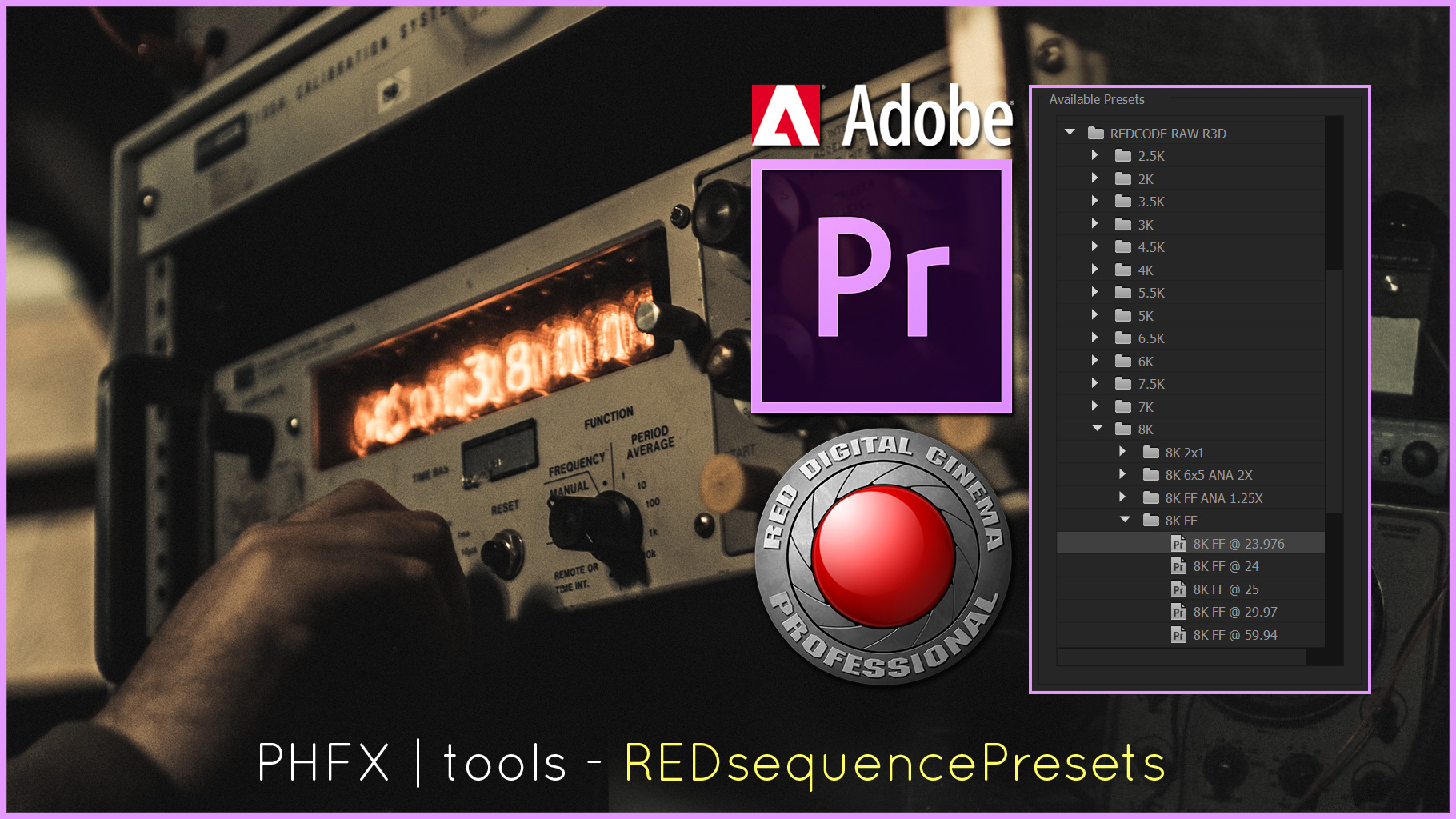

phfx_shareImage.jpg


Presets can be found here with installation instructions:
http://phfx.com/tools/REDsequencePresets/

Enjoy.
 
Last edited:
Phil,

You are a REDUser treasure. Thank you, once again, for your continued dedication to sharing your knowledge and for your passion of the art of filmmaking.

Cheers,

~ Casey
 
In my latest experience editing with Premiere Pro CC, I have found the program to be total junk in terms of editing anything over 30 seconds. I'll try the new update but am looking for other options to edit a native R3D workflow.

Not using the latest tech, but this old Mac Pro still screams, especially with a RR-X Card to help it along.

The worst part of all is this: Adobe Tech Support, so bad, I don't bother calling. Dead end.

Chances are high that I'm doing something wrong, that some setting hasn't been checked, that some additional download is waiting out there for me but I'm seeing constant restarts every 5 minutes as the only work around to get material out right now. After that, the timeline goes at maybe 1/2 FPS, even at 1/8th or 1/4th res.

For now, I got a baby due any day and priorities take over while the bugs hopefully are worked out.

Wish I could get my Ppro super solid to use all the hard work you've put into it, thanks for the support Phil.
 
RED One MX 4KHD footage is flying realtime full res on my system via a Seagate 4TB USB 3.0 HD on my system (Upgraded 2009 12-Core 2.8ghz Mac Pro 5,1 w/ Titan Card & 128GB of RAM)

I initially could not figure out why the footage was hyper stuttering like it was at the wrong frame rate, but it turns out 4K Full res is too much to have my Kona 3 card running output at the sometime. Oh well, you win some you lose some. I'll take it!
 
Last edited:
  • Thread starter
  • Moderator
  • #7
Wish I could get my Ppro super solid to use all the hard work you've put into it, thanks for the support Phil.

Good luck with the upcoming labor/birth Will.

I could be doing some voodoo here, but my biggest advice for anybody setting up an Adobe based workflow for .R3Ds would be:

- Modern Intel I7 or Dual Proc Xeon config.
- At least 24GB of RAM.
- Don't use any disks slower than 7200 RPM
- Single or Multiple GPU configurations. CUDA and/or OpenCL Support. More on board RAM the better.


Optional based on your through put and workflow needs, add a Red Rocket-X. If you got to push out dailies and are handling 4+ hours of footage a day it's really useful.

For native .R3D editing, not all systems can handle Full or 1/2 Resolution Debayer on Playback and Pause. If you right click (option click on Mac) on both of the viewports within Premiere Pro you can adjust the Debayer quality down to 1/4, 1/8, or 1/16 quality. When I work from my laptop I certainly have to go down to 1/8 or 1/16 for smooth playback and scrubbing.

RAID setups with decent bandwidth is nice too, more smaller disks versus larger fewer disks can help for some. You can also get it done "inside the box" with separate drives with your footage. I also like to have a separate disk for writing tasks like exports. Operating System and Applications get to live on their very own hard drive. Most like to go with SSDs for that boot and app disk these days.


*edit*, I'll add one more bit. Resolution REDCODE compression ratios come into play when it comes to playback performance. You will find highly compressed REDCODE files like say 15:1 easier to handle than say 5:1 6K. So when checking performance make sure you have a few clips of various REDCODE compression ratios around. Getting 3:1 and 4:1 to play nicely is the hardest thing to do from a system configuration perspective.
 
That's what I'm seeing. The recent projects shot at 5:1 just can't work in Ppros current version. I've got all the fast drives, GPU, RAM. Just really hoping for an Adobe update to fix my premiere pro.


Again, the worst part is, I can't get decent help from Adobe Tech Support to find a solution.

*edit*, I'll add one more bit. Resolution REDCODE compression ratios come into play when it comes to playback performance. You will find highly compressed REDCODE files like say 15:1 easier to handle than say 5:1 6K. So when checking performance make sure you have a few clips of various REDCODE compression ratios around. Getting 3:1 and 4:1 to play nicely is the hardest thing to do from a system configuration perspective.
 
Feature Request

Feature Request

Phil, any chance you could add 48 fps timebase? Having the mini-mag SSDs has me thinking I can handle that amount of footage without slowing down shooting.
 
  • Thread starter
  • Moderator
  • #20
Phil, any chance you could add 48 fps timebase? Having the mini-mag SSDs has me thinking I can handle that amount of footage without slowing down shooting.

There's technically no right way to make a preset for HFR in Premiere Pro CC. Though you can certainly edit and export HFR through Premiere in "other ways".
 
Back
Top