Welcome to our community

Be a part of something great, join today!

  • Hey all, just changed over the backend after 15 years I figured time to give it a bit of an update, its probably gonna be a bit weird for most of you and i am sure there is a few bugs to work out but it should kinda work the same as before... hopefully :)

ADOBE PREMIERE 6 --- I HAVE NO WORDS ....

PP and Monitoring via DeckLink... I only get output if my sequence is set to 1080p resolution. That how it's supposed to be? Any other size (like 5k) and the Monitor reports "no signal."

What up?
 
PP and Monitoring via DeckLink... I only get output if my sequence is set to 1080p resolution. That how it's supposed to be? Any other size (like 5k) and the Monitor reports "no signal."

What up?

at the moment I think it is a Blackmagic issue. Resolve is able to output a selected resolution independent of your sequence settings for monitoring. For example, a 4K RED R3D project output through the Decklink Extreme 3D in 1080p for external viewing. I'm hoping the support for this in Premiere is coming soon. It's one of the annoying issues I'm having with Premiere.
 
Matt and Joe modify this :
cuda_supported_cards.txt
add your card :) and try

luigi

Thanks Luigi,
I'm not good at modifications ;) Where is this txt file located in the system?
EDIT: I found the file and added my card. Just waiting to test it out. I've been having problems with Adobe quitting on startup...
 
Thanks Luigi,
I'm not good at modifications ;) Where is this txt file located in the system?


EDIT: I found the file and added my card. Just waiting to test it out. I've been having problems with Adobe quitting on startup...


Matt,
easy and fast:

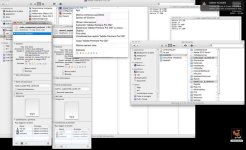
Appllication,premeirecs6-(right clic mouse over show content pakages),Contents,

in this folder you have 2 text files : cuda support card ---> this enable cuda card nvidia , in you case add GeForce GTX 470
Opencl support card ---> is for Ati card

see pic.
for modify tex files you must enable permission read and write to all.


luigi
 

Attachments

  • 1.jpg
    1.jpg
    96.7 KB · Views: 0
at the moment I think it is a Blackmagic issue. Resolve is able to output a selected resolution independent of your sequence settings for monitoring. For example, a 4K RED R3D project output through the Decklink Extreme 3D in 1080p for external viewing. I'm hoping the support for this in Premiere is coming soon. It's one of the annoying issues I'm having with Premiere.

Shane Ross says this works on AJA HW - see http://lfhd.net/2012/05/09/video-out-of-ppro-cs6-switching-monitoring-format/ .
 
Matt,
easy and fast:

Appllication,premeirecs6-(right clic mouse over show content pakages),Contents,

in this folder you have 2 text files : cuda support card ---> this enable cuda card nvidia , in you case add GeForce GTX 470
Opencl support card ---> is for Ati card

see pic.
for modify tex files you must enable permission read and write to all.


luigi

YOU"RE AMAZING!! My iMac card AMD Radeon 6970M now works!!!!! YAY~~
 
Does anyone know if there is still some final cut studio crossgrade offer coming from ADOBE? I am ready to jump ship...I have the latest FCP serial and the last adobe master collection i owned was an academic version of CS3. THanks for the help...look forward to testing out the epic workflow. Cheers. C
 
Does anyone know if there is still some final cut studio crossgrade offer coming from ADOBE? I am ready to jump ship...I have the latest FCP serial and the last adobe master collection i owned was an academic version of CS3. THanks for the help...look forward to testing out the epic workflow. Cheers. C

Just do the cloud, seems to be the most inexpensive way to upgrade and u get the entire master collection and I think even Lightroom is included. If you sign up for a yr. it's even cheaper than paying any upgrade. I upgraded to cs5.5 from cs5 and it was only $399. But would come out better and cheaper and have master collection rather than only Production Premium. I own it but will have to pay again next upgrade.
 
> and I think even Lightroom is included

Not yet, but it will be.

That's one of the advertised benefits of Creative Cloud: more things being added over time.
 
Got the 12 month cloud deal...going to give ADOBE a go, been a FCP user since day 1 but time to evolve...not 100% sure either way but regardless the cloud deal is looking for my projects needs. Only issue I am having now is the Adobe Application Manager wont connect to servers...so at the moment I am a sitting duck, this is my fear of cloud tech in general. Thanks for all your feedback Todd.
 
I just want to point out how great it is that Adobe has a few reps that are consistently answering questions on this board and keeping us up to date and not just listening to, but actually taking action on user feedback. This is one of the many reasons why I switched from FCP to Premiere. Thank you.
 
I am impressed at the speed in which Adobe has taken steps to not 'FCPX' their product. Listening to industry feedback and being somewhat transparent about their product is what is creating a very enticing future for me and Adobe.
 
Back
Top