Welcome to our community

Be a part of something great, join today!

  • Hey all, just changed over the backend after 15 years I figured time to give it a bit of an update, its probably gonna be a bit weird for most of you and i am sure there is a few bugs to work out but it should kinda work the same as before... hopefully :)

2018 Workstation Build

Phil Holland

Administrator
Staff member
Joined
Apr 19, 2007
Messages
13,390
Reaction score
793
Points
113
Location
Los Angeles
Website
www.phfx.com
Hello all,

Finally found a moment to plop down in front of the typewriter and whip up some words about my latest workstation. This system was mainly designed to handle 8K REDCODE RAW footage and my larger multiple camera array 12K and 16K projects.

I talk a bit about SSD RAIDs, GPU selection, etc.... Might be of some use.
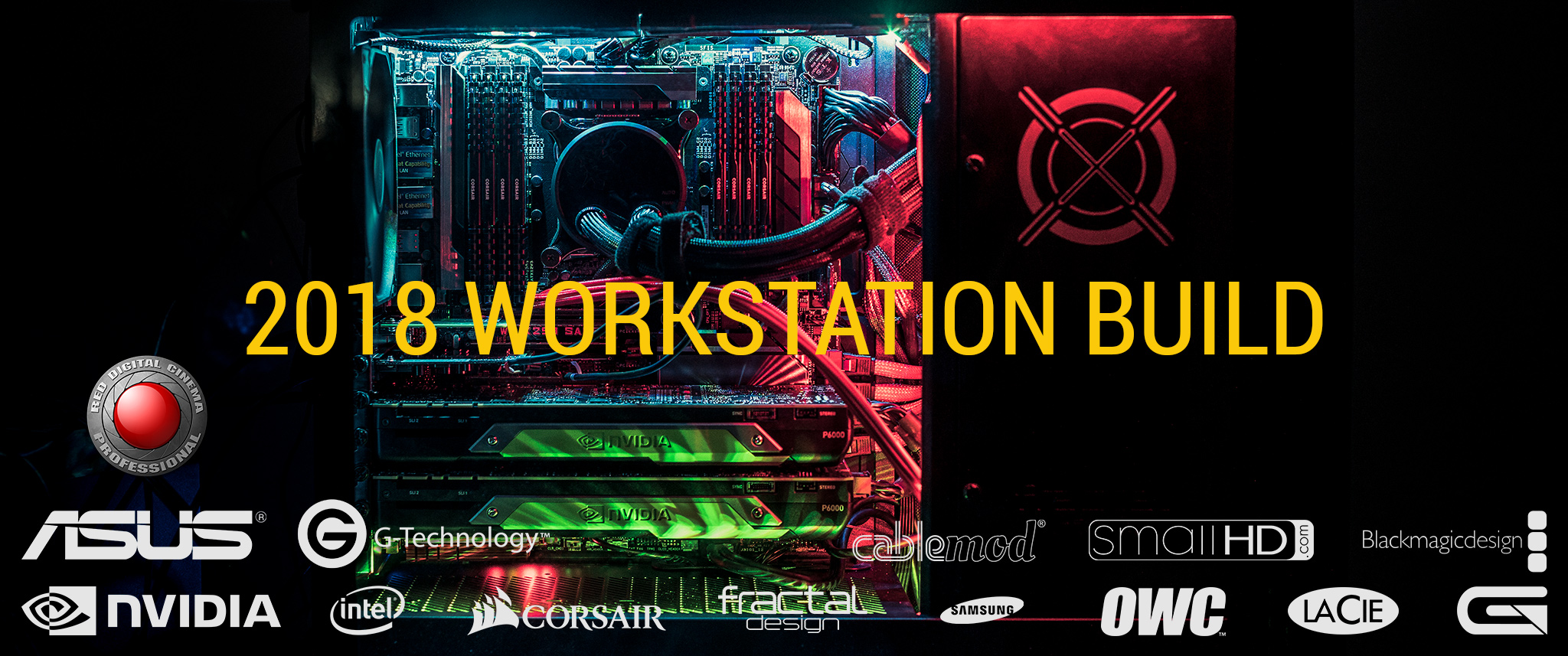


http://www.phfx.com/articles/workstation_2018/

If you are looking for the TL;DR version. You can indeed work with 8K REDCODE RAW on even modest mid-level systems and notebooks. Builds like this are more about what your budget is and what desired performance you are after.
 
Any particular reason that you output uncompressed instead of compressed .exrs? There are a ton of great lossless compression options available in .exr and they can be written out and decoded very quickly in applications like Nuke and save you a massive amount of space.
 
  • Thread starter
  • Moderator
  • #3
Any particular reason that you output uncompressed instead of compressed .exrs? There are a ton of great lossless compression options available in .exr and they can be written out and decoded very quickly in applications like Nuke and save you a massive amount of space.

Certainly oversimplified in discussion regarding EXRs. I've had to export compressed and uncompressed over the years. Just depends on what studio needs what. Most of my footage goes out as uncompressed 16-bit TIFs and EXRs or REDCODE RAW if they request it.

I could write a book on how every job is different, but the article got the simplified tale.
 
Phil,

Simply an amazing build - congrats!

Have you considered having your CPU de-lidded? (i.e. Silicon Lottery)

Jim
 
Wonder what your reason was to buy now, guess it was the VRAM for 8, 12 and 16k workflows.
 
Awesome!

Thanks for this, Phil.
 
  • Thread starter
  • Moderator
  • #7
Awesome!

Thanks for this, Phil.

Glad you liked it Martin.

Wonder what your reason was to buy now, guess it was the VRAM for 8, 12 and 16k workflows.

I built this system back in April. I decided to buy back in October when the 18-core was released, which man, was a year ago. However, I needed a motherboard with a bit more juice. Asus tipped me off that they has a new workstation board coming.

At that point I completed one 12K shoot with a 16K shoot on the horizon. I also had an 8K television and at the time two other 8K displays that needed to be driven. After some fun experiences at an unnamed post house earlier this year I knew I could build something a bit more capable than what they had, heck my current system in some ways was more capable.

In short the real goals were to trim down my export times primarily and improve the general working experience on the box. I'm dealing with not just high resolution stuff, but much longer form content now. The time saved there alone is worth this build IMO for my specific use case.

To hit deadlines for IFA I actually had three boxes rendering footage for about 4 weeks as 3 companies all were aiming at the same deadline and there were so damn many revisions. This system and my old workstation were the primary tools used.
 
Certainly oversimplified in discussion regarding EXRs. I've had to export compressed and uncompressed over the years. Just depends on what studio needs what. Most of my footage goes out as uncompressed 16-bit TIFs and EXRs or REDCODE RAW if they request it.

I could write a book on how every job is different, but the article got the simplified tale.

Gotcha. Makes sense. Although I would argue anyone asking for uncompressed EXRs is just a masochist or bills per GB.
 
Would the P4510 8TB Intel U2 server SSD's be a near-term candidate for future builds like this? Or better to let RAID serve the high-storage high-performance needs for a working drive. Thanks and great post!
 
Would the P4510 8TB Intel U2 server SSD's be a near-term candidate for future builds like this? Or better to let RAID serve the high-storage high-performance needs for a working drive. Thanks and great post!

It all depends on the speed you need

P4510 8TB, seq R 3,200 MB/s seq W 3,000 MB/s ~ $ 4,200 vs. ~$ 4,900 HighPoint SSD7101A-1 + 4x Samsung 960 pro 2 TB seq R 12,000 MB/s seq W 8,000 MB/s
 
  • Thread starter
  • Moderator
  • #11
Would the P4510 8TB Intel U2 server SSD's be a near-term candidate for future builds like this? Or better to let RAID serve the high-storage high-performance needs for a working drive. Thanks and great post!

Certainly, but it will depend on the U.2 drive itself. There's a lot of variance in what they were designed for. The models I listed here work well and in a system like this with a proper VROC key they can indeed be configured in RAID, which is "hella fast".

Interestingly you can also use something like the ASUS M.2 Hyper X16 which allows for 4X M.2 drives to be used in RAID configuration. That speed has benefits in particular to uncompressed workflows and playback, but you will see gains across the board as this stuff is pretty low latency.
 
Very nice mate. Saw you have the 4k Decklink car in there. No 8K card? Or is that simply due to what your ultimately outputting the 8k to?
 
  • Thread starter
  • Moderator
  • #13
Very nice mate. Saw you have the 4k Decklink car in there. No 8K card? Or is that simply due to what your ultimately outputting the 8k to?

Might go that route. At the moment all of the 8K displays I've used over the last 2-3 years have not been SDI and I don't have much interest in tiling several displays. If there is one I like however that uses SDI, yep, I'll toss that card in there for sure.

It's one of those if I need it I'll put it in there. At the moment the GPU w/ 4X Display Ports have been what's necessary. For now.

With that said, sort of waiting on HDMI 2.1 to rollout certainly for general desktop and television use. Which is not something current gen is supporting GPUs is supporting. Yet. We of course need displays that can handle that too.

Much of the 8K output and exhibition is up in the air as it's not terribly easy to achieve. That gap is closing though.

To that point, DisplayPort 1.4 does support UHD 8K reasonable well, but most of us are trying to get away from DSC.
 
I just read this now, and I have to say that this really is insane - in a good way, of course. Most of my hardware research has been for crypto mining, which focuses on hashes per watt, not on outright performance. In fact, as you probably know, a typical mining rig has the cheapest, lowest power CPU you can get, an SSD of about 40GB, and no more than 4GB of RAM. And an array of GPUs - not necessarily the fastest ones, either.

So I do have a few questions. Firstly, we all know that SSDs can die within 1-2 years of purchase. It has happened. Perhaps rarely, but it still happens. So, here are a couple of thoughts that I had:

- Have an SSD for the swap file and a second SSD for the boot disk which contains the OS, REDCine X and Resolve. All footage resides on hard drives.

- Have 100% SSDs on the system, and back up footage to HDs regularly.

I'm just curious about these Decklink thingies. I pretty much know what their basic functions are, but here's my question: would your workstation be significantly lacking without one? Is it more of a luxury or more of a necessity? I presume that if you wanted to output 8K video, you wouldn't need a Decklink, as the GPU can do that. OTOH, they seem to provide a guaranteed, rock solid functionality which GPUs won't necessarily give.

Slightly off the topic, only because I am a proud pixel-peeper (we all should be!): I notice quite a bit of chrominance noise in the city skyline images. Not that it's unattractive. I assume that NR is the last or second-last operation that you perform on all your footage, anyway.

P.S. I'd love to know what hashrate your rig produces for Monero, if you ever have the inclination... ;-)
 
two thoughts,
- i have mirrored SSD boot drive on my machines. it's not a case of "if" but "when" any given SSD will fail, cheap protection
- Decklink -or- Aja I/O cards are needed for accurate color managed workflow
 
However many Ks are in play, we still need a way to monitor in the color space the viewer will see. As of today, rec 709 SDR 1080P is the nominal target so I/O cards that put out a compliant signal to a calibrated monitor is SOP. What about going forward? Rec 2020, rec 2100, which HDR variant, 2160P, 4320P, etc. What about YUV vs RGB? Bit depth. Gamma 2.2, 2.4 or 2.6? Frame rates. SDI variants, HDMI variants, DP variants, ...

On top of all that, what are people watching the content on? Computer monitors and TV sets used to be distinct products with defined use cases and different signal types...

IAC, reviewing and grading footage "as it is expected to be seen" is still a critical need. Perhaps in a world of digital files and evolving viewing habits we will soon reach the point where we create a "universal" master that relies on something like an ACES ODT (output display transform) to tailor the presentation to the device. This capability has always been one of the fundamental reasons that constructs like ACES are important. Sorry about the tangential threadjack.

Cheers - #19
 
  • Thread starter
  • Moderator
  • #17
On top of all that, what are people watching the content on? Computer monitors and TV sets used to be distinct products with defined use cases and different signal types...

Gamma 2.2 most of the time. I master out to DolbyVision and HDR10 at the moment.

Truth be told, when it comes to finishing a shoot I QC stuff on several displays. 7 of them to be exact. Mobile, Tablet, Laptop, and a couple of Monitor and Television techs. HDR is still a very much moving target and most of my work has been mastered out via DolbyVision at Dolby at the very end of the pipe. The Sony BVM-X300 seems to still be the nice "bar" when it comes to 4K mastering for me if you are looking for a simple high end answer.

We seem to be slowly migrating more and more towards a harmonious output and it is better than it's ever been on this front, though people have become much more critical for in home and mobile delivery versus when film was the primary medium. We just have much better tools this decade all around. Oddly big screen is still a chaotically developing world, but even this is getting buttoned up better now.

A good calibrated display that is a known quantity is the starting point for me. Even a decent calibrated laptop or general monitor is a good place to start.


So I do have a few questions. Firstly, we all know that SSDs can die within 1-2 years of purchase. It has happened. Perhaps rarely, but it still happens. So, here are a couple of thoughts that I had:

- Have an SSD for the swap file and a second SSD for the boot disk which contains the OS, REDCine X and Resolve. All footage resides on hard drives.

- Have 100% SSDs on the system, and back up footage to HDs regularly.

I'm just curious about these Decklink thingies. I pretty much know what their basic functions are, but here's my question: would your workstation be significantly lacking without one? Is it more of a luxury or more of a necessity? I presume that if you wanted to output 8K video, you wouldn't need a Decklink, as the GPU can do that. OTOH, they seem to provide a guaranteed, rock solid functionality which GPUs won't necessarily give.

Slightly off the topic, only because I am a proud pixel-peeper (we all should be!): I notice quite a bit of chrominance noise in the city skyline images. Not that it's unattractive. I assume that NR is the last or second-last operation that you perform on all your footage, anyway.

P.S. I'd love to know what hashrate your rig produces for Monero, if you ever have the inclination... ;-)

Some answers to a few things:

- SSD - I have OS and Cache drives in this box. For those who choose to go with the "just one fast M.2" for that activity, I'd recommend just having your OS stuff ready to be cloned off an external drive if something crazy happens and you don't want to spend a day re-installing and re-configuring programs.
- Backups - Every piece of footage that comes into a system has double or triple redundancy at a minimum in my world. It's mostly about backing up smaller project files as I tend to work as losslessly as possible. However, as hero elements are generated I do indeed back those up as needed.
- SDI, GPU, and 8K - There is a Decklink 4K in here and it's rather important for me to output signal via SDI as I'm doing all sorts of things color and monitor related on and off set as well as in post. Not everybody needs to do that, but I do generate a fair bit of color stuff that larger entities use in their devices even. 8K happens via GPUs for me today until a compelling SDI 8K display comes out that I actually want.
- I honestly haven't done much of any noise reduction on footage from Dragon on. Did it a fair bit on MX, but after that, really not much. There's stuff you guys have seen on screens at ISO 5000 even, all in motion of course. Feel free to watch any of those recent aerials on YouTube in 8K for an example of what I'm talking about.
- Probably not going down the path of logging hashrates as that's not even close to what I do for a living or what this machine is used for :)


two thoughts,
- i have mirrored SSD boot drive on my machines. it's not a case of "if" but "when" any given SSD will fail, cheap protection
- Decklink -or- Aja I/O cards are needed for accurate color managed workflow

Nice idea on the mirrored SSD, I just keep a clone on standby in case I need to do anything insane. I've only had one OS drive failure in the last 5 years on several workstations.

I do have a Decklink in this box, but I could have a long conversation on "what's needed" especially if you have GPUs such as these that output proper 10-bit. I have a multi-pronged approach on this front and yes having a dedicated SDI out for NLE and various Color Suites is a nice help.
 
Gamma 2.2 most of the time. I master out to DolbyVision and HDR10 at the moment. (snip)

Interesting. Thought 2.4 might become more popular since it's in rec 2020. Also just discovered that rec 2100 offers discrete formulas for "narrow" (similar to old school NTSC "legal") color range and WCG - wide color gamut (essentially full range). Do you know if the content flags for narrow vs WCG reliably interact with most current displays?

Cheers - #19
 
Back
Top