stephenv2
Well-known member
- Joined
- Jul 5, 2007
- Messages
- 73
- Reaction score
- 0
- Points
- 0
I was going to take pics but I still can't figure out how to turn off burn in mode. Waiting to hear from a engineer in China 

Follow along with the video below to see how to install our site as a web app on your home screen.

Note: this_feature_currently_requires_accessing_site_using_safari

I was going to take pics but I still can't figure out how to turn off burn in mode. Waiting to hear from a engineer in China
I was going to take pics but I still can't figure out how to turn off burn in mode. Waiting to hear from a engineer in China
root@dekabutsu: 12:03 PM :~#  x=0; y=0; cat /var/log/Xorg.4.log | grep -i source:\ edid -B3 -7 | while read line; do y=$(($y +1)); check=`echo "$line" | grep -c '\-\-'`; if [ $y -eq 1 ]; then echo header > /root/seiki_modes/mode_0.txt; fi; if [ $check -eq 1 ]; then x=$(($x+1)); fi; echo "$line" >> /root/seiki_modes/mode_$x.txt fi; done; for file in /root/seiki_modes/*.txt; do res=`head -3  $file | tail -n 1 | cut -d'"' -f2`; details=`head -4  $file | tail -n 1 | awk '{print "# "$6$7$8$9$10$11}'`; pc=`head -6  $file | tail -n 1 | awk '{print $9}'`; h1=`head -7  $file | tail -n 1 | awk '{print $9$10}' | sed 's/,/ /g'`; h2=`head -8  $file | tail -n 1 | awk '{print $9$10}' | sed 's/,/ /g'`; v1=`head -9  $file | tail -n 1 | awk '{print $9$10}' | sed 's/,/ /g'`; v2=`head -10  $file | tail -n 1 | awk '{print $9$10}' | sed 's/,/ /g'`; hpol=`head -11  $file | tail -n 1 | awk '{print $9}' | cut -d'/' -f1`; vpol=`head -11  $file | tail -n 1 | awk '{print $9}' | cut -d'/' -f2`; echo $details; echo Modeline \"$res\" $pc $h1 $h2 $v1 $v2 $hpol"hsync" $vpol"vsync"; echo; done
# 1280x720@60Hz
Modeline "1280x720" 74.25 1280 1390 1430 1650 720 725 730 750 +hsync +vsync

# 720x576@50Hz
Modeline "720x576" 13.50 720 732 795 864 576 580 586 624 -hsync -vsync

# 720x576@50Hz
Modeline "720x576" 13.50 720 732 795 864 576 580 586 624 -hsync -vsync

# 720x576@50Hz
Modeline "720x576" 27.00 720 732 796 864 576 581 586 625 -hsync -vsync

# 720x576@50Hz
Modeline "720x576" 27.00 720 732 796 864 576 581 586 625 -hsync -vsync

# 1280x720@50Hz
Modeline "1280x720" 74.25 1280 1720 1760 1980 720 725 730 750 +hsync +vsync

# 1280x720@60Hz
Modeline "1280x720" 74.18 1280 1390 1430 1650 720 725 730 750 +hsync +vsync

# 1920x1080@50Hz
Modeline "1920x1080" 74.25 1920 2448 2492 2640 1080 1084 1094 1124 +hsync +vsync

# 1920x1080@60Hz
Modeline "1920x1080" 74.18 1920 2008 2052 2200 1080 1084 1094 1124 +hsync +vsync

# 1920x1080@50Hz
Modeline "1920x1080" 148.50 1920 2448 2492 2640 1080 1084 1089 1125 +hsync +vsync

# 1920x1080@60Hz
Modeline "1920x1080" 148.35 1920 2008 2052 2200 1080 1084 1089 1125 +hsync +vsync

# 1440x900@60Hz
Modeline "1440x900" 106.50 1440 1520 1672 1904 900 903 909 934 -hsync +vsync

# 1920x1080@24Hz
Modeline "1920x1080" 74.16 1920 2558 2602 2750 1080 1084 1089 1125 +hsync +vsync

# 1280x960@60Hz
Modeline "1280x960" 108.00 1280 1376 1488 1800 960 961 964 1000 +hsync +vsync

# 640x480@60Hz
Modeline "640x480" 25.17 640 656 752 800 480 490 492 525 -hsync -vsync

# 640x480@72Hz
Modeline "640x480" 31.50 640 656 696 832 480 481 484 520 -hsync -vsync

# 640x480@75Hz
Modeline "640x480" 31.50 640 656 720 840 480 481 484 500 -hsync -vsync

# 800x600@60Hz
Modeline "800x600" 40.00 800 840 968 1056 600 601 605 628 +hsync +vsync

# 800x600@72Hz
Modeline "800x600" 50.00 800 856 976 1040 600 637 643 666 +hsync +vsync

# 800x600@75Hz
Modeline "800x600" 49.50 800 816 896 1056 600 601 604 625 +hsync +vsync

# 1024x768@60Hz
Modeline "1024x768" 65.00 1024 1048 1184 1344 768 771 777 806 -hsync -vsync

# 1024x768@70Hz
Modeline "1024x768" 75.00 1024 1048 1184 1328 768 771 777 806 -hsync -vsync

# 720x576@50Hz
Modeline "720x576" 27.00 720 732 796 864 576 581 586 625 -hsync -vsync

# 1024x768@75Hz
Modeline "1024x768" 78.75 1024 1040 1136 1312 768 769 772 800 +hsync +vsync

# 3840x2160@30Hz
Modeline "3840x2160" 296.70 3840 4016 4104 4400 2160 2168 2178 2250 +hsync +vsync

# 3840x2160@25Hz
Modeline "3840x2160" 297.00 3840 4896 4984 5280 2160 2168 2178 2250 +hsync +vsync

# 3840x2160@24Hz
Modeline "3840x2160" 296.75 3840 5116 5204 5500 2160 2168 2178 2250 +hsync +vsync

# 1920x1080@60Hz
Modeline "1920x1080" 74.25 1920 2008 2052 2200 1080 1084 1094 1124 +hsync +vsync

# 1920x1080@50Hz
Modeline "1920x1080" 74.25 1920 2448 2492 2640 1080 1084 1094 1124 +hsync +vsync

# 1280x720@50Hz
Modeline "1280x720" 74.25 1280 1720 1760 1980 720 725 730 750 +hsync +vsync

# 720x480@60Hz
Modeline "720x480" 13.50 720 739 801 858 480 488 494 524 -hsync -vsync

# 720x480@60Hz
Modeline "720x480" 13.50 720 739 801 858 480 488 494 524 -hsync -vsync

# 720x480@60Hz
Modeline "720x480" 27.00 720 736 798 858 480 489 495 525 -hsync -vsync

# 720x480@60Hz
Modeline "720x480" 27.00 720 736 798 858 480 489 495 525 -hsync -vsyncHAHA. i did that too and freaked. I was like FUCK did I just brick it?. Unplugging it for 10 min did not help. You gotta just turn it off using the power button on the side (yeah remote doesnt work) when it turns back on its normal.
Your welcome =)


Short answer ... NO ... tried that last night ... had a DP to HDMI cable into HDMI port #1 and HDMI to HDMI into port #3 running off a TITAN on a PC and could not get any kind of signal to display out of the DP cable ... HDMI to HDMI worked just fine at 3840x2160 @ 30HZ ... also, looks to me like the panel is only 6 bit with 8 bit dithering or maybe 8 bit with 10 bit dithering (but doubt it).
On a Mac with a Quadro K5000 could not get a 3840x2160 signal to display on either the DP or HDMI output ... you can't change refresh rates on a Mac.
Neil
Okay, now that burn-in mode is off, here's the problem I was trying to troubleshoot. I'm getting problems with 4K signals, both from Samsung Blu-Ray and from PC. Tried multiple inputs and multiple cables (different brands 1.4a cables).
Problem appeared after a few hours of use, so I suspect I need to return it unless some has an idea. What happens is signal splits into flickering quads.
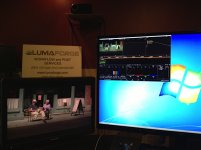
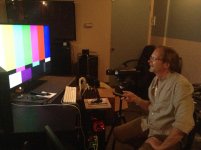
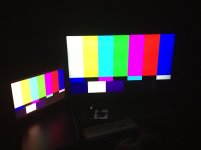
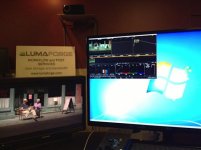
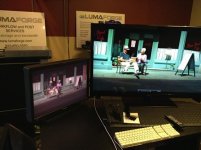
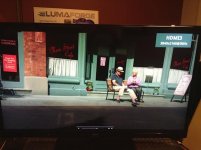
The other cool thing we did this afternoon is get our favorite color calibrator to come in and tweak the SEIKI ... David Webb is a genius when it comes to accurately profiling plasmas, LCDs and OLEDS ... he works with all the big post houses in LA ... David quickly got his spectroradiometer into action and put up his charts .... the bad news is that the panel is not perfect but the good news is that for the price point it is pretty damn good! .... the colorimetry is actually surprisingly accurate ... once David had finished tweaking the SEIKI and we put up the EPIC footage in Resolve in full screen we both took a deep breath and said WOW ... not that you'd do mission critical color grading on this monitor but as an accurate 4K client monitor that's dialed in to what you're seeing on your grading monitor it is pretty damn sweet.

... So the issues seems to be getting the correct refresh rate (not Resolve frame rate) coming out of the BMD 4K DeckLink card - has any one else ahd any luck with the 4K Extreme?
I know the panel is driven via 4 LVDS links so maybe there is a problem there? I am not sure if the LVDS links are quadrants or not though.
Now that is some seriously good news.
the colorimetry is actually surprisingly accurate ... once David had finished tweaking the SEIKI and we put up the EPIC footage in Resolve in full screen we both took a deep breath and said WOW ... not that you'd do mission critical color grading on this monitor but as an accurate 4K client monitor that's dialed in to what you're seeing on your grading monitor it is pretty damn sweet.

Does anyone know or think that a New iMac full spec from thunderbolt to Hdmi adapter will work with this unit?
... David Webb is a genius when it comes to accurately profiling plasmas, LCDs and OLEDS ... he works with all the big post houses in LA ... David quickly got his spectroradiometer into action and put up his charts ....