Chris Elkerton
Well-known member
- Joined
- Nov 14, 2012
- Messages
- 157
- Reaction score
- 0
- Points
- 16
- Location
- UK
- Website
- www.chriselkerton.com
Hi,
I have some test footage shot at 4K 16:9 on a 1.33 anamorphic adapter and am looking at possible workflows.
Ideally what I would like to be able to do is:
a) Output in the correct aspect ratio from Redcine when I just want to do a light grade and then edit.
b) Output, or save I suppose is the more accurate term, the R3d files into the correct ratio to then take into Resolve.
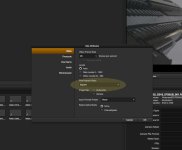
Is it possible to "squeeze" the footage into its correct aspect ratio in Redcine? I have tried exporting with the output resolution set to custom 1920x820 but all this does is crop the image, is there another way of doing this? I was looking at using the Framing tab, as I noticed there was an aspect ratio option in there. Any one have any experience of this? All help would be appreciated.
Thanks,
Chris.
I have some test footage shot at 4K 16:9 on a 1.33 anamorphic adapter and am looking at possible workflows.
Ideally what I would like to be able to do is:
a) Output in the correct aspect ratio from Redcine when I just want to do a light grade and then edit.
b) Output, or save I suppose is the more accurate term, the R3d files into the correct ratio to then take into Resolve.
Is it possible to "squeeze" the footage into its correct aspect ratio in Redcine? I have tried exporting with the output resolution set to custom 1920x820 but all this does is crop the image, is there another way of doing this? I was looking at using the Framing tab, as I noticed there was an aspect ratio option in there. Any one have any experience of this? All help would be appreciated.
Thanks,
Chris.