Welcome to our community

Be a part of something great, join today!

  • Hey all, just changed over the backend after 15 years I figured time to give it a bit of an update, its probably gonna be a bit weird for most of you and i am sure there is a few bugs to work out but it should kinda work the same as before... hopefully :)

ISO of Red

I suggest just comparing it to a known-good raw converter as you are now. As you know, one can't assume that it's the manufacturer's own converter, because Canon, for example, doesn't even use the correct white point for most analog gain settings on their own cameras, clipping up to 1/3 stop of highlights in DPP for no reason at all.

So which RAW converter should I use as the base line for comparison? Red Alert? Apparently I shouldn't use Red Cine ...
 
No. It is only a limiting factor when the manufacturer of the raw camera was allows quantization error to limit dynamic range instead of noise. While it's theoretically possible, in practice it does not occur. (The Pentax K10D is one exception, but the quantization error exists only at tones that are already corrupted by pattern noise, so it's more properly said that the dynamic range was limited by pattern noise, not quantization error.)

Again, it is noise, not bit depth, that limits dynamic range. Say you have 12 bits and 11.3 stops of dynamic range. If you go from 12-bits to 20 bits without reducing noise, then your dynamic range has not improved at all. You might as well throw away the extra 8 bits and save space. If you reduce noise without increasing bit depth, then you get quantization error.]

YES, recording bit depth IS a limiting factor for Dynamic Range both mathematically and in real life.
I will explain the meaning of "limiting factor" to you: It means that it is the mathematical maximum the recording bit depth allows. If the image processing chain has elements that have a lower limiting factor than bit depth (like noise in your example), that limiting factor now becomes the lowest common limiting factor and thus the bit depth limiting factor is meaningless. (Of several possible limiting factors, the lowest of them all will solely determine the final result. That's the nature of a limiting factor.)
If you want to produce an imaging chain that produces more than 12 stops of dynamic range you HAVE TO go to a recording bit depth of 14bit at minimum.
 
YES, recording bit depth IS a limiting factor for Dynamic Range both mathematically and in real life.

Mathematically, yes. But not in real life.

I will explain the meaning of "limiting factor" to you: It means that it is the mathematical maximum the recording bit depth allows. If the image processing chain has elements that have a lower limiting factor than bit depth (like noise in your example), that limiting factor now becomes the lowest common limiting factor and thus the bit depth limiting factor is meaningless.

But noise is not just my "example": it's a factor that *always* applies. To every raw camera out there. And therefore, in real life, bit depth is never the "lowest common limiting factor".

I can name over a hundred raw cameras where bit depth is not the limiting factor in DR, and even post the raw files that prove it. Can you name even a handful of real life raw cameras in which bit depth is the limiting factor in DR? And post raw files that prove it?

If you want to produce an imaging chain that produces more than 12 stops of dynamic range you HAVE TO go to a recording bit depth of 14bit at minimum.

(I'll point out again that this is only on a per-pixel basis. As Dan H. pointed out, you can get 14 stops out of 12 bits if you look at more than just per-pixel numbers.) What you say is technically true, but it's misleading. It's like saying "if you want to write checks for 1 million dollars, you have to find a checkbook that has enough space to write numbers that big." That is also technically true. But the much more pressing and difficult real-life limitation is how much money you actually have. Finding a sufficiently large checkbook is a limitation, but in real life no one actually hits that limitation (that I know of).

In the same way, noise is the pressing real life limitation. Once the bit depth is high enough so the noise std dev is >= 1.29 quantization steps (1/sqrt(12)), then quantization error is gone.

The hard part about getting more than 12 stops of dynamic range is reducing noise, not increasing bit depth.
 
DRX

DRX

DRX increases the dynamic range over what normal white balance can get.

As was said, because the green clips before the RED and BLUE you only get about 11 to 11.5 bits/stops after cliping for white balance.

The bit spread for the colors is probably more, in the Kodak sensor the Acam uses you can see the green bias is much higher than the Kinor-2K sensor also shown in un-white balanced in my other posts.

Because the green clips before the other colors DRX uses the un-clipped image highlights from the least clipped color, blue most of the time, as "extra" luma information to "fill in" the highlights with some detail and to cover some of the blooming in the clipped green and red sensors.

When DRX is on the "dyanmic" range from a reduced size image taken from true RAW data will be close to the 12stop range, even under low K value lights since the blue is not clipped do to it being as much as 3 stops underexposed from the green or red. As K value goes down the red will clip at the same point as green, then at lower K values the red will clip BEFORE the green.

Blue only clips before red or green under very high K values since blue is about one or more stops under-exposed from green at 5500K or so.

Since we do not have any true RAW data from the RED ONE sensor we cannot see how many stops you can "recover" from the blue data relative to the green and red data and such, but it should be more than 1/2 stop for daylight K values.

See the DRX setting in REDCINE and such.

==

About the extra bits from down size, you can get better or worse effects on the visable noise if you down size before chroma matrix or after and the order of the sharpen and blur used in the de-Bayer filters. Bayer filter data processing in not something that can EVER be optimized for all subjects because there IS no "best" solution that works "best" for all subjects and end uses, but you can see that some end results look better than others, by your taste, for any given use. Bayer filter cameras "almost" work, but its sort of a bad idea that everyone uses because the other choices cost too much or do not look better enough to justify what extra cost, bulk, and mass would be required to use them, and the Bayer CMOS is a simple and fast way to get images, so the data get processed and you end up with something usable if you expose well, but it will not be RGB data in the normal sence of a three chip camera, which now is not area unprocessed as well.

I've been working on my own de-Bayer program to process true RAW data from cameras like the Kinor-2K and Acam dII. If you look on the Adobe web site for the example DNG sequence taken with the Acam you may see that the headlights have a very pink cast, but when I process them in my code I get white head lights more or less, so what's up with that, why would they post off color examples in the TIFs? The thing I am concerned about is the number of adjustments required for working with true RAW data, rather than the pre-cooked REDCODE data. You can fiddle with all the adjustments to get a 1000+ looks to the end result, and its hard to say that any of them would work with all footage. That will be a problem for Acam, because they seem to be using the Adobe software for "one light" processing of all their footage, and that is not going to give the "best" result possable from the RAW data. It is better to change the de-Bayer steps used, than to try to re-grade a bad de-Bayer of the RAW data because mis-adjustment of the de-Bayer will put noise and artifacts in the RGB files before you grade them.

The presets in REDCINE and REDALERT are a compromize and change with "builds". In those programs the presets used save you the time to make many adjustments, but since you CANNOT access the adjustments you need to live with the presets you are given.

The needed adjustments to the de-Bayer change with the K value, subject contrast range and colors, the exposure in the EI for mid-tones, DRX or not, if you want a color cast or not for the white balance. For the most part each shot needs a new set of adjustments, which is what I am going to have in my de-Bayer program you would make a test frame and set a configuration file before you process the whole shot. Some shots need more low pass and different break points on the curves depending on the lighting, subject, and desired effect.

With low contrast negative films the cameraman could be off a few stops and the master positive contrast and timing adjusted to compensate, but sensor noise and clipping require much closer tolerances on exposure and that means the you need to make artistic decisions ON THE SET since if you screw up the RAW data you have nothing to fall back on later.

Camcorders have a "take it or leave it" presets because of the more limited range of their compression like H.264. When you shoot RAW you need to think first about if you are saving enough RAW data, then also how that RAW data will look when processed. If you have in camera color management you can see some "preset looks" on the monitor, but those might cause you to limit the contrast range to LESS than the RAW data can hold, and so develop a too flat lighting style... un-Cinematic video style.
 
Mathematically, yes. But not in real life.

There are two things here, implementation and principle. Mathematics does not take sides to the implementation but instead says something about the logical relations.

Guess Florian talks about the principle level and puts in words the obvious fact that if one is silly enough to select less bits than what the dynamics range allows, then the bit depth is a limiting factor. Daniel seems to say nobody is that silly, which is also true.

Getting back to David's question, one may also ask, why the meters of Red One are inconsistent? For example, Stuart has confirmed that the "barber's pole" is always accurate, and when it hits the red color, clipping occurs. However, although one has the raw view on, the clipping indicated by the barber pole does not imply any of the "trafic lights" were on. Thus a question, what do the trafic lights show precisely?

Perhaps the barber pole show clipping bitwise but the trafic lights show "averaged clipping" after some sort of debayer algorithm?
 
Getting back to David's question, one may also ask, why the meters of Red One are inconsistent? For example, Stuart has confirmed that the "barber's pole" is always accurate, and when it hits the red color, clipping occurs. However, although one has the raw view on, the clipping indicated by the barber pole does not imply any of the "trafic lights" were on. Thus a question, what do the trafic lights show precisely?

Perhaps the barber pole show clipping bitwise but the trafic lights show "averaged clipping" after some sort of debayer algorithm?

To clarify, David's question, and original Shawn's question was why False Color does not match a meter when both are set to ISO 320. (It is about 1 to 1 and 1/3 stop difference - see the charts linked to previously in this thread.) And the reason is that at ISO 320 there is a stop of head room / highlight protection. To get both to match correctly the camera needs to be rated at, or metered at ISO 160, and then the two will match as expected.

In regards to your question about the barber pole and the traffic lights-
1. The Traffic Lights refer and represent clipping in the RGB path (Red Space or Rec 709.) When one of these is lit, there is clipping in that channel.
2. The Barber Pole refers to the RAW data only. When Red is lit at the top of the meter there is clipping in the RAW data.
3. The reason these do not match, is that the RGB path is much more limited then the RAW data is, so the RGB path can clip before the RAW data does- And that is why it is important to know what you are getting in the RAW data, as you can push the RAW data around a lot more then you can the RGB data.

Hope that helps. :)
 
Understanding exposure, and getting confused at the same time

Understanding exposure, and getting confused at the same time

Thanks a lot.

As you said I am arriving as well to the conclusion that has been proposed for a long time. But I definitively think it has been an unfortunate naming of 320 iso, when it clearly would have saved us a lot of headache if it was named 160. I can see how marketing wise people might go, "hold on, that does mean Red "Native"ISO is only 160? well, that sucks!" not understanding that same as when you shoot 400 film you most likely would rate it at 320, here even though it would say 160, depending on the scene and your tolerance for noise, the "ISO" would change.

But same as in the old days with film you try to trick your light meters and over expose because the film is easier to pull from highlights than shadows in most cases, here in Red world it's the opposite. It is easier to read in the shadows even with noise than clipping and have no detail what's so ever. So pretty much like film but the opposite way.

But no matter what you do to protect your shadows and/or highlights, having a naming system that would match our light meters to the Red naming would have been very beneficial. And even though some light meters might differ from others, it definitively is clear that what you see in the red False color at 320 pretty much equals the light metter at 160. So it is clear that if Red named 320 = 160, and tell everyone, if you shoot at 160 you'll protect the highlights, then it would be exactly the same, but with the advantage that that number would match our light meters. Am I making no sense and getting lost in the numbers?

This was driving me crazy, as I was never able to match the lightmetter with my red exposure.


Nope, you are not missing the point at all. Here is my take away from all of this-

1. If your meter is set to ISO 320 and you light the scene accordingly you will be under exposing by about 1 stop. This additional stop will help protect your highlights since you are underexposing the image.

But here is where I am getting lost. If you set you Red camera at 320 (matching your Raw meter) and protect your highlight that means your meter should be set at ISO 160. No?

And therefore if you have a very Low DR and trick the exposure and set the Red ISO to 160 trying to get extra exposure since there are not many highlights and you rather have less noise, then the Light meter should be set to something like 50. Am I right?

And when there is a very High DR scene and you want to extra protect your highlights not caring much for your shadow detail and set your Red ISO to 500 the Iso in the light metter should be something like 320.

Please correct me if I am wrong. Because I completely understand the philosophy of Red telling us to shoot at 320 and only switching to 160 or 500 in some cases, but if I set my Light meter 320, then 160 or 500 and expose using only my light meter, I really underexpose everything. Basically my conlusion is that Red tells you to shoot at 320 (Red Raw ISO, not Light meter ISO)
 
I'm still in the process of figuring out my own personal tolerance for noise in the shadows, and every will have their own tastes, so individual testing is always the best recommendation. But with that said ...

As you said I am arriving as well to the conclusion that has been proposed for a long time. But I definitively think it has been an unfortunate naming of 320 iso, when it clearly would have saved us a lot of headache if it was named 160 ...

Honestly, after all of this I think that the label ISO or ASA should be dropped and replaced by EI, as ISO or ASA has caused to much confusion IMO.

But same as in the old days with film you try to trick your light meters and over expose because the film is easier to pull from highlights than shadows in most cases, here in Red world it's the opposite. It is easier to read in the shadows even with noise than clipping and have no detail what's so ever. So pretty much like film but the opposite way.

Yes, exactly. :)

So it is clear that if Red named 320 = 160, and tell everyone, if you shoot at 160 you'll protect the highlights, then it would be exactly the same, but with the advantage that that number would match our light meters. Am I making no sense and getting lost in the numbers?

No - You are getting lost in the numbers. If you meter and set the camera to ISO 320 you will be protecting the highlights as you will be underexposing the image by about 1 stop according to your meter and the resulting image in False Color. If you set your meter to ISO 160 and leave the camera at ISO 320, how False Color reads will match what your meter is telling you. But now since you have compensated your exposure accordingly (Either by opening up the lens or by adding more light) you are no longer under exposing the image, and you have lost the highlight protection you had when you were metering at 320.

So to summarize:
Meter @ 320 + Camera @ 320 = 1 stop of highlight protection but False Color will not match your meter.
Meter @ 160 + Camera @ 320 = NO highlight protection but False Color WILL match your meter.

But here is where I am getting lost. If you set you Red camera at 320 (matching your Raw meter) and protect your highlight that means your meter should be set at ISO 160. No?

See above. If you set your meter to 160 and camera to 320, then you will have to manage your highlights more carefully, as you have lost that extra step of protection.

And therefore if you have a very Low DR and trick the exposure and set the Red ISO to 160 trying to get extra exposure since there are not many highlights and you rather have less noise, then the Light meter should be set to something like 50. Am I right?

This is something I'm still testing out for myself, so I am not sure. But from what I have read, if you are shooting a Low DR scene, and you set the Red ISO to 160, you should also set your meter to ISO 160, and light accordingly. Again, I have not tested this out for myself, but from what I have read in this thread and else where that seems to be the idea.

And when there is a very High DR scene and you want to extra protect your highlights not caring much for your shadow detail and set your Red ISO to 500 the Iso in the light metter should be something like 320.

The same caveat above applies here. Set your meter to ISO 500 and the camera to ISO 500. But I have not tested this for myself yet...

Please correct me if I am wrong. Because I completely understand the philosophy of Red telling us to shoot at 320 and only switching to 160 or 500 in some cases, but if I set my Light meter 320, then 160 or 500 and expose using only my light meter, I really underexpose everything. Basically my conlusion is that Red tells you to shoot at 320 (Red Raw ISO, not Light meter ISO)

Here is what I am finding, and continuing to test to bear out the results:

If you have a High DR scene, set the camera & meter to a higher ISO (500ish). You will be placing the majority of the exposure towards the highlights, so shadows can get noisy. But the image will have a film like roll off in the highlights. So if in a High DR scene, you want to ETTL.

In a normal scene, set the camera & meter to ISO 320. You will have an average exposure that will give a decent range for both highlights and shadows. (If you want your meter to match what the camera is telling you, then set the meter to ISO 160- but now carefully watch your highlights as you have lost the extra stop of protection.)

If you have a Low DR scene, set the camera & meter to a lower ISO (160 - 200ish). You will be placing the majority of the exposure towards the shadows, so the highlights will clip fast but you will get great shadow detail.

Again, I can't stress enough the importances of testing this out for yourself. You tolerance for noise, or highlight clipping may not be the same as mine. But hopefully this will help clarify the issue for you.
 
Ryan, concerning your answer to Ivan's observation on RED's ISO:
what difference would it make to rename ISO in this case?
No matter what it's called, all "discrepancies"
(if there are indeed discrepancies) will remain, only the name for
them will have changed. That issue aside, I like Dan's idea of
EI index too, I was thinking of "Sensor Index" as a spin off of
EI when Dan posted.
 
Ryan, concerning your answer to Ivan's observation on RED's ISO:
what difference would it make to rename ISO in this case?
No matter what it's called, all "discrepancies"
(if there are indeed discrepancies) will remain, only the name for
them will have changed. That issue aside, I like Dan's idea of
EI index too, I was thinking of "Sensor Index" as a spin off of
EI when Dan posted.

The benefit I see in moving towards a different nomenclature would be to help alleviate confusion with the ISO system. The more I work with the Red the more I see it as two, or three different cameras. Depending on the scene being shot, the camera may have an exposure index of 160, 320, or 500. For myself, I know the whole relating to the ISO's has confused me to much because of my understanding of how ISO's work in the film world. In film, if I am shooting low light indoors, then I want a tungsten balanced fast speed film. So I would think that on the Red setting the ISO to 640, and balancing to 3200k would give me the best results- this is exactly the opposite of how the camera behaves. Regardless of what the term is- moving away from ISO / ASA would help mitigate this confusion. (IMO)
 
Ryan, I understand this, and agree. But we do have ISO and our meters
have ISO and we're working with ISO, so until we find and name another
standard, then we have to consider ISO language for the time being-
and Ivan's query is valid, at least as a query if nothing else.
 
1. The Traffic Lights refer and represent clipping in the RGB path (Red Space or Rec 709.) When one of these is lit, there is clipping in that channel.

Ryan, you read hastely what I asked. The question was, what the traffic ligths show precisely when the RAW view is on as the lights do not match with the barber pole even in this case.

The reason to ask is, the answer to this may well be the same as that of David's question. It is also known that the RAW view is not actually raw but instead the one with a"mild gamma curve".
 
Ryan, you read hastely what I asked. The question was, what the traffic ligths show precisely when the RAW view is on as the lights do not match with the barber pole even in this case.

The reason to ask is, the answer to this may well be the same as that of David's question. It is also known that the RAW view is not actually raw but instead the one with a"mild gamma curve".

Ah, yes, I misunderstood you. Sorry about that. :)

When the RAW view is on, I do not know what the traffic lights represent. It was my understanding that they only correlated to the RGB data, so in RAW maybe they do not apply?
 
Ryan, I understand this, and agree. But we do have ISO and our meters
have ISO and we're working with ISO, so until we find and name another
standard, then we have to consider ISO language for the time being-
and Ivan's query is valid, at least as a query if nothing else.

Yep, agreed. I find it frustrating that at camera ISO 320 false color does not match my meter at 320 ...
 
I'm really surprised that some people think that RED is "fooling" them when it shows 320 ISO.

When you set R1 @ 320 ISO it is exactly 320 ISO (no doubts and it is not 160 ISO at all).

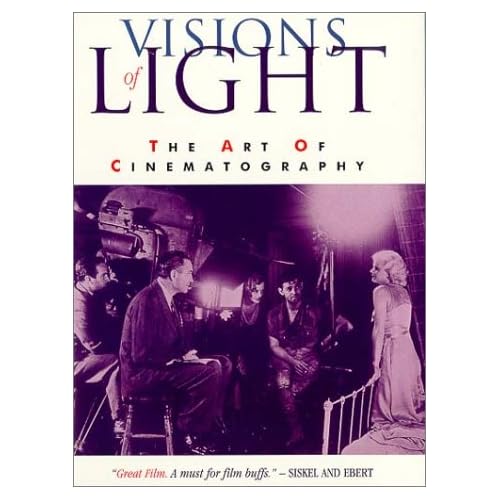
All it depends how you light and that's a mayor part of "Visions of Light: The Art of Cinematography".

5139J7P96CL._SS500_.jpg

"Visions of Light: The Art of Cinematography"

If you don't believe to RED1 exposure index measurement then get DSLR and set @ 320 and then you'll get the same.

I posted here "tons" of pictures to show that even the examples with other ISO set up like ISO 1600 and RED1 never lies.

Because of that I have got rid of my Sekonic digital exposure meter and Gossen analog exposure meter for a long ago.

I do not need those because it will make a confusion only.

It is exactly the thing what some people expressing here.

Here below there are examples of ISO 320 from both RED1 and 7D side by side with the same lighting (LED panel) and you should conclude by yourself:

7D_FCP_viewer3.jpg

7D HDMI out @ ISO 320, Canon EF 50mm f/1.4.


A003_C009_1128LQ_2397RA2.jpg

Shot on R1 with Leica R Summilux 50mm f/1.4 @ f/2.4, ISO 320. Rec709, B21 Color Science White Balance 4807 K (-12.98 Tint) in RED Alert.


7D_stillphoto_01.jpg

This is 7D still photo acquisition during a video shot.

Download original 7D 5K full size jpg here>>>


A003_C009_1128LQ_00000_1K.jpg

This is R1 original image resized from 4K tiff to 1K jpg.

Download original R1 4K jpg here>>>

2_cam_rig_05.jpg

R1 and 7D side by side: The Ultimate 2 cam rig was used for this comparison test.

Test_stage_01.jpg

The test stage: (left) Gretagmacbeth ColorChecker Chart on Eames Plastic Side Chair,
(middle) star-chart-bars on Ant Chair by Arne Jacobsen and (right) 3cP Cinematographer's Chart 709-2 on Verner Panton Chair by Vitra.
(Far right) LED light 500W with Lastolite Professional white light reflexive defuser.

test_led_light.jpg

LED light 500W was dimmed at a half.
 
I have a feeling that ISO will remain- but will morph (be beaten up)
somewhat to include new terminology and work habits etc..
I can't imagine the undertaking of coming up with a new universally
accepted standard- at least from a proprietary position.

Anyway, I for one appreciate all the posts on this thread, and
the patience shown by those already in the know.
There is a lot of good information here. Thanks guys.

EDIT:And then there is Sanjin ( :
 
I have a feeling that ISO will remain- but will morph (be beaten up)
somewhat to include new terminology and work habits etc..
I can't imagine the undertaking of coming up with a new universally
accepted standard- at least from a proprietary position.

Anyway, I for one appreciate all the posts on this thread, and
the patience shown by those already in the know.
There is a lot of good information here. Thanks guys.

For sure- The trick will be then to help us all "re-wire" our thinking when it comes to shooting and exposing for Red.

EDIT:And then there is Sanjin ( :

Agreed. :)
 
Sanjin, I took my site down months ago. However, as far as proper exposure goes, you could do worse.

EDIT: This post now moot. Thanks moderator- much appreciated.
 
To clarify, David's question, and original Shawn's question was why False Color does not match a meter when both are set to ISO 320. (It is about 1 to 1 and 1/3 stop difference - see the charts linked to previously in this thread.) And the reason is that at ISO 320 there is a stop of head room / highlight protection. To get both to match correctly the camera needs to be rated at, or metered at ISO 160, and then the two will match as expected.

In regards to your question about the barber pole and the traffic lights-
1. The Traffic Lights refer and represent clipping in the RGB path (Red Space or Rec 709.) When one of these is lit, there is clipping in that channel.
2. The Barber Pole refers to the RAW data only. When Red is lit at the top of the meter there is clipping in the RAW data.
3. The reason these do not match, is that the RGB path is much more limited then the RAW data is, so the RGB path can clip before the RAW data does- And that is why it is important to know what you are getting in the RAW data, as you can push the RAW data around a lot more then you can the RGB data.

Hope that helps. :)

I've always wondered how, exactly, to use the "barber pole" or RGB parade as it is sometimes referred to.

If what you describe is true, why then, do I sometimes get the red clipping on the barber's pole, but only one or two channels clipped in the RGB path? You'd think the RGB channels would all show clip before the RAW (barber's pole) would clip?
 
Back
Top