Welcome to our community

Be a part of something great, join today!

  • Hey all, just changed over the backend after 15 years I figured time to give it a bit of an update, its probably gonna be a bit weird for most of you and i am sure there is a few bugs to work out but it should kinda work the same as before... hopefully :)

Komodo Monitoring Tools, which to use: Peaking or Focus

Steven L

Active member
Joined
Dec 21, 2021
Messages
37
Reaction score
4
Points
8
Peaking seems to operate based on the fact that the in-focus area has a higher contrast than the rest of the image.

When enabling it MENU > Monitoring > Tools > Peaking > Mode: Focus I still manage to get out of focus footage (solo operator, cine lens). Motion + tot having the shutter set right exacerbates things.

Is Focus a better tool to use? I can access it by taping the Traffic Lights > Focus
I can barely see it though, so it deters me from using it. Is it possible to select a "level" for it?

What is the difference between Focus, and Peaking when set to "Focus" mode?

And, as a side question:
What do Peaking > Mode: Edge and Mode: Peaking indicate or what they useful for?
 
The reason they are all there is you choose which is most useful for you.

I'll say with the caveat that Edge Focus is useful for extremely dim scenes.
 
I shot a static show recently, static shot, using the magenta focus outline on Komodo (the one that is "hard to see"). I was horrified when the footage came bakc to see the backround is what had been in focus the whole time, not the primaries. Not sure how that is even possible, but it is.

Not sure what you mean by primaries but since you say there's a problem with focus peaking, I thought I'd give it a try, and not only was magenta extremely easy to see, the focus was spot on. Since I was at it, the edge and ordinary focus assist tools were both bang on as well. All at f/1.8. One of my greatest concerns when I got the Komodo back in June of last year was focus (former Sony user), but pretty much all of my shots, AF or manual focus, have turned out tack sharp. Sounds like a case of user error.
 
Last edited:
Up early before we shoot.

Spicy hot tips for Focus Assist:
- Focus - Provides a silvery highlights across in focus edges and details while the image is still relatively normal.
- Edge Focus - Only shows in focus edges and details while the rest of the image is black. Useful for low contrast or very tricky focus situations.
- Peaking - Similar to Focus, but you can define the color and thickness of the edge/detail color. Useful if you have different colors in the scene that make a color desirable to use. Also useful if you find Focus's highlight thickness a bit to thick, i.e. on higher resolution displays and such.

It is a rare day where I do not have a focus mode on, but more often, I am constantly toggling it. Always on during shot operation basically.
 
Peaking is also the only one where you can set the distance range for which the focus is shown. When this Level is set to 10 (the widest range), you see a very broad distance range "in focus" and within this broad range the really nailed focus might only be in a small part of it. Then it might be possible that you see the foreground peaking nicely but the center of the focus range is on the background because that is also included in the wide range. If the background is opaque and you can't see any further, there is also no chance you see that the focus marking would extend even behind the background, which would indicate that the center range is too far back. I usually keep this Level setting below 5.
 
Fantastic info now that the conversation started. These are the explanations and commentary I was hoping for. Thank you so much.

I film people in motion most often, most of my footage is unusable and I am still practicing both manual Focusing and Selecting a more suitable shutter, which I strive to keep at twice the frame rate, but often times can't because I can't control lighting.

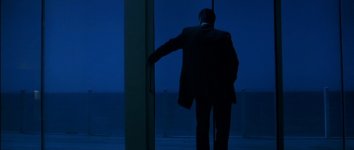
And then there is what seem amazing to me. I don't know how these guys did it:

Heat (1995)

10 (455).jpg
 
Tape Measure, CineTape, Cine RT, ...

At that time, probably just the Tape Measure and well tuned scales. But I'm certain they had a video tap as well. As well as practicing reasonable DOF expectations.

I'll underline again the importance of back focus on the sensor, correct collimation and shimming of the lens, and ideally a manufacturer who cares deeply about the accuracy of their scales.

We're in a new era of cinema glass where a lot of affordable options are available. A great deal of things are either overlooked by the filmmakers or manufacturers when they are hoping to get the highest end results.

In a narrative setting, experienced folks can pull wildly, i.e. no marks, no measurement, no Focus Tools. But that's usually between 10-30 years of experience to get there. Most productions today seem to pull off the monitor. A dedicated 7-32 inch one for the Focus Puller. I use 7, 13, and 24 to pull/operate. You all have typically a 7" on top of your camera.

Another thing to consider particularly on DSMC3 is you can punch in and magnify while rolling to ensure Critical Focus. If you combine this with RED Control to move the reticle or point of focus, that's also a powerful tool.
 
Tape Measure, CineTape, Cine RT, ...

I had to look up CineTape and Cine RT and learned that is an ultrasonic Range Finder. Example below. Of course, in 2022, 2023, in this era of lowered barrier of entry to "pro" video tools, some might have seen that DJI came out what may seem to be very similar the tool linked below.

https://cinemaelec.com/products/cinetape_measure
 
Not sure what your weird crusade against me is on every post I make, Jon, but the OP of the thread I believe was the one saying he couldnt see the outline. We all understand you have your own experience.

Primaries meant the SUBJECTS.

I could see the outline, but youre right, im sure it was "user error."

Some of us shoot more than ourselves in a bedroom in HDR...

I don’t recall the OP ever saying magenta peaking was particularly difficult to see, nor have I ever heard the word primaries used to describe the talent. Shooting static subjects is a valid way to check focus tools - when calibrating their lenses, cinematographers don’t use a moving target, they use a chart. I’ve never encountered a situation where peaking showed the subject’s eyes were in focus when shooting with Meike cinema lenses where the footage ended up being soft. When shooting relatively static subjects wide open, it is still possible to miss focus on the eyes, especially with AF and the subject is wearing glasses, as I do - but it has never happened with my Komodo. Since you mention it, HDR is excellent for checking focus, as it is less forgiving than SDR. Sounds very much like you're trying to belittle my work, which is to provide information for HDR video shooters. I maintain the most comprehensive guide devoted to HDR on the Web.
 
Last edited:
Back
Top