Welcome to our community

Be a part of something great, join today!

  • Hey all, just changed over the backend after 15 years I figured time to give it a bit of an update, its probably gonna be a bit weird for most of you and i am sure there is a few bugs to work out but it should kinda work the same as before... hopefully :)

Help me understand this subtle but odd optical phenomenon

Karim D. Ghantous

Well-known member
Joined
Oct 6, 2011
Messages
2,682
Reaction score
89
Points
48
Location
Melbourne AU
I've noticed this a lot, but I never thought about asking anyone about it until now. This phenomenon has two ways of manifesting: a halo around the subject, or a different noise pattern.

The photo below is a good example of that. It was taken with a Sony A1 and a a 600/4 GM + 1.4x TC at ISO 3200. Notice the softer noise pattern around the bird. Why would this even happen? What's going on here?

52106780270
Broad=tailed Hummingbird Flashes His Gorget by David Stephens, on Flickr
 
Hard to say without seeing the unedited (RAW) version of the same picture but I don't think it's an optical phenomen. Maybe object aware noise reduction, or the background was completely replaced here, or the bird's shadow on the background was corrected away, additional grain added after masking wide around the bird etc. The effect has different strength on different sides of the bird and none around the twig which is probably not just a result of lens center vs. corners but hints at editing.
 
Somehow I don't think those factors are the answer I'm looking for. But you are right, we need to see the RAW file. BTW this photographer does not manipulate his photos. In wildlife photography that is verboten. He does use NR but not to a stupid degree, as you can see.
 
I can't help but even if not "manipulated" this photo looks "processed" beyond what I'd have done to it. A bit sharpened in some parts, maybe micro-contrast, and differences in CA correction in otherwise similar parts. And where the 'optical phenomenon' is strongest around the bird (mid left side), it looks smoothed also a bit inside into the feathers, but not on the right side at equally distant feathers there which could then be explained by the DOF.

After all, it could even be the result of a JPEG compression algorithm. No RAW, no proof. Did you find other example pictures with this phenomenon? Maybe we can find a common pattern with a larger sample.
 
Imagine all the odd artifacts we're going to see for years to come now that they're talking about in-camera AI image enhancements. My guess is that, if this is indeed unprocessed, then it could have something to do with the Sony autofocus and in-camera noise reduction algorithm.
 
IDid you find other example pictures with this phenomenon? Maybe we can find a common pattern with a larger sample.
I have seen this very often. I just never thought to document it. It has happened to me on numerous occasions. I'm sure I have something in my phone's photo folder. I'll check.


Imagine all the odd artifacts we're going to see for years to come now that they're talking about in-camera AI image enhancements. My guess is that, if this is indeed unprocessed, then it could have something to do with the Sony autofocus and in-camera noise reduction algorithm.
Doubtful, but I can't say you're wrong, because I don't know enough. Thanks for brainstorming though. I get very disappointed when people seem to not care about things like this. Why not? Why would you not want to find out what's causing it?
 
Without the raw file everybody is working "blind" here.

But things that can occur:
- Clarity, High Pass, Midtone, or Local Contrast Sharpening can create something similar to this near edges.
- Equally and maybe as potent is in camera processing via settings or inaccessible settings found on the DSP.
- Optically, there is potential for a subtle false aperture effect to hug edges and lighten or darken based on subject matter and plane separation.

The last one is a tricky one that lands on image makers and is often a head scratcher, but happens a great deal particularly at wider apertures.
 
- Optically, there is potential for a subtle false aperture effect to hug edges and lighten or darken based on subject matter and plane separation.

The last one is a tricky one that lands on image makers and is often a head scratcher, but happens a great deal particularly at wider apertures.
Phil, I think you've nailed it. Now that I know there's a name for it, and it has been documented, I think I understand, at least generally, what's going on. I've seen it on prints made from 35mm negatives, not just digital, FWIW. The effect is strongest when a subject has a bright and uniform background.
 
And this is what the sensor delivered to the iPhone processor, who decided after some contemplation that the photo has a lot of potential for drama... :devilish:

image_117354.jpg
 
Last edited:
And when I apply some HDR effects to this rather flat version, for example from the Nik Collection, I'm back at what looks very, very similar to the iPhone output.
 
No, it doesn't explain it in the sense of a proof, but that's not possible without having a RAW version of the same photo. On the other hand, I've taken hundreds of thousands of RAW photos myself with very different cameras and optics, and never seen phenomena like these - unless I processed them with more or less sophisticated algorithms. Subtle optical effects that were a little bit similar, yes, but not as strong as in these examples.

Since we cannot prove anything for lack of RAWs and knowing that the iPhone 8 processes photos a lot, I go with Occam's Razor: if I get the same output from a known algorithm (fake HDR in this case) as the output from an unknown procedure (iPhone picture), then the algorithms are likely the same. Or the known computing algorithm has an exact optical counterpart where rays are bending over and photons play pool with each other to create this effect, but this seems more unlikely for the simple iPhone optics.
 
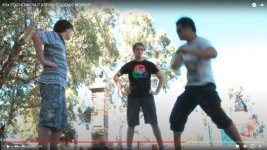
If you think that's bad, try this from a Sony EX1. The white zone around the background trees is not cloud. It seems that localised complexities in the image sucked the life out of the colour when the image was a little over-exposed. After I started keeping the image darker with the histogram kept within the first two thirds from left, I observed no further issues like this
 

Attachments

  • FAULT EXAMPLE.jpg
    FAULT EXAMPLE.jpg
    54.1 KB · Views: 0
Back
Top