Welcome to our community

Be a part of something great, join today!

  • Hey all, just changed over the backend after 15 years I figured time to give it a bit of an update, its probably gonna be a bit weird for most of you and i am sure there is a few bugs to work out but it should kinda work the same as before... hopefully :)

Thread Davinci Resolve 17

M1 Pro vs Max (COLOR GRADING Stress Test in DaVinci Resolve)


By
Learn Color Grading


M1 MAX First Impressions | DaVinci Resolve Tests | Export & Multicam Playback


By
Tyler Edwards


00:00 Intro
01:51 Unboxing (Kinda)
03:11 Quick Physical Comparison to 13" M1 MBP
07:40 Playback Test In DaVinci Resolve - Intro (Timeline Info, etc.)
08:24 Actual Playback Test
09:43 DaVinci Resolve Project Render Test
09:58 Render Start + More Comparisons to the 13" M1 MBP
15:02 Render Complete - Results & Impressions
15:58 4K Multicam Playback (9 Streams of 4K BRAW!)
18:57 Outro/Conclusion
 
DaVinci Resolve + M1, M1Pro & M1Max (Playback Stress Test)

By Learn Color Grading


M1 MAX | Can It Handle Pro Video Formats in Resolve? | R3D, ProRes, BRAW, ARRI RAW, DNG

By Tyler Edwards


00:00 Hi
00:55 Intro & Reason for Video
02:16 Activity Monitor
02:49 Overview of the Test + Showing Settings
04:40 Node Tree/RAW Settings
06:51 RED HELIUM 8K 18:1 R3D
07:27 Noise Reduction Settings (Forgot to Mention That)
08:03 RED KOMODO 6K LQ
08:48 RED MONSTRO 8K 10:1
10:29 Canon R5 8K RAW LIGHT
13:00 1DX Mark III 5.5K RAW LIGHT
13:54 R5 10-Bit H265
14:52 DJI INSPIRE 6K RAW
16:14 DJI Air2S 10-bit 5.4K
17:10 ARRIRAW UHD
18:14 BMPCC6K BRAW 6K 8:1
18:52 URSA 12K Q1 12K
19:38 URSA 12K 12:1 12K
20:47 8K ProRes 422 HQ
21:17 4 Streams of 8K ProRes?!
22:34 Activity Monitor Check - Did I Get too Much Memory?
24:11 Rendering Results
24:53 Thanks for Watching
 
[TABLE="border: 0, cellpadding: 0, cellspacing: 0"]
[TR]
[TD] [TABLE="align: left, border: 0, cellpadding: 0, cellspacing: 0"]
[TR]
[TD]TUESDAY NOVEMBER 9, 2021 10am PST

Gamut Compression with Nick Shaw[/TD]
[/TR]
[/TABLE]
[/TD]
[/TR]
[/TABLE]
[TABLE="border: 0, cellpadding: 0, cellspacing: 0"]
[TR]
[TD] [TABLE="align: left, border: 0, cellpadding: 0, cellspacing: 0"]
[TR]
[TD]The latest release of Davinci Resolve has finally implemented the ACES 1.3 gamut compression transform. The gamut compression transform is the result of the Gamut Mapping Working Group's work to create a more robust solution to issues with out of gamut colors and the resulting artifacts (loss of texture, intensification of color fringes). The delivered gamut compression transform performs well with wide gamut, high dynamic range, scene-referred content and is robust and invertible.
For this seminar, we have invited Nick Shaw, one of the groups leading contributors, to run through why gamut mapping is needed in ACES (and other) workflows, how the ACES Reference Gamut Compression works, and how it should be used.


CONTENTS

• Introduction
• The CIE 1931 Colour Matching Functions and the Human Visual System (HVS)
• Fundamental differences between cameras and the HVS
• Resulting errors in chromaticity values, particularly with narrowband lights
• Other causes of gamut problems
• Problems resulting from out of gamut values
• Artefacts produced by ODTs
• Issues in grading
• Issues in VFX
• Solving the problems
• 'Traditional' gamut mapping approaches
• Why these are not suitable here
• The old "Blue light fix" LMT
• The ACES Reference Gamut Compression
• Requirements for the algorithm
• Exposure invariance
• Zone of trust
• Invertibility
• How the RGC works
• Implementations
• Workflow
• On set/dailies
• Editorial
• VFX
• DI
• Archive


WHO SHOULD TAKE THIS COURSE

Colorists, Cinematographers, and DITs who desire to stay up to date with the latest developments in image processing. Previous experience with ACES workflow is beneficial.

BY COMPLETING THIS SEMINAR, PARTICIPANTS WILL
Learn why Gamut Mapping is needed
Learn how Gamut Mapping works
Learn the correct way of implementing it
Learn how to deal with ACES workflow challenges


ABOUT NICK SHAW

From Antler Post (antlerpost.com), Nick Shaw has been working in post-production in the UK and internationally for over 25 years. Having studied electronic engineering, he worked as an editor, first in tape-based suites and then on a range of non-linear systems. With the advent of digital cinema cameras, it became apparent that a host of new challenges had arisen. There was a need for people with an in-depth understanding of image pipelines. With his sound technical background and post experience, Nick was ideally placed to cut through the jargon and help people get the best out of the new technology. He has served as a technical book reviewer, written articles and manuals, and produced training videos on a range of subjects related to digital cinema. He is a member of one of the ACES Technical Advisory Councils, a Mentor on ACESCentral, and a contributor to the open-source Colour Science for Python project.

EARLY BIRD REGISTRATIONS ONLY $49

WEBSITE

Gamut Compression Seminar - colour training[/TD]
[/TR]
[/TABLE]
[/TD]
[/TR]
[/TABLE]
 
How to BEST color grade individual multicam clips in Davinci Resolve 17


by
Post. Color. Gear.

 
Superior Keying with Delta Keyer in DaVinci Resolve & Fusion - Effective Workflow


by
VFXstudy


Cameron,

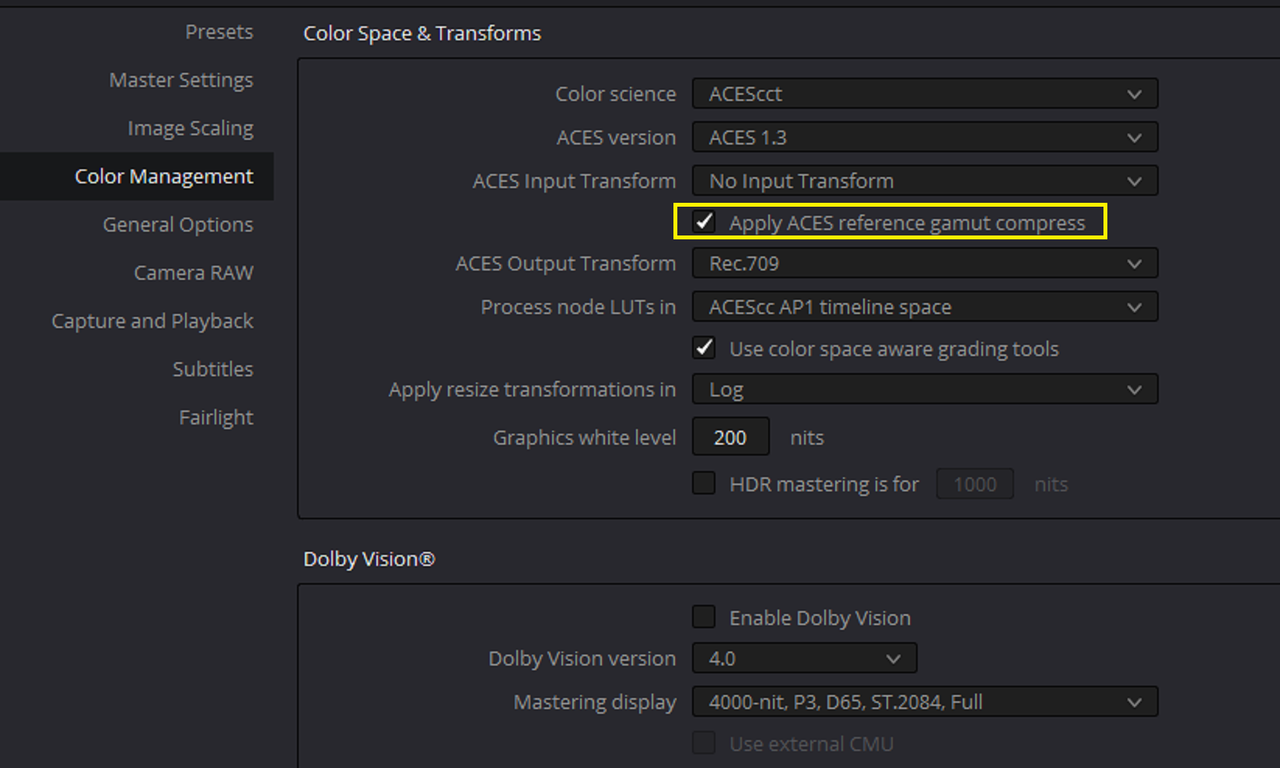
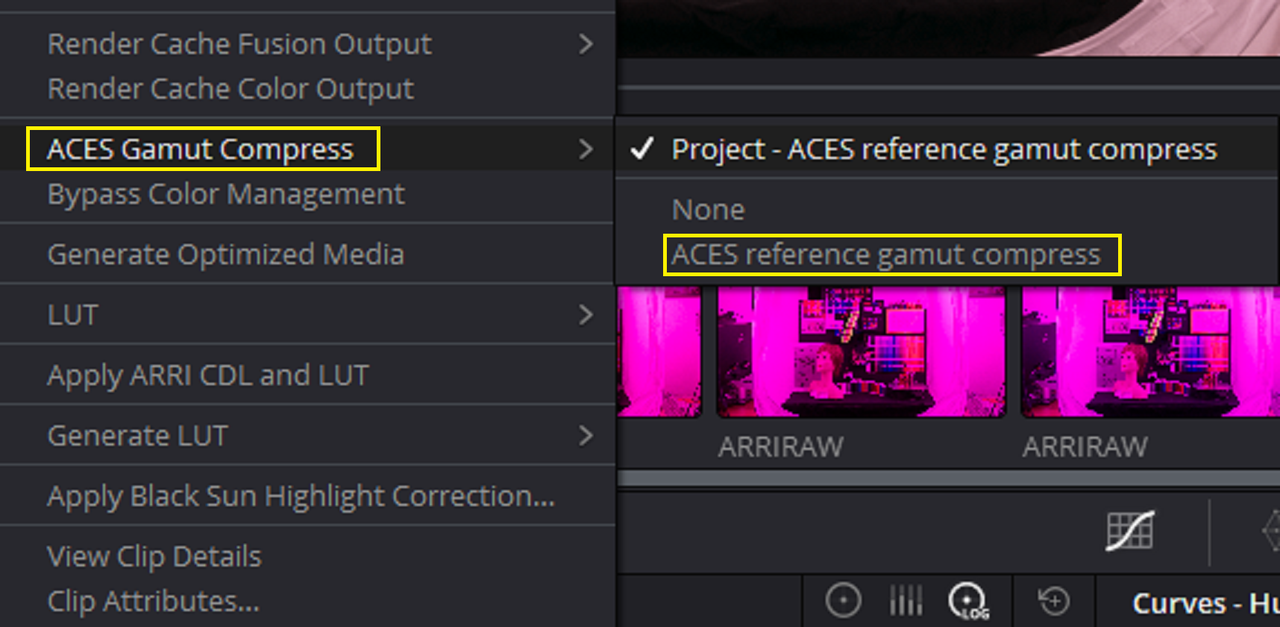
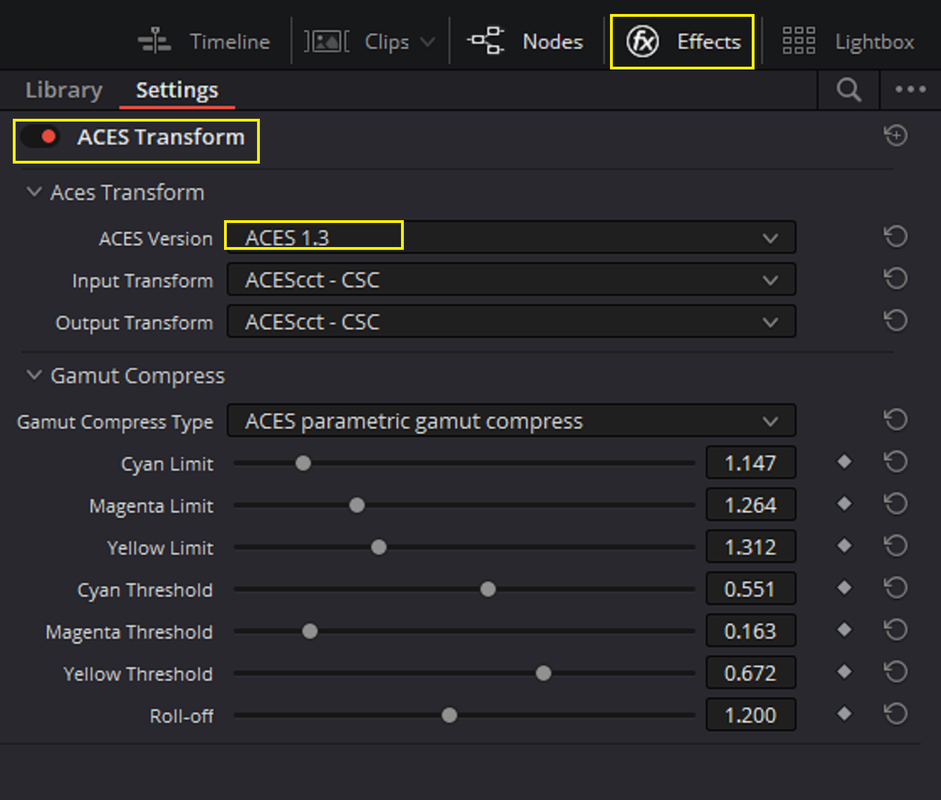
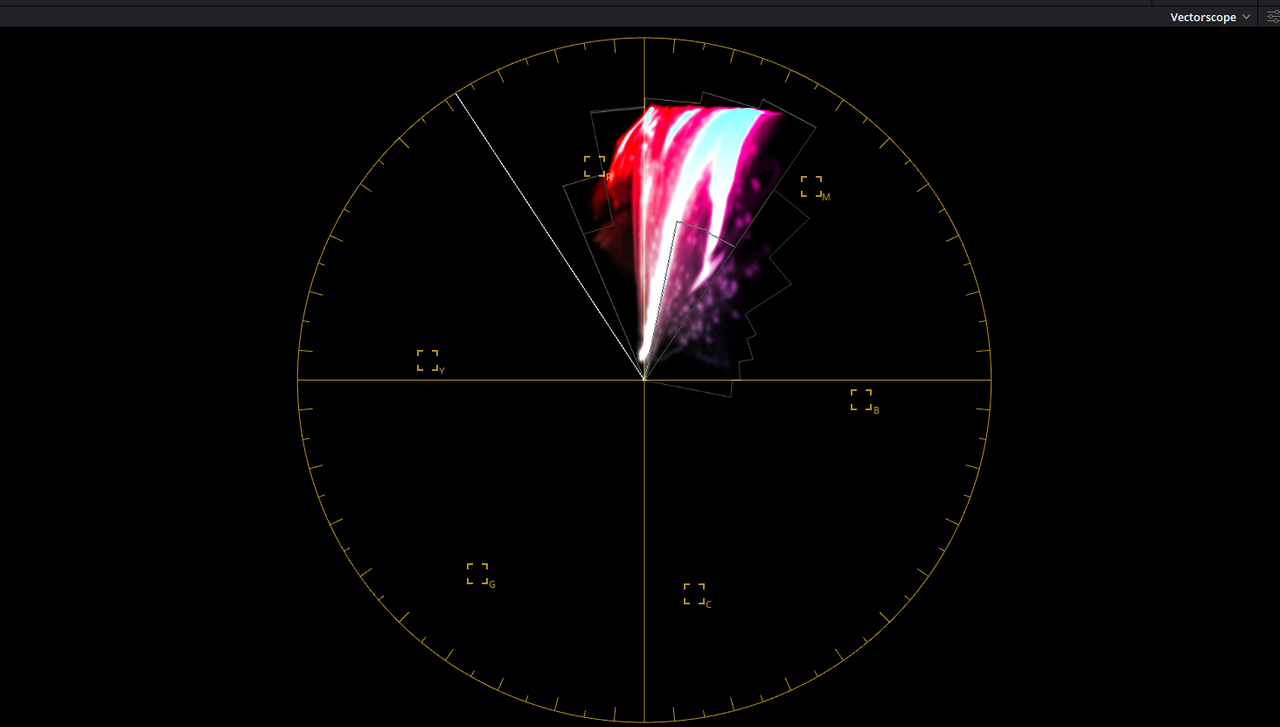
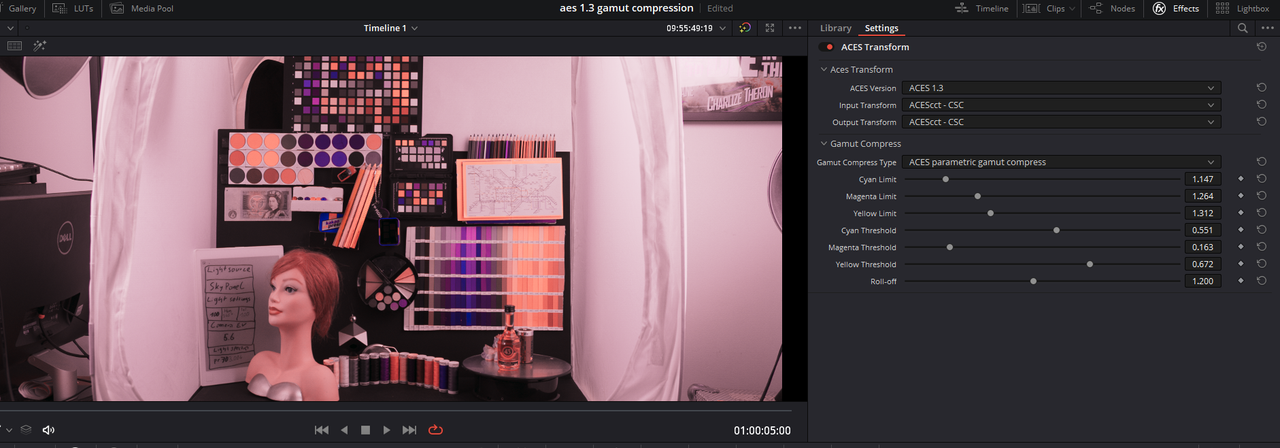
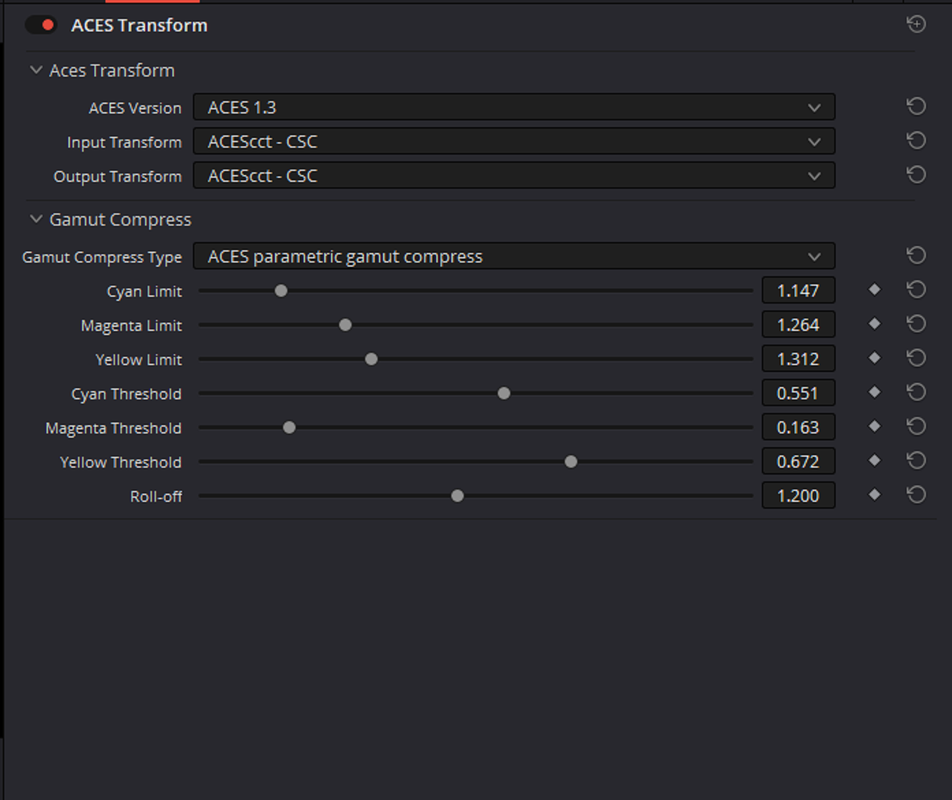
You're welcome man! There are three places in Resolve where you can enable Gamut Compression for ACEScct.


Globally

Screenshot-3192.png


Per Clip

Screenshot-3193.png


Per Clip with OFX "ACES TRANSFORM" with greater control of the three biggest culprits of "OUT OF GAMUT" Colors, Magenta, Yellow and Cyan.

Screenshot-3195.png
 
Cameron,

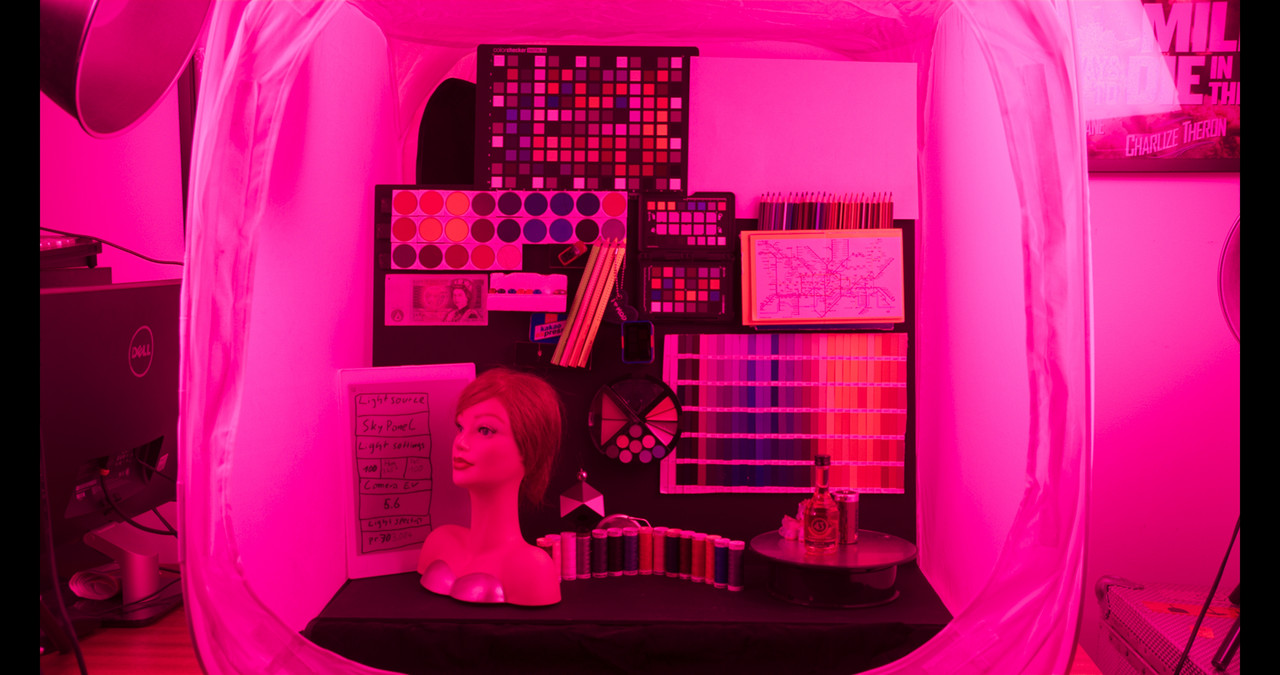
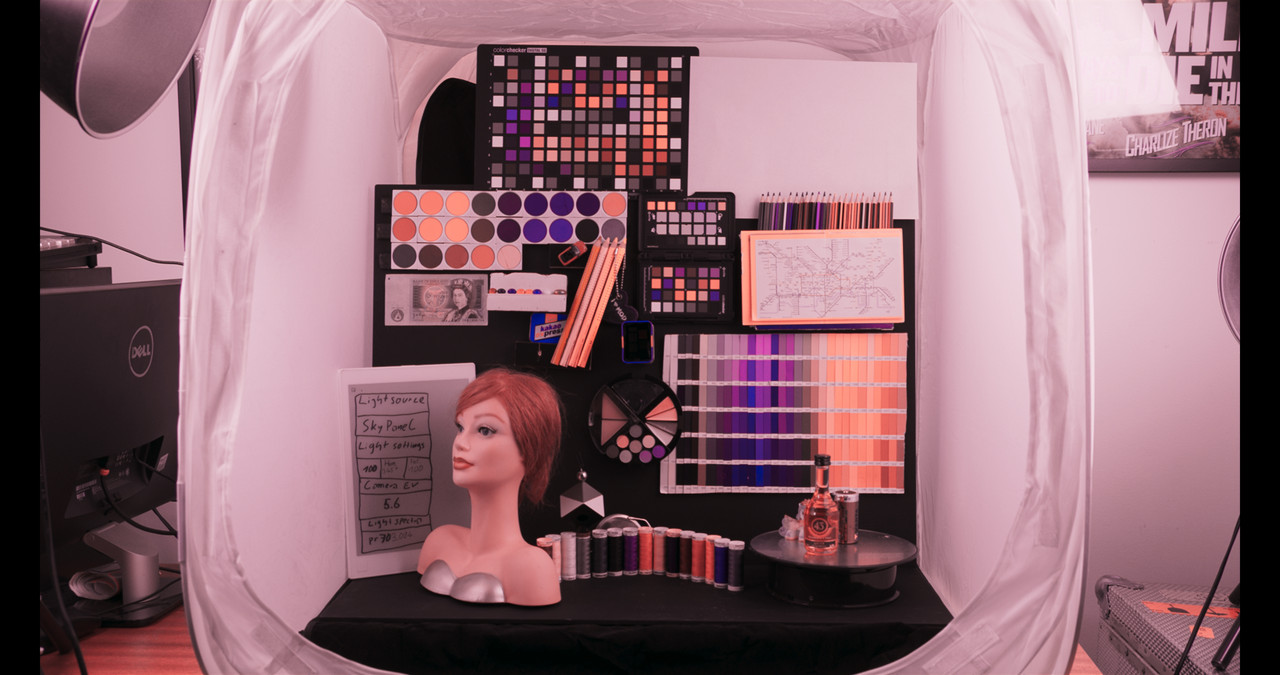
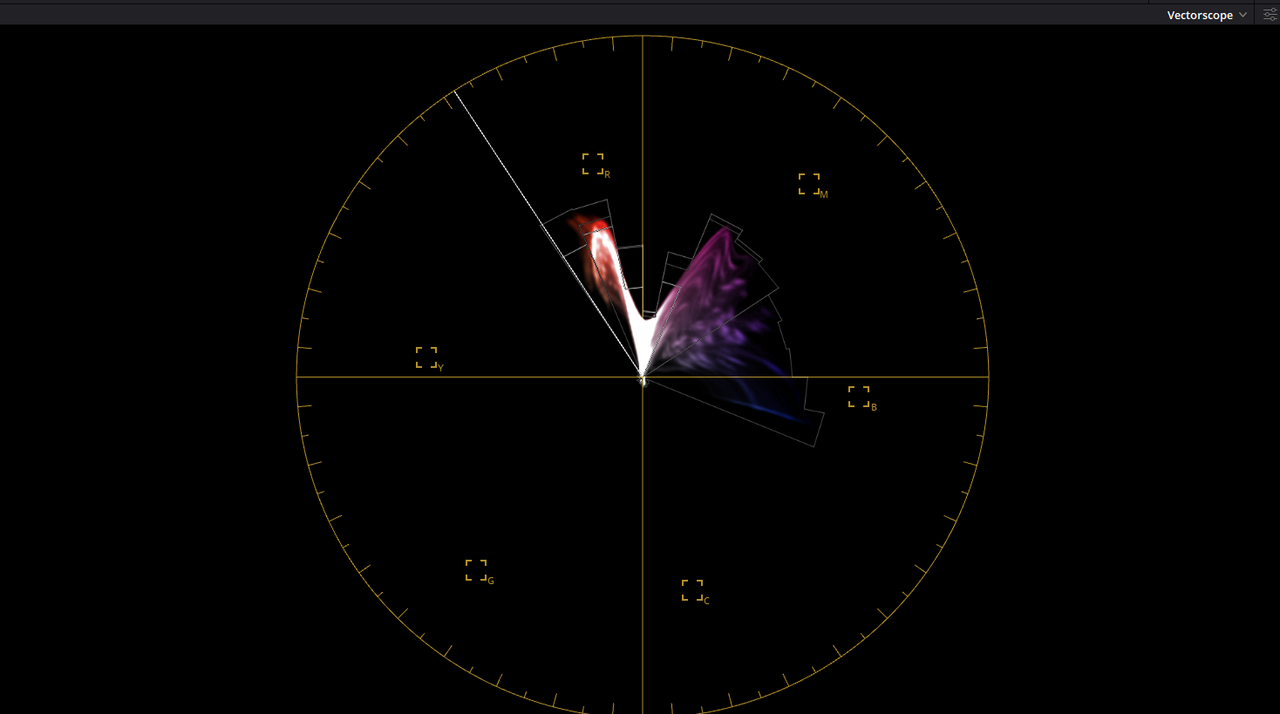
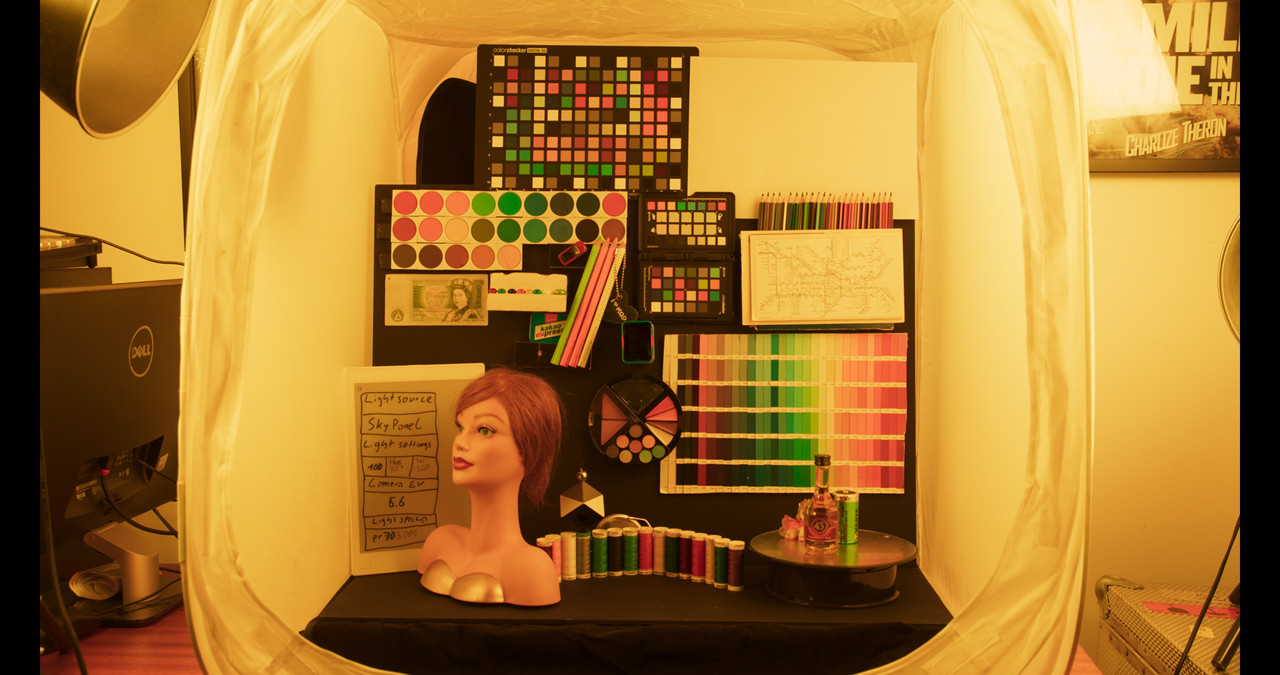
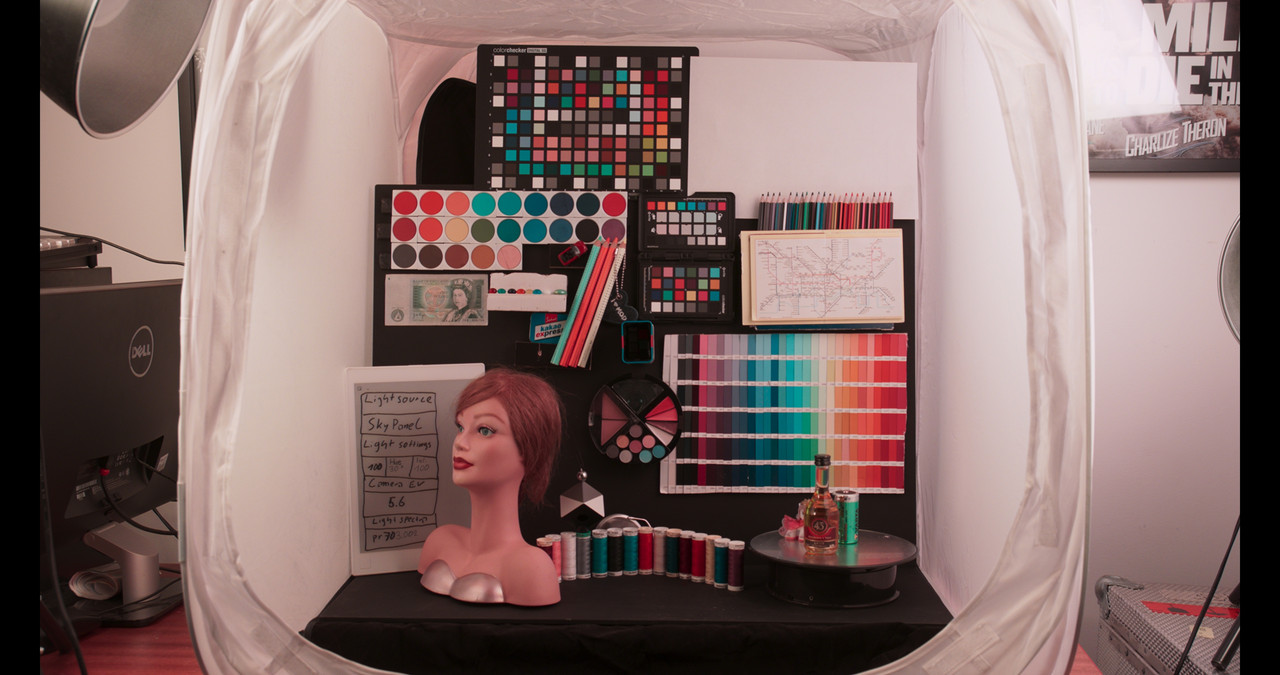
Here's an example with ARRIRAW footage


Screenshot-3192.png


Before

1-2-2-1-2-2.jpg


Screenshot-3196.png


After with OFX "ACES TRANSFORM" and "ACES PARAMETRIC GAMUT COMPRESS" selected with additional Primary corrections in multiple nodes.

1-2-1-1-2-1.jpg

Screenshot-3197.png

Screenshot-3198.png

Screenshot-3199.png


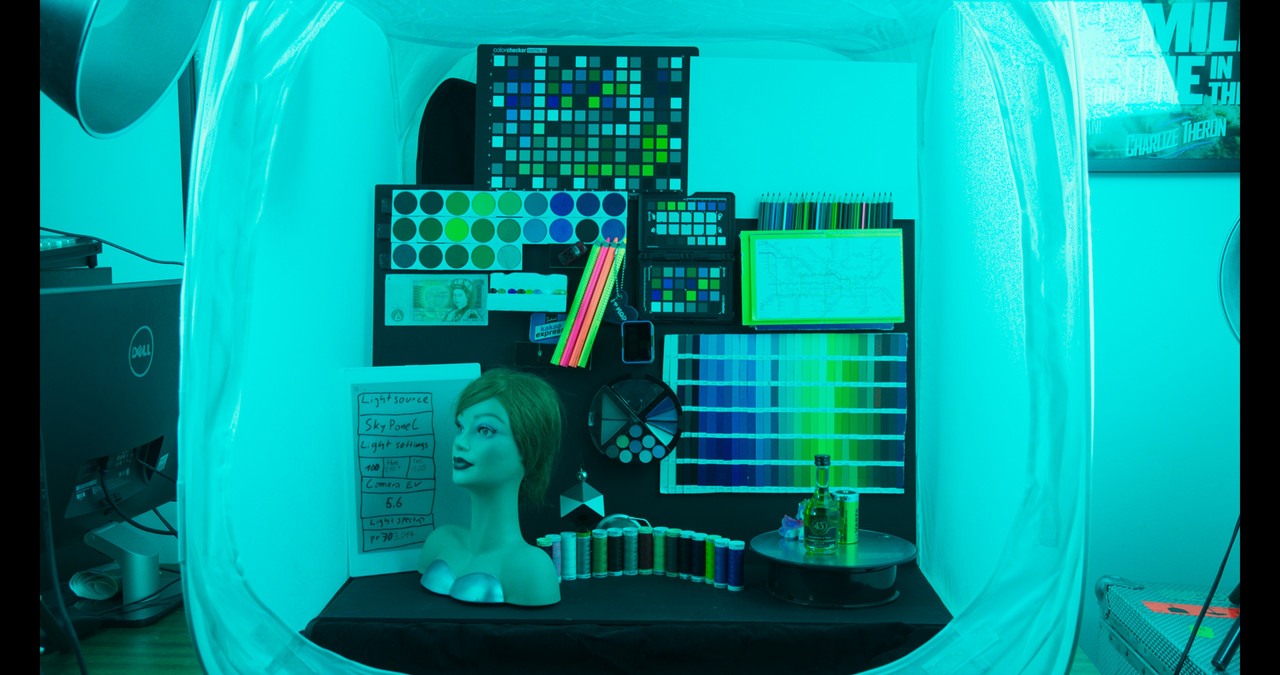
Other examples


Yellow
1-23-4-1-23-4.jpg
1-23-5-1-23-5.jpg


Cyan

1-11-4-1-11-4.jpg

1-11-3-1-11-3.jpg
 
Last edited:
New SUBTITLE BACKGROUND UPDATES in DaVinci Resolve 17.4.1 | Quick Tip Tuesday!

By Jason Yadlovski


Cameron,

You're welcome man! There are three places in Resolve where you can enable Gamut Compression for ACEScct.

Very sincerely appreciated, Rand. Didn't have any of this. Keep it up, please!
 
Back
Top