Welcome to our community

Be a part of something great, join today!

  • Hey all, just changed over the backend after 15 years I figured time to give it a bit of an update, its probably gonna be a bit weird for most of you and i am sure there is a few bugs to work out but it should kinda work the same as before... hopefully :)

$1299 Seiki UHDTV 50" SE50UY04 - Bought it today

And you'll still need a way to get those 4 x SDI feeds into the single HDMI input on the SEIKI. That's where the AJA Hi5-4K comes in. 4 x SDI in, HDMI 1.4 4K output. Lot of work, IMO. Rocket X should be shipping here in a couple months and it will do 4K over single HDMI right off the card...
 
Hi,

I've read a good part of the 69 pages, but not all, so if this has been posted already, please refer to the post...

What CMS / Greyscale / Gamma controls does this set have ?

Has anybody run a traditional CMS / GS calibration with a pro meter (K10 or cheaper colorimeter profiled to spectro) and can post post-calibration reports from either Lightspace, Calman or Chromapure ?

I know this set is not designed to be used for color critical applications, but would be great to see how accurate color is after a calibration... best u can do currently until there is a cheaper 4K LUT box available on the market...


Thanks.

- M
 
IIRC you had just few presets in base menu, like cold/warm and alike profiles, so probably for advanced gamma tuning find post here as to how enter service menu and change those bits there ..
 
When googling about other cheap UHD TVs stumbled upon this china-only 39" uhd tv review and this nfo about overclockability. 38Hz is not that much more then 30Hz, but still may reduce a bit of tearing. I didn't like DPI/scale being too small for comfortable use as monitor, but that makes sense for quadrupled resolution but only slightly increased size unlike for 50" Seiki. That also made me think how overclockable Seiki's TV might be @UHD, has anyone tried out to max it out?

(I operate the Blur Busters Blog, the home of the HDTV Refresh Overclocking HOWTO: True 120Hz from PC to TV, and the first blog to break the news of the overclockability of the Skyworth 4K HDTV)

From maarteen12100 on the SkyWorth 39" 4K on Overclock.net:
Have spent about a week every night working on this monitor a few hours a day and progress has been made:
38Hz with standard CVT reduced blanking.
39.750Hz with manual settings (reduced a lot of unnecessary pixels from the stream)
43Hz with manual settings tricking Nvidia control panel and my graphics card into thinking they were running a less intensive stream.
To explain the last on HDMI is just like DVI only HDMI is more of a talker it reports back and forth therefor tricking the cards to think they run a less intensive stream will make it possible to actually get all the way up to the RAMDAC limit)

Currently it cuts me of at around ~385MHz but I'm pretty sure that with a card without this limit I could push it higher.
I have a DP to HDMI cable coming in hopefully next week so I will try that (but I think it will just use the same RAMDAC to sent the same HDMI signal over DP to HDMI)

On the bright side of news Nvidia's new driver fixes the hanging when setting the pixel clock above 400 by saying it isn't supported instead of crashing your pc in a total hang.

The above post is found at this link.
Has anyone else here tried to buy the Skyworth 4K TV, at least to test as a 39" computer monitor?

1. Purchasing is adventurous. This Skyworth 4K TV needs to be purchased through a Chinese buying agent service, such as via a "Taobao" Buying Agent Service (e.g. Taobao Order Page for 39E780U Skyworth 4K HDTV, or the bhiner 4K shopping page) [WARNING: Unverified!!!] and other services such as these. A Buying Agent is an agent service that purchases stuff only domestically available inside mainland china & ships them out of the country to you. This can cost a pretty penny, but the TV is rather cheap for 4K. Typically zero warranty.

2. You also need to buy a voltage converter, to convert your voltage to Chinese compatible voltage (220V, 50HZ, 60 watts minimum, 100 watts recommended), since this TV does not have a universal voltage power supply.

It is only 600 dollars, so the risk outlay is fairly low for some risktaker people who can easily simply resell these things after testing these units out. Very few people are willing to be a guina pig, even though this is far cheaper than alternate $7000+ 4K HDTV's.

Has anyone else tried buying this cheap $600 (six hundred dollar) 4K HDTV by the single unit through one of the Taobao agents? Apparently, somebody did -- and this is how he purchased the TV (and it's the real thing)
 
Last edited:
Mark: Problem with skyworth's 39" TV in my eyes being (also mentioned in Maarten's review) - it's too small thus with UI/font scaling issues.
Found no info yet on overclockability of bigger domestic chinese models (of course they won't be as cheap, especially shipping wise, if my inquiries about costs of getting shipped seiki to Europe is of any indicator, as 50" are too big to be shipped by normal air post services).
Overclockability @FHD is of little interest to me, there are much cheaper TVs out there for that. But ability to overclock @UHD is very nice extra to have in light of HDMI 1.4 limits that act as bottleneck for most 1st gen UHD TVs.
 
Last edited:
And you'll still need a way to get those 4 x SDI feeds into the single HDMI input on the SEIKI. That's where the AJA Hi5-4K comes in. 4 x SDI in, HDMI 1.4 4K output. Lot of work, IMO. Rocket X should be shipping here in a couple months and it will do 4K over single HDMI right off the card...

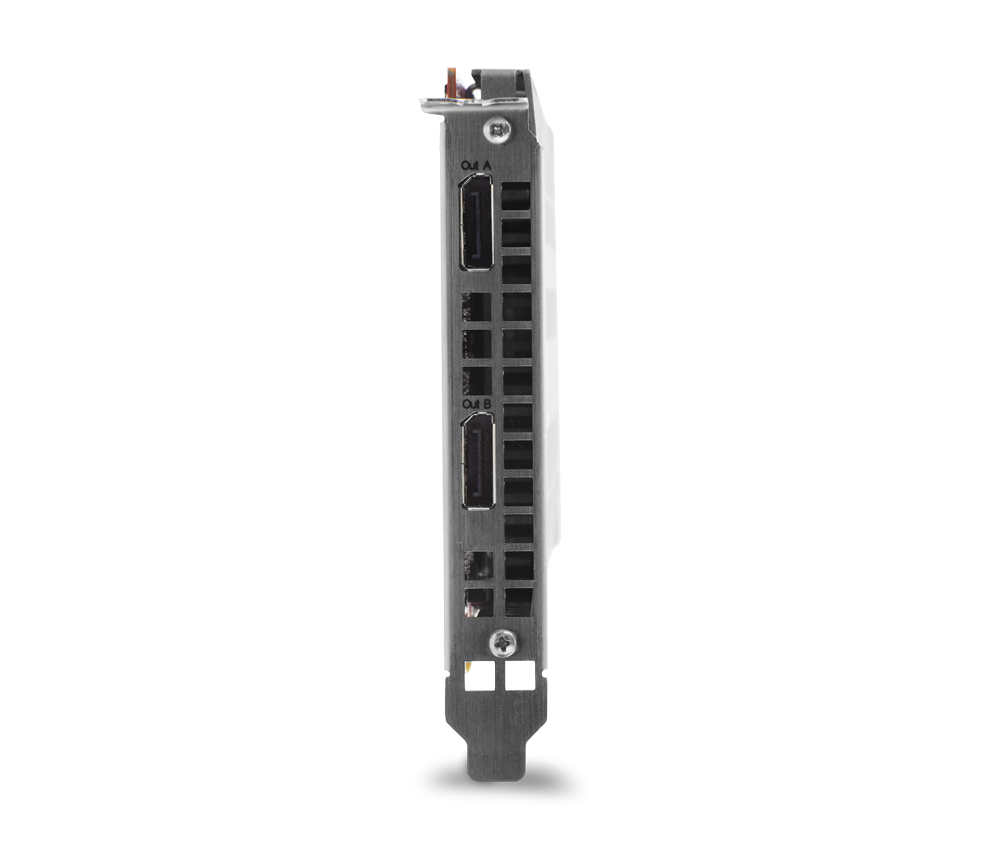
Jeff, if you look closely, the new RED ROCKET X seems to have ditched the 2x DVI ports (for connection to the break-out box or cables) + 2x HD-SDI (via the extra bracket) combo in a favor of two Display Ports...:

RED_Rocket-X2.png


There might be still a way to connect it to the BOB (or even a simple DP->HDMI adapters), time will tell...
I will however miss the DVI & HD-SDI ports, as they both allowed for secured cable connection. This is my primarily issue with both DP and HDMI - there is simply no proper way to secure the cables to the ports / brackets and this also results with any cable movement transferring direct pressure on the respective port's connection to the ECB. This wear is the No.1 reason for failures of these ports...

:sifone: Peter
 
Should just need a simple DP to HDMI adapter to get 4K @ up to 30Hz. DP 1.2 can be split to dual HDMI 1.4 as well. At NAB, RED was driving 4K out of a Rocket X to a 4K display. Looked like a single cable, so in this case it was probably a regular DP to HDMI passive cable the monitor they were feeding only had HDMI inputs. I had just assumed it was HDMI output on the card.

DVI can go away as far as I'm concerned. SDI is indeed nice for robust connections. I'm hoping the card has 3G SDI as well and hopefully quad 3G SDI for 4K connectivity. Some 4K pro monitors coming down the pipe have multiple 3G SDI inputs rather than trying to cope with 8bit HDMI 1.4 at 30Hz as the upper limit. HDMI 2.0 is still several months away and also still very limited. There's a good chance the quad 3G SDI will exist, but will come via a new BOB that connects to both DP ports on the card.
 
Mark: Problem with skyworth's 39" TV in my eyes being (also mentioned in Maarten's review) - it's too small thus with UI/font scaling issues.

Bleh I hate hearing people have problems with 3840x2160 on a 39 inch display which is barely smaller than 2560x1440 on a 27 inch. I just kinda wanna smack people when I see this as they should obviously be wearing glasses or get their prescriptions updated... Now if you really just have that horrible of vision regardless of correction then you have my sympathy.
 
Better to just wait a while for the ASUS monitor which will be the same hardware but packing DisplayPort and HDMI.

Yeah what I recommended for my dad as well who has been itching to upgrade from his 22 inch 3840x2400 viewsonic VP2290b. I swapped him with my IBM T221 to get around the genlock requirement which makes dealing with eyefinity breakage a *huge* PITA on the viewsonic which doesnt effect me running linux.

Definitely going to wait for the ASUS for the increased refresh rate. Now whether he/I get it or not will depend on the price.

I believe the Asus will be under $1000 (probably $999 as its a good round number minus 1) Hopefully with deals a bit cheaper. Now $700 vs $1000 then yea its worth paying the extra for the refresh rate I think but on the off chance Asus does get greedy and it ends up $1500 then $700 -> $1500 is not worth the extra money for the extra refresh rate unless the thing lets you OC and you can pull off 75 or 100 Hz at 4k (then it would be for me).
 
About Asus 32" PQ321 "It's not just the price, which Asus told us today will be in the vicinity of $4,000", it's cheaper then sharp's pn-k321 it's based on ($5.5K), but still, 3-4 times what Seiki costs. From this i somewhat doubt Asus pricing 39" much cheaper then 32", even if they use much cheaper chinese panel, though it's possible, but my guess is no less then 2-2.5K. After all, even with that they will be 1st in market with 60Hz at that price point until 2nd gen UHD TVs appear, thus they may wish to exploit that fact to earn extra.

As to PPI preferences, it's interesting for that to join list of things people get so fanatical to point of becoming rude. Well, it should have happened sooner or later.
 
About Asus 32" PQ321 "It's not just the price, which Asus told us today will be in the vicinity of $4,000", it's cheaper then sharp's pn-k321 it's based on ($5.5K), but still, 3-4 times what Seiki costs. From this i somewhat doubt Asus pricing 39" much cheaper then 32", even if they use much cheaper chinese panel, though it's possible, but my guess is no less then 2-2.5K. After all, even with that they will be 1st in market with 60Hz at that price point until 2nd gen UHD TVs appear, thus they may wish to exploit that fact to earn extra.

As to PPI preferences, it's interesting for that to join list of things people get so fanatical to point of becoming rude. Well, it should have happened sooner or later.

Well if you agree that you have poor vision I have no issue. The problem is I hate it when people pretend like they have good/normal vision yet they have problems reading fonts at native sizes at w PPI's barely over 100 at normal viewing distances as if that is the case they should be wearing glasses.

Now I use 3840x2400 on a 22 inch with X set at 75 DPI (smaller fonts than windows) and that is the extreme. I get that. I understand that most people will have problems with text at that size even at normal viewing distances but again that is the extreme. If people have trouble on a 110 PPI display then they need glasses or simply have poor vision. They are not the norm.


Anyway considering the 31.5 inch IGZO panel in the PQ321 is a $3000+ panel and the 39 inch MVA panel is a ~$400 panel I really dont see why it can't be cheap. This point has been made over and over again.

Its really stupid to compare a hardly produced sharp IGZO panel to a mass produced S-MVA panel I gues in the next 3 months we will find out who was right on the pricing... They would probably sell 5 x more (easily) if they priced it at $999 vs $2500. I think they are going to price it where they are still making a decent profit but still cheap enough that they get massive sales (which they will if its under $1000).
 
My vision is average, but due seating position display is not exactly very close by and i have no wish to hunt small UI elements in 1m distance or lean forward to read small text or enjoy scaling artifacts when increasing DPI. Yes, i'd still prefer bigger resolution over screen size, but not if there are already alternatives/choice that have both bigger resolution AND larger screen size (and cost few times less). If there wasn't such price and screen size groundbreaker as Seiki, very probably my next display would be smaller, eg. this 39", but seiki came out, and changed large res display market on many accounts, providing acceptable choice/alternative to small PPI screens.
As for pricing .. i'm too cinically pessimistic. They will be first and at enthusiast market people are used to pay premium (eg. remember pricing of latest generations of nvidia cards - they almost didn't drop price for older cards when newer ones came out, just risen how much new top ones cost) - my pessimistic gut feeling tells me that marketing dep-t of asus will try to exploit being 1st in niche and will charge extra, with prices dropping only when in a year 2nd gen UHD TVs with hdmi2/60Hz@UHD will come out providing cheaper competition. I don't beleave UHD 39" to cost less then even current 30" like you guess. They are out there to make as much money as possible, and not always marketing dep-t gives green light to go for large volumes with less profit margin for larger market penetration.
 
Last edited:
Bleh I hate hearing people have problems with 3840x2160 on a 39 inch display which is barely smaller than 2560x1440 on a 27 inch. I just kinda wanna smack people when I see this as they should obviously be wearing glasses or get their prescriptions updated... Now if you really just have that horrible of vision regardless of correction then you have my sympathy.

Well, jeez... If that isn't insensitive... ;) But yeah, I totally agree. I sit comfortably at about 4 feet from my 27" displays and I see all the pixels just fine. Bring on 4K. I've used the 34" EIZO 4K on a couple occasions after seeing it at both the RED 4K Fest and NAB two years ago. I would already own a few of them if not for the exceptionally high price tag. IMO, it's a perfect pixel density for that size of monitor and it's not UHD, it's actual 4K -- 4096 x 2160 and 5" smaller diagonally than this SEIKI. I wonder what people are going to think when the 32" 5120x2880 desktop displays hit the streets? No, I'm not making that up, Sharp already has that panel in their production line-up and both Apple and nVidia have released desktop wallpaper images at that size. ...Just sayin'

The bigger problem with TV's like the Skyworth when used as desktop monitors is their additional image processing. They create issues with font scaling and edge detail. Their primary function is not as a monitor. The SEIKI requires us to go into the service menu and dial all that stuff down to zero or as close to off as we can. It still makes a shitty monitor. But I'm using the SEIKI as my second screen. Love the large real-estate and ability to view imagery at UHD rez. I won't have any 4K+ monitor as my primary desktop monitor until they can do at least 60Hz.
 
Are these displays glossy or do they have a AG coating on them?
 
Scott: They are not glossy, they have AG coating.

Also want to add for anyone reading... I did have sync issues like many others but the latest firmware seems to have fixed it. I've been using this as a monitor for about 6 hours straight with no drop outs. I am using the supplied blue hdmi cable with my Nvidia 780 gtx.

Are there any good sources for 4K footage with high data rates? 99% of the stuff up on youtube is so compressed that any movement at all makes the video indistinguishable from 1080p content.
 
Back
Top