Welcome to our community

Be a part of something great, join today!

  • Hey all, just changed over the backend after 15 years I figured time to give it a bit of an update, its probably gonna be a bit weird for most of you and i am sure there is a few bugs to work out but it should kinda work the same as before... hopefully :)

What's the best for 12K braw editing and grading on Resolve?

Blackmagic raw even at 12K is very fast/light to edit ,even with limited hardware . What timeline resolution are you going to be editing on?
 
Blackmagic raw even at 12K is very fast/light to edit ,even with limited hardware . What timeline resolution are you going to be editing on?

I guess swapping the proxy files with the original high-resolution files for final UHD output is okay. The process is seamless and does not affect the quality of the final 12K product, isn't it?

The idea is once the editing is complete, the proxy files can be replaced with the original high-resolution files for final output, ensuring that the final product is of the highest possible quality. Once the original footage is 12k braw, hence the question.

I think I can expect the same process about grading or am I wrong on that?

In any case, what's the best and more affordable route as of April 2024?

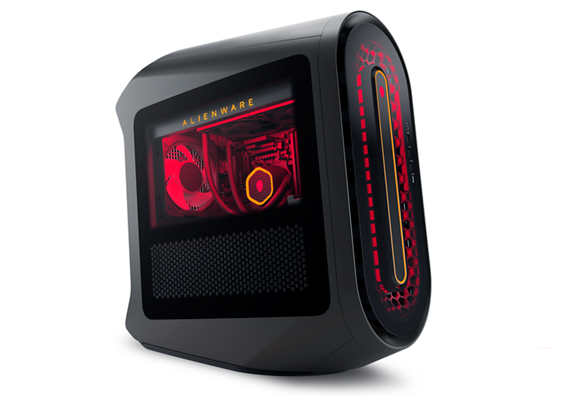
What about this one?
 
You should be able to edit/grade the BRAW files directly in Resolve, at a 3840x2160 (Ultra HD) or lower timeline resolution, using either of the systems you've linked to above.

Based on the performance I've seen while editing/grading the Blackmagic Ursa Cine 12K BRAW sample files that you can download from the Blackmagic site, when using a 12K (12288x8040) timeline in Resolve, an RTX GPU with 24GB RAM will play back the footage at a choppy sub-24 fps, then go over 23GB GPU RAM usage and crash Resolve. Which isn't surprising as the RTX video card itself only has a max resolution output of 7680x4320.

Dropping the timeline resolution down to that 7680x4320 (8K Ultra HD) resolution, I'm seeing smooth 24fps playback, with 22.8/24GB GPU RAM usage, but adding effects that require extra GPU usage causes the playback to pause and stutter (and I'm guessing would eventually lead to the program freezing or crashing like it does at 12K).

Dropping the timeline down to 3840x2160 (Ultra HD) resolution, gives a smooth 24fps playback, with only 9/24GB GPU RAM usage, and allows for smooth playback even when adding some GPU effects.

The current RTX video cards with 16GB RAM should be able to run a 3840x2160 (Ultra HD) BRAW Resolve timeline, with the higher-end 24GB RAM versions probably giving more leeway for using GPU generated effects based on what I'm seeing.

Beyond that it just comes down to using fast SSD's to read from and write to, a 3-5Ghz CPU with several cores, and 64GB+ system RAM (just in case 32GB causes a bottleneck with larger or more complex projects), which is pretty much what you're already looking at.

Hard to recommend actual hardware brands or system builders as there are so many variables, but others might have some suggestions (or corrections to the conclusions I've drawn above based on the limited testing of the 12K BRAW files I've done).
 
In a 4K timeline, the system you link should be great. Les makes a great point in that if you are editing on a 4K timeline, you have a very array of components. It's only if you really add in heavy effects such as NR or higher timelines where memory becomes an issue. But those issues are prevalent with any codec too.
To summarize though, that system should easily handle it (haven't tried it since I moved to Apple M series a few years back) without proxies
 
Back
Top