Welcome to our community

Be a part of something great, join today!

  • Hey all, just changed over the backend after 15 years I figured time to give it a bit of an update, its probably gonna be a bit weird for most of you and i am sure there is a few bugs to work out but it should kinda work the same as before... hopefully :)

Washed out effect - like in Black Mirror

Oli Girling

Member
Joined
Mar 4, 2013
Messages
10
Reaction score
0
Points
0
This is my first post here so hope its ok.

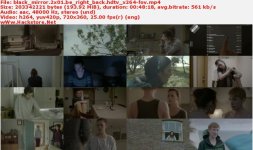
I am shooting on a Scarlet at the end of the month and have been doing some lighting tests the last few days. The footage is being graded externally but wanted to know what the name of this effect (I found this image on the Google Images to show an example taken from Black Mirror Series). It is a washed out look often pushed by the characters warm/light clothing, but not sure how its done/if it has a name?
O2YR0AX.jpg

Would be really thankful if someone could push me in the right direction or even guild me to another thread if they have seen something posted similarly.
 
Oli, I'm not sure this is much of an effect. You would be pretty close to this just using REDlogFilm gamma setting in RedCineX and tweak from there. Half the time, I think the commercials using this look (see the Sprint ads) are just the Log C output from Alexa, adjusted a bit in post. Not a look I admire, but to each his own.

Tim Eaton
 
Hard to tell much from that picture as it's low quality, so I went and looked up more pics from that show. As others have stated the ultimate look will depend on the grading, although lighting is where you are going to want to start.

First, the lighting in Black Mirror is very very soft and appears to be motivated naturally. Sun through windows essentially lighting the scene with a few practical motivations around the rooms. The key to this look is bounce. Have your sunlight source come in diffused, not sure what your g&e situation is but a nice HMI through an 4x or 8x silk would do. If that's not available daylight balanced KinoFlos are naturally soft and are what I generally use when I have a small lighting kit. Softboxes are another route, or even bouncing your main source off of a white card into the room. Make sure you have enough source to allow it to wash through the room, this will need to bounce off of the ceiling and walls to evenly light the characters. This is seen in Black Mirror, notice there are no hard shadows on the characters faces but an obvious source as rim light and key.
Black-Mirror-3.png


34d4b1e530d795c748fd3371cf0d2196.jpg


You can notice the same in most of these pics, mainly when its day time, a few of the night time pics get a bit more stylistic. Throw in a few tungsten practicals to add a bit of color change in areas among your frame. Also if you're keen to it, they seem to have the backgrounds at about the same exposure as the characters, thus minimizing the separation of the character from the backgrounds. Flat.

Then again in post during the color process the only key from there is for the colorist not to add too much contrast, to keep the mids and the blacks relatively neutral. Black mirror seems to let the whites overexpose at times as well so if that's what you are going for make sure your colorist knows you aren't afraid to push the whites.

Let me know if any of that doesn't make sense and I'll be glad to go about trying to explain it better, lol. Anyways, that's about how I would achieve this look.
 
I'm trying to find what camera they used for this but have yet to come across anything mentioning the camera.

I haven't seen the show before but all this looking into it is getting me interested.
 
Don't confuse just a low-con with having a decent amount more dynamic range (which also tends to look low-con)... The thing about Alexa is that, even with the low-con OLPF, it still has a ton of tonality/saturation/colour even in LogC... Low-con alone wouldn't have that, and just going to RLF doesn't have that either.

That said, REDlogFilm, dropping your ISO down a stop or two, adding 0.3 contrast, and taking your blue-channel down to 0.8-0.9 will look very similar to this under ISO800 exposed daylight.
 
In those images I'm also seeing a little bit of green in the day int. images. It's subtle, and may be in the paint that they used. It also appears that in some instances skin tones have been slightly desaturated.
 
Only recently seen peoples replies to this so thanks very much.

I checked out REDlogFilm in REDCine-X and this is a great starting point :). I also see that the skin tones appear very desaturated in some cases (as Justin said). This is not an effect I want for this shoot but something I may play with later on.

Thanks for your help
 
Back
Top