Caleb Heymann
Well-known member
- Joined
- Mar 18, 2007
- Messages
- 330
- Reaction score
- 0
- Points
- 16
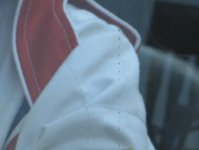
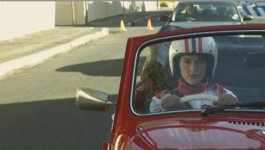
I encountered this problem on a shoot last week of vertical lines through the footage. It was not visible on set via the HD-SDI out. When the footage got to online, they cropped in on the footage and noticed a vertical line of dotted pixels against the white of the hero jacket. Wide shot is for scale reference.


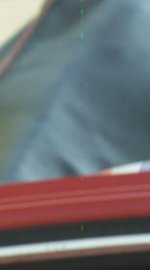
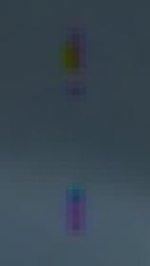
Here you can see the pattern at the pixel level. Seems quite random.

I went through all the footage from this two day commercial and found that this was evident on both days of the shoot. The problem is hard to notice even at HD resolution until something light colored comes over this problematic line. But thanks to my RED Rocket™™™, I was able to closely scrutinize the footage at 1:1. Also, there appear to be a total of three lines of pixels that are affected at times, but the one on the right is generally the worst and the other two appear less frequently. They are on the R3D file as well as the transcoded Quicktimes.
What is particularly frustrating is that in one scene it's there if you look closely, and in the next scene there is no trace of it. Sometimes it starts only midway through a scene. It may have to do with heat, as both shooting days were above 30C here in Cape Town, but under 35C.
I went through my archived R3D files and found the same problem in a shoot two weeks prior, also on a hot day. I shot for the next three days after that in a studio and that footage is absolutely unaffected. So seems to be related to heat.
I am very curious to hear if others out there have experienced anything similar to this. I did have this problem on one shot only in late 2008, but it immediately went away so I stopped worrying about it.
Now it is extremely worrisome to see the footage occur not only on consecutive shooting days but on separate shoots. Has anyone else encountered this? I am going to test today in heat after a factory reset, reinstall of firmware and black balance. Hoping I don't have to send camera back to Red as it is always a hassle to get it in and out of South Africa.
For both projects affected, the following settings were used: 4K 16:9 RC36, build 21.4.1.
Here you can see the pattern at the pixel level. Seems quite random.
I went through all the footage from this two day commercial and found that this was evident on both days of the shoot. The problem is hard to notice even at HD resolution until something light colored comes over this problematic line. But thanks to my RED Rocket™™™, I was able to closely scrutinize the footage at 1:1. Also, there appear to be a total of three lines of pixels that are affected at times, but the one on the right is generally the worst and the other two appear less frequently. They are on the R3D file as well as the transcoded Quicktimes.
What is particularly frustrating is that in one scene it's there if you look closely, and in the next scene there is no trace of it. Sometimes it starts only midway through a scene. It may have to do with heat, as both shooting days were above 30C here in Cape Town, but under 35C.
I went through my archived R3D files and found the same problem in a shoot two weeks prior, also on a hot day. I shot for the next three days after that in a studio and that footage is absolutely unaffected. So seems to be related to heat.
I am very curious to hear if others out there have experienced anything similar to this. I did have this problem on one shot only in late 2008, but it immediately went away so I stopped worrying about it.
Now it is extremely worrisome to see the footage occur not only on consecutive shooting days but on separate shoots. Has anyone else encountered this? I am going to test today in heat after a factory reset, reinstall of firmware and black balance. Hoping I don't have to send camera back to Red as it is always a hassle to get it in and out of South Africa.
For both projects affected, the following settings were used: 4K 16:9 RC36, build 21.4.1.