Welcome to our community

Be a part of something great, join today!

  • Hey all, just changed over the backend after 15 years I figured time to give it a bit of an update, its probably gonna be a bit weird for most of you and i am sure there is a few bugs to work out but it should kinda work the same as before... hopefully :)

Unwanted Grain When In REDCINE-X

Tom Digges

Member
Joined
Aug 23, 2013
Messages
14
Reaction score
0
Points
0
Location
Philadelphia
Hi All,

Shameless post here. I'd like to prefix this by saying that I'm almost certain I'm doing something wrong.

That said, I'm becoming newly acclimated to the Red Epic and have been shooting 5k tests and grading on the new Mac Pro 12 core. In camera, my goal posts are fine, my blacks are black, and the image looks pretty good. However, when I bring it in Red Cine-X and display it in full res, the image is incredibly grainy. At 1/8, it's not as apparent (obviously) and even a still TIFF of the full res image grabbed from Cine doesn't show this kind of grain. Any idea on what can be wrong?

Any help would be greatly appreciated.
 
Do you think you could upload an r3d still somewhere so people can have a look and let you know if it's normal or not?

I've typically only had noise or grain when I have underexposed and am retroactively pushing the iso to get a usable exposure.
 
Apologies for the delay. Attached is an R3D still of a "talking head" shot. Iso set to 800 and WB at 5000K. My camera's exposure values were fine. (Expose to the left as I've been told?) No potential for noise in the left field goal post. Yet, image looks terrible when opened in full res in RedCine-X Pro.

R3D Still
 
Could you post a screenshot from REDCine-X. It looks fine on my end. I would say you exposed for about 1,000 ISO not 800 so the grain is actually pretty good thanks to how flat the dynamic range is and I don't see anything as jumping out. Maybe your video card is doing something wonky. It should look exactly the same in REDCine and from a TIFF.
 
Nothing wrong and not noisy at all. I added some unsharp mask which brings out a bit of speck noise, but your image is fine. It may be either your graphics card or the monitor itself but that image is clean. Like the others have suggested post a screen grab and maybe we can better help you.

A002_C015_0221EO.0000080F1.0000000.jpg
 
I didn't really see any issues with grain at all. You should note that when you view at lower resolutions (like 1/8) the grain appears exaggerated. I bent the image quite a bit in RCX and think it help up very well.


Also you should note that the standard exposure practice is "expose to the right". Not to the left. :thumbsup:
 
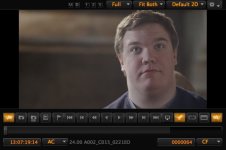
Thanks for all the words of confidence and advice. It could very well be the video card. It's a Red Rocket in a thunderbolt 2 enclosure that's been giving us issues already. Attached is a screenshot as i see it in RCX.
 

Attachments

  • RCX SS.jpg
    RCX SS.jpg
    76.8 KB · Views: 0
This is a only a preview issue.
Try checking if the issue remains after switching preview window scaling to straight divisions instead of display fit.
 
So, I'm displaying in full screen video mode at 25%. Still doesn't seem right to me. Thoughts?
 

Attachments

  • REDCINE SS Fixed Display.jpg
    REDCINE SS Fixed Display.jpg
    83.9 KB · Views: 0
Back
Top