I recorded some footage yesterday that is not showing up on the computer. The computer is saying that the card has 35 gigs of space used but its only showing 256 meg of files. I shot my footage with a red scarlet. I downloaded REDundead and followed the directions to the T but its not finding any files when I type in the command.
I attached 3 screen pictures to show how I am doing this.
First thing I did was connect my redmag reader with the card to the computer. I then opened up terminal and REDundead.
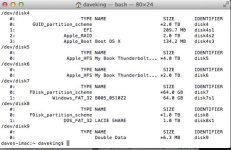
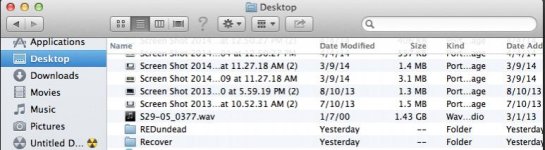
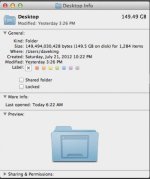
I then typed the directory and found my red card was on disk 7. I then created a folder on my desktop called REDundead. I then right clicked on get info and found the path to the folder when is /Users/daveking/Desktop.
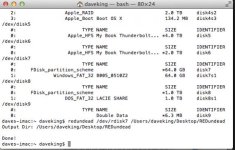
I then typed in redundead /dev/rdisk7 /Users/daveking/Desktop/REDundead, it says its done but it doesn't find any files or copy them to the folder. Just to make sure I had the correct path I dragged and dropped the folder into the part after rdisk7, same thing no dice.
I thought maybe my footage just can't be recovered so I then used another card with red footage on it with the same exact instructions to see if it sees those red files and I get the same thing.
Can anyone help?
Thanks
Dave King
I attached 3 screen pictures to show how I am doing this.
First thing I did was connect my redmag reader with the card to the computer. I then opened up terminal and REDundead.
I then typed the directory and found my red card was on disk 7. I then created a folder on my desktop called REDundead. I then right clicked on get info and found the path to the folder when is /Users/daveking/Desktop.
I then typed in redundead /dev/rdisk7 /Users/daveking/Desktop/REDundead, it says its done but it doesn't find any files or copy them to the folder. Just to make sure I had the correct path I dragged and dropped the folder into the part after rdisk7, same thing no dice.
I thought maybe my footage just can't be recovered so I then used another card with red footage on it with the same exact instructions to see if it sees those red files and I get the same thing.
Can anyone help?
Thanks
Dave King