

Navigation
Install the app
How to install the app on iOS
Follow along with the video below to see how to install our site as a web app on your home screen.

Note: this_feature_currently_requires_accessing_site_using_safari
More options
Welcome to our community
Be a part of something great, join today!
You are using an out of date browser. It may not display this or other websites correctly.
You should upgrade or use an alternative browser.
You should upgrade or use an alternative browser.
Transcoding Epic without a rocket..Please help!!!
- Thread starter James Hogarth
- Start date
- Thread starter
- #22
James Hogarth
Well-known member
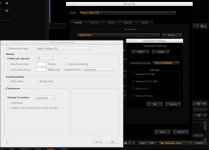
-click on the preset
-click on EDIT
-choose format / file format / Quicktime then click on setup
- Choose compression setting / VIDEO
- you get the QT window where you can choose your codec.
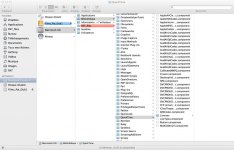
Hi pat i understand this stage but how do i bring your presets and codecs into RedCini X? I right clicked to load export presets but they are all greyed out in the folders
Patrick Tresch
Well-known member
- Thread starter
- #24
James Hogarth
Well-known member
Pat you are my hero thanks so much they are in the system now so I can now transcode 422 on set 1/2 debayer as mentioned earlier which should be fairly fast. I can't thank you enough for all your help. I'm still a bit scared by the look of redcini x but i will watch some vids and read up on it and now i know i can transcode without the rocket this is a massive help. How do i load the presets you sent me?
I will have a look at these too.
I will have a look at these too.
Patrick Tresch
Well-known member
You should get them in RCX when you right click on the preset tab and load them.
Have a nice time with RCX ;-).
Pat
PS RCX crashes some times do a save preset for every 5 minutes of work... you find this setting in the Preferences.
Have a nice time with RCX ;-).
Pat
PS RCX crashes some times do a save preset for every 5 minutes of work... you find this setting in the Preferences.
- Thread starter
- #26
James Hogarth
Well-known member
Thanks so much. I really appreciate all your help
Patrick Tresch
Well-known member
You'r welcome!
Pat
Pat

Jason Kraynek
Well-known member
great post to highlight for me as well since i just got my Epic last month and will be diving into my first edits in Jan. thanks all

Bob Gundu
Well-known member
- Joined
- Mar 17, 2011
- Messages
- 10,238
- Reaction score
- 3
- Points
- 38
- Location
- Toronto, ON Canada
- Website
- www.10fh.com
Check out the Learn section of the RED site. There is a video on exporting.
http://www.red.com/learn/workflow/redcine-x-exporting
http://www.red.com/learn/workflow/redcine-x-exporting
Jason Kraynek
Well-known member
will do- thank you sir
- Thread starter
- #31
James Hogarth
Well-known member
Check out the Learn section of the RED site. There is a video on exporting.
http://www.red.com/learn/workflow/redcine-x-exporting
Thanks Bob