Welcome to our community

Be a part of something great, join today!

  • Hey all, just changed over the backend after 15 years I figured time to give it a bit of an update, its probably gonna be a bit weird for most of you and i am sure there is a few bugs to work out but it should kinda work the same as before... hopefully :)

Super clean 3K WS using 'Frame Averaging'

Would it work OK in theory if the number of averaged frames was 2 or 3?

This technique would have some interesting applications - perhaps an interview of a person for which 6K detail is less desirable than a cleaner image.

Your choices are 2, 4, 8, 16 frames when averaging. The thing to remember is that the integration time factors into it. If you try to average 16 frames then 16 frames need to be exposed before the averaging can be done, so at a half second exposure time 16 it takes 8 seconds to write one frame.

Ok intriguing for sure and useful in some instances but...6K down-sampled to 3K yields a cleaner image anyway with smaller noise...no?

Actually, it's a good time to use it because in 3K it is a windowed sensor therefor increasing the chance of noise (like if you made an image on your DSLR and used the crop tool in photoshop to cut out the middle of the frame, the resulting image would be noisier not cleaner.

David
 
Actually, it's a good time to use it because in 3K it is a windowed sensor therefor increasing the chance of noise (like if you made an image on your DSLR and used the crop tool in photoshop to cut out the middle of the frame, the resulting image would be noisier not cleaner.

David

David I meant shooting 6K @ 25fps and downsample to 3K versus shooting 3K @ 100fps and Frame Averaging to 25fps...

The only instance where I see this useful is in daylight (or in studio with plenty of light) and shooting in 6K WS @ 100fps and @ 250 ISO...

or maybe when stuck @ 5K WS or 4.5K WS for coverage problems on vintage lenses...
 
David I meant shooting 6K @ 25fps and downsample to 3K versus shooting 3K @ 100fps and Frame Averaging to 25fps...

The only instance where I see this useful is in daylight (or in studio with plenty of light) and shooting in 6K WS @ 100fps and @ 250 ISO...

or maybe when stuck @ 5K WS or 4.5K WS for coverage problems on vintage lenses...

Oh, OK. Wasn't sure. Yes, you would need a lot of light but at 6K you would be limited to the number of FPS you can record. In averaging mode (if you average 4 frames) you will see the framerate drop to 6FPS, this is because it is using 24FPS to create 6FPS, if you want 24FPS the camrea will be playing back 96 FPS (in camera) for what looks like 24FPS on playback.

I did a lot of testing with this mode an it has it's uses and situations, I think it's really unreal at 16fps on non moving tabletop or product photography specificcally for stills, that will blow anything you get off a Nikon sensor out of the water because you average 16 exposures, combine that with ADD and you can really create some super sharp and clean stuff.

In motion, it's a bit more limited but this thread shows what can be done, but the math gets a bit weird and you loose stops and need to factor in all of these factors. Also this is a "no sound" mode so it would force you into double system for sound recording.


David
 
Last edited:
You don't need to shoot in 3k to use Frame Processing. This works also at 6k WS at 100fps. For some super clean plates.

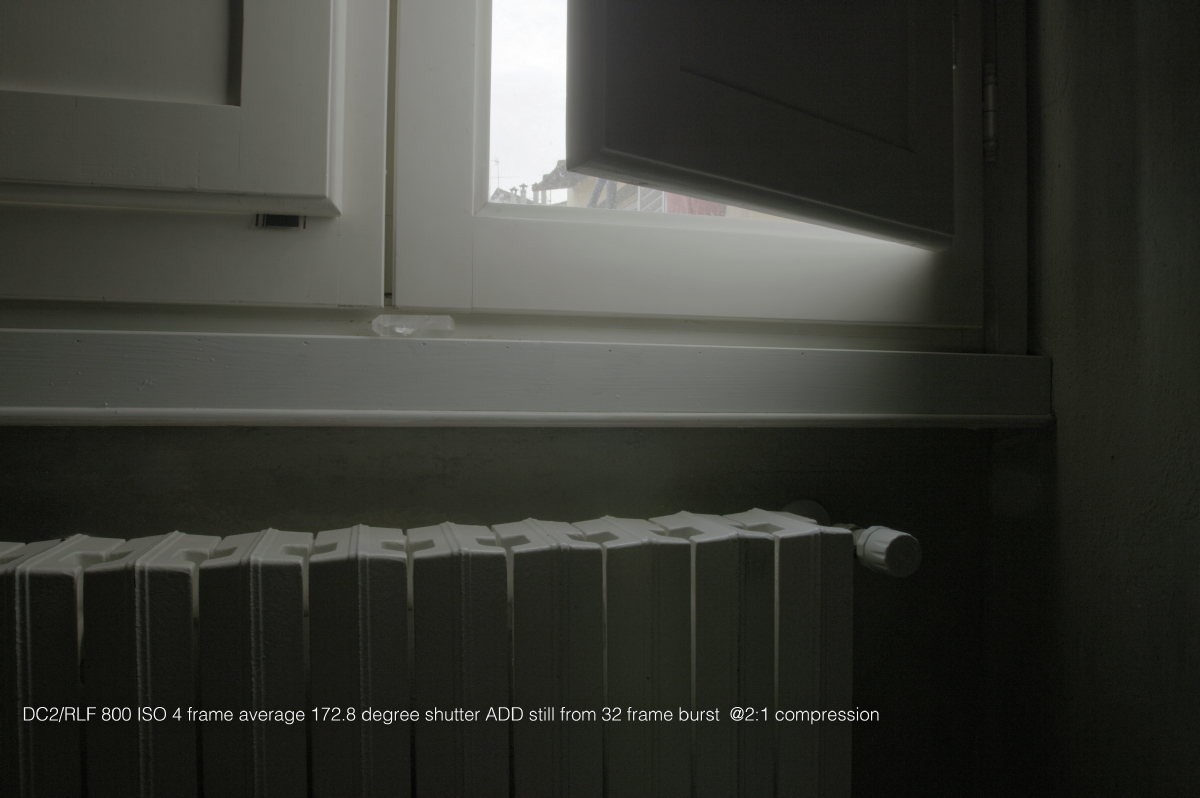
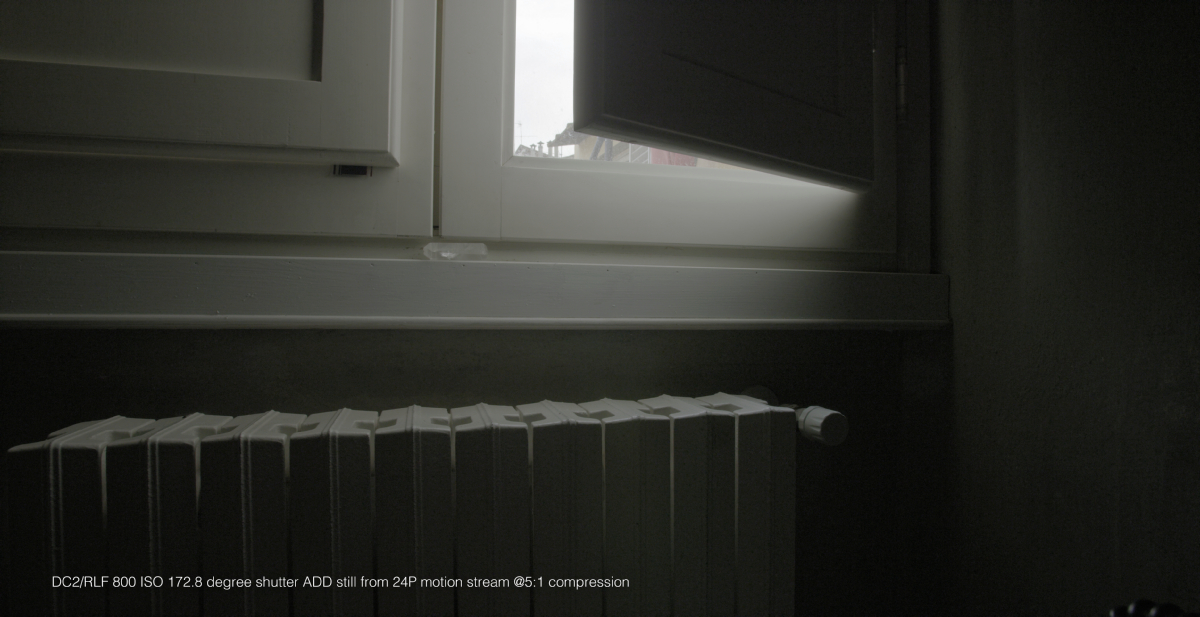
So the question kinda becomes,

Do I grab 6K plates at 17:1 compression in 4 frame averaging mode? Or

Do I shoot bursts at 2:1.
With my non minimag Epic Dragon I can shoot a 24 frame burst in 6K@ 2:1 Frame averaging with 4 frame averaging and a 172.8 degree shutter.

But I would have to test to see if the 17:1, 4 frame average is actually cleaner than say 5:1 (always talking 24fps project timebase and playback) IN 6K.

But I think your 3K example is great, but i'm not sure you can say you can do the same at 6K, it doesn't extrapolate.

David
 
Here is a little frame averaging comparrison for you all to look at. Download Full Resulution here.Standard OLPF, RED EPIC DRAGON 6K

David


average_01.jpg


average_02.jpg


average_03.jpg


average_04.jpg
 
Last edited:
Link did not work for me... ???
 
Can you use HDRx and frame averaging at the same time?
 
Can you use HDRx and frame averaging at the same time?

nope.

But you can see the DR difference with frame averaging in the top end in my examples above. You can eek a bit more out of the top and bottom of the image by averaging frames without the need to blend two shutter speeds.

David
 
I think this method is incredible. I often was annoyed by the extra noise when cropping in.
Especially when I was on very limited media and therefore did not want to shoot 6K.
Or couldn't for any reason. I'm going to Tokyo with a loaner kit on Sunday for 2 weeks
and since I only got 2x 128GB I will shoot most things in 4K or 5K instead of 6K.

I will defintely play around witht his before leaving.
So if I get this right, the way to go for a "normal 25fps clip" is:
100fps
360 deg shutter
frame averaging at 4 frames
- would this have the same motion blur as a 25fps clip at 1/50ths shutter (180deg shutter)?

And for a 50fps clip it would be:
200fps
360 deg shutter
frame averaging at 4 frames
 
So if I get this right, the way to go for a "normal 25fps clip" is:
100fps
360 deg shutter
frame averaging at 4 frames
- would this have the same motion blur as a 25fps clip at 1/50ths shutter (180deg shutter)?
Logic says that it would look the same, but I look forward to hearing what others have to say about that.

What's interesting about this technique is that the digital camera is being used authentically, as opposed to being used as a digital version of a film camera. (That's what DSLRs are, pretty much: clunky, digital versions of film cameras. But I digress). There's no point having a digital camera and not screwing it for all it's worth. IOW, understand the strengths of each medium and explore and exploit them.
 
I've played with this a lot and there's a lot of good info in this thread already but I thought I'd add my 2 cents

A basic topic sentence explaining what the point of this technique is would be super helpful.

It's a way to increase the dynamic range of the sensor with no caveat except that a 360 degree shutter is recommended.

Shooting 100fps and averaging 4 frames means 25 fps after frame averaging. Averaging 4 frames should get you 2 stops cleaner shadows, but shooting 4x the frame rate means you get two stops less light.
This means it does not make the camera better in lowlight, what you trade for in the noise profile you loose in the exposure. Essentially you're protecting your highlights by 2 more stops.

4 frames at 100fps with 180 degree shutter means that the shutter is open for 1/200th a second, then closed for 1/200th, then open, then closed, open, closed, open, closed. The light recorded during the 4 times it was open is not continuous, so motion blur in the averaged frame will not be either. You'll have motion blur with 4 distinct voids. If you shoot 360 shutter, you get 360 after averaging. If you shoot 180, you get a discontinuous 180 after averaging, which is not the same as normal 180

I find the technique really shines shooting timelapse, where averaging 16 24fps frames at 360 shutter can look quite natural. 16 frames means 4 stops more dynamic range, making shooting daytime, to sunset, to moonlight possible without any exposure compensation.
 
Thanks for sharing this. I'm looking forward to play with it and see if/where I can use it in an day to day workflow.
 
Back
Top